
Your recipes are probably everywhere right now, in Instagram saves, TikTok drafts, browser tabs, camera rolls, screenshots, and that one note you made while shopping. A best free recipe organizer app should pull all of that into one place, then turn it into something you can cook from, plan with, and shop from. The right pick depends on where you find recipes, which devices you use, how your household handles grocery lists, and how much friction you can tolerate in a free plan.
The strongest choice for mixed-source cooks is Recipe One, because it turns social posts, videos, photos, screenshots, and pasted text into a structured library you can search later. But the right app for you might be better at grocery sharing, Apple-only cook mode, pantry tracking, or open-source control. Use this list to match the app to your real cooking workflow, not just a feature checklist.
1. Recipe One
Recipe One is the clearest pick for cooks who save recipes from everywhere and want them turned into a usable kitchen system. It takes the messy inputs people use, then converts them into a clean recipe view with ingredients, steps, measurements, and cook time. That matters because recipe organization stops being useful the moment you still need to decode the original post at the stove.
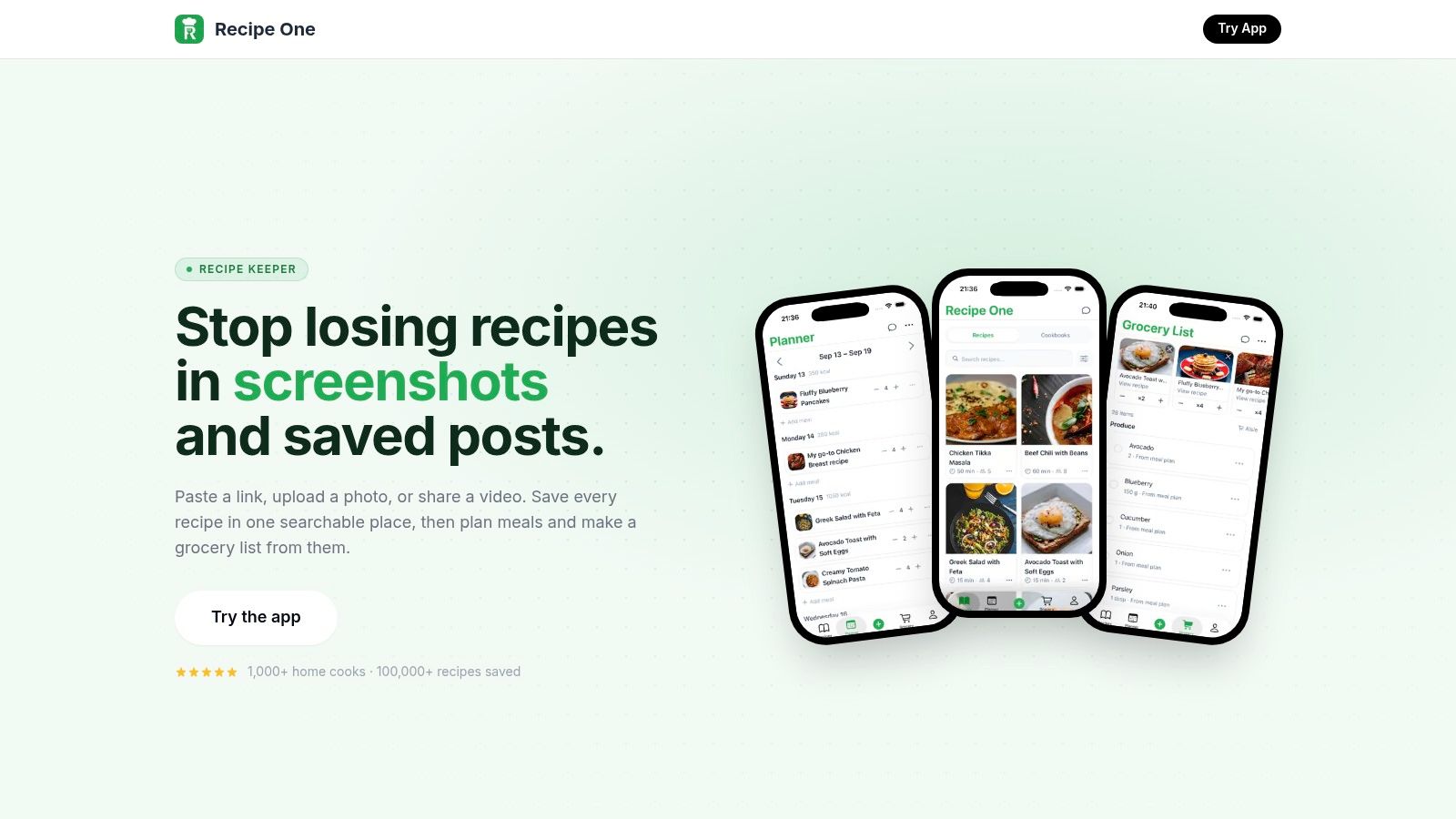
It also handles the planning part well. Saved recipes can move into a meal planner and then into a grocery list, so you're not rebuilding dinner from scratch every week. That kind of workflow fits the market shift toward planning, shopping, and cooking as one system, not separate chores, which is exactly how the broader meal-planning category is evolving on a larger scale (Dataintelo market report).
Why it wins for mixed-source capture
Recipe One is built for the way people really collect recipes now. If you save a dish from TikTok, YouTube, Instagram, a blog, a photo, a screenshot, or pasted text, the app gives you one searchable library instead of six different places to check. The ad-free cooking view is useful too, because it keeps the recipe readable once you're standing in front of the stove.
Practical rule: choose Recipe One if your biggest problem is not discovery, but turning saved inspiration into something structured enough to cook on a busy weeknight.
The built-in helpers make it even stronger for routine cooking. Cups to grams conversion, oven temperature conversion, rice-to-water ratios, nutrition calculation, and “cook with ingredients” search all reduce small decisions that slow you down. Recipe One is also available on iOS and Android, syncs across devices, exports to PDF, and can share recipes with friends. Pricing is not listed on the site, so check the current app listing before you commit.
2. Samsung Food
Samsung Food is the best free recipe organizer app for people who want a broad save-plan-shop workflow without juggling separate tools. It works across iOS, Android, and the web, so your recipes and lists stay accessible whether you're on your phone in the kitchen or on a laptop planning the week. That cross-platform coverage is a major reason it stays relevant for households that move between devices all day.
The app's free tier is its main appeal. It supports recipe saving, collections, meal planning, and grocery lists, which covers what many users want in a single place for dinner decisions. It also connects to Samsung appliances and SmartThings, which makes sense if your kitchen already sits inside that ecosystem.
Best fit and clear limits
Samsung Food is strongest when you want convenience more than customization. It helps you move from saved recipe to meal plan to shopping list without much setup, and that's the kind of frictionless routine many busy households want. The limitation is that its appliance integrations mostly matter to Samsung owners, and its discovery surfaces can lean toward partner content rather than your own library.
The app works best when you treat it as a household planning hub, not just a place to stash links.
For readers comparing it with Recipe One, the difference is simple. Samsung Food is a broad planner with a strong free tier, while Recipe One is more focused on turning messy, multi-source inspiration into a structured personal library. If you want to explore ingredient-driven planning alongside recipe capture, Recipe One's own guide to finding recipes by ingredients on hand is worth a look.
3. AnyList
AnyList works best when the grocery list drives the whole cooking routine. It keeps shopping simple and dependable, which is exactly what couples, roommates, and families need when several people share dinner and errands.
The recipe tools matter, but the true value is how AnyList handles the trip from saved recipe to store run. It combines duplicate ingredients, sorts items by aisle, and supports shared lists and shared meal plans. If your household constantly asks, “did anyone buy onions,” a dedicated grocery list app workflow like the one AnyList builds solves the concrete problem. For readers comparing options, a grocery list app only works if it fits the way people shop together.
When grocery coordination matters most
AnyList runs on iOS, Android, web, and Mac, so mixed-device households can stick with the same list without friction. The recipe organizer is solid enough for meal planning, but the free plan limits direct recipe web imports, which matters if you clip from a lot of blogs. Some calendar and sync features also sit behind Premium, so the free version is practical, not unlimited.
Use AnyList if you want the grocery list to do the heavy lifting. The recipe box supports shopping efficiency, not creative archive building, and that is the right trade-off for many households. It keeps the workflow focused from recipe to list to store, without extra clutter.
AnyList keeps shopping simple and dependable instead of chasing extra features, which makes it especially strong for couples, roommates, and families who share responsibility for dinner and errands. If you want a more capture-heavy organizer, Recipe One is stronger. If you want shared shopping to stay organized, AnyList is the better fit.
4. SideChef
SideChef makes sense for cooks who want guidance while they cook, not just a place to store recipes. It is built around step-by-step execution, timers, and a more hands-on kitchen experience. That matters for newer cooks, rushed weeknight cooks, and anyone who likes having the next instruction ready before they reach for the pan.
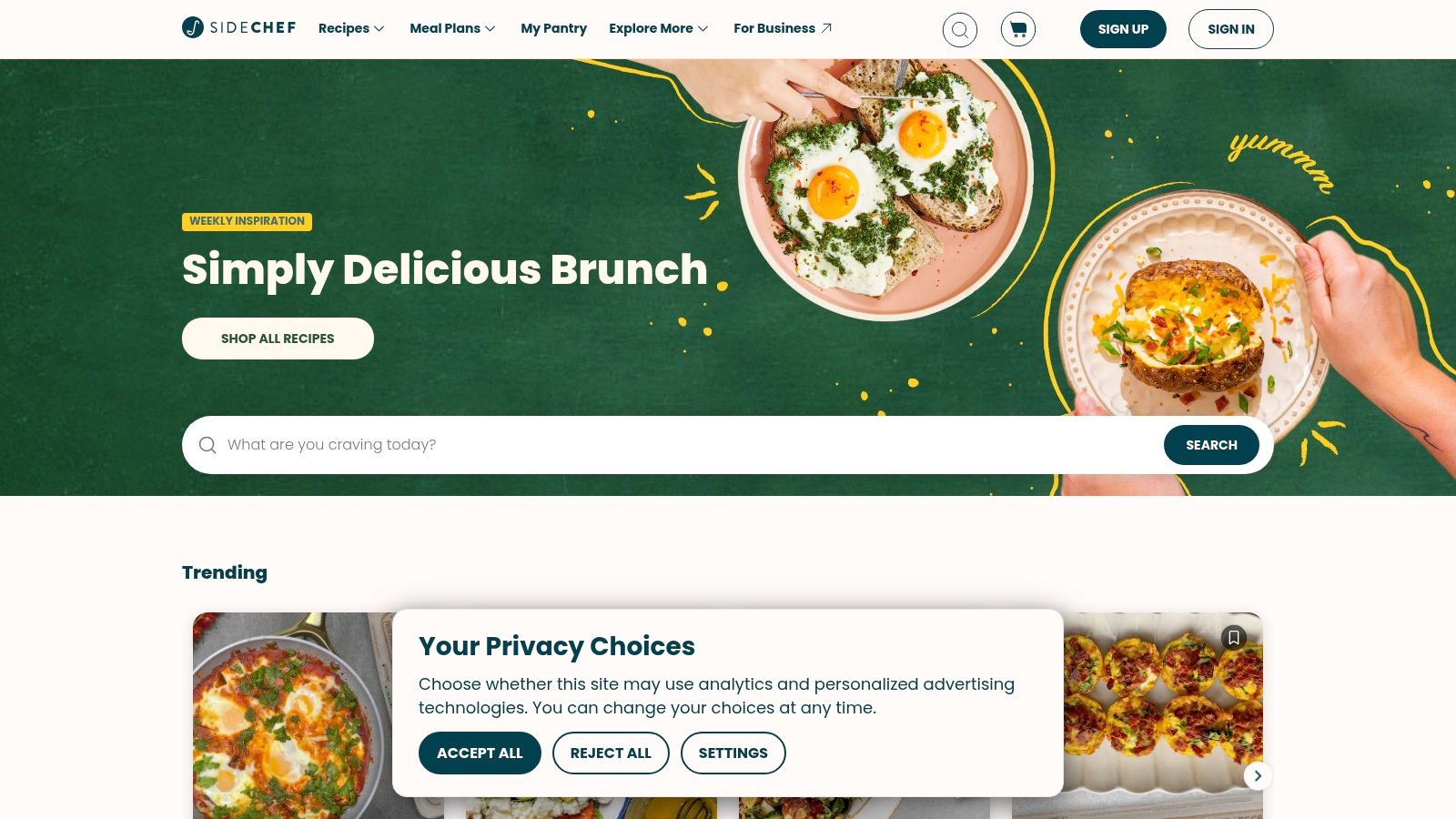
The app also supports meal planning and grocery lists, so it doesn't stop at the recipe screen. It pulls saved recipes into cookbooks, lets you place them on a plan, and generates shopping lists from them. That combination makes it a strong free option for people who want a little structure before they start cooking.
Guided cooking beats raw storage here
SideChef is less about building a huge personal archive and more about helping you finish dinner successfully. If you're the type of cook who follows instructions closely, the guided mode, timers, and appliance support are useful. If you mostly want to import recipes from social media and normalize them into your own system, Recipe One does that job more directly.
The main drawback is that its content and curation can skew toward SideChef's own catalog unless you import your own recipes. Some users also report sync or list glitches, so it's not the first pick for people who need perfect household coordination. Still, the free tier is generous enough that it earns a place on this list, especially for beginners who want confidence in the kitchen.
5. Copy Me That
Copy Me That is the straightforward web clipper for people who save recipes from food sites and want them stored without fuss. It's long-running, easy to understand, and built for getting recipes out of browser pages and into a personal box quickly. If you do not want a complicated app, that simplicity is the point.
The recipe flow stays basic in a useful way. Save the link, organize it, add notes, then use the meal planner and shopping list when you need them. The app keeps the collection process fast and reliable, while still giving you enough structure to act on what you saved.
Best for simple web clipping
The free tier is limited, so heavy collectors will hit the ceiling sooner than they want. Copy Me That fits people with a moderate recipe library, or cooks who care more about low friction than advanced planning. The interface also feels more utilitarian than the newer, polished apps on this list.
If your recipes mostly come from blogs and you want fast clipping more than advanced planning, Copy Me That does the job.
If you are comparing migration paths, keep your old links and notes together before you move them. Recipe One's guide to choosing a recipe saver app helps if you are deciding between a clipper, a planner, or a full kitchen system. Copy Me That stays useful because it keeps the core workflow simple, but it is not the strongest pick for social-video capture or deep normalization.
6. Pestle
Pestle fits cooks who pull recipes from social video and want a cleaner way to cook on Apple devices. It imports Instagram Reels, TikTok, YouTube, and web links, then converts them into step-by-step recipes with timers and hands-free support. That makes it useful when you are following a recipe while cooking.
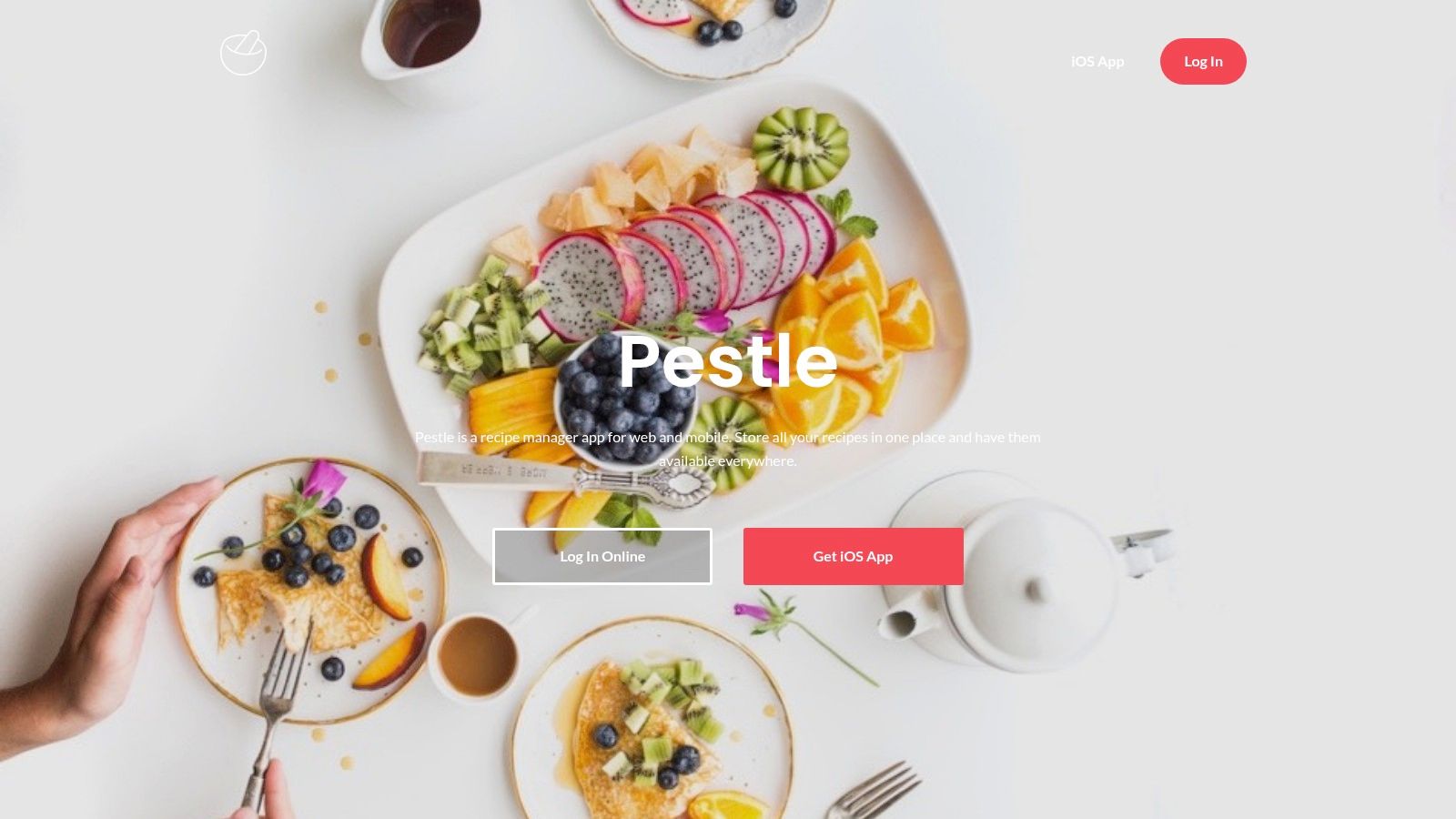
The cook mode is the reason to use it. Timers, voice control, and SharePlay make Pestle feel built for active cooking, and precise measurement conversion matters just as much once you start scaling recipes. It also includes a meal planner and grocery list, so the app covers more than storage.
Apple users get the strongest version
Pestle works best if your setup already runs through iPhone, iPad, Mac, or Apple Watch. That is a real advantage, not a minor detail. Android and Windows users should skip it.
Some sharing, household, and advanced features sit behind Pestle Pro. That limits the free tier, especially for people who want more than solo cooking support. Even so, Pestle stays strong for guided cooking and social video imports.
If your main problem is saving a recipe from a Reel and cooking it without tab-hopping, Pestle is a smart pick. If you need wider platform support or a better path for moving a large recipe library, Recipe One or RecipeSage make more sense.
7. Cooklist
Cooklist is the best free recipe organizer app for pantry-aware shopping. It helps you see what you already have, what you still need, and what local stores may carry. That makes it a strong choice for cooks trying to reduce waste, avoid duplicate purchases, or make dinner decisions based on the pantry first.
It combines recipe saving, meal planning, auto-generated grocery lists, and inventory tracking. Barcode scanning is a useful touch because it makes pantry management feel less like bookkeeping and more like a practical kitchen habit. When the app can connect your recipes to what's on hand, the weekly planning process gets easier.
Where Cooklist stands out
Cooklist is stronger than many apps at helping you cook from what you already own. That's valuable if you're trying to stretch groceries or cut down on impulsive buys. Its local store availability and estimated pricing features also add context that many recipe managers skip.
The trade-off is complexity. Some people will appreciate the extra layer of planning and inventory, while others will find it heavier than they need. Region and retailer support can also vary, so the experience won't feel identical for everyone.
Use Cooklist if your cooking routine starts with a fridge check, not a recipe search. If your main need is social capture or migration from another organizer, it's not the first pick. If your main need is better use of what you already bought, it's strong.
8. RecipeSage
RecipeSage is the best option for people who want a completely free, open-source recipe keeper with strong migration tools. It's available on web, desktop, and mobile platforms, so you don't get locked into one device family. That flexibility matters if you want ownership, portability, and no recipe cap.
The app supports import from URLs, photos, PDFs, and browser tools, and it also includes bulk migration from other apps. That makes it especially valuable if you're leaving another organizer behind and don't want to rebuild your library one recipe at a time. Meal planning and shopping lists are included too, which keeps it functional after the import job is done.
Best for ownership and bulk moves
RecipeSage feels less polished than the commercial apps, but that's the trade-off for being free and open source. There are fewer smart niceties, and the interface is more functional than pretty. If you care more about control than design polish, that's an easy compromise.
Practical rule: pick RecipeSage if you care most about moving a large recipe library without paying for cloud features.
The migration angle is the primary reason to keep it on your shortlist. If your current app has limits, export headaches, or subscription friction, RecipeSage gives you a cleaner escape route. For a buyer who wants a no-paywall path and doesn't mind a utilitarian interface, it's one of the smartest choices here.
9. Crouton
Crouton is the Apple-only pick for cooks who like hands-on, detail-oriented cooking. It imports from URLs, photos, PDFs, and other apps quickly, then gives you a strong cook mode with timers and guided weighing. If you cook with a scale or want more control during prep, that matters.
The app also syncs with Apple Reminders, and it runs across iPhone, iPad, Mac, Apple Watch, and Vision Pro. That ecosystem depth makes it feel like a native kitchen tool instead of a generic recipe vault. It's a good fit for people who already rely on Apple devices for daily routines.
Strong cook-mode details
Crouton's free set of features is generous, but it's still best for people who stay in Apple territory. Collaboration outside that ecosystem is limited, and some AI or photo-import extras require an additional add-on subscription. Those limits are manageable if you value the cooking experience more than broad platform access.
The app works well for cooks who want a recipe to stay visible, organized, and easy to step through while they're in motion. It's less about social capture than Pestle, and less about pantry tracking than Cooklist. For Apple users who want a careful cooking companion, it hits a very useful middle ground.
If your priority is a clean, Apple-native cook mode with practical kitchen tools, Crouton is a strong answer. If you need cross-platform migration or mixed-source capture from social feeds, Recipe One is the better first stop.
10. Cookmate
Cookmate, formerly My CookBook, is the old-school option that still matters because it's flexible. It supports web import, manual entry, and scanning from books and magazines, so it handles both digital and physical recipe sources. That makes it a useful bridge for people who are digitizing a long-standing family collection.
The biggest draw is local use. You can run it for free without a recipe cap if you skip cloud sync, which gives privacy-minded users a lot of room to work. If you do want sync, Cookmate Online adds cloud access across devices, but the free route is still enough for many home cooks.
Good for local storage and legacy collections
Cookmate feels dated compared with newer apps, but it's mature and wide-ranging. iOS, Android, and web support give it broad coverage, and the scanning tools help if your recipe archive starts in a notebook or on paper. The trade-off is that cloud limits and metered AI-assisted imports can push serious users toward paid upgrades.
For readers who want a digital cookbook that can live locally first, Cookmate still has a place. It's not the smoothest app on this list, and it's not the best at social-video capture, but it can protect a personal archive well. If you're moving an old family collection into a digital system, it's a practical option.
Recipe One's digital recipe book guide is a useful comparison point if you want a newer workflow built around modern recipe capture and planning.
Top 10 Free Recipe Organizer Apps: Feature Comparison
| App | Key features | UX / Quality (★) | Value (💰) | Target (👥) | Unique (✨) |
|---|---|---|---|---|---|
| Recipe One 🏆 | One‑tap save from links/videos/photos, AI extracts ingredients/steps, meal planner → grocery | Reliable extraction, distraction‑free cook view, 4.5★ | Pricing not listed 💰 | Modern collectors who save across platforms | AI one‑tap import → structured, cookable recipes ✨ |
| Samsung Food | Web/link saving, meal planner, auto grocery lists, SmartThings sync | Solid, stable experience, ★★★★ | Full featured free tier 💰 | General users, Samsung appliance owners | Send steps to SmartThings/Family Hub ovens ✨ |
| AnyList | Recipe saves, aisle‑sorted grocery lists, shared lists, basic planner | Excellent grocery/list UX, ★★★★ | Free + Premium for calendar/sync extras 💰 | Households prioritizing shopping efficiency | Aisle sorting + seamless family sharing ✨ |
| SideChef | Save recipes, guided cook mode with timers, meal planner, shopping | Great guided cook experience, ★★★★ | Robust free tier; optional ordering features 💰 | Newer cooks wanting step‑by‑step guidance | Clear step‑by‑step cook mode with timers ✨ |
| Copy Me That | One‑click browser clipper, recipe box, basic planner & lists | Functional and reliable, ★★★ | Very low‑cost premium tiers 💰 | Link savers seeking cheap, simple capture | Very reliable web clipping + low price ✨ |
| Pestle | Social video & web import, guided cook mode, SharePlay, timers | Excellent on Apple devices, ★★★★ | Free + Pestle Pro for advanced features 💰 | Apple users who import from social video | Best social‑video imports & hands‑free cook mode ✨ |
| Cooklist | Recipe save + meal plan, pantry/inventory, barcode scan, local pricing | Powerful, steeper learning curve, ★★★★ | Free + paid commerce features (region‑dependent) 💰 | Users tracking pantry & local store prices | Pantry‑aware recipes + local availability/price ✨ |
| RecipeSage | Open‑source import, bulk migration, web/desktop/mobile access | Functional, community driven, ★★★ | Completely free, no caps 💰 | Open‑source advocates & migrators | Free/unlimited + strong migration tools ✨ |
| Crouton | Fast URL/photo/PDF import, "play" cook mode, weighing, Apple Reminders sync | Excellent hands‑on cook mode (Apple), ★★★★ | Generous free features, paid add‑ons for AI tools 💰 | Apple‑only hands‑on cooks & prosumers | Guided weighing, Bluetooth probe & Vision Pro support ✨ |
| Cookmate | Web import/manual entry, scanner, meal planner, optional cloud sync | Mature but dated UI, ★★★ | Free local use; cloud sync paid 💰 | Users wanting local control & longevity | Run locally for free with optional cloud sync ✨ |
Build a Recipe Library That Stays Useful
Choose Recipe One if you save from mixed sources and want structured AI organization that turns clutter into a cookable library. Choose Samsung Food if you want a broad free save-plan-shop workflow that works across devices. Choose AnyList if household grocery coordination matters more than anything else, because its shared lists and aisle-sorted shopping make that job easier.
Choose SideChef if guided cooking is what you need at the stove. Choose Copy Me That if you mainly clip web recipes and want a straightforward organizer. Choose Pestle or Crouton if you live in Apple devices and care about cooking mode as much as saving. Choose Cooklist if pantry-aware shopping is the main problem. Choose RecipeSage if open-source ownership and migration matter. Choose Cookmate if you want local storage with optional cloud sync.
Move carefully when you switch. Export or gather your recipes from the old service, keep original links and notes, import a small test batch first, check that ingredients and measurements survived intact, standardize your tags and categories, rebuild your meal-planning routine, and keep a backup or export before you move the full library. That process saves you from discovering messy imports after you've already committed everything.
Free plans change, limits change, and pricing changes too, so verify what's included before you build your whole kitchen system around one app. The best free recipe organizer app is the one that still fits your habits after the novelty wears off.
Recipe One turns saved recipes from websites, TikTok, Instagram, YouTube, photos, and text into a structured library you can cook from. If you want one place for capture, meal planning, and grocery lists, visit Recipe One and see how it fits the way you already cook.


