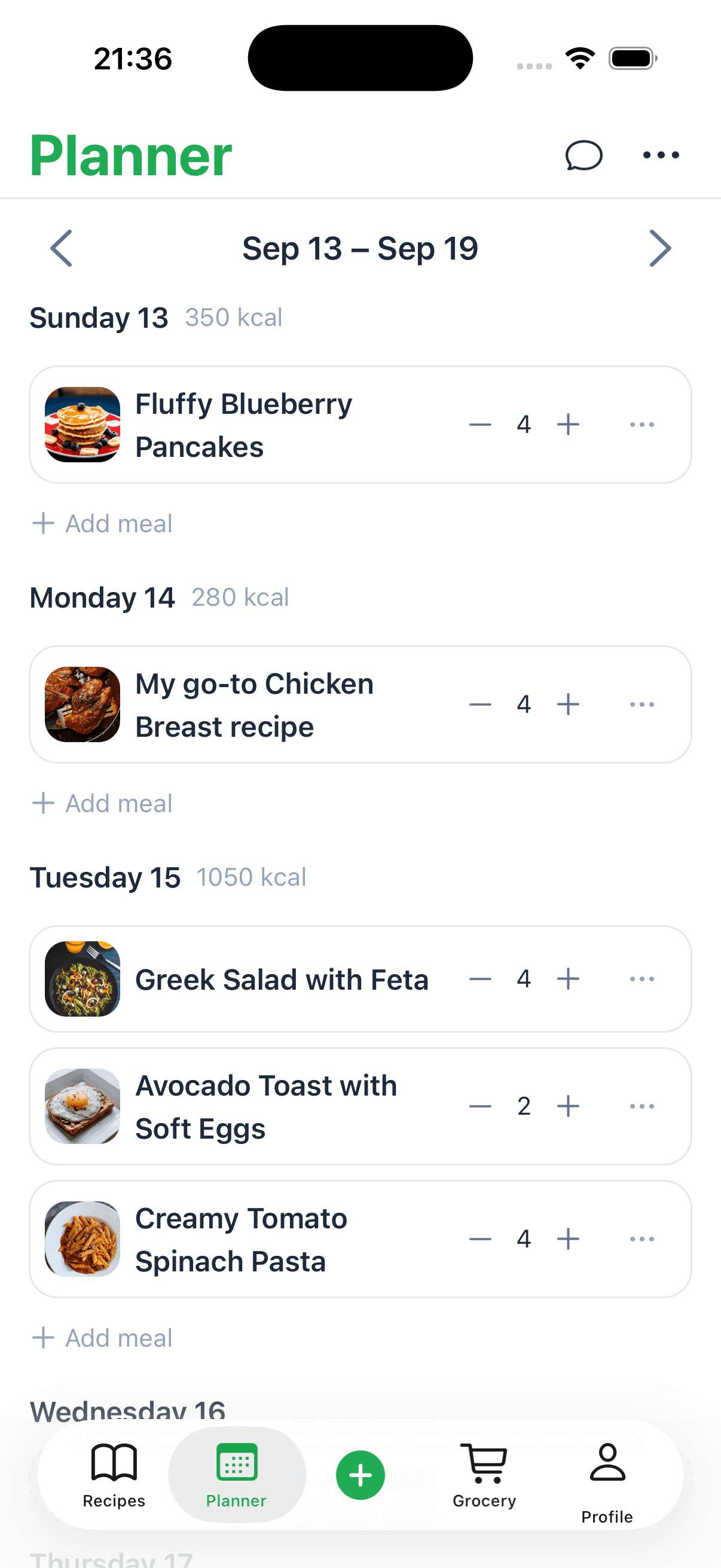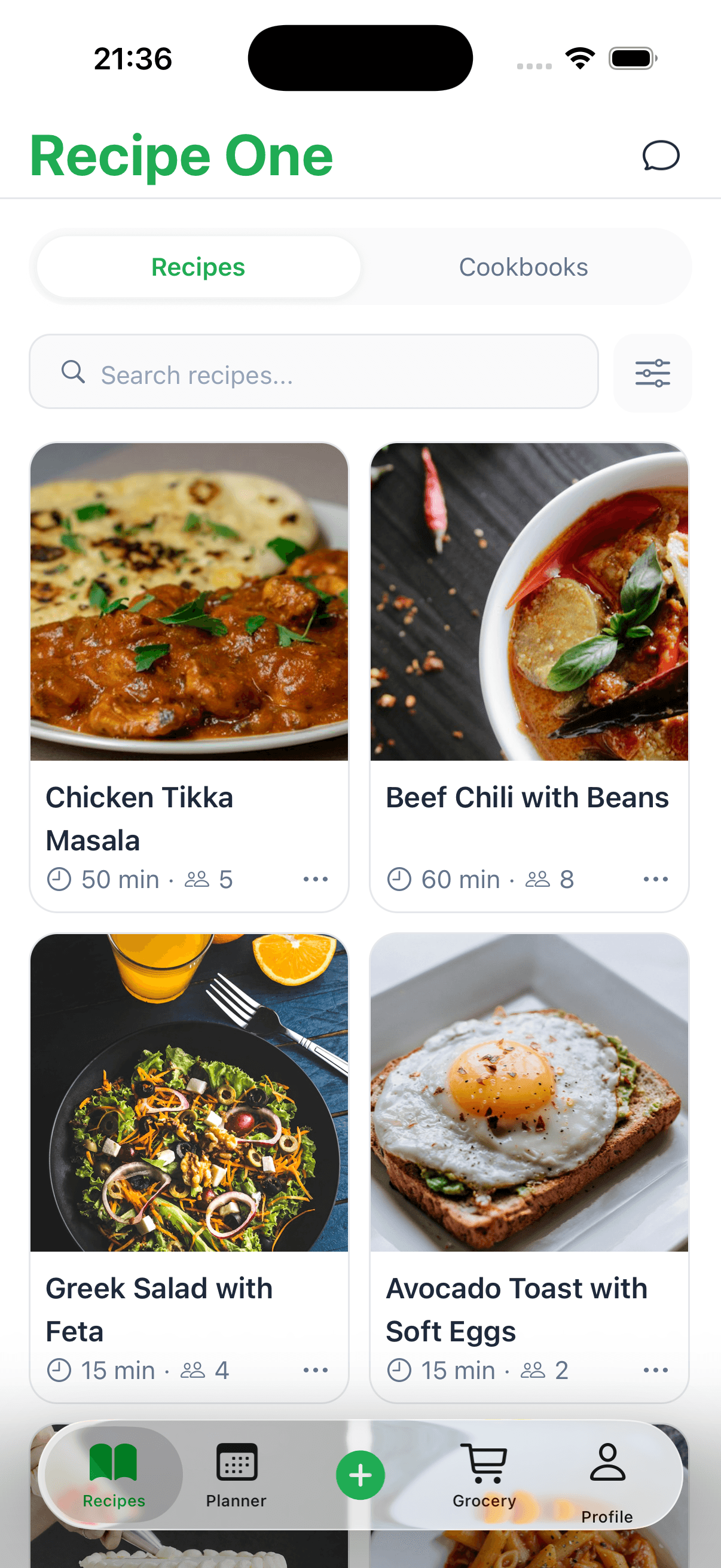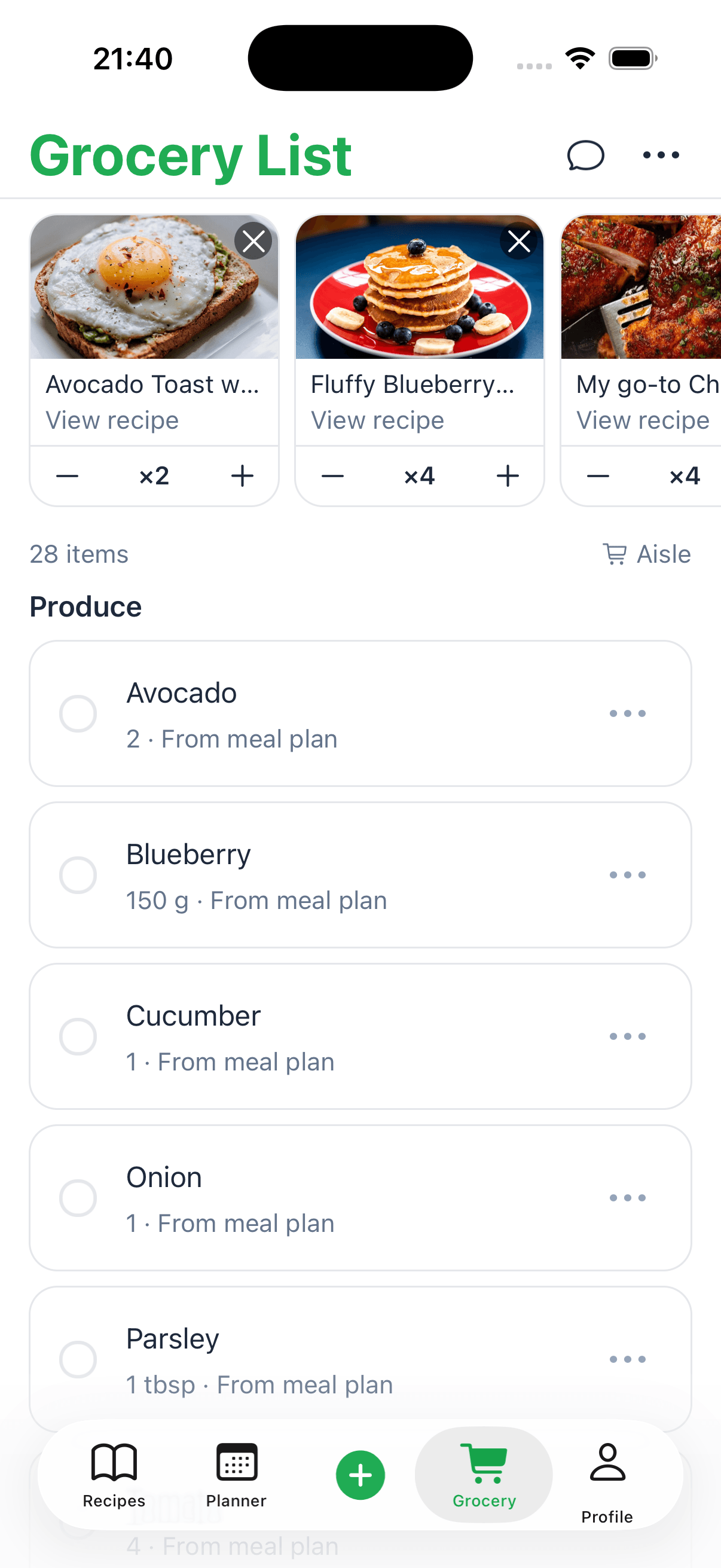
A grocery list app replaces the paper list you keep leaving on the counter. The good ones do more than hold a list: they know what you plan to cook and build the list from it. That is where Recipe One fits. You save recipes from food blogs, TikTok, Instagram, YouTube, or a photo, put them on a weekly meal plan, and turn those meals into a grocery list. Ingredients that show up in more than one recipe are combined into one line, and the list is sorted by aisle, so you are not retyping ingredients into a notes app.
Recipe One is free to start on iPhone and Android. If all you need is a shared household list with no recipes behind it, a dedicated list app like AnyList may suit you better. The rest of this guide covers what to look for either way. See also the best grocery list app for iPhone.
For Android, compare the best grocery shopping list app for Android.
Keep every recipe in one place
Stop losing recipes. Save from any website, scan handwritten cards, and organize your kitchen with AI.


Quick picks: best grocery list app for each need
- Recipe One — Best for saving recipes from any source: TikTok, Instagram, YouTube, and other social video, recipe blogs and websites, cookbooks, handwritten cards, and screenshots or photos. Then plan the week and build one grocery list from those meals.
- AnyList — Best for a shared household list that everyone can edit.
- Samsung Food — Best free option when you also want a meal planner.
- Paprika — Best for a recipe manager you buy once per device.
Why a Grocery App Beats a Paper List Every Time
We’ve all been there. You write down a perfect shopping list, only to leave it on the kitchen counter. Or you get to the store and realize you can't read your own handwriting. The classic paper list has served us well, but it's full of little frustrations that add up.
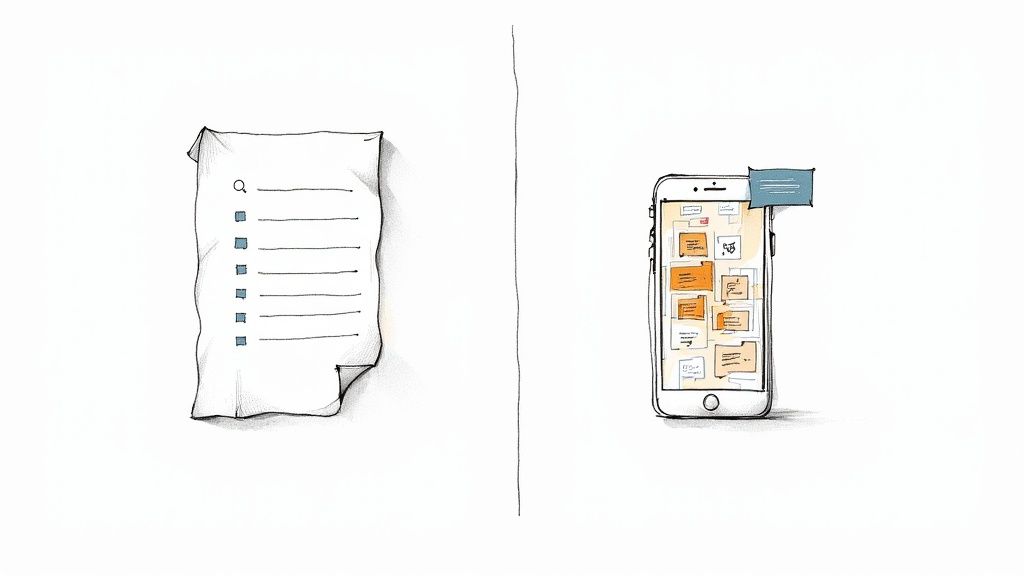
This is where a good grocery app changes the game entirely. It’s not just about jotting down a few items; it’s a genuine upgrade to your entire shopping routine.
Your Smart Shopping Co-Pilot
If a paper list is a hand-drawn map, then a grocery app is a full-featured GPS. It doesn't just tell you what to buy; it helps you shop more efficiently. The best apps offer features that paper just can't compete with:
- Real-time Updates: Your spouse can add that forgotten carton of eggs to the list while you're already standing in the dairy aisle. No more last-minute "did you get the...?" texts.
- Aisle Sorting: The app automatically groups your items by category (produce, dairy, pantry), giving you a logical path through the store and preventing you from backtracking.
- Meal Plan Integration: This is a huge one. You can connect your favorite recipes and add all the ingredients you need with a single tap.
Making this small switch from paper to an app can have a big impact. You'll save time, cut down on food waste by only buying what you need, and find it much easier to stick to your budget.
Here's a quick look at how the two stack up side-by-side.
Paper List vs. Smart Grocery App
| Feature | Paper List | Grocery List App |
|---|---|---|
| Sharing | Manual (text, call) | Instant, real-time sync |
| Organization | Up to you | Automatic by aisle/category |
| Recipe Integration | Manual copying | One-click ingredient adding |
| Accessibility | Easily lost or forgotten | Always on your phone |
| Editing | Messy scribbles | Clean and easy updates |
| History | One-time use | Saves past lists and items |
The bottom line is pretty clear. While a paper list gets the basic job done, a smart app actively helps you shop better.
A grocery list is a necessary accommodation. Forgetting what we planned to eat a week from now seems unlikely with a tool that remembers for us, preventing impulse buys and ensuring we get what we actually need.
Ultimately, an app brings order to the chaos of grocery shopping. It makes the whole process smoother and more predictable, freeing up your time and money for other things.
What Makes a Great Grocery List App? The Must-Have Features
Let's be honest, not all digital lists are the same. A simple notes app is just a digital piece of paper. A great grocery list app, on the other hand, is a smart shopping assistant loaded with features that actually solve the annoying problems we all face at the store.
These aren't just bells and whistles; they're tools designed to get you in and out of the store faster, with less stress and more of what you actually need.
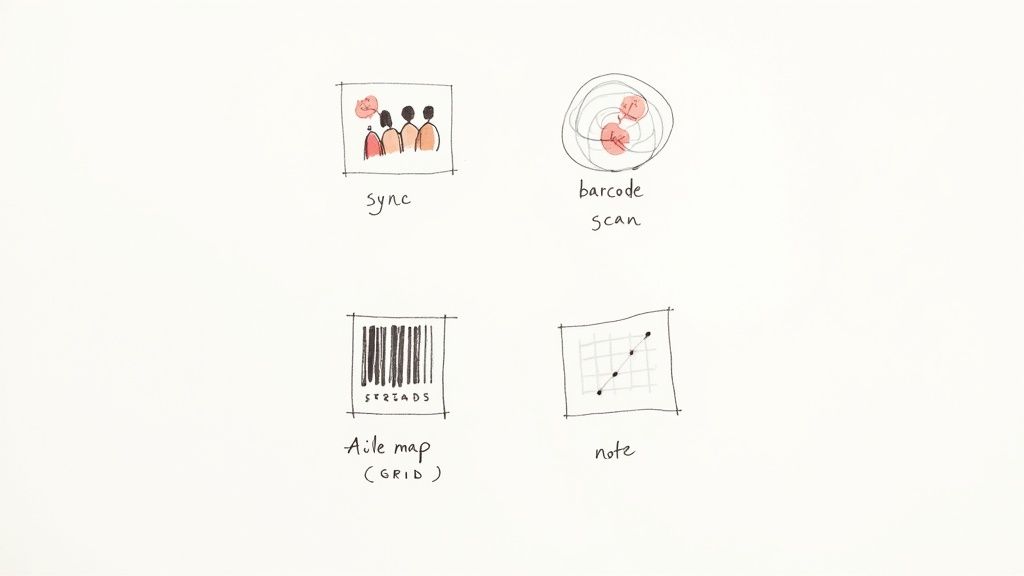
Think of it like this: a basic list is a hammer. A great app is a full toolbox, with a specific tool for every job, from planning at home to navigating the store.
Real-Time Syncing and Sharing
The single biggest leap from paper to pixels is the ability to share a list that updates for everyone, instantly. This is a total game-changer for families, couples, and roommates.
Picture this: you're already at the store when your partner remembers you're out of milk. Instead of a frantic text you might miss, they just add "milk" to the shared list from their phone, and it pops up on yours a second later. No more forgotten items. Everyone is literally on the same page, all the time.
Smart Categorization by Aisle
We’ve all done it—wandering through the grocery store like we're lost in a maze. A top-notch grocery app puts an end to that by automatically sorting your items by store aisle or category.
A great app doesn't just hold your list; it plots your course. It turns a chaotic scavenger hunt into an efficient, straight line from produce to checkout, saving you time and preventing those frustrating "oh, I forgot the..." moments.
Suddenly, your list is neatly organized:
- Produce: Apples, spinach, avocados
- Dairy & Eggs: Milk, yogurt, cheese
- Pantry: Pasta, olive oil, canned tomatoes
This simple but brilliant feature helps you move through the store methodically. No more crisscrossing from one end to the other for a single forgotten item. It can turn a dreaded hour-long chore into a quick 20-minute trip.
Barcode Scanning and Easy Item Entry
Adding things to your list should be fast and painless. The best apps get this, offering multiple ways to add items, including a barcode scanner. Just finished the cereal? Scan the box's barcode with your phone, and poof—it's on your list for the next trip.
Good apps also let you add specific notes, like "get the ripe avocados" or "low-sodium soy sauce only." This level of detail is what makes sure you bring home the right stuff. While many apps offer these clever tools, it's always smart to see what's included and what might cost extra. Figuring out if a great app is free helps you choose the features that matter most without breaking the bank. These little touches are what turn a good app into an amazing shopping partner.
Advanced Features for Smarter Meal Planning
While shared lists and organized aisles are great starting points, the best grocery list apps do so much more. They're not just digital notepads; they’re full-blown kitchen assistants designed to connect your shopping trip to your actual meal plan.
Think of it this way: a basic app helps you remember what to buy at the store. An advanced app helps you figure that out before you even grab your keys. It’s all about closing the gap between finding a cool new recipe and having all the ingredients on your counter, ready to go.
Seamless Recipe Integration
Let’s be honest, manually typing out a dozen ingredients from a recipe you found online is a drag. Recipe integration is the feature that solves this. You find a recipe you love, tap a button, and poof—every single ingredient lands directly on your shopping list.
This little bit of magic saves you from tedious typing and, more importantly, keeps you from forgetting that one crucial item like paprika or cumin. It makes trying new meals fun, not a chore. If you're looking to build this habit, our guide on how to plan weekly meals is a great place to start.
Digital Pantry and Inventory Tracking
We’ve all done it: you buy a new jar of mustard only to come home and find two more hiding in the back of the fridge. A pantry inventory feature puts an end to that. It’s essentially a running list of everything you already have on hand.
As you use up staples like flour, olive oil, or coffee, you just mark them as "out." The next time you build a shopping list, the app automatically cross-references your pantry, making sure you only buy what you actually need. It's a surprisingly simple way to cut down on food waste and stop buying duplicates.
Today's grocery list app is more than a list—it's a personalized nutrition and budget partner. It knows what's in your pantry, understands your health goals, and helps you shop smarter, not harder.
This technology is moving fast. The top apps are now using AI to suggest groceries based on your personal health goals, allergies, and even fitness plans. It’s a trend that major retailers are noticing, and these intelligent features are becoming more common across the board.
Smart Suggestions and Budgeting Tools
The really smart apps start to learn your habits over time. An AI-powered suggestion engine might notice you buy coffee every two weeks and will gently remind you to add it to your list before you run out. These personalized nudges are fantastic for keeping your kitchen stocked with the essentials.
On top of that, many apps are rolling out handy budgeting tools:
- Real-Time Spending Tracker: As you add items to your list, the app gives you a running estimate of the total cost. This is a game-changer for staying on budget.
- Price History: Some apps even track the price of your regular items over time, so you know exactly when it’s a good time to stock up on a sale.
Best Grocery List App for Cooks Who Meal Plan
If you decide what to cook before you shop, the grocery list should come from that plan. Here is how the main options compare for that job.
1. Recipe One: best for turning saved recipes into a grocery list
Recipe One starts with your recipes, not a blank list. Save a recipe from a food blog, TikTok, Instagram, YouTube, a photo, or a PDF. Put recipes on the weekly meal planner, then send the week to your grocery list. You can also add ingredients from a single recipe, or type in extras like paper towels.
- Built from your meals: Every recipe item comes from something you plan to cook, so the list matches your week.
- Duplicates combined: If three recipes call for garlic, you get one garlic line with the amounts added together.
- Sorted by aisle: Produce, dairy and eggs, meat and seafood, pantry, spices, frozen, bakery, and beverages. If an item lands in the wrong aisle, you can move it.
- Check off as you shop: The list stays synced across your devices, and you can share it as a text message with whoever is doing the run.
The honest trade-off: Recipe One shares the list as a message, not as a live list two people edit at the same time. It does not track prices, coupons, or pantry stock. It is free to start on iPhone and Android, with paid plans for heavier use.
2. AnyList: best for a shared household list
AnyList is built around one list the whole household edits in real time, with items grouped by store section. It can also save recipes and send their ingredients to the list. Meal planning and unlimited recipe imports need the paid AnyList Complete plan. Pick it if the shared list matters more than where your recipes come from.
3. Samsung Food: best free option with a meal planner
Samsung Food (formerly Whisk) saves recipes from websites, plans meals, and builds shopping lists on iPhone, Android, and the web, all on a generous free tier. Its paid Food+ plan adds AI meal plans and nutrition tools. It is a good fit if most of your recipes come from websites.
4. Paprika: best for a buy-once recipe manager
Paprika is a mature recipe manager with grocery lists, a pantry, and a meal planner, and it has no subscription. You pay per platform, and on iPhone you pay before you can try it. It works best when your recipes are already clean website links rather than social videos or photos.
Facts checked October 2026
| App | Free option / limit | Paid price (USD) | Platforms | Source |
|---|---|---|---|---|
| Recipe One | Free download. A free-use limit is not listed publicly. | The App Store lists several in-app prices, including Pro Monthly at $7.99 and $9.99, Pro Annual at $19.99, $29.99, $39.99, and $49.99, and Unlimited at $29.99. No single current price is stated. | iPhone, iPad, Android | App Store, Google Play |
| AnyList | Free lists and sharing. Import from websites is limited to 5 recipes. Meal planning is not included on the free plan. | AnyList Complete is $9.99/year for one person or $14.99/year for a household. | iOS and Android. Web and Mac need Complete. | Features |
| Samsung Food | Free app. A recipe cap is not listed publicly. | Food+ is $6.99/month or $59.99/year after a 7-day trial. | iOS, Android, web | Download, Food+ |
| Paprika | Android and the Windows trial save up to 50 recipes and do not include cloud sync. iOS and Mac are paid downloads. | One-time purchase per platform on the current store listings. iOS App Store $4.99. Mac App Store $29.99. The Windows page lists $29.99 and calls it the sale price. The Play description does not print an Android unlock price. Paprika's news lists a regular Android price of $4.99. The same blog says Paprika 4 is in open beta and premium features will require a subscription after the beta. | iOS, Android, Mac, Windows | iOS App Store, Mac App Store, Windows, Play, News |
Prices and limits were checked on the apps' own sites and store listings in October 2026 and can change.
Keep every recipe in one place
Stop losing recipes. Save from any website, scan handwritten cards, and organize your kitchen with AI.
How to Choose the Right Grocery App for You
With so many grocery list apps out there, picking one can feel a bit like standing in the cereal aisle—the choices are endless, and they all start to look the same after a while. The real secret isn't finding the single "best" app on the market, but finding the one that actually fits your life.
Think of it like hiring a personal assistant. You wouldn't bring on a master chef if all you really need is someone to pick up the dry cleaning. In the same way, you don't need a super-complex meal planning suite if your goal is just to create a simple, shareable list to keep the pantry stocked. The right app should make your life easier, not add another complicated task to your plate.
Assess Your Shopping Style
To get started, just ask yourself a few honest questions about how you shop and cook. Your answers will quickly narrow down the options and point you in the right direction.
- Are you the family coordinator? If you're juggling a household with multiple people, you need an app with rock-solid, real-time list sharing. Look for one that lets everyone add items and check them off as they go—no more accidental double-ups on milk or bread.
- Are you a budget-conscious shopper? If saving money is your main goal, hunt for apps that have coupon integrations, price comparison tools, or a place to store your loyalty cards. These features can make a real dent in your grocery bill.
- Are you an aspiring chef or meal prepper? For those who love planning meals for the week and trying out new recipes, an app with easy recipe importing and pantry tracking is a must.
Figuring out your main motivation is the fastest way to cut through the clutter. There’s no perfect app for everyone, so just focus on the one that will make the biggest difference for you.
An app's user interface is just as important as its features. A clunky, confusing design will create more frustration than it solves. Always look for an app that feels intuitive and easy to navigate from the moment you open it.
Match Features to Your Lifestyle
Once you know what you’re looking for, you can start comparing specific features. A well-organized app can completely change your shopping efficiency. For more on this, our guide on creating a streamlined grocery list organizer has some great tips that will help here, too.
Ultimately, picking the right tool means finding one that slots perfectly into your life, whether you're a busy parent, a student on a budget, or a passionate home cook. To help with that, let's break down the main types of apps you'll find.
Choosing the right category is the first step. Below is a quick comparison to help you find the best fit for your needs.
Which Type of Grocery App Is Right for You?
| App Category | Best For | Key Features |
|---|---|---|
| Simple List Makers | Individuals or couples who need a basic, no-frills digital list | Clean interface, easy item entry, basic sharing |
| Family Organizers (e.g. AnyList) | Households with multiple shoppers who need to coordinate | Real-time list syncing, multiple user accounts, shared calendars |
| Recipe & Meal Planners (e.g. Recipe One) | Home cooks who plan meals ahead and shop from recipes | Recipe importing, meal planning calendars, automatic ingredient sorting |
| Budget & Savings Apps | Shoppers focused on finding deals and cutting costs | Coupon clipping, loyalty card storage, price comparison tools |
No matter which category you fall into, remember that the best app is the one you'll actually use consistently. Start with your biggest pain point—whether that's disorganization, overspending, or meal-planning chaos—and choose the tool designed to solve it.
From Meal Plan to Checkout: Making Your App Work for You
Okay, so you've picked a grocery list app. Now for the fun part: actually using it to make your life easier. A good app is more than just a digital notepad; it’s a command center that takes you all the way from "What's for dinner?" to swiping your card at the checkout. Think of it as your game plan for a perfectly smooth shopping trip.
Let's walk through a real-world example. Imagine you're planning the family's meals for the week. You pull up a few favorite recipes and, with a single tap, every single ingredient—from the chicken breasts down to that half-teaspoon of smoked paprika—lands right on your shopping list. No more scribbling notes or forgetting key items.
This simple visual breaks down how to find the right app for your personal routine.
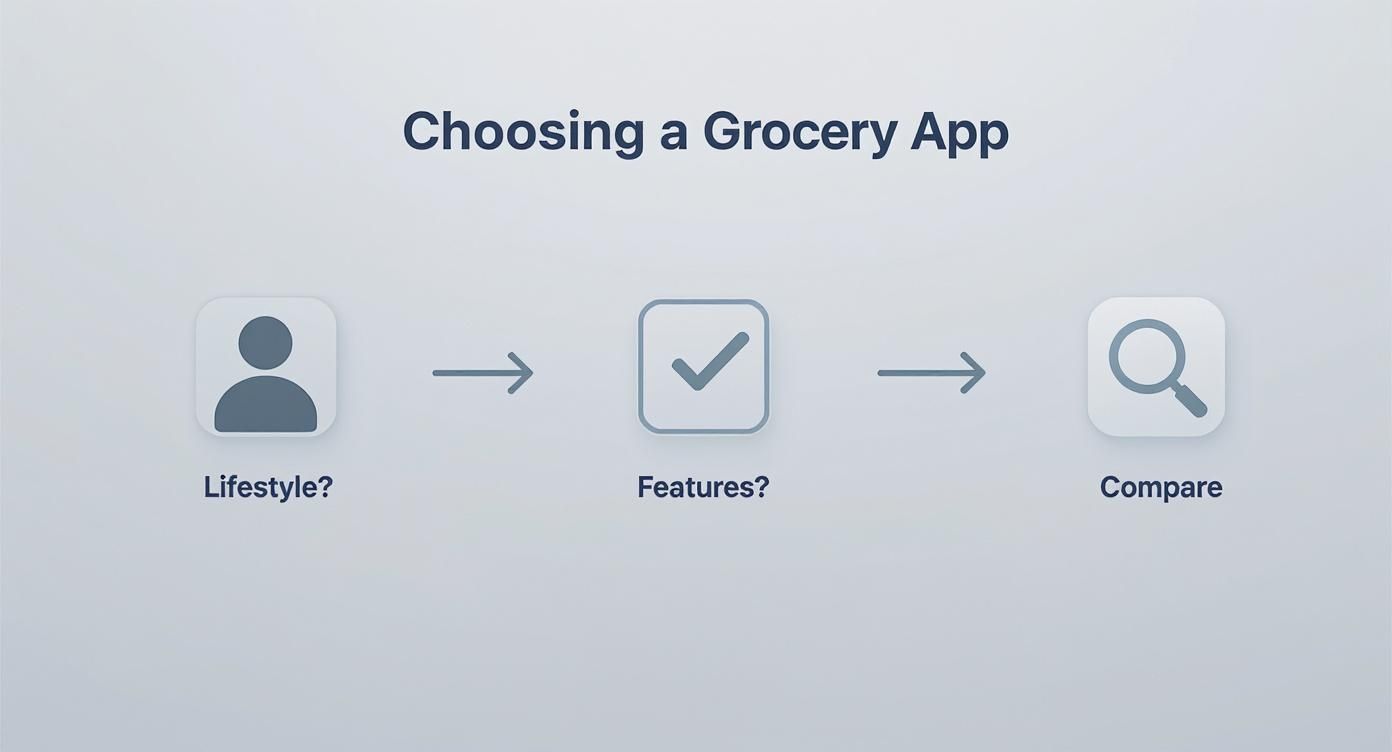
As you can see, it all starts with how you live and cook. From there, you can zero in on the features that matter most before making your final choice.
Your Pre-Shopping Checklist
Before you even grab your keys, your app is already helping you shop smarter. The first thing to do is a quick pantry check. Open the app, look at your list, and simply tap off the things you already have on hand—like that big bottle of olive oil or the bag of onions in the cupboard. This little step is a game-changer for avoiding duplicate purchases and keeping your kitchen organized. If you want to get serious about that, we have a whole guide on how to organize your kitchen pantry.
A grocery app transforms your shopping trip from a chaotic scramble into a well-oiled plan. You walk into the store knowing exactly what you need, where to find it, and what delicious meals it will become.
Next up, collaboration. You can share the list with your partner with one tap. They’ll see you’ve planned spaghetti for Tuesday and can add "garlic bread" from their phone while they're still at the office. The list syncs instantly for everyone, so nothing ever gets forgotten again.
Navigating the Store Like a Pro
Once you’re in the grocery store, the app becomes your personal navigator. The aisle-sorting feature is brilliant for this. Instead of zigzagging across the store for that one thing you forgot, you follow a logical path.
- Start in Produce: Grab your lettuce, tomatoes, and avocados.
- Head to Dairy: Pick up the milk and cheese.
- Finish in the Center Aisles: Get your pasta, canned goods, and spices.
As each item goes into your cart, you tap it on the screen. It gets crossed off or fades away, giving you a satisfying sense of progress and making it impossible to accidentally buy two cartons of eggs.
From In-Store to Online Ordering
The beauty of a modern grocery app is that it works just as well for online shopping. That same list you carefully built can be sent straight to an online delivery or pickup service. Many apps connect directly with local grocery stores, letting you export your list for fulfillment without any extra work.
This is all part of a bigger change in how we buy food. Digital tools help us order with more precision, which is great for our budgets and even better for reducing food waste. That same shift shows up across mobile grocery apps as lists move from paper to phones. Whether you love walking the aisles yourself or prefer the convenience of delivery, your app is the central hub that makes it all happen seamlessly.
Bridging the Gap Between Recipes and Your Shopping Cart
Let's talk about one of the coolest things a modern grocery list app can do: connect the recipes you love directly to your shopping list. Picture this: you're browsing online, you find a fantastic recipe for lasagna, and with one click, every single ingredient—the pasta, the ricotta, the basil—instantly populates your list.
That’s the magic of recipe integration. It completely does away with the boring, mistake-filled chore of scribbling down or typing out ingredients one by one. You'll never again forget the oregano or come home with a third jar of tomato paste you didn't need. It makes trying new recipes feel fun and spontaneous, not like a homework assignment.
From "That Looks Good" to "It's on the List"
This is what sets a grocery list app apart from a notes app. Instead of managing a random checklist, you build the list from the meals you actually plan to cook.
Here is what that looks like in Recipe One. You see a lasagna on TikTok and share it to the app, which saves it as a recipe with an ingredient list. On Sunday you drop it onto Wednesday in the meal planner next to a few other dinners, then send the week to your grocery list. The ricotta, pasta, and basil land in the right aisles, and the onions from three different recipes show up as one line. For a step-by-step walkthrough, see our guide on turning any recipe into a shopping list.
Your Questions About Grocery List Apps Answered
Jumping into a new tool always brings up a few questions. To help you get started on the right foot, we’ve gathered some of the most common things people ask about using a grocery list app. Here are the clear, straightforward answers you need.
Are Most Grocery List Apps Free to Use?
Yes, the vast majority of popular grocery list apps have a fantastic free version. These almost always cover the essential features you need, like creating multiple lists, sharing them, and checking off items as you shop. You can absolutely get your shopping routine organized without spending a single penny.
Some apps will offer a paid or premium subscription for more advanced tools, like detailed meal planning calendars, an ad-free experience, or the ability to import unlimited recipes. Honestly, though, for most people, the free version is more than enough to make a huge difference.
For the average person, the free features of a quality grocery list app are a complete game-changer. The core benefits—organization, sharing, and planning—are almost always available at no cost.
Can My Family Edit the Same Grocery List at Once?
Absolutely, and this is where these apps really shine. Real-time syncing is a standard feature in any good grocery app. It allows multiple people to view and edit the same list at the same time, right from their own phones.
Picture this: you’re at the store and your partner remembers you need milk. They add it from home, and it instantly pops up on your phone. As you both grab items and check them off, the list updates for everyone. This is perfect for avoiding those "oops, we both bought a gallon of milk" moments and making sure nothing gets left behind.
Not every app does this, so check before you commit. AnyList is built around a live shared list. Recipe One syncs your list across your own devices and shares it as a text message, which works well when one person does the shopping.
How Do These Apps Actually Help Me Save Money?
A good grocery list app can put money back in your pocket in a few practical ways. First, it helps you stick to a plan, which is the best way to avoid expensive impulse buys—those little extras that sneak into your cart and inflate your bill. When you stick to the list, you leave with only what you came for.
Beyond that, many apps have features that help you keep tabs on your pantry. Knowing what you already have at home means you stop buying duplicate jars of pasta sauce or spices you forgot were in the back of the cupboard. This cuts down on food waste and smarter spending. Some apps even offer price comparison tools or integrate digital coupons, helping you find the best deals before you even leave the house.
Ready to shop from your meal plan instead of a blank note? Recipe One saves recipes from websites, social videos, and photos, puts them on your week, and turns them into a grocery list sorted by aisle. It is free to start: download it from the App Store or Google Play below.
Keep every recipe in one place
Stop losing recipes. Save from any website, scan handwritten cards, and organize your kitchen with AI.