Ever wonder what a recipe saver app actually is? Think of it as your own personal, digital cookbook—one that lives right on your phone or tablet. It’s a dedicated spot to collect, organize, and instantly find every recipe you've ever wanted to keep, from that crumpled, handwritten card for Aunt Carol's mac and cheese to that cool TikTok video you saw last week.
From Clutter to Calm: How a Recipe Saver App Works
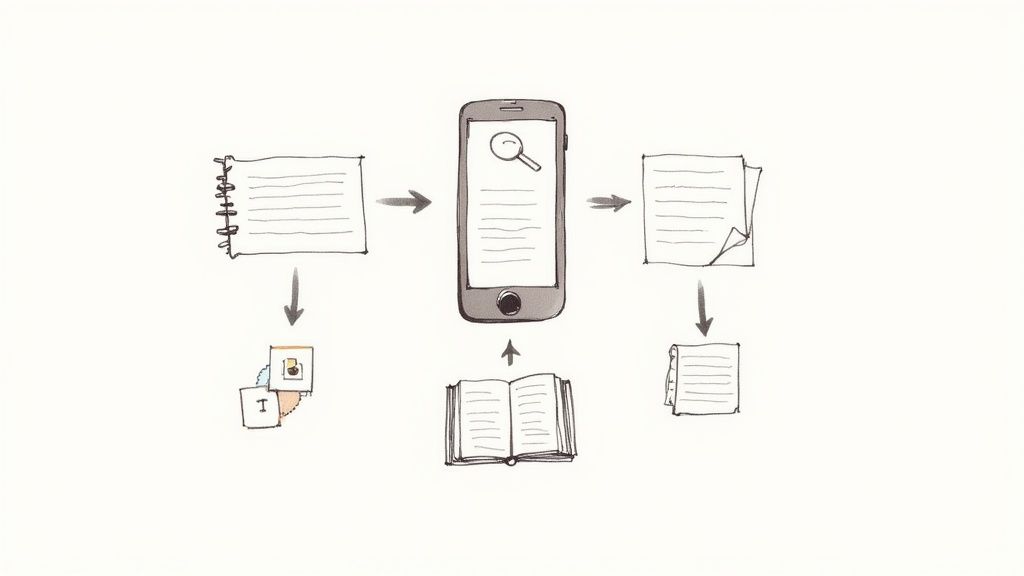
Let's be honest, we've all been there. Your kitchen drawer is overflowing with ripped-out magazine pages. You have a three-ring binder that's seen better days, and your browser's bookmark folder is a chaotic mess of food blogs you can't sort through. Finding that one chili recipe you made last winter feels like a treasure hunt. It works, but it's a headache.
A recipe saver app is designed to fix that problem for good. It creates a single, central home for your entire cooking world, taking all that scattered information and turning it into a neat, searchable library. No more messy formats or lost links—just a clean, organized collection at your fingertips.
Your Kitchen's Central Command
Picture this: you take a quick photo of your grandma’s famous spaghetti sauce recipe, the one written on a stained index card. The app doesn't just save the picture. It actually reads her handwriting, pulls out the ingredients and steps, and neatly formats everything into a digital recipe card. That’s the real magic behind a modern recipe saver app.
These apps are built to grab inspiration from anywhere:
- Websites and Blogs: Pull a recipe from any food blog with a single tap, leaving all the ads and long-winded stories behind.
- Physical Recipes: Use your phone’s camera to digitize old recipe cards, pages from a beloved cookbook, or magazine clippings.
- Social Media: Save that amazing recipe you spotted in an Instagram Reel or TikTok video.
- Simple Text: Just copy and paste ingredients and instructions from an email or a text from a friend.
This technology essentially turns your phone into a smart kitchen assistant. The goal isn't just to store your recipes, but to make them genuinely useful. You're not just saving a folder of photos; you're building a functional tool that understands the difference between a cup of flour and a teaspoon of vanilla.
The ability to turn all that messy, unstructured data into a clean, usable format is what separates a dedicated digital recipe organizer from a basic notes app.
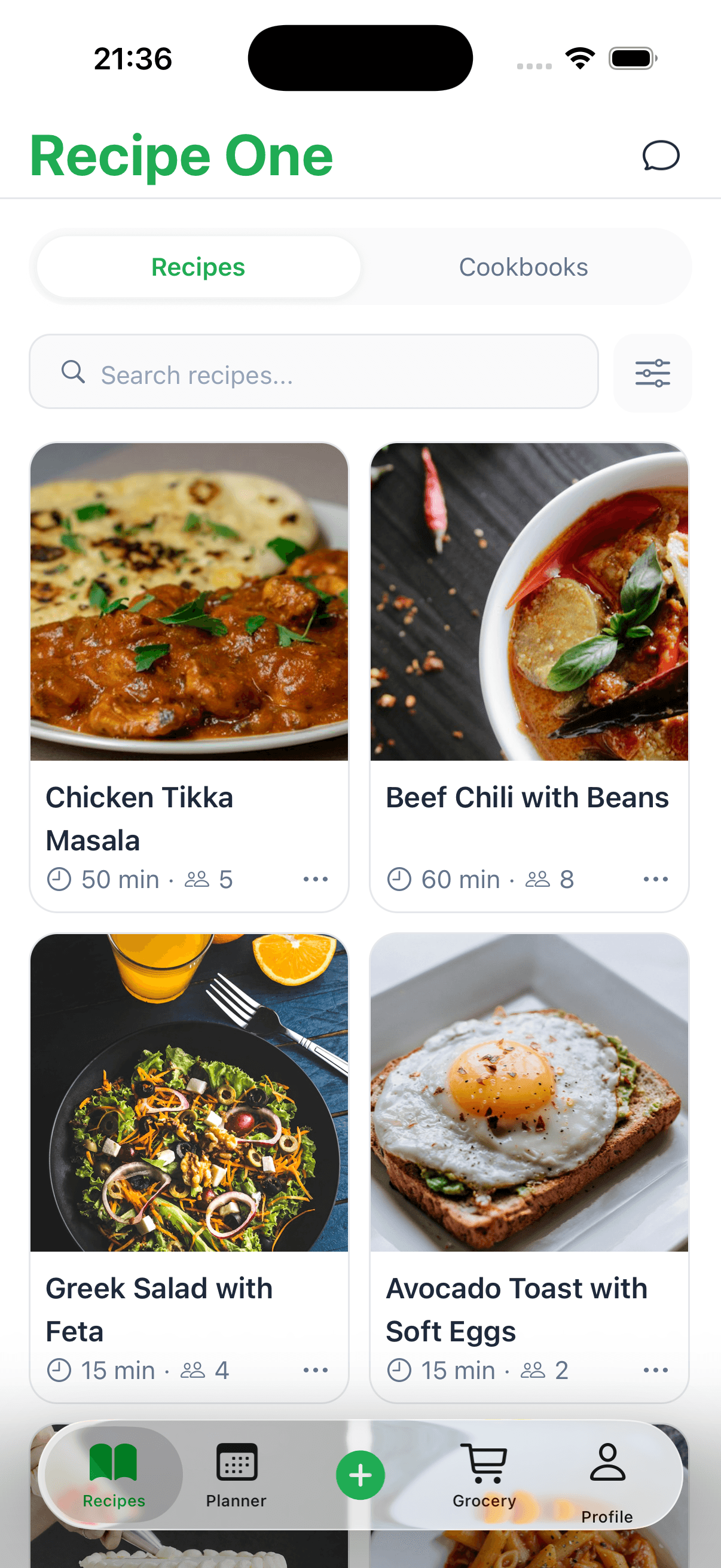
Once a recipe is in the app, it becomes so much more powerful. You can instantly search for that chicken dish you saved six months ago, filter recipes by ingredients you already have in the fridge, or even build out a meal plan for the week. It’s all about swapping kitchen chaos for organized calm, making the whole process of cooking a lot more fun.
Recipe Saving Methods: Old vs. New
To really see the difference, let’s compare the old ways of saving recipes with the new. The table below breaks down just how much easier a dedicated app makes things.
| Feature | Traditional Methods (Binders, Bookmarks) | Recipe Saver App |
|---|---|---|
| Recipe Capture | Manual clipping, printing, or bookmarking links one by one. | One-click import from websites, camera scan, and text pasting. |
| Organization | Physical sorting into tabs or creating endless browser folders. | Automatic tagging, custom collections, and unified formatting. |
| Searchability | Flip through pages or scroll through long, unorganized lists of links. | Instant search by ingredient, dish name, or even cooking time. |
| Accessibility | Limited to wherever the physical binder or specific computer is located. | Synced across all your devices—phone, tablet, and computer. |
| Kitchen Usability | Pages get stained; phone screens lock while you're trying to read. | "Cook mode" keeps the screen on; ingredients are easy to check off. |
| Meal Planning | A completely separate, manual process involving lists and calendars. | Integrated tools to add recipes to a planner and create shopping lists. |
As you can see, it's not just about storage. A good recipe app completely changes how you interact with your recipes, making them active tools rather than static documents.
Core Features That Simplify Your Cooking Life
A great recipe saver app is so much more than a digital filing cabinet; it’s a full-on kitchen assistant. The best ones are built to tackle the real-world headaches we all face as cooks, from finding that one recipe you saved months ago to actually getting the groceries you need. Think of these features as a system, with each part designed to make your time in the kitchen smoother and, frankly, more fun.
The most basic, yet most important, job is getting recipes into the app without a ton of work. You know how it is—you find an amazing lasagna recipe on some food blog, but you have to scroll past their life story to get to the good stuff. Instead of the old copy-and-paste routine, a good app lets you import it with a click. It intelligently strips out all the fluff, leaving you with just the clean, simple ingredients and instructions.
This works for your physical recipes, too. You can just snap a photo of that splattered, handwritten recipe card from your grandmother, and the app will turn it into digital, searchable text. For anyone trying to preserve those precious family recipes, this feature alone is a total game-changer.
Smart Organization and Powerful Search
Okay, so you've saved a bunch of recipes. Now what? The next step is finding them when you need them. A solid recipe app ditches messy folders for a much smarter library. You can create your own tags like #QuickDinners, #Vegan, or #HolidayBaking to sort everything in a way that makes sense for you.
This isn't just for neatness; it powers an incredibly useful search tool. Instead of just remembering a recipe's title, you can find exactly what you're looking for by searching for:
- Ingredients you already have in the fridge (like "chicken" and "broccoli").
- Cuisine type, whether you're craving Italian, Mexican, or Thai.
- Dietary needs, such as gluten-free or low-carb.
- Total cook time when you're short on time.
Suddenly, your recipe collection transforms from a dusty old archive into an active assistant that helps you solve the daily "What's for dinner?" puzzle.
Integrated Meal Planning and Grocery Lists
The truly great apps don't stop at just storing recipes; they help you plan. Many of the most helpful features in a recipe saver are about automating manual processes that used to eat up so much of our time, and nowhere is that more obvious than with meal planning.
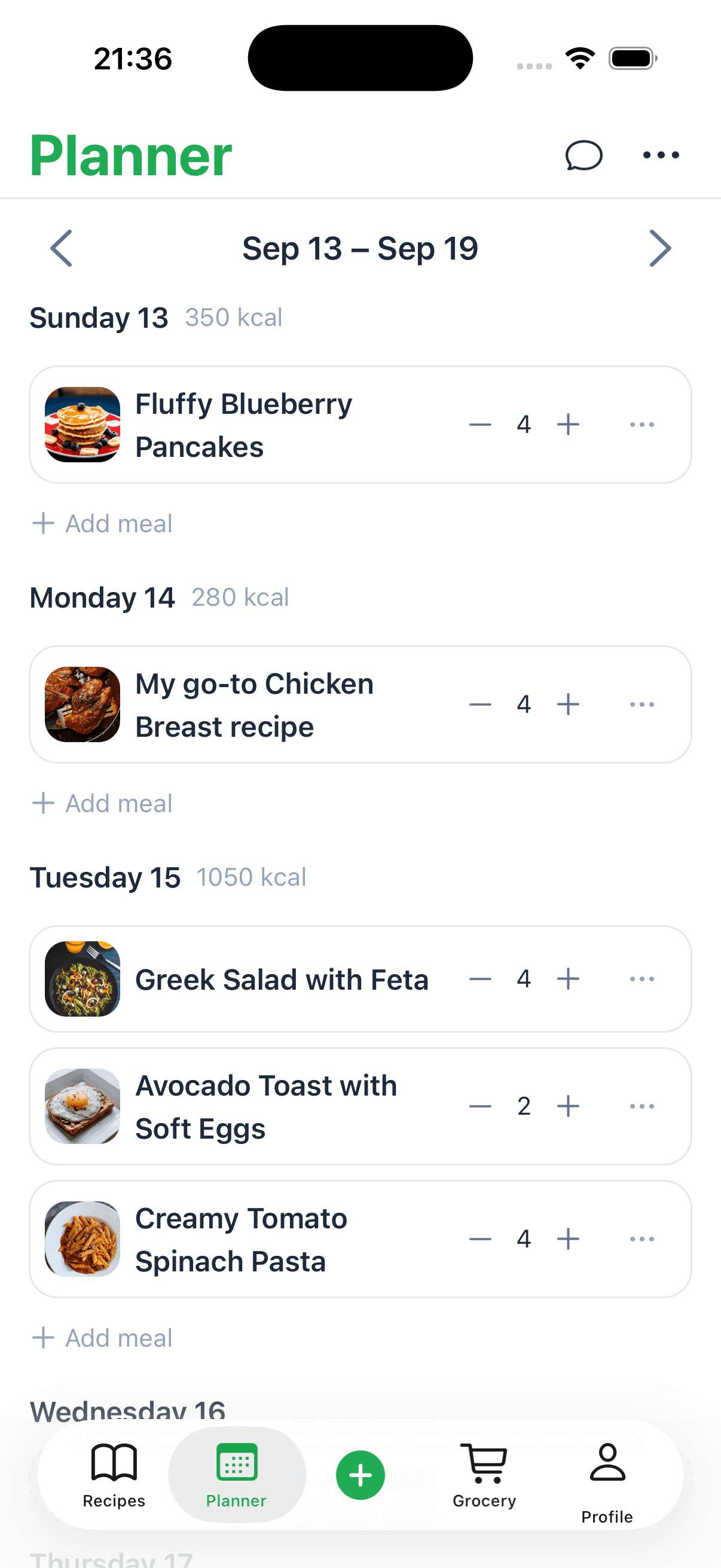
Most apps let you drag and drop your saved recipes onto a calendar for the week or month ahead. This gives you a clear visual plan and helps you prep. But the real magic is the automated grocery list that comes with it.
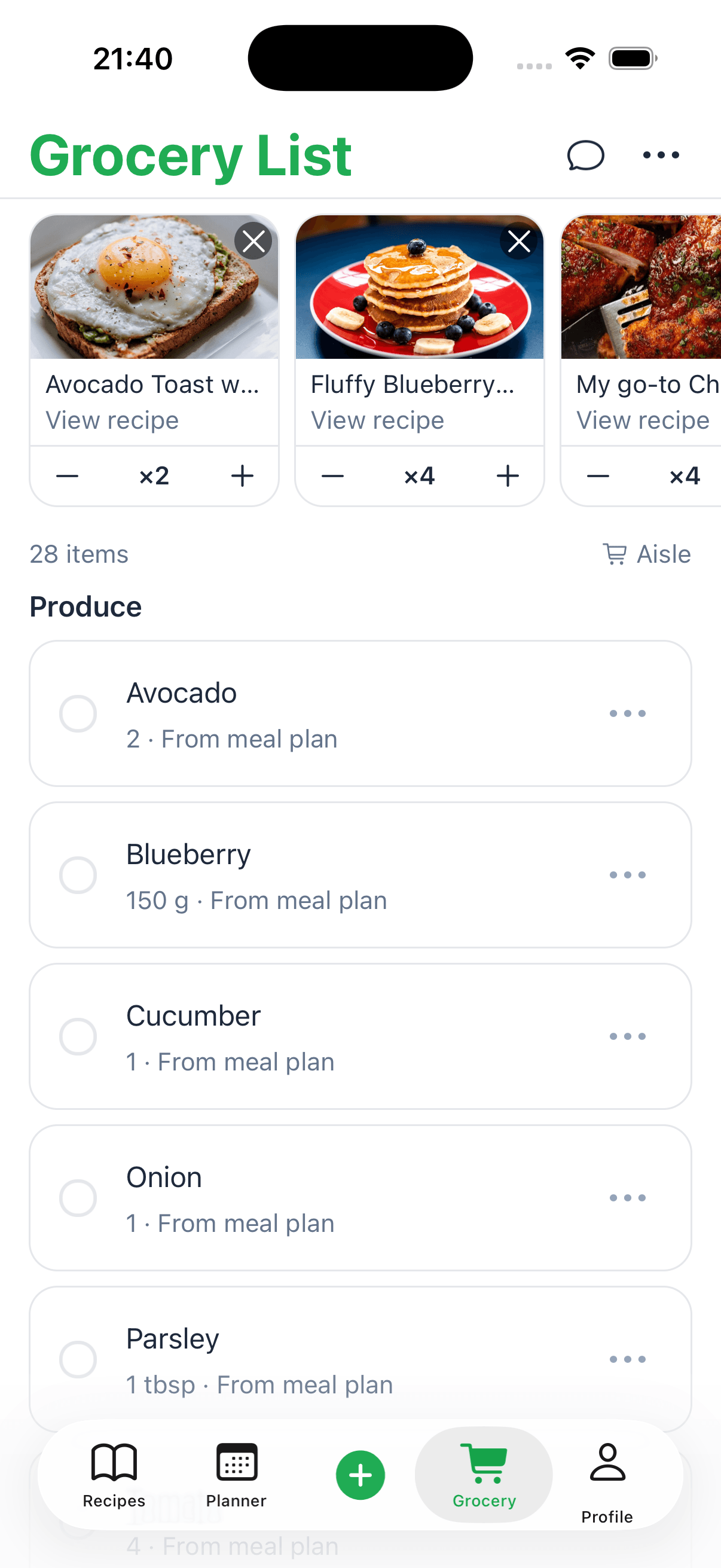
With just one tap, the app can look at your entire meal plan, pull all the necessary ingredients together, and create a perfectly organized shopping list. It even combines duplicate items, so you don’t accidentally buy three jars of paprika.
This seamless connection between planning and shopping saves a ton of time and makes it far less likely you'll forget that one crucial ingredient. Some apps, like Recipe One, even build in useful things like kitchen measurement converters and other free tools right where you need them. It's these thoughtful little details that turn a simple app into a tool you can't imagine cooking without.
How AI Is Your New Digital Sous Chef
Ever snapped a picture of a handwritten recipe and wondered how an app could magically read your grandma's cursive? It’s not magic—it's the work of a powerful team: Artificial Intelligence (AI) and Optical Character Recognition (OCR). Think of this tech as your digital sous chef, handling all the tedious prep work of getting recipes into your digital collection.
First up, OCR acts as the eyes of your recipe saver app. When you take a photo of a recipe card or a cookbook page, OCR scans the image to identify letters and numbers. It's essentially a super-fast typist that turns the picture into a block of raw, editable text. But on its own, that text is just a jumble of words without any real structure.
From Text to Usable Instructions
This is where AI steps in as the brains of the operation. The AI takes that raw text from the OCR and starts making sense of it all. It intelligently separates the list of ingredients from the cooking directions, picks out quantities like "1 cup" or "2 tbsp," and highlights key details like oven temperatures and cooking times.
It’s this smart interpretation that transforms a simple picture into a functional, structured recipe in your app. The AI does the heavy lifting, so you don't have to manually type out every single line.
This visual shows how simple the workflow is for turning a moment of inspiration into a concrete plan.
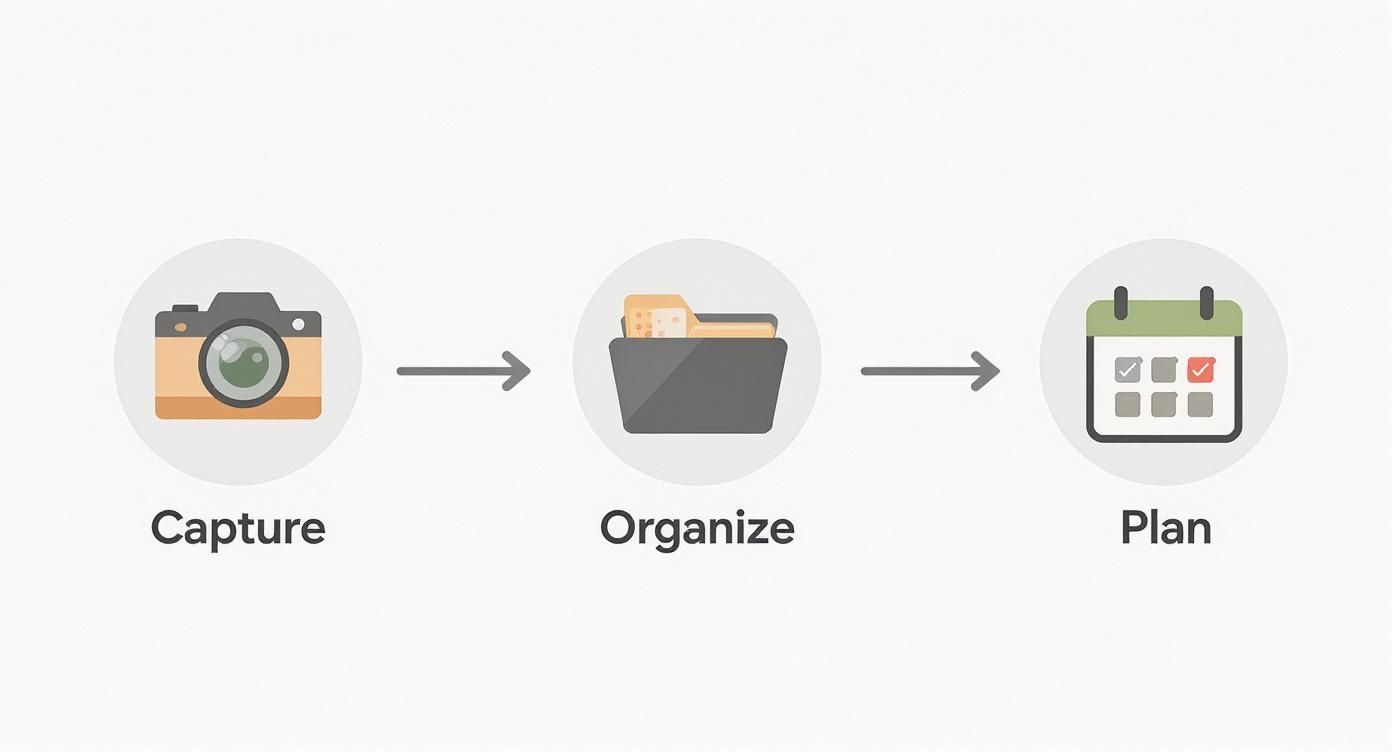
The process flows smoothly from capturing a recipe to organizing it in your library and, finally, slotting it into a meal plan—all powered by this clever technology.
Intelligent Recipe Categorization
Beyond just reading the recipe, AI also helps you organize your collection automatically. By understanding the ingredients and cooking methods, the AI can suggest relevant tags or place the recipe into the right folders for you.
- Cuisine Type: It might see soy sauce, ginger, and sesame oil and suggest tagging the recipe as "Asian."
- Meal Type: Words like "eggs," "pancakes," and "bacon" would naturally prompt a "Breakfast" tag.
- Dietary Fit: It can spot ingredients like "almond flour" or "tofu" to help you categorize for specific dietary needs like "Gluten-Free" or "Vegetarian."
By handling the boring tasks of transcription and categorization, AI frees you up to focus on the fun part—actually cooking. This automation is what makes a modern recipe saver app feel so incredibly helpful and intuitive.
Of course, not all apps pull this off perfectly. Some struggle with messy handwriting or unusual layouts, which can lead to frustrating import errors. A common complaint you'll see in app reviews, for instance, is hitting a paywall after only a few "smart" imports. To see how different apps perform, you can check out detailed comparisons like this ReciMe app review to figure out what works best.
Outside the kitchen, AI is popping up everywhere to make life easier, from organizing photos to processes like AI-powered content creation. The core idea is always the same: using smart technology to handle complex tasks and save you precious time.
Why You Need a Recipe App Now More Than Ever

The real magic of a recipe saver app isn’t just having a tidy digital cookbook. It's about how that cookbook fits into the beautiful, messy reality of your life. These apps are chameleons, adapting to whatever you need them to be in the kitchen.
And it's clear they're becoming a kitchen staple. Recent data shows that around 53% of adults in the U.S. used a recipe app or website every month in 2023. North America is leading the charge, holding over a 38% market share globally. If you want to dig deeper, you can discover more insights on the recipe app market and see just how much these tools are changing the way we cook.
This isn't just about flashy tech; it’s about solving real-world problems, one meal at a time.
A Tool for Every Type of Cook
Think about it—the same app can serve completely different purposes depending on who's using it. Everyone finds their own reason to love it, whether it's making life easier, healthier, or just a bit more organized.
-
For Busy Parents: It's a time machine. You can plan an entire week of meals in a few minutes, generate a shopping list with one tap, and pull up a 30-minute dinner when you're rushing home from soccer practice.
-
For Students on a Budget: It's a money-saver. You can stash away cheap and simple meal ideas, plan your grocery trips to avoid those tempting impulse buys, and finally figure out what to do with that random can of beans in the back of the pantry.
-
For the Health-Conscious Cook: It’s a personal wellness hub. You can collect recipes that align with specific dietary needs—like gluten-free or low-carb—and plan balanced meals that help you hit your health goals.
-
For Passionate Home Cooks: It’s your personal legacy. This is where you build a searchable cookbook of your greatest hits, experiment with new ideas, and, most importantly, safeguard those handwritten family recipes for the next generation.
More Than Just Recipes
Beyond just keeping your dinner ideas straight, a good recipe app brings real, tangible benefits to your home and your wallet. It turns that chaotic pile of recipes into a smart database that helps you make better decisions.
The goal is to stop being a recipe collector and start being a recipe user. An app is the bridge. It helps you slash food waste by using what you already have, save money with smarter planning, and make sure grandma’s legendary cookie recipe is never forgotten.
So whether you’re trying to save time, money, or a precious piece of your family’s history, a recipe saver app gives you the framework to make it happen. It’s a modern tool for an age-old challenge, built to fit the rhythm of your life.
How to Choose the Right Recipe Saver App
Picking a recipe saver app feels a lot like choosing a new kitchen appliance. You want something that’s reliable, genuinely helpful, and easy to use—not another gadget that just collects dust. With so many options out there, the trick is to focus on what will actually solve your biggest cooking headaches.
It's no surprise that more people are looking for a digital solution. The global market for these apps is projected to hit around $337 million by 2025. That growth just shows how many of us are tired of disorganized recipe collections and are looking for a better way. You can dig into the numbers in this report on the Recipe Organizer App market.
At the end of the day, the right app for you comes down to your personal cooking style and how you like to stay organized.
Evaluate the Core User Experience
Before you commit to anything, get a feel for the app's basic usability. When you open it, does it feel clean and intuitive, or are you immediately hit with a wall of ads and confusing menus? A great recipe saver should feel effortless, letting you focus on the food, not on navigating a clunky interface.
Pay close attention to the recipe import process. The best apps make saving a recipe from a website or blog a one-click affair. If the import tool is unreliable or requires a bunch of manual fixes, it'll become a source of frustration fast, defeating the whole purpose of the app. Take advantage of free trials and test-drive the import feature with a few of your favorite food blogs to see how it holds up.
Check for Essential Everyday Features
Beyond a slick interface, look for the practical features you'll actually rely on day-to-day. These are the details that turn a good app into an indispensable kitchen partner.
Here are a few features that are pretty much non-negotiable:
- Offline Access: Can you pull up your shopping list in a grocery store with spotty service? Your recipes should be available anytime, anywhere, with or without an internet connection.
- Cross-Device Syncing: Your collection needs to sync seamlessly between your phone, tablet, and computer. Nothing is more annoying than saving a recipe on your laptop only to find it missing from your phone when you're at the store.
- Clean Cooking Mode: A simple feature that keeps your screen on while you cook is a game-changer. No more tapping the screen with flour-dusted fingers to wake it up.
The goal is to find an app that integrates smoothly into your life. An app that works offline, syncs everywhere, and has a thoughtful interface is one you'll actually stick with for the long haul.
Understand the Pricing Model
Finally, you have to consider the cost. Most recipe apps fall into one of two camps: free with ads and limitations, or a paid subscription. A free version might be all you need if you're just saving a few recipes here and there.
But be aware that many "free" apps have tight restrictions, like only allowing a certain number of recipes to be saved before you hit a paywall. If you're serious about building a digital cookbook, a subscription often provides much better value with unlimited saves, no ads, and premium features like meal planning. To make a smart choice, it helps to read detailed comparisons; our guide on the best recipe manager apps breaks down the pros and cons to help you decide.
Common Questions About Recipe Saver Apps
Jumping into a new app always comes with a few questions. When it's something as personal as your recipe collection, you want to be sure you’re picking a tool that's private, reliable, and actually fits how you cook. Here are some straightforward answers to the questions we hear most often.
Can I Import Recipes From Other Apps or Websites?
Yes, absolutely. A good recipe app knows you’re not starting from a blank slate. Most have powerful import tools built right in, letting you pull your collections from places like Paprika, Evernote, or Pinterest without a fuss. They also typically include a web clipper that can grab a recipe from just about any food blog or website.
This is a huge deal because it means you can bring years of saved favorites into one organized library without having to manually type everything out.
Are My Saved Recipes Kept Private?
Your privacy should be a top priority for any reputable app. Think of your recipe collection as your personal data. Good apps use encrypted cloud storage to keep it protected and backed up, so you don't have to worry about losing anything.
Unlike posting a recipe on a social media page for the world to see, your digital cookbook is for your eyes only—unless, of course, you decide to share a recipe with a friend. It's always a good idea to glance at an app's privacy policy, but you can generally expect your culinary creations to stay confidential.
What Happens to My Recipes if I Cancel a Subscription?
This is a great question. You almost never lose your recipes. What usually happens is your account reverts to a free, more limited version. You’ll still be able to see all the recipes you’ve already saved, but you might lose access to premium features like unlimited new saves, meal planning tools, or syncing across all your devices.
The key takeaway is that the recipes you've added are yours. The premium tools might go away, but your collection itself should remain safe and sound.
If you're weighing your options, our guide on finding a great recipe keeper app free of charge can help you understand what to expect from both free and paid versions. It’ll help you find a tool that respects your data, even if you step back from a paid plan.
Do These Apps Work When I Am Offline?
Many of the best ones do! They offer solid offline access. Once your recipes are synced to your phone or tablet, you can pull them up anytime, anywhere. This is a lifesaver in a kitchen with spotty Wi-Fi or when you're in a grocery store with terrible reception.
Having your recipes available offline is one of the biggest advantages over just bookmarking webpages, which are useless without an internet connection. It gives you the confidence that your shopping list and cooking instructions are always right there when you need them.
Ready to turn that scattered collection of bookmarks and screenshots into an organized digital cookbook? With Recipe One, you can save recipes from anywhere with a single click. Start building your personal culinary library today. Get started with Recipe One for free!