Dinner ideas pile up fast. A pasta saved on Allrecipes, three browser bookmarks you swore you'd revisit, a TikTok clip buried under forty other saves. MyRecipes promises to pull that scatter into one place, and for food-website recipes it delivers: the app is free to download and saves recipes from recipe pages across the web.
The catch is social. Saving from Instagram and TikTok requires MyRecipes+, which offers a 7-day free trial according to the MyRecipes App Store listing. Check the App Store or Google Play listing for current pricing before you commit.
The key question isn't whether MyRecipes works. It's whether it handles the recipes you already collect, not just the ones inside its catalog.
Quick Verdict on Who MyRecipes Suits
MyRecipes is a sound free starting point for Allrecipes users, not a confirmed all-in-one kitchen system. Pick it for gathering and organizing recipes from food websites, especially if you already cook from People Inc. brands.
People Inc. is the company behind Allrecipes, Serious Eats, EatingWell and other food titles. That connection makes MyRecipes particularly relevant to existing readers, but it doesn't automatically make it the right choice for every cook.
Best for
- Existing Allrecipes users: The linked-account arrangement gives your saved collection a destination without asking you to rebuild it manually.
- Food-website collectors: Start with the free app if most of your recipes come from recipe pages rather than social videos.
- Cooks who want a central recipe box: Searching, saving and organizing are the clearest reasons to consider it.
Not the best fit for
- Subscription-free social saving: Don't choose it expecting Instagram and TikTok importing to be included in the free tier.
- Backup-first collectors: An export route isn't described, so don't make it your only copy of irreplaceable recipes.
My recommendation is to judge it as a recipe box first. Our guide to choosing a free recipe organizer app can help you distinguish useful free features from features you'll need to pay for.
If you want a single app for recipes from websites, videos and paper collections, use the final comparison to weigh that broader requirement.
What the MyRecipes App Does Day to Day
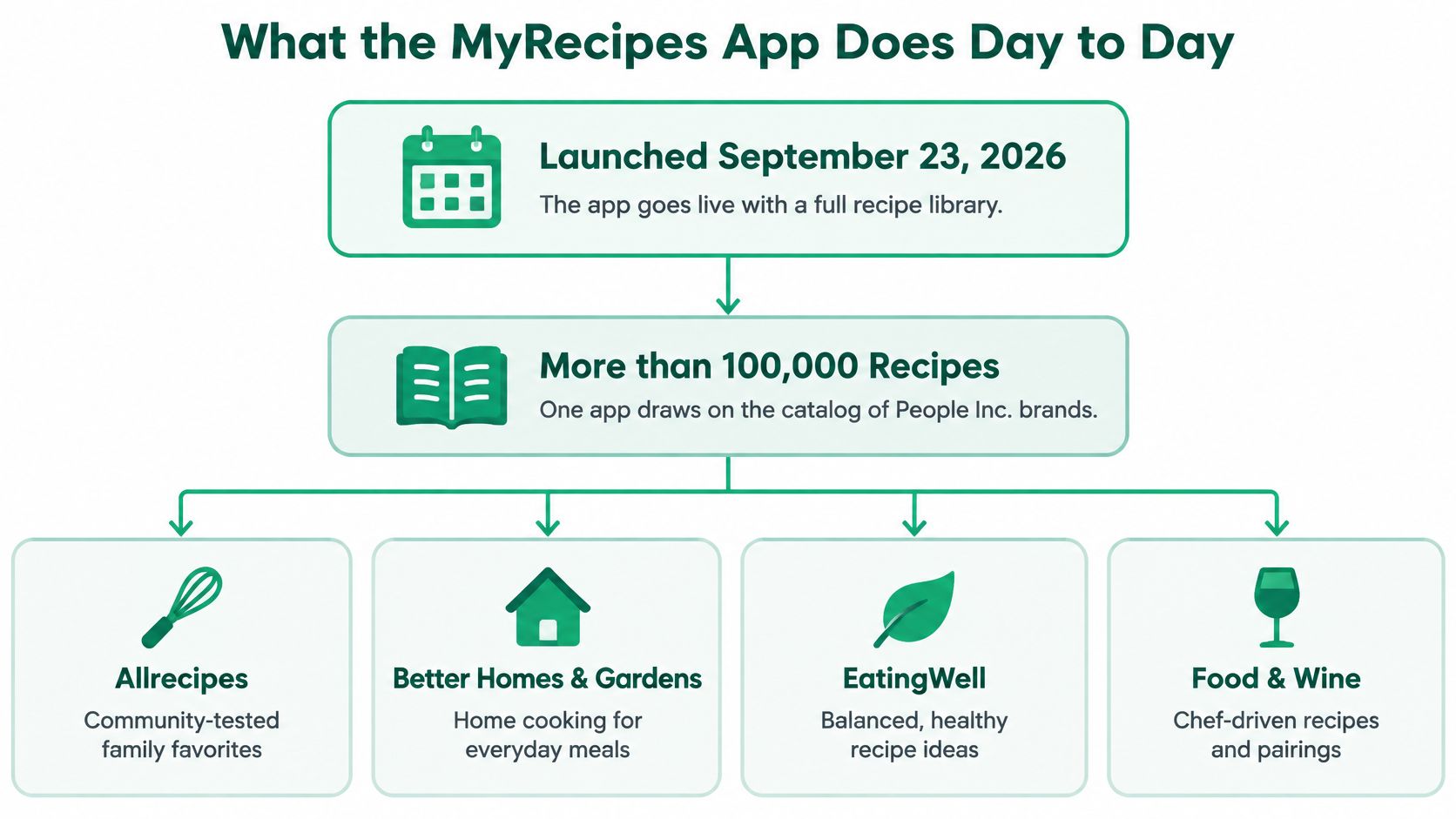
The People Inc. launch release dates the MyRecipes app launch to September 23, 2026, on the App Store and Google Play, with more than 100,000 recipes from Allrecipes, Better Homes & Gardens, EatingWell, Food & Wine, Real Simple, Serious Eats and Southern Living.
That catalog is the point of the app. A dinner you find on Allrecipes can sit in the same collection as a Serious Eats recipe, so you stop maintaining a separate saved list for each People Inc. food site.
The launch overview shows the publisher-backed catalog behind that idea.
The core functions
The launch release describes a straightforward set of activities:
- Search: Find recipes across the participating food brands.
- Save: Keep recipes you want to return to.
- Organize: Group your saved recipes into collections.
- Cook: Use the recipes you've gathered when you're ready to make dinner.
- Receive recommendations: Get personalized suggestions for what to explore next.
Those functions make MyRecipes more than another way to browse Allrecipes. The job it does day to day is holding a single collection across brands, with iPhone and Android apps alongside the MyRecipes.com website.
Treat MyRecipes.com as the website side of that same collection, not a separate library you need to rebuild. Just know that the account documentation is more specific about where collections live than about every possible interaction between the website and the mobile apps.
What not to assume
Cooking support isn't the same as meal planning. The launch description confirms you can cook from saved recipes, but it doesn't mention a weekly calendar, an ingredient-combining shopping list or unit converters, so check the current store listing before assuming the app includes them.
Choose it for the features explicitly described. Check the current store listing before relying on anything beyond searching, saving and organizing.
That distinction matters when you're replacing an existing system. A searchable recipe box can be worth downloading even if it never takes over your weekly planning or shopping.
How Allrecipes Accounts, Sync and Backup Work
Allrecipes is the front door; MyRecipes is the shelf where saved recipes and collections live. The accounts are connected, but they don't hold identical kinds of content.
The official Allrecipes and MyRecipes account guide says saved recipes and collections move automatically to your MyRecipes account, with the accounts linked through passwordless authentication. It also separates those saved items from the activity and personal recipes that remain on your Allrecipes profile.
What moves to MyRecipes and what stays on Allrecipes
| Item | Where it lives | What happens |
|---|---|---|
| Saved recipes | MyRecipes account | Moved there automatically |
| Collections | Stored on MyRecipes | Moved there automatically |
| Submitted, rated and reviewed recipes | Allrecipes profile | Stay on the Allrecipes profile |
| Personal recipes | Allrecipes profile | Not shown as ordinary MyRecipes content; save to an Allrecipes favorite or collection to add a reference |
| Account sign-in | Linked accounts | Linked through passwordless authentication |
The personal-recipe row deserves attention. A recipe you entered yourself doesn't automatically become an ordinary item in the MyRecipes catalog. Saving it to an Allrecipes favorite or collection adds a reference inside a MyRecipes collection, which is weaker than a confirmed copy of the recipe text in another system. If a personal recipe matters to you, keep the original safe.
For background on the change, read what happened to the Allrecipes app.
Sync is useful, but it isn't backup
Sign in with the linked account on every device rather than creating a second identity and expecting the libraries to merge. The support guide confirms where collections live. It doesn't state a sync interval, a conflict-resolution policy or whether every type of Allrecipes activity appears in the app, so compare the same collection on the app and the website before assuming they match.
MyRecipes' account support doesn't mention an export tool or a manual backup workflow, so keep your own copies of recipes you couldn't easily replace, particularly handwritten family recipes you've entered online.
Practical rule: An account you can reach from multiple devices is convenient. It isn't a substitute for a copy you control.
Privacy needs its own check. Read the privacy disclosures on the App Store and Google Play listings, and ask MyRecipes support before relying on the service for a sensitive personal collection. Linked accounts confirm access and storage. They say nothing about detailed data-handling practices.
Free Use and MyRecipes+ at a Glance
The free version covers saving from food websites. MyRecipes+ adds saving from Instagram and TikTok, with a 7-day free trial described for that paid feature in the MyRecipes App Store listing.
Check the App Store or Google Play for current pricing. Don't make a subscription decision based on a price copied into an older review.
Match the plan to what you save
Say you usually find dinner on a food blog, then save the recipe for later. The free tier matches that website-based collecting habit, so there's no reason to subscribe before you've established a need for the paid feature.
Now consider a different habit: you save most dinner ideas while scrolling Instagram or TikTok. In that case, social importing is central to your use, not an occasional extra, and the subscription decision becomes more important.
The distinction is simple: the free tier covers the recipe pages you browse, while MyRecipes+ extends saving to those social platforms. Don't interpret a free download as a promise that every import source is free.
Before starting the trial
- Check your actual sources: Look at where your saved cooking ideas come from, rather than guessing how often you'll use social importing.
- Read the current trial terms: Confirm eligibility, renewal conditions and cancellation instructions in your store.
- Decide whether you'd keep using it: A trial is useful only if it helps you answer whether the paid feature belongs in your routine.
Start a trial when you have recipes ready to evaluate, not simply because the sign-up screen offers it.
If you're also weighing a different paid recipe keeper, our Recipe Keeper review offers another way to assess the trade-off between collecting recipes and paying for convenience.
Pros and Cons Worth Weighing Before You Download
MyRecipes has a sensible foundation: a publisher-backed catalog and a direct connection to an existing recipe-saving audience. Its strongest argument is convenience for people already cooking from those brands, not a documented ability to replace every kitchen tool.
It's also a launch-year product from a major publisher. Treat the current feature descriptions and subscription terms as things to inspect, not assumptions to carry forward indefinitely.
This overview captures the main strengths and trade-offs.
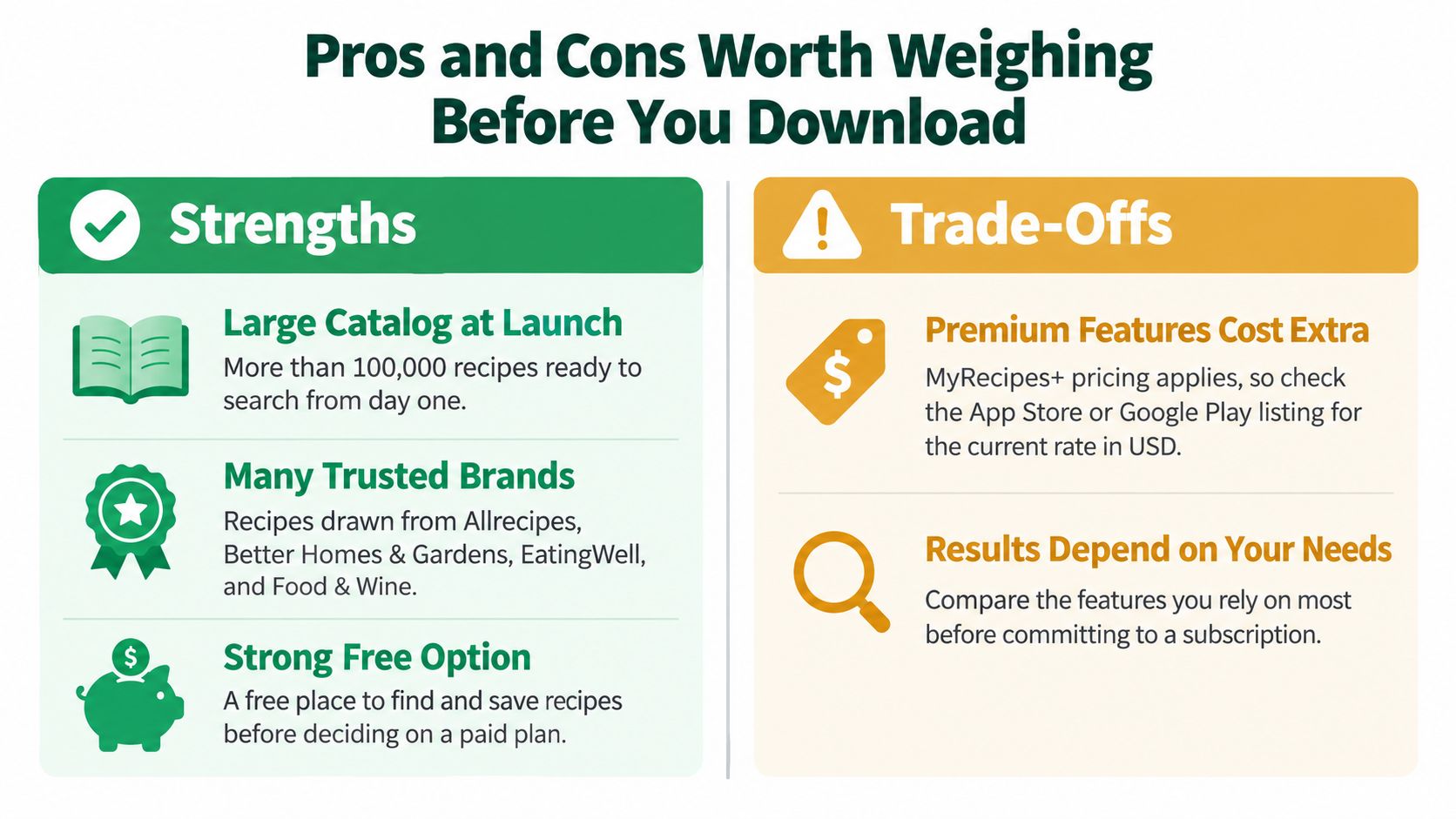
MyRecipes strengths and limits for real users
| Strength | Limitation | What it means for you |
|---|---|---|
| Large catalog from People Inc. brands | Some features aren't confirmed in official sources | Browse freely, but verify features in the store before expecting them |
| Free saving from food websites | Social saving needs MyRecipes+ | Web-based collectors get the strongest no-cost fit |
| Allrecipes accounts carry over | Personal recipes need an extra save step | Existing users retain the linked saved-library arrangement, with special handling for personal recipes |
| Available on iPhone, Android and the web | No export or backup described in the official material | Keep copies of key recipes elsewhere |
How to weigh the trade-offs
For someone who saves mostly from food sites, the free app addresses a clear problem: remembering where a recipe went. There's value in putting familiar recipes together without immediately adding another subscription.
For someone who organizes dinner around a weekly plan, the question changes. Finding a recipe is only the beginning; deciding when to cook it and what to buy requires capabilities that need separate confirmation.
The same applies to long-term ownership. A convenient collection isn't enough if your priority is downloading, archiving or moving your recipes later.
My verdict is positive within a narrow scope. MyRecipes makes sense as a central recipe box for its existing audience, but don't award it credit for planning, shopping or portability features the official descriptions don't establish.
This is an assessment of public documentation, not a hands-on test. It doesn't establish import accuracy, cooking-screen usability or reliability on a particular phone.
How to Save and Organize Your First Recipes
Start with a small collection that you can inspect easily. The aim is to verify your account and saved content before moving your organizing habits into the app.
Use this visual as a setup overview, then follow the account and website checks below.
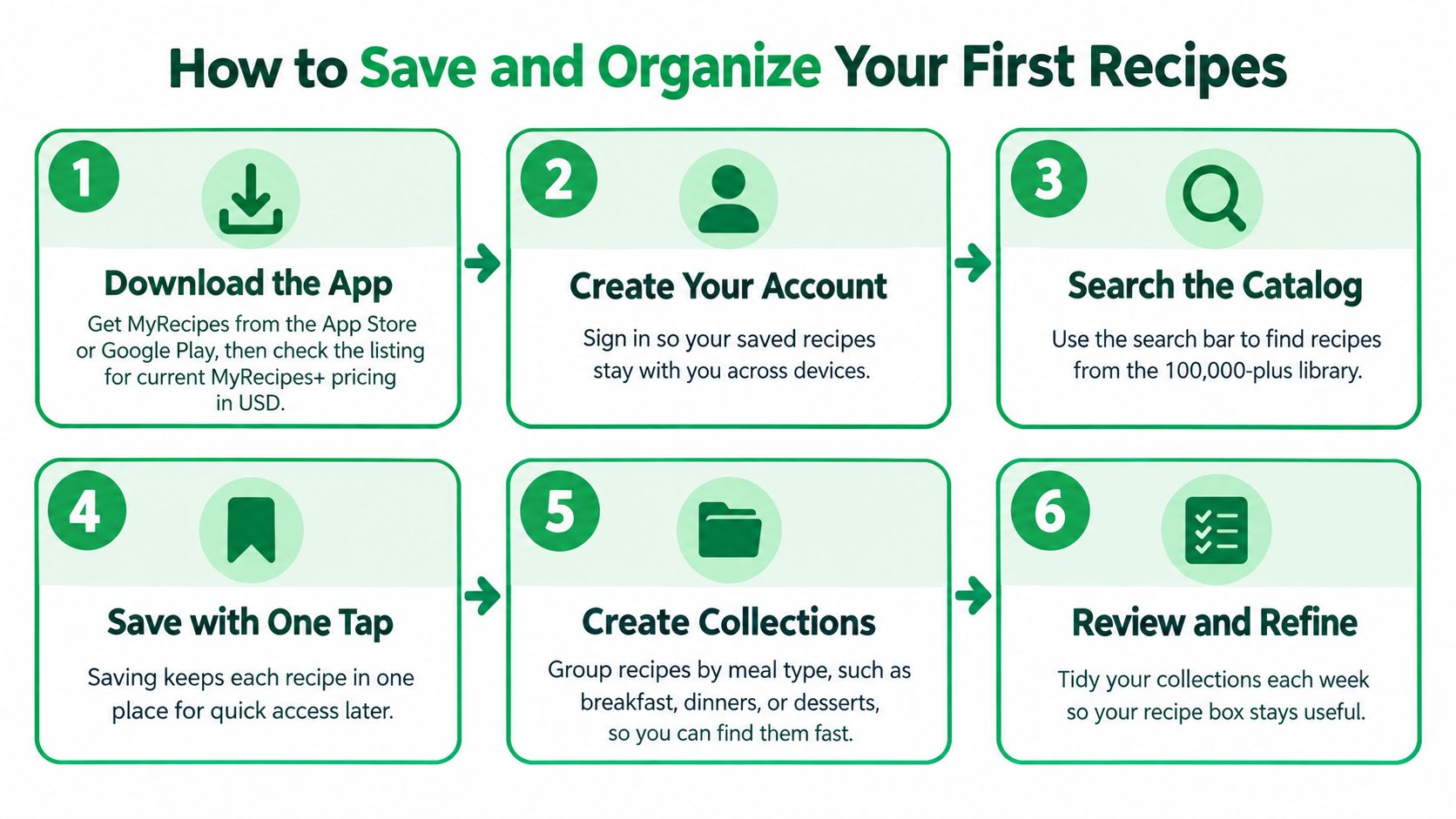
Set up a collection you can verify
-
Download MyRecipes from the App Store or Google Play and inspect the current MyRecipes+ pricing. That separates the free download from any subscription decision before you begin.
-
Sign in using the account linked to Allrecipes if you already have one. Using the linked identity avoids creating a separate library where you expected your existing saves.
-
Search for a recipe by name and open an item from the People Inc. catalog. A familiar recipe gives you a straightforward starting point for checking what you've saved.
-
Save it to a collection with a clear name, such as Weeknight Dinners. A purpose-based name is easier to use later than an undifferentiated pile of favorites.
-
Open the MyRecipes website in a browser and look for the same collection while signed in. This checks whether you're accessing the same saved collection through both interfaces.
-
If you want Instagram or TikTok importing, inspect the MyRecipes+ trial terms before activating it. That lets you evaluate the paid feature deliberately instead of subscribing just to finish setup.
Done means a named collection is visible in the app and on the website, with a saved recipe inside. That's a useful checkpoint, not a promise about how quickly every account update will appear.
Keep the organization simple
Choose collection names that match decisions you make while cooking: Weeknight Dinners, Baking or Make Ahead. Avoid building an elaborate system before you know how you'll retrieve recipes.
Our guide on how to organize recipes can help you choose categories that remain useful as the collection grows.
For an additional video resource, use the player below.
Common Problems and How to Fix Them
Start with the account, not the app. If saved recipes seem to be missing after sign-in, a different sign-in identity or an Allrecipes account that is not the one you linked is the first thing to rule out before assuming deletion.
The MyRecipes Google Play listing is the quickest place to confirm the current app description and support access. For account-specific trouble, use MyRecipes support rather than guessing at password resets, merges, or deletion recovery.
MyRecipes symptoms, likely causes and fixes
| Symptom | Likely cause | Fix |
|---|---|---|
| Saved recipes seem missing after sign-in | You may be signed in with a different account than the one linked to Allrecipes | Quick self-check: use the linked account and inspect its collections; contact support if they're still missing |
| Cannot save from Instagram or TikTok | Social saving is a MyRecipes+ feature | Self-check: review subscription and trial terms, or save from a food website instead |
| Cannot sign in or reset password | Account, password, or sign-in-method mismatch | Contact support if the sign-in steps on the MyRecipes website don't resolve it |
| Need a copy of saved recipes | MyRecipes doesn't advertise an export option | Keep copies of key recipes elsewhere and ask support whether an export route is available |
Missing content isn't always failed sync
Personal recipes need the specific Allrecipes saving step described in account support. Check whether the recipe was added to a favorite or collection before treating its absence as a technical failure.
Ratings, reviews and submitted-recipe activity belong to the Allrecipes profile. If that activity is absent in MyRecipes, check the profile connection before assuming data loss.
Act on the checks first. An account or collection check resolves the common cases; support handles the rest. There is no promised turnaround time, so include enough detail to avoid a second round of questions.
Escalate when the account and collection checks don't resolve the problem. Contact support with the account email, the device used and a clear description of what's missing or failing.
Include the recipe name or collection name where relevant. Never send your password, and don't delete the only remaining copy of a recipe while troubleshooting.
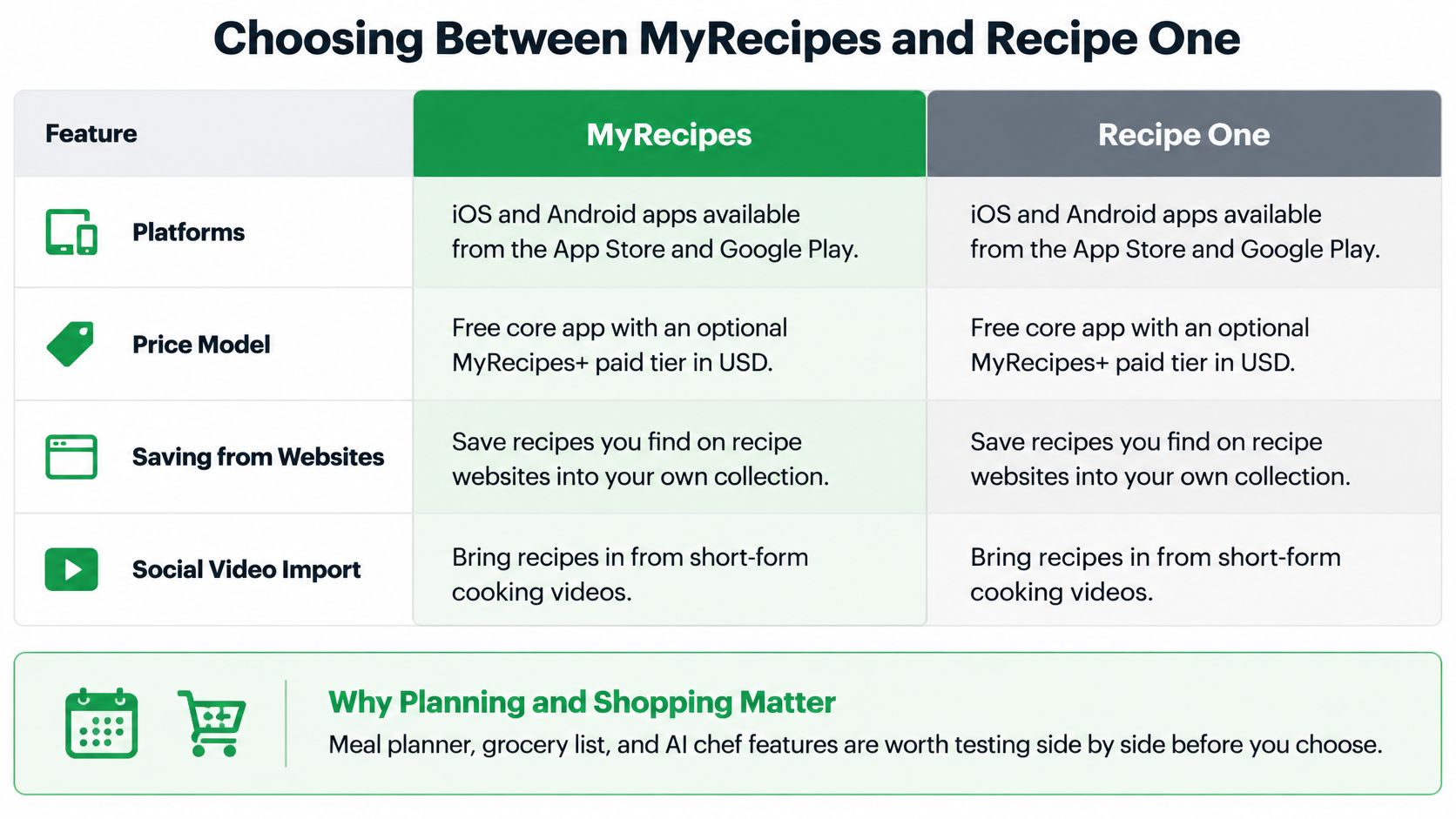
Choosing Between MyRecipes and Recipe One
| Feature | MyRecipes | Recipe One |
|---|---|---|
| Platforms | iPhone and Android apps, plus the MyRecipes website | iPhone and Android |
| Price model | Free app; MyRecipes+ for social saving | Free to start |
| Save from any website | Food websites in the free app; unrestricted website coverage isn't established | Any recipe website or blog |
| Instagram and TikTok import | MyRecipes+ feature | Saves recipes from video, including social video |
A feature the listing doesn't mention shouldn't be treated as present, and it shouldn't be treated as ruled out either. Check the store page before you decide.
Choose based on the job you need done
Choose MyRecipes if your priority is an Allrecipes-connected recipe box. It's a sensible starting point when you mostly save from food websites and want to begin without paying for social importing.
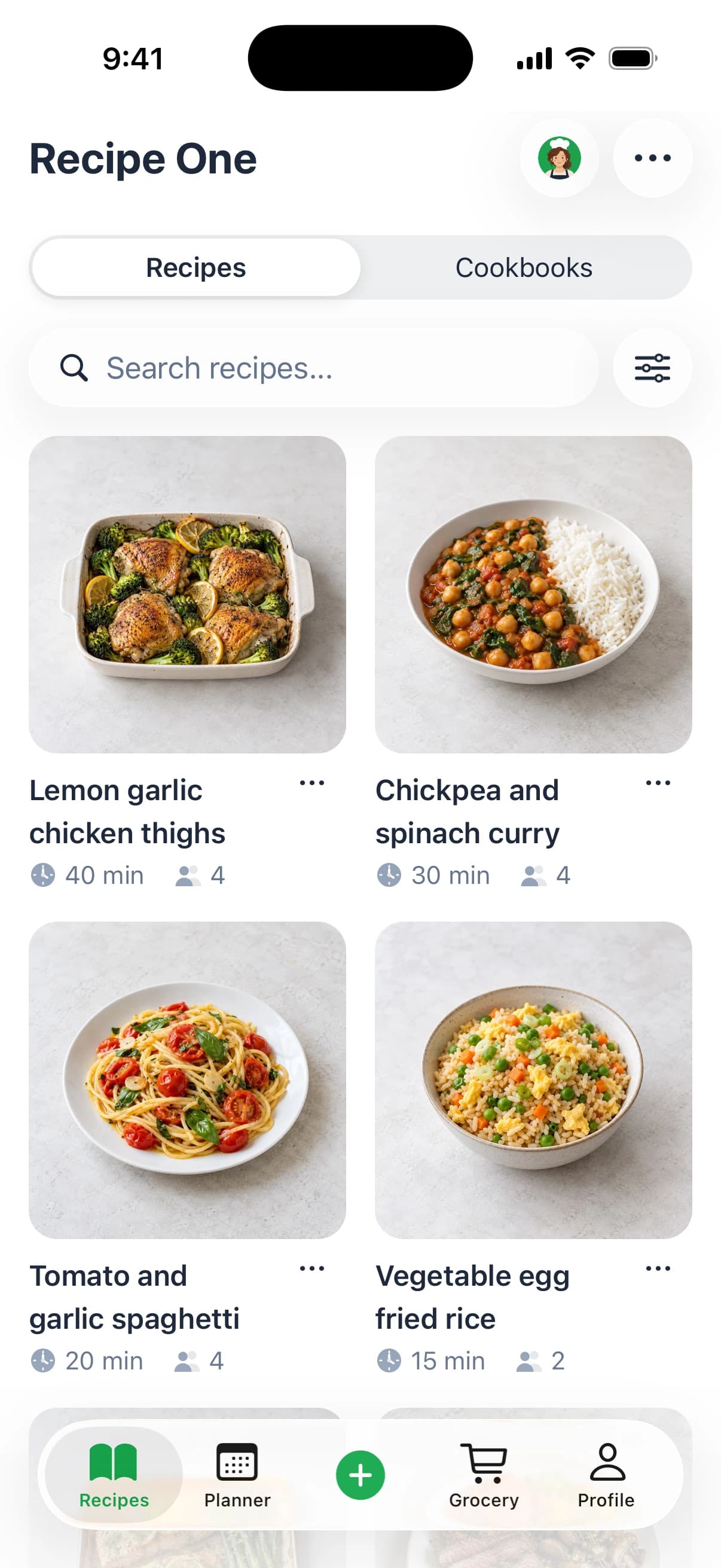
Recipe One handles a broader collecting workflow: any recipe website or blog, videos, cookbooks, photos and text. You share a link or snap a photo, and the app extracts the ingredients and steps without ads or extra content. Saved recipes go into cookbooks you can sort by weeknights, baking or family classics, and search finds a recipe by name, ingredient or tag.
It also connects collecting to dinner preparation. Plan the week from recipes you already saved, then build a grocery list that covers every ingredient of the week, sorted for the store. Maya, the AI cook inside the app, can suggest what to make, plan the week or turn fridge ingredients into a recipe.
It's free to start on iPhone and Android.
Make the choice with your own collection
Choose the broader workflow if your recipes arrive in mixed formats and you want planning and shopping in the same app. Choose the publisher-connected option if your main frustration is finding the food-site recipes you already saved.
Neither decision requires assuming that every advertised import will suit every recipe you collect. Evaluate with sources you regularly use, and check the resulting ingredients and instructions before cooking.
For a wider look at the category, see our guide to the best recipe saver apps.
Recipe One brings recipes from websites, videos, cookbooks and photos into a collection you can use for weekly planning and a combined grocery list. Visit Recipe One to download it from the App Store or Google Play, then try it with the recipe sources you already save.