You've saved a tray bake for tonight, bought the chicken, and now you're standing in the kitchen replaying a Reel at full volume to catch how much garlic the creator used. The caption lists half the ingredients, the quantities flashed past in an overlay, and the post you bookmarked last month isn't the recipe you need. That's the gap this guide closes. A saved post is only a pointer to someone else's content. To cook from it reliably, you need to save recipes from Instagram as complete records with ingredients, quantities, steps, yield, and time before anything gets edited or deleted.
Keep every recipe in one place
Save from any website, scan handwritten cards, and organize your kitchen.


Where the Recipe Sits in Each Post Type
Start by matching the post in your hand to the right row. A complete recipe needs ingredients with quantities, ordered steps, yield, time, and temperature, and each format hides those details in a different place.
| Post type | Where the recipe usually sits | Best capture method | Main risk |
|---|---|---|---|
| Feed photo | Caption, sometimes alt text | Screenshot the full caption and write the quantities | Creator can edit or delete the caption |
| Carousel | Caption plus text on several slides | Screenshot every slide in swipe order | A slide is easy to skip |
| Reel | Voiceover, on-screen text and caption | Pause on each text card and transcribe spoken amounts | Overlays disappear within seconds |
| Story | Short overlay text | Screenshot the slide as soon as you see it | It expires in 24 hours unless saved to a highlight |
People do cook from these posts. In a 2023 consumer study reported in an Inspira Marketing recipe inspiration infographic, 42% of 3,000 people had prepared a recipe they saw on Instagram, compared with 50% for TikTok and 46% for YouTube.
The Risk in Each Format
A feed photo looks stable, but the caption is editable. If the creator later trims it to promote a cookbook, your bookmark points to a shorter version with no quantities.
Carousels split one recipe across many decisions. Slide three might hold the sauce ratios while slide six holds the baking time, so a single skipped slide breaks the method even though your screenshots look complete.
Reels are the hardest to trust at a glance. The creator may say one amount, show another on screen, and correct both in the caption. You need all three sources reconciled, not whichever one you caught first.
Stories give you no second chance. Capture the overlay immediately, then check it against the completeness list before you plan to cook it.
Practical rule: If you can't point to the quantity, yield, and temperature in your capture, you don't have the recipe yet.
Pick the row that matches your post, then use the capture routine that follows.
How to Capture the Full Recipe Step by Step
A saved Instagram post is a pointer, not a recipe. Capture the source and the details you need to cook, then keep the original wording close enough to spot transcription or conversion errors.
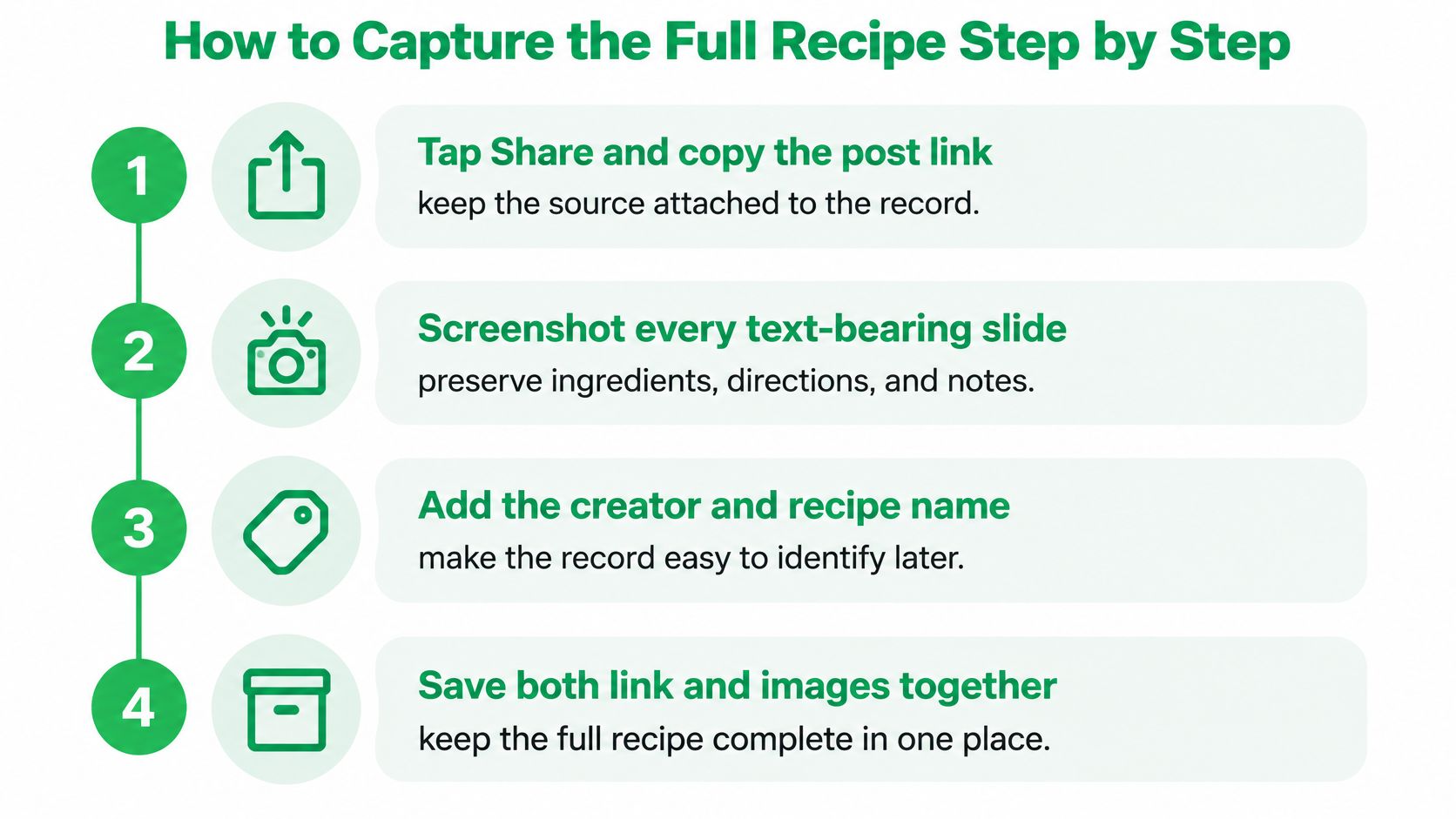
- Copy the post link and note the creator's name. Keep both with the recipe so you can return to the source and preserve attribution if the post changes or disappears.
- Capture every text-bearing part. Save the full caption, each carousel slide in order, and every Reel overlay. A screenshot preserves what is visible at the time; a link alone may later lead to an edited post.
- Record the yield, cooking time, and oven temperature with its unit. A temperature written as 180 is ambiguous without Celsius or Fahrenheit, so confirm the scale before converting it.
- For Reels, capture spoken and on-screen details. Pause on ingredient cards and transcribe the voiceover. The two may give different amounts or mention different ingredients.
- Keep original quantities beside any conversions. Put converted measurements on a separate line or in parentheses. That makes it easier to catch an error before it affects the grocery list.
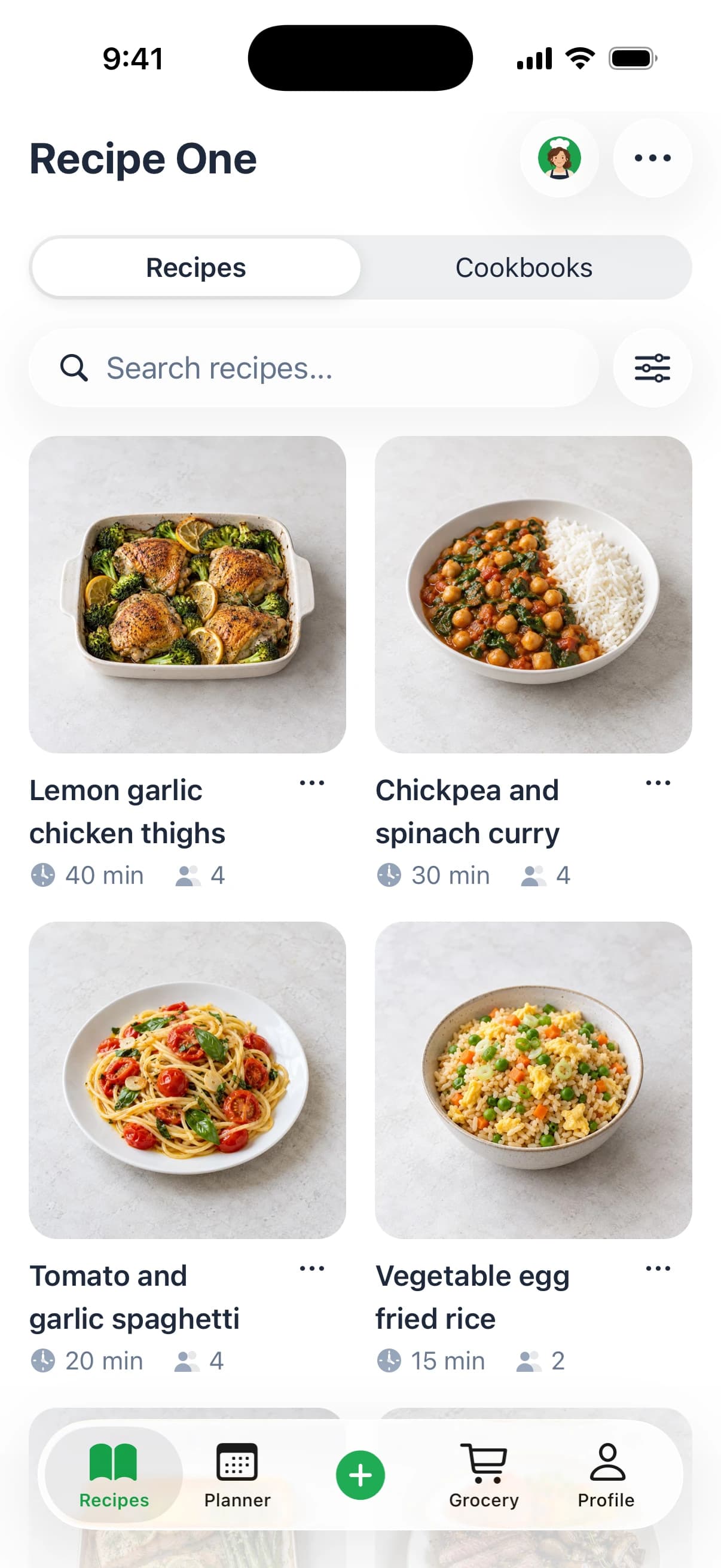
- Save the recipe in Recipe One. Share a link or snap a photo, and Recipe One extracts the ingredients and steps without ads or extra content.
- Compare the extracted recipe with your captures. Check fractions, teaspoon and tablespoon abbreviations, ingredient names, and the order of the steps before relying on the saved version.
Treat Alt Text as a Backup Only
Alt text may accompany images in photo posts and carousels, but it does not guarantee that recipe details are included. The University of Michigan social media accessibility guidelines describe alt text as a text alternative for images. Check it when available, but use the caption, overlays, and spoken instructions to capture the recipe itself.
Each extracted field should be confirmed before it generates a grocery list or meal plan. Fermented or cultured foods deserve extra care because short videos may skip timing and temperature details. For a separate example of homemade yogurt, see homemade probiotic yogurt for wellness enthusiasts.
A useful recipe record includes the name, creator, link, ingredients with quantities, ordered steps, yield, time, and temperature.
If one of those details is missing, the recipe still needs a check before you cook.
Check Missing Details Before You Cook
Use a two-stage rule, capture first, then verify before cooking.
Apply three checks to anything that isn't complete. First, compare the creator's method with an independent source, such as a tested recipe from a trusted cookbook. Second, scan the comments for corrections from people who already cooked it, because creators often pin fixes there instead of editing the caption. Third, separate demonstrated steps from health claims you can't confirm, and keep only the cooking instructions in your record. If you need a refresher on reading quantities and method order, use this guide on how to read a recipe before you shop.
| Gap | Why it matters | Fix before cooking |
|---|---|---|
| No numeric quantity, such as a splash of oil | Shopping list and ratios go wrong | Use a measured amount from a tested recipe or mark it to taste |
| Cooking time with no pan size or appliance | Underbaked or overcooked results | Match the pan size and check doneness cues |
| Ingredient on screen for one second | Ingredient gets left off the list | Pause the Reel and record the item |
| Substitution only in the comments | Dish tastes different from the video | Add the correction to the saved steps |
| Yield not stated | Wrong number of portions | Count servings from the pan size |
Where Gaps Usually Hide
Don't assume a missing item wasn't in the dish. Creators often add salt, acid, or a finishing oil on camera without listing it, and they may give a substitution verbally that never reaches the caption.
Pan size and appliance power also change timing. A thin tray bake in a wide pan cooks faster than the same mixture crowded into a small dish, so record any doneness cue the creator shows, such as bubbling edges or a set center.
Shopping rule: Never shop from a record marked needs review or incomplete until you've checked the missing line.
That one habit prevents most wrong grocery lists. It takes two minutes at your desk and saves a second trip to the store.
Keep Recipes Safe and Credit the Creator
A bookmark is not a backup. Instagram's Save feature stores a pointer to the post, so if the creator deletes it, edits the caption, or makes the account private, your saved item may be empty or gone.
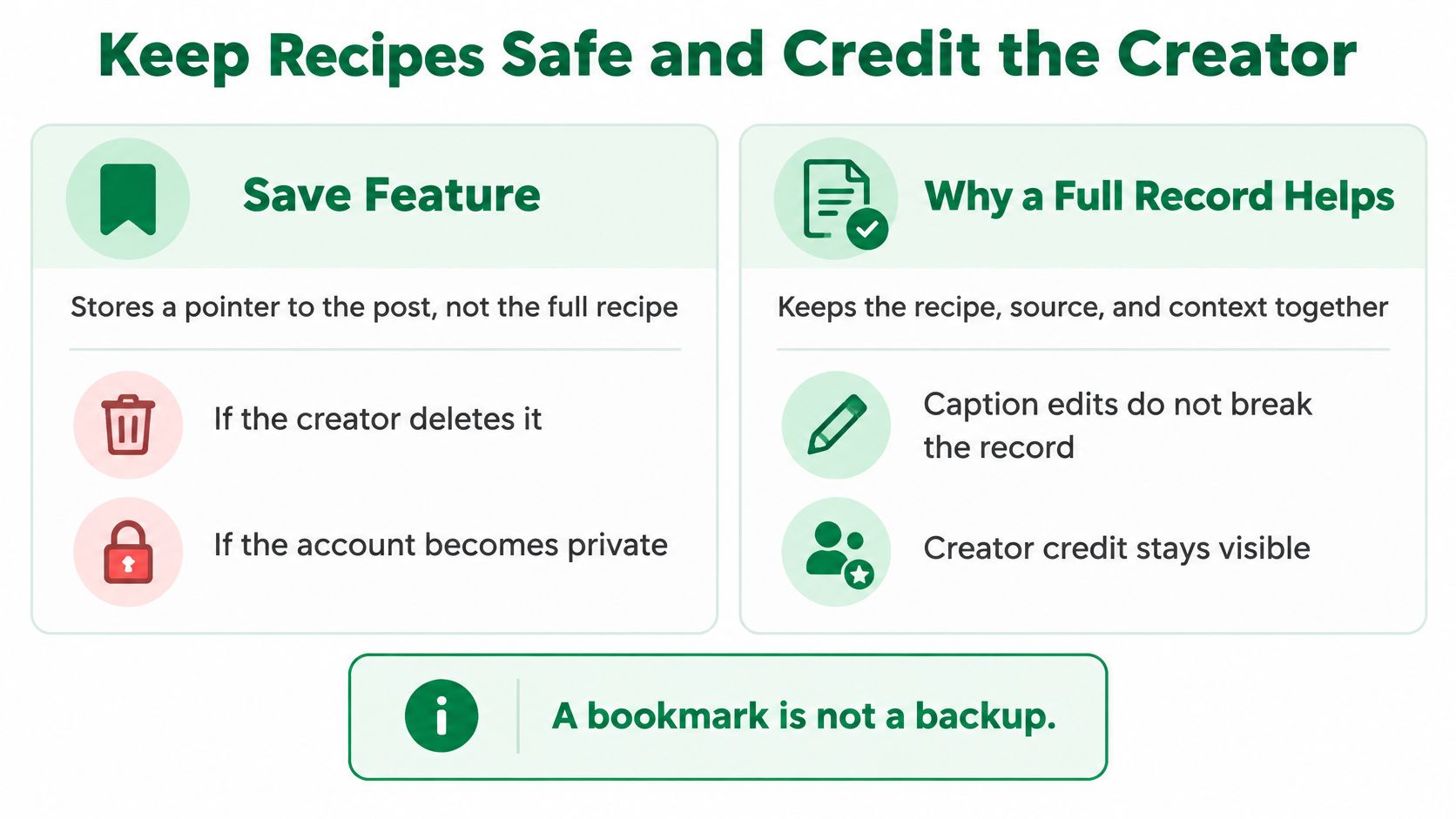
Keep three levels separate in your mind:
- Bookmarking the post: Fast, but it preserves only a link to content someone else controls.
- Preserving the recipe data: You keep the ingredients, quantities, steps, yield, creator, and source link.
- Converting it to cook from: You turn that data into clean, ordered instructions you can follow with messy hands.
Only the second and third levels protect tonight's dinner. They're also the foundation of a useful digital recipe book rather than a pile of fragile links.
Attribution Without Republication
Write the creator name and link on every record. Paraphrase the instructions in your own words for your personal copy, and don't repost the creator's photos or full caption publicly.
If a post is already gone, look for the recipe on the creator's website or in their cookbook. Don't assume Instagram can rebuild a deleted post for you.
In Recipe One, deleted recipes stay in a trash for 30 days, and the first edit of a recipe each day keeps a copy of the previous version. That protects you from your own accidental edits, but it can't recover a creator's post you never captured in full.
Find Saved Recipes by Ingredient and Need
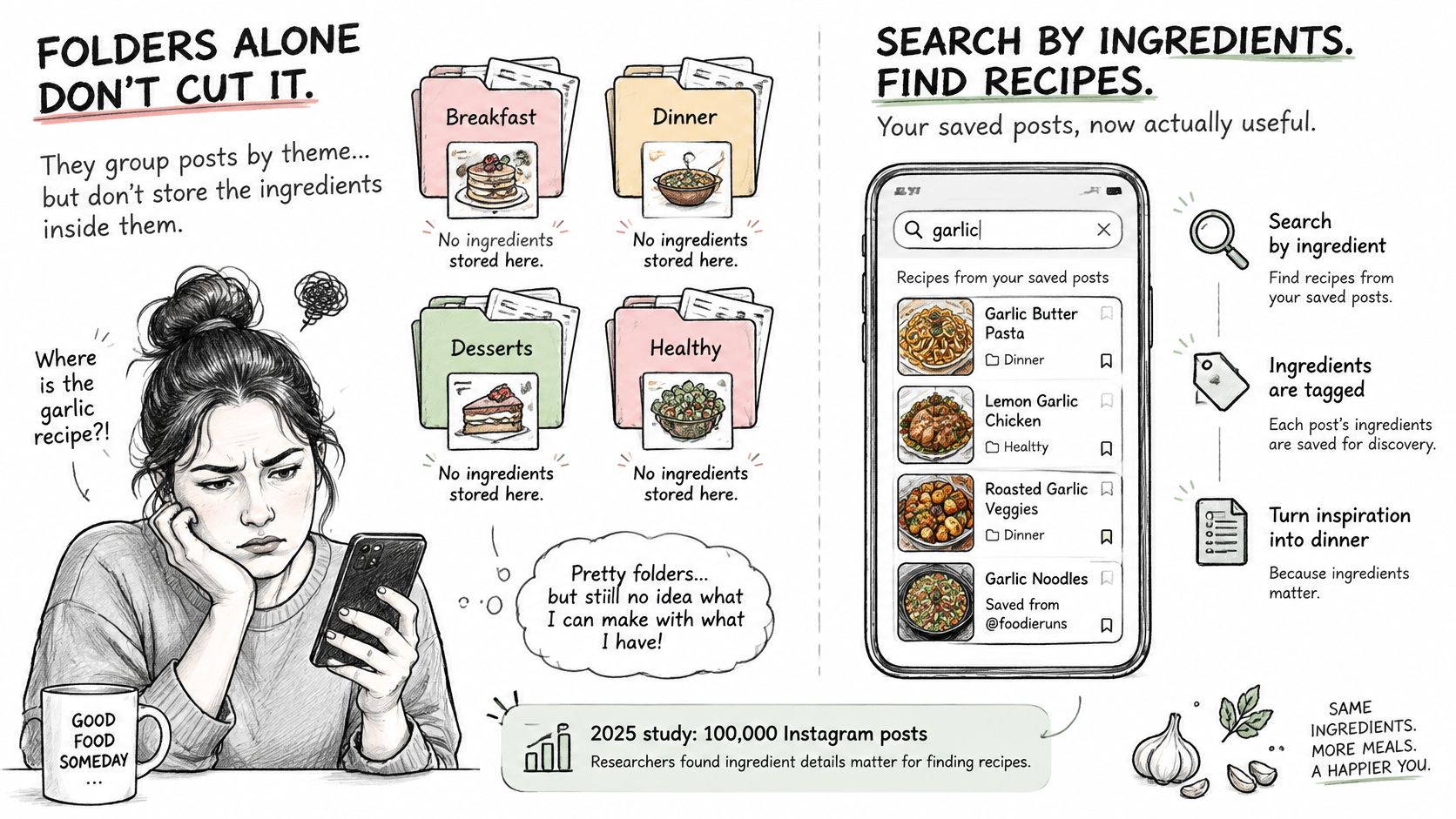
Collections fail the moment you need dinner. A folder called Dinner groups posts by theme, but it doesn't store the ingredients inside them, so it can't tell you what to cook with the chickpeas already in your cupboard.
The volume makes this worse. In 2025, researchers analyzed 100,000 Instagram posts and found that 36.0% focused on cooking and preparing food in a study published in the Journal of Medical Internet Research.
| Question | Collection answers? | Structured library answers? |
|---|---|---|
| Which saved recipes use chickpeas? | No, collections group by theme | Yes, search by ingredient |
| What can I cook in 25 minutes? | No | Yes, if the cooking time is stored in the recipe |
| Which saved meals are vegetarian? | Only if you tagged them by hand | Yes, by tag |
| What ingredients overlap across this week's recipes? | No | Yes, by comparing the ingredient lists |
| Where is the post from last month? | Only if you remember the collection | Yes, by recipe name or source link |
Search works when you store the right fields. Keep the recipe name, one line per ingredient with its quantity, and a few tags for ingredient, meal type, cooking time, and diet. Recipe One's search finds a recipe by name, ingredient, or tag, which supports the approach described in this guide to a recipe app by ingredients.
Title each recipe the way you'd ask for it, such as chickpea tray bake instead of the creator's vague caption title. The same tagging habit helps for drinks you save for guests, especially if you keep notes from sources such as these wine cocktail ideas for any occasion beside your own saved versions.
Plan the Week and Build the Grocery List
A saved post is only useful for meal planning once its ingredients and quantities are clear. Recipe One's workflow is save it, plan it, and shop it: choose dinners from your saved recipes, arrange them in the weekly meal planner, then build a grocery list from the meals you plan to cook.
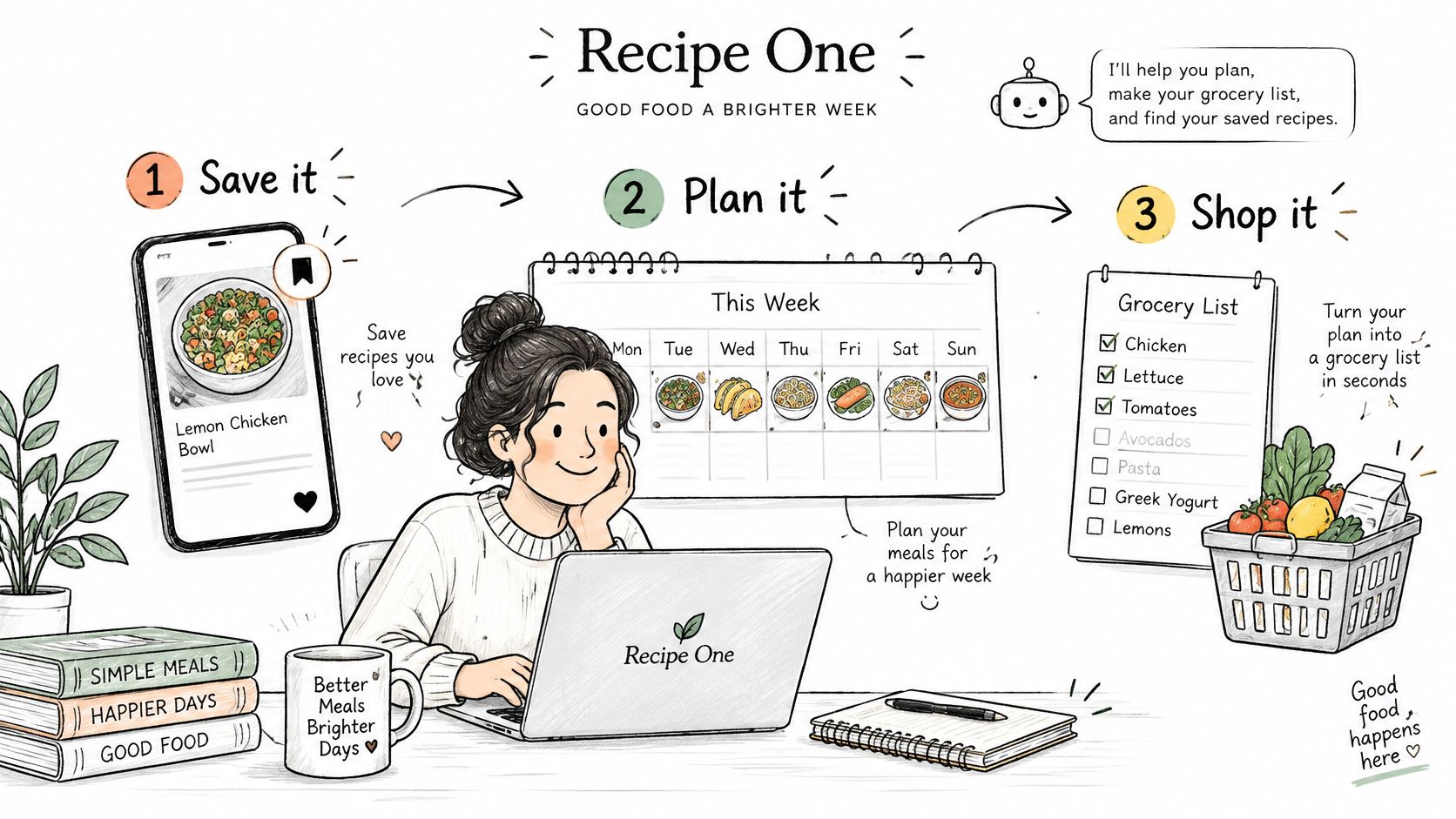
- Choose four or five dinners from recipes you've already saved. Favor dishes with overlapping ingredients, such as herbs or vegetables, so you can use them across more than one meal.
- Review each planned recipe and fix any quantities or details that still need checking before they feed into the list.
- Generate a grocery list from the week's recipes with a grocery list generator from recipes. A combined list is easier to shop from than copying ingredients from several posts by hand.
- Compare the list with your fridge and cupboard before shopping. Remove anything you already have, and check that the quantities still make sense for your meals.
- Shop from the checked list and note substitutions in the recipe so the record reflects what you cooked.
How Other Tools Compare
Mob focuses on discovering meals from its own recipe collection. ReciMe focuses on saving and organizing recipes. Recipe One connects saved recipes to a weekly meal planner and grocery list, making it useful when Instagram posts are the starting point for the week's dinners.
For a three-recipe week, two dishes might both call for lemon and garlic. Check the listed quantities before shopping and combine them into totals. That gives you a clearer buying list than treating each post as a separate shopping trip.
Start Saving Your First Recipe Today
Choose one saved post you want to cook this week. Capture its recipe before the post changes or disappears, then add it to a weekly meal planning template so it has a place in your schedule.
- Open the Instagram post you saved.
- Capture the link or take photos of the recipe, including quantities, yield, cooking time, and temperature.
- Save it with Recipe One and check any ingredients or steps that need review.
- Add the complete recipe to your meal plan.
Recipe One is free to start and available on iPhone, Android, and the web. It saves recipes from videos, websites, cookbooks, and photos, then helps you plan meals and build grocery lists. Sign in with Google, Apple, or email and password to create a free account.
The Recipe One plugin for ChatGPT and Claude is available now: search "Recipe One" in ChatGPT Plugins or in Claude Customize > Connectors, or see the setup guide. You can also save recipes from your browser with the Recipe One Chrome extension or use the web app.
A bookmark points back to a post. A saved recipe gives you ingredients, quantities, and steps you can search, plan, and shop from. Start with one post, check the details, and build your recipe library as you find dishes worth cooking.