A household can save dozens of recipes from videos, blogs, and cookbook photos, then still face a fixed weekly menu that ignores them. That is the main reason to look for eMeals alternatives: you want to plan from your own saved recipes, gathered from any source, instead of choosing from a set menu.
eMeals is a paid weekly meal plan subscription with a 14-day free trial. Its food team and registered dietitians create recipes for 15 meal plan styles, with optional breakfast and lunch plans. The app builds a shopping list from the meals you pick, and you can shop yourself or send the list for pickup or delivery through grocers such as Walmart, Kroger, Amazon, and Instacart. eMeals lists plans as low as $4.99 a month with a 12-month subscription, or $37.50 for three months. Check eMeals' official site for current pricing. For more detail on its strengths and trade-offs, read this eMeals review.
Mealime has closed, and its recipes and meal-planning features moved to Meals Hub, so it is no longer a current alternative. See these Mealime alternatives for other options. This ranking puts Recipe One first for cooks who plan from their own saved recipes, then compares apps by where their meal plans come from. Compare these picks with other best meal planner apps, and confirm that each official site still loads before choosing.
1. Recipe One, Best for Planning From Your Own Saved Recipes
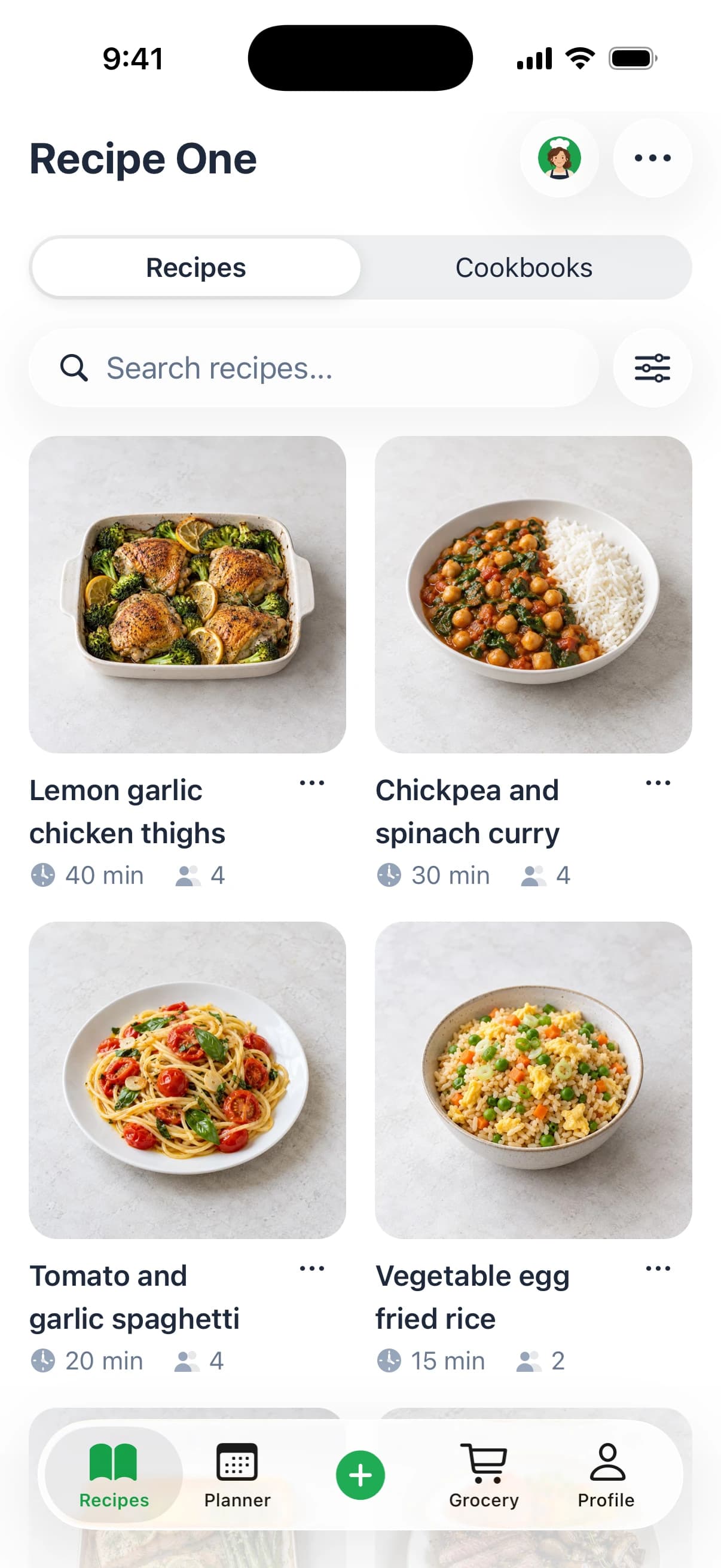
Recipe One suits cooks who already collect recipes across social videos, websites, cookbooks, photos, and notes. Save a recipe from TikTok, Instagram, YouTube, Pinterest, Facebook, a recipe blog, a cookbook page, a handwritten card, or a screenshot. The app extracts the ingredients and steps so you can use the recipe from a searchable personal library.
From there, plan a week of dinners using recipes you've saved. The grocery list combines the ingredients from the meals you select, and you can adjust servings so the quantities follow along. Tags, multiple cookbooks, and search by recipe name, ingredient, or tag help keep a growing collection findable. Maya, the AI chef, can suggest what to make, help plan the week, or turn ingredients in your fridge into a recipe.
Best fit: Choose Recipe One if your starting point is recipes you already trust, not a menu someone else selected.
The trade-off is straightforward. Recipe One doesn't provide a dietitian-made weekly menu, send your list to a grocer for pickup or delivery, or track pantry inventory. It works best once you've saved recipes, so cooks who want an instant menu with minimal setup may prefer eMeals. Recipe One is free to start and works on iPhone, Android, the web, through a Chrome extension, and with ChatGPT and Claude plugins.
The Recipe One plugin for ChatGPT and Claude is available now. Search “Recipe One” in ChatGPT Plugins or go to Claude Customize > Connectors. Setup instructions are in the Recipe One documentation. The Chrome extension and web app are also available.
2. Samsung Food, Best for Recipe Discovery and Flexible Planning
Samsung Food combines recipe discovery, saving, meal planning, and shopping lists. It fits cooks who want to browse ideas and build a plan themselves, rather than receive a ready-made weekly menu. Its free features support recipe saving and planning, while Food+ adds personalized seven-day plans and nutrition-focused tools.
That division matters. You can start by saving recipes and arranging them into a week, but more automated planning depends on a paid subscription. Samsung Food also offers recipe customization and nutrition tracking through Food+. Its mobile pantry tools can support ingredient-based searches, but they don't make it a simple set-menu replacement for eMeals.
The shopping list has practical limits to consider. A comparison citing Samsung Food help-center documentation says lists have a 100-item ceiling, and keeping the Food List updated after shopping and cooking is part of Food+. The same comparison says the app doesn't alert users before food expires, so don't choose it expecting expiry monitoring (Samsung Food comparison).
Pick Samsung Food if you enjoy discovering recipes and want planning and lists in the same app. Choose another option if you want a less busy recipe workflow or expect the app to create a full plan without a paid feature.
Samsung Food's large recipe and community ecosystem can feel crowded if all you need is a dependable weekly cooking routine. Read this closer look at the Samsung Food app, then check Samsung Food's official site for its current features.
3. Plan to Eat, Best for Bringing Your Own Recipes
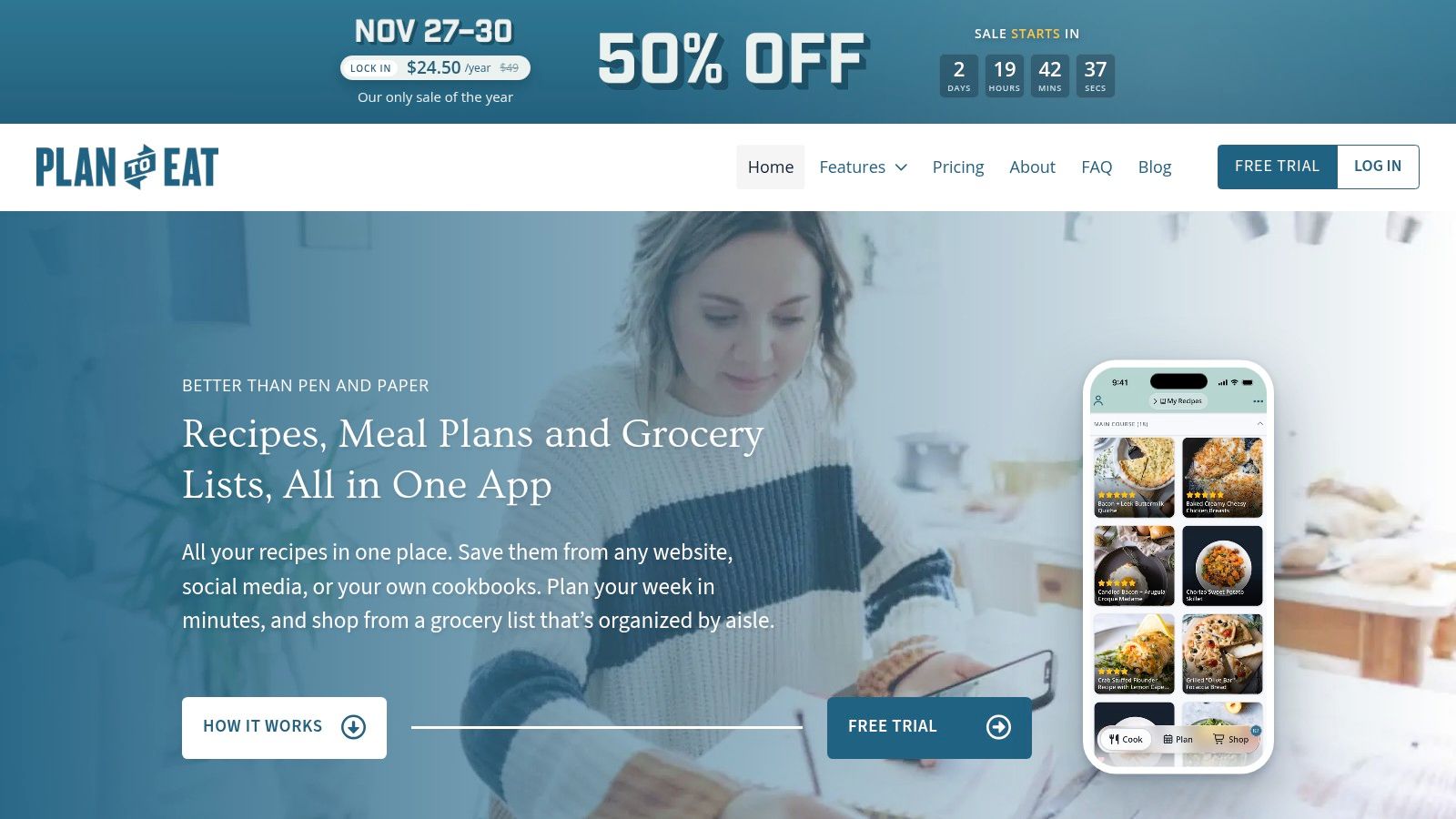
Plan to Eat is built for people who want to plan with their own recipes rather than choose from a fixed editorial menu. Its recipe clipper supports websites and social platforms including Instagram, TikTok, and Pinterest. Add recipes to the planner, schedule them for any length of time, and save menus to reuse later.
The grocery list follows the plan, organizing ingredients by store and aisle. A current comparison also describes pickup and delivery support (Plan to Eat alternative overview). That makes Plan to Eat a closer fit for eMeals users who value moving from a planned menu to a shopping list, but its starting point is different: you supply the recipes and decide what goes on the calendar.
This is a practical choice for home cooks who already have reliable favorites saved across websites, social accounts, and family collections. It won't solve recipe discovery for someone who depends on eMeals to suggest dinner. There's also setup work. The more useful your recipe collection is, the less time you'll spend searching elsewhere when you plan.
Choose Plan to Eat if you want a dedicated calendar and grocery workflow around recipes you bring. Don't choose it expecting a dietitian-designed weekly menu or a ready-made library to select from. For a closer look at its recipe-planning workflow, see the Plan to Eat app guide, and visit the Plan to Eat official site for current details.
4. Paprika 4, Best for a Digital Cookbook and Reusable Menus
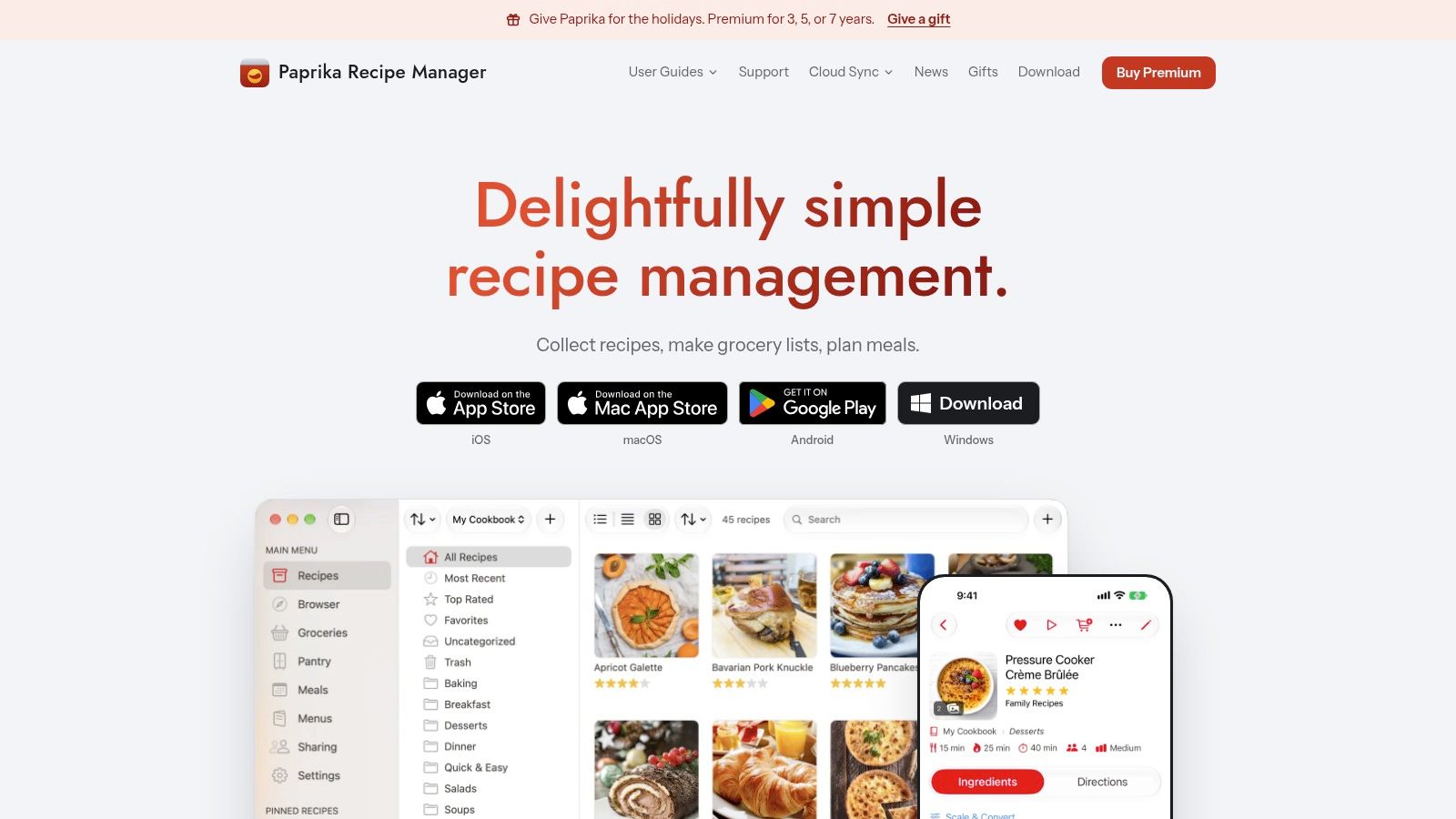
You collect recipes from different places and want one dependable cookbook, Paprika 4 fits that starting point. It works as a recipe manager with meal-planning and grocery-list tools. It doesn't supply curated weekly menus like eMeals. Instead, it gives cooks a place to gather recipes from their preferred sources and arrange them into plans.
Paprika 4 is a distinct release from Paprika 3, and both apps still exist. The current Paprika 4 information describes planning meals by day, week, or month, plus reusable menus and recipe importing. Social-media and photo importing are described as Premium capabilities. Because those details can differ by release, check the official Paprika 4 pages for the version and features available on your device. The Paprika recipe manager overview is a general overview of meal-planning apps with grocery lists, so use it only as broad context, then confirm product details on the official Paprika 4 pages.
The main advantage is the recipe-library approach. You choose what to cook and keep the recipes organized for later, rather than following a weekly menu. That matters if you save dishes from many sources and want menus you can reuse. The limitation is the same as other bring-your-own-recipe planners: you handle discovery and much of the planning yourself.
Choose Paprika if your goal is a flexible digital cookbook with planning tools, not a dietitian-led meal plan. Skip it if you want someone else to decide dinner each week. If you're comparing releases, make sure you're looking at Paprika 4 rather than relying on descriptions of Paprika 3.
5. AnyList, Best for Shared Shopping and Household Coordination
AnyList starts with household organization. Its shared grocery lists sync in real time, and its recipe and meal-planning tools help turn a household's choices into a list for shopping. That makes it a strong fit for partners, families, and housemates who share responsibility for meals and grocery runs.
AnyList Complete adds a meal-planning calendar, grocery lists based on planned meals, unlimited web recipe imports, and household sharing. Recipe scaling and list organization are also part of its Complete features. The free app can still help with shopping lists and sharing, but meal planning and unlimited recipe imports require the paid upgrade.
The trade-off is that AnyList doesn't primarily choose a full menu for you. You still need to decide what to cook and find the recipes. It's also less suited to households that want detailed nutrition guidance or diet-targeted weekly plans. Its strength is coordinating people and lists, not replacing eMeals' ready-made menu.
Choose AnyList if the household already knows what it wants to cook and needs one shared place to coordinate.
If your main frustration is deciding what to make, AnyList won't remove that decision. If the friction is a partner adding groceries while you're already shopping, its shared-list focus is more relevant. See the AnyList app guide and the AnyList official site for current features.
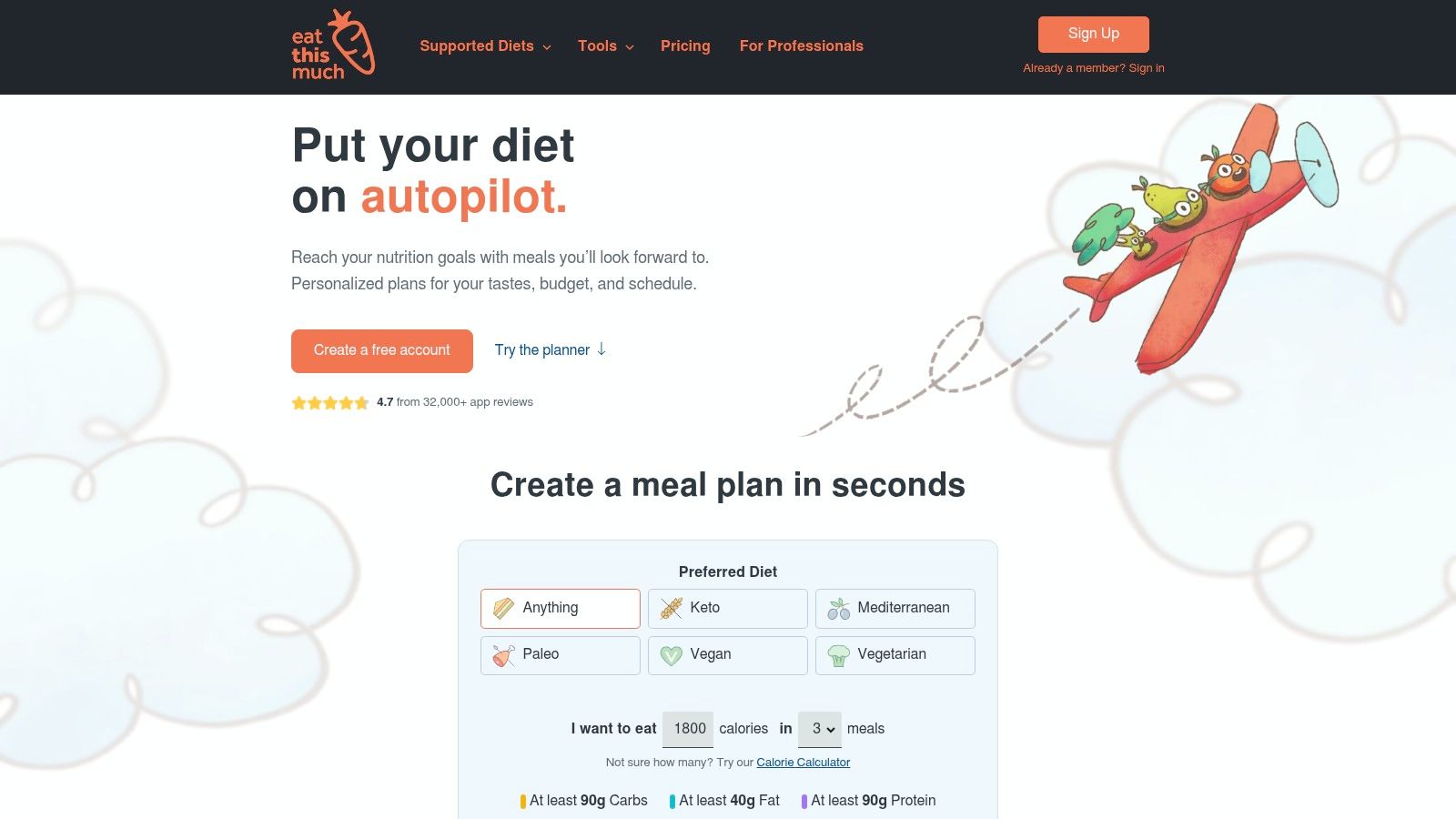
6. Eat This Much, Best for Nutrition-Target Meal Generation
Meals built around a calorie, protein, carb, or fat target make Eat This Much the clearest nutrition-first option here. Start here when the meal plan needs to follow numbers and food preferences. Skip it when dinner should start with recipes you already saved.
The free plan supports daily meal generation. Weekly planning and automatic grocery lists require Premium. That split matters: you can try the basic generator before paying, but the fuller planning workflow sits behind the upgrade. Check the Eat This Much official site for current features and pricing.
Eat This Much works best as a nutrition-target generator, not a family recipe box. You set preferences and targets, then use the generated meals as the plan. That is direct and useful for people who want targets to guide food choices. It feels restrictive if you want relaxed dinner ideas or want to cook from a familiar collection.
Custom recipes and grocery-list integrations with providers including Instacart and Amazon Fresh are also part of the service. Use those features when the generated plan needs to fit the way you shop. If your priority is tracking nutrition rather than planning dinners, compare it with these best calorie counter apps and options to find a nutrition tracker that fits.
Pick Eat This Much when nutrition targets should drive the plan. Choose a recipe-first app if you'd rather decide dinner from your own saved collection and don't want to set targets before planning.
7. Cozi, Best for Families Using a Shared Organizer
Cozi is a family organizer with shared calendars, shopping lists, a recipe box, and meal planning. Its starting point is the family schedule, not a curated set of dinner menus. You can save recipes, schedule them as meals on the family calendar, and add recipe ingredients to a shopping list.
That makes it useful when dinner planning has to fit around shared family routines. A family member can see the scheduled meal alongside other calendar commitments, while the household can use shared lists for shopping. Cozi's Max plan includes AI-powered meal planning and recipe creation, but those features sit within a broader family organizer rather than a dedicated meal-planning app.
The free plan includes shared calendars, shopping lists, and a recipe library. Gold adds family-organization features, but not the AI meal planner, which requires Max. That tier difference matters if meal planning is the only feature you want. Check the Cozi official site for current plan details before subscribing.
Choose Cozi if your household wants meal planning connected to its shared calendar and lists. Skip it if you want a focused recipe planner or a dietitian-made menu. Families that need shared lists can also compare other meal planning apps for families.
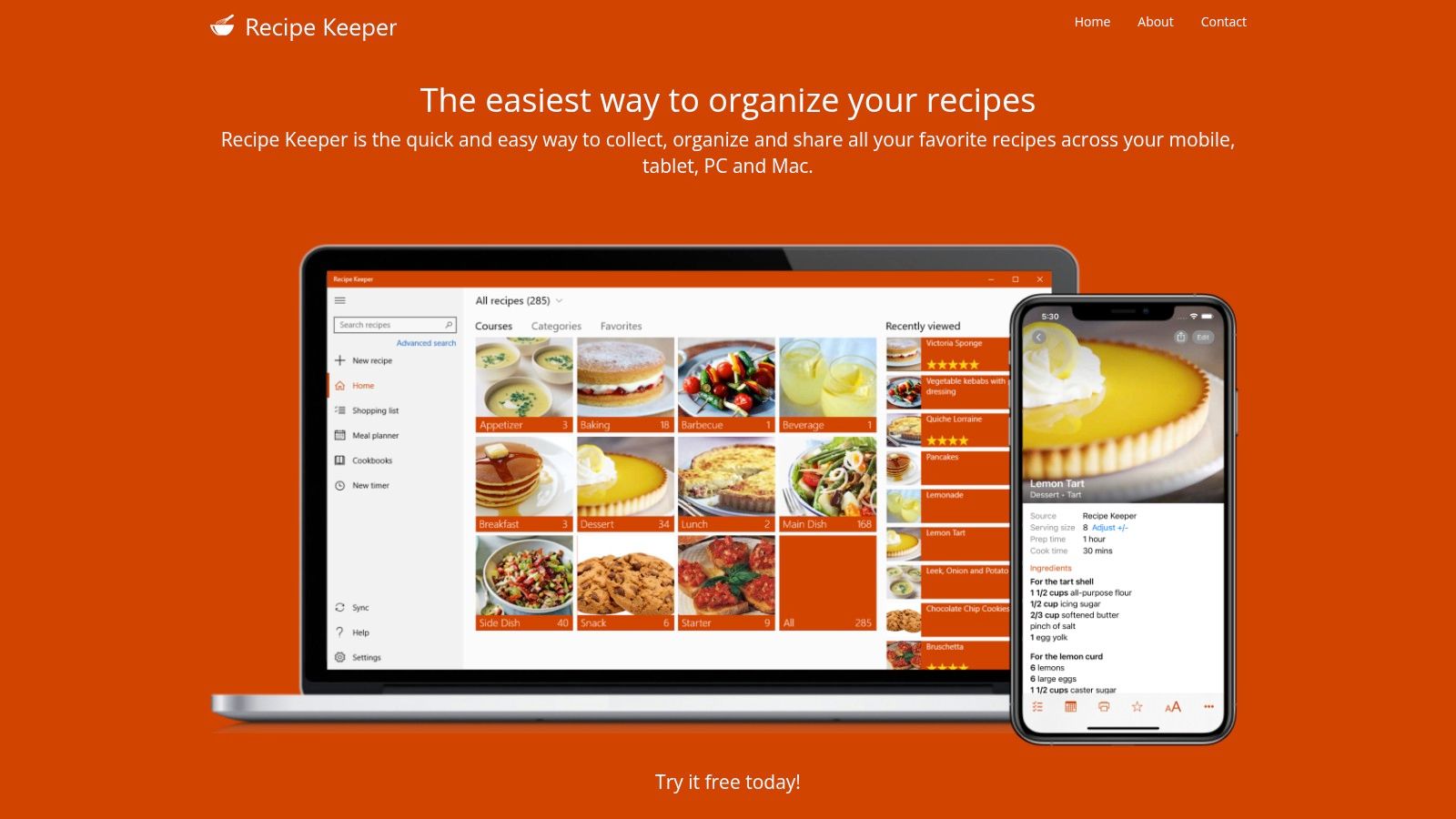
8. Recipe Keeper, Best for a Personal Cookbook With Planning Tools
Recipe Keeper brings recipe organization, meal planning, and shopping lists together. You build a personal cookbook from recipes you collect, then schedule them in the planner and move their ingredients to a shopping list. It suits cooks who prefer choosing from their own recipe library instead of following preset weekly menus.
The app is available across iPhone, iPad, Android, Windows, and Mac. It also includes step-by-step cooking support, with Alexa skill support for English. That combination makes it useful for households that want to keep recipes and planning tools together across devices.
Recipe Keeper doesn't provide the curated weekly menus that make eMeals convenient. You'll need to collect or enter recipes and decide what to schedule. Pricing can also vary by platform and purchase option, so check the Recipe Keeper official site for current pricing and availability.
Choose Recipe Keeper if you want a cross-device personal cookbook with a planner and list built in. It's less suitable if your priority is getting a weekly menu supplied for you. For a closer feature comparison, read the Recipe Keeper review.
How the eMeals alternatives compare on where meals come from, grocery lists, free options, and best use
Start with the source of the plan, then check how much list work the app does for you.
| Item | Where meals come from | Grocery list | Free option | Best for |
|---|---|---|---|---|
| Recipe One | Your saved recipes from websites, social media, photos, and more | Combines ingredients from the week's recipes | Free to start | Planning from a personal recipe collection |
| Samsung Food | Discovered or saved recipes; Food+ adds personalized plans | Create shopping lists from recipes | Free recipe saving, planning, and lists | Recipe discovery with optional nutrition-focused planning |
| Plan to Eat | Recipes you choose and save or clip | Generated from planned recipes; organized by store and aisle | 14-day trial; no credit card required | Organizing personal recipes into a weekly routine |
| Paprika Recipe Manager | Recipes saved from supported websites and other sources | Grocery-list tools for planned meals | Free version available; paid upgrade for full use | Building a flexible digital cookbook |
| AnyList | Recipes imported from websites or selected by you | Shared lists; meal plans can generate shopping lists | Free shopping lists and list sharing | Households coordinating shopping and cooking |
| Eat This Much | Automatically generated around nutrition goals and preferences | Automatic lists with Premium | Free daily meal generation and food tracking | Planning around calorie or nutrition targets |
| Cozi | Saved recipes scheduled on a family calendar | Add recipe ingredients to shopping lists | Free shared calendars, lists, and recipe library | Families combining meal planning with scheduling |
| Recipe Keeper | Your collected and organized recipes | Transfer ingredients from planned recipes to a list | Pricing varies by platform and purchase option | Managing a personal cookbook with planning tools |
The trade-off is control versus convenience: generated or shared plans save decisions, while recipe-library apps ask you to supply the meals.
Choosing an eMeals Alternative by Your Starting Point
Your starting point should decide the app. Choose by where the weekly menu comes from, then judge the grocery list and household fit.
Keep eMeals if you want a set menu from a food team and registered dietitians. The main draw is guidance before you cook. You pick an eating approach, then work from menus built around it. Grocery lists can go to participating retailers for pickup or delivery. That beats building a recipe habit from scratch when you mainly want dinner decided for you.
Choose Recipe One if the plan should come from recipes you already saved. You can save recipes from TikTok, Instagram, YouTube, Pinterest, Facebook, any website, photos and screenshots, cookbook pages, and your own notes. Share a link or snap a photo, and Recipe One pulls out the ingredients and steps without ads or extra content. Search by recipe name, ingredient, or tag. Maya, the AI cook, can suggest what to make, plan the week, or turn fridge ingredients into a recipe.
The workflow is direct. Pick a few saved recipes for the week, and dinner is decided before 5 PM. The planner covers a week of dinners from recipes you already saved. Change servings for two or ten, and the amounts follow automatically. Nutrition information shows calories, protein, carbs, and fat per serving. Every ingredient goes into one grocery list. In the store, add the week's ingredients in one tap and tick them off. Cooking mode shows one big step at a time and keeps the screen on.
Recipe One is free to start, and a subscription lets you save 100 recipes a day. The first edit of a recipe each day keeps a copy of the previous version. Importing links through the AI assistant uses the same import credits as the app and is limited to at most 30 a day. Deleting recipes is limited to 20 a day, and all other changes together are limited to 400 a day. The AI assistant gets an access token, never your password or Google or Apple sign-in. Deleting a Recipe One account also removes every connection to AI assistants.
Recipe One works on iPhone, Android, the web at web app, a Chrome extension, and ChatGPT and Claude plugins. Search “Recipe One” in ChatGPT Plugins or open Claude Customize > Connectors, then follow the setup guide. The Chrome extension is in the Chrome Web Store. For mobile, search “Recipe One” in the App Store or Google Play. Support questions or problems can be emailed to support@recipeone.app.
For other starting points, choose Eat This Much if nutrition targets should generate the plan. Choose Cozi if family scheduling is central. Choose AnyList if shared shopping matters most. Plan to Eat, Paprika, and Recipe Keeper suit cooks building a personal collection with planning tools. Samsung Food fits cooks who like discovery before planning. If you want to track intake after planning meals, find a nutrition tracker that fits.
Frequently Asked Questions
How do I switch from eMeals?
Choose an app based on what you want to keep. If you want to plan from your own recipes, save your favorites in a recipe-first app, schedule a normal week, and check that the grocery list fits your shopping routine. If you rely on dietitian-made menus or retailer delivery, choose a service that offers those features.
Are there free eMeals alternatives?
Yes. Samsung Food offers recipe saving and planning features on its free tier, and Cozi's free plan includes shared calendars, shopping lists, and a recipe library. Recipe One is free to start. Check each app's official site or store listing for current limits and paid features.
Which app is best for a family?
Choose AnyList if shared grocery lists are the priority, or Cozi if you want meals alongside a shared family calendar. Recipe One suits families that want to plan from saved recipes, while eMeals fits households that prefer ready-made menus and retailer pickup or delivery.
Save recipes from videos, websites, photos, cookbooks, and notes, then plan the week and build a combined grocery list from what you will cook.