
At 5:30 p.m., one parent is finishing a work call, the other is driving home, and the children are asking what's for dinner. The answer is buried somewhere in a folder of screenshots, an Instagram save, and a TikTok video with no written ingredients. Meanwhile, the fridge has half a bag of spinach, a few tired vegetables, and no obvious plan.
A meal planning app for families should solve more than recipe discovery. It should turn scattered inspiration into usable recipes, fit meals around real schedules, and create a shopping list without making one parent manage every detail. The most useful system is the one that removes decisions on busy nights while leaving room for picky eaters, leftovers, and unexpected changes.
Why Families Need a Smarter Meal Planning System
A notes app can hold recipe links, but it can't tell you which meals fit Tuesday's late soccer practice. Memory can handle a favorite pasta dish, but it won't reliably remember whether you need onions, canned tomatoes, or the allergy-safe alternative. Social media is full of ideas, yet saved posts often remain disconnected from your calendar, pantry, and grocery list.
That disconnect creates mental load. One person usually becomes the household food manager, collecting recipes, checking schedules, remembering preferences, writing the list, and answering questions about dinner. A dedicated app brings those jobs into one workflow, so the plan becomes visible and shareable instead of living in one parent's head.

What a useful first week looks like
The first sign that your system works isn't a perfect menu. It's opening the app on Monday and seeing three dinners you already trust, one flexible meal, and a grocery list your partner can access. You shouldn't need to search through messages or replay a cooking video while a child waits at the table.
Research supports the importance of this kind of structure. A review of 51 mobile apps designed to support healthy family food provision found that 12 were classified as meal planning apps, and all 12 included meal-planner and meal-plan features (review of healthy family food apps). Planning, recipes, and shopping support had already become central parts of family-oriented food apps by the late 2010s.
A separate evaluation found that 67.7% of 133 households included one full-time working parent and one part-time working parent, which helps explain why time-saving household workflows matter (evaluation of commercially available healthy-family-meal apps). The app isn't replacing family judgment. It gives that judgment a reliable place to live.
How to Choose the Right Meal Planning App for Your Family
Choose based on the friction your household faces most often, not on how many recipes an app displays. A family that saves meals from Instagram needs strong importing and search. A family with allergies needs dependable preference filters and a clear way to inspect ingredients. A family with changing work shifts needs calendar awareness and flexible rescheduling.
Start with the features that prevent repeated manual work. Recipe importing should turn a social post, website, photo, or typed note into a usable recipe. Household profiles should handle dislikes, allergies, intolerances, and different eating patterns. Automated grocery lists should combine ingredients from several meals, while shared access lets both adults add or remove items.
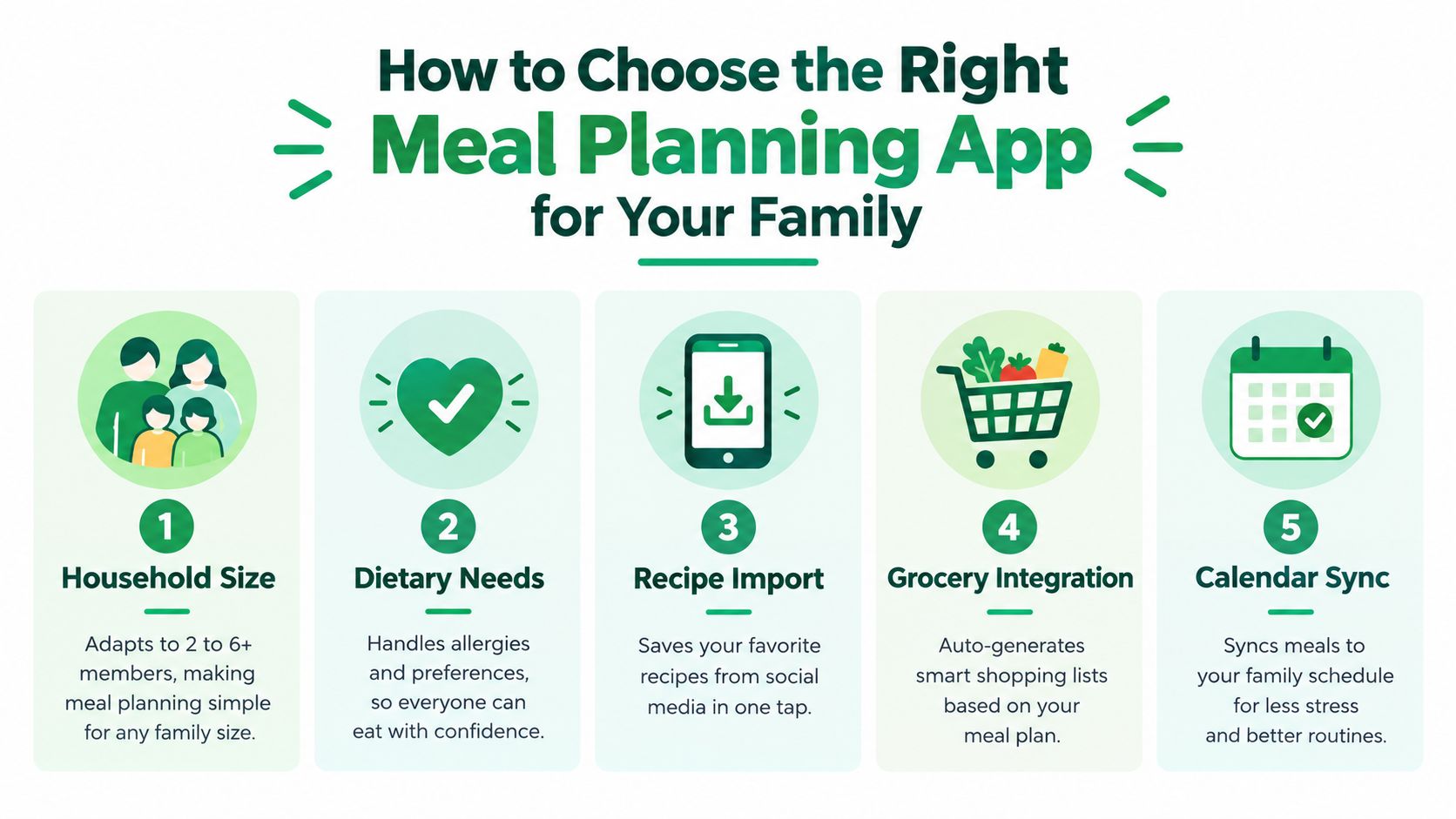
Family Meal Planning App Feature Checklist
| Feature | Essential for Busy Families | Helpful Add-On |
|---|---|---|
| Recipe import | Saves recipes from social posts, websites, photos, or text | Automatic cleanup of ingredients and instructions |
| Household preferences | Stores allergies, dislikes, diets, and child-friendly needs | Separate profiles for each family member |
| Grocery integration | Builds a list from planned meals and supports shared editing | Aisle sorting and pantry exclusions |
| Weekly calendar | Places meals around work, school, and activities | Calendar syncing and reminders |
| Recipe library | Makes saved meals searchable and cookable | Tags such as quick, budget-friendly, and freezer meal |
| Cooking tools | Keeps measurements and conversions available while cooking | Custom notes for family substitutions |
There are real trade-offs. A highly automated app can save time, but it may feel restrictive if you want to design every meal yourself. A powerful recipe manager can give you control, but manual entry can become another chore. A simple app may be easier for both partners to use, yet offer fewer ways to handle complex dietary rules.
For families collecting recipes across platforms, a structured recipe library is more valuable than another stream of suggestions. Compare the practical differences in free meal planner apps, then test whether the shortlist handles your actual recipes and schedule before moving everything into it.
Setting Up Household Profiles and Food Preferences That Actually Work
Set up the household around real restrictions and repeatable preferences, not an idealized version of your family. Begin with the adults and children who regularly eat the meals, then add allergies, intolerances, strong dislikes, preferred cuisines, and cooking-time limits.
Keep the first profile short. If your child sometimes refuses cooked vegetables but eats cucumber, roasted potatoes, and peas, record those useful details instead of creating a long list of every rejected food. Tags such as kid-friendly, vegetarian, nut-free, or quick dinner are easier to apply than complicated rules that make the system hard to maintain.

Build preferences in layers
Imagine two parents planning for a household where one adult prefers vegetarian meals and one family member has a nut allergy. The useful setup records the allergy as a safety requirement, marks vegetarian meals as preferred for one person, and leaves room for shared dinners that can be adapted without cooking entirely separate dishes.
Treat allergy information with care. An app filter can help you find suitable recipes, but you should still inspect labels, packaged ingredients, and preparation instructions. Preference settings support decisions, they don't replace your responsibility to verify food safety.
Children also need flexibility. A meal can include a safe familiar component, such as plain rice or bread, alongside the main dish. That approach avoids creating a separate dinner while giving a young child something predictable to eat.
Practical rule: Add only the preferences that will change the plan. Every extra setting creates another decision to maintain.
The strongest setup is shared. Both adults should be able to see the plan, add a family favorite, and understand why a meal was chosen. A searchable recipe keeper app can help preserve those choices, but the household still needs a simple agreement about who reviews the calendar and who checks the list.
After the first week, adjust the profile based on what happened. If every complicated recipe was skipped, reduce the cooking-time expectation. If the children ate only one component, tag that meal as adaptable rather than deleting it.
Saving and Organizing Recipes From Social Media in One Tap
The goal isn't to save more recipes. It's to make the recipes you already save possible to cook.
When you find a promising Instagram Reel or TikTok, capture it immediately instead of assuming you'll locate it later. Use the app's share option or paste the link, then check the imported card before assigning it to a meal. A video may omit an ingredient, bury a measurement in spoken instructions, or show a substitution that doesn't suit your household.
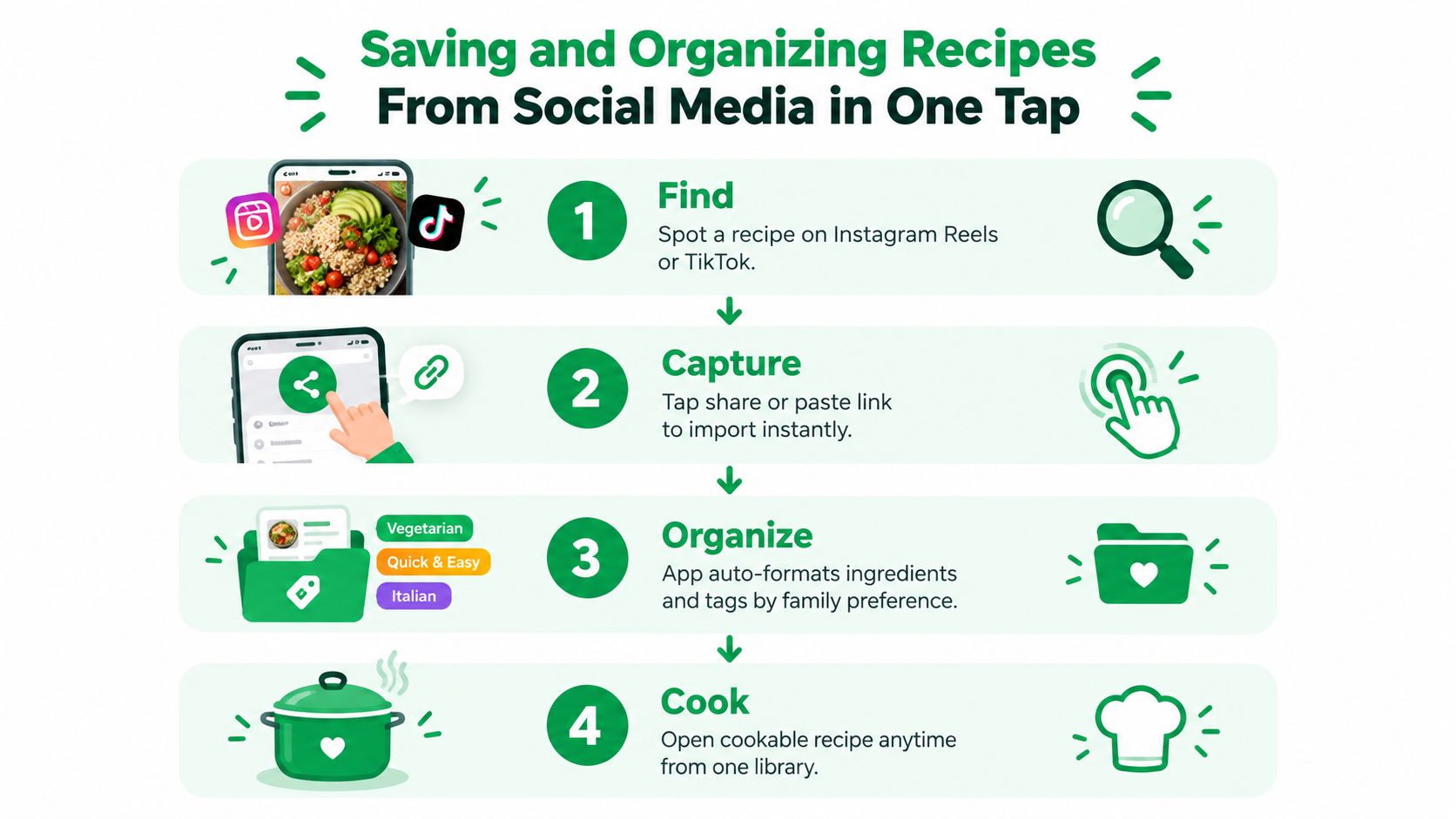
Use a quick capture and cleanup routine
A practical flow looks like this:
- Find the idea. Save the recipe when you see it, while the source is still open.
- Capture the source. Share the post or paste its link into the recipe app.
- Clean the card. Confirm ingredients, quantities, servings, and cooking steps.
- Add useful tags. Use labels such as 20-minute, kid-friendly, budget-friendly, freezer, or leftovers.
- Test once. After cooking, add a note about substitutions, preparation time, and what the children ate.
The cleanup step matters more than people expect. “Chicken,” “chicken breasts,” and “cooked chicken” may produce different shopping needs, while an unclear quantity can turn a supposedly automatic list into a second research task.
Keep the library tidy with a small number of tags. If every recipe has several overlapping labels, search becomes less useful. I prefer tags that answer a weeknight question: How fast is it? Will the children eat it? Is it affordable? Can I prepare it ahead?
A tool designed for this workflow can turn recipes from social posts, videos, photos, or text into structured cards with ingredients, steps, and measurements. That is different from bookmarking a post. The post is inspiration. The organized card is something you can cook from.
This recipe-saving workflow for Facebook recipes follows the same principle: capture first, verify the details, then file the recipe where you'll find it again.
If you like visual guidance, this short demonstration shows how a recipe can move from saved inspiration into a usable cooking format.
Building Your Weekly Plan and Streamlining Grocery Shopping
Plan the week around energy and timing, not just variety. Put the fastest meals on late work nights, reserve a more involved recipe for a day with breathing room, and leave one slot open for leftovers or a change of plans.
A workable week might look like this:
- Monday: A 20-minute pasta meal after the first busy school day.
- Tuesday: A sheet-pan dinner that cooks while everyone changes and finishes homework.
- Wednesday: Leftovers or a flexible meal assembled from planned ingredients.
- Thursday: A recipe that uses the extra vegetables or cooked protein from earlier in the week.
- Friday: A family favorite that requires little discussion.
- Weekend: One slower recipe that produces useful leftovers.
Place saved recipes onto the weekly calendar, then check the family schedule before generating the list. A meal that looks convenient can still fail if it requires a long preparation window on the night someone has an appointment or late shift.
Let the list do the combining
Once the plan is stable, generate the shopping list from the selected recipes. Review it for pantry staples, merge duplicates, and remove anything already at home. If two meals use the same herb, vegetable, or protein, the consolidated list should make that overlap visible rather than forcing you to compare recipes manually.
Share the list with your partner before shopping. One person can handle produce while the other checks pantry items, and either adult can mark an item as purchased. That small change prevents duplicate buying and avoids the familiar “I thought you got it” message from the supermarket.
For a kitchen with limited storage, the physical arrangement matters too. A practical Montessori kitchen storage guide from Ocodile offers ideas for keeping frequently used ingredients accessible, which can make the digital list easier to follow in a compact space.
Use leftovers deliberately. Cook extra rice, roasted vegetables, or a mild protein when the effort is low, then give those ingredients a defined role later in the week. Don't plan leftovers as a vague hope. Add them to the calendar so they don't disappear behind a new recipe.
Recipe One includes a weekly or monthly planner, automatic shopping lists, aisle sorting, and cooking helpers such as cups-to-grams and oven-temperature conversion tools. Those tools are useful at the point of action, especially when a saved recipe uses unfamiliar measurements or needs a quick adjustment. A grocery shopping list generator can also help turn the planned meals into a more organized trip.
Simple Habits to Keep Weeknight Dinners Stress Free
A meal plan sticks when it takes less effort to maintain than to abandon. Keep the weekly reset short and practical. Review the calendar, choose a few dependable dinners, check the fridge, and generate the list only after you know which nights are available.
Use a small reset
- Review the schedule: Move demanding recipes away from late practices, appointments, and long workdays.
- Prepare two base ingredients: Cook something flexible, such as rice and roasted vegetables, rather than preparing an entire week of identical meals.
- Protect one open night: Use leftovers, freezer food, or a simple fallback meal when the week changes.
- Record the result: Mark what the children ate, what needed a substitution, and whether the recipe took longer than expected.
- Limit new saves: Add promising social recipes to a review folder instead of placing every new idea into the next plan.
Over-planning is the most common failure. Six ambitious dinners can look organized on Sunday and feel impossible by Thursday. A better plan includes familiar meals, one experiment at most, and enough flexibility to absorb a forgotten school event.
Picky eating also becomes easier to manage when you review patterns without judgment. Keep meals that offer one safe component, simplify recipes that required too many separate steps, and stop treating an untouched dish as evidence that the whole system failed.
Families benefit from practical support that makes healthy food easier to plan. A feasibility study of five commercially available apps tested over four weeks by 62 families found that automated planning and shopping-list features reduced the time burden and improved organization, while families favored simple, fast recipes and meals acceptable to young children (Flinders research summary). The lesson is straightforward: automation matters only when it removes decisions.
For more reliable ideas, keep a small collection of easy weeknight meals for families and let that collection grow from meals your household repeats. A searchable, structured library gives you a calmer starting point when the week gets crowded.
Recipe One lets you save recipes from social posts, videos, photos, and text, organize them into cookable cards, plan meals on a calendar, and generate a shopping list from the week ahead. Try putting your trusted family recipes and two new ideas in one place by visiting Recipe One, then build a plan that makes the next busy dinner easier.


