It's 5 p.m., you're hungry, and you've got a fridge full of ingredients that don't add up to a dinner. You don't want another meal kit box, and you don't want to spend Sunday building a spreadsheet. You just want someone to tell you what to cook this week and hand you a list you can shop from.
That's the exact problem eMeals sells itself on solving. This eMeals review gives you a straight verdict on cost, renewals, and who should skip it, based only on what's public on emeals.com and its app listings as of October 2026.
Quick Verdict on eMeals and Who Should Use It
My verdict is mixed, and that's not a dodge. eMeals is a solid time-saving subscription for people who hate deciding what's for dinner. It's not a guaranteed way to spend less on groceries, and it's not built around the recipes you've already saved.
Best For People Who Want Dinners Chosen for Them
Pick eMeals if that description sounds familiar. You want weekly meal plans handed to you, organized by diet style or family needs. You'd rather choose from a short set menu than browse the internet every night.
You're also happy to shop from a generated list yourself, or send that list to a grocer for pickup or delivery. You still buy and cook the food. eMeals supplies the plan, not pre-portioned ingredients.
You'll get the most from it if:
- Decision fatigue is your main problem: You don't mind cooking, you just don't want to decide.
- Diet structure helps you: You want a plan labeled Keto, Low Calorie, Plant Based, or similar, week after week.
- Grocery pickup fits your routine: Handing a list to a retailer saves you real time.
Not For People Who Cook From Their Own Collection
Look elsewhere if your phone is already full of saved recipes you want to cook.
Also look elsewhere if your main goal is a lower grocery bill. Planning can help you waste less, but a subscription plus normal ingredient costs doesn't automatically beat careful supermarket planning.
Don't subscribe expecting eMeals to make food cheaper. Subscribe only if removing the nightly decision is worth paying for.
If you want dinners chosen for you, read the cost and renewal section carefully before you start a trial. If you already collect recipes, skip to the comparison section. That choice matters more than any single feature.
How eMeals Works From Weekly Plans to Shopping List
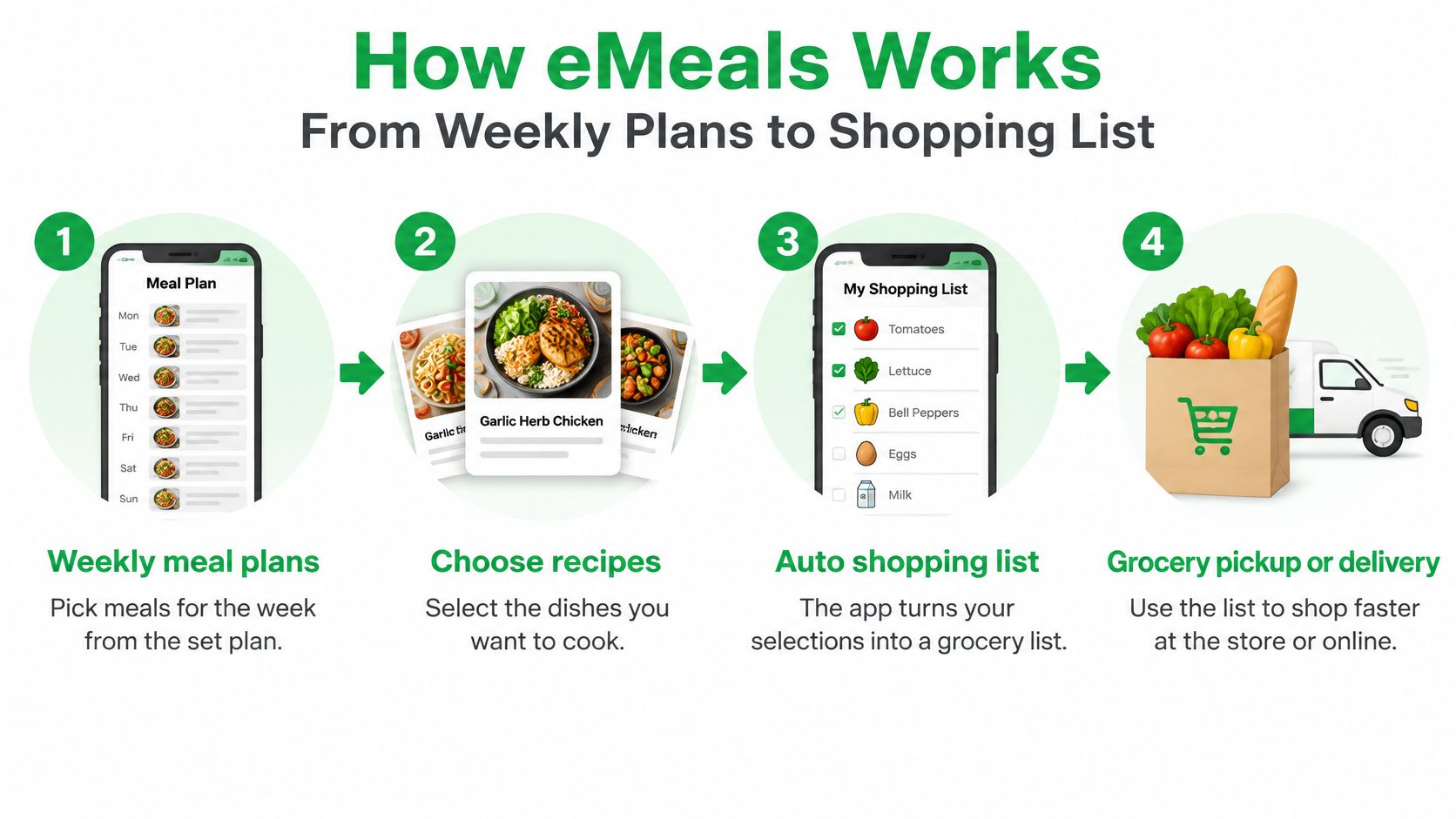
eMeals describes itself as an online meal-planning subscription, not a meal-kit delivery service. As eMeals explains on its grocery page, users choose meals from weekly plans and the app automatically generates a grocery list based on those selections.
The weekly cycle is simple. You don't build a plan from a blank page, and you don't import a pile of links. You start from a plan style, pick the dinners you want, and let the list follow.
Here's that four-step flow at a glance.
Step One and Two Pick a Style Then Pick Meals
First, you choose a plan style. The plan categories specifically listed include Keto, Kid Friendly, Low Calorie, Low Carb, High Protein, Mediterranean, Paleo, Plant Based, Quick and Healthy, and Slow Cooker, as shown on eMeals' low calorie meal plans page.
That list tells you who this suits. It's a recurring framework organized around dietary preferences, cooking speed, or family needs. It's not a completely open-ended recipe library where anything goes.
Then you pick meals each week from the weekly meal plans for that style. Each recipe reportedly includes serving-level nutrition information, step-by-step instructions, an entrée, and a side, and the service supports diet-oriented filters such as low-calorie meals below 500 calories per serving, as described in Healthline's description of how eMeals recipes are structured.
Step Three and Four Get the List Then Shop
Next, the app automatically creates a shopping list from your selections. That's the core technical value. Selecting meals without translating them into an actionable procurement plan is where most home planning falls apart, and eMeals closes that gap.
If you're comparing list tools on their own, our guide to a grocery list generator from recipes shows what to check for. Look at serving counts, pantry staples, substitutions, and package sizes. A list is only useful if those details are right.
Finally, you shop yourself in store or send the list to grocers for pickup or delivery. The site names Walmart, Amazon, Kroger and Instacart, and lists Albertsons, Amazon Fresh and Safeway. You still purchase the groceries yourself, so ingredient costs and any delivery fees are separate from the subscription.
That distinction matters. You keep control over brands, retailers, ingredient quality, and quantities. You also keep the shopping work, unless you use an integrated retailer workflow.
What eMeals Costs and Where Renewals Can Surprise You
Don't judge eMeals cost by the headline monthly figure alone. You've got three things to price: the trial, the subscription term you pick, and any add-ons. Then you've got groceries on top, every week.
The Published Offer as of October 2026
emeals.com says there's a 14-day free trial. It lists pricing as low as $4.99 a month for a 12-month subscription, and a 3-month subscription for $37.50, as of October 2026 per emeals.com.
The App Store app is free to download with in-app purchases. Prices may change, so check emeals.com for current figures before you enter payment details. I won't repeat the site's savings marketing claim as fact, because your grocery bill depends on what you buy.
Other public listings show a wider range, which is why you need to read your own checkout screen. Listed U.S. prices include $29.99 for a recurring three-month Dinner Meal Plan and $59.99 for a recurring 12-month Dinner Meal Plan, while All-Day bundles are listed at $39.99 for three months and $99.99 for 12 months, according to the pricing shown on eMeals' Google Play listing.
Do the monthly math yourself. The annual Dinner figure works out much cheaper per month than the three-month figure, but only if you'll still be using it in month nine. A cheap monthly rate you forget about isn't cheap.
Where People Get Caught Out
Independent coverage lists plans ranging from $35.99 for three months to $59.88 for 12 months, with additional charges for breakfast and lunch plans, as summarized in DeliveryRank's coverage of eMeals pricing.
Before your trial converts, do this:
- Write down the conversion date: Note the exact day the free period ends and what you'll be charged.
- Check where you subscribed: Cancellation steps differ across iOS, Android, and the web, so find yours on day one.
- Price the add-ons separately: Breakfast and lunch plans change your first-year total, so don't bundle them by accident.
- Set a reminder before renewal: Put it two days before the charge, not on the day itself.
Practical rule: If you can't find the cancel button during the trial, don't let the trial run to conversion.
For a budget-first way to think about the grocery side, see our approach to a weekly meal planner with grocery list on a budget. Model your own first year as subscription plus add-ons plus normal ingredient spending. If eMeals saves you planning time but your basket total stays the same, that's a time purchase, not a money saving. Decide if that trade is worth it for your household.
Pros and Cons of eMeals Across Phones and Plans
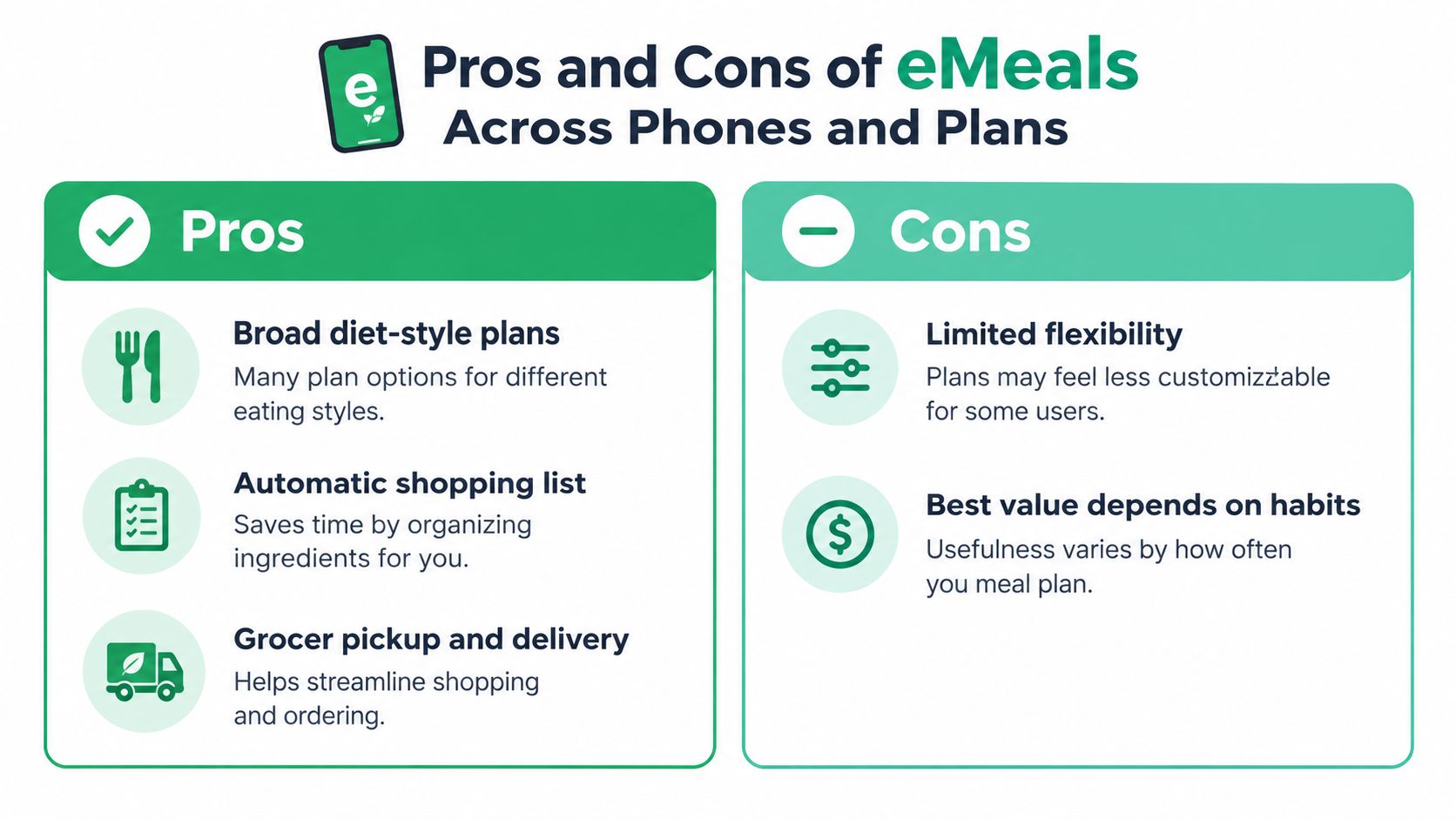
The strengths are real, and so are the limits. The mistake most reviews make is giving one score for an experience that clearly varies by phone.
This visual sums up the trade-off before the detail.
What Works Well
- Many diet plan styles: From Kid Friendly to Paleo to Slow Cooker, you can match a plan to how your household eats.
- Automatic shopping list: Your selections become a list without you copying ingredients by hand.
- Grocer pickup and delivery integrations: Sending the list onward removes a second round of typing and searching.
- Free trial: You can test the weekly workflow before paying, if you manage the conversion date.
That combination is why people stick with it. Plan, list, and shop are connected in one flow, which is more than a recipe site gives you. If you're weighing it against other planners, our roundup of the best meal planner apps uses that same plan-to-list test.
What Should Give You Pause
- Paid subscription: The planning layer costs money every term, on top of groceries.
- You still check the details: Pantry staples, substitutions, and package sizes need your eye before you shop.
- Renewal risk: As covered in the section above, trial conversion and auto-renewal need active management.
Judge It on Your Phone Not Someone Else's
Platform matters here. The U.S. Apple App Store listing reports a 4.6-out-of-5 average, while the Google Play listing reports a 3.9-star average from about 15,600 reviews, a difference of approximately 0.7 rating points, as shown on eMeals' U.S. App Store listing.
The Google Play review sample also identifies recurring complaints including slow loading, app glitches, repeated uninstall and reinstallation, and unreliable grocery-list behavior. An iPhone user and an Android user may not be describing the same practical experience.
So don't rely on one overall reputation. Check the listing for the phone you'll cook from, and test the grocery list hard during the trial.
eMeals Versus Recipe One for Saved Recipes
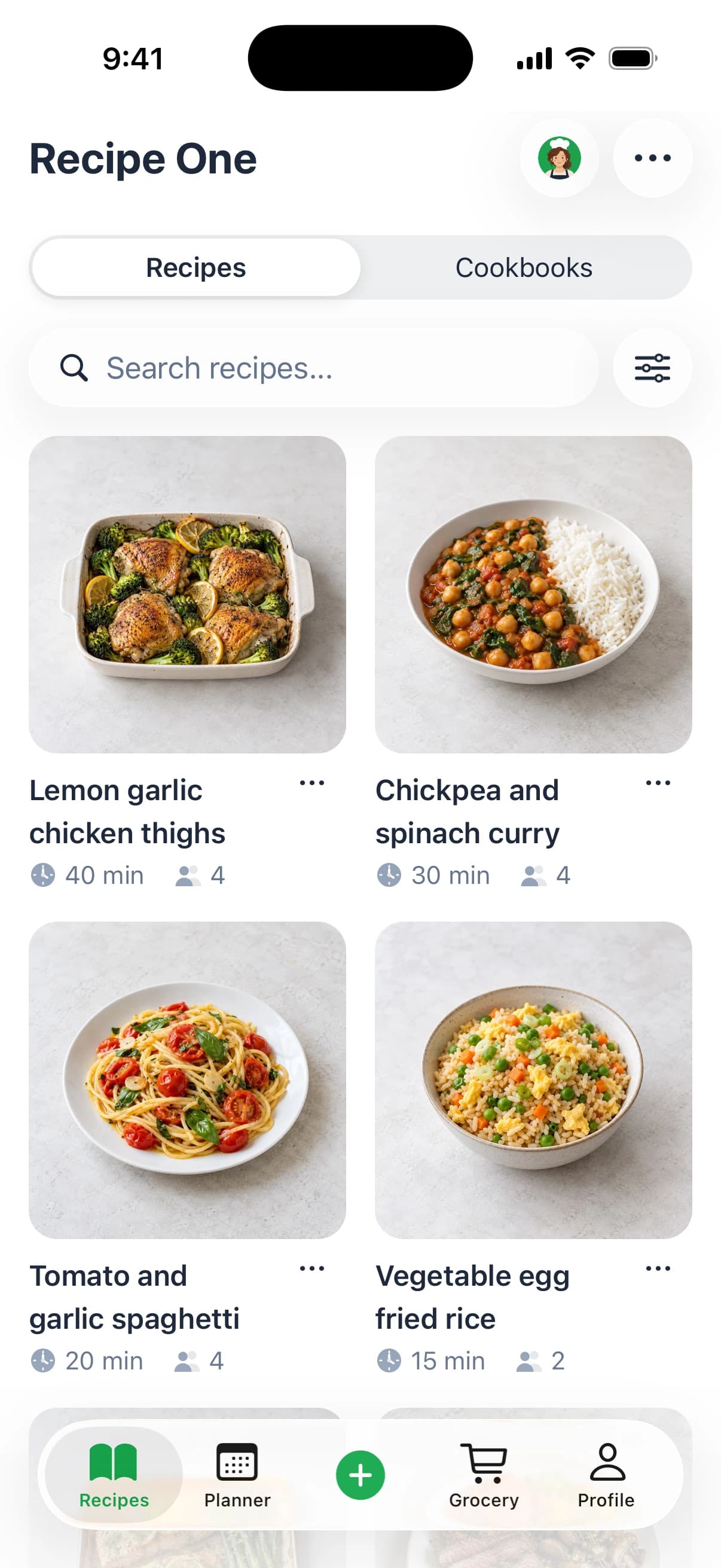
This is the fork in the road. eMeals starts with its own weekly plans. We built our app to start with recipes you already found somewhere else.
We're a recipe app that saves recipes from any video, website, cookbook, or photo, then plans meals and builds grocery lists. That includes social video with spoken and on-screen ingredients, any recipe website or blog, cookbooks, handwritten cards, and screenshots. It isn't limited to one social platform.
You can organize what you save with tags and multiple cookbooks. You can save recipes into cookbooks such as weeknights, baking, or mom's classics, then plan a week of dinners from recipes you already saved.
eMeals and Recipe One at a Glance
| Feature | eMeals | Recipe One |
|---|---|---|
| Platforms | App Store and Google Play | iPhone and Android |
| Price model | Paid subscription with 14-day free trial, app free to download with in-app purchases | Free to download with in-app purchases |
| Recipe source | eMeals' own weekly meal plans | Recipes you save from any source |
| Save recipes from any source | Not shown as the core workflow on its site | Yes, social video, websites and blogs, cookbooks, handwritten cards, screenshots |
| Meal planner | Yes, pick from weekly plans | Yes, plan the week from your saved recipes |
| Grocery list that combines ingredients | Yes, generated from your plan selections | Yes, one list that combines ingredients from planned recipes |
| Grocer delivery integration | Yes, retailers named on its site for pickup or delivery | — |
| AI chef | — | Maya, an AI chef |
I won't claim we offer grocery delivery, Walmart, Kroger, or Instacart integration, or ready-made weekly diet plans. We don't. eMeals wins that row clearly.
If you're also looking beyond meal planning into nutrition logging, a Foodvisor alternative for meal tracking is a useful separate comparison. Tracking what you ate and planning what you'll cook are different jobs, so don't buy one expecting the other.
Readers leaving another planner often ask the same saved-recipe question, which is why our guide to Mealime alternatives and our overview of a recipe box app focus on library first, plan second.
One pricing note if ReciMe is on your shortlist too: it is not free, since its free plan is limited to five recipes a week. Compare limits, not just download price.
Want to try the recipe-first route? Find Recipe One on the App Store or Google Play, save three recipes you already love, and plan them into one week before you pay for anything.
Getting the Most From eMeals and Cutting Food Waste
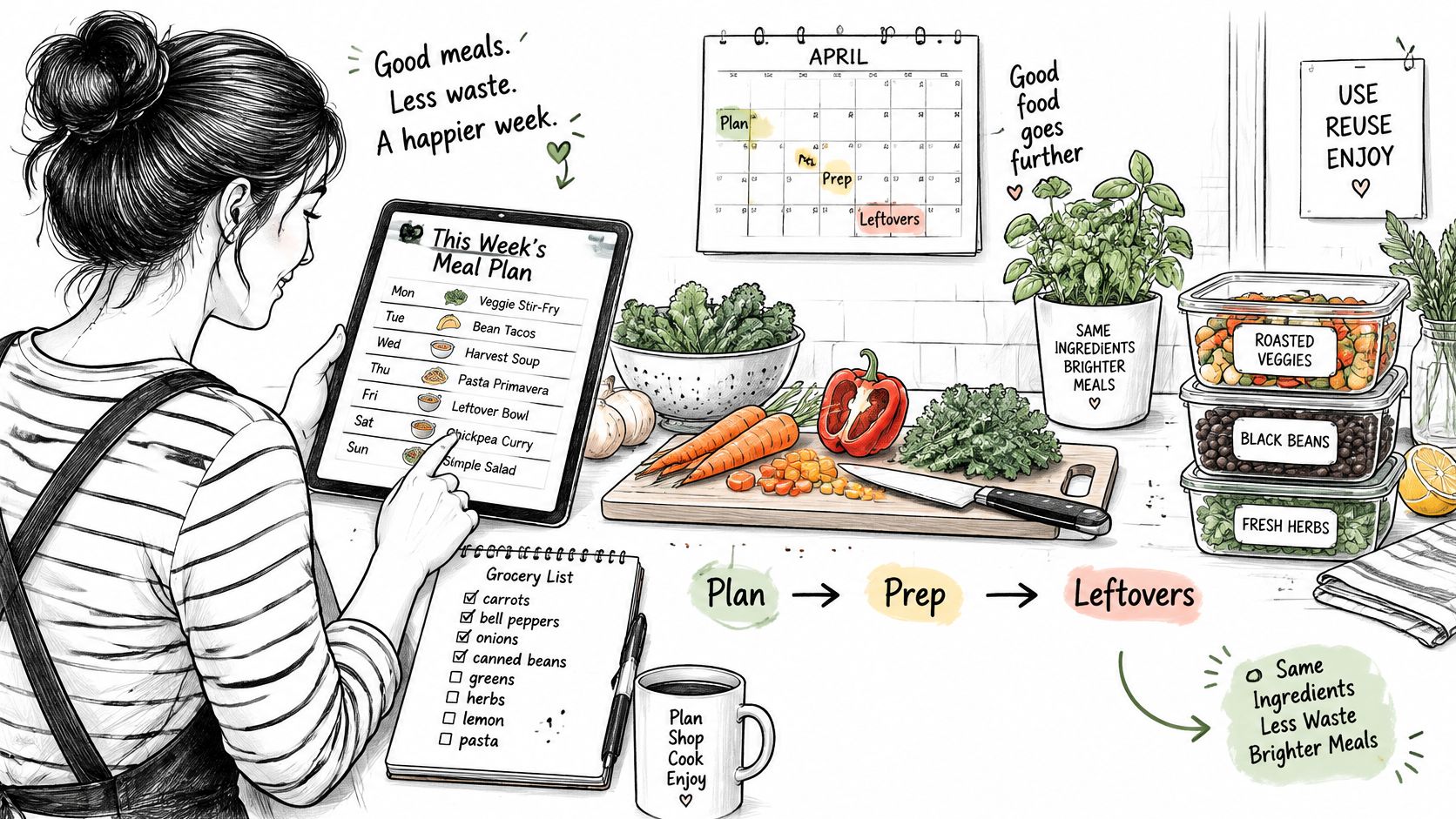
Whichever planner you use, a generated list won't cut waste on its own. Your habits around that list do the work.
Here's the setup that makes planned meals practical in a real kitchen.
Audit Before You Shop
A peer-reviewed study found that household food waste is associated with planning and inventory-management behaviors, including checking existing stocks, writing shopping lists, and managing leftovers, as reported in research on household food waste and planning behaviors.
A list isn't waste-minimizing unless you reconcile it with what's already in your pantry and fridge.
Run this check every week:
- Pick your recipes: Choose the week's dinners first, so the list has a fixed source.
- Audit what you have: Check pantry, fridge, and freezer, and cross off anything in stock.
- Adjust for who is eating: Change quantities for actual household attendance, not the default serving count.
- Mind package sizes: Don't buy a full package when you need only part of one, unless another meal uses the rest.
Our guide to a pantry inventory app covers that audit step in more depth if stock checks are where your planning breaks down.
Plan for a Schedule That Changes
Uncertainty is the enemy. If your household attendance varies, rigid meals with single-use ingredients are the first to be wasted.
Favor flexible recipes that reuse ingredients across the week. If chicken, herbs, or a sauce base appear twice, a missed night doesn't strand a full package. Move the most perishable dinner earlier in the week, and keep one meal that can slide to next week without spoiling.
This short video walks through that kind of flexible weekly planning in practice.
Do that audit, and eMeals, or any planner, works better. Skip it and you'll blame the app for food you bought twice.
Choosing Between eMeals and Recipe One This Week
You don't need more features to compare. You need to answer one question: where do your dinners come from right now?
Choose eMeals If You Want the Decision Made
Choose eMeals if you want someone else to choose dinners and you want grocery pickup. You value a diet-labeled weekly plan, you're comfortable cooking from a set menu, and sending a list to a named retailer fits how you shop.
Start with the trial if you go this route. Test it on your own phone, build one real week's list, and find the cancellation path before the trial converts. Judge it on time saved, not on a promised grocery saving.
Choose the Recipe-First Route If You Already Collect Recipes
Choose our approach if you already collect recipes and want them planned into a week with one grocery list. Our workflow has three steps: save it, plan it, and shop it.
You save from social posts, websites, cookbooks, handwritten cards, and screenshots. You organize with tags and multiple cookbooks. Then you plan the week and build one grocery list that combines ingredients from the planned recipes, with Maya, our AI chef, there when you want a suggestion.
You can also start at no cost with our free tools, including Cook with Ingredients, Leftover Recipe Generator, Cups to Grams Converter, Grams to Cups Converter, Grams to Tablespoons Converter, Just the Recipe, Rice to Water Ratio, Recipe Nutrition Calculator, Grocery List Generator, and Recipe Converter.
If cost is your deciding factor, compare free meal planner apps on their actual limits before you commit to any subscription. A free download with a tight recipe limit and a free plan you can cook from are not the same thing.
Count the dinners you've saved in the last month. That number tells you which app you need.
Here's your next step this week. If that count is near zero and deciding is your problem, trial eMeals with a renewal reminder set. If that count is high and those recipes are scattered across apps and screenshots, save five of them in one place and plan one week from them. Don't pay for a menu service to ignore a library you already built.
If your saved recipes are scattered across social video, websites, cookbooks, and screenshots, Recipe One brings them into one library with tags and multiple cookbooks, plans them into your week, and builds one grocery list that combines the ingredients. Save five recipes you already love, plan one real week from them, and see whether recipe-first planning beats starting from a set menu.