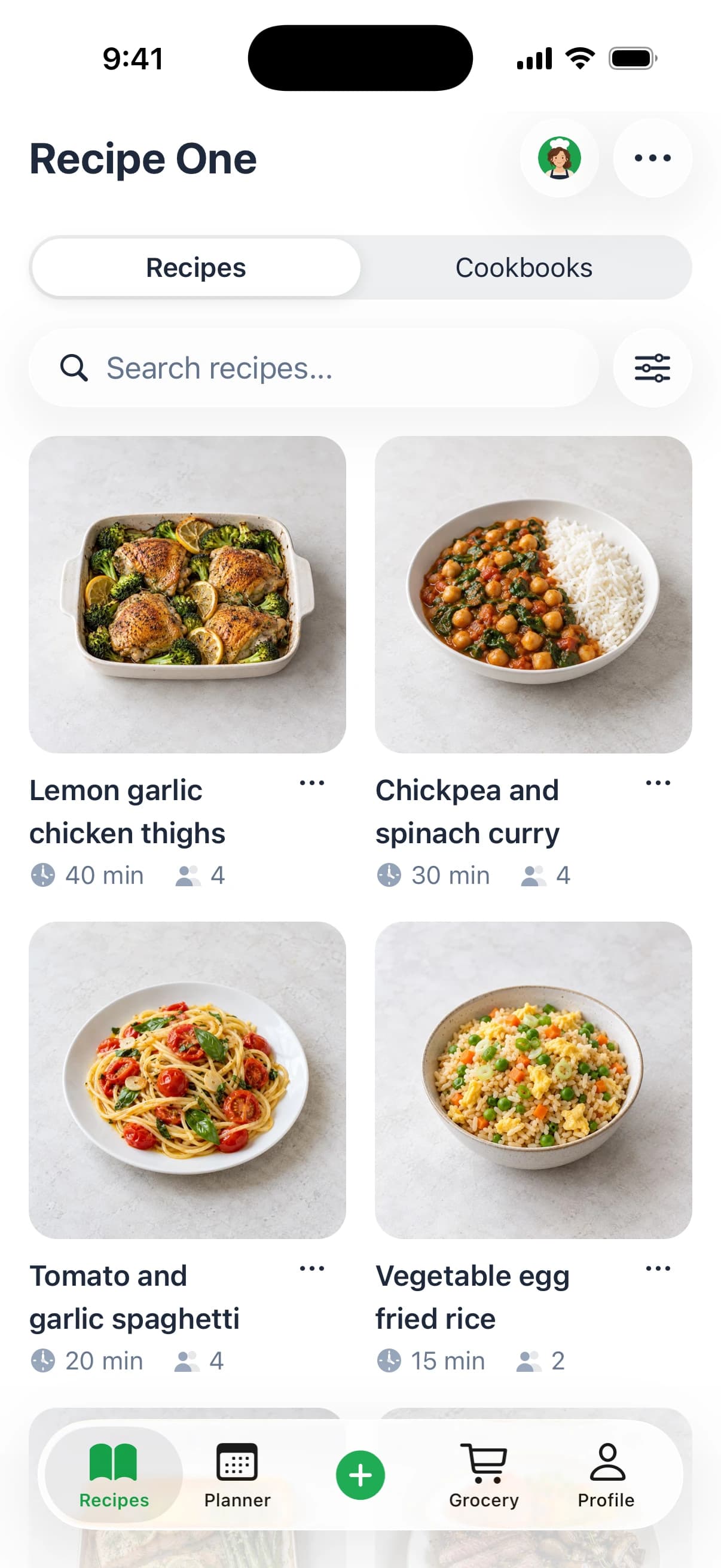
The Plan to Eat app is a meal planner and recipe organizer for cooks who save recipes from websites onto a drag-and-drop calendar and want the shopping list to follow, and its iPhone listing carries a 4.8 out of 5 rating from about 6,100 App Store ratings. Both Plan to Eat and Recipe One import recipes from photos, cookbooks, and handwritten cards. Recipe One is the clearer match when ingredients are spoken or written on screen in a TikTok, Instagram, or YouTube video, or when you want Maya, an AI that suggests what to cook from your saved recipes.
Most reviews of this app answer a question nobody asked, which is whether the calendar looks pleasant. The question that decides whether you'll still be using it in March is narrower. Does a recipe you saved reach the week, and does the week reach the store? Judge the app as one chain from save to shop and the verdict stops being a matter of taste.
Who the Plan to Eat App Fits
Plan to Eat fits households that save recipes from websites and want to carry them from a calendar into a shopping list. Its appeal is the connected workflow: clip a recipe, schedule it, then shop from the planned meals. For families comparing ways to coordinate dinners, this guide to meal-planning apps for families offers a broader starting point.
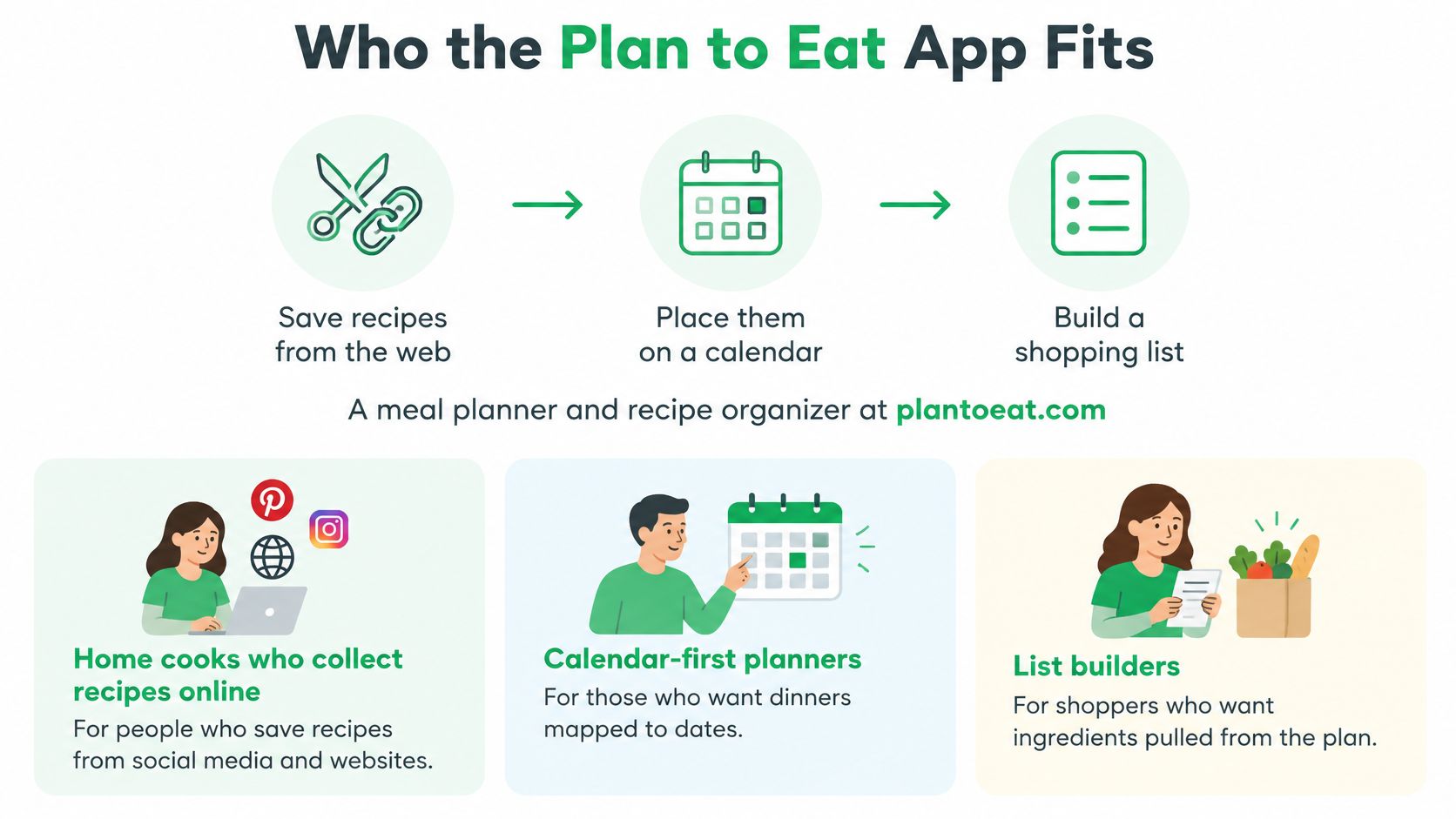
Both apps import from photos, cookbooks, and handwritten cards. The fit is less clear for cooks who need ingredients pulled from spoken video or from text shown inside a TikTok, Instagram, or YouTube video. Plan to Eat's public materials do not describe an AI that suggests what to cook from your saved recipes.
What the store listing adds
The iPhone app had a 4.8 out of 5 rating based on about 6,100 App Store ratings, according to Apple's Plan to Eat listing. That is a store rating from people who chose to leave one, not a measure of how the app will work for every household.
Who should keep looking
Cooks who need ingredients pulled from a spoken video or from text on screen, or who want help choosing from recipes they already saved, may prefer to compare other options. Recipe One pulls those ingredients from TikTok, Instagram, and YouTube videos, and Maya, its AI, suggests what to cook from your saved recipes.
| Reader | Best public match | Why |
|---|---|---|
| Cooks from recipe websites | Plan to Eat | Its clipper, calendar, and shopping list form a documented workflow |
| Needs notes that stay off the grocery list | Plan to Eat | Planner notes stay off the list; added ingredients go on it |
| Needs ingredients from spoken video or on-screen text | Recipe One | It pulls ingredients from TikTok, Instagram, and YouTube, including words spoken or shown in the video |
| Wants meal ideas from saved recipes | Recipe One | Maya, an AI, suggests what to cook from your saved recipes |
| Needs a current price before deciding | Check the official listing | Compare the current terms before subscribing |
Households planning meals for several people may also want to compare how each app handles shared recipes and the weekly shopping list.
How Plan to Eat Works and Where It Stops
Plan to Eat's main proposition is a connected sequence: clip a recipe, place it on a calendar, then use the planned meals to build a shopping list. Each stage depends on the recipe information captured at the start.
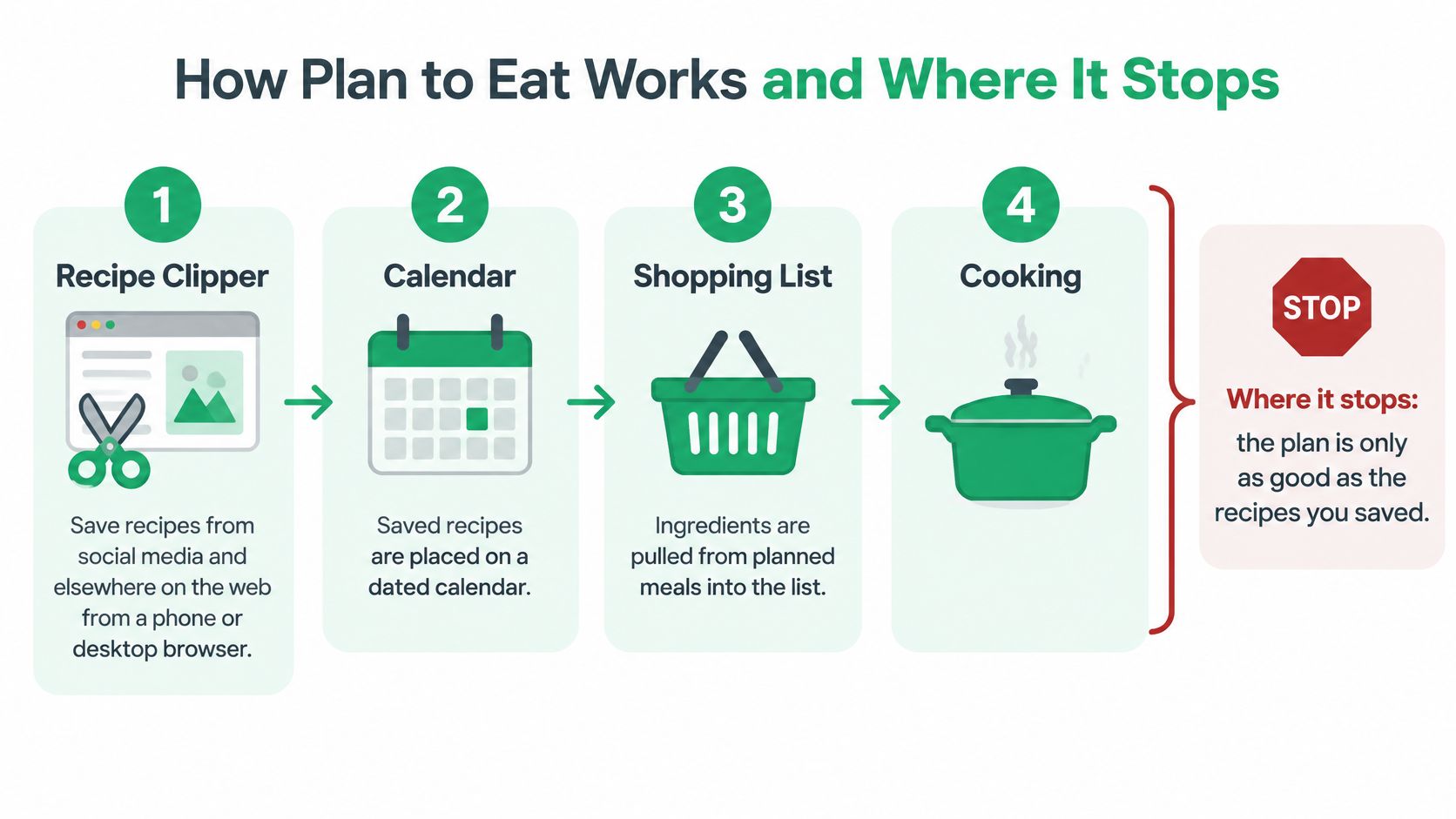
Stage one, the Recipe Clipper
The Recipe Clipper saves recipes from social media and other websites using a phone or desktop browser, as outlined in the online recipe organizer tour. A saved recipe becomes part of your collection and can then be added to the calendar. The quality of the captured ingredients matters later: an incorrect amount can carry through to the shopping list.
Stage two, the calendar
Recipes go onto a date-and-mealtime calendar, where you can rearrange them with drag and drop. The meal planner help documentation explains that a day can hold several recipes, ingredients, or notes, and that there is no stated limit on recipes added to the calendar.
Stage three, the list
Choose a date range and Plan to Eat generates a shopping list from the recipes on the calendar. Changing a planned recipe's serving size updates the list immediately, so adjusting a meal for a larger or smaller group also changes its ingredient quantities.
For a useful comparison, consider what a grocery list generator from recipes should carry over: planned recipe ingredients, rather than every reminder written beside a meal.
The note-versus-ingredient rule
Plan to Eat keeps planner notes off the shopping list. Ingredients added to the planner go onto it. That distinction lets you use a note for a reminder and an ingredient for something to buy.
The rule in practice: write reminders as notes and groceries as ingredients. Add an item as an ingredient when you want it to appear on the list.
Where the documented chain stops
The clipper covers recipes from social media and the web. The online recipe organizer tour also lists import from favorite cookbooks, Pinterest, and fading recipe cards, and Apple's Plan to Eat listing What's New for 3.6.0 (August 2025) adds camera and photo-library import. Version 4.1.0 says "Importing Recipes from a photo is faster." Both apps import from photos, cookbooks, and cards. What that workflow does not include is pulling ingredients from words spoken in a video or written on screen in a TikTok, Instagram, or YouTube clip. Its planning sequence centers on recipes the user saves and schedules; it does not include an AI meal suggester.
| Area | What Plan to Eat does | What to consider |
|---|---|---|
| Recipe capture | Saves recipes from social media, the web, cookbooks, Pinterest, recipe cards, and photos | Spoken video and on-screen text (TikTok, Instagram, YouTube) are not part of that import; photos, cookbooks, and cards are |
| Calendar | Supports drag-and-drop planning, several items per day, and no stated recipe cap | You choose which recipes to schedule |
| Shopping list | Builds a list for a selected date range and updates it when serving sizes change | Planner notes stay off the list; added ingredients go on it |
| AI help | No AI meal suggester is part of the described planning chain | Meal choices and scheduling remain with you |
| Devices and price | Available through a website, an iOS app, and an Android app | Check the current store listing for pricing |
The central trade-off is straightforward: the clipper-to-calendar-to-list chain connects saved recipes to shopping, while notes remain separate from ingredients.
What to Check Before You Pay
Before subscribing, compare the terms shown on Plan to Eat's official page and the relevant app-store listing. Check the live checkout before paying, since it shows the terms that will apply to your purchase.
Five checks before you enter a card
- Trial terms. Check whether a trial is offered, how long it lasts, and what happens when it ends.
- Billing period. Confirm whether billing is monthly, annual, or another term, and whether the subscription renews automatically. A general explanation of monthly versus annual billing can help clarify the difference between those payment schedules.
- Platforms included. The documented options are a website, an iOS app, and an Android app. Check the official listing for availability on your device.
- Saved recipes. Find out whether you can still read your recipes if you stop paying.
- Current price. Confirm the price on Plan to Eat's official page or app-store listing before subscribing. Older reviews may reflect different terms.
| Check | What to confirm | Verdict |
|---|---|---|
| Clipper to calendar | Can you save recipes and plan them for the week? | Useful if you want recipes connected to a meal plan |
| Calendar to list | Does the grocery list include ingredients, while keeping notes separate? | Check whether that rule suits your shopping style |
| Cost and renewal | What is the current price, billing term, and renewal policy? | Decide using the live checkout terms |
A missing public price is a reason to check the official listing, not to rely on an old figure. For a broader comparison of no-cost meal-planning options, see this guide to free meal planner apps.
Recipe One is free to start and available on iPhone, Android, and web. Compare each app's current terms directly before choosing.
What Customers Reported After Planning
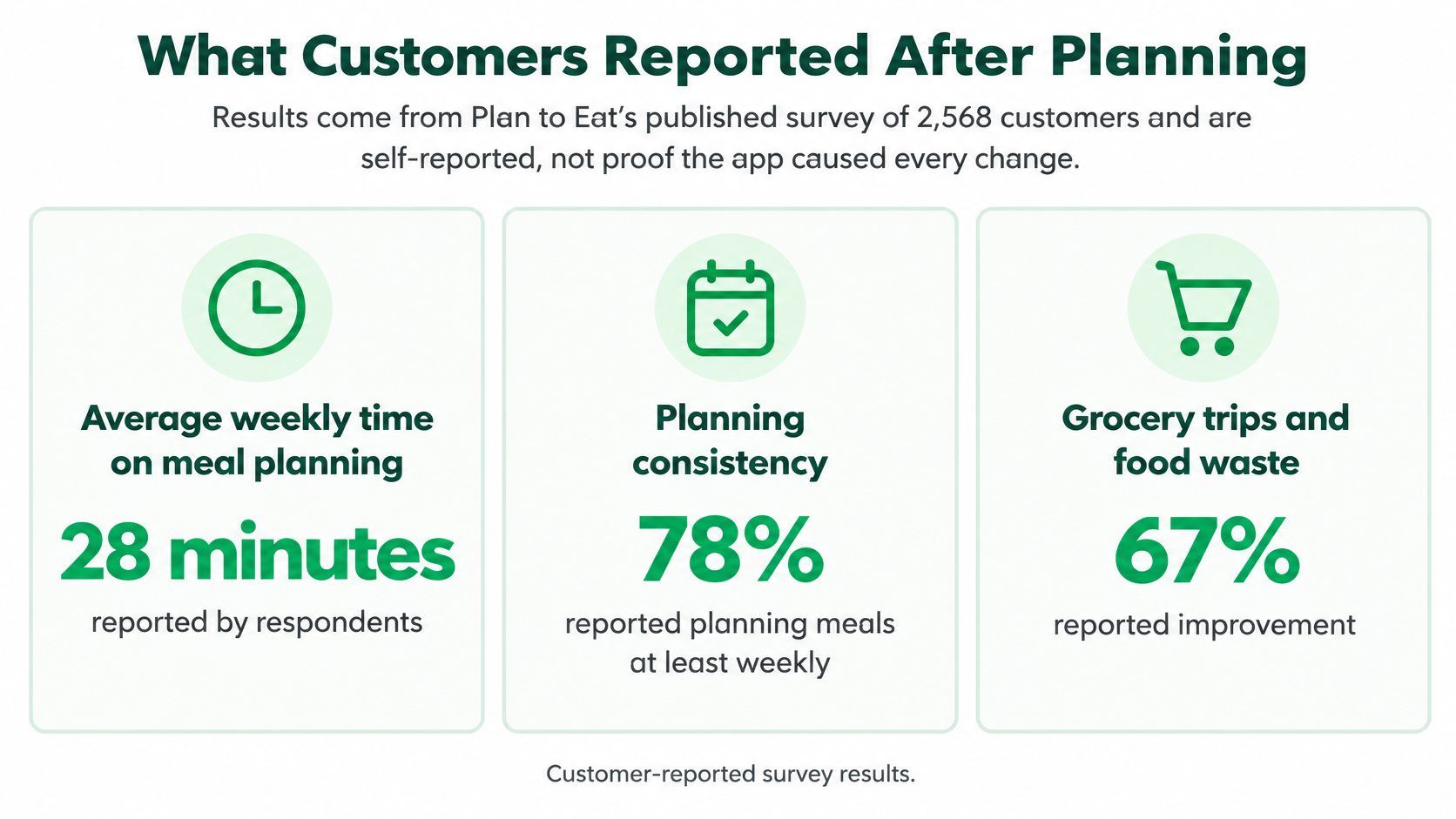
Plan to Eat's survey offers a quantified view of how customers say meal planning changed their routines. Among 2,568 customers, respondents reported shifts in time spent planning and shopping, food costs, and shared dinners, according to the Plan to Eat homepage.
| Measure | Before | After | Reported change |
|---|---|---|---|
| Weekly time on meal planning and grocery shopping | 140 minutes | 73 minutes | Down 67 minutes, about 47.9 percent |
| Monthly food cost per person in the household | $199 | $152 | Down $47, about 23.6 percent |
| Dinners eaten together at home per week | 3.6 | 5.6 | Up 2, about 55.6 percent |
What the three numbers mean in a kitchen
Respondents reported spending 140 minutes a week on planning and grocery shopping before using the app, compared with 73 minutes after. They also reported monthly food costs of $199 per person before and $152 after, while dinners eaten together at home rose from 3.6 to 5.6 per week.
These are three different outcomes: less reported time, lower reported food spending, and more shared dinners. They reflect the routines a meal-planning system aims to organize, but they do not establish that the app alone produced those changes.
For readers considering the habit, a guide to meal planning for the week can help frame what a workable routine might involve.
What the survey can't tell you
The published survey does not describe a randomized control group. Its figures represent customers' reports, not proof that the software caused the changes. Respondents may also have changed other household habits during the same period.
Treat the figures as what respondents noticed, not as a guarantee of what the app will do.
The results also can't predict how much time or money a particular household might save. A plan that fits the week's cooking schedule may be more useful than one that looks complete on paper.
Plan to Eat Beside Recipe One
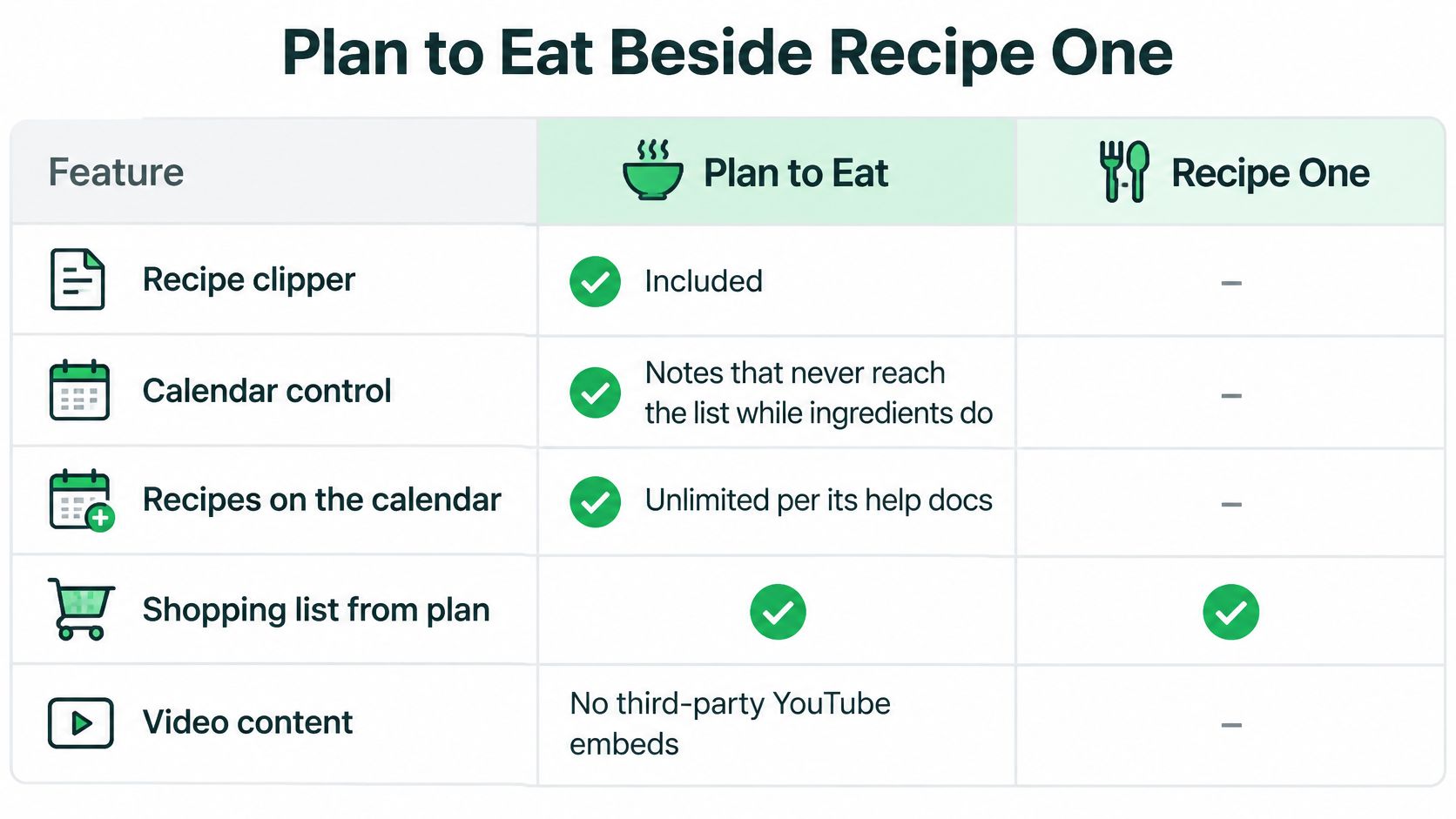
Plan to Eat's documented chain runs from its web clipper to the meal calendar and grocery list. Both apps import from photos, cookbooks, and cards. Recipe One also pulls ingredients from spoken video and on-screen text. The other practical difference is how each app treats calendar notes.
| Job | Plan to Eat | Recipe One |
|---|---|---|
| Save recipes | Clipper for the web and social media; imports from cookbooks, Pinterest, recipe cards, and photos | Imports from photos, cookbooks, and cards, and pulls ingredients from spoken video and on-screen text on TikTok, Instagram, and YouTube |
| Meal planner | Drag-and-drop calendar; no stated recipe limit; notes stay off the list | Plans a week of dinners from saved recipes; Maya can help plan |
| Combined grocery list | Ingredient list for a selected date range; servings update it | Builds a grocery list from planned meals |
| AI cook | No meal suggester described on the cited pages | Maya, an AI, suggests what to cook from your saved recipes |
| Platforms and price | Website, iOS, and Android apps documented; confirm price on the official listing | Free to start on iPhone, Android, and web; MCP server connects recipes, meal plans, and grocery lists to Claude, ChatGPT, and other AI assistants |
The gap that runs toward Plan to Eat
Plan to Eat distinguishes between a calendar note and an ingredient. A note stays on the calendar and does not become a grocery-list item; an ingredient added to the planner does. That rule may suit households that use reminders such as “use the spinach before Thursday” but do not want an extra purchase on the list.
Recipe One's documented workflow is to save recipes, plan meals, and shop from the resulting grocery list. Its description does not specify a calendar-note feature that stays off the list. If reminders are central to your planning, compare how each app handles them before choosing.
Where Recipe One starts from a different door
Recipe One is an AI-powered recipe keeper that saves recipes from videos, websites, cookbooks, or photos, then helps plan meals and build grocery lists. Users can organize recipes into cookbooks for categories such as weeknights, baking, or family classics. The app is free to start on iPhone, Android, and web (app.recipeone.app).
Its MCP server integration lets users access recipes, meal plans, and grocery lists through Claude, ChatGPT, and other AI assistants. The assistant integration can search and view recipes, make recipe changes, and view or update the weekly plan and grocery list. The ChatGPT/Claude plugin is available now; search "Recipe One" in ChatGPT Plugins or Claude Customize > Connectors, or see the setup guide. The Chrome extension is available now. Recipe One also has Maya, an AI cook that can suggest meals, help plan the week, or turn fridge ingredients into a recipe.
For the wider field, compare products by where they save recipes from, how they create grocery lists, what AI features they document, and what they charge.
Where Mob and ReciMe sit
Mob and ReciMe are other options to compare directly. Check each product's own site or store listing for supported recipe sources, grocery-list features, AI tools, and current pricing. If a product does not publish a price or free-plan limit, treat that information as unknown.
Meal planning covers what you cook. If you also want to track what you eat, find a calorie counter you'll keep using rather than expecting a meal planner to do both jobs.
Who should pick which
- Stay with Plan to Eat if your recipes are mainly on websites, you want its clipper and calendar, and its note-versus-ingredient rule fits your planning habits.
- Consider Recipe One if you need ingredients pulled from spoken video or on-screen text on TikTok, Instagram, or YouTube, or you want Maya, an AI that suggests what to cook from your saved recipes.
Questions People Ask Before Subscribing
Does the clipper cover every social video?
The public tour says recipes can be saved from social media and elsewhere on the web. It doesn't say the app reads ingredients spoken aloud or shown on screen inside a video, and those are different capabilities. Don't upgrade the claim just because a recipe came from a video link.
What should a Plan to Eat user check before moving recipes over?
There's no tested migration path to describe here, so treat it as a records question. Check each product's own help pages for export or import options, keep your own copy of any recipe you'd hate to lose, and expect to re-save anything that lived only as a calendar note rather than as a saved recipe.
Is there an Android app, and what does it cost?
Use the five checks in the cost section, then open the live App Store or Google Play listing. Plan to Eat has a website, an iOS app, and an Android app, and this article states no price for either product.
If a related search turns up Paprika, remember that Paprika 3 and Paprika 4 are different apps and both still exist. Take Paprika 4 facts only from Paprika's official Paprika 4 pages.
Recipe One is free to start on iPhone, Android, and web. Both apps import from photos, cookbooks, and cards. Recipe One also pulls ingredients from spoken video and on-screen text on TikTok, Instagram, and YouTube, then plans the week and builds one combined grocery list, with Maya, an AI that suggests what to cook from your saved recipes. Start with Recipe One on the App Store or Google Play.