As of November 2026, the Samsung Food app is the renamed Whisk app for saving recipes, planning meals and building grocery lists on iOS and Android, free to use with an optional Samsung Food+ subscription. But do you need a paid cooking assistant when your main problem is turning saved recipes into dinner?
That distinction matters more than whether you own a Samsung oven. The free app covers the everyday save-plan-shop routine; the subscription adds more automated planning, scanning and connected-kitchen tools.
Is the Samsung Food App Worth Using
Samsung Food is worth considering if you want recipe discovery, meal planning and grocery lists together without paying for the core workflow. If you mainly collect links and social videos, a simpler personal recipe box may suit you better.
The free product isn't just a preview of the subscription. It includes browsing a substantial recipe catalog, searching by ingredient, cooking time, cuisine or diet, and saving recipes from websites. You can plan meals, generate a grocery list and share that list with someone else.
Community notes and food communities add another reason to use it: you can look for cooking ideas rather than arriving with every recipe already chosen. Nutrition facts are available on many recipes, while grocery-retailer ordering is offered where supported.
Who should keep it simple
The useful question isn't whether Samsung Food has enough features. It's whether you'll use its broader discovery and planning environment.
- Choose the broader toolkit if you enjoy browsing recipes, reading community contributions and potentially connecting a compatible kitchen appliance.
- Choose a personal recipe box if you mostly want to capture something you found, retrieve it quickly and decide when to cook it.
- Start without subscribing if you're unsure. Judge the basic planning workflow before paying for automation.
Samsung Food+ is the optional paid layer, with a free trial and billing through Apple or Google. Check the official site or app store for current pricing, rather than relying on an older review or a promotion that may have ended.
Practical rule: Pay for a feature because it solves a recurring cooking problem, not because it appears during setup.
You don't need a Samsung phone or oven to get value from the app. For Android users, the more useful comparison is how easily each tool handles saving, finding and using recipes, which is also the focus of our guide to recipe apps for Android.
What Samsung Food Does After Whisk
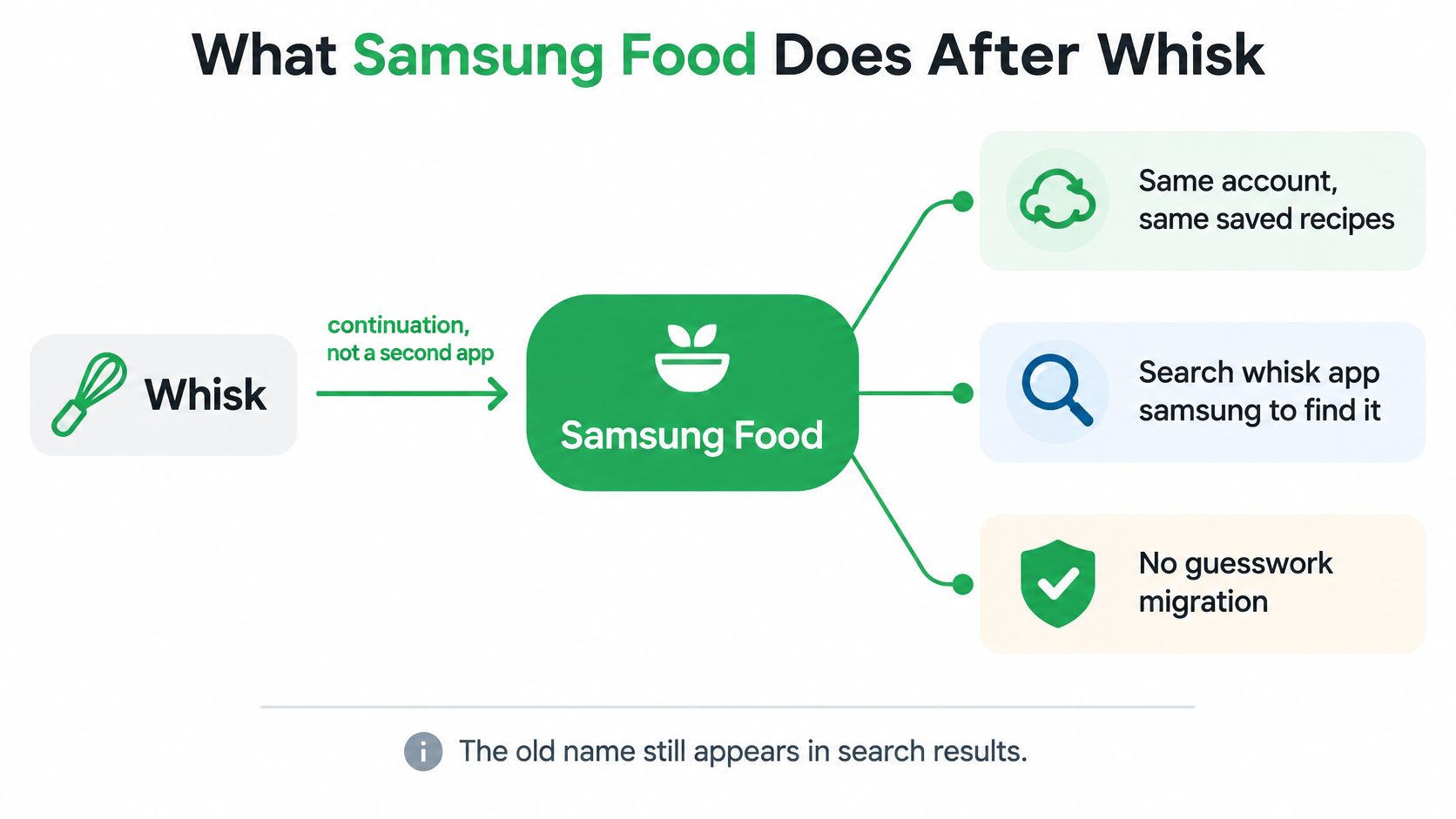
Samsung Food is the continuation of Whisk, not a separate recipe service that former users need to reconstruct manually. It's available on iOS and Android, and the Google Play package still uses com.foodient.whisk, which explains why the old name can remain visible.
The relationship between the names is straightforward.
Say you're planning dinners around a bag of spinach and some chicken. You can begin by discovering recipes, then narrow the search by ingredients, available cooking time, cuisine or dietary preference.
You can also save a recipe from a website instead of choosing one from the app's catalog. That distinction matters: Samsung Food can hold recipes you've already found, not just recipes it recommends.
From inspiration to a shopping list
Once you've chosen meals, assign them to the days you intend to cook. Samsung's Getting Started with Meal Planner guide describes planning meals, converting them into a shopping list and arranging ingredient delivery in supported markets.
The everyday sequence is:
- Discover or save something you want to cook.
- Schedule the meal for a realistic day.
- Build the shopping list from the planned recipes.
- Share or shop using the options available in your market.
Community notes, food communities and nutrition facts on many recipes belong to the basic product experience. They're not reasons, by themselves, to buy Food+.
Saving a conventional recipe webpage and extracting instructions from a video are different tasks. If your inspiration usually comes from videos, our guide to saving recipes from YouTube explains what to check before assuming an importer will capture everything.
The Samsung kitchen connection is optional
A compatible Family Hub refrigerator, Samsung range or Samsung oven can add connected features. A shopping list can appear on a connected Family Hub and be edited from either the refrigerator or your phone.
That can be convenient when someone notices a missing ingredient while standing at the fridge. It doesn't change the basic purpose of the app, though: the save-plan-shop routine works without a smart appliance.
Think of the appliance connection as an extra destination for your cooking information, not an entry requirement.
Free Features and Samsung Food Plus
The clearest way to understand Samsung Food free versus Samsung Food+ is to separate ordinary organization from automated assistance. The distinction below reflects the Google Play listing and Samsung Food Help Center feature descriptions as of November 2026.
Samsung Food free tier versus Samsung Food+
| Feature | Free | Samsung Food+ |
|---|---|---|
| Recipe discovery | More than 240,000 recipes; search by ingredient, cook time, cuisine and diets | Included, plus AI recipe personalization |
| Save from a website | Yes | Yes |
| Recipe scans from images | Not in the free feature list | Unlimited, plus Vision AI ingredient scan |
| Weekly meal planner | Yes | AI-tailored seven-day meal plans |
| Saved meal plans and templates | Up to three saved meal plans | Unlimited meal plan templates |
| Grocery list | Yes, including shared lists and retailer ordering where offered | Yes |
| Use It Up from a food list or pantry | Not in the free feature list | Yes |
| Community notes and food communities | Yes | Yes |
| Nutrition facts | On many recipes | On many recipes, with personalization tied to goals |
| Smart Cook and SmartThings | Not in the free feature list | Smart Cook Mode and Samsung SmartThings appliance control |
| Price | Free | Paid subscription with a free trial; check the official site or app store for current pricing |
What the paid automation changes
A manual planner helps you organize meals you've chosen. An AI-generated plan helps make those choices for you, using preferences and goals as inputs.
Similarly, saving a webpage and scanning a photograph solve different problems. A web save starts with an existing page; image scanning is useful when the recipe is in a photograph, screenshot or printed source.
Samsung's Food AI overview describes recipe changes for constraints such as vegan or vegetarian eating, nutritional balance and ingredients already at home. Check the rewritten ingredients and instructions before cooking, especially substitutions that affect allergens, binding, texture or cooking time.
- Check dietary suitability against the actual ingredients, not just the recipe's new label.
- Check cooking logic when an ingredient changes substantially.
- Check quantities before sending an adapted recipe to your shopping list.
When the subscription makes sense
Food+ makes the most sense when you repeatedly need guided meal selection, image capture, ingredient-based suggestions or compatible appliance control. It makes less sense if you already know what you want to cook and just need somewhere to keep it.
The subscription is billed through Apple or Google. Check the official site or app store for current pricing, and review the trial's renewal terms before accepting it.
The free restriction most relevant to reusable weekly planning is the saved-meal-plan cap. It isn't a restriction on whether you can save a recipe from the web.
How to Save a Recipe and Shop the Week
Start with a small, realistic cooking plan. A few meals you're likely to make are more useful than a calendar filled with recipes that don't fit your evenings.
This is the basic route from saved inspiration to groceries.
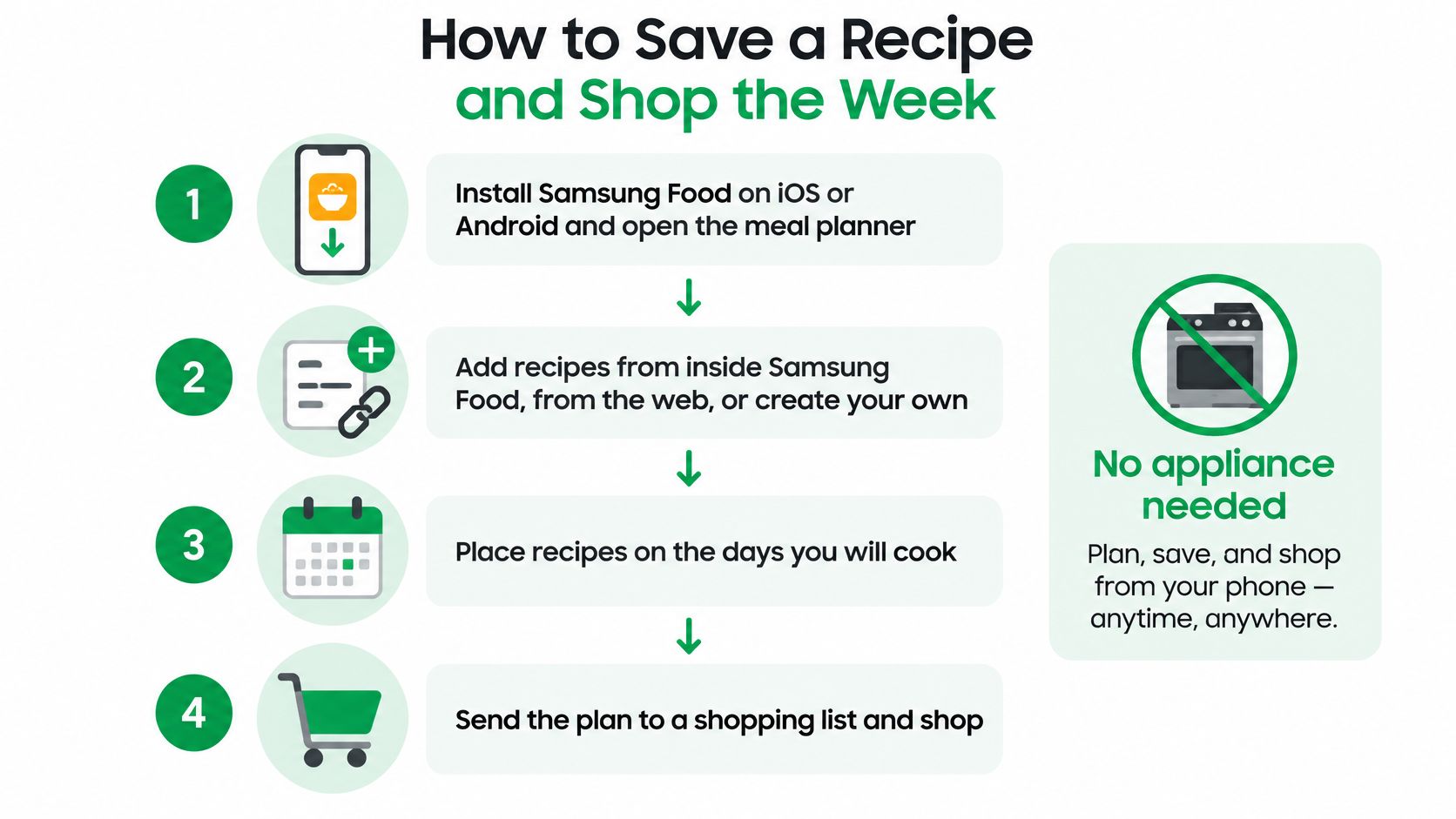
Follow the save-plan-shop path
-
Install Samsung Food on iOS or Android and open the meal planner. Begin with the meals you intend to cook, rather than trying to organize your entire recipe collection first.
-
Add recipes from inside Samsung Food, from the web, or create a recipe from scratch. For a manually entered recipe, include usable ingredient quantities and clear preparation steps.
-
Place recipes on the days you'll cook. Match a quick meal to a busy evening and leave a more involved recipe for a day with enough preparation time.
-
Open the meal plan and choose the option to add it to a shopping list. Samsung's meal-planner documentation describes this plan-to-list workflow and the option to confirm items before adding them.
-
Review the items before confirming. Drop ingredients you already have, and check the cupboard rather than relying on memory. This is also a sensible moment to check package sizes and the quantities needed across recipes.
-
Use the shared grocery list if someone else is shopping. Order through a grocery retailer only where that option is offered.
-
Optionally connect compatible Samsung appliances. A Family Hub can provide another place to view and edit the list; compatible oven connections can support recipe cooking settings through the relevant connected features. Skip this entirely if you don't have suitable hardware.
What this looks like during a normal week
For a weeknight cook, the workflow might be saving a website recipe for chickpea curry and placing it on Wednesday. Before confirming its shopping items, check whether you already have the chickpeas, oil and spices.
For a household with a connected Family Hub, one person might add a missing ingredient from the fridge while another checks the list on their phone. The value is a common list, not a requirement to shop through a particular device.
Review the generated list before shopping. A recipe app can transfer ingredients, but it can't know what you've already bought unless you tell it.
If you're weighing delivery against shopping yourself, FruitPunch's Instacart review offers additional context about that separate service. Don't assume a retailer or delivery option will appear in Samsung Food just because it's available elsewhere.
A household that only needs shared checkboxes may prefer a lighter process, such as the one described in our Google Keep grocery list guide. Also check your saved-plan allowance before trying to retain another reusable weekly plan.
Samsung Food Pros and Cons
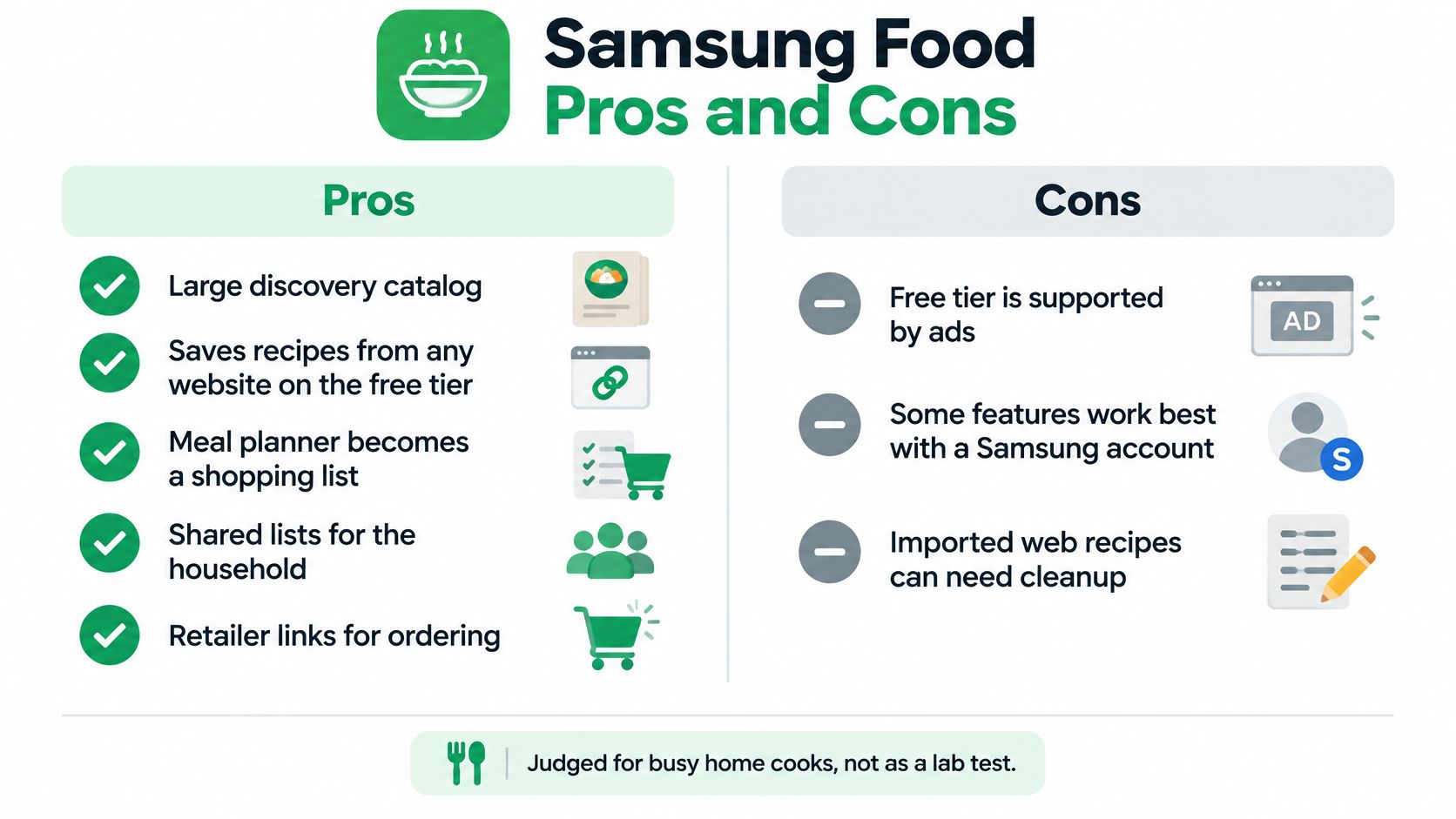
Samsung Food's strongest free-tier advantage is that saving, planning and shopping are connected. You don't have to copy ingredients into an unrelated list after deciding what to cook.
The trade-offs concern how much automation you want, how many reusable plans you keep and whether connected appliances matter to you.
Samsung Food advantages and limits
| Side | Point | Who feels it |
|---|---|---|
| Pro | Large discovery catalog and free saving from any website | Cooks who browse and clip from the web |
| Pro | Weekly plan becomes a grocery list, with sharing and retailer ordering where offered | Households splitting the shop |
| Pro | Community notes, food communities and nutrition on many recipes | People who like discovery, not only a private box |
| Pro | Food+ adds guided AI plans, image scans, Use It Up and connected-kitchen tools | Cooks who want guided plans or a Samsung kitchen |
| Pro | No Samsung appliance is required for save, plan and list | Everyone without a smart oven or Family Hub |
| Limit | The free saved-plan allowance restricts a larger collection of reusable weeks | People planning several weeks ahead |
| Limit | AI plans, Vision AI, Smart Cook, unlimited image scans and appliance control need Samsung Food+ | Anyone expecting those tools for free |
| Limit | SmartThings help applies to compatible Samsung appliances | Households with other brands |
Judge the hardware benefit separately
Samsung's connected-appliance support guide confirms that compatible appliances are optional and describes synchronization with devices including a Family Hub refrigerator, Samsung range and Samsung oven. It also explains that shopping lists can be edited from the phone or a connected Family Hub.
That's a meaningful advantage for a household already using those devices. It isn't a benefit you should count heavily if your kitchen can't use it.
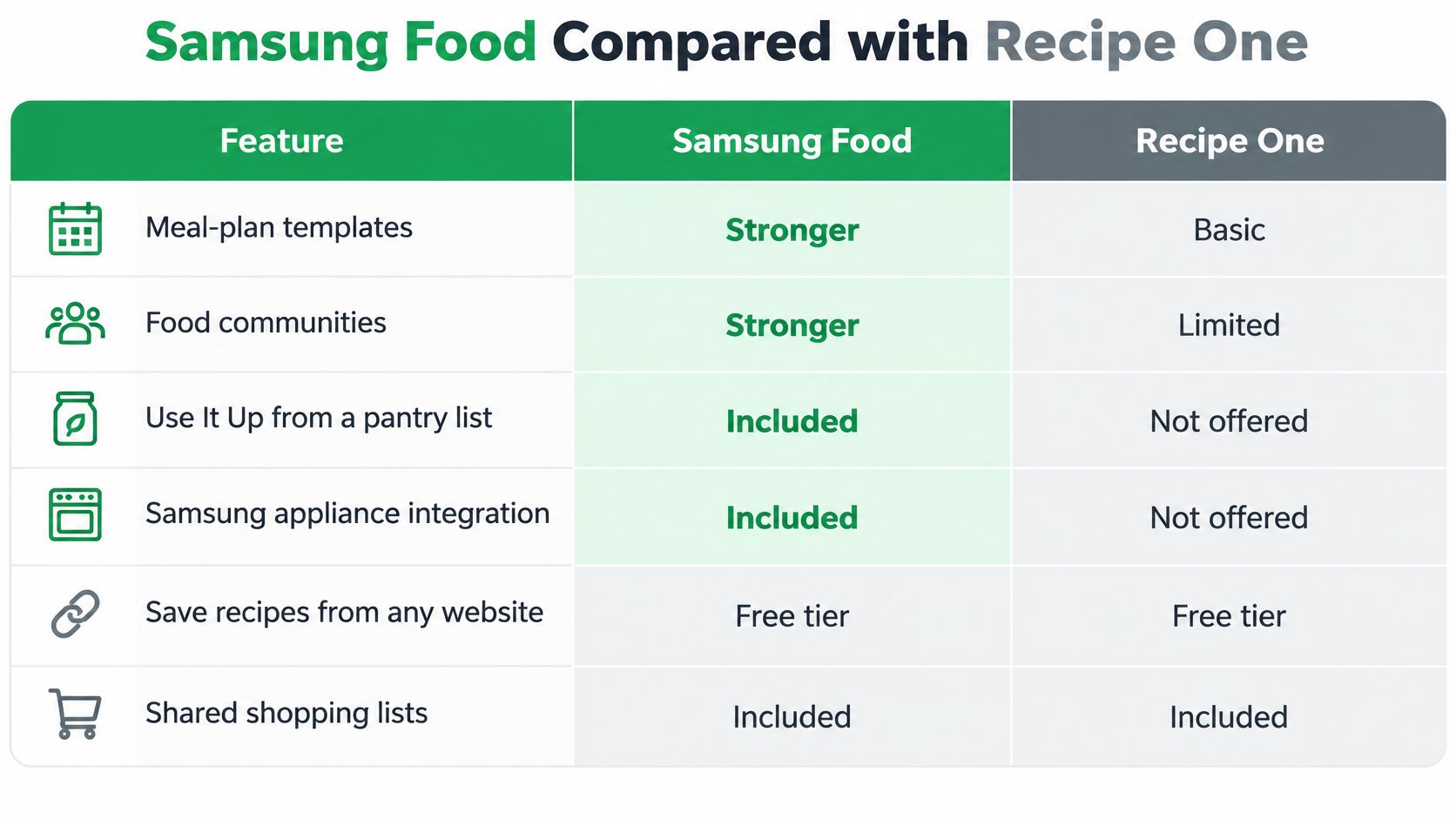
Samsung Food is stronger than a basic recipe keeper on meal-plan templates, food communities and appliance links. Those same areas can make it more than someone wants when the goal is finding a saved dinner recipe.
Privacy and usability deserve a check
Review food-preference settings and any Samsung Health connection in the app's own settings and privacy policy. Decide which information you're comfortable providing rather than treating every personalization option as necessary.
This isn't enough to label the app either private or unsafe. Likewise, don't assume that a tablet layout guarantees accessible cooking controls; test text size, screen-reader behavior and hands-busy navigation if those matter to you.
For another organization-focused comparison, our Umami recipe app guide considers a different approach to keeping recipes. Samsung Food remains particularly well suited to discovery-first cooks and households that can use its connected-kitchen features.
Samsung Food Compared with Recipe One
Samsung Food and Recipe One side by side
| Point | Samsung Food | Recipe One |
|---|---|---|
| Platforms | iOS and Android | iPhone, Android and a web app |
| Save from any link | Yes, from any website | Yes, from a link, video, photo or text |
| Instagram or TikTok import | Not listed in the November 2026 free or Food+ feature set | Yes, social video import |
| Meal planner | Weekly planner; Food+ adds AI-tailored plans | Week planner from recipes you've saved; AI helps plan the week |
| Grocery list | Plan becomes a list; shared lists; retailer ordering where offered | Grocery list comes out of the week's plan |
| Meal-plan templates | Unlimited on Samsung Food+ | Not a template library |
| Food communities | Yes | No community |
| Pantry or Use It Up | Use It Up on Samsung Food+ | No pantry inventory |
| Appliance links | SmartThings on Samsung Food+ | None |
| Getting started | Free app; Food+ is paid, check the store for pricing | Free to start |
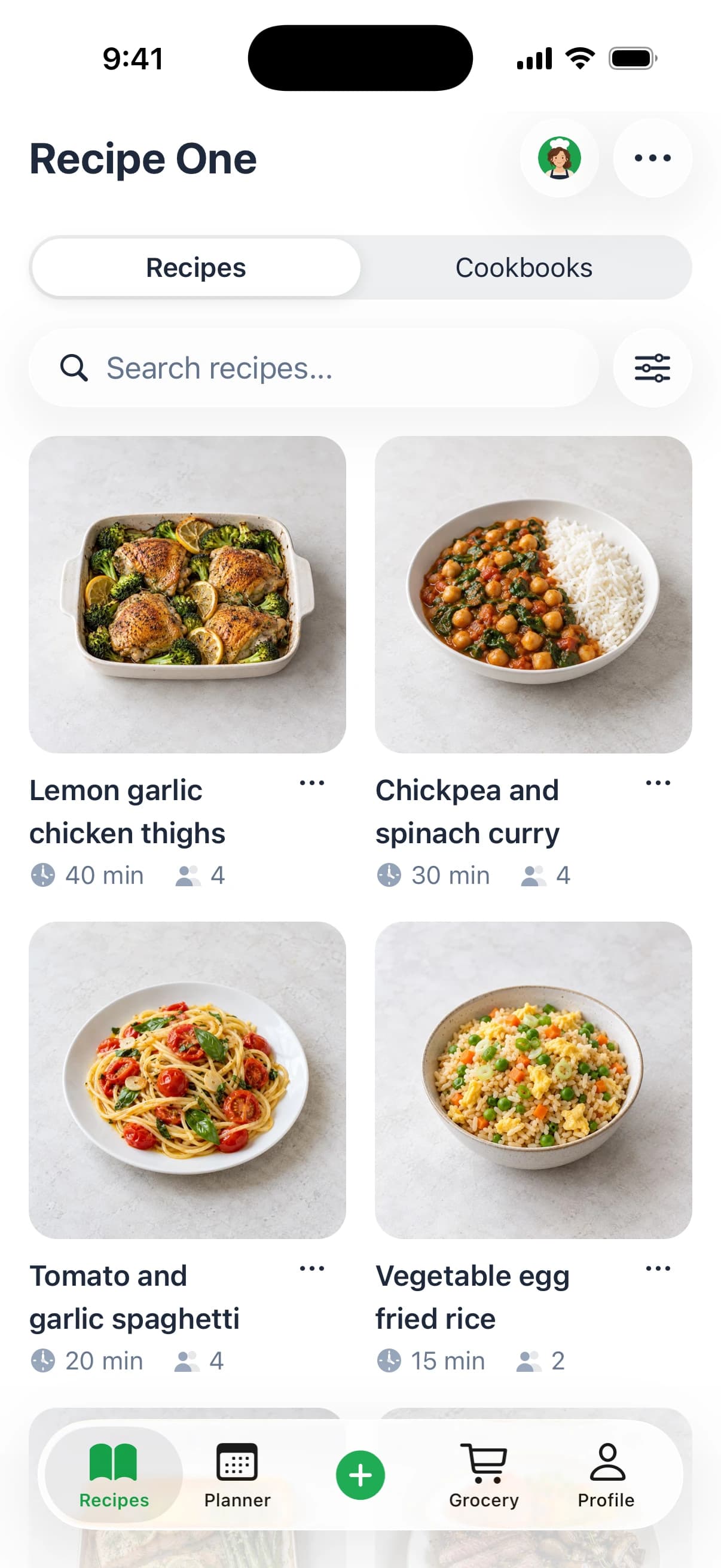
The main distinction is a broader cooking platform versus a simpler personal recipe box. Samsung Food offers more around templates, communities, pantry-based suggestions and compatible appliances; our app focuses on recipes you want to keep and use.
This visual summarizes the comparison, with the table above distinguishing free features from paid ones.
A personal library rather than a discovery community
You can share a link or snap a photo to extract ingredients and steps without the surrounding ads or extra content. Sources can include websites, social videos, cookbooks and photographs.
Tags and cookbooks help organize that personal collection. The AI helps you plan the week, get the grocery list out of it, and find your recipes easily.
That approach suits someone whose favorite meals are scattered across browser tabs, screenshots and saved social posts. It doesn't replace Samsung Food's community or offer a pantry inventory.
For organization methods rather than a larger discovery feed, our guide to cookbook apps explains the practical differences.
Access beyond your phone
As of November 2026, the available access options include:
- The web app for working with your collection in a browser.
- The Chrome extension for browser-based recipe capture.
- The assistant integration, available by searching Recipe One in ChatGPT Plugins or in Claude Customize > Connectors, with configuration guidance in the setup documentation.
The assistant connection can work with your saved recipes, weekly plan and grocery list. Connect it only if that conversational workflow is useful to you.
Where Mob and ReciMe fit
Mob and ReciMe are also relevant names when comparing meal-planning approaches. Mob is built around its own recipe world rather than primarily serving as a private box for any link you've saved.
ReciMe centers on capturing recipes rather than Samsung appliance control. Our alternative emphasizes a personal library connected to a weekly plan and grocery list on mobile and the web, not a hardware ecosystem.
For broader context, compare the workflows in best meal planner apps and best recipe manager apps. The deciding factor is whether you need more cooking inspiration or a better way to use inspiration you've already collected.
Samsung Food Questions People Still Ask
Is Samsung Food the same as Whisk?
Yes. Samsung Food is the renamed Whisk app. The Google Play package still uses com.foodient.whisk, so that identifier can appear even when you're looking for Samsung Food.
If you're searching for the Whisk app, look for its current Samsung Food listing rather than treating the two names as separate services.
Is the Samsung Food app free?
The core app is free, with recipe saving, weekly planning and grocery lists. The free plan also limits how many reusable plans you can save.
Samsung Food+ is an optional paid tier with a free trial. Pricing and renewal terms can vary by store, so check them before starting a trial. If you mainly want to save recipes and plan meals, first see whether the free version covers your routine.
Do I need a Samsung phone or oven?
No. Samsung Food works on iOS and Android, and you can use its basic organization tools without connected kitchen appliances.
SmartThings features are for people with compatible devices, such as a Family Hub refrigerator, Samsung range or Samsung oven. If your appliance is not supported, paying for appliance control will not make it compatible.
What about Mealime?
Mealime closed on October 21, 2026, and its recipes moved to Meals Hub. An older comparison may still list it, but a familiar name alone is not a reason to choose an app.
Instead, consider what you need the app to do now: save recipes, help decide what to cook and make a useful shopping list. The right fit depends on which of those jobs matters most.
Samsung Food suits cooks who want discovery, communities, templates and appliance links. If your priority is collecting your own recipes and using them to plan meals, a simpler personal recipe box may fit better.
Recipe One is free to start and saves recipes from videos, websites, cookbooks or photos, then helps plan meals and build grocery lists. Explore Recipe One or search for it on the App Store or Google Play.