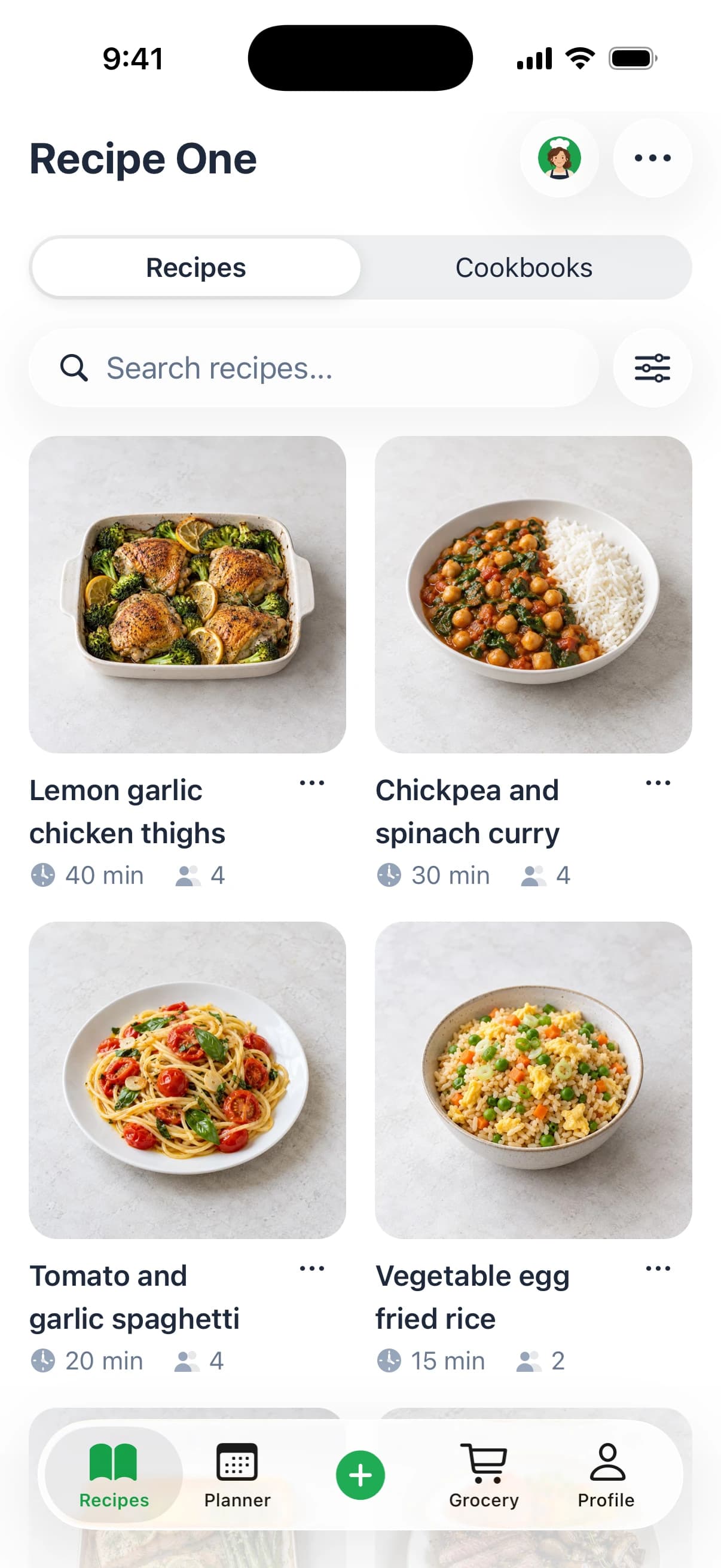
Recipe One fits cooks who save from many sources and want one place to plan the week and build a combined grocery list. Paprika 4 suits mixed-device households, CookBook suits heavy social-video savers, Mela suits Apple-only users, and ReciMe suits social-first collectors. Pick around the cookbook you want to build.
A dinner recipe lives in a video app. A screenshot from a friend sits in your camera roll. A photographed cookbook page and a paper grocery list cover the rest. A cookbook app pulls those scattered recipes into one searchable digital book, then connects your collection to planning and shopping.
Skip judging apps by how many recipes come built in. What matters is how easily you can save your own recipes, find them again, and cook from them. The right pick means less scrolling through saved posts and less retyping ingredients before a store run.
For a wider market view, see our best recipe manager apps. These picks reflect product information as of November 2026. Check each app's official site or store listing for current pricing.
1. Recipe One
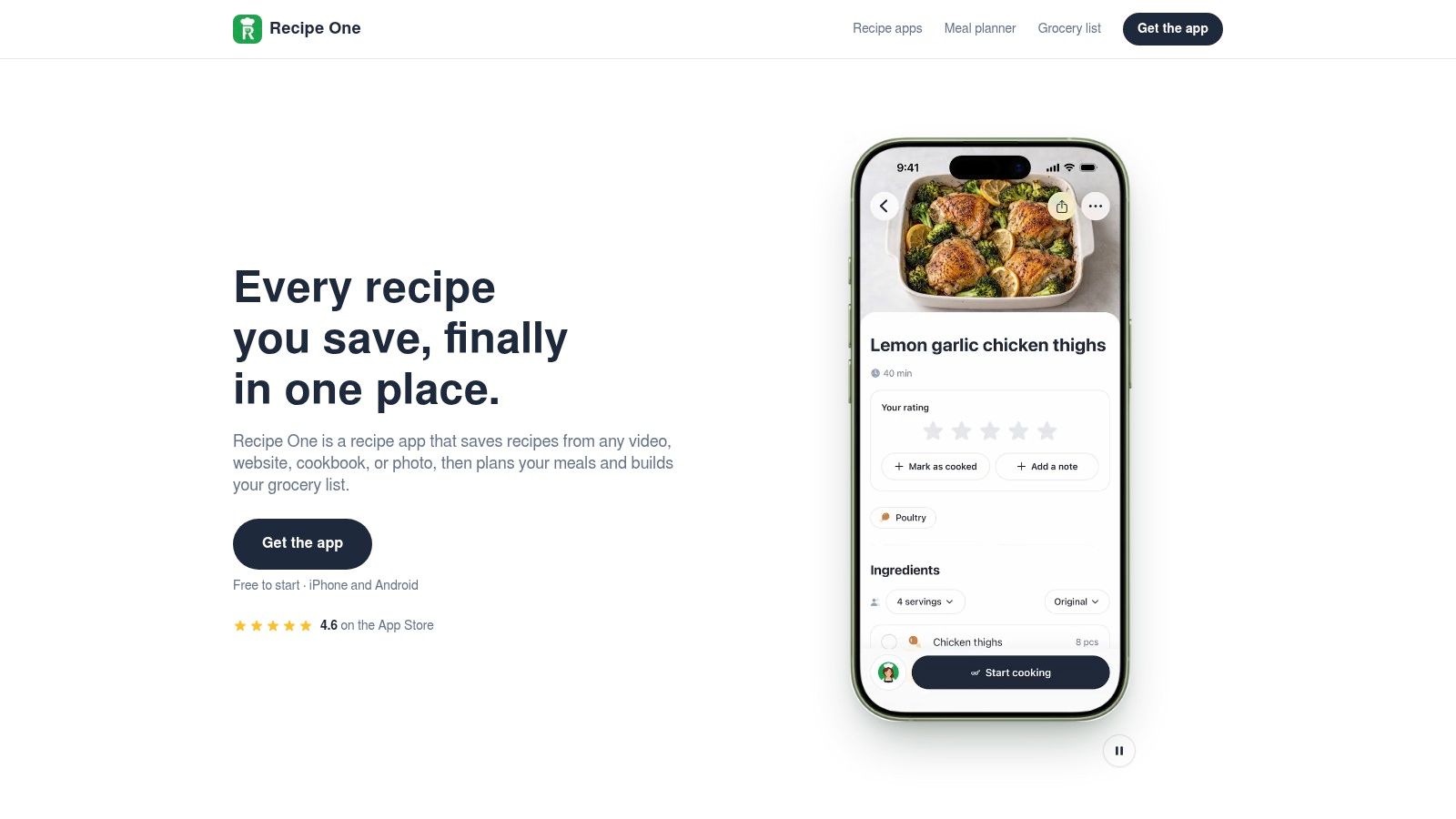
Best for collecting from many sources and turning your own cookbook into a weekly plan.
A family card, a food blog, and a narrated cooking video don't arrive in the same format. This app accepts all of them, including spoken and on-screen ingredients in social videos, recipe websites, cookbooks, handwritten cards, and screenshots. Share a link or snap a photo, and it extracts the ingredients and steps without ads or extra content.
Organization runs on tags and multiple cookbooks, so you can separate weeknights, baking, and mom's classics, then search by recipe name, ingredient, or tag. That fits a collection built from several cooking habits rather than one favorite platform.
From saved recipes to dinner
The meal planner builds a week of dinners from recipes you've already saved, and the grocery list combines every ingredient for that week into one list. A weekly meal planning template can help you decide which nights need quick dinners and which can take a longer recipe.
Maya, the AI cook inside the app, can suggest what to make, plan the week, or turn fridge ingredients into a recipe. Cooking mode shows one big step at a time and keeps the screen on. Change servings for two or ten and the amounts follow automatically, while nutrition information covers calories, protein, carbs, and fat per serving.
- Capture flexibility: Save from videos, websites, cookbooks, paper recipes, and photos.
- Kitchen support: Use cooking mode, serving adjustments, nutrition information, and free kitchen converters.
- Device access: Use iPhone, Android, the web app, or the Chrome extension.
The gaps to weigh
There's no pantry inventory and no real-time shared household grocery list. You send a grocery list through your phone's share sheet instead. There are also no folders, so choose it because you like tags and cookbooks, not because you expect a file-style hierarchy.
Practical rule: A combined grocery list and a live household list solve different problems. If two people shop separately and need instant updates, that distinction matters.
The app is free to start on iPhone and Android. An MCP server lets you reach your recipes, meal plan, and grocery list from Claude, ChatGPT, and other AI assistants, connecting through an access token rather than your password; setup is explained in the integration documentation. For a guided starting point, learn how to create a cookbook for free.
2. Paprika 4
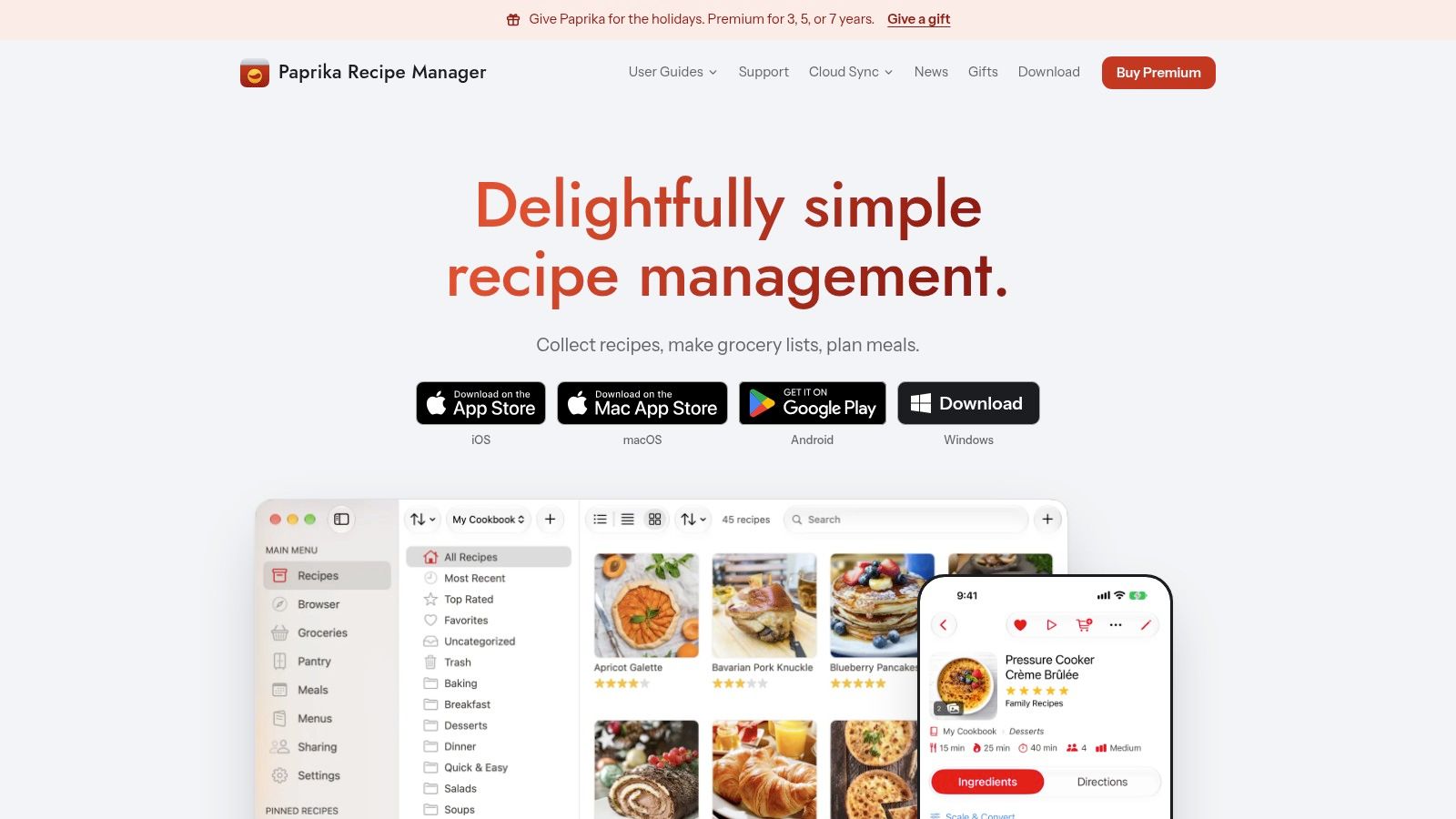
Pick Paprika 4 when Windows support and pantry tracking are priorities.
A household might collect recipes on an Android phone, plan dinner on a Mac, and cook beside an iPad. Paprika 4 supports iPhone, iPad, Mac, Android, and Windows, with one plan covering every device, according to Paprika's official site. That breadth makes it the strongest choice here for a mixed-device household.
Its organization extends beyond saved recipes. Cookbooks let you collect recipes into themed books or assemble favorites to share with other Paprika users. Pantry tracking helps distinguish what you already have from what you still need to buy.
A cookbook connected to your pantry
Paprika 4 combines meal planning with day, week, and month views, grocery lists that combine matching items, and pantry organization. That suits cooks who want a recipe collection to sit alongside a maintained record of kitchen supplies.
Say you keep lentils in a cupboard and frozen stock in the freezer. Pantry locations give those supplies a place in your system, rather than leaving you to remember everything while choosing dinner. The benefit depends on keeping that inventory current.
- Main strength: Broad device coverage, including a dedicated Windows option.
- Organization strength: Shareable cookbooks and pantry locations.
- Commitment required: Pantry tracking becomes less useful if nobody updates it after shopping or cooking.
Understand the free boundary
The free version stores up to 50 recipes with no time limit, while Premium adds unlimited recipes and syncing, according to Paprika's official site. Premium also provides social and clipboard import and recipe scanning.
That's the trade-off: the free version can hold a small personal cookbook, but cross-device syncing and the broader capture workflow require Premium. Check the App Store or official site for current pricing.
If you're deciding whether pantry tracking matters more than a different saving workflow, the Paprika alternative guide gives that choice more context.
3. CookBook - The Recipe Manager & Planner
CookBook suits heavy social-video savers who also want organized shopping lists.
If most of your cooking ideas arrive through TikTok, Instagram, and Facebook, capture should be your first decision point. CookBook accepts those sources alongside websites, photos, and physical cookbooks. Its AI recipe scanner converts visual material into recipe entries you can organize and use.
The app runs on iOS, Android, and the web. That makes it practical when you browse recipes at a computer but cook and shop with your phone.
Stronger when collecting leads to shopping
CookBook includes a meal planner and shopping lists that merge ingredients and group items by aisle. Pick it if your main frustration is moving from a large collection of saved videos to a usable shopping trip.
A useful trial should include different kinds of material. Import a narrated social video, a photographed cookbook page, and a website recipe, then check the quantities and instructions. Pay particular attention to ingredients described as divided, optional, or added to taste.
Keep the original recipe source available. A clean-looking import still needs a quick check before you buy ingredients or start cooking.
The same principle applies to any scanner. Make sure a handwritten fraction or an oven temperature hasn't changed during capture.
Where the limits matter
The free plan includes 20 saved recipes, 20 smart imports, and two shopping lists, while the Pro yearly plan includes a 14-day trial, according to CookBook's official site. Check the App Store, Google Play, or the official site for current pricing.
- Choose it for: Frequent social-video saving, mixed-device access, and aisle grouping in shopping lists.
- Accept this trade-off: The free plan limits both collection size and smart imports.
- Before committing: Confirm the Pro features you need, especially if you want to move an existing recipe collection at once.
For a closer look at turning scattered saves into a durable collection, see the recipe box app guide.
4. Mela
Mela is the clear fit for Apple-only cooks who prefer recipe blogs and familiar Apple tools.
Rather than centering the experience on social-video collecting, Mela gives you an in-app browser that detects recipes and recipe blog feeds for finding new dishes. It also scans cookbook pages with text recognition. That combination suits someone who follows food writers and wants their saved collection close to their reading habits.
According to Mela's official site, it runs on iOS and macOS, syncs through iCloud, puts meal plans in Calendar, and sends groceries to Reminders. There's no Android version.
A good match for an Apple routine
If Calendar already holds your household schedule and Reminders already holds your errands, Mela keeps cooking connected to those tools. You don't have to adopt a separate planning routine just to schedule a saved recipe.
Its RSS-style recipe feeds are a distinctive strength. You can follow recipe blogs instead of relying on a social feed to show you something worth saving. That's useful when you want a cookbook built around trusted writers and repeatable favorites.
- Capture: Detect recipes while browsing or scan a printed page.
- Discovery: Follow recipe blog feeds for new ideas.
- Planning: Use Calendar for meals and Reminders for groceries.
Privacy fit, with a device boundary
Mela deserves consideration from Apple-only users who prefer an iCloud-centered setup. Still, iCloud syncing isn't a substitute for reviewing permissions, sharing settings, and the app's privacy information.
The firm limitation is device compatibility. Don't choose Mela for a household where an Android user needs equal access to the cookbook. Likewise, a Windows-based planning routine won't match its Apple-only approach.
The Mela recipe app guide explores that ecosystem fit in more detail. Check the official site and App Store for current purchase and trial options before moving your collection.
5. ReciMe
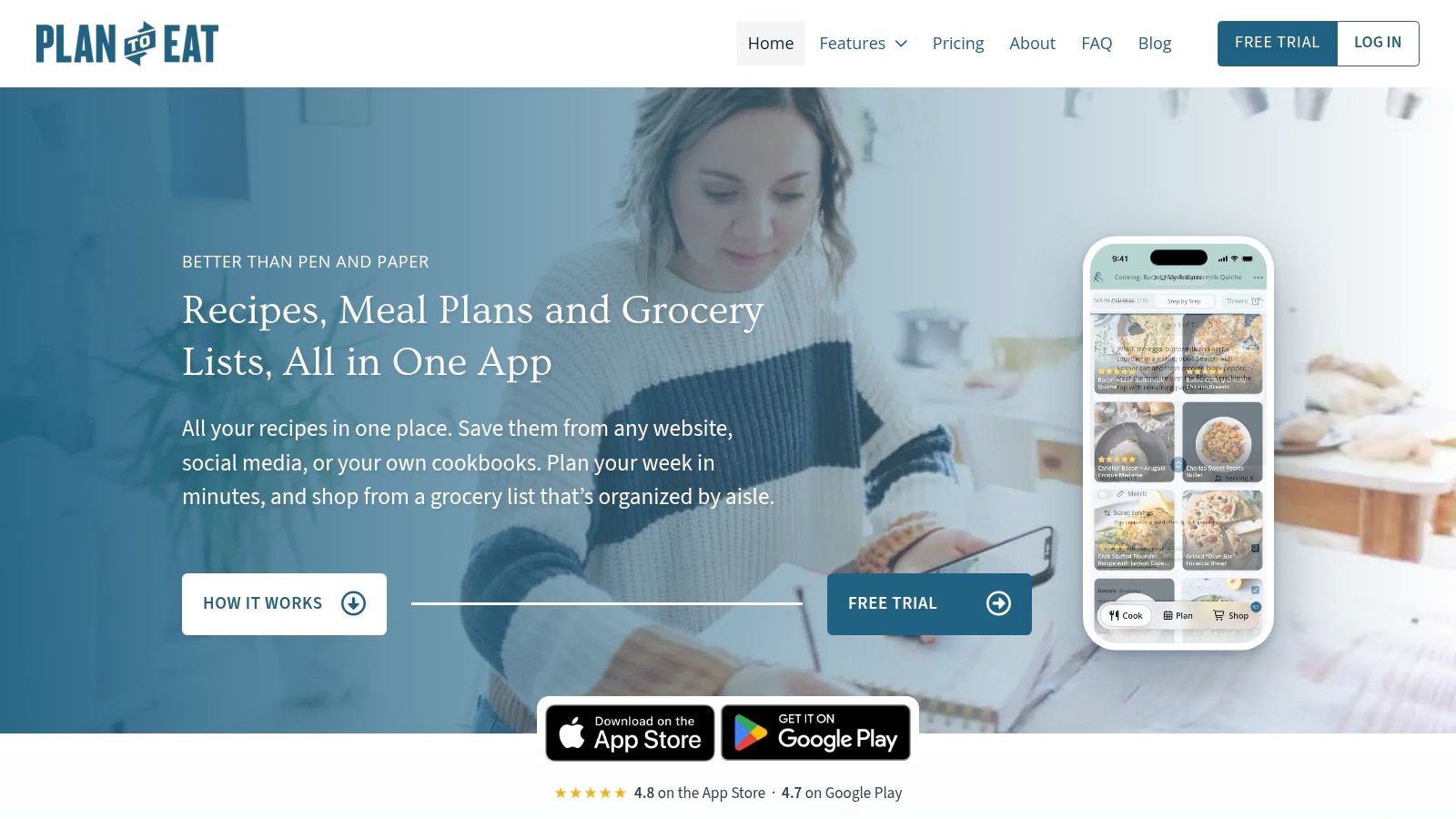
ReciMe fits cooks whose personal cookbook starts with social-media inspiration.
Its appeal is straightforward: capture a recipe you've discovered, organize it into cookbooks, and connect it to meal planning and grocery lists. That's a sensible setup for someone who saves dishes throughout the week and wants to turn a few of them into dinner.
ReciMe belongs on the shortlist for social-first cooks, not just people seeking a place to store recipes. Planning and shopping are part of the same workflow, so your saved collection doesn't have to remain a backlog of things you might cook someday.
A trial option, not unrestricted free saving
ReciMe isn't an unrestricted free cookbook app. Its free plan limits recipe imports to five per week, according to ReciMe's official site. Treat that allowance as a way to try the workflow rather than a route to importing a large existing collection.
The distinction matters if you've accumulated months of saved posts. A weekly cap can interrupt a concentrated organizing session, even if it works comfortably for someone who adds recipes slowly.
- Real strength: Social-media capture connected to cookbooks, planning, and grocery lists.
- Best fit: Cooks who mainly discover recipes through social posts.
- Main gap: The free import allowance doesn't suit a large batch of saved recipes.
Compare planning around your own collection
When comparing meal-planning names such as Mob and ReciMe, check whether the plan centers on recipes you collect or a publisher's own catalog. Mob isn't ranked here because this comparison doesn't have verified current details for its personal-cookbook workflow.
ReciMe does connect saved recipes to planning. Its free import cap is the concrete limitation to weigh against our featured app's broad-source capture, tags, multiple cookbooks, Maya, and combined weekly grocery list. Don't assume “free to start” means unlimited importing, though.
The ReciMe app review provides a focused comparison. Check its official site or App Store listing for current plans, device availability, and pricing.
Cookbook app platforms, import sources, cookbooks, meal planning and free options compared as of November 2026
The right pick depends on where your recipes start and how much structure you want once they become part of your own book.
| Item | Platforms | Import sources | Cookbooks | Meal plan and grocery list | Free option |
|---|---|---|---|---|---|
| Recipe One | iPhone, Android, web app, Chrome extension | Social video, websites, blogs, cookbooks, handwritten cards, screenshots | Multiple cookbooks with tags | Weekly meal planning; combines ingredients into one grocery list | Free to start |
| Paprika 4 | iPhone, iPad, Mac, Android, Windows | Social and clipboard import; recipe scanning with Premium | Recipe collection plus a shareable favorites book with Premium | Day, week, and month planning; combined grocery items; pantry tracking | Free recipe allowance with no time limit |
| CookBook - The Recipe Manager & Planner | iOS, Android, web | TikTok, Instagram, Facebook, websites, photos, cookbooks | A personal cookbook for organizing saved recipes | Weekly meal planner; merged shopping ingredients grouped by aisle | Limited free recipes, imports, and shopping lists |
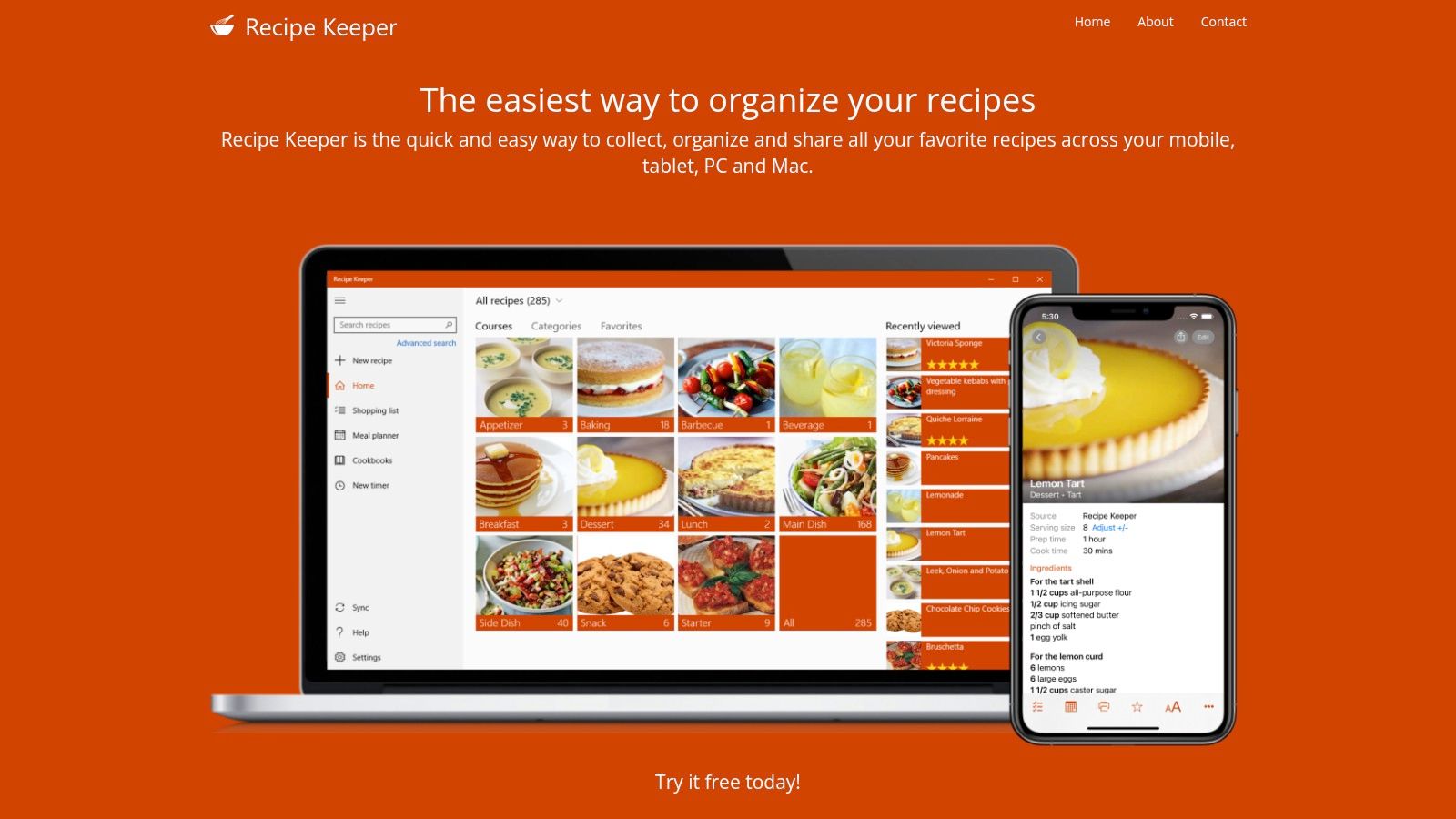
| Mela | iPhone, iPad, Mac | In-app browser, cookbook-page scanning, recipe blog feeds | A personal recipe library | Calendar meal plans; groceries in Reminders | Free download; one-time purchase unlocks all features |
| ReciMe | Mobile app | Social media | Cookbooks for organizing recipes | Meal planning and grocery lists | Capped weekly recipe imports |
How to Choose Your Cookbook App and Keep It Private
Start with where your recipes live. Mostly social video points toward CookBook or ReciMe. A mix of videos, websites, handwritten cards, and screenshots favors our featured app, while printed cookbook collections make Paprika 4 and Mela worth considering.
Next, check devices and household needs. Paprika 4 covers Windows and Android and offers pantry tracking; Mela is Apple-only. Recipe One is free to start on iPhone and Android, and it lets you share a recipe or cookbook with family, which suits a household that cooks from one shared collection.
Before importing everything: Save a few recipes you actually cook, plan meals from them, and check the resulting grocery list. Choose the workflow you'll keep using.
Keep the collection useful and controlled
- Organize by purpose: Build cookbooks for weeknights, baking, or family favorites, and add tags for ingredients and occasions so search stays fast as the book grows.
- Review access: Check sign-in options and sharing settings before connecting accounts or inviting family.
- Understand assistant access: Recipe One's AI integration receives an access token, never your password or Google or Apple sign-in. Cookbooks you share can be read through an assistant but only changed inside the app, and the account-free recipe-card and meal-plan-preview tools read and save nothing.
Try the available free tiers before paying. Our free recipe organizer apps guide can narrow the shortlist, then check the App Store, Google Play, or the official site for current pricing.
If you eventually publish your own original recipe collection, Genesize's PDF selling guide covers that separate next step. Saving someone else's recipe never gives you permission to resell it.
FAQ
Is there a free cookbook app?
Yes. Paprika 4 offers a limited free library, CookBook has a capped free plan, and our featured app is free to start. Compare the import and syncing restrictions, not just whether a free option exists.
Can I share a cookbook?
Paprika 4 supports sharing cookbooks with other Paprika users. Our app also lets you share a recipe or cookbook with family, but grocery-list sharing isn't real-time collaboration.
Which app works best for many sources?
Our featured app is designed for saving videos, websites, cookbook pages, handwritten cards, and screenshots into one searchable library. Choose it when your recipes are scattered across both digital and paper sources.
Do I need an Apple device for Mela?
Yes. Mela runs on iOS and macOS only, so it isn't the right choice for an Android household.
Build a searchable cookbook from your videos, websites, photos, and family recipes with Recipe One. Start free on iPhone through the App Store or on Android through Google Play, then plan your week and turn those saved meals into one combined grocery list.