Your recipes live in six places. A screenshot in your camera roll, a video you saved and never reopened, a bookmark folder of blog links, a cookbook page you photographed at a friend's house, a note your mother texted, and a handful of dishes you remake from memory every month.
That's usually why people search for allrecipes alternatives. Not because Allrecipes is bad, but because the recipes you cook come from everywhere and Allrecipes only holds its own.
So decide by the job you need done. Keep Allrecipes if you want its very large recipe catalog with ratings and reviews and you mostly search, read, and cook from the site. Look elsewhere if your problem is saving recipes from many sources into one searchable library, or planning a week of dinners and turning that plan into a grocery list.
One piece of housekeeping. The Allrecipes Dinner Spinner app was discontinued in 2023, and saved recipes moved from the app to Allrecipes' website accounts. The what happened to the Allrecipes app timeline covers that history.
Below, the field splits in two: places to find recipes (New York Times Cooking, Food Network, Cookpad, SideChef) and apps that save and organize recipes from any site (Recipe One, Paprika, Samsung Food).
Recipe discovery also isn't confined to recipe sites anymore. Chicory's 2024 State of Online Recipes survey of 569 U.S. consumers found 91% used online recipes across blogs, brand sites, social networks, and video platforms, and 75% had viewed recipes on a mobile device while grocery shopping.
1. Recipe One
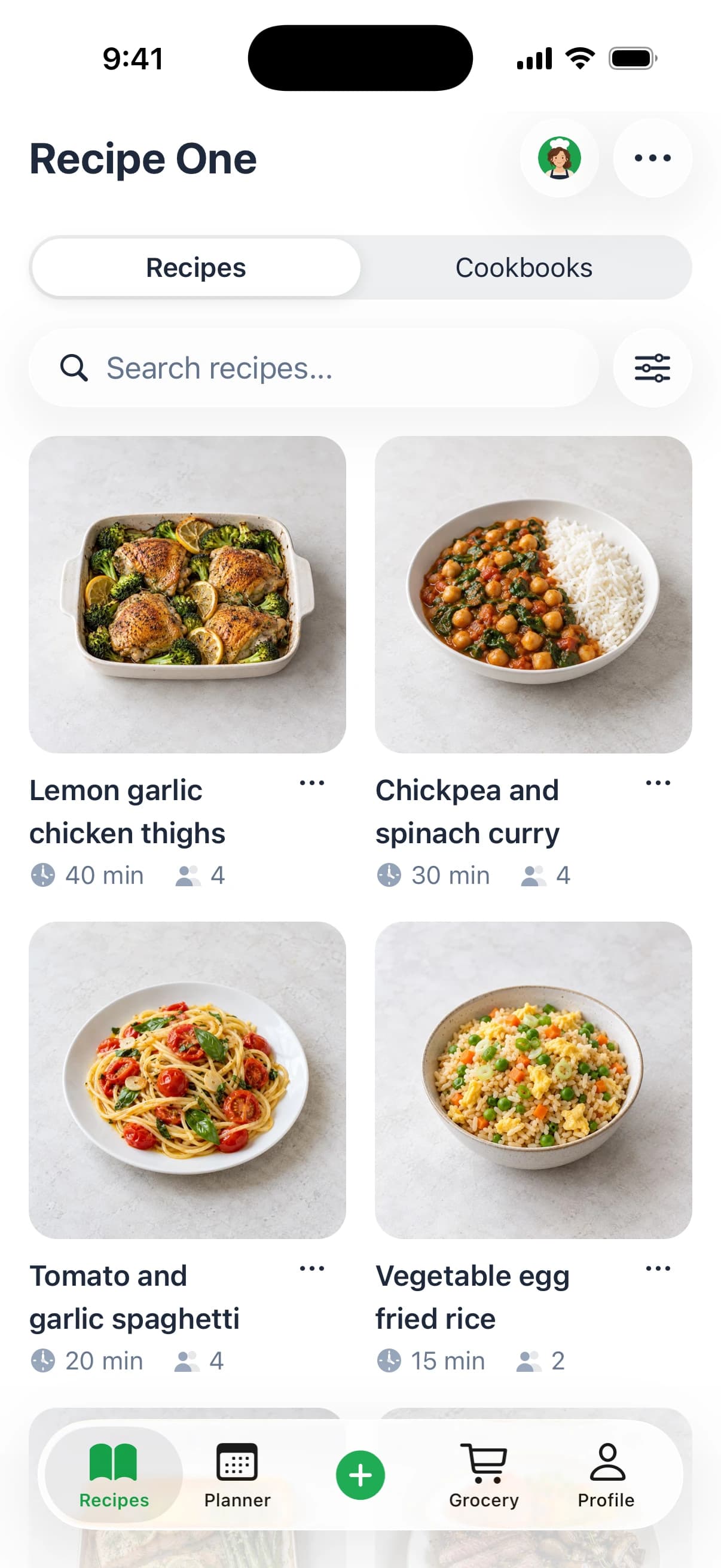
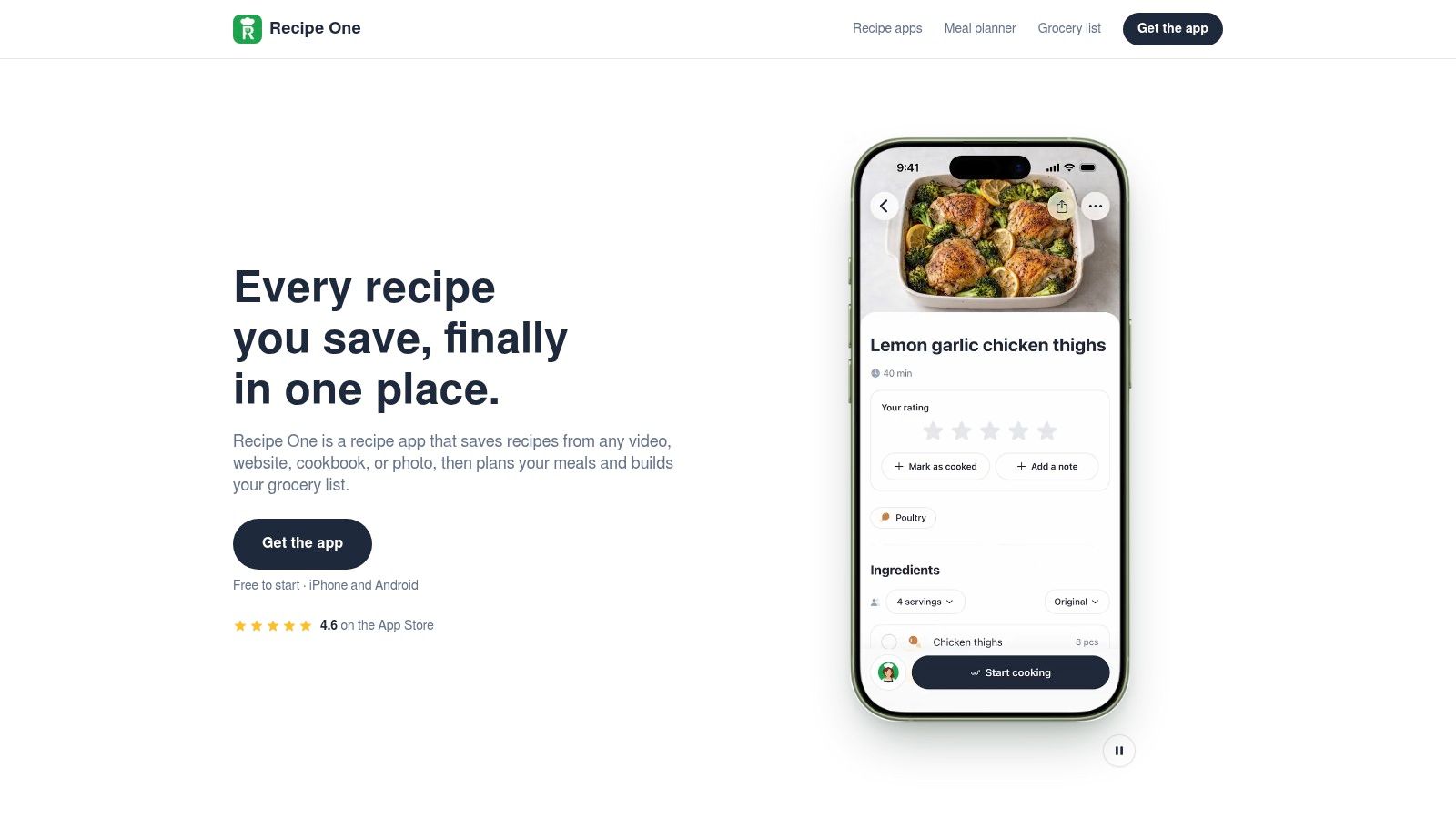
A recipe saved from a video is only useful if you can find the ingredients again when dinner needs making. Recipe One handles that saving-and-organizing job: share a link or snap a photo, and it extracts the ingredients and steps into a clean recipe without ads or extra content.
It accepts recipes from social platforms, websites, cookbook pages, photos, screenshots, and your own notes. That makes it a fit for cooks whose collection stretches beyond a single recipe site.
What Recipe One does well
- Saving from anywhere: bring recipes from videos, blog links, and paper into the same library, with ingredients and instructions structured for cooking.
- Organization that holds up: tags help organize your collection, while search finds a saved recipe by name, ingredient, or tag.
- Planning and shopping in one loop: choose saved recipes for the week, then get the grocery list out of the plan.
- Cooking tools that earn their place: change servings and the amounts recalculate automatically. Check nutrition per serving, or use the cups-to-grams and oven-temperature converters.
Maya, the in-app AI cook, can suggest what to make, plan the week, or turn fridge ingredients into a recipe.
Recipe One works on iPhone, Android, and the web at app.recipeone.app. The Chrome extension and the Recipe One plugin for ChatGPT and Claude are available now (search "Recipe One" in ChatGPT Plugins or Claude Connectors; setup at recipeone.app/docs). Your saved collection is the starting point for planning, rather than another set of recipes to browse.
Where Recipe One falls short
Its main job is managing recipes you bring in. For browsing ideas and comparing reader reactions before choosing a dish, keep a discovery site such as Allrecipes alongside it. Maya can help with suggestions, but that serves a different purpose from browsing a recipe catalog.
Check extracted ingredients against the original before cooking, especially for baking. A missed “divided” instruction or an incorrect unit can change the result.
Practical rule: review a recipe when you save it, then use the library, meal planner, and grocery list to carry it through to dinner.
Best fit: cooks who collect recipes across platforms and want those recipes searchable, structured, and ready for weekly planning.
2. Samsung Food
Samsung Food sits between a recipe site and a kitchen planner. You can browse recipes, save ones from the web, or type in your own, then schedule them across a week and push the ingredients into a shopping list someone else can use.
The shopping link matters more than it looks. In 2025, 66% of consumers said they had purchased a food product or ingredient featured in a recipe they saw online, a Greenpark finding reported by MediaShotz.
What it does well
- Filtered search that reflects real constraints: by ingredients you have, cooking time, cuisine, or dietary preference.
- Your own recipes count: save from the web or create recipes from scratch, so family dishes sit beside catalog recipes.
- Planning and shopping together: schedule meals, then turn the plan into a shopping list.
- Sharing built in: grocery lists and meal plans can be shared, which helps in a household where two people shop or cook.
The core meal-planning and shopping tools are free, and some personalized planning features sit behind Samsung Food+.
Where it falls short
The feature set is broad, and broad isn't always what you want. If your goal is a clean personal library built from video, photos, and blog links, the planning and social layers here are more surface than you need. Some personalized planning features require the paid tier, so check the official site for current pricing.
Best fit: people who want to plan meals and shop inside the same app and are content to browse recipes there rather than assemble a library from outside sources.
3. Paprika Recipe Manager
Paprika is what people recommend when they've been saving recipes in browser bookmarks for a decade. It imports a recipe from a website and reformats it into a consistent layout, so ingredients and steps look the same whether the source was a food blog or a newspaper.
Paprika 4 is the current version and has been available to all users since November 6, 2026. It is a different app from Paprika 3, which still exists. Paprika 4 is a free download with a free plan covering up to 50 recipes and no sync, plus optional paid tiers. Check paprikaapp.com for current pricing.
What it handles: categories and cookbooks, meal planning, grocery lists built from your plan, timers, hands-free voice controls while cooking, serving-size adjustments, pantry tracking, and offline access. It runs on iOS, Android, Mac, and Windows.
Where it falls short
It's an organizer, not a place to discover recipes, so you still need somewhere to find ideas. Some import, sync, and planning functions require Paprika 4 Premium, and a 50-recipe ceiling with no sync is tight for anyone with a real collection.
Platform choice decides Paprika faster than any feature comparison does. If you're weighing Apple-only organizers against it, this Mela vs Paprika comparison gets to the point quicker.
Best fit: cooks with a large existing pile of web recipes who want a structured, offline-capable digital cookbook and will pay for sync across devices.
4. Cookpad
Cookpad is a community recipe site with an app attached, and the community is the point. Recipes come from home cooks rather than a test kitchen, so the catalog leans toward weeknight home cooking instead of polished restaurant projects.
That fits how a large share of younger cooks now find food: TikTok and other social video, where inspiration arrives as a clip rather than a written recipe. Cookpad meets that habit halfway. You can import recipes from websites and social posts, and build digital recipes from photos of cookbook pages or handwritten family cards, so what you find or inherit ends up in one searchable place.
What it does well
- Search by dish or ingredient, which suits the "what can I make tonight" question when you have chicken and no plan.
- A personal library alongside the community, with saved recipes organized into folders you control.
- Weekly menus and shopping lists inside the same app, so planning doesn't require a second tool.
- Family recipe capture, turning cards and cookbook pages into usable digital recipes.
Where it falls short
Community-submitted recipes vary in detail and consistency. A test-kitchen recipe has someone checking that the baking time works; a home cook's upload might skip a step they do by habit, so read the full method before you shop. Features and subscription terms can differ by platform. If you want professionally edited, tested recipes, a publisher-backed source will serve you better.
The social import angle matters more than it first appears. If most of your saves start as videos or posts, this guide to saving recipes from Instagram covers the workflow in more detail.
Best fit: cooks who like browsing ideas from other home cooks and want a light personal library attached to that.
5. SideChef
SideChef is built around the handoff from choosing a recipe to cooking it. Search by ingredients, diet, cuisine, or time, follow step-by-step instructions in the app, and where grocery partners operate in your area, order the ingredients instead of shopping for them.
What it does well
- Guided cooking: step-by-step instructions keep a beginner from losing their place mid-recipe.
- Servings that adjust, so a recipe written for six works for two.
- Shopping lists generated from the recipes you plan, with grocery ordering through partners where available.
- A generous free tier: core app features, personalized meal plans, and many recipes are available without a subscription.
Where it falls short
Meal plans and shopping lists can't currently be shared through the app, which matters in a shared household. Grocery pickup and delivery depend on local partner availability, so the feature can be missing entirely where you live. Some recipes are included only with SideChef Premium.
For anyone still building confidence, guided instructions beat a bigger catalog. A recipe you can execute is worth more than fifty you scroll past.
If you're at that stage, this list of cooking apps for beginners is a better starting point than a general recipe site.
Best fit: beginner to intermediate cooks who want guidance during cooking and a shorter path from recipe to ingredients.
6. New York Times Cooking
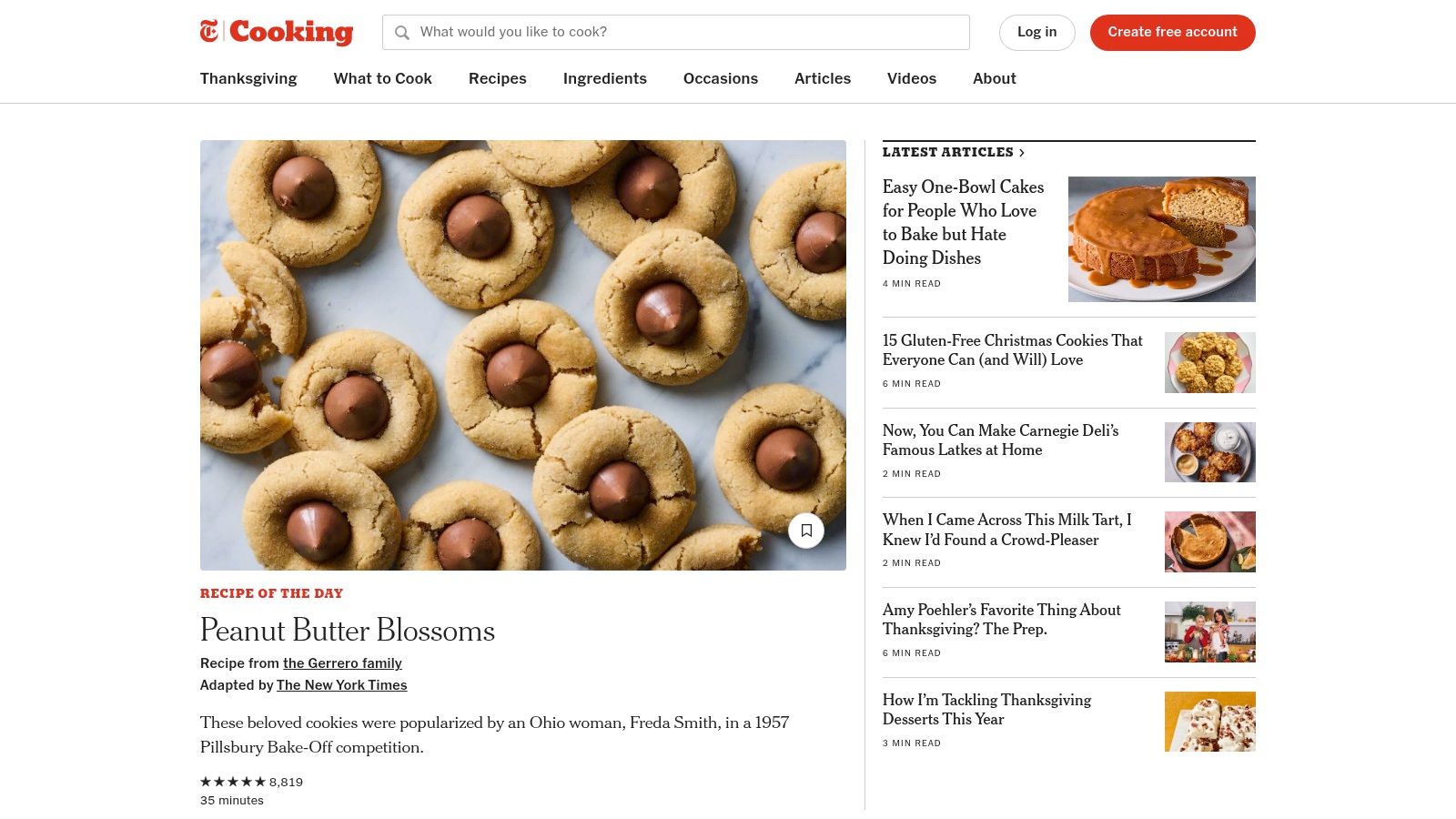
NYT Cooking is a publication with an app rather than a utility, and it behaves like one. Editors build collections, recipes are tested, and the search filters assume you're planning a specific meal rather than browsing for entertainment.
What it does well
- Editorial curation: collections for occasions, skill levels, and cuisines, so you're not starting from a blank search box.
- Recommendations that reflect what you've cooked, not just what's popular.
- A digital recipe box for saving and organizing dishes you return to.
- Useful search filters, including meal type and cooking time.
Where it falls short
Full access requires a paid subscription, and pricing varies by offer and billing route, so check the official site before you commit. The recipe box holds NYT Cooking recipes only, which makes it a poor home for the video and blog recipes you already have.
Best fit: cooks who want a curated, professionally tested set of recipes and are happy to pay for editors to do the choosing.
7. Food Network Recipes
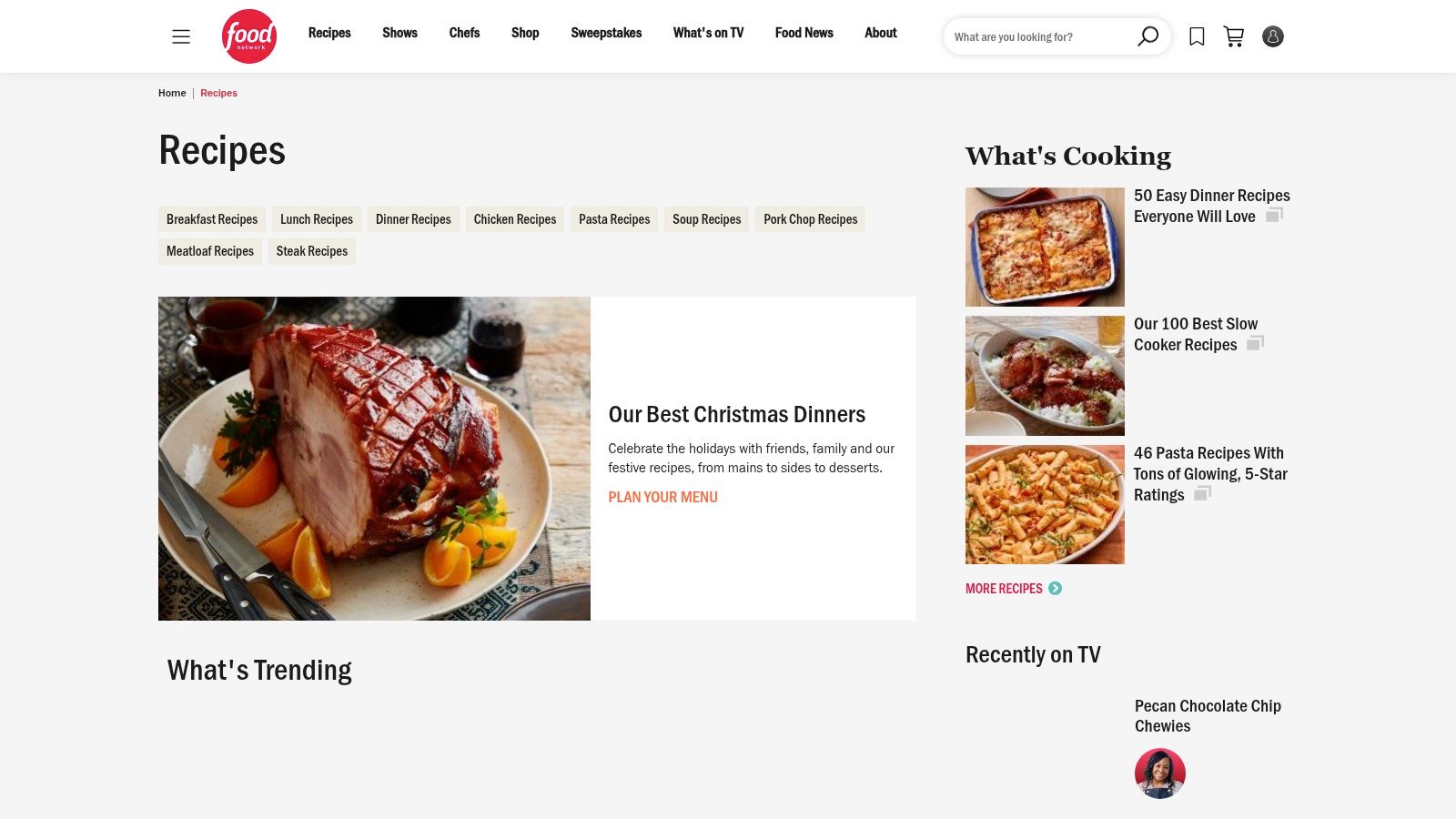
Free is a real advantage when you're testing whether a recipe is worth your evening, and Food Network is the free, familiar option. You can browse by dish and category, including dinner, breakfast, chicken, pasta, and soups, and land on recipes tied to chefs and shows you already recognize. That recognition matters more than it sounds: a cook who has watched a host make a dish on TV starts with a rough sense of the method before reading a word.
Website discovery hasn't disappeared. A 2025 HelloFresh State of Home Cooking report found 56% of Americans still rely on cookbooks, cooking shows, or websites for recipe inspiration, alongside 52% who use social media.
What it does well
- Familiar, tested recipes from a source many people already trust.
- Free browsing, with no subscription between you and the method.
- Chef and show collections, which helps when you want a specific style of cooking.
- Cooking videos alongside written recipes, so you can watch a technique before attempting it.
Where it falls short
It's a discovery site, not a recipe manager or meal planner. The Food Network Kitchen app is no longer available, and account-based saving is limited to Food Network's own site, so anything you find elsewhere stays elsewhere. If your dinner rotation mixes recipes from blogs, videos, and social media, you either re-search the site every time or keep a second system for everything else.
Best fit: cooks who want free, recognizable recipes and already know they'll keep a separate place for their collection.
If weeknight dinner is the specific problem, these easy weeknight meals for families are a more direct answer than a general catalog.
Allrecipes alternatives compared by the job each tool does best
Keep using Allrecipes if finding recipes is your main need. The distinction below is between places to discover dishes and apps that organize recipes collected elsewhere. Compare the job first, then the free option.
| Item | Main Job | Best For | Free Option |
|---|---|---|---|
| Recipe One | Save, organize, and plan recipes | Collecting social, website, and cookbook recipes rather than browsing a catalog | Free to start on iPhone and Android |
| Samsung Food | Discover recipes, plan meals, and manage shopping lists | Combining discovery with planning and shared grocery lists | Core planning and shopping-list tools are free |
| Paprika Recipe Manager | Import and organize a digital cookbook | Managing web recipes across devices rather than finding new dishes | Limited free version for one device |
| Cookpad | Discover and organize community recipes | Finding home-cook ideas and saving family recipes | Core browsing and saving are free; optional paid features may apply |
| SideChef | Connect discovery, guided cooking, planning, and shopping | Following recipes with guidance and sourcing ingredients | Core features, many recipes, and personalized meal plans are free |
| New York Times Cooking | Discover curated recipes and maintain a recipe box | Editorial inspiration and saving NYT recipes, rather than an all-site library | Some recipes and features are free |
| Food Network Recipes | Browse recipes, collections, and cooking videos | Finding familiar chefs and shows, with organization handled separately | Free website recipe browsing |
A free discovery site can complement a recipe manager. Saving recipes and finding them are different jobs.
Choose the Tool That Matches the Job You Need Done
Keep using Allrecipes if it already helps you find meals you want to cook. A separate organizer becomes useful when your recipes are scattered across saved posts, screenshots, websites, and cookbooks.
Pick by the job you need done.
If you want new recipes, choose a discovery site. New York Times Cooking suits readers seeking curated recipes, Food Network offers familiar recipes and cooking videos, and Cookpad focuses on community cooking. SideChef fits cooks who want guidance while preparing a meal. Choose according to how you like to find and follow recipes.
If your recipes come from everywhere, prioritize saving and retrieval. Compare how an app handles the sources you use, then check whether you can find those recipes again by name, ingredient, or tag. The roundup of best recipe manager apps helps narrow that choice.
Where Recipe One fits. It provides the saving and planning layer. Share a link or snap a photo, and it extracts ingredients and steps without ads or extra content. Supported sources include social videos, websites, screenshots, cookbook pages, and your own notes. It works on iPhone, Android, the web at app.recipeone.app, through a Chrome extension, and as plugins for ChatGPT and Claude.
Its real gap: it serves cooks collecting recipes from elsewhere rather than those seeking an Allrecipes-style catalog. Keep your preferred discovery site alongside it. Compare no-cost allowances in this guide to free recipe organizer apps, or use these Yummly alternatives to consider the same discovery-versus-organization decision.
On meal planning specifically, ask whether the planner builds a week from your saved recipes or mainly from its own catalog. That distinction matters more than having a planning calendar. Recipe One uses recipes you have saved, and AI helps you plan the week, get the grocery list out of it, and find your recipes easily. Choose a catalog-led planner if you prefer its suggestions; choose a saved-recipe planner if you already know what you want to cook.
Moving your saved Allrecipes recipes. Check Allrecipes' help pages for export options and the destination app's help pages for bulk import. If neither supports the transfer you need, save recipes by URL individually. Start with a recipe you use often and check the ingredients and steps before moving the rest.
Is Allrecipes free to use
The website is free to browse and search, and saving recipes to your account costs nothing. Check paid offerings separately, including the magazine.
Can I keep my saved recipes
Your saved recipes moved to your Allrecipes web account when the app closed. The timeline linked above shows where they live now. Before installing a separate app, check its listing rather than assuming your saves will transfer. This guide to the MyRecipes app explains that option.
Which app saves recipes from video
Recipe One supports recipes from TikTok, Instagram, YouTube, and other sources. Try a video you already cook from and review the extracted recipe before relying on it.
Is Recipe One a recipe catalog
It is a personal recipe library and planning tool. Use it to organize recipes you find elsewhere.
If scattered saves are the problem, start with a few familiar recipes in Recipe One. Check saving, search, planning, and the grocery list before moving your collection. It is free to start.