What if the feature list isn't what decides Mela vs Paprika at all, and the phone in your partner's pocket does? That's the gap in most comparisons. They rank importers and planners, then ignore the device mix, the store listing you'll pay for, and the cleanup you'll do after a messy social save. This guide separates the spice from the software, then judges both apps on platforms, capture, planning, grocery lists, pricing, and offline use, with Recipe One as a third option where it fits.
Mela vs Paprika at a Glance
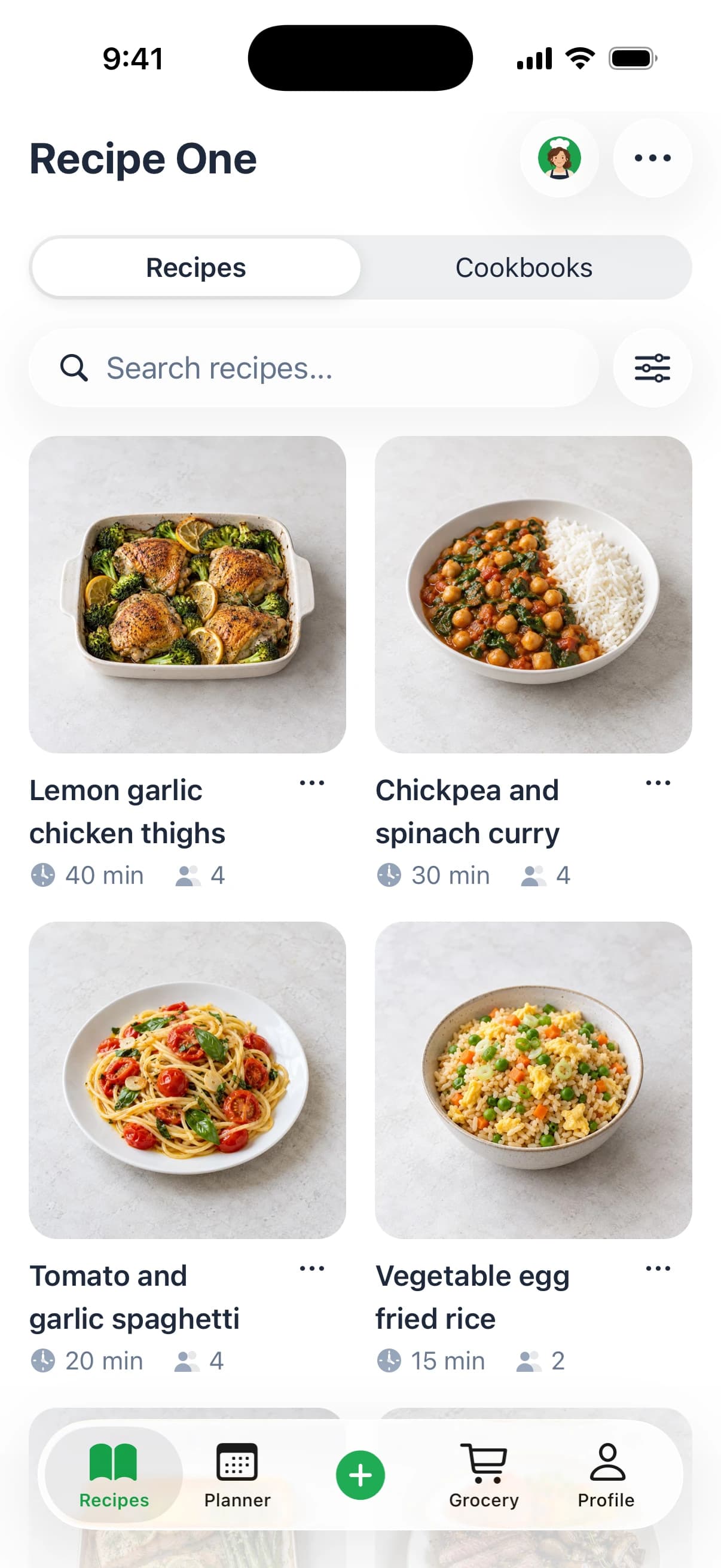
Which app fits your kitchen depends first on the devices you use, then on how you save and organize recipes. Paprika supports Apple and non-Apple platforms; Mela is for Apple devices. Recipe One offers a different option: Maya, its AI cook, can suggest what to make, plan the week, or turn fridge ingredients into a recipe.
Here, Paprika means the recipe app, not the spice. Mela refers to the Apple app by Silvio Rizzi. In cooking, paprika is ground fruit from red Capsicum varieties, as described in the FAO and WHO Codex document on paprika. “Mela” is not a standardized spice name, so a recipe using that word needs more context before you treat it as an ingredient.
The verified comparison
| Feature | Mela | Paprika | Recipe One |
|---|---|---|---|
| Platforms | iPhone, iPad and Mac | iOS, macOS, Android and Windows | iPhone, Android and web, plus ChatGPT/Claude plugin and Chrome extension |
| Recipe capture | In-app browser, share extension, recipe-blog RSS feeds and text-recognition scanning | Web clipping, with recipe scanning and social media import through Premium | Save recipes from social posts, videos, photos or text |
| Meal planning | Meal calendar stored in Apple Calendar | Day, week and month views with reusable menus | Maya can help plan the week |
| Grocery list | Groceries stored in Apple Reminders | Add a week of meals to the list | List includes every ingredient of the week |
| Cross-device sync | iCloud sync and shared iCloud libraries | Cloud syncing with Premium | Access recipes, meal plans and grocery lists through the MCP server integration |
| Offline use | Recipes saved in the app can be used offline | Works offline on iOS | Use the web app when online |
| Data collection | No data collection | Privacy details depend on the platform and current app settings | The AI assistant uses an access token, not your password or Google or Apple sign-in |
Start with the platform row. If everyone who cooks needs access on Android or Windows, Mela is not a fit; if your household uses Apple devices, its library and Apple integrations may suit your workflow. Then compare capture: imported recipes need to arrive in a form you can use, not just collect.
Planning and grocery lists are separate trade-offs. Paprika offers calendar views and meal menus, while Recipe One connects weekly planning to a grocery list containing the week's ingredients. Consider how you move recipes, plan meals and shop before comparing the cost and features in the next section.
What Each App Costs and What You Get
Paprika 4 is free to download on iOS, macOS, Android, and Windows, according to its release announcement. Earlier buyers receive a free upgrade to the standard version. Paprika's optional Premium subscription adds features beyond that version.
Paprika Premium
Paprika Premium's introductory price is $14.99/year, with a 7-day free trial. Existing users can upgrade for $9.99/year. One subscription covers all devices. Premium adds social media importing from TikTok, Instagram, Facebook, and YouTube, along with recipe scanning, family accounts, barcode scanning, Alexa, nutrition analysis, and calendar feeds. Check Paprika's official pricing page for current subscription details.
| App | Free option | Paid option | What the paid option adds |
|---|---|---|---|
| Mela | Free iOS download; the Mac app has a separate listing | Mela+ in-app purchase, $6.99 on iOS and iPadOS in the US App Store | Check the Mela App Store listing for current Mela+ details |
| Paprika | Free download on all platforms with Paprika 4 | Premium, $14.99/year introductory price with a 7-day free trial; $9.99/year for existing users | Social media importing, recipe scanning, family accounts, barcode scanning, Alexa, nutrition analysis, calendar feeds |
| Recipe One | Free tools include Cook with Ingredients, Leftover Recipe Generator, and recipe converters | Free to start | The app includes a meal planner and grocery list |
The official Mela site describes an Apple-only app. Mela's Mac app has a separate App Store listing, so check that listing for its price. Store prices and subscription offers can vary by region and change over time.
Recipe One also offers free tools for kitchen tasks, including Just the Recipe, Rice to Water Ratio, Recipe Nutrition Calculator, and Grocery List Generator. These tools are separate from the app's meal planner and grocery list.
How Each App Gets Recipes Into Your Library
Capture decides whether your library stays useful. A strong clipper that doesn't match your sources still leaves you copying text by hand, and a social importer doesn't help if you mostly save from blogs or books. Match the route to where your recipes come from.
Capture routes by app
- Mela: Use the in-app browser that detects recipes on a page, the share extension from Safari or another app, recipe-blog RSS feeds for new posts, or text-recognition scanning for a paper recipe from a book. Don't expect Mela to import from TikTok or Instagram video.
- Paprika: Use web clipping as the core route. Recipe scanning and social media import from TikTok, Instagram, Facebook, and YouTube sit in Premium, so a free account won't cover a video-heavy habit.
- Recipe One: Save from anywhere, then open the saved recipe in your library with its ingredients and steps. On desktop, the Recipe One Chrome extension covers browser saving, and the guide to saving recipes from Instagram covers that specific source.
Mela's documented routes are web pages, scans, and RSS feeds, with no social video import. If most of your saves start as short videos, weigh that gap before design or price. Paprika solves it only if you're willing to pay for Premium.
Run the same check after every save, whatever app you choose. Confirm every ingredient is present, quantities and units match the source, and the steps read in order.
That 30-second check catches the failures that matter at the stove. A missing quantity or a step copied out of order costs more time during cooking than it takes to fix while the source is still open. It also protects your grocery list, which can only be as accurate as the ingredients behind it.
If you're already leaving Paprika, read the Paprika alternative guide before you move your library. It'll help you compare replacements on capture and planning rather than on screenshots alone.
Meal Planning and Grocery Lists Side by Side
Treat the spice names as a label, then judge the apps on what actually moves with you: a week of meals and the grocery list those meals produce. The diagram below shows how Mela ties planning and shopping into Apple's own apps.
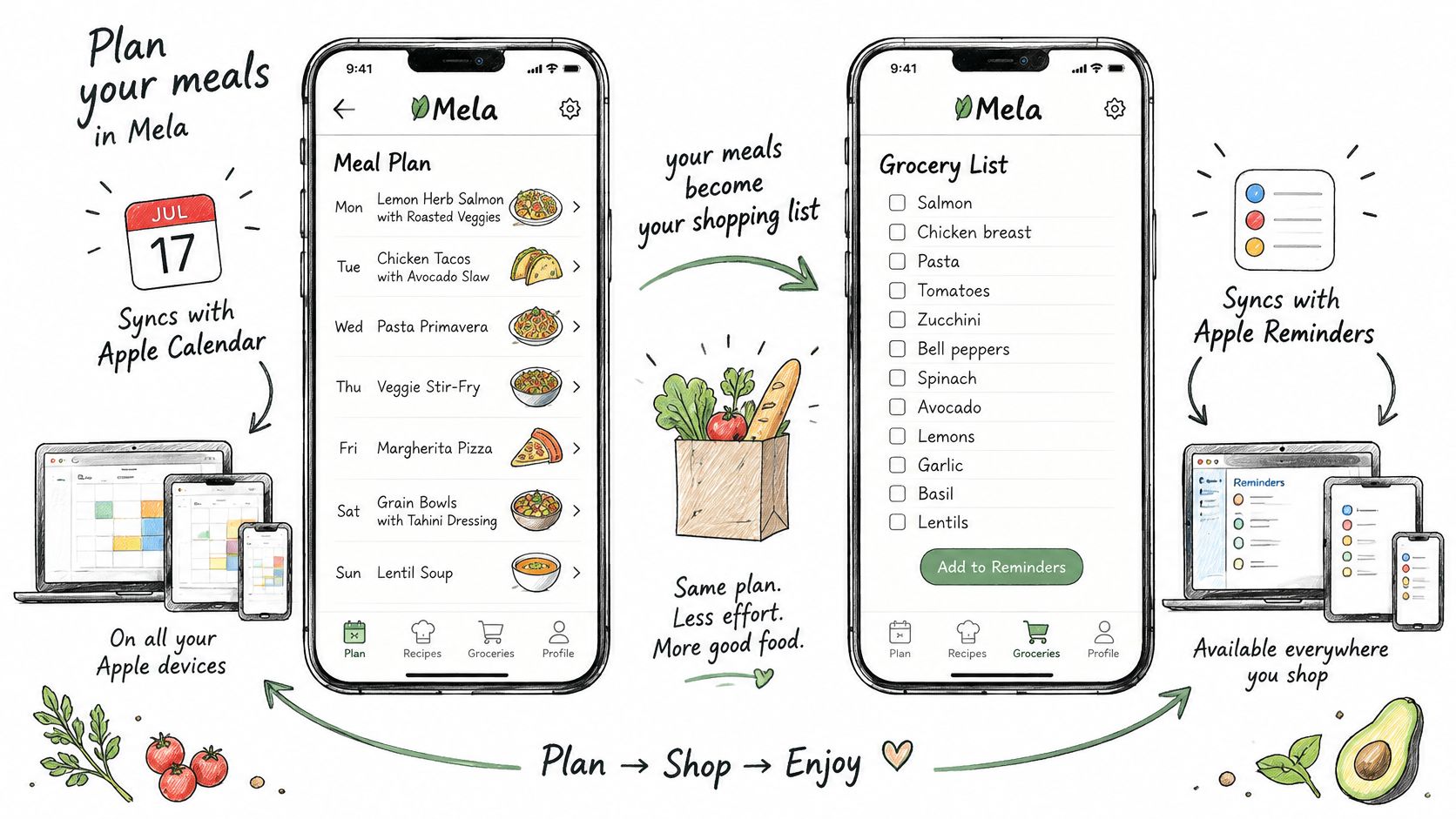
Mela keeps its meal calendar in Apple Calendar and its groceries in Apple Reminders. The Mela App Store listing describes imports from URLs, paper scanning, shared libraries, and blog subscriptions alongside that calendar and Reminders workflow, so your list stays reachable on Apple devices even when Mela isn't installed. The trade-off is dependence on Apple's apps. A shared iCloud household stays in sync. A household with one Android phone does not.
Paprika keeps planning inside the app. You get day, week, and month views, reusable menus, and the ability to add an entire week of meals to a grocery list. One place holds the plan and the shop, which helps if you already live in Paprika on more than one platform.
Recipe One uses AI to help you plan the week and pull the grocery list from those meals, as explained in the grocery list generator from recipes guide. That list includes every ingredient of the week. Inside Recipe One, Maya is the AI cook who can suggest what to make, plan the week, or turn fridge ingredients into a recipe.
Where dedicated planners fit
Mob and ReciMe are real meal-planning leaders worth checking on their current public pages before you decide. Recipe One saves recipes from anywhere into the same library that its planner and grocery list draw from, so you are not copying meals between a saver and a separate planner.
On nights when no plan survives, you can compare food delivery apps from HearSmart as a fallback. That is a backup, not a planning system.
Test all three the same way:
- Choose three dinners you cook.
- Build the week in each app.
- Generate the grocery list from those meals.
- Count the taps and screens each step takes.
Real Strengths and Gaps of Each App
No app here is weak. Each one trades something clear for something else, and you'll feel that trade every week. The chart below pairs the headline strengths with the gaps that sit beside them.
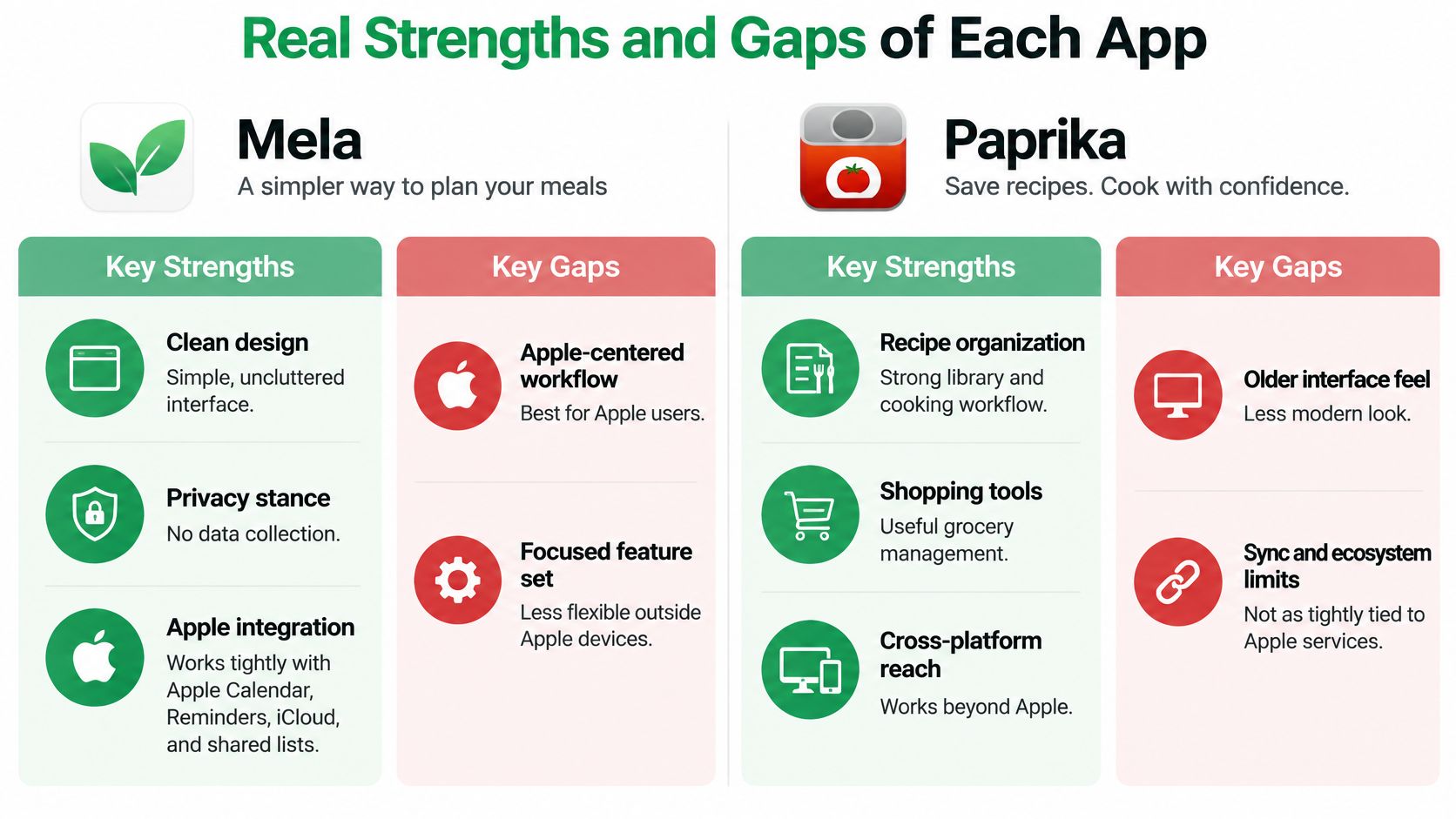
Mela earns its reputation on clean design, a privacy stance built on no data collection, and tight integration with Apple Calendar, Reminders, iCloud, and shared iCloud libraries. If you live inside Apple's apps, that integration removes accounts and extra sync services from your routine. Its gap is just as clear. There's no Android app, no Windows app, and no web app, so one non-Apple device in the household breaks the shared workflow.
Paprika is the mature, broad option. It runs across iPhone, iPad, Mac, Android, and Windows, offers pantry tracking, and covers meal planning, grocery lists, and recipe organization in one established system. That breadth suits households that plan carefully and track what they already own. Its gap is paywall placement, because social media import sits behind Premium rather than in the free download.
The third option, honestly
Recipe One focuses on saving from anywhere, an AI meal planner, and a grocery list built from planned meals. Its cooking mode shows one big step at a time and keeps the screen on, which helps when your hands are busy. If you're comparing tablet workflows specifically, the best recipe app for iPad guide is worth reading alongside this one.
Recipe One has real gaps you shouldn't discover after switching. It has no folders and no pantry inventory. If your current system depends on nested folders or stock tracking, Paprika fits that habit better today.
Mela deciding feature: Design and Apple integration, if every device you use is already Apple's.
Paprika deciding feature: Cross-platform reach, if Android or Windows sits anywhere in your kitchen or household.
Recipe One deciding feature: Saving from anywhere with an AI planner, if capture and weekly planning matter more than folders or pantry stock.
Choose the App That Fits Your Situation
No single app wins every case. Start with your devices, then check your organizing habits, then look at how you save recipes. That order prevents the common mistake of choosing a polished importer for a household that can't all open the library.
An Apple-only household that values design, privacy, and Apple Calendar and Reminders should pick Mela. Anyone with Android or Windows in the kitchen should pick Paprika. A household that wants to save from anywhere, plan the week with AI, and build a grocery list from it should pick Recipe One.
| If you | Pick | Why |
|---|---|---|
| Use only Apple devices and value design and privacy | Mela | Apple Calendar, Reminders and iCloud sharing, with no data collection |
| Cook on Android or Windows devices | Paprika | Runs on iOS, macOS, Android and Windows |
| Track a pantry or organize recipes in folders | Paprika | Pantry tracking and a mature organization feature set, Recipe One has no folders or pantry inventory |
| Save recipes from social posts and plan the week with AI | Recipe One | One-tap saving, an AI meal planner and a grocery list built from your meals |
| Use ChatGPT or Claude to reach your recipes | Recipe One | MCP server access to your recipes, meal plan and grocery list |
That last row is practical, not a novelty. Recipe One offers an MCP server integration that lets you access your recipes, meal plan, and grocery list from Claude, ChatGPT, and other AI assistants. You can find the plugin by searching Recipe One in ChatGPT Plugins or in Claude under Customize, then Connectors, and follow the Recipe One setup documentation.
You can also open the Recipe One web app in a browser, while the Chrome extension handles desktop saving. If you want a broader shortlist before committing, compare your pick against the best recipe manager apps and the recipe box app guide. Treat those as a final check, not a reason to restart the decision from zero.
Move Your Library Without Losing Recipes
Switching apps fails on small details, not on the download. Quantities, units, and servings break during imports, and you usually discover the damage while you're cooking. The process below keeps your old library intact until the new one proves itself.
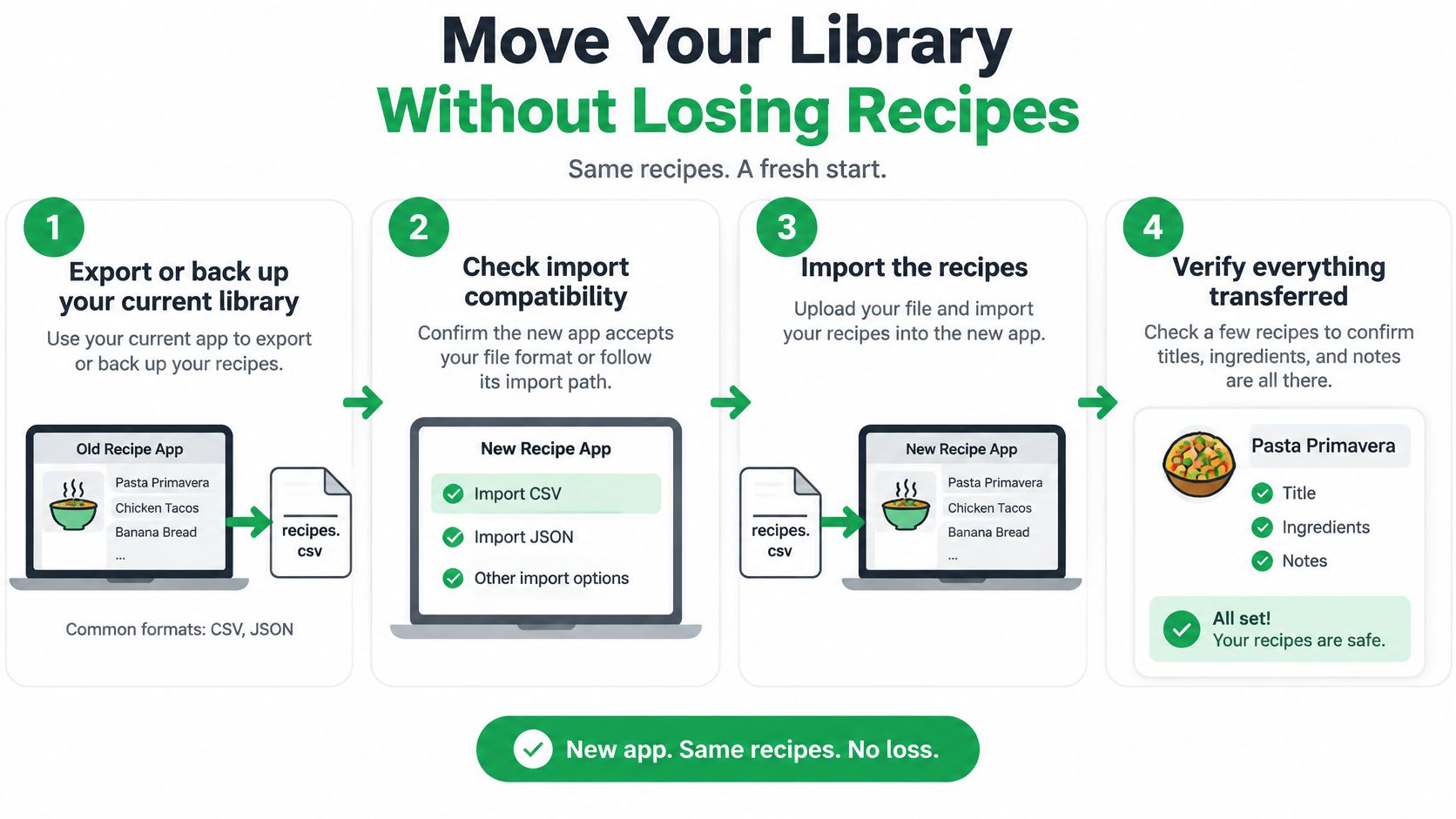
- Export or back up your current library from the old app, and note which file format it offers. A backup gives you a way back if the first import mangles formatting.
- Confirm the new app accepts that format or lists an import path for it. Don't assume an import option exists just because the old app can export.
- Import five recipes first and compare their ingredients, quantities, and steps with the originals. Five recipes reveal parser problems without putting your whole collection at risk.
- Check units and servings line by line, because they often break during import. A recipe that reads well can still scale badly.
- Test one full week of meal planning and grocery shopping in the new app. Planning bugs matter as much as recipe formatting.
- Keep the old app installed until a full week of cooking and shopping works in the new one. Delete it only after the replacement has handled real meals.
For Recipe One, confirm the current import steps in its documentation before you start, since you shouldn't guess an import path. If you're moving because another service shut down or changed, the Yummly alternative guide covers the same switching checks from a different starting point.
When you're ready, find the app you chose by name in the App Store or Google Play, and use the official Mela listing in the App Store if Mela is your pick. Match your situation to the table in the previous section, install that one app, and run the five-recipe test today.
If saving from anywhere, planning the week with AI, and getting a grocery list out of those meals matches how you cook, start free with Recipe One and run the same five-recipe test before you move anything else. You'll know within one week whether the workflow fits, without risking the library you've already built.