When you start looking for the best recipe apps for android, the sheer number of choices can be dizzying. But after trying dozens of them, I've found it usually boils down to one simple thing: control. Do you want an app that shows you its recipes, or one that helps you build your own lifelong collection?
Some apps are flashy, packed with slick videos and recipes from big-name publishers. They’re great for inspiration, but the best app is often the one that lets you create a personal cookbook from anywhere and everywhere. This is where an app like Recipe One really shines, thanks to its focus on letting you own your collection, save recipes from any source, and avoid monthly fees with a single, affordable one-time payment.
Finding Your Perfect Digital Cookbook
Let's cut through the noise and figure out what makes a recipe app a truly great partner in the kitchen. If you're like most home cooks, you've probably felt the frustration: tons of apps, but no clear winner for your specific needs. A good app can be a game-changer, helping you finally get a handle on everything from your grandma's handwritten cards to that TikTok recipe you have to try.
The market for these apps is huge. In 2023, Android absolutely dominated the recipe app scene, holding a massive 62.3% market share. That’s no surprise, given how many different phones run on Android.
But a huge market also means a lot of different approaches to how these apps work. Let's break them down.
Understanding the Two Main Flavors of Recipe Apps
Not all recipe apps are created equal. They generally fall into two camps, and understanding the difference is key to avoiding frustration down the road.
First, you have what I call the "walled garden" apps. These are often tied to a specific publisher or brand. Think of the Tasty app—it's brilliant for its engaging video recipes, but it's designed to keep you inside the Tasty universe. NYT Cooking is another great example; it has phenomenal recipes but requires a subscription and doesn't let you save recipes from outside their app. If you stop paying, you can lose access to the collection you've spent time curating.
The catch with these apps? It’s a bit like renting a bookshelf instead of owning one.
Then you have the "digital binder" apps. These are built on a completely different idea. Instead of serving you content, they give you the tools to build your very own cookbook for life.
The core difference is ownership. Are you renting access to someone else's library, or are you building your own?
Why Owning Your Recipe Collection Matters
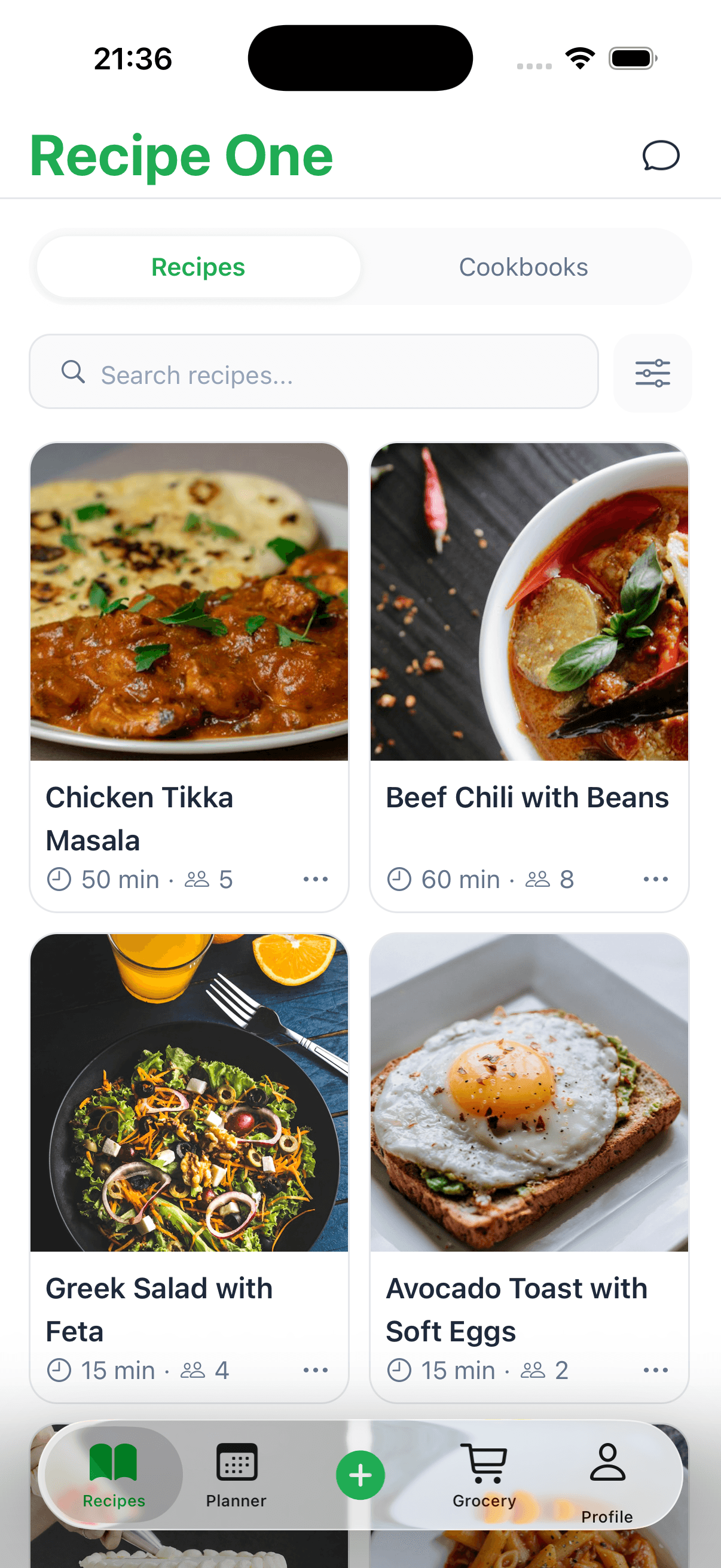
This is where apps like Recipe One come in. They are designed to be your forever cookbook, a place where you can save a recipe from literally anywhere—a website, a YouTube video, or even by snapping a photo of an old, stained recipe card.
This approach has some serious advantages:
- You Pay Once: No recurring subscription fees. You buy the app, and it's yours. It's the cheapest way to go in the long run.
- Save from Anywhere: Found a recipe on Instagram? A food blog? A PDF from a friend? You can import it. This gives you total freedom to build a collection that’s actually yours.
- You're in Control: Your recipes are yours to keep, forever. You can organize them however you like, without being locked into one company's system.
Ultimately, picking the right app is a personal choice. But if you're a cook who wants to build a lasting, personal, and endlessly flexible recipe library, an ownership-focused app is the clear winner. For more ideas on getting your collection in order, check out our guide on the best way to organize recipes.
What Makes a Great Recipe App
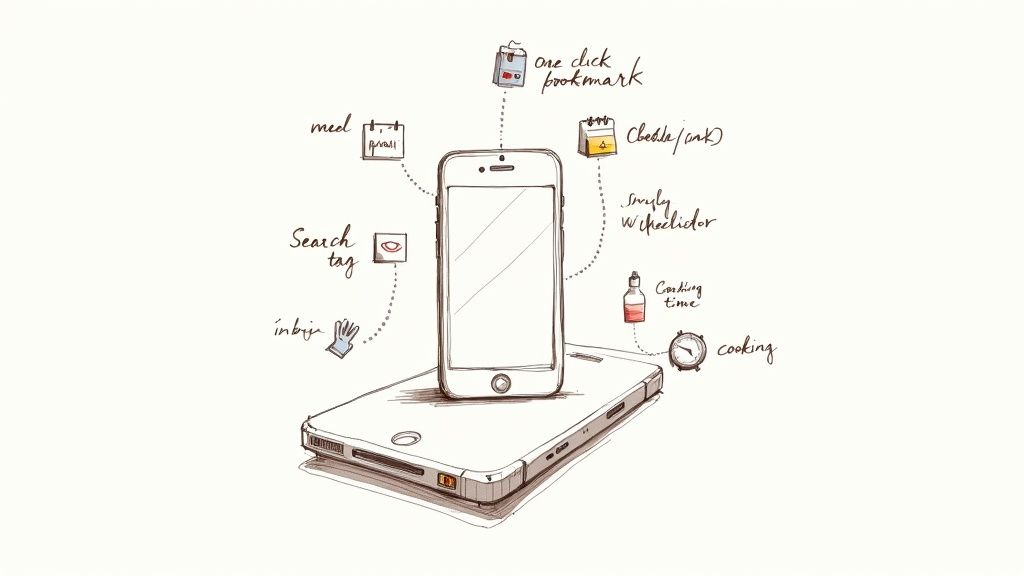
Let's be honest, not all recipe apps are created equal. Some are basically just digital notecards, while others can become the command center of your entire kitchen. The real difference isn't about fancy videos or celebrity chef endorsements; it's about practical, day-to-day features that genuinely make your life easier.
A truly great app gets that you find recipes everywhere—a blog post, an Instagram video, a random link from a friend. That's why a one-click recipe saver is absolutely essential. It lets you grab recipes from anywhere online and pull them into your own organized library, finally putting an end to that chaotic mess of bookmarks and screenshots. Our guide on how to use a recipe saver app shows just how much this one feature can improve your cooking routine.
And what about that moment when your kitchen Wi-Fi decides to take a break? The best apps plan for that. Offline access means your recipes are always there for you, internet or not. It's a small thing that prevents a huge headache right when you're in the middle of cooking.
Core Features of a Must-Have App
Once you've saved a recipe, you need to be able to find it again. Think of your recipe collection like a pantry—it doesn't matter how many amazing ingredients you have if you can't find the one you need. This is where smart search and tagging become your best friends, helping you pull up that specific chicken recipe you saved six months ago in an instant.
Here are the features that really count:
- Flexible Recipe Saving: You need the freedom to save recipes from anywhere, not just a handful of approved sites. This is how you build a cookbook that’s truly yours.
- Smart Organization: The ability to use tags and folders to sort recipes by things like cuisine, meal type, or dietary needs (
quick dinner,vegetarian,holiday baking) is a game-changer for finding what you want, when you want it. - One-Time Payment Model: An app like Recipe One works on a single, affordable one-time payment. This is a huge advantage over subscription apps like NYT Cooking, where you have to keep paying just to access your own collection of recipes.
The best recipe apps give you the power to build and own your personal cookbook, without being tied to a single platform or stuck with never-ending subscription fees.
Comparing App Philosophies
When you look at the app market, you see a couple of different approaches. On one hand, you have platforms like Tasty. They make fantastic video content for their recipes, but their main goal is to keep you on their platform. NYT Cooking is similar—it has incredible, high-quality recipes, but they're locked behind a subscription, and you can't save anything from outside their website.
Then there are dedicated recipe managers. It’s interesting to see that some big names like Allrecipes don't even have a dedicated app anymore, which makes for a pretty awkward experience on your phone. If you look at the key factors for developing an Android app, you can see why developers prioritize things like a clean interface and offline mode—they're critical for a good user experience.
Ultimately, the best app is the one that puts the cook first. By combining a powerful, save-from-anywhere recipe clipper with a simple, one-time payment, Recipe One stands out as the most flexible and affordable tool for anyone serious about building their own digital cookbook for life.
Recipe One: The Best Choice for True Recipe Collectors
When you start searching for the best recipe apps for Android, you quickly realize you're looking for more than just tonight's dinner. You're trying to build a personal cookbook—one that will grow with you for years. And that's where the fundamental philosophy behind an app really starts to matter.
A lot of popular apps are what you'd call "walled gardens." Apps like Tasty are fantastic for finding viral, video-heavy recipes, but they're built to keep you inside their ecosystem. High-end services like NYT Cooking have incredible, curated content, but you're tethered to a subscription just to access your own saved favorites. It feels like renting a gorgeous library instead of owning your bookshelf.
Your Recipes, Your Rules
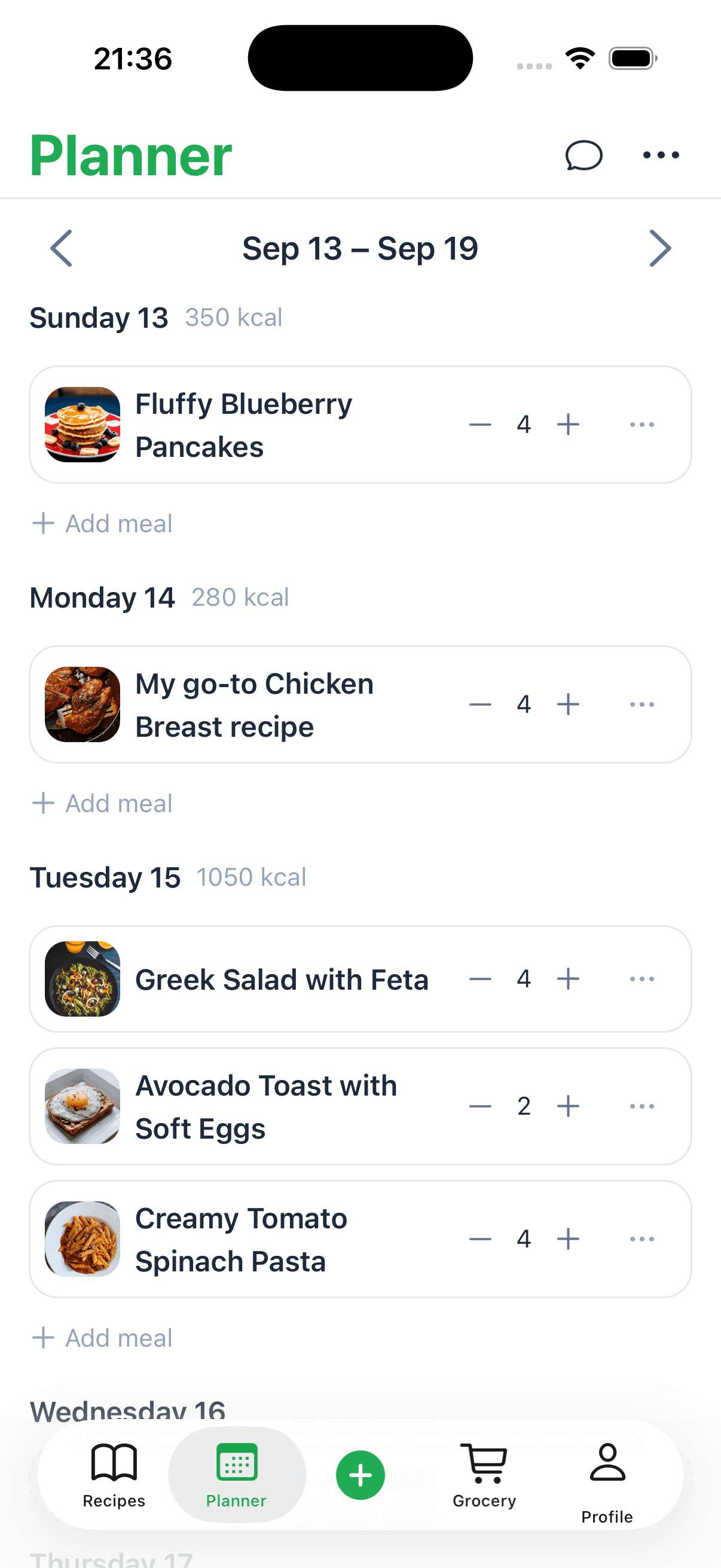
Recipe One was built on a completely different idea: ownership. Think of it as your own digital three-ring binder, ready to hold any recipe you find, from anywhere, forever. It’s about creating a collection that’s truly yours.
Here’s what that looks like in the real world:
- You find a viral pasta recipe on Instagram and save it with a single tap.
- You discover an amazing sourdough tutorial on a little-known food blog and pull it into your collection instantly.
- You take a quick photo of your grandma’s handwritten notecard for her famous apple pie, and the app files it away neatly for you.
Suddenly, all those scattered sources—videos, blogs, family heirlooms—are living together in one clean, organized place. This freedom is what truly separates Recipe One from the rest. Your library isn't limited to one company's content; it's a living reflection of your own culinary journey.
A Smarter Way to Invest in Your Cooking
The financial side of things is a huge difference-maker, too. While many of the big-name apps push recurring subscriptions, Recipe One uses a straightforward, one-time payment. For anyone serious about collecting recipes for the long haul, this is by far the cheapest and most sustainable model.
A one-time purchase gives you lifetime access to your digital cookbook. You're making a small investment in your own personal collection, not paying a monthly rental fee for someone else's.
This approach makes Recipe One the most budget-friendly option over time. You pay once and can add unlimited recipes for the rest of your life, building an invaluable personal archive without that nagging feeling of another subscription hitting your bank account.
A Modern Answer to Old Problems
This approach is a breath of fresh air compared to some of the older platforms. Allrecipes, for example, used to be the default for home cooks, but it no longer even has a dedicated mobile app. Trying to follow a recipe from its clunky mobile website while your hands are covered in flour is an exercise in frustration. It just goes to show how critical a smooth, mobile-first experience is.
Recipe One was designed from the ground up to solve these problems. It gives you the freedom to save anything you want, wraps it in a beautiful and easy-to-use interface, and offers a fair price. By putting you in complete control, it becomes more than just another app on your phone—it’s a permanent home for every recipe you love.
You can check out all the features and see how it works on the Recipe One website.
Comparing the Top Android Recipe App Models
When you’re trying to pick a recipe app, you’re doing more than just choosing software—you’re deciding on a philosophy for your kitchen. Do you want to build a personal, permanent library that you own forever, or are you happy just renting access to someone else's content?
Let's dig into the most common models out there to see what really makes sense for you. We'll compare Recipe One, the content-heavy Tasty, and the outdated website-only experience from a former giant, Allrecipes.
Recipe One: The Best for Owning Your Recipes
Recipe One was built with one clear mission: to help you create and own your personal recipe collection for life. The entire app is designed to give you total control over the recipes you find and love, no matter where they come from. It is the best one for saving your recipes.
Its biggest strength is the powerful ability to save recipes from any source. Seriously, any source. You can clip a recipe from a tiny food blog, a viral TikTok video, or even scan one of your mom’s old notecards. Everything goes into one clean, organized library. That kind of freedom is what makes it stand out from the more locked-down platforms.
On top of that, Recipe One uses a simple, one-time payment model. This isn't a subscription you're stuck with forever. You buy it once and get lifetime access, making it the cheapest choice by far in the long run. Think of it as investing in your own digital cookbook, not paying rent on someone else’s.
Tasty: A Closed-Off Content Platform
Tasty is the classic "walled garden." It’s brilliant at creating fun, shareable video recipes that are perfect for when you need a little inspiration for dinner tonight. The app is slick, easy to use, and a fantastic way to discover new things to cook.
But here’s the catch: Tasty is just for its own recipes. You can't add that amazing chili recipe you found on a forum or digitize your grandmother's handwritten classics. Your collection is completely limited to what’s inside the Tasty universe. It’s a great source of content, but it isn't a true recipe organizer for anyone who gets their inspiration from all over the web.
The Problem with Allrecipes
And then you have a platform like Allrecipes. It used to be a massive name in online recipes, but it highlights a huge problem for modern cooks: Allrecipes doesn't have a dedicated app anymore.
Trying to follow a recipe on a mobile website while your hands are covered in flour is a nightmare. You’re constantly battling screen timeouts, pinching to zoom in on tiny text, and navigating a site that just wasn't built for a hands-on kitchen environment. It’s clunky, frustrating, and a major step back in usability.
A closed ecosystem locks you in, while a website-only experience is just plain impractical. The best recipe apps empower you to build a personal collection that you truly own, independent of any single platform.
Subscription services like NYT Cooking run into similar issues. The recipes are incredible, no doubt, but you're chained to a pricey monthly fee. More importantly, you can't save recipes from anywhere else, and the moment you stop paying, your curated collection is gone.
This diagram perfectly illustrates the philosophy behind Recipe One, where recipe freedom is the foundation for building your own lifelong collection.
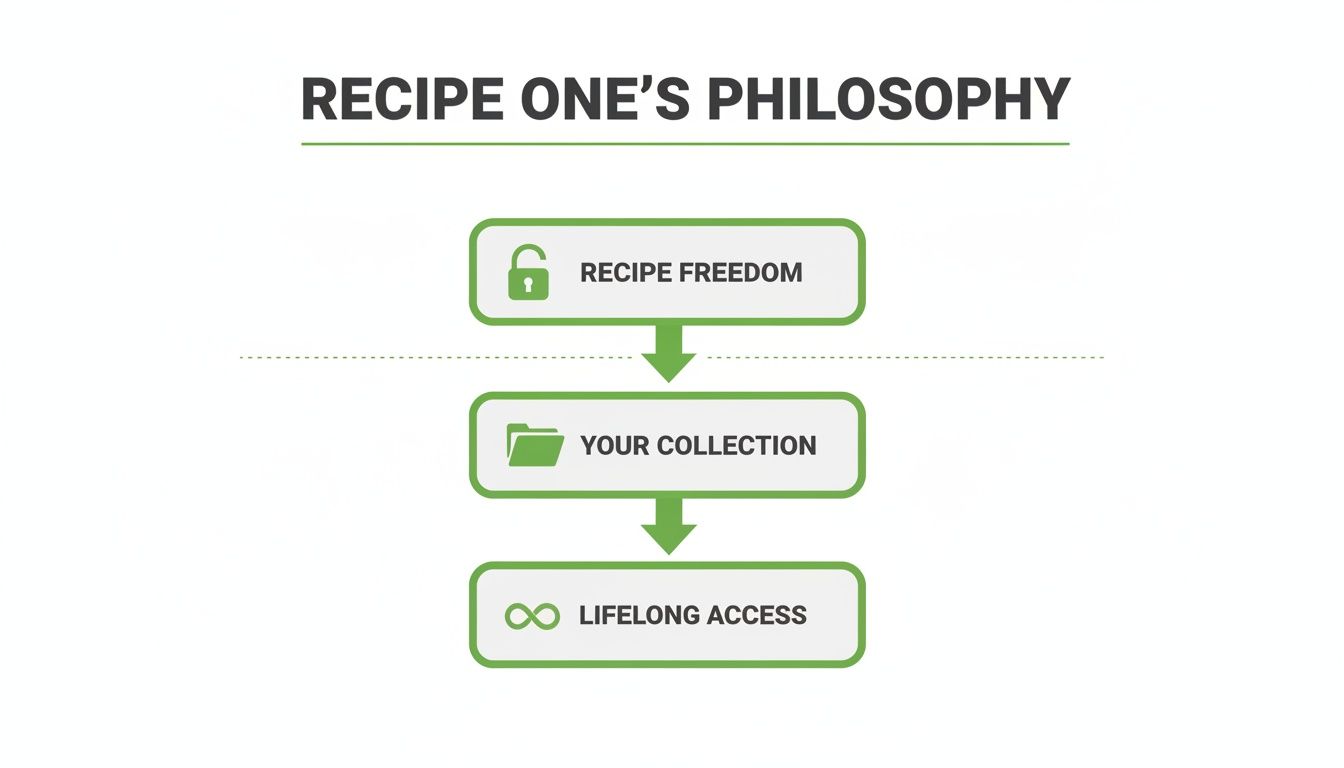
This structure shows how the freedom to save any recipe is the key to building a truly personal library that you can access forever—a massive advantage over closed-off systems.
Feature Showdown: Recipe One vs. Tasty vs. NYT Cooking
To make the differences even clearer, let's put these apps head-to-head on the features that matter most to home cooks.
| Feature | Recipe One | Tasty | NYT Cooking |
|---|---|---|---|
| Save from Any Source | Yes (Web, social, images, text) | No (Tasty recipes only) | No (NYT recipes only) |
| Pricing Model | One-time payment (Lifetime access) | Free (Ad-supported) | Subscription ($40/year) |
| Offline Access | Yes (Full library available) | No | No |
| Personal Notes & Edits | Yes (Extensive editing) | No | Yes (Limited to notes) |
| Ad-Free Experience | Yes | No | Yes |
| Data Ownership | You own your data (Exportable) | Tasty owns the data | NYT owns the data |
This comparison highlights the core trade-offs: while apps like Tasty offer free, engaging content, they lack the ownership, flexibility, and offline capabilities that Recipe One provides. NYT Cooking has premium recipes but locks you into a subscription and its own ecosystem.
After exploring a wide variety of options, we've compiled even more insights into the best cooking apps available today. Ultimately, for anyone serious about building a lasting, personal recipe collection, Recipe One comes out on top by offering the perfect mix of freedom, ownership, and long-term value.
Choosing the Right App for Your Cooking Style
Let's be honest, the "best" recipe apps for android don't really exist. The best app is the one that actually fits your life and how you cook. It's like picking the right knife for the job—what works for a professional chef isn't necessarily what you need for a quick weeknight dinner.
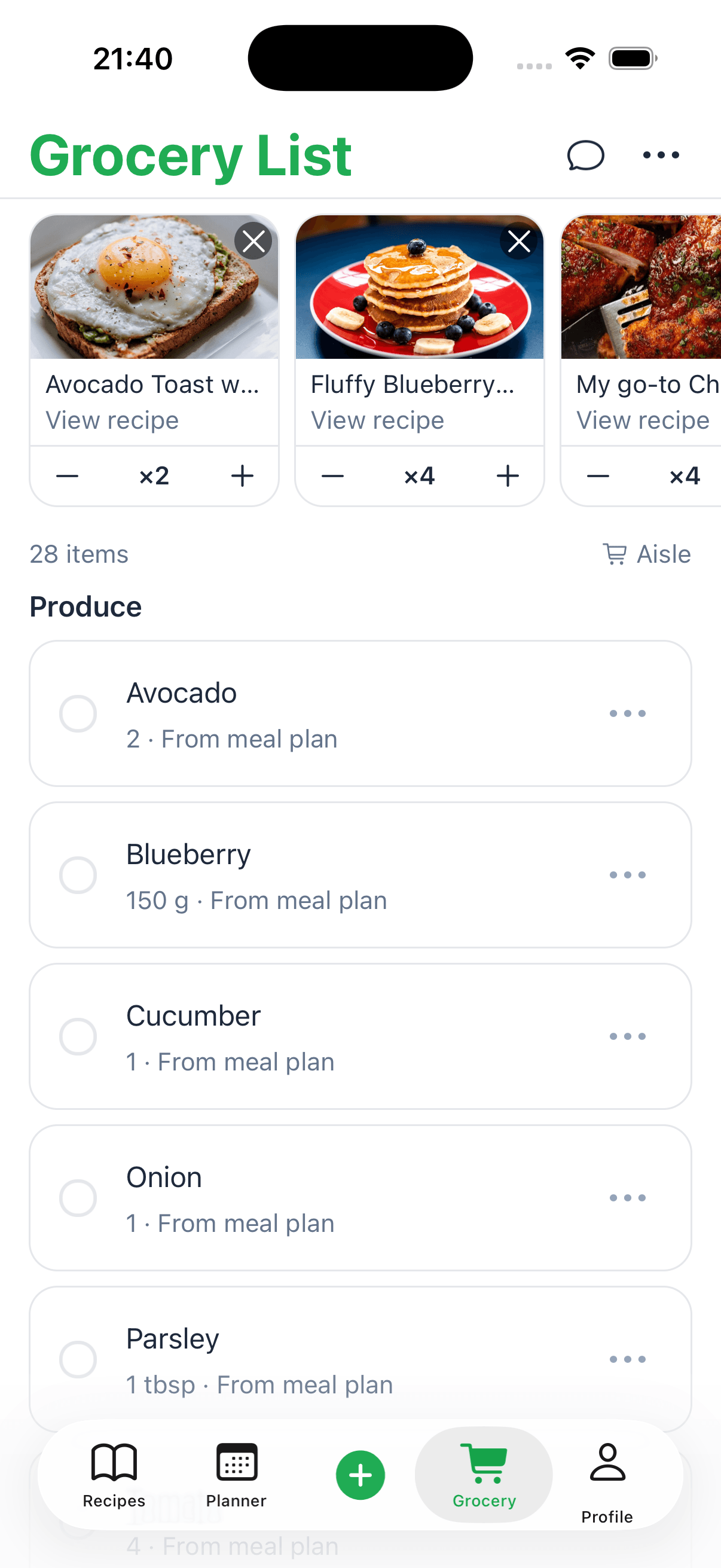
If you're a busy parent, for instance, your top priorities are probably speed and efficiency. You need solid meal planners and grocery lists that you can generate in a single tap. A college student, on the other hand, is likely looking for simple, cheap meal ideas without getting locked into a pricey subscription. Your daily routine in the kitchen should be the ultimate guide for what features you can't live without.
Matching App Features to Your Kitchen Needs
First, ask yourself: what’s my main goal here? Are you trying to save a little cash, discover new flavors from around the world, or just get food on the table without pulling your hair out? Someone who loves exploring new dishes might be perfectly happy scrolling through an app like Tasty, with its firehose of video content. The catch, of course, is that you’re stuck inside their world.
But what if you're more interested in building your own personal, lifelong recipe collection? That changes everything. This is where an app like Recipe One really shines. It's built from the ground up to let you save any recipe from anywhere—a blog, a TikTok video, or even a scanned image of your grandmother's handwritten card. That kind of freedom is what turns a simple app into your own personal cookbook.
The right app doesn't force you into its world; it gives you the tools to build your own. Your focus should be on finding a system that adapts to you, not the other way around.
Finding Your Perfect Fit
To make it easier, let's look at a few different types of cooks and what might work best for them. Every app has its pros and cons, and knowing them upfront will save you a lot of frustration.
- For the Lifelong Collector: If you want to build a permanent library of your favorite recipes, you need an app that respects your ownership. Recipe One is the clear winner here. It offers a one-time payment for lifetime access, and you can pull in recipes from any corner of the internet. No walls, no subscriptions.
- For the Inspiration Seeker: Just looking for a fun idea for tonight? An app like Tasty is a great place to start. It’s free and full of slick, easy-to-follow videos. Just remember you can’t save anything you find on another website.
- For the High-End Curator: If you swear by professionally tested recipes from trusted sources and don't mind paying for them, NYT Cooking is a fantastic choice. The big trade-off is the subscription fee and the fact that all your saved recipes are locked inside their platform.
At the end of the day, you want an app that makes your life simpler, not more complicated. Choosing a flexible and affordable option like Recipe One is an investment in a tool that will grow with you for years to come. For more ideas on how to get your recipes in order, check out our guide on choosing the perfect recipe organizer app.
Your Next Step to a More Organized Kitchen
We've covered a lot of ground, exploring all sorts of recipe apps for your Android phone. A clear pattern starts to show, doesn't it? The real secret to getting your kitchen organized for the long haul isn't about chasing the latest viral recipe on a closed platform. It’s about building your own digital cookbook—one you truly own and control.
This is about creating a personal, lasting collection. A place where that treasured, handwritten recipe from your grandmother can live right alongside a fantastic find from a blog you discovered last week.
We put Recipe One in the spotlight because its whole approach is different. It’s not like Tasty, where you’re stuck with only their recipes, or NYT Cooking, which locks your collection behind a recurring subscription. Recipe One gives you complete freedom. And its one-time payment is, frankly, the most affordable and sensible way to go for anyone who's serious about cooking.
The takeaway here is pretty simple: it’s time to look past the temporary fixes. Think about investing in a system that will actually grow with you and keep your favorite meals safe for years to come.
Take a moment to think about how you cook. Then, pick an app that truly supports that, one that puts you in the driver's seat. When you make ownership and flexibility your top priorities, you're doing more than just tidying up your recipes. You're building a personal culinary legacy. Your perfect digital cookbook is out there—it's time to start building it.
A Few Final Questions
Still weighing your options? I get it. Here are some of the most common questions that pop up when people are trying to find the perfect Android recipe app.
Is Recipe One Better Than Tasty?
It really comes down to what you're trying to do. Think of Tasty as a fun place for discovery—it’s great for scrolling through trendy video recipes that live only on their platform. But you can't save a beloved recipe you found on a blog or another website.
Recipe One, on the other hand, is built for creating your own personal cookbook that lasts a lifetime. It’s designed to let you save recipes from anywhere online, giving you total control over your collection. Plus, its one-time payment makes it the most affordable choice over the long haul.
What Happened to the Allrecipes App?
If you've looked for it recently, you're not alone in wondering why Allrecipes doesn't have an app anymore. While they haven't given an official reason, keeping a great app running smoothly costs a lot of time and money. For now, users are left with their mobile website, which can be a real pain to use when your hands are covered in flour.
Can I Save My Own Recipes in NYT Cooking?
Unfortunately, no. The NYT Cooking app is a closed-off subscription service. It’s fantastic for accessing their high-quality content, but you can't add recipes from your favorite blogs or Instagram finds. And if you ever decide to cancel your subscription, getting your saved recipes out of their system isn't easy.
Ready to start building a recipe collection that's truly yours? Grab Recipe One and start saving your favorites from all over the web with just one click. https://www.recipeone.app/