
Automated extraction removes the 10–20 minute mental-math step from the shopping routine, so you can skip rebuilding a list and head to the store with one consolidated version. A grocery list generator from recipes works best when it does more than copy ingredients: it should scale portions, merge duplicates, account for pantry items, and let you correct anything the recipe source got wrong.
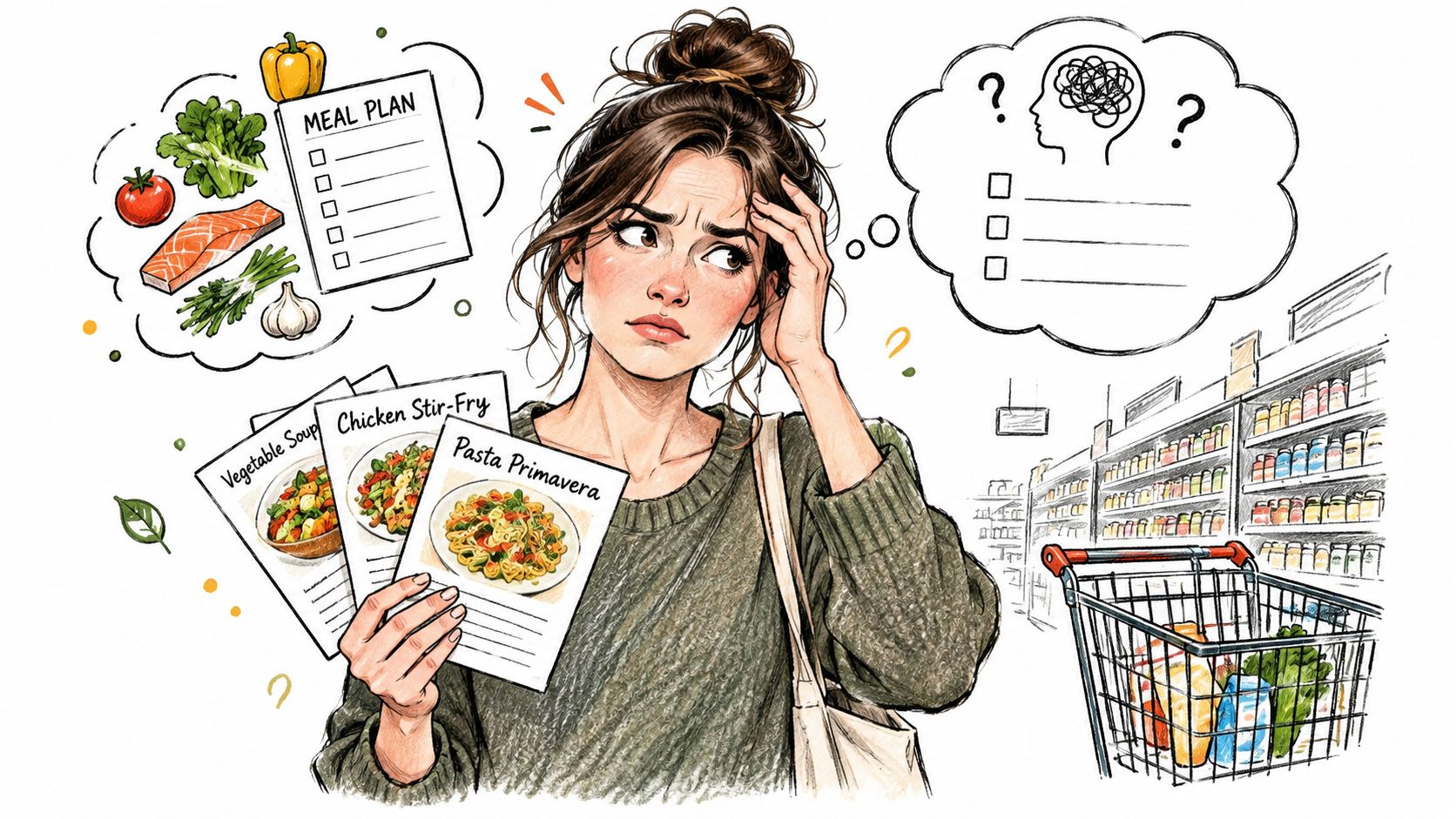
You've probably saved enough recipes to feed your household for weeks. Then Thursday arrives, everyone's hungry, and you're switching between a social post, a browser tab, a note on your phone, and the refrigerator door. One recipe calls for onions by weight, another by count, and a third says “season to taste.” The hard part isn't finding dinner ideas. It's turning those ideas into a list you can trust while pushing a cart.
The Hidden Cost of Manual List Building
Recipe collecting feels productive because the meals are already chosen. The work appears later, when you have to inspect every recipe, write down each ingredient, remember serving sizes, check the pantry, and reorganize the result according to the store layout. That second pass is where the evening disappears.
A grocery list generator from recipes closes the gap between inspiration and shopping. Instead of flipping through saved posts and trying to remember whether Tuesday's pasta also uses garlic, you start with the recipes in your meal plan and let the system create one working list. The result still needs a quick human review, but you're reviewing a plan rather than rebuilding it from scratch.
Why manual lists break down
Manual compilation creates predictable problems:
- Missed ingredients: A small garnish or sauce component stays buried in a recipe tab.
- Duplicate purchases: Olive oil, salt, onions, or eggs appear on separate lines several times.
- Wrong quantities: You remember the ingredient but forget that one recipe serves more people.
- Poor store flow: The list follows recipe order instead of produce, dairy, pantry, and other sections.
- Pantry blindness: You buy another item because nobody checked what was already at home.
Public nutrition guidance recommends a similar sequence, inventory first, choose meals, then build a list from only what remains needed. Utah State University Extension's food-waste guidance describes that structured approach, while Harvard Health's meal-planning advice also recommends planning meals and writing down fresh items and pantry staples.
Practical rule: The list should be generated after the meal plan, not before it. Otherwise, you're shopping for possibilities rather than ingredients attached to actual meals.
You can use a dedicated meal planner, a spreadsheet, or no-cost menu software TopFoodApp to organize the week before building the shopping list. If you prefer a manual fallback, this grocery-list workflow provides a useful structure. The important change is to treat the grocery list as the final output of meal planning, not as another separate chore.
Importing and Normalizing Your Ingredients
The quality of the final list starts with the recipe source. A clean recipe page with labeled ingredients is easy to parse. A short video caption, screenshot, or social post with measurements scattered through the text is much less dependable.
Start by saving the recipes you intend to cook. Import from a URL, social post, photo, video, or plain text when the tool supports those formats. Then open each imported recipe and check three things before adding it to your meal plan: the ingredient name, the quantity, and the unit.
A reliable import sequence
- Save the source. Keep the original recipe attached so you can verify an uncertain line later.
- Read the ingredient list. Look for missing amounts, optional ingredients, and compound entries such as “sauce” or “seasoning mix.”
- Standardize obvious variations. “Scallions” and “green onions” may refer to the same shopping item, but a tool needs a canonical name to merge them safely.
- Set the servings. Confirm whether the saved recipe matches the number of people you're feeding.
- Review the generated list. Don't assume extraction and normalization are the same operation.
Structured food-NLP systems can identify ingredient entities with impressive precision. One recipe-extraction study reported 99.5% accuracy for ingredient-name extraction on a held-out set, while another transformer-based system reached an average F1 score of 0.95 across entity types in the recipe information-extraction research. That doesn't mean every home recipe imports perfectly. The difficult part is often deciding where an ingredient ends, how a quantity relates to it, and whether two differently worded items are interchangeable.
Test scaling before shopping
A useful stress test is a multi-serve holiday dinner with 18+ ingredients, scaled from 4 to 8 servings. Recipe One pulls the ingredients from the saved recipe, applies the serving multiplier, and places the scaled amounts on the grocery list. You shouldn't be doing that mental math beside the produce display.
Before relying on scaled output, inspect ingredients that don't scale cleanly. Salt, garnishes, cooking spray, and “one package” items may need judgment rather than a strict multiplier. A practical recipe-measurement conversion guide can help when a recipe mixes cups, grams, tablespoons, decimals, or fractions.
The goal isn't blind automation. It's a clean first draft that preserves the recipe's meaning and leaves you with only the decisions a person should make.
Handling Duplicates and Pantry Staples
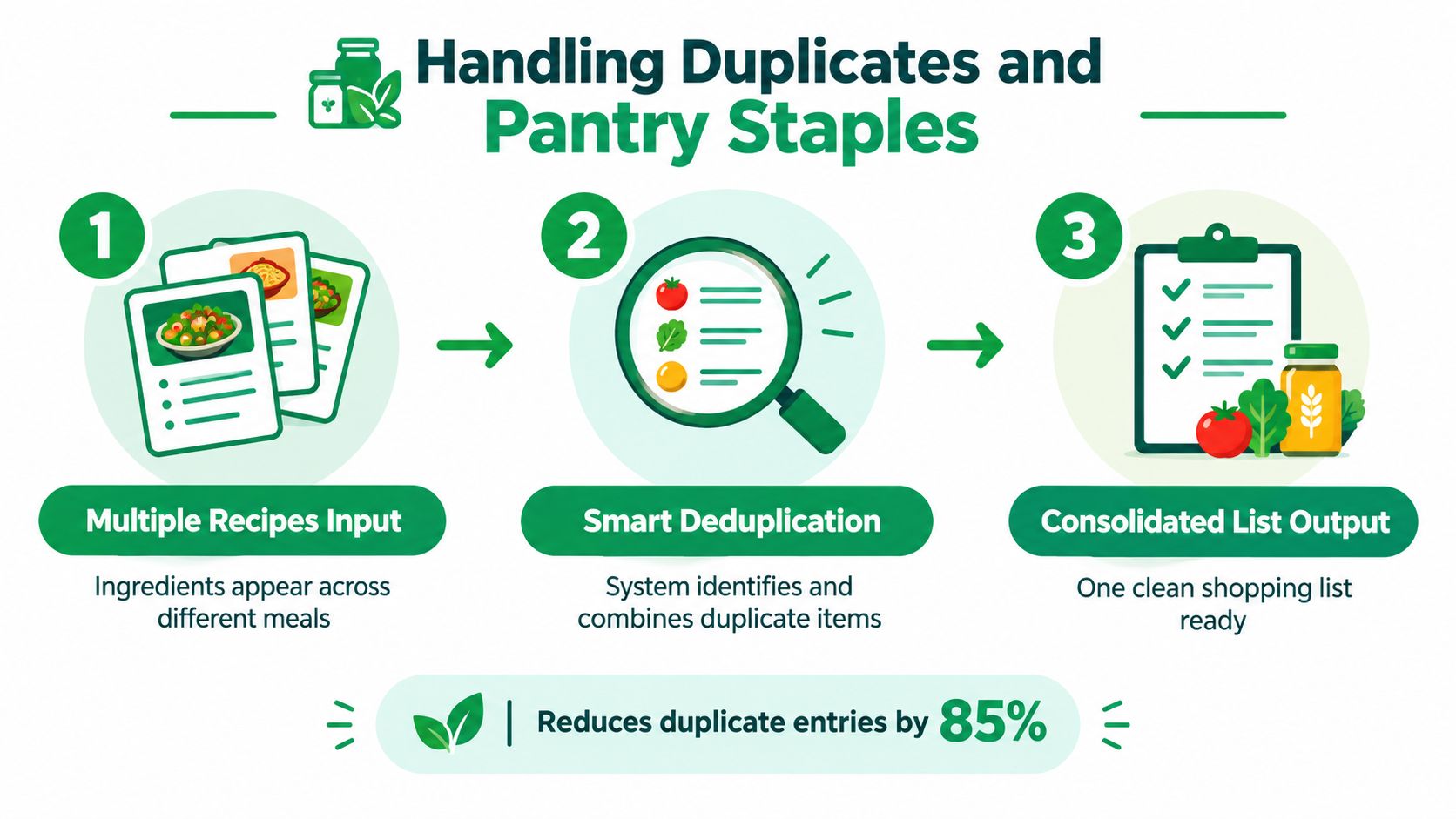
Duplicates appear because recipes describe meals independently. Monday's soup asks for an onion, Wednesday's stir-fry asks for two more, and the weekend roast uses another. A raw export gives you three lines. A useful grocery list gives you one onion entry with the combined requirement, subject to your pantry check.
The cleanup depends on normalization before addition. The system has to recognize equivalent names, convert compatible units, add quantities, and avoid pretending that incompatible units are interchangeable. “Two onions” and “one cup diced onion” may refer to the same ingredient, but you still need to decide whether the measurement can be combined accurately for your shopping habits.
Review the merged list in one place
A sound consolidation workflow looks like this:
- Normalize names: Merge obvious variants such as “yellow onion” and “onions” only when the recipes and your shopping needs support it.
- Convert compatible units: Combine measurements that can be converted without changing their meaning.
- Add recipe quantities: Total the requirements across the selected meals.
- Subtract what you have: Check the pantry, refrigerator, and freezer before deciding what to buy.
- Round for shopping: Translate recipe precision into a realistic package, bunch, jar, or bottle.
This approach matches the practical method described in a guide to combining ingredients into one grocery list. It also explains why a generated list shouldn't be accepted without inspection. The tool can combine “oil” across recipes, but it can't know whether your half-full bottle is enough unless your household inventory is current.
Duplicate cleanup is valuable because it reduces attention, not because every ingredient can be mathematically merged without judgment.
Recipe One's list is built from the recipes in the meal plan, so you review the shared staples once, adjust quantities where necessary, and shop from a single aisle-sorted list. If you're starting with what's already in the kitchen, finding recipes by ingredients on hand can reduce the number of new items entering the list in the first place.
Exporting and Syncing with Shopping Apps
A list only helps if you can use it while shopping. The best format for meal planning isn't always the best format for a supermarket trip, so check how the generator handles categories, sharing, edits, and export before committing to a workflow.
Start with the store sections you normally walk through. Produce, meat or seafood, dairy, frozen food, pantry, and household items are usually more useful than a list ordered by recipe. If you shop at different stores, keep categories broad enough to work in each one rather than creating a fragile aisle map that only fits one location.
Make the handoff practical
Use this sequence before leaving home:
- Generate the consolidated list from the recipes assigned to the week.
- Check pantry and cold storage and remove items you already have.
- Resolve package decisions such as one large container versus several small ones.
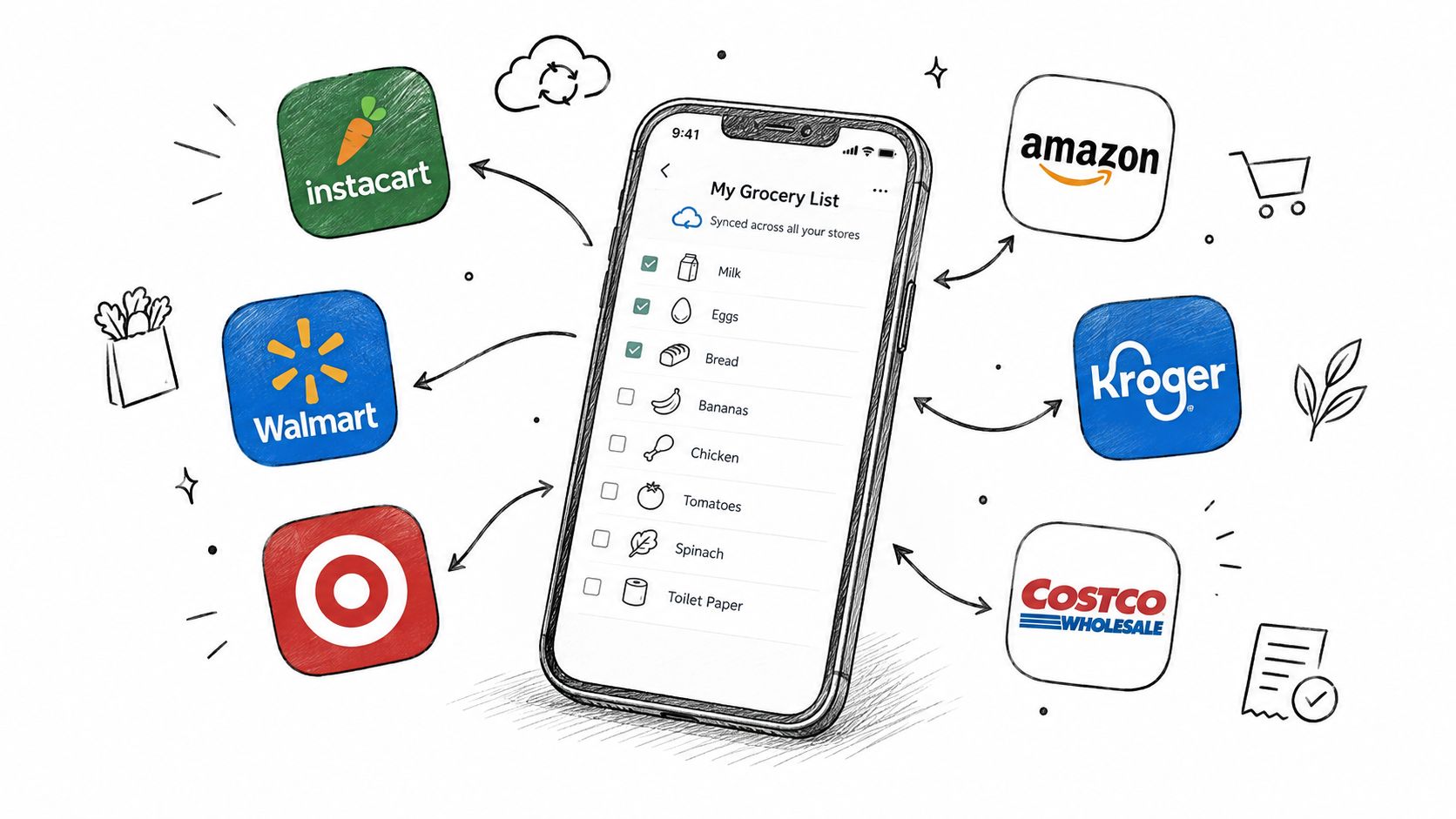
- Export or sync to the shopping app your household already opens.
- Share the current version with anyone else who might shop.
- Edit substitutions in real time when an item is unavailable.
Tools differ sharply here. Independent app coverage indicates that shared household workflows and pantry checks aren't universal, while meal-planning apps vary in whether they generate lists automatically or support real-time collaboration. This 2026 comparison of meal-planning apps with grocery lists is useful for evaluating those differences, but the practical test is simpler: can your partner or roommate see the same list, mark an item purchased, and add a replacement without creating a second version?
A recipe list also needs a clear dietary review. Remove or replace ingredients that don't fit your household before shopping, rather than discovering the conflict in the aisle. That may mean checking allergens, changing a protein, or separating a shared family meal from a personal meal plan.
Here's a short visual reference for thinking about the transition from saved recipes to an actionable shopping list:
Recipe One provides a grocery list app workflow that adds ingredients from saved recipes and organizes the result by supermarket aisle. The useful question isn't whether an app can export a list. It's whether the exported list remains accurate after substitutions, pantry checks, and shared edits.
Evaluating Time Savings and Workflow Efficiency
A generated list saves time before you reach the store. The larger gain comes from removing the second planning pass after meals are chosen. Once recipes enter the meal planner, ingredients appear in one working list. You review and correct it instead of copying each recipe into a note.
That matters in a busy household. Manual rebuilding requires you to track active recipes, serving sizes, overlapping ingredients, and what is already in the pantry. A generated list puts those details in one visible place, where you can catch incomplete imports and ambiguous items before shopping.
Manual rebuild versus generated workflow
| Manual process | Recipe-based process |
|---|---|
| Open each recipe separately | Select recipes from the meal plan |
| Copy ingredients into a note | Generate one consolidated list |
| Repeat shared ingredients | Review merged duplicates |
| Calculate serving changes yourself | Carry serving changes into list quantities |
| Reorder items while shopping | Use aisle or category grouping |
| Discover omissions in the store | Edit unclear items before leaving |
A peer-reviewed study associated more frequent shopping-list use with a better-quality diet and slightly lower weight among high-risk, low-income individuals living in a food desert. Another meal-planning study reported that 57.3% of respondents prepared a grocery list before shopping, as described in the peer-reviewed grocery-list research. These findings do not show that every app improves a household's diet. They do support a practical link between deciding what to buy and following through at the store.
Count the work you no longer repeat
Compare the two workflows:
- Before: Choose meals, open recipes, copy ingredients, calculate portions, check duplicates, inspect the pantry, and reorder the list.
- After: Choose meals, generate the list, inspect imports, check inventory, adjust quantities, and shop.
The week's list can remove the 10–20 minute reconstruction task described in this workflow for saving recipes from social media. A grocery shopping list generator shows how consolidating recipe ingredients reduces repeated entry. The actual saving depends on the number of recipes and the quality of each import, so the reliable benefit is skipping reconstruction, not promising a fixed shopping-trip duration.
The best workflow also reflects how your household eats. Add leftovers, snacks, and fallback meals instead of generating a list for an ideal week of perfect cooking. A shorter list with verified quantities is more useful than a longer list built from meals nobody has time to prepare. Social media recipes often leave out units or bury ingredients in captions, so the final review remains part of the time-saving process, not a step automation can safely remove.
Troubleshooting Parsing and Format Issues
Recipe importing fails most often at the edges. A polished blog page may parse cleanly, while an Instagram caption contains only a short ingredient hint, a video displays measurements on screen, or a screenshot places text in an order that the extractor can't interpret.
Food-NLP research shows why a model that looks strong on familiar validation data can struggle with unfamiliar recipe formats. One comparison recorded a spaCy NER model at 96.53% validation F1, but only 55.97% test F1, with recall falling to 49.20%. A fine-tuned BERT model performed more consistently in that comparison, reaching 95.01% F1, 95.20% recall, and 94.82% precision, as reported in the recipe ingredient-extraction study. The lesson for a home cook is simple: never treat an imported recipe as verified just because it looks complete.
Use a controlled fallback
When a line is missing, don't abandon the whole recipe:
- Keep the successful extraction. Rebuilding everything manually wastes the benefit of import.
- Compare the source with the saved recipe. Look for ingredients in captions, comments, images, or video frames.
- Edit the ingredient list in the app. Add the missing item, quantity, and unit before generating the grocery list.
- Mark uncertainty clearly. “Sauce,” “seasoning,” and “vegetables” need clarification before they become shopping instructions.
- Review the final list by recipe. Confirm every planned dish has the components needed to cook it.
Sparse captions and image-based recipes often require copying the caption or using a screenshot for OCR, then filling gaps manually, as described in this guide to importing recipes from Instagram. That hybrid approach works better than demanding perfect automation from messy source material.
The dependable routine is save, inspect, scale, consolidate, check the pantry, and edit before shopping. A grocery list generator from recipes earns its place in a busy kitchen when it removes repetitive work while keeping the final decision in your hands.
Recipe One lets you save recipes from social posts, videos, photos, or text, organize them into a searchable library, plan meals, and generate an aisle-sorted grocery list from what you're cooking. Try the workflow with your next week of meals by visiting Recipe One, then review the imported ingredients before you shop.


