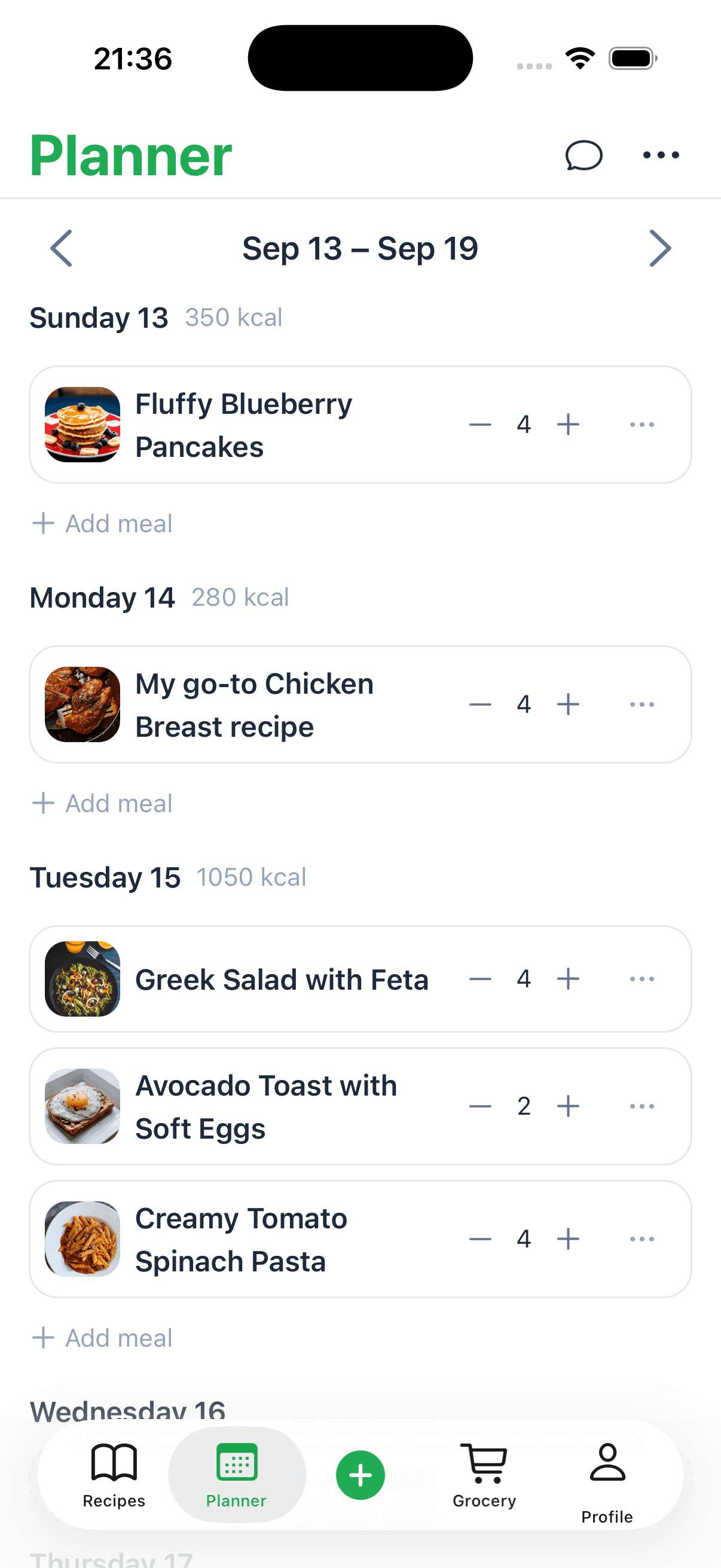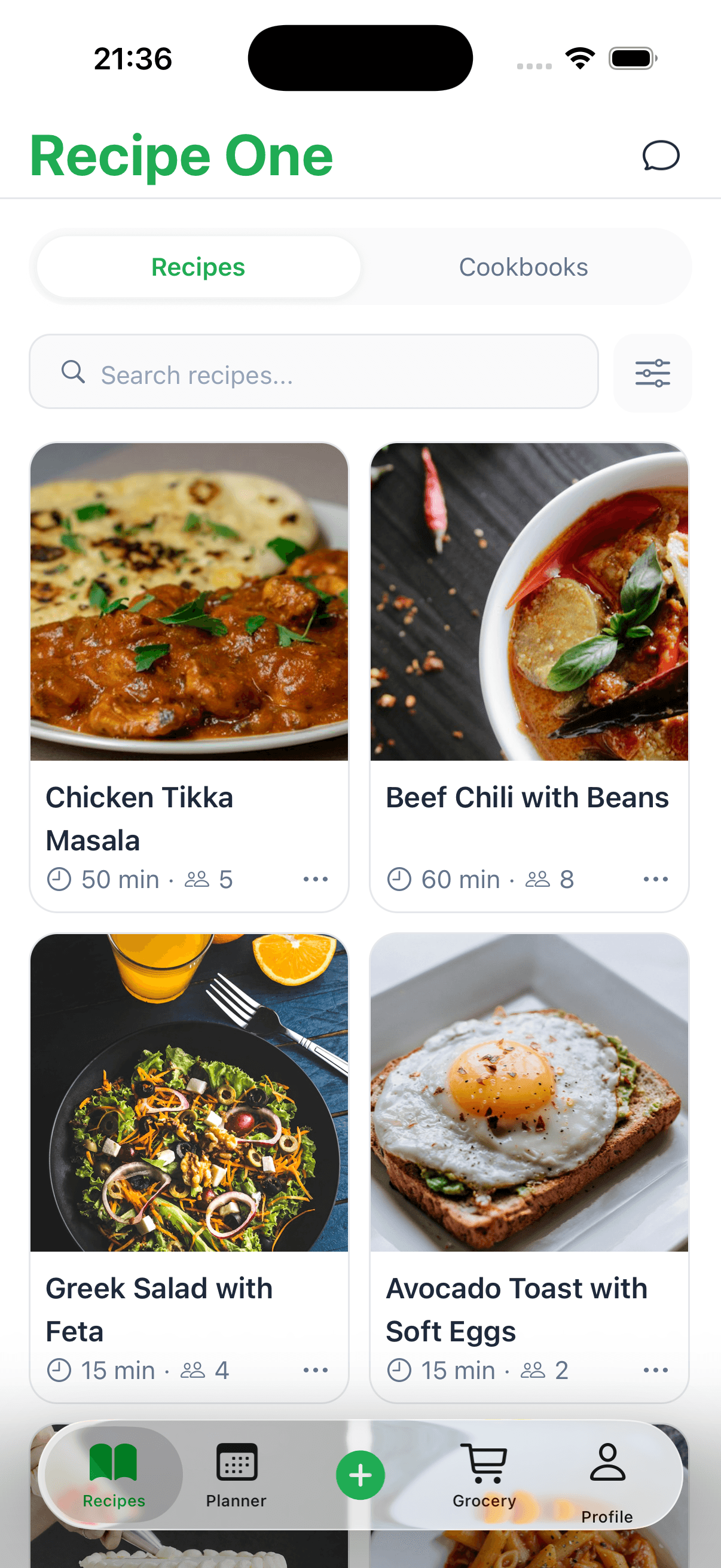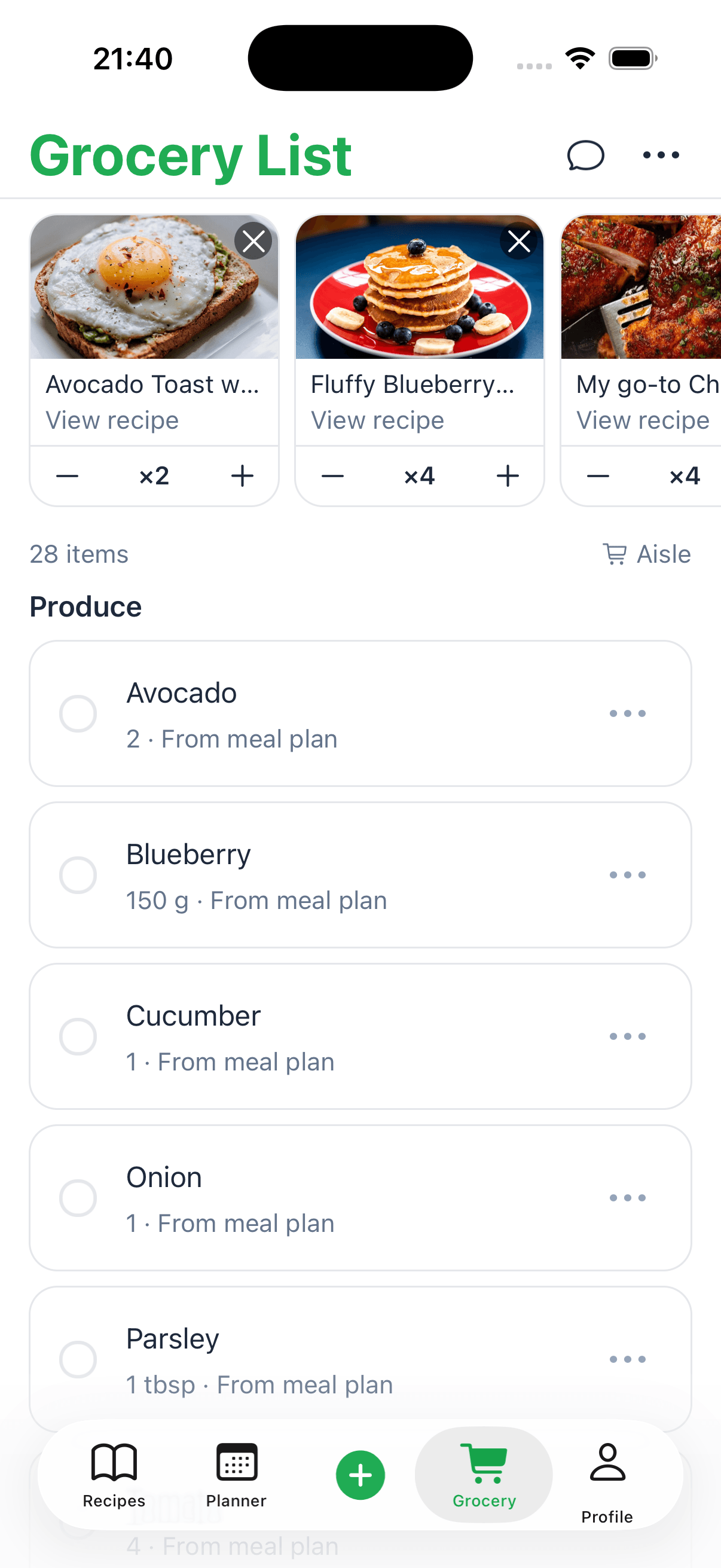
Saving recipes from Facebook can be surprisingly simple once you find the right method. You could use the platform's built-in 'Save' feature for a quick bookmark, but for something more permanent, a dedicated app like Recipe One can automatically pull and organize any recipe—even one that’s only in a video—and add it to your personal digital cookbook. This is how you turn random inspiration into a reliable, searchable library you can actually cook from.
Why You Need One Central Place for Facebook Recipes

We've all been there. You're scrolling through your Facebook feed and a fantastic recipe video catches your eye. You think, "I have to make this!" Maybe you take a quick screenshot or hit the little 'Save' button, promising yourself you'll come back to it.
But when you're finally ready to cook a few weeks later, the post is nowhere to be found. It’s either lost in the endless scroll of your feed, buried in your camera roll, or worse, the original creator deleted it. This cycle of finding and then losing great recipes is a huge headache for anyone who loves to cook. The same loss happens when Mealime is shutting down on October 21, 2026, with no export.
Having a single, organized spot for all your recipes is a game-changer. It takes the chaos out of cooking and makes the whole process smoother and way more enjoyable. Instead of a messy collection of screenshots, bookmarks, and half-remembered links, you get a reliable, searchable library. It’s about more than just not losing recipes; it’s about getting your time back and making meal planning feel effortless.
The Problem with Scattered Recipes
When your recipes are all over the place—some bookmarked on Facebook, some screenshotted on your phone, some as links in a chat—you’re setting yourself up for frustration in the kitchen.
Think about trying to find that one specific chicken marinade you saw last month. Is it a saved post? A screenshot buried in your camera roll? Did you send the link to a friend? This digital scavenger hunt is a massive waste of time and energy right when you should be getting creative.
A central digital cookbook solves all of this instantly. It gives you:
- Instant Searchability: Just type in an ingredient or the name of the dish, and you'll find what you need in seconds.
- Consistent Formatting: No more trying to read ingredients from a blurry screenshot or deciphering a recipe from a long, rambling caption.
- Simplified Meal Planning: Easily browse everything you’ve saved to plan your week's meals and create shopping lists on the fly.
A Smarter Way to Save and Organize
This is where having the right tool makes all the difference. Many apps struggle to grab recipes from Facebook, especially from video posts where the ingredients aren't neatly listed in the text. The real struggle is that most apps can only import a recipe if it’s written in the caption. But what about the countless video recipes where the text is only shown on screen?
This is where a specialized tool like Recipe One shines. It can actually "watch" a video and pull the recipe details right from it, which is perfect for all the video-only recipes we see on social media.
This kind of smart organization is becoming more important than ever. A 2025 survey from Blue Book Services found that 83% of U.S. consumers are cooking at home more to save money. With home cooking on the rise, having an efficient way to save recipes from places like Facebook is a must.
Ultimately, finding the best way to store recipes is the first step toward building a culinary library that truly inspires you and makes your life easier.
The Manual Hassle of Saving Facebook Recipes

Let’s be honest—we’ve all tried the old-school ways to save recipes from Facebook, and it usually ends in a mess. It starts with good intentions, but you quickly end up with a digital pile of disorganized links, random photos, and half-remembered ideas.
The most common approach is just hitting Facebook’s built-in “Save” button. You see a fantastic-looking slow cooker meal, tap the three dots, and hit 'Save Post.' It feels productive in the moment, right? But when you actually go looking for it later, you have to dig through a jumbled list of saved articles, videos, and memes with no easy way to search.
Even worse, if the original creator ever deletes that post, your saved link is toast. It’s gone forever.
The Screenshot and Copy-Paste Trap
When the built-in save feature proves useless, most of us resort to screenshots. You snap a picture of the ingredients list or the final dish, thinking you've locked it down. But this just creates a new problem: your phone’s camera roll becomes a graveyard of recipe images, none of which you can search by ingredient. Good luck finding that one chicken recipe from three months ago.
The copy-paste dance is just as clumsy. You painstakingly highlight the text from the caption, paste it into a notes app or an email to yourself, and just hope you grabbed everything. This manual work is a huge time-sink and often misses key details, especially when the instructions are split between the caption, the video, and the comments section.
These manual systems work, but barely. They create more digital clutter than they solve, making it nearly impossible to build a reliable recipe collection you'll actually use. Knowing how to organize your recipes efficiently is the key to turning that chaos into a functional digital cookbook.
And it's a real problem to solve. A 2025 Instacart report found that 36% of Americans say platforms like Facebook have changed how they cook, inspiring them to try new things. With so many of us discovering our next meal on social media, we need a better system. You can read more about these cooking statistics and trends in their full report.
The biggest frustration with manual saving isn't just the disorganization—it's the lost potential. Every recipe buried in a screenshot folder or a dead link is a delicious meal you might never get to make.
Why Most Recipe Apps Fall Short
Recognizing this struggle, a lot of people try dedicated recipe-saving apps. These tools promise a simple solution, letting you import recipes from websites with a single click. The problem is, they almost always hit a wall when it comes to social media content, especially from Facebook.
The struggle is real: most standard recipe apps are built to "read" structured blog posts. They can easily grab ingredients and instructions when they're neatly listed out in the website's text.
But what about a Facebook video where the recipe is flashed on the screen, not typed in the caption? Or a post where the ingredients are just part of a long, conversational paragraph? This is where they fail.
- Caption-Only Limitation: The majority of apps can only pull text from the post's description. If the recipe details are in the video or an image, the app is blind to them.
- Video Blindness: They cannot "watch" a video and transcribe the ingredients or steps shown. This is the single biggest failure point for saving modern Facebook recipes.
This is where a specialized tool like Recipe One makes all the difference. It’s built specifically to overcome these challenges by extracting information directly from the video itself, turning a frustrating dead end into a perfectly saved recipe.
Solving the Video Recipe Problem
Let's be honest, the real headache with saving recipes from Facebook isn't the simple text posts. It's the videos. We've all been there: scrolling and suddenly mesmerized by a fast-paced clip of hands creating a gorgeous meal. The ingredients and instructions flash on the screen for a split second, and then they're gone.
Worse yet, there's often no recipe in the post's description to copy. The entire thing—ingredients, steps, timing—is locked inside the video itself.
This is exactly where most recipe-saving apps and manual methods just give up. They're built to scan for text, so when there isn't any, they draw a blank. You're left trying to pause and rewind a dozen times, furiously scribbling down measurements before the screen changes again. It’s frustrating, and it’s why so many great recipes get lost forever.
The Big Blind Spot of Other Apps
Think of a typical recipe app as a librarian who can only read the covers of books. If the title and author are printed clearly on the front, great! It gets filed away perfectly. But if all the important details are hidden inside the pages—or in our case, inside the video—that librarian is completely stumped.
The main struggle with other apps is that they can only "scrape" text from a Facebook caption. If the recipe isn't there, they fail. They have no ability to actually see or understand visual content. This creates a huge problem, especially since video is easily the most popular way to share recipes on social media these days.
This limitation forces you into a tedious manual process. If you want that video recipe, you're suddenly faced with figuring out how to transcribe MP4 to text—a skill that no home cook should have to learn just to save a dinner idea.
How Recipe One Is Different
This is where a smarter approach makes all the difference. Recipe One was built from the ground up to solve this exact video problem. Instead of just scanning the caption for text, it uses technology that can actually "watch" the Facebook video for you.
It’s like having an assistant who can view the video, spot the ingredients as they appear on screen, and listen for the instructions. That’s what Recipe One does behind the scenes. It automatically analyzes the video and pulls out all the crucial information, transcribing it into a clean, organized recipe card.
No more frantic pausing. No more rewinding. No more scribbling notes on a crumpled napkin. The app does all the heavy lifting, turning a fleeting video into a permanent, usable recipe in your collection.
This isn't just a small perk; it’s the core solution to a problem every modern cook faces. It finally bridges the gap between seeing a fantastic recipe online and actually being able to make it in your own kitchen. Many people compare different apps to find what works best, and as you can see from this detailed Recime app review, the ability to handle various media formats is often the deciding factor.
This unique capability means you never have to let a great recipe slip away just because it was shared as a video. It's the key to building a truly complete cookbook from all the inspiration you find online.
The Smarter Way: Using a Recipe App with Facebook
While copying and pasting or taking screenshots gets the job done in a pinch, a dedicated recipe app is the real game-changer for permanently saving recipes from Facebook. These tools are designed specifically to cut through the digital clutter and turn those random social media finds into your own structured, searchable cookbook.
Think about it. You're scrolling your feed and stumble upon a video for a mouth-watering pasta dish. Instead of fumbling with screenshots or trying to jot down notes, you just hit 'Share' on the Facebook post. From there, you pick your recipe app—for this example, we'll use Recipe One—and let it do the heavy lifting.
In seconds, the app intelligently grabs the title, ingredients, and instructions from the post. It strips out all the extra fluff, standardizes the format, and presents you with a clean, easy-to-read recipe card. No more manual transcription.
From a Messy Post to a Perfect Recipe
Let's be honest, the biggest headache with Facebook recipes is the total lack of a standard format. One creator might list ingredients in the caption, another might flash them on screen for two seconds in the video, and some don't list them at all. This is where most apps fall flat, as they can only pull information that’s clearly written out in the post’s text.
The common struggle is that other apps can only import a recipe if it's in the caption, but Recipe One was built to solve this. It can actually watch the video and pull the recipe details right from the visual content. That feature alone is a lifesaver for anyone trying to save the kind of video-first recipes that have taken over social media.
This little flowchart shows you just how simple it is to get a recipe from a Facebook video into a clean, usable format.
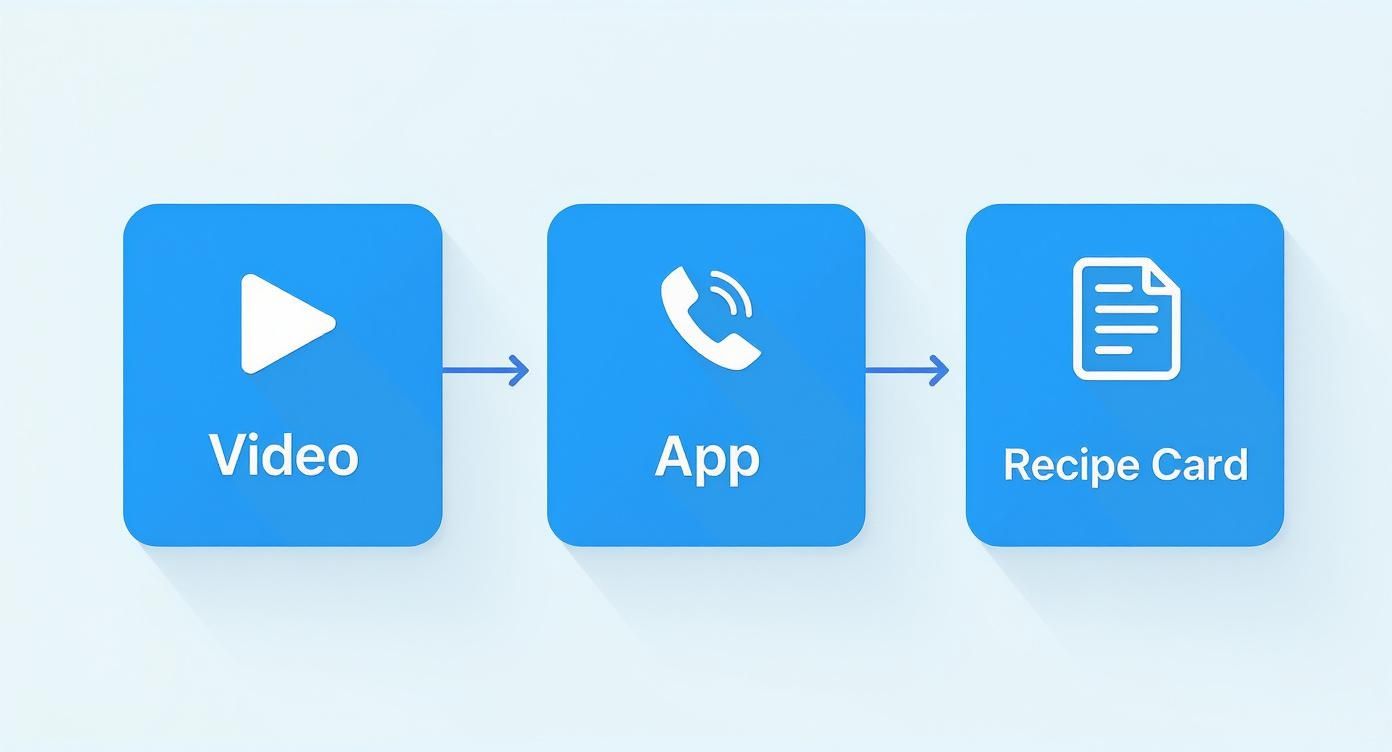
As you can see, what starts as a chaotic video post becomes an organized recipe card, all without you having to lift a finger.
This need for a better way to save recipes from social media has led to some fantastic innovation. The whole idea of saving from Facebook is so popular now that developers have created tools just for this purpose. If you want to explore more options, we've put together a full guide on the best recipe manager apps out there today.
Make Your Recipe Collection Truly Yours
Saving the recipe is just the first step. The real magic happens when you start personalizing your collection so it actually works for you.
A great digital cookbook isn't just a list of recipes; it's a living collection that reflects how you actually cook, with your own notes, tags, and modifications.
Here are a few quick tips I’ve learned for keeping my own collection in order:
- Tag Everything Immediately: The moment you save a recipe, tag it. Think about how you’ll look for it later. I use tags like 'weeknight dinner,' '30-minute meal,' 'slow cooker,' or even 'Facebook find.'
- Leave Yourself Notes: Did you substitute olive oil for butter or find that it needed an extra 5 minutes in the oven? Add a note right on the recipe card so you don't forget next time.
- Build Your Own Cookbooks: Group your recipes into custom collections or "cookbooks." I have lists for 'Holiday Baking,' 'Summer Grilling,' and 'Kid-Friendly Meals,' which makes meal planning so much faster.
Taking a few extra seconds to organize your recipes as you save them will pay off big time, turning a random collection into a personal kitchen resource you'll use for years.
Building Your Perfect Digital Cookbook
Simply saving your recipes is just the beginning. The real magic happens when you can actually find and use them later. This is how you turn a random collection of links and screenshots into your own personal kitchen assistant.
When you build a smart, organized digital cookbook, you never have to worry about losing a great meal idea again. It’s the difference between hoarding links and creating a system that truly works for how you cook.
A well-organized recipe library makes everything from weeknight meal planning to holiday baking feel less chaotic and more creative. It puts you back in control.
Why You Need One Central Hub
We've all been there. You have dozens of recipes scattered across different apps, screenshots buried in your camera roll, and a bunch of forgotten bookmarks. Bringing everything into one central hub is the only way to keep your sanity.
The frustration is real. A normal recipe app might save a link from a food blog just fine, but it completely falls apart when you try to save something from a Facebook post. If the ingredients are in the caption, you might get lucky.
But what happens when the entire recipe is in the video? That’s where most apps hit a wall, leaving you to pause, rewind, and type everything out by hand. This is a huge gap in how most people try to save recipes from Facebook.
The Unique Power of Video Extraction
This is exactly where a tool like Recipe One changes the game. It was built to solve this specific problem, recognizing that today’s recipes often live inside videos, not just in text.
It can actually analyze the video content to pull out ingredients and instructions that other apps would completely miss.
This single feature is the difference between a functional recipe library and a frustratingly incomplete one. It ensures no recipe is out of reach, no matter how it was shared.
By capturing everything in one place, you eliminate that frantic search for the one dish you saw weeks ago. Thinking about your collection this way, you can even apply content repurposing strategies to turn your saved recipes into a truly comprehensive digital cookbook.
Practical Tips for Organization
Once your recipes are saved, a few simple organizational habits can make all the difference. This is how you turn your collection into a personalized tool that helps you cook smarter.
- Create Custom Tags: Use tags that make sense to you, like "30-Minute Meals," "Holiday Baking," or "Kid-Friendly." This lets you filter your library in a flash.
- Add Personal Notes: Did you swap an ingredient or tweak the cooking time? Add a quick note so you remember what worked for next time.
- Use Collections: Group recipes into collections for specific events or diets. Think "Summer Grilling," "Vegan Dinners," or "Sunday Brunch."
With these small steps, you can start building a kitchen resource you'll actually rely on. If you're feeling inspired to start from scratch, our guide shows you how to create a cookbook for free using digital tools.
Got Questions? We’ve Got Answers.
As you start pulling all your favorite recipes into one place, you're bound to have a few questions. It's totally normal. Let's tackle some of the most common ones we hear so you can feel confident building your perfect digital cookbook.
Is It Actually Legal to Save Recipes from Facebook?
This is a big one, and the short answer is: yes, for your own personal use, you're fine.
Recipe copyright is a bit of a gray area. A simple ingredient list can't be copyrighted, but the creative parts—the detailed instructions, the unique descriptions, and of course, the photos and videos—definitely can be.
But here's the key: when you save a recipe for your own kitchen, you're not trying to pass it off as your own or sell it. You're just using it for personal, non-commercial reasons. Think of it like jotting down a recipe from a magazine. That's perfectly acceptable and won't get you into any trouble.
What Happens if a Recipe App Messes Up the Import?
Technology is a lifesaver, but it’s not infallible. Every now and then, a recipe app might get tripped up by a weirdly formatted Facebook post or a chaotic video, leading to a less-than-perfect import. Don't panic; it's usually a simple fix.
- Look at the Post's Privacy: Is the recipe in a private group or on a friends-only post? The app might not be able to "read" it properly if it's not public.
- Jump in and Edit Manually: Any solid recipe organizer, including Recipe One, will let you edit the imported recipe. If an ingredient is missing or a step is jumbled, you can just tap in and correct it yourself in a few seconds.
Can I Save Recipes from Private Facebook Groups?
Ah, the tricky one. Because of Facebook's privacy settings, automated tools can't pull content from private or members-only groups. Those privacy walls are there for a reason—to protect the content shared within the group—which means an app can't just reach in and grab a recipe.
So, while you can't use an app to auto-import from a private group, you're not out of options. The best workaround is the good old copy-and-paste. Just highlight the recipe text from the group, copy it, and paste it into a new, blank recipe card in your app. It takes an extra minute, but it gets the job done.
Ready to finally stop losing track of great recipes? With Recipe One, you can save any recipe from anywhere—even a video—with a single click. Try Recipe One today and get your cooking life organized for good.