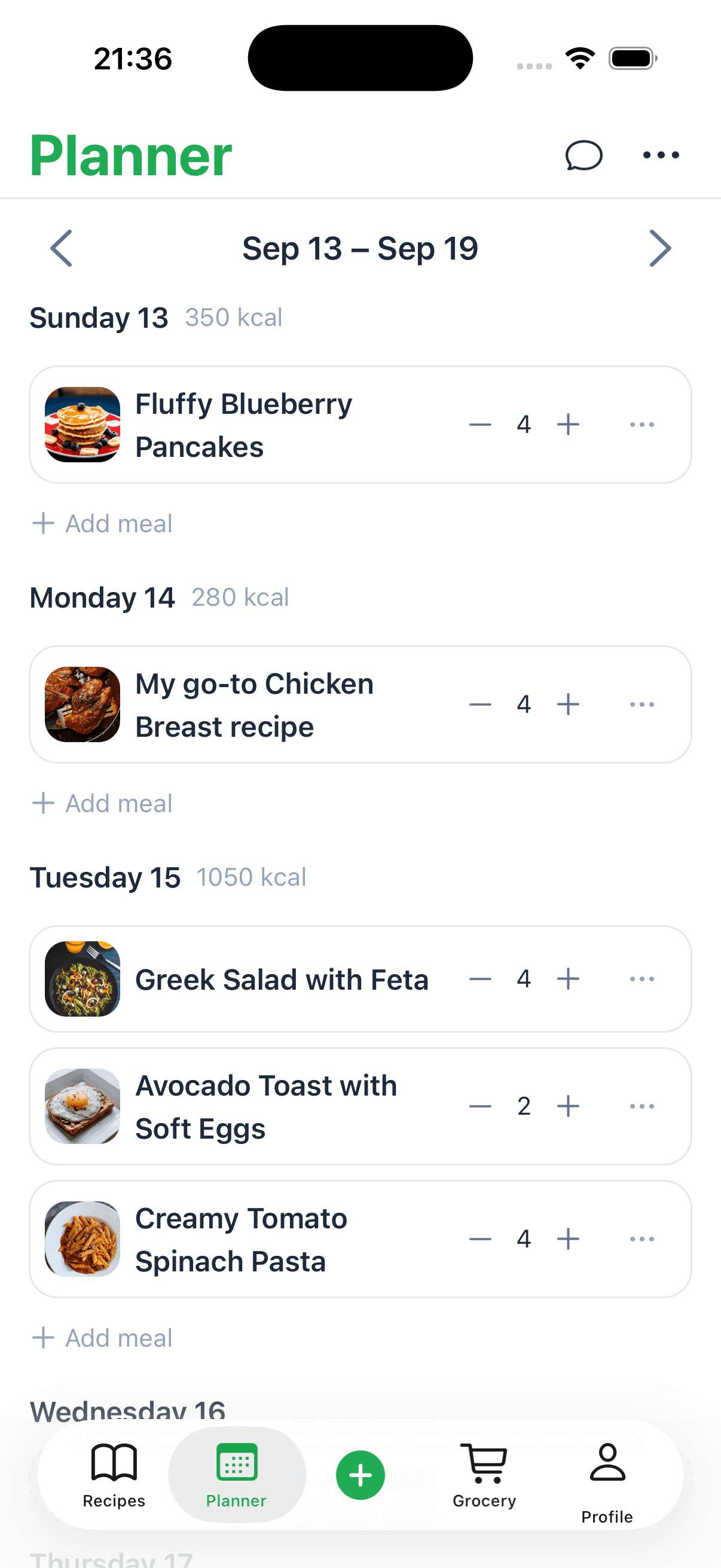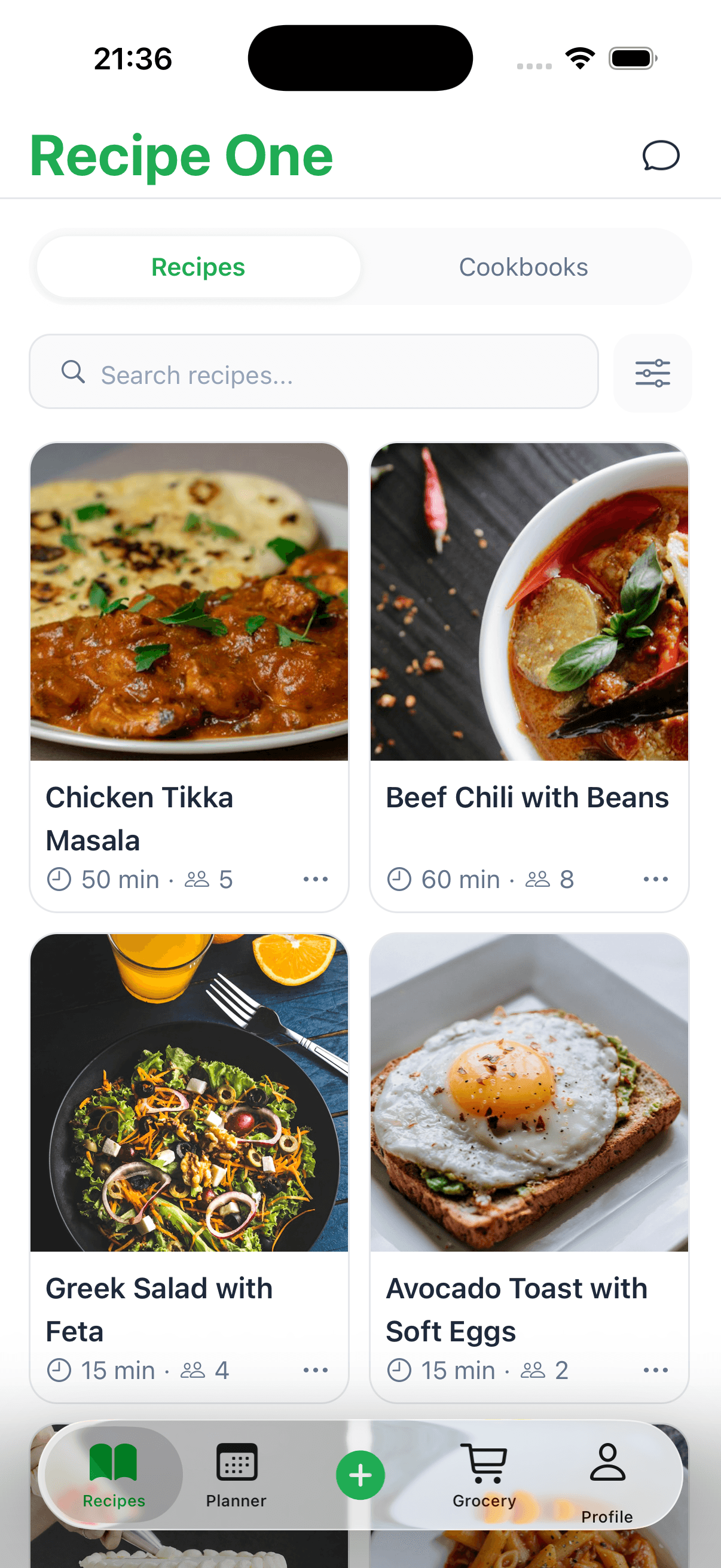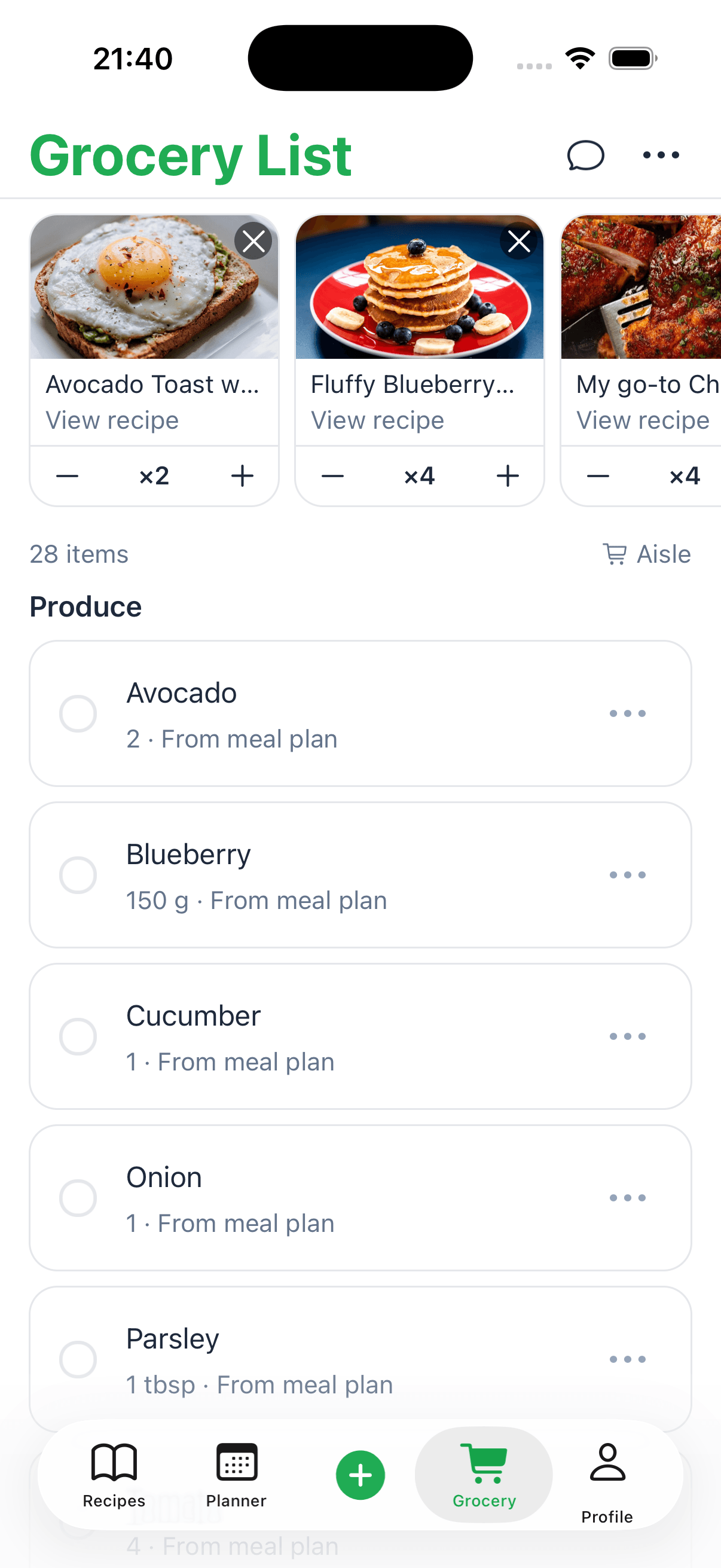
A recipe keeper app is your personal digital cookbook. It’s a single, clean, searchable library designed to capture, organize, and manage every recipe you could ever want. Think of it as a smart kitchen assistant that finally puts an end to the chaos of scattered notes, endless browser bookmarks, and sauce-stained recipe cards.
What Is a Recipe Keeper App and Why You Need One
Ever found yourself frantically scrolling through your phone, desperate to find that amazing chicken recipe you saw on social media last week? Or maybe you've spent way too long searching for an ingredient list buried under a food blogger's life story. This is a frustration every home cook knows, and it's the exact problem a modern recipe keeper app is built to solve.
At its heart, it’s a dedicated space to bring your entire culinary collection together. But it goes way beyond simple note-taking by offering powerful tools made just for the kitchen.
From Clutter to Clarity
Instead of a messy drawer stuffed with clippings or a chaotic camera roll full of screenshots, these apps give you a structured, organized home for everything. You can finally gather recipes from any source and put them all in one place.
- Handwritten Family Cards: Digitize grandma's classic recipes just by snapping a photo.
- Favorite Food Blogs: Import recipes directly from websites with a single click, automatically stripping away the ads and fluff.
- Social Media Finds: Save that viral video recipe before it disappears forever from your feed.
- Cookbook Classics: Manually type in or scan pages from your physical cookbooks.
This shift to digital isn't just a small trend; it's a massive movement. The recipe app market, currently valued at $1.25 billion, is on track to hit $2.32 billion as more and more home cooks look for better ways to manage their kitchens. This explosive growth shows a clear demand for tools that make cooking simpler in our busy lives.
A recipe keeper app transforms your collection from a scattered archive into a dynamic, usable library. It’s the difference between having a pile of books and having a personal librarian who knows exactly what you want to cook.
To help you see the difference, here’s a quick comparison of the old way versus the new way.
From Recipe Chaos to Kitchen Calm
This table breaks down the common frustrations of traditional recipe management and shows how a dedicated app provides a much-needed solution.
Problem Area
Traditional Method (The Hassle)
Recipe Keeper App (The Solution)
Finding Recipes
Searching through binders, bookmarks, and stacks of paper.
Instant search by ingredient, cuisine, or keyword.
Accessibility
Recipes are stuck at home on a specific card or in a book.
Access your entire collection on your phone, tablet, or computer.
Recipe Clutter
Ads, pop-ups, and long stories on websites.
Strips away distractions, showing only the recipe.
Meal Planning
A manual, often tedious process with separate lists.
Integrated meal planners and automated shopping lists.
Recipe Durability
Paper gets stained, torn, or lost over time.
Recipes are safely stored in the cloud, forever.
As you can see, the right app doesn't just store your recipes—it makes them more useful and accessible than ever before.
Of course, a great cooking experience involves more than just digital organization; you need the right physical tools, too. For those looking to upgrade their setup, you might also want to explore other kitchen essentials and cooking tools. A recipe app is the perfect companion, ensuring both your digital and physical kitchens are ready for anything.
To see how different digital solutions stack up, check out our complete guide on the best recipe saver app options available today.
Must-Have Features in a Modern Recipe Keeper App
Not all digital recipe boxes are created equal. While the core idea is simple—storing recipes—a truly great recipe keeper app does so much more. It evolves from a digital folder into a genuine kitchen partner.
Think of it this way: you can jot down notes in a basic text file, or you can use a powerful project management tool. Both hold information, but only one is built with the specific features you need to get things done efficiently. The best apps anticipate what you need and deliver it with smart, intuitive tools.
A modern app has to be flexible, pulling in recipes from all the places you find them.
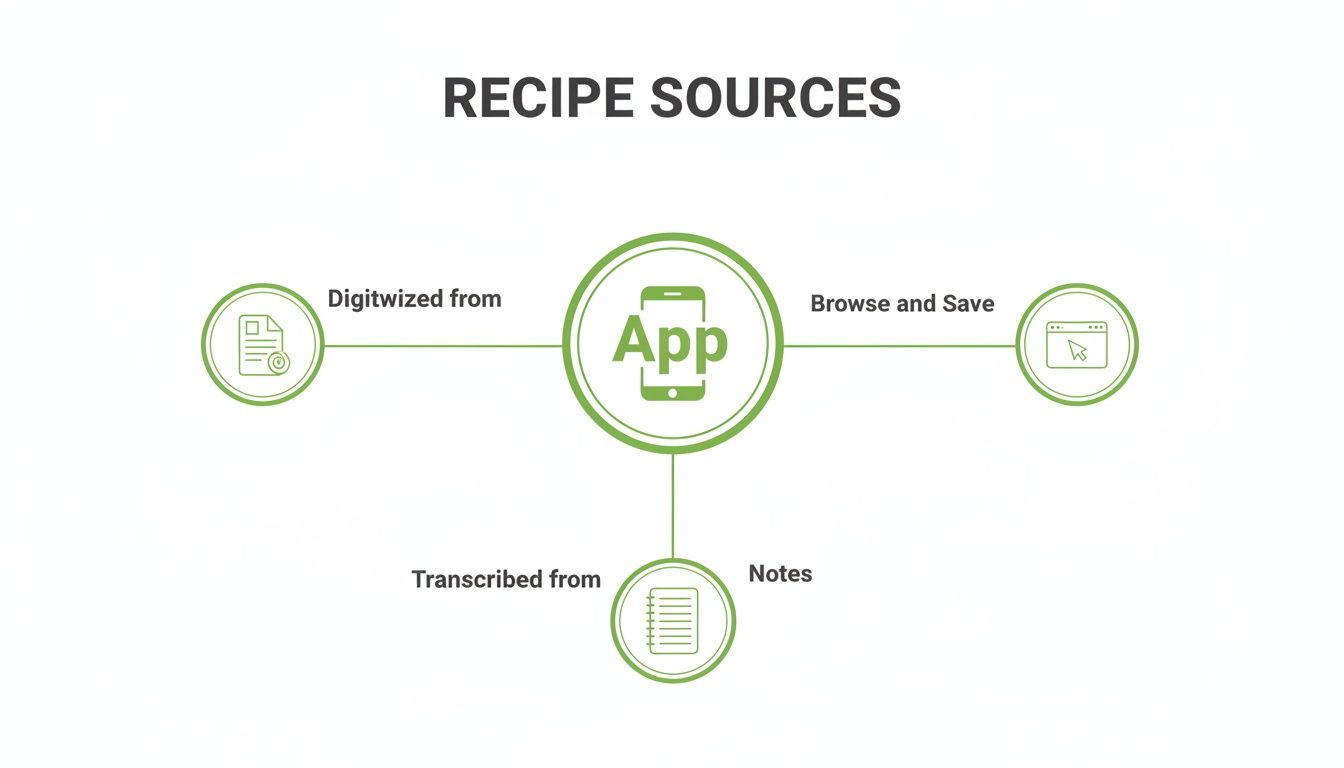
Whether it's a food blog, a scanned-in family recipe card, or a quick note you typed, a good app brings them all together in one clean, consistent format.
Effortless Recipe Importing and Capture
First and foremost, you have to be able to get recipes into the app without a headache. A great app acts like a universal adapter, grabbing recipes from just about anywhere with a single click. No more tedious copy-pasting or re-typing everything from scratch.
- Web Clipper: This is a must. It lets you instantly save recipes from any website or blog, smartly cutting out the ads, long stories, and other clutter.
- Photo & OCR Import: Just snap a picture of a recipe in a cookbook or on an old recipe card. The app should use Optical Character Recognition (OCR) to read the image and turn it into editable text.
- Manual Entry: For your own creations or secret family recipes, you still need a clean, simple way to type them in yourself.
The goal should be zero-friction capture. If adding a new recipe feels like a chore, you simply won't do it. It needs to be as easy as hitting "save."
Smart Organization and Search
Once you’ve built up a collection, you need to be able to find that one chicken recipe you love. The best apps give you powerful tools to organize your collection, much like how top modern note-taking apps help you manage information.
Look for the ability to organize with:
- Custom Folders: Group your recipes into collections that make sense to you, like "Weeknight Dinners," "Holiday Baking," or "Summer Grilling."
- Tagging System: This is incredibly useful. Add tags like #vegan, #quick, #keto, or #instantpot to slice and dice your recipe collection in an instant.
- Powerful Search: A good search function lets you find recipes by ingredient ("chicken," "avocado"), cuisine ("Italian," "Mexican"), or even by how much time you have ("under 30 minutes").
Integrated Meal Planning and Grocery Lists
This is where a recipe app truly becomes a kitchen powerhouse. Connecting your saved recipes directly to a weekly meal plan and shopping list is a total game-changer. It closes the gap between the food you want to make and the ingredients you need to buy.
It should be as simple as dragging a few recipes onto a calendar to build your plan for the week. Then, with just one more click, the app should instantly generate a shopping list with everything you need, ideally combining duplicate items and sorting them by grocery aisle.
If you want to get into the nitty-gritty of these tools, our guide on recipe management software covers them in more detail.
The Real Benefits of Going Digital with Your Recipes
Let’s be honest, moving your recipes into an app is about more than just decluttering a messy drawer. A good recipe keeper app can fundamentally change how you run your kitchen. It's not just about finding that one chicken recipe a little faster—it’s about getting back your time, saving real money, and protecting your family's most treasured dishes.
Think about your typical Sunday. How much time do you spend hunting through cookbooks, scrolling through bookmarked websites, and scribbling down a shopping list just to plan the week's meals? Now, imagine doing all of that in just a few minutes. You could just drag and drop a few favorite recipes onto a calendar, and poof—the app creates a perfectly organized shopping list for you. This isn't a minor tweak; it's a shift that can hand you back hours every single month.
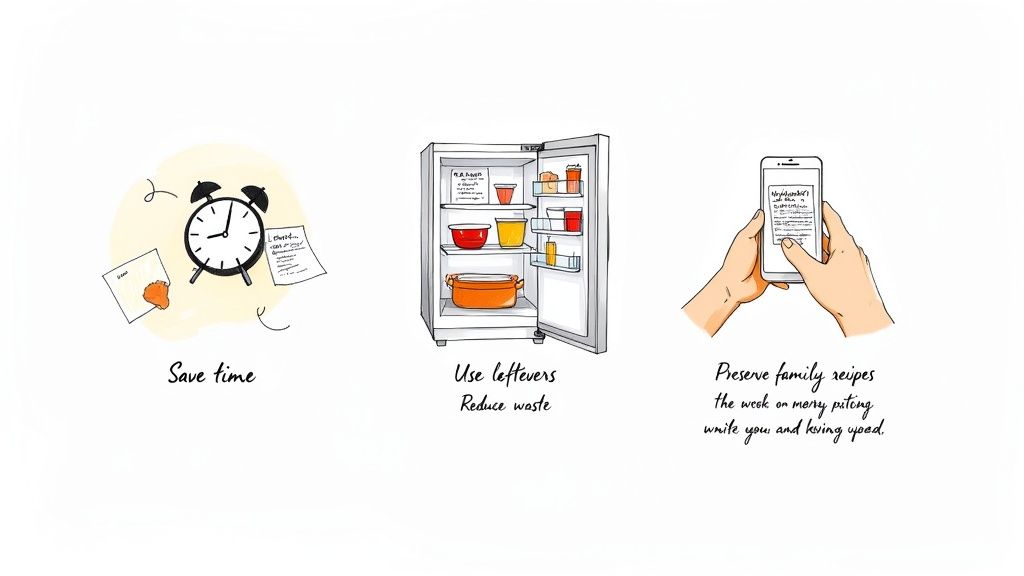
That newfound efficiency has a direct impact on your wallet, too. We’ve all been there: you open the fridge only to find a bag of sad, wilted spinach you completely forgot you bought. A recipe app helps you shop with a purpose. By planning meals and building lists based on what you already have, you cut down on food waste in a big way. And less waste means a smaller grocery bill.
Preserving Family History and Your Health
Beyond the practical perks, some of the biggest benefits are far more personal. You know that faded, spattered recipe card for Grandma’s spaghetti sauce? It’s more than just a list of ingredients; it's a piece of your family’s story. Digitizing these irreplaceable recipes keeps them safe from spills, fading, or getting lost in a move.
Once they're digital, you can share these heirlooms with a single click, creating a living family cookbook that grows with each new generation. It’s a beautiful, modern way to keep your family’s traditions alive and well.
And if you're focused on health and wellness, the app becomes an incredibly powerful ally.
- Stick to Your Diet: Need to find something gluten-free or vegetarian? A quick filter sifts through your entire collection in seconds, making it effortless to stay on track.
- Take Control of Nutrition: When all your recipes are in one spot, you get a bird's-eye view of what you're actually eating. This helps you make more mindful, healthy decisions.
- Track with Ease: Many apps let you add nutritional data, so you can see exactly what's in your meals without any guesswork.
Using a recipe keeper app is really about cooking with intention. It puts you back in control of your time, your budget, and your health, turning kitchen chaos into creative joy.
When you bring your cooking life into one central hub, you're not just getting an organized recipe box—you're building a smarter, more streamlined system for your kitchen. For a closer look at setting up that system, check out our guide on how to organize recipes. It’s the first step toward a calmer, more creative life in the kitchen.
How to Choose the Right Recipe Keeper App for You
With so many recipe apps out there, picking the right one can feel a bit like wandering through a giant supermarket without a shopping list. It's easy to get overwhelmed. The trick is to tune out the noise and zero in on what you actually need in the kitchen.
After all, the best app for a weekend baker who loves complex projects is probably not the same one a busy parent needs to get dinner on the table. Before you hit "download," take a minute to think about how you really cook. A little self-reflection now will help you find a tool that genuinely makes your life easier, not just another app that clutters up your phone.
Define Your Kitchen Priorities
To get started, just ask yourself a few basic questions. Think of your answers as a personal filter that will instantly narrow down the options.
- Where do you access recipes? Do you pull up recipes on your iPad while cooking but save them from your desktop computer at work? If so, you'll need an app that syncs flawlessly across all your devices—iOS, Android, and the web. Nothing is more frustrating than a recipe that's stuck on one machine.
- What's your cooking style? Are you a meticulous meal planner who maps out the entire week every Sunday? Or are you more of a "what's-in-the-fridge" kind of cook? This will tell you whether you need powerful meal planning features or a really smart search that can filter by ingredients you already have.
- Where do your recipes come from? If you're constantly saving recipes from your favorite food blogs, a top-notch web clipper is a must. But if you have a shoebox full of Grandma's handwritten recipe cards, you'll want an app with a great photo-to-text scanner (OCR) to make digitizing them a breeze.
Your ideal app should feel like a natural extension of how you already operate in the kitchen. It should solve your specific frustrations, not create new ones.
To help you sort through this, here’s a simple checklist. Use it to rank what's most important to you before you start comparing apps.
Feature Checklist for Your Ideal Recipe App
| Feature | Your Priority (High/Medium/Low) | Notes for Comparison |
|---|---|---|
| Cross-Device Sync | High | Works on my phone, tablet, and computer? |
| Web Clipper / Importer | High | How well does it pull recipes from sites? |
| Manual Recipe Entry | Medium | Is it easy to type in my own recipes? |
| Photo & OCR Scanning | Low | Can I digitize old family recipe cards? |
| Tagging & Organization | Medium | How can I categorize recipes? (e.g., by diet, course) |
| Advanced Search | High | Can I search by ingredient or cook time? |
| Meal Planning Calendar | Low | Does it have a weekly/monthly planner? |
| Shopping List Generator | Medium | Automatically creates lists from my meal plan? |
| Offline Access | High | Can I see my recipes without an internet connection? |
This table isn't about finding an app that does everything, but about finding the one that does the things you care about really, really well.
Understanding Cost Models
Most recipe keeper apps fall into one of two buckets: free (with limits) or paid. Free apps are a fantastic way to test the waters, but they often come with restrictions. You might be limited in how many recipes you can save or find that essential features, like unlimited "smart" imports from websites, are locked behind a paywall.
Paid apps, whether through a one-time purchase or a subscription, typically unlock everything—unlimited storage, advanced tools, and seamless syncing. It's helpful to think of it as a small investment in a more organized kitchen. The modest cost often pays for itself in the time you save and the food you don't waste.
If you want to see how different apps stack up, check out our detailed guide to the best recipe manager apps. It breaks down the pros and cons to help you weigh your options.
Ultimately, choosing the right app comes down to a simple gut check. By figuring out your priorities first, you can confidently pick a digital sidekick that will help you in the kitchen for years to come.
The Future of Cooking with AI Recipe Management
We've moved beyond basic digital storage for our recipes. The next frontier for a great recipe keeper app is all about intelligence. Artificial intelligence is quietly transforming these apps from simple digital file cabinets into smart kitchen assistants that don't just store your recipes—they actually understand them.
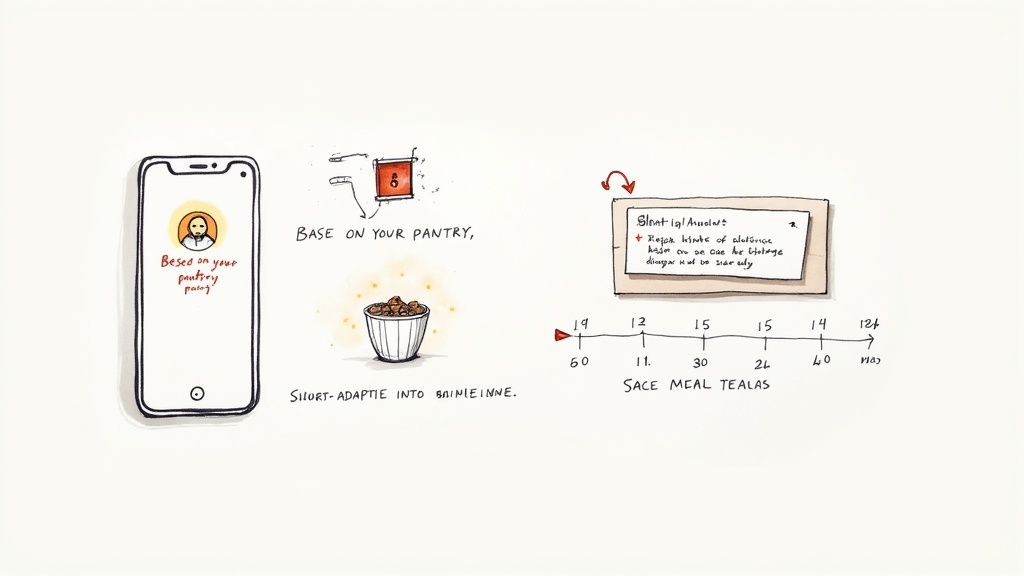
Think about it. Imagine an app that knows you're a fiend for spicy food, that you're trying to cut back on dairy, and that the chicken and broccoli in your fridge are on their last legs. This isn't some far-off fantasy; it's what AI-powered recipe management does right now. Instead of you having to search, the app tells you what to make for dinner. It learns your habits and preferences to offer up suggestions that feel genuinely helpful, not random.
A Smarter Way to Plan and Cook
This AI integration goes much deeper than just suggesting tonight's meal. It’s making the whole process of cooking feel more natural and less like a chore. These kinds of intelligent features are quickly becoming the new must-haves.
- Pantry-Based Recommendations: Tell the app what you have on hand, and it will show you exactly what you can make. It's a brilliant way to use up what you've got and cut down on food waste.
- Automatic Recipe Transcription: Got an old, handwritten recipe card from your grandmother? Just snap a picture. The AI can read the handwriting and neatly digitize the ingredients and steps for you.
- Dynamic Meal Planning: An AI assistant can build out a full week's meal plan that actually fits your life. If it knows Tuesday is hectic, it will slot in a quick 30-minute meal.
The real goal of AI in a recipe app is to take the friction out of cooking. It handles the tedious stuff—the planning, the searching, the organizing—so you can get back to the fun part.
This kind of smart tech is also what's fueling huge growth in the market. Projections show the recipe app market growing from $6.068 billion to $15.14 billion, driven almost entirely by AI’s ability to create these personalized experiences. The proof is in the numbers: apps that use machine learning see user retention jump by as much as 35%. A smarter app is one you'll actually keep using. You can read more about these recipe app market trends to see where things are headed.
The Rise of the AI Kitchen Assistant
When it comes down to it, AI is turning recipe management into a partnership. It’s like having a sous chef in your pocket who knows your tastes and helps you make smarter choices in the kitchen.
Tools like Recipe One are leading this charge, using AI to pull recipes from literally anywhere—a YouTube video, a picture, a blog post—and organize them automatically. This completely eliminates the tedious copy-pasting and formatting that used to be a necessary evil. As the technology gets even better, your recipe app will become one of the most indispensable tools you own. For a closer look, check out our roundup of the best cooking apps for iPhone, where you’ll see many are already leaning into AI.
Got Questions About Recipe Keeper Apps? We’ve Got Answers.
Switching from a jumble of bookmarks, screenshots, and paper scraps to a digital recipe app is a big move. It’s totally normal to have a few questions before you dive in. Let's walk through some of the most common ones we hear so you can feel confident you’re making the right choice.
Can I Really Grab Recipes from Websites and Pinterest That Easily?
You bet. In fact, this is probably the single biggest reason people fall in love with recipe keeper apps. Most solid apps come with a "web clipper" tool that lets you snatch a recipe from nearly any food blog or website with just one click.
Forget the tedious copy-and-paste routine. The app is smart enough to pull just the good stuff—the ingredients and the instructions—while leaving all the lengthy personal stories and pop-up ads behind. This works like a charm for sites like Pinterest, too. Just feed it the link to a pin, and it'll import the recipe for you.
What Happens to My Recipes if I Get a New Phone or Cancel My Subscription?
This is a really important question, and it gets to the heart of owning your own data. The good news is that any reputable recipe app stores your collection in the cloud, linked to your account—not just on your physical device.
- Switching Phones: When you upgrade your phone, it’s a non-issue. Just download the app on the new device, log in, and voilà! Your entire recipe library will be there waiting for you, perfectly synced.
- Canceling Subscriptions: This can differ from app to app. Usually, you won't lose the recipes you've already saved. You might just be moved to a free plan with fewer features. It's always a good idea to check the app's specific policy, but most developers know how precious your recipe collection is.
Think of it like a secure online vault for your kitchen. Your recipes are safely backed up, accessible from anywhere, and won't disappear if you drop your phone in the sink.
Are These Apps Actually Better Than Just Using a Notes App?
A notes app is handy for jotting down a quick reminder, but it’s simply not designed for the chaos of the kitchen. A dedicated recipe app is packed with specialized tools that a generic notes app can't even dream of, making the entire cooking experience smoother.
Imagine trying to find a low-carb dinner idea you saved six months ago in a notes app. You’d be scrolling forever. With a proper recipe app, you can filter your entire collection by diet, ingredient, or cook time in a couple of taps.
Here’s a quick look at how they stack up:
| Feature | Notes App (General Purpose) | Recipe Keeper App (Specialized) |
|---|---|---|
| Recipe Importing | Manual copy-and-paste. | Automatic one-click import. |
| Search Function | Basic keyword search only. | Advanced search by ingredient, time, diet. |
| Meal Planning | Doesn't have any built-in tools. | Integrated calendars and planners. |
| Shopping Lists | You have to type everything out. | Automatically generates lists from recipes. |
| Cooking Mode | Screen goes dark while your hands are messy. | Keeps the screen awake and displays steps clearly. |
It all comes down to purpose. A recipe app is built from the ground up to support you through the whole process, from finding a recipe to serving dinner.
What's a Good Recipe Keeper App Going to Cost Me?
You'll find options ranging from completely free to a small annual subscription. Free versions are a great way to dip your toes in, but they often have limits, like how many recipes you can save or how many "smart" web imports you get each month.
Paid plans, which might be a one-time purchase or a subscription (usually around $30-$50 per year), unlock the app’s full power. This typically gets you unlimited recipe storage, seamless syncing across all your devices, and access to every advanced feature. When you think about the time you'll save on planning and the money you'll save on wasted groceries, most home cooks find the small investment pays for itself pretty quickly.
Ready to stop searching and start cooking? Recipe One uses AI to effortlessly capture and organize recipes from anywhere, turning your scattered collection into a powerful, searchable library. Get started for free and see how it works!