You open the refrigerator, spot vegetables that need using and a container of leftovers, and wonder whether dinner really requires another shopping trip. Searching for a dish by name doesn't help much when the ingredients you already own should decide what you cook.
A useful recipe app by ingredients starts with that problem. The strongest fit for your kitchen may also help you save recipes, organize cooking instructions, plan the week, and work out what's missing from your grocery list.
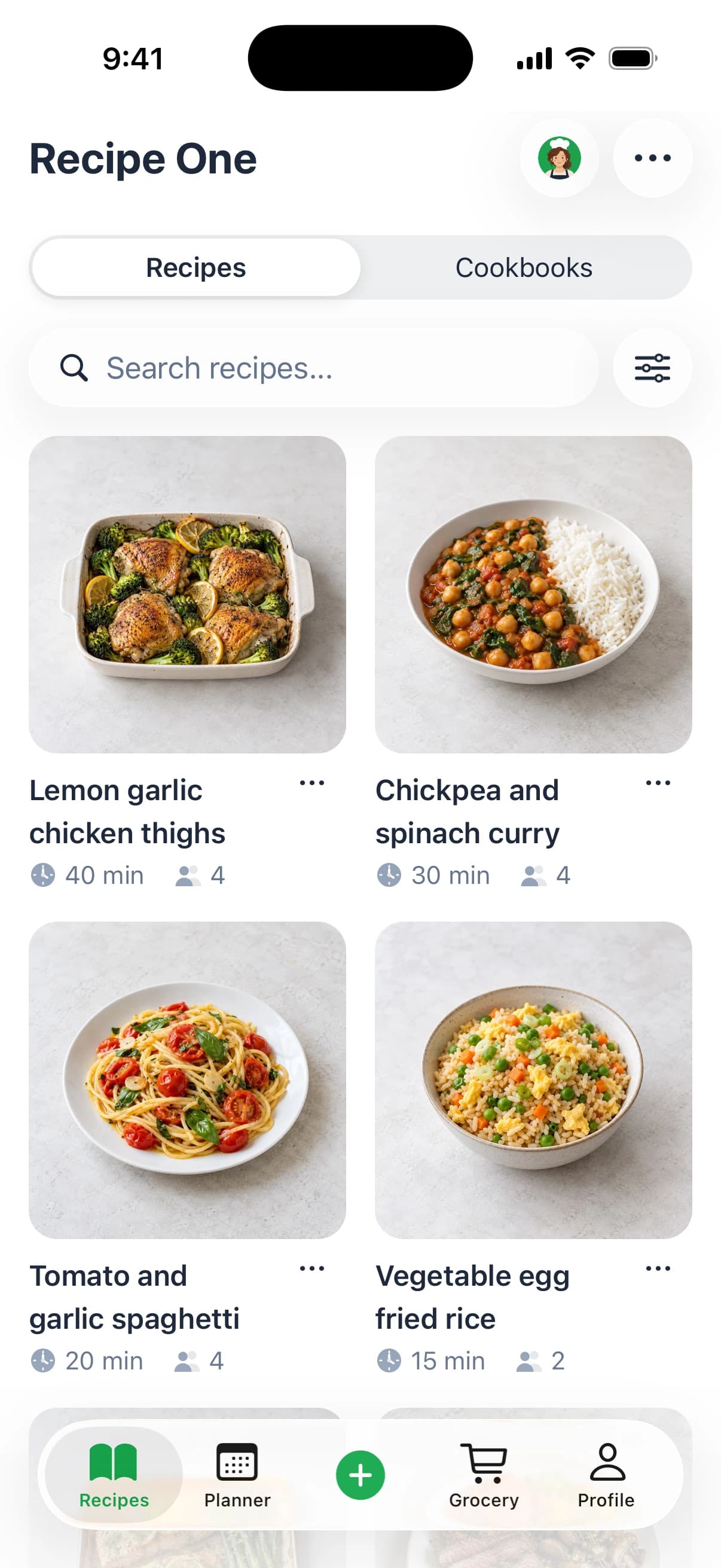
Recipe One is our top pick for connecting those tasks. Maya, its AI chef, can create a recipe from what's in your fridge, while its free ingredient tool offers a simpler starting point. SuperCook and MyFridgeFood suit more focused searches; Cooklist, KitchenPal, SideChef, and Samsung Food offer different approaches to kitchen organization.
The ranking below considers ingredient matching, recipe organization, meal planning, grocery-list support, setup effort, and platform availability.
1. Recipe One - Best for Ingredient Ideas, Recipe Organization, and Weekly Planning
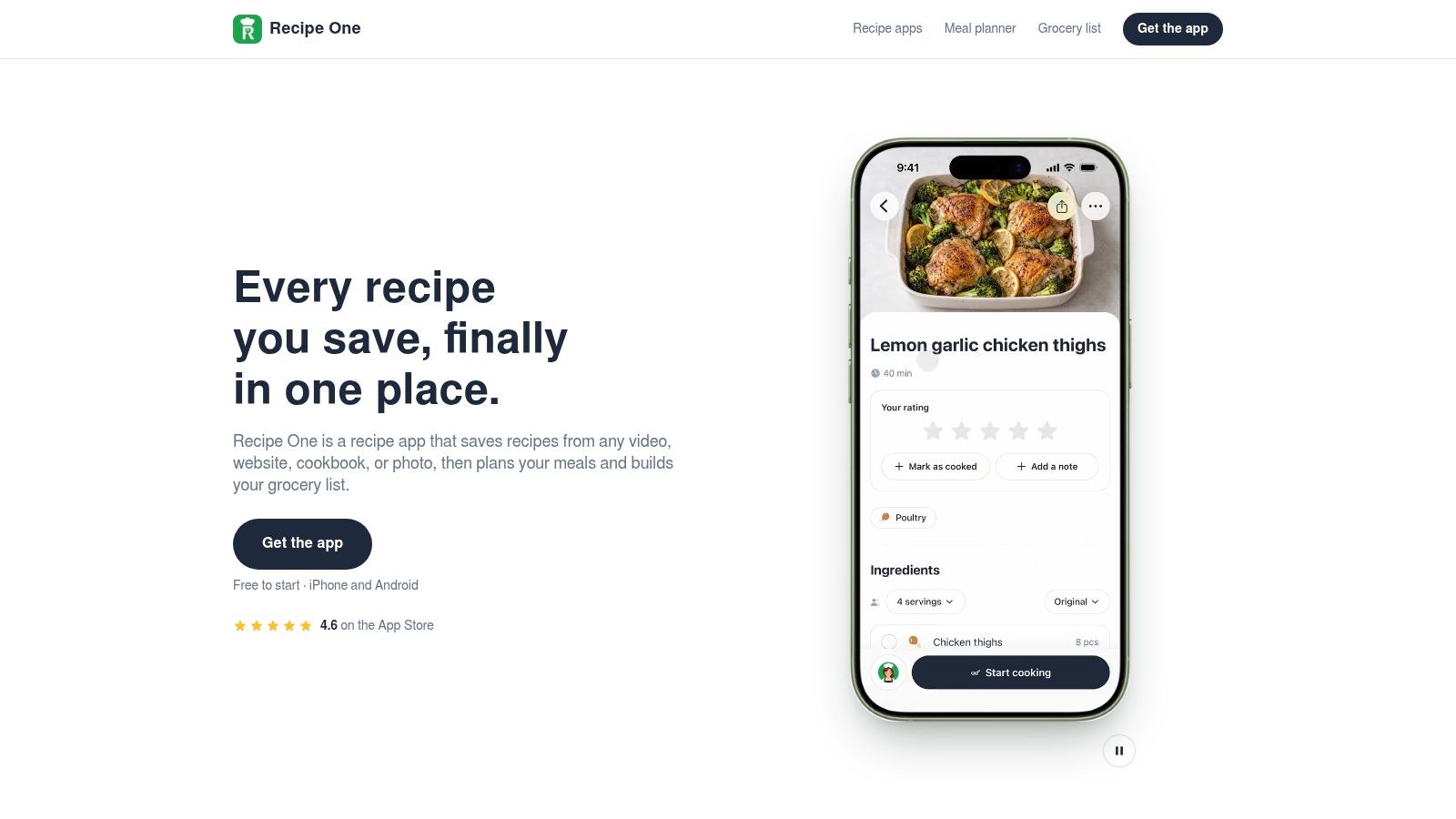
Recipe One earns the top position because finding dinner doesn't have to be a separate task from organizing next week's meals. Its published product information describes Maya as a built-in AI chef that can suggest recipes from available ingredients or find suitable options in your saved library. Selected recipes can then move into a weekly meal plan and a combined grocery list, according to its AI recipe app overview.
Start with Maya's “Create a recipe from what's in my fridge” action, or use the free web tool to cook with ingredients you have. Type the ingredients available, consider the suggested dishes, and save the recipes you want to use in your library before planning meals and groceries.
That continuity matters. An ingredient suggestion is more useful when you can find it again, schedule it, and avoid buying ingredients you already own.
A Library That Goes Beyond Ingredient Search
Recipe One's documented saving options cover recipe websites and blogs, social videos, cookbooks, handwritten cards, screenshots, photos, and text. Social-video imports include spoken and on-screen ingredients, so it isn't limited to copying a caption or collecting links.
You can organize those recipes with tags and multiple cookbooks, then use the weekly planner and combined grocery list. The practical advantage is a library built around recipes you intend to cook, rather than another collection of disconnected bookmarks.
- Best fit: Cooks who want ingredient-led ideas and a reusable recipe collection.
- Main strength: Discovery, saving, planning, and grocery preparation belong to the same workflow.
- Main limitation: Someone who wants only an occasional ingredient search may prefer a lighter tool.
Practical rule: Choose a full kitchen system when you want to keep and reuse the answer, not just solve tonight's dinner.
Recipe One's published information describes iPhone and Android availability.
2. SuperCook - Best for Focused Pantry-Based Recipe Matching
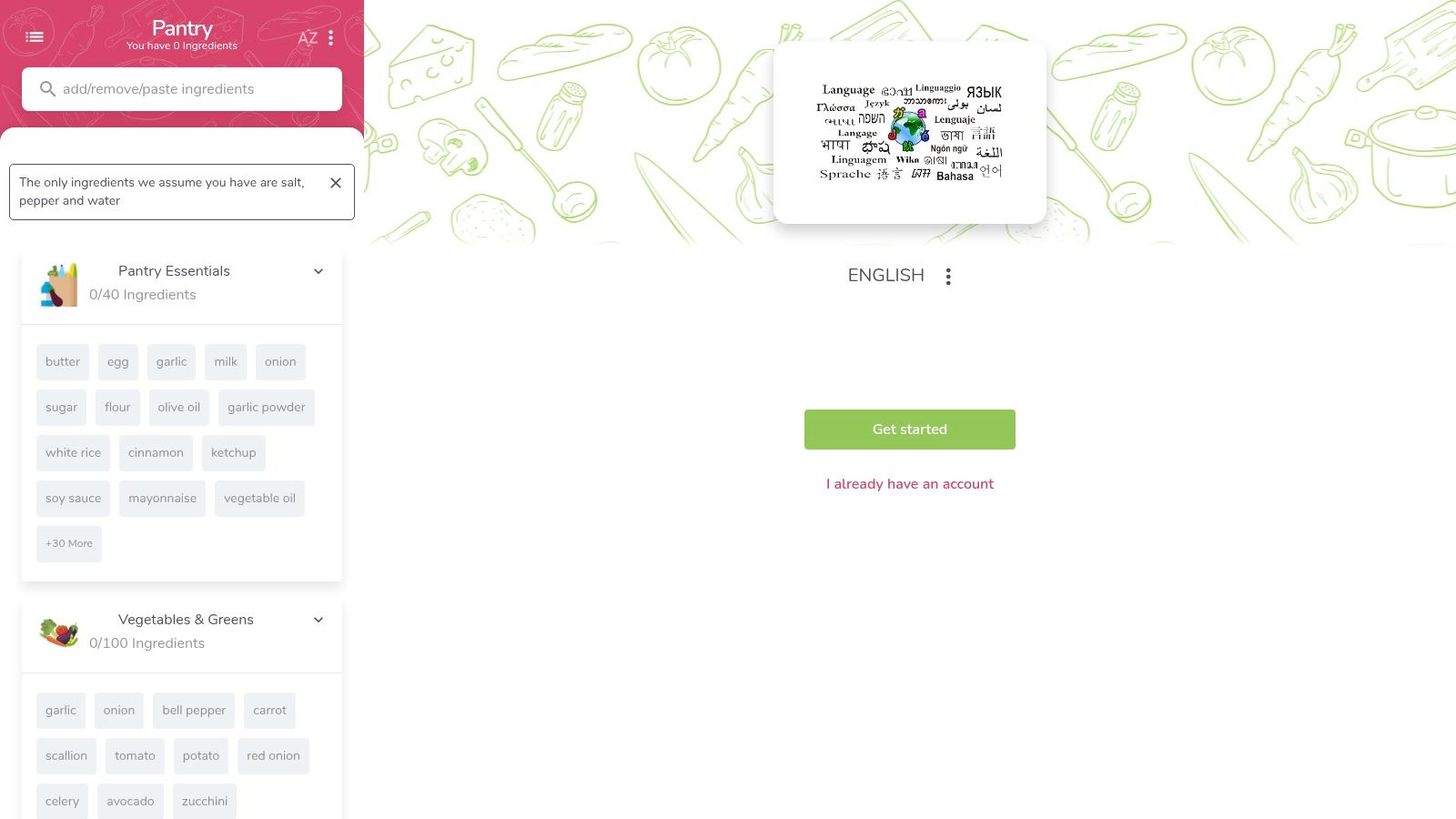
SuperCook is the clearest specialist choice when your main question is what you can cook with your current ingredients. Its pantry-first approach differs from starting with an appealing recipe and then discovering you need another shopping trip.
The documented workflow is straightforward: add the ingredients in your kitchen, then browse matching recipes. SuperCook's official website is the direct place to check its current service and download options.
The Pantry Is the Starting Point
Include staples as well as the ingredients you're trying to use. Leaving oil, flour, spices, or other available basics out of a digital pantry can make a recipe search less representative of what you can prepare.
SuperCook's matching approach is particularly useful if you'd rather discover an existing recipe than ask an AI chef to create one. That's a meaningful distinction: catalog matching and recipe generation solve related problems, but they aren't interchangeable.
- Best fit: Cooks who want a dedicated ingredient-matching service.
- Setup trade-off: You need to enter and maintain a useful picture of what's available.
- Comparison point: Don't assume a pantry search also provides the recipe-library and weekly-planning workflow you want.
For a broader explanation of how to structure an ingredient-led search, see the guide to find recipes by ingredients on hand.
SuperCook ranks highly for focus, not for being the broadest kitchen-management option. If your priority is a quick answer to dinner rather than collecting and scheduling recipes, that narrower purpose may be an advantage.
3. Cooklist - Best for Connecting Pantry Inventory With Shopping
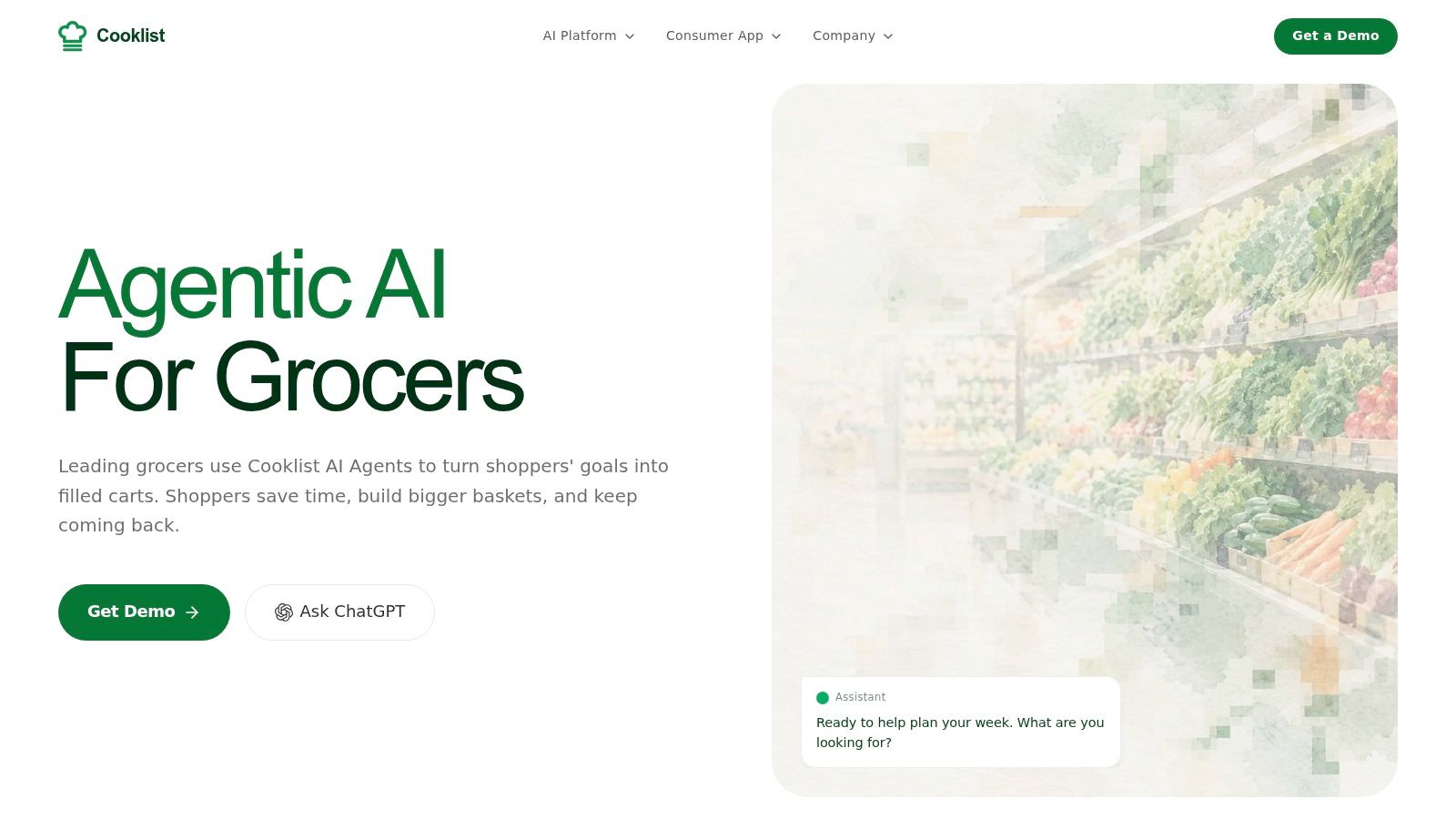
A recipe finder can only make useful suggestions from the ingredients it knows about. Cooklist is worth considering when keeping track of food and coordinating shopping are as important as finding recipes.
Its product positioning connects pantry inventory, recipe discovery, and grocery preparation. Check Cooklist's official website for current details on inventory tools, supported shopping connections, household features, and app availability before choosing it for a particular retailer or routine.
The practical workflow is inventory first: establish what's in the kitchen, identify a meal, then review what's missing. That can suit a household that wants a continuing record of food on hand rather than a fresh ingredient search each evening.
Inventory Accuracy Is the Real Commitment
The important comparison isn't whether an app offers more features. It's whether you'll maintain the information those features depend on.
If an inventory still includes food you finished yesterday, a suitable-looking recipe can become an unexpected shopping task. If you don't record a recent purchase, you may overlook a meal you could already make.
A maintained pantry can support better decisions. An outdated pantry is another list to correct.
Cooklist therefore makes more sense for readers willing to treat inventory updates as part of shopping and cooking. Before subscribing, confirm how your household would handle purchases, used ingredients, shared access, and any retailer integrations.
For occasional leftover inspiration without committing to an inventory system, Recipe One's leftover recipe generator offers a separate starting point.
Choose Cooklist for inventory-and-shopping coordination, not merely because it has a broader feature set.
4. KitchenPal - Best for a Pantry, Fridge, and Freezer Workflow
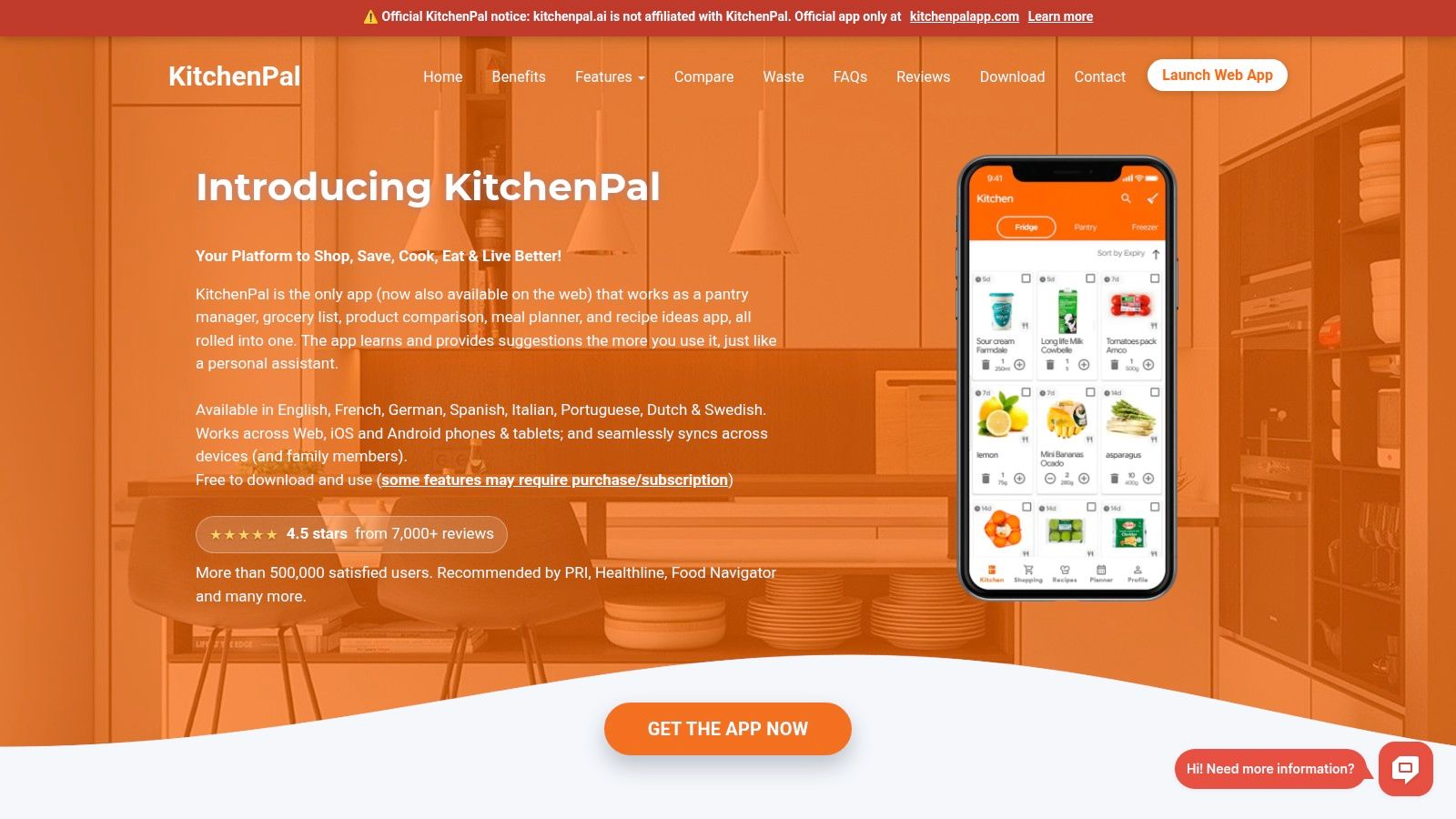
The ingredient you forget in the freezer matters just as much as the one sitting at the front of the refrigerator. KitchenPal is a candidate for cooks who want food organization to shape their recipe decisions, rather than keeping inventory and cooking ideas separate.
Its product positioning brings together pantry, fridge, and freezer tracking with recipe discovery. Use KitchenPal's official website to confirm current recipe-import options, expiration-management features, supported platforms, and subscription limits.
The broader workflow asks you to organize available food before relying on recipe suggestions. That's a different commitment from typing a few ingredients into a browser, but it may suit households that regularly lose track of stored items.
Matching Ingredients Isn't the Same as Prioritizing Them
An app can identify a recipe containing an ingredient without answering whether you should cook that ingredient first. For waste-conscious cooking, the more useful question is often what needs using soon, followed by what else can complete the meal.
- Best fit: Cooks prepared to maintain a kitchen inventory.
- Potential drawback: More setup than a quick ingredient search.
- Before committing: Confirm how recipes, inventory, planning, and grocery lists connect in the current version.
The pantry inventory app guide provides another way to think about that maintenance trade-off.
5. SideChef - Best for Guided Cooking Alongside Recipe Discovery
Finding a plausible dinner is only part of the job for a beginner. Clear cooking instructions may matter more than the largest number of ingredient matches, especially when you're preparing an unfamiliar dish.
SideChef is positioned around recipe discovery and guided cooking, with planning and grocery-shopping features also part of its broader offering. Its official website is the place to confirm current search filters, step-by-step guidance, platform availability, and grocery-partner coverage.
The distinction from SuperCook is one of emphasis. A dedicated pantry matcher starts with what you own; a guided-cooking service also needs to help you execute the meal you choose.
Compare the Cooking Experience, Not Just the Search
When considering SideChef, look beyond whether a recipe contains your ingredients. Check whether its instructions suit your experience, whether you have the equipment, and whether the preparation fits the evening you have.
- Ingredient fit: Does the dish use the food you're trying to finish?
- Cooking fit: Can you follow the method confidently with your equipment?
- Shopping fit: Are the missing ingredients reasonable, and are any ordering options available where you live?
Grocery partnerships and ordering coverage can depend on location, so don't assume a shopping feature will fit your household until you confirm it.
A recipe that uses your vegetables but requires an unfamiliar technique may be less practical than a simpler alternative. Conversely, good guidance can make a less familiar dish worth attempting.
Choose SideChef when help during cooking is central to your decision. Confirm current premium boundaries and shopping capabilities directly, and check the official site/App Store for current pricing. Its value for this comparison is the potential connection between discovering a dish and feeling able to cook it.
6. Samsung Food - Best for Recipe Organization Across Devices
Samsung Food belongs on the shortlist when ingredient search is part of a larger recipe-saving habit. Readers who collect recipes while browsing and plan meals elsewhere need to consider how easily they can return to that collection.
Its published product positioning combines recipe saving, organization, meal planning, and shopping lists. Visit Samsung Food's official website to confirm current web and mobile support, browser-saving options, and which functions belong to Food+.
A key distinction is the difference between searching for an ingredient and matching meals against a tracked inventory. Those may sound similar in a feature list, but they can involve different setup requirements and subscription access.
Check the Exact Pantry Workflow
Samsung Food's described Use It Up workflow connects recipe discovery with a tracked Food List and is associated with Food+. Confirm that feature's current availability and paid-plan requirements before choosing the service specifically for pantry-based recommendations.
By contrast, a reader primarily interested in saving recipes and organizing meals should evaluate those tasks on their own terms. There's little benefit in paying for an inventory workflow you won't maintain.
Buying decision: Identify the feature you'll use each week before comparing subscriptions. A broad recipe box and a pantry-aware search aren't the same purchase.
For practical comparison, follow the path you expect to repeat: save a recipe, retrieve it, place it in a plan, and review the resulting groceries. Then separately check whether ingredient-based discovery works the way you expect.
Samsung Food is the organizational candidate here, rather than the simplest possible fridge search.
7. MyFridgeFood - Best for a Simple Browser-Based Ingredient Checklist
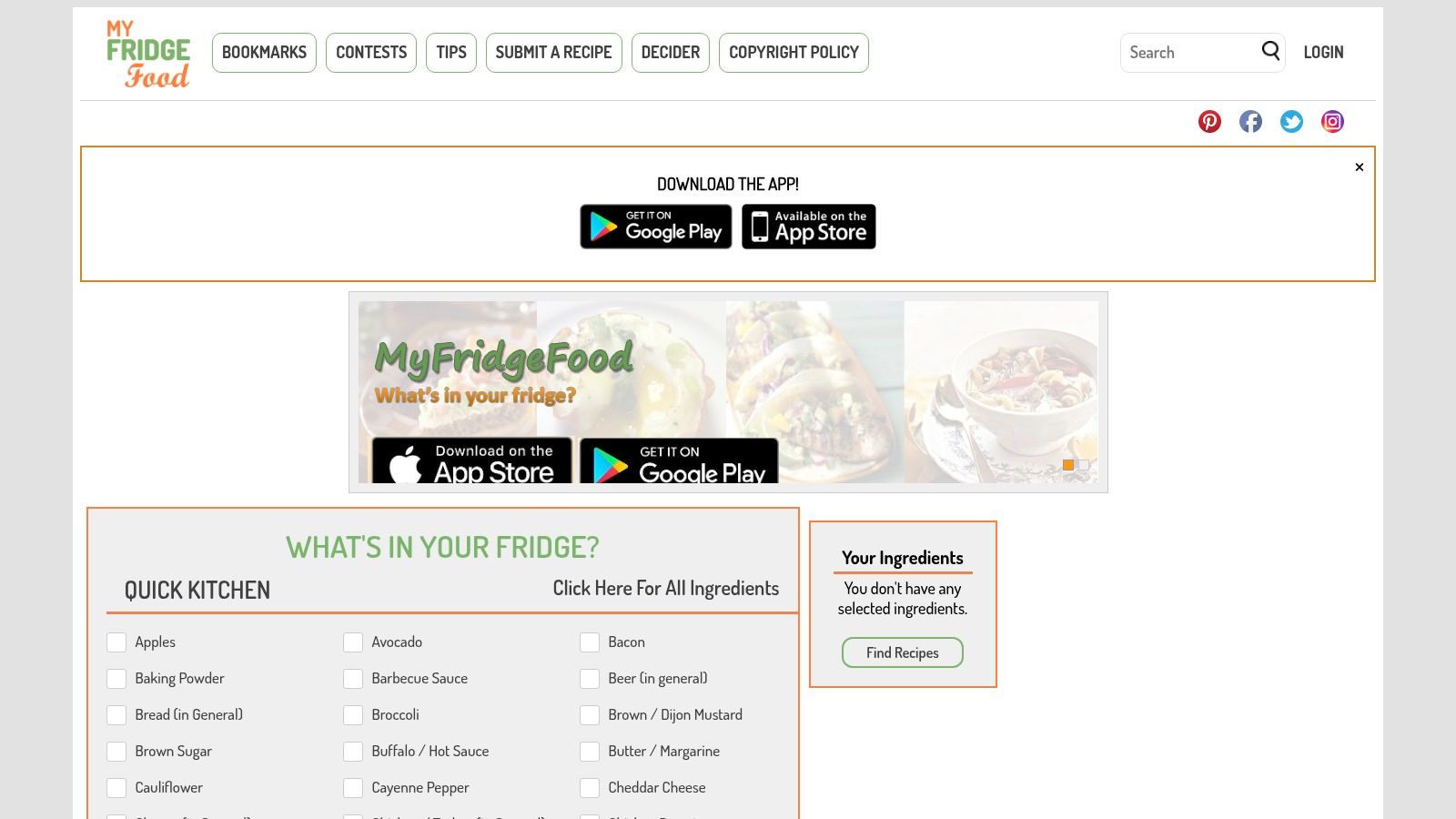
Sometimes a checklist is enough. MyFridgeFood is the lightweight choice for readers who want to select available ingredients and look for a meal without adopting a kitchen-management system.
Visit MyFridgeFood's ingredient checklist for the browser workflow and check its current mobile-download options directly.
Its appeal is the predefined selection process. If staring at an empty text field makes it difficult to remember what's available, a checklist can prompt you to include ordinary pantry and freezer ingredients.
Keep the Expectations Focused
Select what you have, request matching recipes, and assess the results as cooking instructions rather than promises. Check quantities, equipment, preparation time, and anything the recipe assumes you'll supply.
That last step matters across ingredient apps. Possessing an ingredient doesn't necessarily mean you have enough of it, and a substitution can change texture, sweetness, or cooking behavior.
For a specific example of the judgment substitutions require, consult the IFM Gourmet maple syrup guide. Treat substitution advice as something to evaluate for the dish, not a reason to assume every missing ingredient is interchangeable.
- Best fit: An occasional browser-based search with minimal commitment.
- Main advantage: A direct ingredient-selection workflow.
- Main limitation: Don't choose it expecting the verified equivalent of a complete library, weekly planner, and consolidated grocery system.
MyFridgeFood ranks last because this comparison values the full path from ingredients to repeatable meal planning, not because a simpler interface is worse. For someone who only needs dinner ideas, simplicity may be exactly right.
Top 7 Recipe Apps by Ingredients Compared
| Product | 🔄 Setup and complexity | ⚡ Resource requirements | 📊 Expected outcome | ⭐ Ideal use and key advantage |
|---|---|---|---|---|
| Recipe One | Low to moderate; save recipes by link or scan, then organize them | Saved recipes; optional meal details | Searchable recipe library, weekly meal plans, and grocery lists | Home cooks wanting recipe saving, planning, cooking mode, and ingredient-based ideas in one app |
| SuperCook | Moderate; enter pantry ingredients to get matches | Ingredient list, including staples and spices | Recipe suggestions based on ingredients on hand | Quick ingredient-first discovery across recipes from many websites; free to use per the U.S. App Store listing |
| Cooklist | Moderate to high; inventory works best when kept current | Pantry and fridge inventory; retailer integrations are optional | Pantry-matched recipes and shopping lists for missing items | Households wanting recipe discovery combined with inventory, expiration alerts, and shopping tools |
| KitchenPal | Moderate; requires setting up and maintaining food inventory | Pantry, fridge, and freezer inventory | Ingredient-based recipe ideas plus food and expiration tracking | Users wanting food organization and recipe imports alongside meal discovery |
| SideChef | Low to moderate; filter recipes and optionally plan or shop | Ingredients on hand; grocery-partner features are optional | Guided cooking, meal plans, and grocery lists | Cooks seeking step-by-step instructions and recipe discovery with diet and cuisine filters |
| Samsung Food | Moderate; save and organize recipes; pantry-based “Use It Up” requires Food+ | Recipe library and tracked Food List for pantry search | Recipe collections, meal planning, shopping lists, and paid pantry-based matching | Users wanting a cross-platform recipe organizer; Food+ adds ingredient-based “Use It Up” search |
| MyFridgeFood | Low; select ingredients in a checklist | Selected ingredients; no full pantry setup required | Recipe matches from a simple web search | Quick, lightweight ingredient searches without meal-planning or inventory-management setup |
Choose the Workflow That Fits Your Kitchen
The best recipe app by ingredients is the one that fits the work you're willing to repeat. Typing ingredients, maintaining an inventory, and organizing a recipe library are different habits, even when apps place them under the same kitchen-management label.
Choose Recipe One if you want ingredient-led creation alongside saved recipes, weekly planning, and a consolidated grocery list. Choose SuperCook if your priority is focused pantry-based matching, or MyFridgeFood if a browser checklist is enough.
Match the Setup to the Problem
The broader tools deserve consideration when your difficulty isn't just deciding what to cook.
- Cooklist: Consider it for inventory and shopping coordination.
- KitchenPal: Consider it for a pantry, fridge, and freezer organization workflow.
- SideChef: Consider it when cooking guidance and shopping connections matter.
- Samsung Food: Consider it when recipe saving and cross-device organization come first.
Confirm each service's current capabilities before relying on a particular integration or subscription feature. A longer feature list won't help if the setup discourages you from using the app.
If scattered bookmarks are the bigger problem, the comparison of best recipe manager apps is a more relevant next step. If you also cook from printed collections, resources such as these best pressure cooker recipe books can complement a digital library rather than replace it.
Start With a Real Dinner Decision
Use the ingredients already in your kitchen to judge the workflow, not an imagined future pantry. Ask whether you can find a suitable meal, understand the instructions, keep the recipe, and distinguish what you own from what you need to buy.
For Recipe One's mobile app, use the official website's download options to reach its App Store listing and confirm the current terms before installing.
Choose Recipe One when your goal is to move from ingredients on hand to a saved recipe, a planned week, and a combined grocery list. Choose a lighter specialist when ingredient matching is the only task you need help with.
Turn what's already in your kitchen into a recipe you can keep and cook again. Visit Recipe One to explore ingredient-based ideas with Maya, organize your recipes, and connect your meal plan to one combined grocery list.