The recipe card box has become the underdog of the American kitchen. In a YouGov survey of 29,012 U.S. adults published in November 2021, 43% said they usually got recipes from the web or an app, compared with 19% who turned to a cookbook or recipe card. Paper recipes still matter, but many cooks now collect them alongside links, videos, and screenshots.
A recipe scanner app should turn those sources into recipes with ingredients and steps you can search, plan around, and shop from. The key difference between apps is what they can handle: cookbook pages, handwritten cards, multi-page spreads, and social or video imports.
Here's the shortlist, with the main trade-off for each:
- Recipe One brings cookbook pages, handwritten cards, photos, screenshots, websites, and social or video recipes into one searchable library. It organizes recipes with tags and cookbooks, but has no pantry inventory.
- Recipe Keeper and CookBook suit households that want a recipe organizer across iPhone and Android, with scanning built in.
- Crouton and Mela are for Apple users who want printed-recipe scanning alongside meal planning, timers, and cook mode.
- Paprika Recipe Manager 4 combines scanning with kitchen tools such as pantry tracking, recipe scaling, and grocery lists.
- BigOven suits cooks with a stack of recipes to digitize who are comfortable having someone else handle the initial transcription.
1. Recipe One
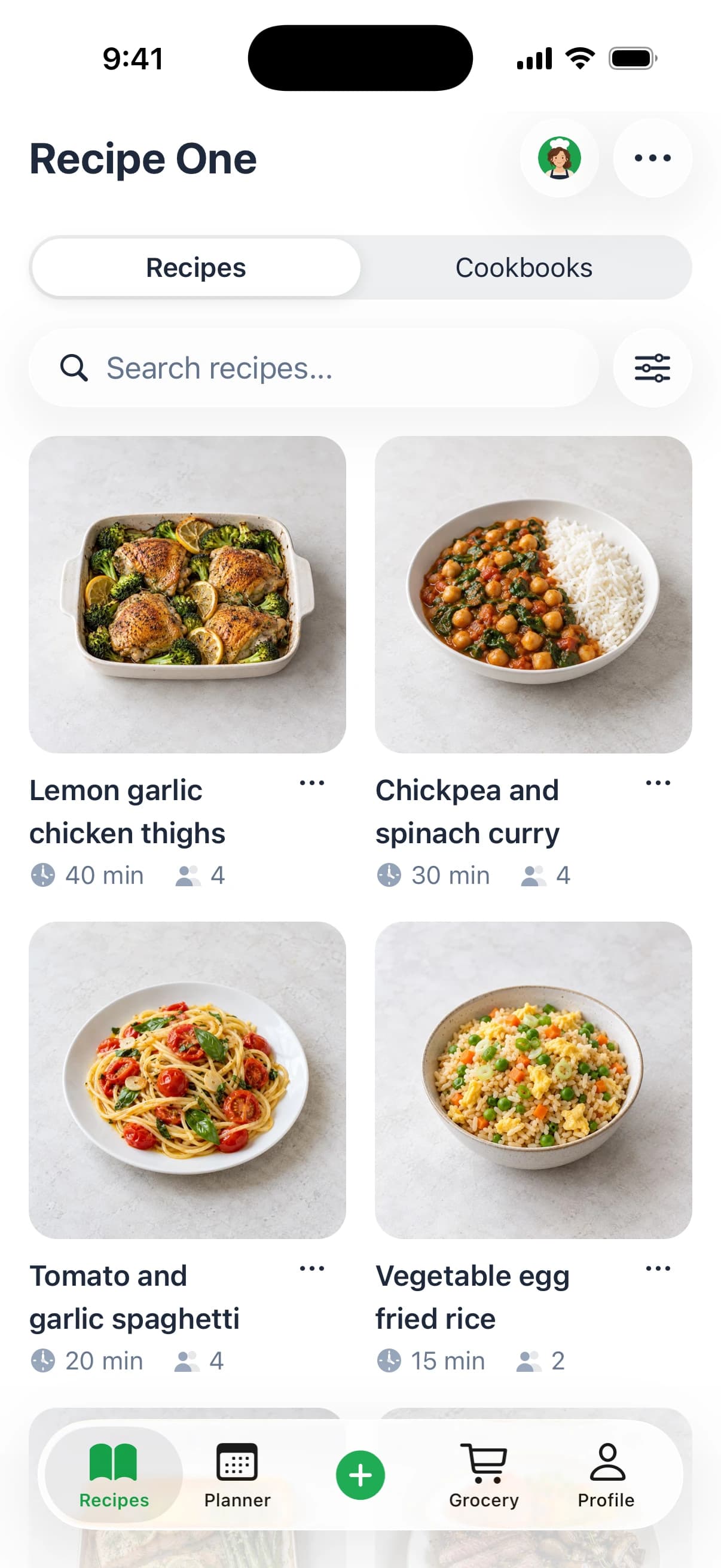
Recipe One handles the formats that often get split between a camera roll, browser bookmarks, and a recipe box: cookbook pages, photos, screenshots, links, and videos.
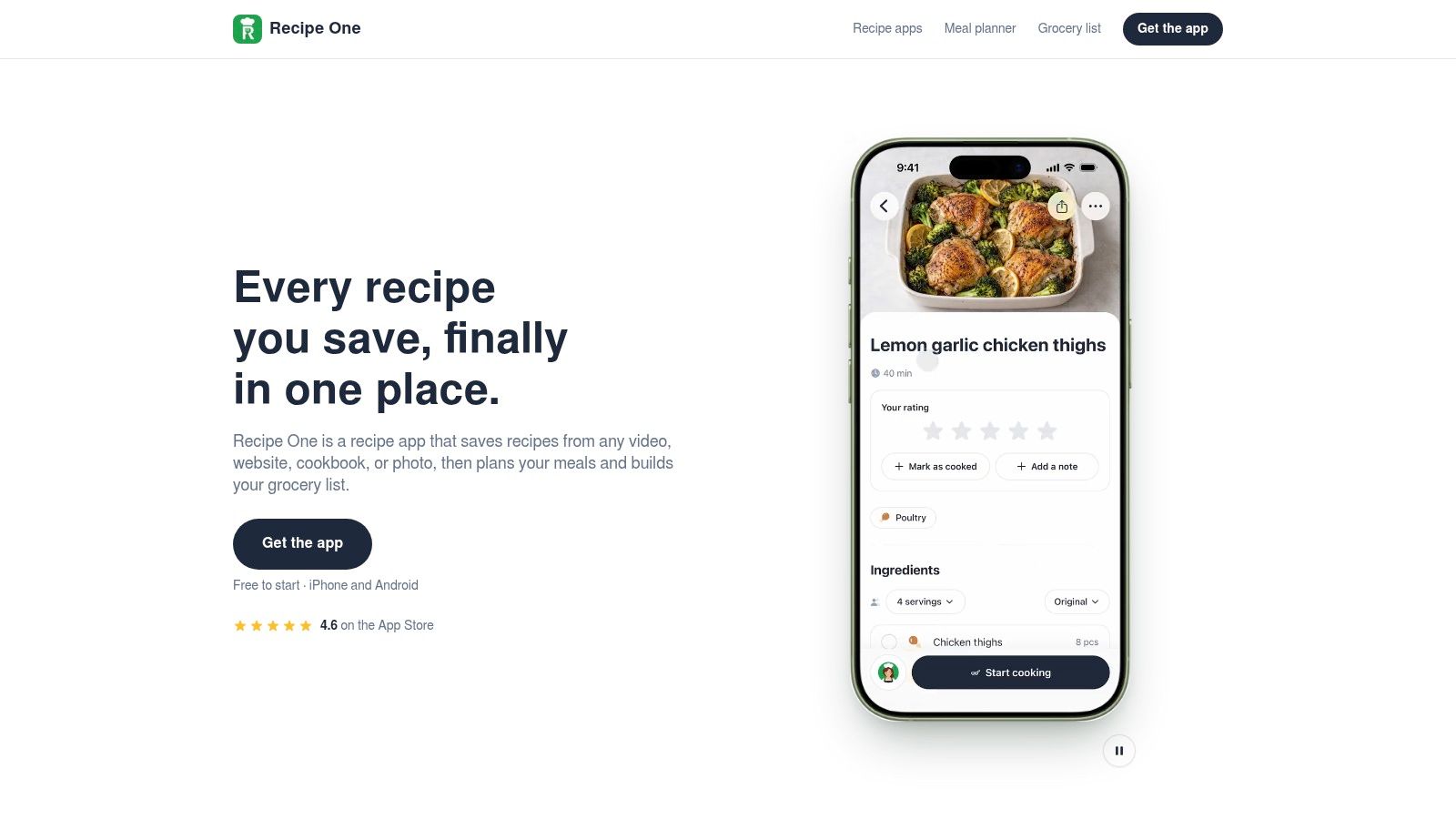
A saved recipe becomes a structured entry with ingredients and steps, rather than an image you have to squint at.
What it scans
Share a recipe link or snap a photo. Recipe One extracts the ingredients and steps without ads or extra content. It saves recipes from websites, videos, cookbooks, and photos, including screenshots.
That range of input is the point: a page from a cookbook and a recipe link can end up in the same searchable library. Recipe One is an AI-powered recipe keeper, free to start on iPhone, Android, and the web.
The part that happens after the scan
The saved recipe is ready to use. Search by name, ingredient, or tag, then organize recipes in cookbooks such as weeknights, baking, or family classics. Share a recipe or cookbook with family.
Recipe One also includes a meal planner for a week of dinners from saved recipes. Its grocery list combines the ingredients for the week. Maya, the AI cook inside the app, can suggest what to make, plan the week, or turn fridge ingredients into a recipe.
Cooking mode displays one large step at a time and keeps the screen on. Recipe pages also show calories, protein, carbohydrates, and fat per serving.
Where it falls short
Two clear gaps: Recipe One has no pantry inventory, and it organizes recipes with tags and cookbooks rather than folders. If you rely on nested folders or want the app to track what is in your cupboard, those features are missing.
Check quantities and fractions after scanning, especially on a cookbook page or photo. A mistaken number can change a recipe; a wrong oven temperature can change the result.
Pick it if your recipes come from books, websites, photos, and videos and you want a planner and grocery list alongside them.
2. CookBook
Long recipes break scanners. A braise with the method on the back of the card is where most imports fall apart, and CookBook is the app that plans for it.
CookBook scans images, screenshots, clippings, selected PDF pages, and multiple images for a longer recipe, with either automatic scanning or manual text-area selection. It organizes with search and tags, supports meal planning and shopping lists, imports from websites and social platforms, and syncs across iOS, Android, and the web.
That web and social import matters because that's where recipes now live. Chicory's 2024 State of Online Recipes report, a survey of 569 U.S. consumers, found 91.2% used online recipes and 47% often or always used them when preparing for grocery shopping. A scanner that feeds a shopping list is doing the job people have.
What lets it down
Extracted quantities and fractions need review, which is normal for any page-to-text work. The free allowance is small. And if you only want to digitize a dozen cards, the planning and shopping features are more app than you asked for.
Who should pick it: someone who wants scanning built into a full recipe organizer with proper multi-image support, and who doesn't mind paying for the tier that makes it useful. If you're weighing a paper-to-digital move more broadly, our guide to building a digital recipe book covers the order to do it in.
3. Recipe Keeper
Recipe Keeper suits households that use different devices and want a traditional recipe box with scanning built in. It's available on iPhone, iPad, Android, Windows, and Mac.
The app scans cookbook and magazine pages, handwritten recipes, photos, and PDFs. It also supports manual entry and website imports, then organizes recipes by course, category, and rating. Search covers ingredients and directions, while meal planning, shopping lists, and recipe sharing help put the collection to use.
What lets it down
Handwriting can leave OCR errors to correct. The app's recipe-box approach also offers less help with deciding what to cook from the ingredients in your fridge than an AI-assisted alternative.
Who should pick it: families using a mix of devices who want a familiar recipe organizer and can review occasional transcription mistakes. For a comparison with a social-first alternative, see our ReciMe vs Recipe Keeper guide.
4. Paprika Recipe Manager 4
Paprika 4 is the choice for cooks who want recipe scanning alongside meal planning and pantry tools. Keep it separate from Paprika 3: the two are distinct apps, and reviews of one may not describe the other. For the older release, see our Paprika Recipe Manager 3 guide.
Paprika 4 scans cookbook pages and recipe cards as a Premium feature. It also imports recipes from websites and social platforms, with meal planning, grocery lists, pantry tracking, and recipe scaling. The app runs on iPhone, iPad, Mac, Android, and Windows; its free version has a capped recipe library, and the official site says one subscription covers supported platforms.
The version trap
Some comparison reviews say Paprika lacks OCR photo scanning, but that claim may refer to Paprika 3 rather than Paprika 4. Judge the scanner by the specific app version: Paprika 4 lists cookbook-page and recipe-card scanning, while older write-ups may describe a different feature set.
What lets it down
Scanning requires Premium, which is a recurring subscription. Paprika also bundles scanning with pantry tracking and scaling, so it may be more app than you need if your only goal is digitizing recipe cards.
Who should pick it: cooks who want scanning alongside meal planning and pantry management, and are comfortable with a subscription. Its named gap is the paywall: scanning is not included in the free tier.
5. Crouton
Crouton's most useful documentation is its own App Store review page.
It scans cookbook pages and supports photo-based AI imports, then connects the results to a weekly meal planner and multiple timers. It syncs through iCloud with family sharing and runs on iPhone, iPad, Mac, Apple Watch, and Vision Pro.
What lets it down
There's no Android or Windows version, so a mixed household is out. Check current in-app purchase options for the features and devices you need, since the tiers shift.
Who should pick it: an Apple-only kitchen that cooks from printed cookbook pages and wants scanning wired straight into planning, timers, and cook mode. If your backlog is handwritten cards rather than printed pages, keep reading.
6. Mela
Mela treats a scan as a draft you finish by hand, and for cookbook pages that's a feature rather than a compromise.
Its scanner uses text recognition on cookbook pages. It also imports from web pages and browser feeds and includes cook mode, timers, meal planning, and grocery lists through Apple Reminders.
The manual step earns its place. Benchmarking of image-based ingredient recognition trained a classifier on 9,856 images across 32 ingredient classes. A confirmation step beats a confident guess.
What lets it down
Apple-only availability rules out mixed-platform households. Features and purchase price vary by device, so check the listing for the hardware you own.
Who should pick it: an Apple user. Our Mela vs Paprika comparison covers the overlap between them.
7. BigOven
BigOven's RecipeScan is the only option here that puts a person between your card and the finished text.
It accepts photos of handwritten or typed paper recipes, handles up to three images for a single recipe, and transcribes them into a searchable recipe box. The wider platform adds meal planning and grocery lists, with web and mobile access and a free basic tier.
The trade is time. Processing isn't instant and runs in days rather than seconds, RecipeScan credits are limited with additional scans costing money, and the results still need editing before you cook from them. Recipes sourced commercially also carry restrictions on public posting, which matters if you scan from a published book and then share.
The allergen caveat
Transcription doesn't do your safety thinking. If allergies are in the house, read the ingredient list on the transcribed recipe yourself, line by line, against the original.
Who should pick it: the shoebox owner who would rather not type a word and can wait a few days for the result, and who wants a recipe box with planning attached once the typing is done.
Recipe Scanner App Comparison
The scanner choice comes down to what you need to capture: cookbook pages, handwritten cards, multi-page recipes, or recipes from websites and social feeds. Recipe One is the clearest fit for cooks who want scanning connected to meal planning and grocery lists. Its gap is that the comparison does not establish handwriting recognition. Each app's scan features are confirmed against its official site or app-store listing as of November 2026.
| App | Cookbook pages & photos | Handwritten cards | Web & social import | Meal planner + grocery list | Free to start |
|---|---|---|---|---|---|
| Recipe One | Scans cookbook pages and photos | Photo capture; handwriting may need review | Saves recipes from videos, websites, cookbooks, or photos | Plans meals and builds grocery lists | Free to start |
| CookBook | Scans pages, photos, screenshots, clippings, and PDFs | Scans handwritten cards | Imports from websites and social platforms | Yes | Free version with limits |
| Recipe Keeper | Scans cookbook pages, photos, and PDFs | Scans handwritten recipes | Imports from websites | Yes | Free download; feature limits apply |
| Paprika Recipe Manager 4 | Scans cookbook pages and recipe cards with Premium | Scans recipe cards with Premium | Imports from websites and social platforms | Yes | Free version with a capped library; scanning requires Premium |
| Crouton | Scans cookbook pages and imports from photos | No handwritten-card support specified | Imports recipes directly from websites | Yes | Free download; some features require in-app purchases |
| Mela | Scans cookbook pages | No handwritten-card support specified | Imports from web pages and browser feeds | Yes; grocery lists use Apple Reminders | Free to download; Mela+ is an in-app purchase |
| BigOven | Scans photos of typed or handwritten recipes | Yes; up to three images per recipe | Web clipper; social import not specified | Yes | Free tier with limited RecipeScan credits |
Pick Your Scanner, Then Make It Earn Its Keep
A scanner earns its place when it can handle the recipes you collect: a cookbook page, a handwritten card, a two-page spread, and a link from a video. Before paying, check how each app structures ingredients and steps, organizes saved recipes, and lets you get to them later.
Look for separate ingredient and instruction fields, plus tags, cookbooks, and search by ingredient. These details make a saved recipe easier to find and cook from. Check how the app handles web and social imports, and whether you can share or access your library elsewhere.
Getting more out of Recipe One
Recipe One lets you search by recipe name, ingredient, or tag. Save recipes into cookbooks such as weeknights, baking, or mom's classics, then use cooking mode to follow one step at a time while keeping your screen on. Maya can suggest what to make, plan the week, or turn fridge ingredients into a recipe.
Recipe One also offers an MCP server that lets Claude, ChatGPT, and other AI assistants reach your recipes, meal plan, and grocery list, so your library works with the AI assistants you already use. The integration uses a remote connection with OAuth sign-in and requires nothing to install. A Recipe One plugin is available now: search "Recipe One" in ChatGPT Plugins or Claude Customize > Connectors, with setup at the Recipe One docs. A Chrome extension is available now in the Chrome Web Store. For a wider look at organizing recipes, see our round-up of the best recipe manager apps and guide to a digital recipe organizer.
On meal planning specifically
Choose a planner that turns saved recipes into a realistic week of meals and a grocery list you can use at the store. Recipe One's meal planner builds a week of dinners from recipes you've saved, and its grocery list combines the week's ingredients.
Planning can help you use what you buy. A 2025 Instacart survey of 1,011 U.S. adults found that 44% throw away perishable groceries at least once or twice a month. Saving recipes is only useful if you make them; a meal plan connects the collection to what you cook and buy. For a wider framework, read this meal planning advice from Maximum Health Products.
Can a recipe scanner app read a cookbook page
Yes. Printed text is usually easier to capture than handwriting, but page curves near the spine and glare from glossy paper can make a scan harder to read. Flatten the page and take the photo from directly above.
Can it read handwritten recipe cards
Handwriting can be difficult to interpret, especially when cursive, faded ink, or shorthand obscures a measurement. Photograph one card at a time, flat and in even indirect light, with the card filling the frame. Check each ingredient and quantity against the original before cooking.
How do I scan a recipe that runs across two pages
Capture each page separately and keep both images with the same recipe if the app supports multiple photos per entry. For a card written on both sides, photograph each side separately and combine them in the recipe record.
Can these apps save recipes from TikTok, Instagram, and YouTube
Some apps save recipes from videos, while others focus on importing from websites. Check the app's supported import methods before choosing it, especially if social posts and videos are a regular source of recipes. Recipe One saves recipes from videos, websites, cookbooks, and photos.
Is a free tier enough
A free tier can be enough to try an app with a small collection, but check its limits before starting a larger archive. Recipe One is free to start on iPhone, Android, and the web, so you can begin saving recipes and see how its library and planning tools fit your routine.
Choose a scanner that handles your actual mix of sources, then use its library and planner to turn saved recipes into meals. Recipe One saves recipes from videos, websites, cookbooks, and photos, organizes them in searchable cookbooks, and helps plan dinners and build a grocery list. It is free to start on iPhone, Android, and the web.