
You've saved a recipe somewhere, but finding it again is another problem. It might be in a browser tab, a screenshot, a note app, or a paper card tucked into a drawer. When dinner time arrives, you're searching instead of cooking, and the recipe you finally find may not have clear ingredients, servings, or steps.
Paprika Recipe Manager 3 is designed for that messy middle. It gives scattered recipes a central home, then connects saving, organizing, planning, shopping, and cooking in one personal library. The important question isn't only whether the app has useful features. It's whether your devices, existing recipes, and everyday habits will work smoothly with it.
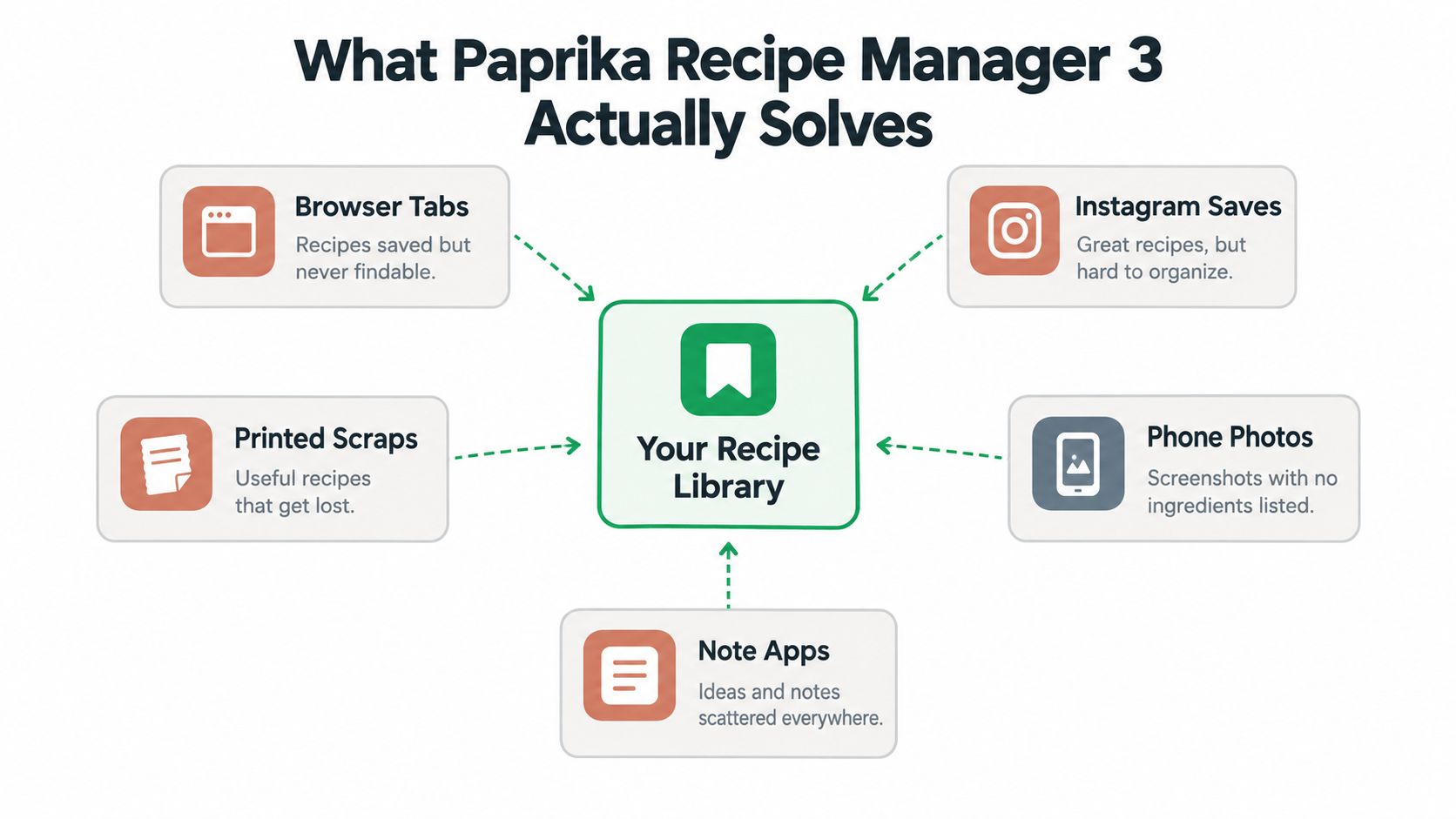
What Paprika Recipe Manager 3 Actually Solves
A home cook preparing dinner may have one recipe open in Safari, another saved in an Instagram collection, a family recipe photographed on a phone, and a handwritten baking note beside the oven. The problem appears during migration: which version should become the main copy, and how can you tell whether an imported recipe is complete?
Paprika Recipe Manager 3 treats each recipe as a structured record rather than a bookmark. A recipe can therefore move from a website or social platform into a searchable personal collection, where you can revisit notes, adjust quantities, and use several meals when preparing a shopping list. The practical decision is whether to import, re-enter, or keep a source unchanged until you have checked the result.
A private kitchen command center
The app turns recipes you already plan to cook into a private working library. It works like a digital recipe binder, with the added ability to access the collection across supported devices and use your saved version while cooking. That distinction matters during migration because the record you maintain becomes separate from the page where you originally found it.
A website can change its layout, place the recipe below additional content, or become unavailable without an internet connection. A personal library gives you a steadier copy, including your own notes and adjustments. It also gives you a place to check serving details and instructions after importing, rather than assuming that a saved page captured everything correctly.
Paprika 3 has also remained available for years. It first appeared for iOS on November 15, 2017, and independent app-tracking data lists that as its first App Store release. The record includes later updates, including version 3.8.5 in July 2026, indicating a product lifecycle of nearly nine years and at least three major product-generation jumps since the original Paprika line began in 2010. Independent app-tracking data records Paprika Recipe Manager 3's release history and store footprint.
The same source reports about 750K+ lifetime downloads and more than 70.3K App Store ratings, with an average score of 4.9 out of 5. Those figures cannot predict whether the app will fit your household, but they indicate sustained demand and strong satisfaction among many food-and-drink users.
For context on how dedicated recipe tools differ from generic note-taking apps, see this guide to recipe management software.
Core Workflows Everyone Should Know
Paprika makes the most sense when you follow a recipe from discovery to dinner. Start with the source, turn it into an organized recipe, use it in a plan, and then shop and cook from the same record.
Save the recipe you'll actually use
Begin with a recipe from a supported website or enter one manually. Review the imported title, ingredients, directions, and serving information before treating the record as finished. A clean source page may import neatly, while an unusual layout can require corrections.
That review step prevents a common mistake: assuming that saving a page is the same as capturing a complete recipe. If an ingredient quantity is missing or the method is incomplete on the original page, the app can't reliably reconstruct it. Add your own note while the source is still open.
Organize before the collection grows
Use categories, favorites, and consistent names that match how you think about food. “Quick dinners,” “freezer meals,” or “holiday baking” may be more useful to you than a long list of highly specific labels. The goal is to find a recipe when you're tired and hungry, not to build a perfect catalog.
For example, a saved chili recipe might belong to a general dinner category, carry a personal note about reducing heat, and remain easy to locate by its main ingredient. Small decisions like these become more valuable as the collection expands.
Plan, shop, and cook from one record
Choose recipes for the coming days, adjust the servings where needed, and review the resulting shopping list. Check the list against your pantry before leaving for the store, because the app can organize recipe ingredients but doesn't know what you've already used unless you maintain that information.
A useful workflow is to plan one busy evening first. Select a recipe, scale it for the people eating, remove ingredients already on hand, and keep the list open while shopping. A connected recipe-to-shopping-list workflow can reduce the repeated copying that causes omissions.
During cooking, keep the recipe record as the source of truth. If you change an ingredient or discover a better timing note, save that adjustment after the meal. Over time, the library becomes more personal instead of remaining a collection of untouched web imports.
Treat scaling as a check, not a guarantee
Recipe scaling is useful, but it deserves a quick visual inspection. Doubling a soup is usually straightforward, while changing a cake, sauce, or bread recipe can alter more than ingredient quantities. Read the method after changing servings and look for steps whose timing or vessel size may need your judgment.
Finally, decide how your household will use sync. A phone in the grocery store, a tablet on the counter, and a computer used for editing can all support the same routine, but only if the account and synchronization setup are consistent.
Platforms, Requirements, and Sync Behavior
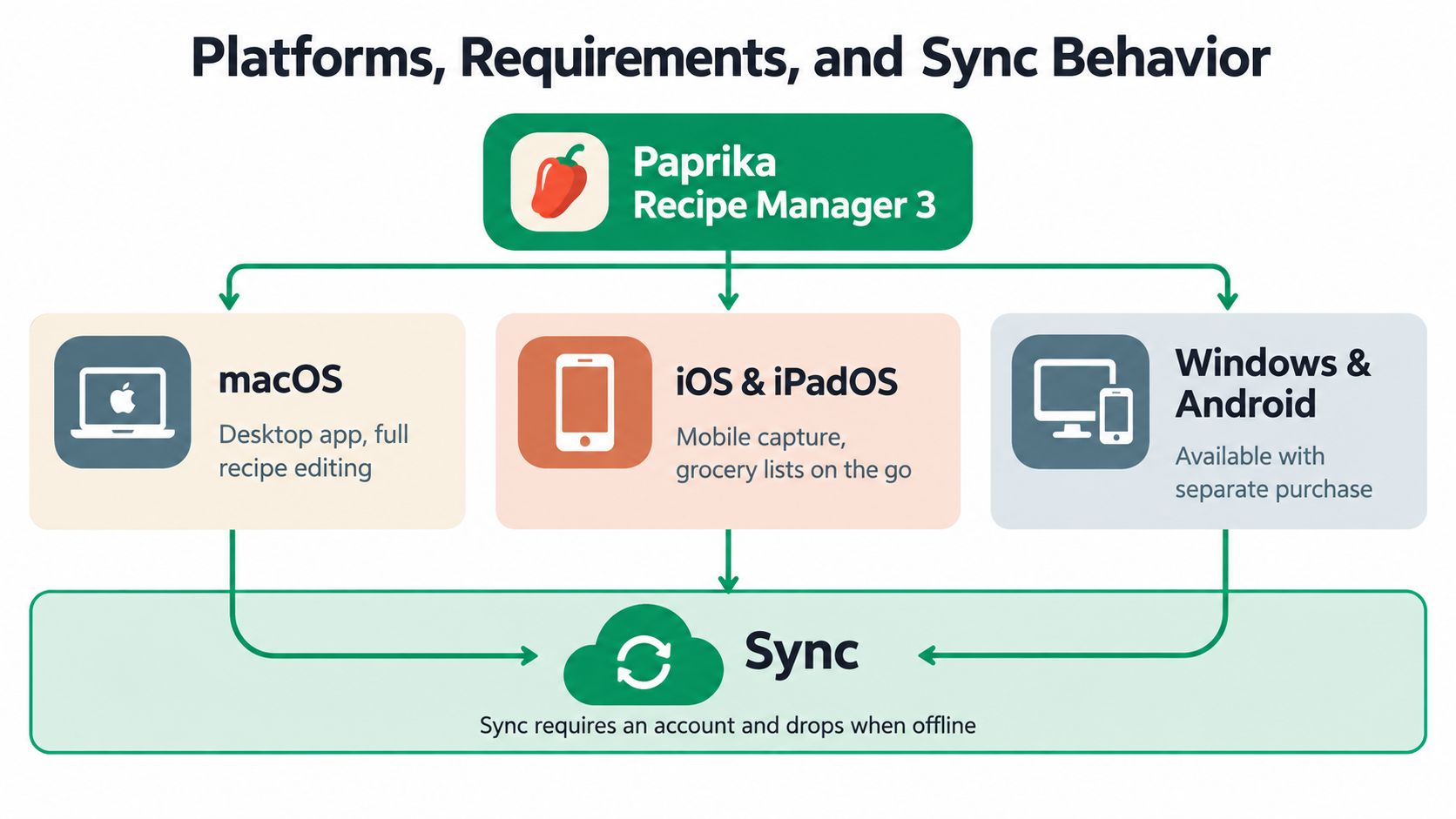
Device fit should be checked before you build a large library. Paprika Recipe Manager 3 supports a broad Apple ecosystem, while its Windows version has a specific runtime baseline.
On Windows, Paprika 3 requires Windows 10, 64-bit, and .NET Framework 4.6.1 or later. That excludes older unsupported systems, so check the computer before assuming an installation problem is caused by the app. Paprika's Windows requirements provide the platform-specific compatibility details.
Apple support covers macOS 10.13 or later, iOS and iPadOS 12 or later, watchOS 6 or later, and visionOS 1.0 or later. On Apple platforms, recipes are stored locally and can be viewed without an internet connection. That's useful in a kitchen with unreliable Wi-Fi, but offline access shouldn't be confused with cloud synchronization.
What automatic sync actually does
With automatic mode enabled, synchronization runs every five minutes when a network is available. It also runs when the app starts and can run again immediately after a recipe is added or another device changes data. Paprika's documented Mac help explains its sync and data behavior.
That design helps reduce stale data in a multi-device household. It also creates regular background network activity, which may matter if you prefer tight control over when the app communicates. Manual mode is available for people who want synchronization only when they request it.
A simple household rule prevents confusion: finish major editing on one device, allow synchronization to complete, then open the recipe elsewhere. If two people edit the same item before either device has received the latest version, resolving the final result may require more attention than a single-user workflow.
Export and import details
Paprika documents .paprikarecipe and .paprikarecipes formats, along with YAML for structured data exchange. YAML files require correct whitespace and indentation, and they must use UTF-8 encoding. A file can look readable while still failing because its structure contains a small formatting error.
Keep an export before a major migration or large cleanup. Open a small sample first, confirm that ingredients, directions, notes, and categories look correct, and only then handle the rest of the library. For more comparisons between browser-based and native recipe tools, see this guide to the best recipe manager apps.
Pricing, Licenses, and Upgrade Choices
The purchase decision is less about finding a universal “best price” and more about matching licenses to the devices you use. A phone-only cook has a different setup from someone who edits recipes on a desktop, shops with a phone, and cooks from a tablet.
Paprika's platform-specific model means you should identify each required app before buying. Check the current store listing for every device, then confirm whether the purchase covers only that platform or fits the account structure you intend to use. Store availability and licensing details can change, so an old comparison should not be treated as a current checkout total.
One account is not the same as shared access
Cloud sync helps one user reach a library across supported devices. It doesn't automatically create separate household profiles, roles, or permissions. If several people need to edit the same collection independently, test that workflow before assuming that synchronization equals collaboration.
A practical setup uses one primary account email and records it somewhere safe. This is especially important during an upgrade, because signing into a different account can make a correctly synced library appear to be missing.
Consider the cost of keeping an exit route
A one-time app purchase can appeal to cooks who don't want another recurring service. The trade-off is that you still need to think about platform purchases, future version changes, and the effort required to move your data if your needs change.
Export formats are part of the ownership decision. Paprika's documented formats give you a route to preserve structured recipe data, but export isn't a substitute for checking the result. Keep the original files, retain important images separately when necessary, and test an import with a few representative recipes.
If subscription tools, browser access, or social-media capture matter more than native desktop ownership, compare the workflow with free recipe organizer apps before committing. The right choice is the one whose license and data model match your daily routine.
Real Benefits and Common Frustrations
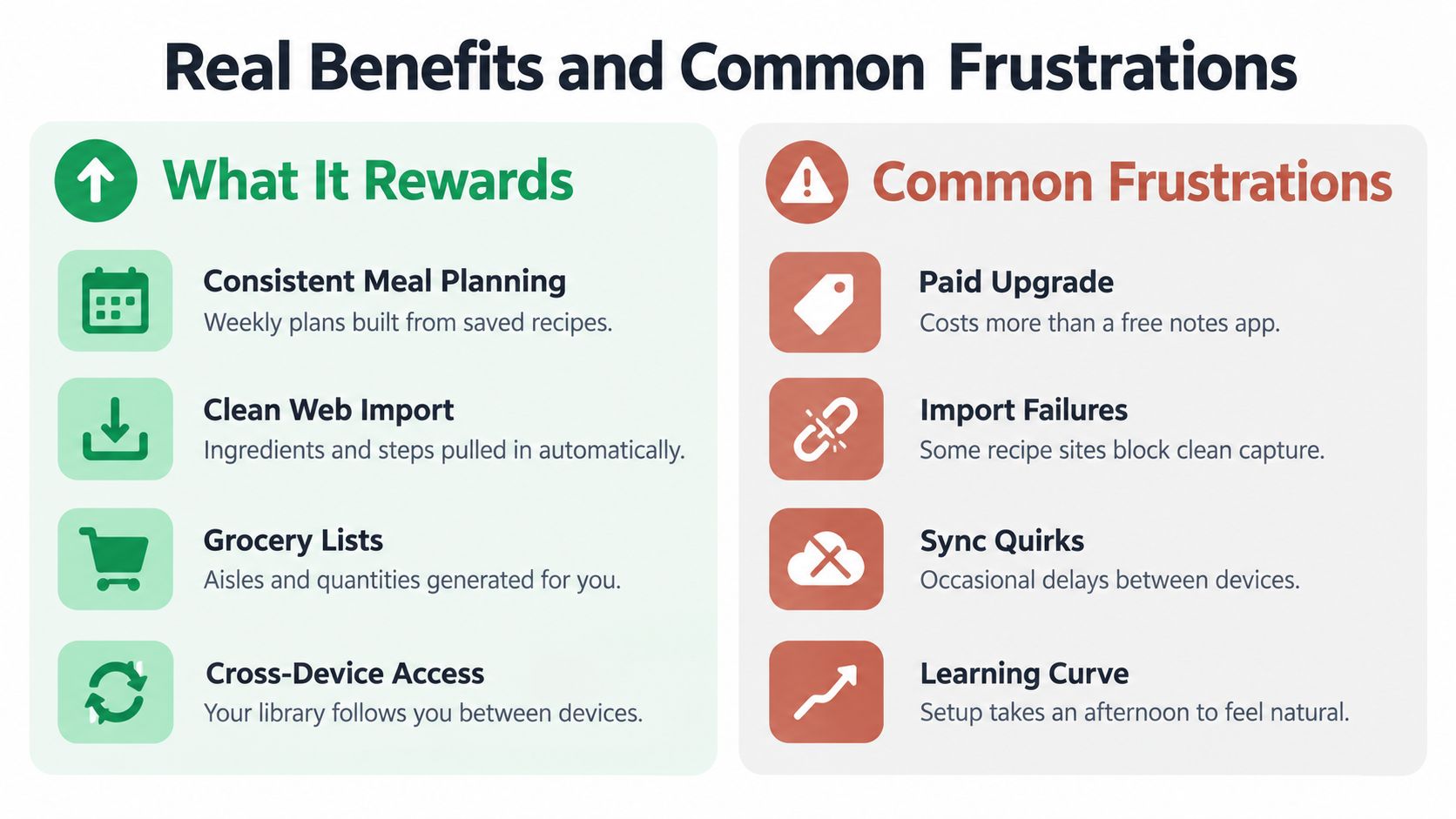
Paprika 3 rewards people who want a structured personal archive. It's particularly suitable for cooks who plan meals, edit recipes on a computer, use more than one device, or want their saved recipes available offline on Apple platforms.
The benefit isn't only that recipes sit in one place. The stronger advantage is continuity: a recipe can move from saved source, to organized record, to planned meal, to shopping list, and finally to the cooking screen. That chain reduces repeated entry when the source and recipe information cooperate.
What the app rewards
- Consistent planners: People who choose meals ahead can get more value from structured recipes than from loose bookmarks.
- Multi-device cooks: A household that edits on a desktop and cooks from a mobile device benefits when account and sync settings are correct.
- Library builders: Long-term users can keep personal notes, adjusted quantities, and preferred versions together.
- Offline-minded cooks: Apple users can view locally stored recipes without an internet connection, which supports cooking in places with weak connectivity.
Where friction appears
Public complaint aggregators and app-store snippets report recurring issues involving crashes during recipe addition or editing, failed recipe downloads, and synchronization problems. Public reports about Paprika Recipe Manager 3 problems are useful for identifying patterns, but they don't establish how frequently each problem occurs across all users.
Import failures often depend on the source rather than the recipe manager alone. A page may use an unusual layout, a shared file may have the wrong extension, or a partially transferred record may fail validation. Sync problems can also look like missing data when the underlying issue is an account mismatch or an incomplete upload.
Practical rule: Treat an imported or migrated recipe as unverified until you've checked its ingredients, directions, servings, and source link.
Paprika is strongest when you want a dependable personal database and are willing to review imports and maintain your account setup. It's less attractive if you expect every source, device, and household workflow to work without occasional inspection.
Migration Paths and Upgrade Decisions
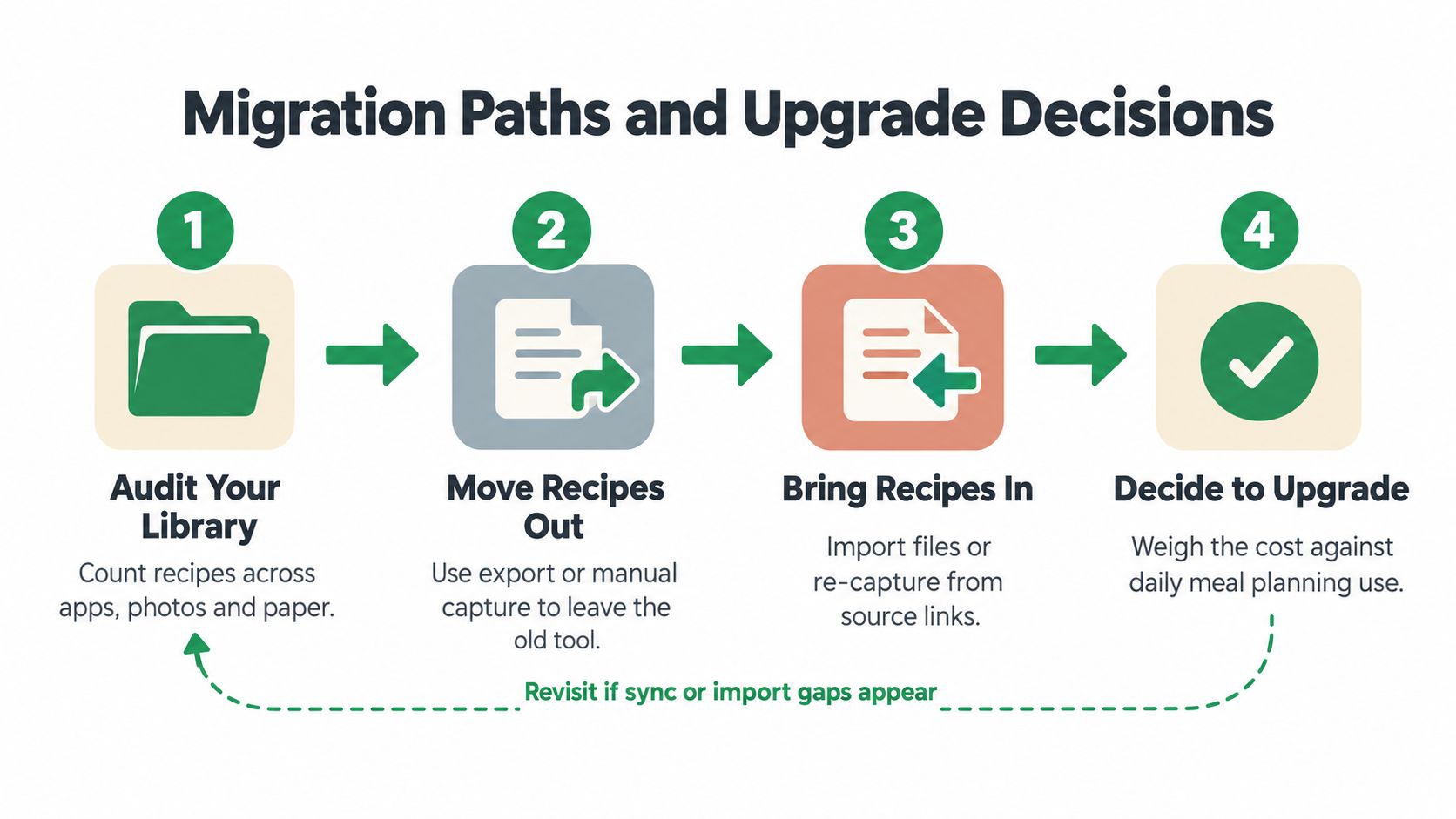
Upgrading isn't automatically frictionless, especially when the older app contains the only complete copy of years of recipes. The safest approach is to protect the original library first, then move a verified copy rather than treating installation as migration.
Paprika 3 installs as a separate app. The official transfer guidance recommends using a Paprika account, and users moving from Paprika 1 or 2 without an account need to create one and fully synchronize before transferring to the newer version. The official Paprika transfer instructions outline that process.
Use the old app as evidence
Before removing anything, open the older app and inspect the library. Look for recent recipes, favorite categories, notes, photos, and any items you remember adding recently. If the old app still holds the complete collection, don't assume that installing the new version has already moved it.
Write down the exact account email used for synchronization. Then allow the old app to finish syncing before signing into Paprika 3. If you're unsure whether the upload completed, keep both apps installed and compare a small set of recipes across them.
Choose the right path for your situation
If the old library is complete: Keep the old app available, sign into the same account in Paprika 3, and verify representative recipes before changing anything.
If the old library is incomplete: Stop the migration. Find the missing recipes in the original app, complete synchronization, and create an export where supported before trying again.
If the old app won't open: Don't delete it or reinstall devices casually. Check whether another device still contains the library, look for an existing export, and contact support before taking an action that could remove the last accessible copy.
If you're moving to another tool: Export using the format the destination accepts, then test a small sample with notes, categories, images, and ingredient groups. A migration that preserves only titles and links isn't complete enough for a valuable personal archive.
For readers weighing a different direction, a comparison with a Paprika alternative can help separate a true migration need from a desire for new features.
Troubleshooting the Most Common Issues
Start with the least destructive checks. Most recipe-library problems become harder to solve after someone deletes the old app, signs out without confirming the account, or imports a damaged file repeatedly.
When recipes don't appear
Confirm the account email on every device. Check whether the source device has a network connection, open the original app, and give synchronization time to complete. Then compare one known recipe rather than searching the entire library at once.
If a migration produced an empty or partial collection, return to the old app and identify which copy is complete. Export that copy if possible. Don't treat an empty screen as proof that the recipes were deleted.
When sync seems delayed
Check whether automatic sync is enabled or whether the app is in manual mode. Keep the source device connected, avoid editing the same recipe on several devices at once, and reopen the destination only after the source has had time to synchronize.
If the problem repeats, record the recipe name, source device, destination device, account email, and last successful change. That gives support a usable sequence instead of a general report that “sync doesn't work.”
When import fails
Inspect the file extension, encoding, and structure. Paprika's YAML exchange requires strict indentation and UTF-8, so a visually small formatting error can prevent a file from loading. For a shared file, obtain a fresh copy from the sender rather than repeatedly importing the same damaged attachment.
For web imports, try opening the original page in the app's supported browser workflow and review the result immediately. If the page contains incomplete ingredients or directions, enter the missing information manually and preserve the source link for later reference.
Who Should Use Paprika Recipe Manager 3
You have recipes scattered across browser bookmarks, screenshots, and paper cards, and dinner planning means searching in several places. Paprika Recipe Manager 3 suits cooks who want one personal recipe archive, especially when recipes come from websites or manual entry and the household uses supported devices.
It is a practical choice for repeat meal planners. A structured library becomes more useful as you revisit favorite dinners, adjust quantities, add personal notes, and shop from planned recipes. Its long product history and continued updates may also appeal to cooks who prefer an established tool. Its release history and sustained store presence are documented by independent app-tracking data.
It may not be your best fit
Choose another tool if your collection mainly consists of screenshots, handwritten cards, or social videos and you expect every source to convert automatically. Paprika may also be a poor match if you need a browser-based library, separate family accounts, or collaboration controls instead of synchronization across your own devices.
Migration creates a separate decision for long-time users. A complete library and familiar workflow can be more valuable than a new interface. Before changing tools, verify that your recipes can be exported, that the resulting file is readable, and that a small test collection behaves as expected. If imports or platform access keep interrupting cooking, compare alternatives with a protected copy of the library available.
Paprika fits organized cooks who want personal, multi-device recipe management and can accept some setup work. Check platform requirements, identify the correct account, and test recipes you know well before moving the full collection.
If you want another way to turn recipes from social posts, photos, videos, and text into a searchable library with meal planning and grocery tools, explore Recipe One. Begin with a few familiar recipes, inspect the imported ingredients and steps, and compare that workflow with your kitchen routine.


