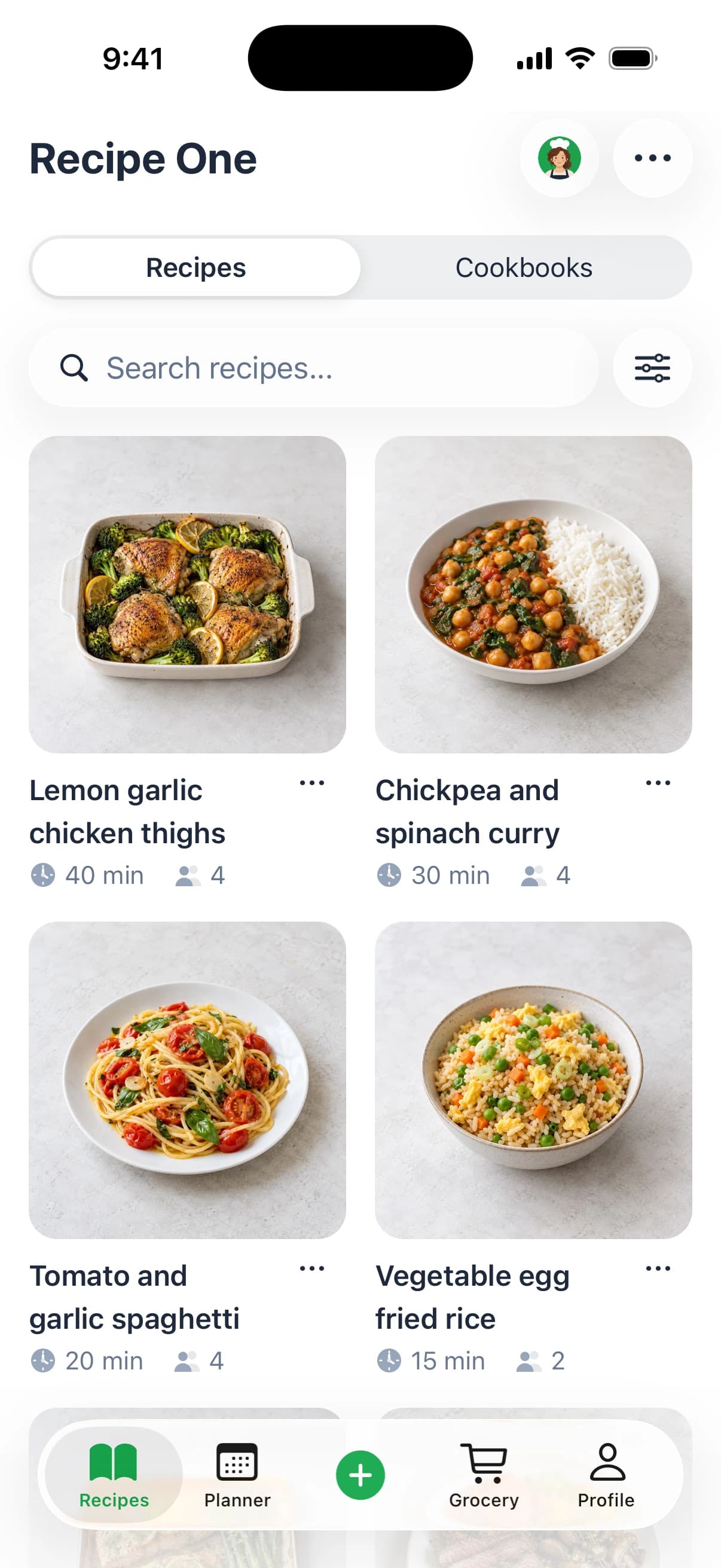
You've saved dinner ideas in a browser, bookmarked a social video, photographed a cookbook page, and kept a screenshot you can't find anymore. Now you need to turn those scattered discoveries into something you can shop for and cook. The Deglaze app, formally Deglaze: Recipe Manager, Grocery Lists & Meal Planning by Deglazed LLC, is a recipe manager, not a guide to the cooking technique of deglazing a pan.
Its appeal is straightforward: collect recipes where you discover them, then bring them into a shared kitchen workflow. The important buying question isn't whether another recipe library sounds useful. It's whether Deglaze's organization and paid planning tools match how you run dinner.
Quick Verdict for Recipe Managers
Deglaze is a strong candidate for households that want recipe saving, shopping, planning, and cooking connected. Its documented strengths address a familiar problem: saving inspiration is easy, but finding it again and coordinating dinner takes more work.
My recommendation is to start with the free version and evaluate the complete workflow before paying. A recipe manager earns its place when you can retrieve a saved recipe, understand its ingredients, and use it without returning to a trail of bookmarks.
Best for a coordinated kitchen
Deglaze makes the most sense when more than one person participates in planning, shopping, or cooking. Its household approach is more relevant to that situation than a recipe collection that stays isolated on one person's phone.
- Choose it for organization: You want a searchable library rather than an expanding pile of saved posts.
- Consider Pro for execution: Calendar planning, aisle-sorted shopping, and cooking tools matter enough to justify a paid plan.
- Start free for evaluation: You want to assess your own recipe sources before committing.
Not the automatic choice for every cook
Don't assume that a free download means the entire kitchen workflow is free. Deglaze separates its basic offering from Pro, so your decision should reflect the tools you'll need.
If your priority is broad, free-form capture plus a dedicated AI chef, Recipe One deserves consideration. That's a different preference, not proof that Deglaze lacks capable imports.
Buying rule: Pay for the part of dinner preparation you struggle with, not the longest feature list.
What the Deglaze App Does
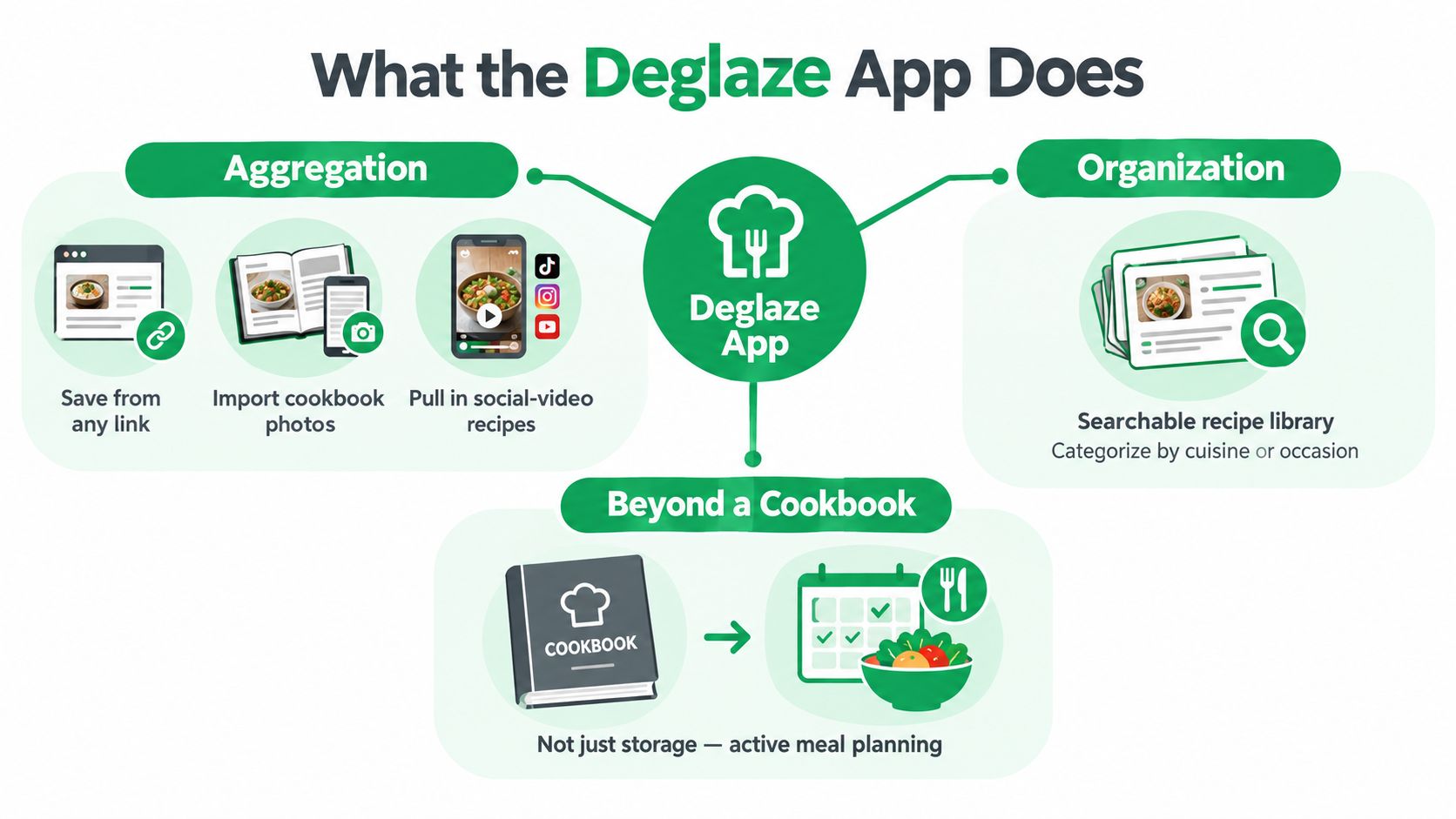
Deglaze is best understood as a recipe aggregation and organization system. Instead of asking you to cook exclusively from its own catalog, it brings recipes you've discovered elsewhere into a personal library.
As of October 2026, the public Deglaze App Store listing describes two-tap saving from browsers and social apps, including Instagram, TikTok, Facebook, YouTube, and websites. It also describes photo capture or import for cookbook pages and screenshots, followed by organization into recipes that can feed meal planning and grocery preparation.
The concept map below summarizes that collection-to-organization approach.
Collect first, then make recipes findable
The intake process matters because recipes don't arrive in a consistent format. A website provides text, a cookbook provides a photographed page, and a social post may distribute information across its caption and video.
Deglaze's documented organization tools include AI categorization and search by title, ingredient, and author. Those are practical retrieval options: you might remember what a dish contains or who created it without remembering its name.
Built-in recipe search across top recipe sites also lets you look for something new instead of only browsing recipes you've already saved. That makes Deglaze both a collection tool and a starting point for discovery, according to its official product site.
Treat capture and correctness separately
Deglaze's video-import explanation describes using captions, spoken audio, on-screen text, and visual scene understanding. That supports a more substantial claim than bookmarking a video, but it doesn't guarantee that every imported recipe will be complete.
My advice is to inspect ingredients, quantities, and instruction order before shopping. A well-formatted recipe card can still require correction if the original creator omitted an important detail.
For readers moving away from scattered bookmarks, the useful distinction is between storage and retrieval. A recipe box app should help you find something you'll cook, not merely preserve everything you've ever saved.
From Saved Recipe to Planned Meal
The practical reason to consider Deglaze is what happens after you collect a recipe. Its documented workflow connects the library to meal preparation rather than leaving you to copy ingredients into another app.
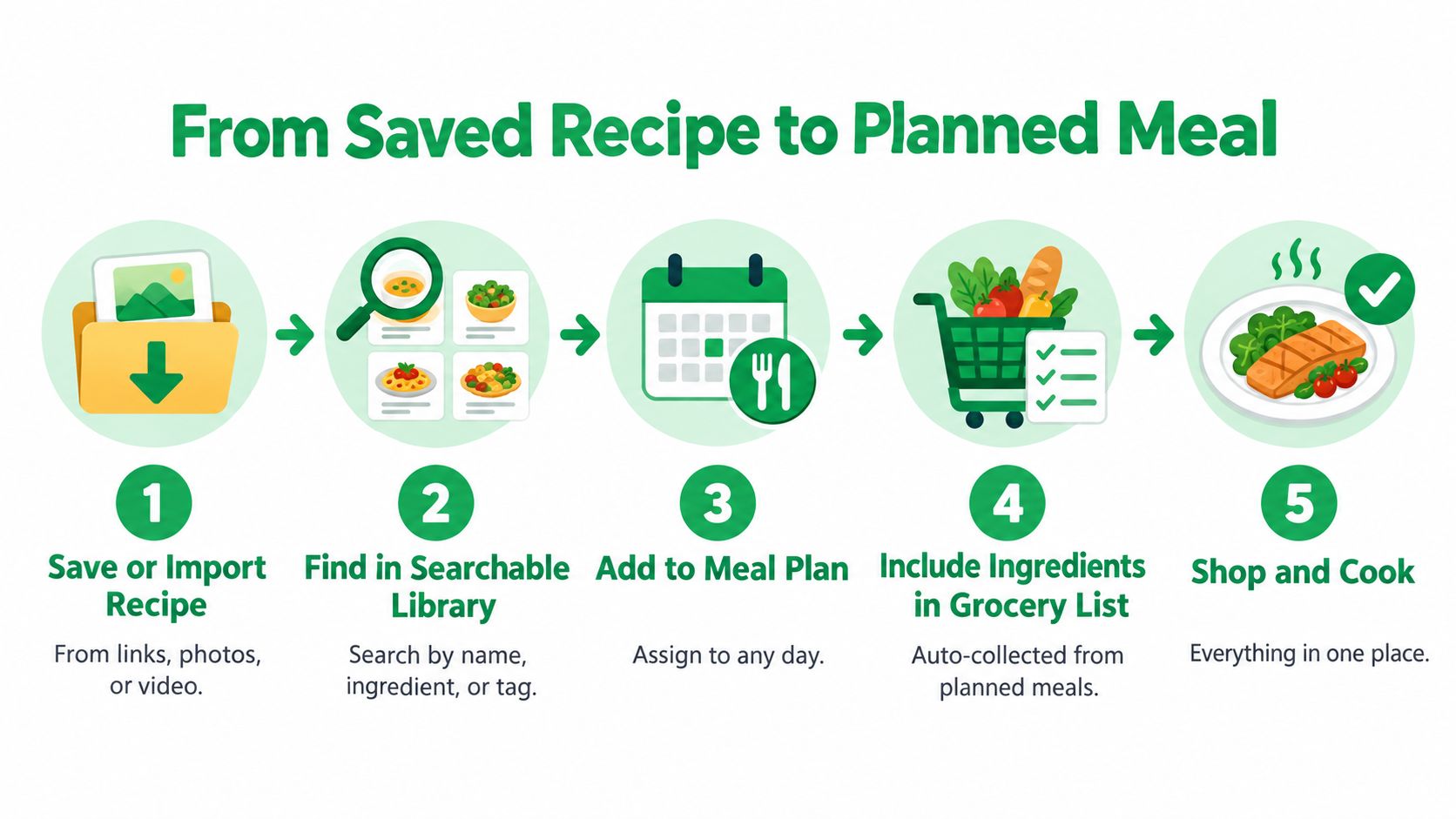
Use the following sequence as a model for evaluating the product, not as a claim that every import will behave identically. The workflow graphic shows the intended progression.
Build dinner from the library
- Save and inspect: Import the recipe, then confirm that the ingredients and instructions make sense before adding it to your plans.
- Retrieve deliberately: Search the library using what you remember, such as an ingredient or author.
- Schedule what you'll cook: Use the Pro calendar meal planner to place meals into the week.
- Prepare the shopping list: Move selected recipe ingredients into grocery preparation, then check what you already own.
- Cook from the structured recipe: Use the available cooking-session tools rather than repeatedly returning to the original post.
Deglaze documents household sharing of one recipe library, grocery list, and meal plan. The distinction is important: everyone can work from the household's common cooking information rather than maintaining separate versions of dinner.
The aisle-sorted grocery list is a Pro feature, as is the calendar planner. For a deeper look at the practical checks between choosing dinner and shopping, this recipe-to-shopping-list guide provides useful context.
Keep planning separate from kitchen execution
The documented Pro cooking mode includes timers, while the product also describes persistent cooking sessions and audio cooking sessions. Its cooking-feature listing also describes selectable steps, ingredient checklists, serving-size scaling, and switching between recipes.
For a dinner with several dishes, plan the menu before adding ingredients. Jolitee's easy entertaining recipe ideas can provide inspiration for that planning stage; review individual recipes before deciding what belongs on the shared list.
This video is an additional visual reference alongside the workflow.
A generated grocery list is a shopping draft. Check your pantry before treating it as a buying instruction.
That last step is your responsibility unless a product explicitly documents inventory-aware deductions. Connecting recipes to a list isn't the same as knowing what's already in your kitchen.
Free and Pro Plan Differences
Deglaze has a free version with limits. Pro removes the caps on imports and collections. If you are building a serious recipe library, that is the main reason to pay. If you only save dinner ideas occasionally, the case is weaker.
Decide which job you are hiring Pro for before you look at the price. A household coordinating meals has different needs from a cook who wants a cleaner place to store links.
What the Pro plan adds
| Decision area | Free version | Pro |
|---|---|---|
| Library growth | Limits apply | Unlimited imports and collections |
| Planning, shopping, cooking, and AI connections | Confirm which of these are included at the free tier | Calendar meal planner, aisle-sorted grocery list, cooking mode with timers, and ChatGPT or Claude connections |
Treat the AI connection as a connector. Sending recipe context to ChatGPT or Claude differs from an assistant designed inside the cooking app.
Pick the single Pro feature you would use. For shared meals, judge the planner and grocery list. For a large collection, judge import limits and cleanup.
Read the price presentation carefully
The App Store purchase information cited earlier lists “Deglaze Pro $49.99.” Do not infer the billing period from the label alone.
Prices may vary. Confirm the current offer before paying and read the confirmation screen before approving payment.
Apply the same skepticism to any recipe app marketed as free. The breakdown of whether ReciMe is free is a useful reminder that download availability and unrestricted access are separate questions.
Budget check: Decide whether you need unlimited collection, paid kitchen tools, or both. Do not subscribe just to avoid making that distinction.
Pros and Cons of Deglaze
Deglaze's strongest argument is the connection between recipe discovery and household execution. Its weakest buying proposition would be paying for that connected workflow when you only need somewhere to keep occasional recipes.
The table separates documented capabilities from questions you should resolve before committing.
Deglaze App Strengths and Limitations
| Area | Documented strength | Qualification or limitation |
|---|---|---|
| Recipe capture | Browser, major social-platform, photo, and screenshot imports | Supported input types don't establish perfect extraction |
| Organization | AI categorization and title, ingredient, and author search | Check whether the resulting organization suits your collection |
| Household coordination | Shared library, grocery list, and meal plan | Confirm current access and account requirements |
| Planning and shopping | Connected Pro planner and aisle sorting | The workflow you want may require payment |
| Cooking | Structured sessions and Pro timers | Occasional recipe savers may not need these tools |
| Library growth | Unlimited imports and collections with Pro | Free access has limits |
| Pricing clarity | Public purchase and monthly-plan references | Confirm the current billing offer rather than assuming |
| Pantry management | Grocery preparation is documented | Pantry quantities, expiration tracking, and substitutions aren't clearly established |
The main limitation is an unanswered workflow question
The public descriptions don't clearly establish whether Deglaze tracks partial pantry quantities, prioritizes ingredients approaching expiration, or proposes substitutions based on what you own. Its product blog emphasizes recipe collection, planning, and grocery preparation, but that doesn't establish a complete food-inventory system.
Don't turn an undocumented feature into a definitive claim of absence. Instead, treat it as something to verify if pantry management is central to your decision.
The same principle applies to import quality. You should compare a recipe manager using your own difficult sources, not assume polished marketing screenshots prove reliable results across every format.
If you're leaving an existing saver, identify the precise reason first. A focused Copy Me That app discussion can help frame that question without turning the decision into a search for the longest checklist.
My assessment: Deglaze deserves consideration for a shared kitchen. It's less compelling if your main requirement sits outside its clearly documented workflow.
Deglaze Compared With Recipe One
One person saves a social video, another buys groceries, and a third cooks. That split is the case for Deglaze: it turns scattered recipe discovery into a shared kitchen workflow. Recipe One competes on wider free-form capture plus Maya, its AI chef, so the choice is Deglaze's paid household tools against Recipe One's intake breadth and assistant.
As of October 2026, Recipe One's official product information describes saving from social videos, recipe websites and blogs, cookbooks, handwritten cards, and screenshots. It also documents tags, multiple cookbooks, weekly planning, a combined grocery list, and Maya.
Deglaze and Recipe One at a Glance
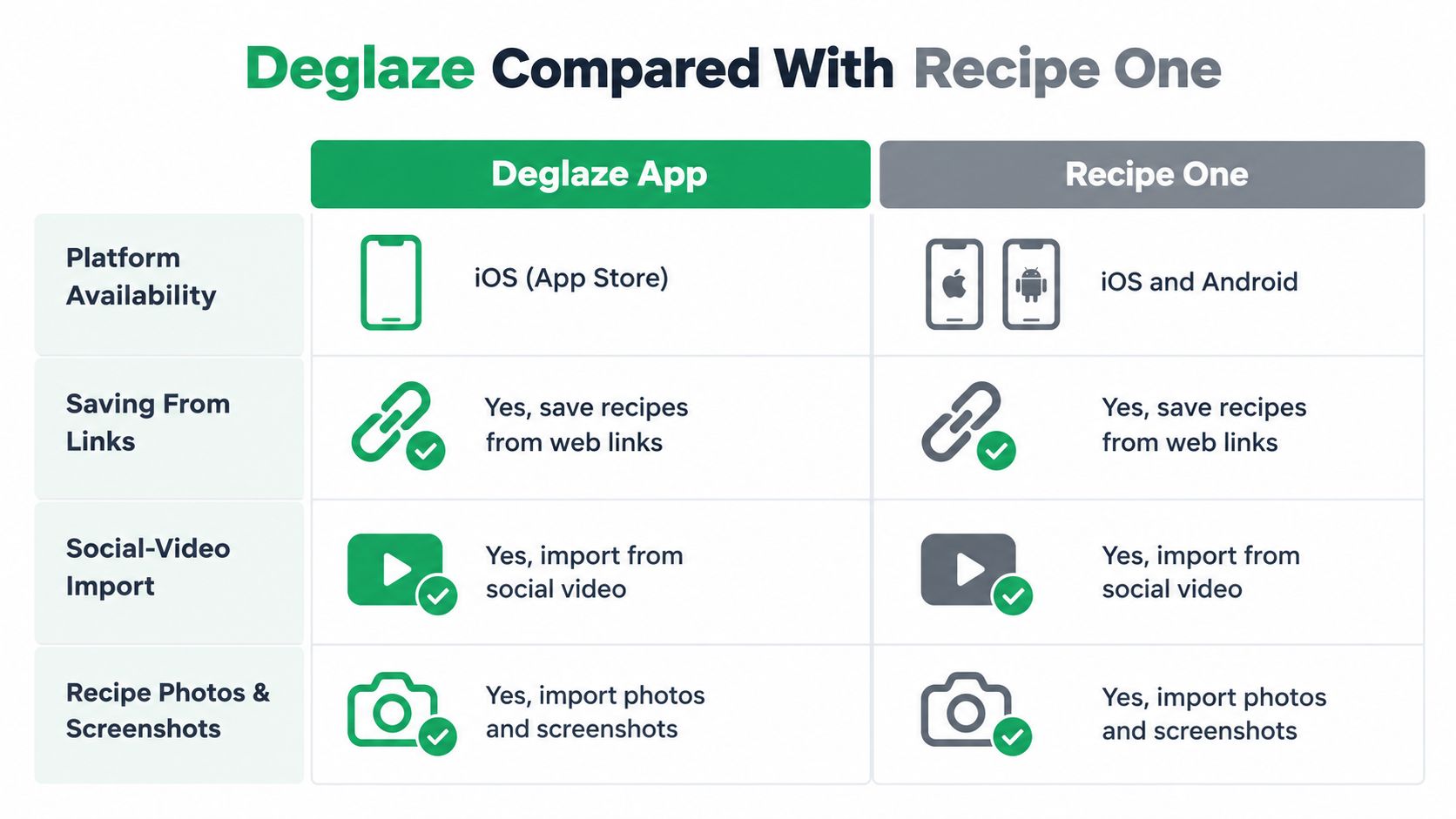
Read the table as a capability map, not an accuracy score: both apps accept varied inputs, so test extraction with your own sources.
| Criterion | Deglaze | Recipe One |
|---|---|---|
| Mobile platforms | iOS and Android | iPhone and Android |
| Recipe links | Websites and supported social sources | Any-source recipe capture, including websites and blogs |
| Social video | Captions, spoken audio, on-screen text, and scenes | Social videos, including spoken and on-screen ingredients |
| Photos and screenshots | Cookbook-page photos and screenshots | Cookbooks, handwritten cards, and screenshots |
| Organization | AI categorization and collections | Tags and multiple cookbooks |
| Meal planning | Pro calendar planner | Weekly meal planning |
| Grocery handling | Household list with Pro aisle sorting | One list combining ingredients, sendable through the phone share sheet |
| Shared recipes | Household library | Cookbooks shared with members |
| AI assistance | Pro connections to ChatGPT or Claude | Maya, an AI chef |
Deglaze's mobile availability is also reflected in its iOS and Android distribution listing. Check the relevant store for current device compatibility rather than assuming identical support across every device.
Don't confuse sharing with a shared household system
Deglaze documents a common household library, grocery list, and meal plan. Recipe One creates a combined grocery list that you can send through your phone's share sheet, and its cookbooks can be shared with members.
Those are different collaboration arrangements. Sending a list does not establish a real-time shared household grocery list, and Recipe One should not be described as offering one on that basis.
Compare by the task you need solved
Use a guide to the best recipe manager apps when organization and planning drive your choice. If intake is your main frustration, the best recipe saver app discussion is the more relevant lens.
For a specific source problem, such as learning to save recipes from Facebook, inspect that workflow directly. Broad platform support is useful; your actual sources should determine what you evaluate.
Choose the App That Fits Your Workflow
Pick Deglaze if coordinating the household is your main problem. Pick Recipe One if broad, free-form collection plus Maya is the experience you want.
A large library won't solve a coordination problem by itself. Likewise, a shared planner won't help much if you dislike the way an app captures and organizes your recipes.
When Deglaze is the better fit
Choose Deglaze when your goal is to bring people into the same kitchen system. Its documented household model is a strong reason to shortlist it if one person discovers meals, another shops, and someone else cooks.
The paid-plan distinction should be acceptable before you build your routine around it. You're considering Pro for its planning, grocery organization, and cooking tools, not just because unlimited importing sounds attractive.
Before committing, make these checks:
- Inspect your sources: Try the kinds of website, social, and photographed recipes you save.
- Review the paywall: Confirm that your essential workflow is included in the offer you're considering.
- Check household access: Understand how the people cooking with you will participate.
- Read the billing screen: Confirm the current amount and renewal terms.
When Recipe One is the better fit
Choose Recipe One when you want to collect across formats, organize with tags and cookbooks, and use Maya alongside that collection. It's especially relevant if handwritten cards and personal cookbook material belong beside social discoveries in your library.
The sharing distinction still matters. Select it because its combined list and share-sheet approach suit your routine, not because you expect an undocumented live household list.
For readers who also create or edit cooking videos, Klap's guide to compare video editing software addresses that separate production task. Editing a recipe video and turning it into a usable cooking record are different jobs; choose tools for each deliberately.
The right app is the one you'll use between finding a recipe and serving dinner, not just while collecting inspiration.
Keep the final decision practical. Choose a recipe from a source you use regularly, inspect the saved result, and decide whether its organization and shopping workflow fit your kitchen. That check is more valuable than an unsupported promise that either product will transform how you cook.
Recipe One brings recipes from social videos, websites, cookbooks, handwritten cards, and screenshots into a collection you can organize, plan from, and use with Maya, the AI chef. Visit Recipe One to explore that alternative to Deglaze, then find it in the App Store or Google Play to start building your cooking library.