The usual advice in the Recipe Keeper vs Paprika debate is to pick the app with the best feature list for the lowest phone price. That's the wrong starting point. A recipe manager earns its place when a badly formatted recipe becomes usable and the person doing the shopping can trust the same list as the person cooking.
Choose for your kitchen's weakest link, not the longest checklist. For some cooks, that's extracting ingredients from a photographed cookbook page. For others, it's adjusting dinner quantities at the stove or letting a partner change the meal plan without losing an edit.
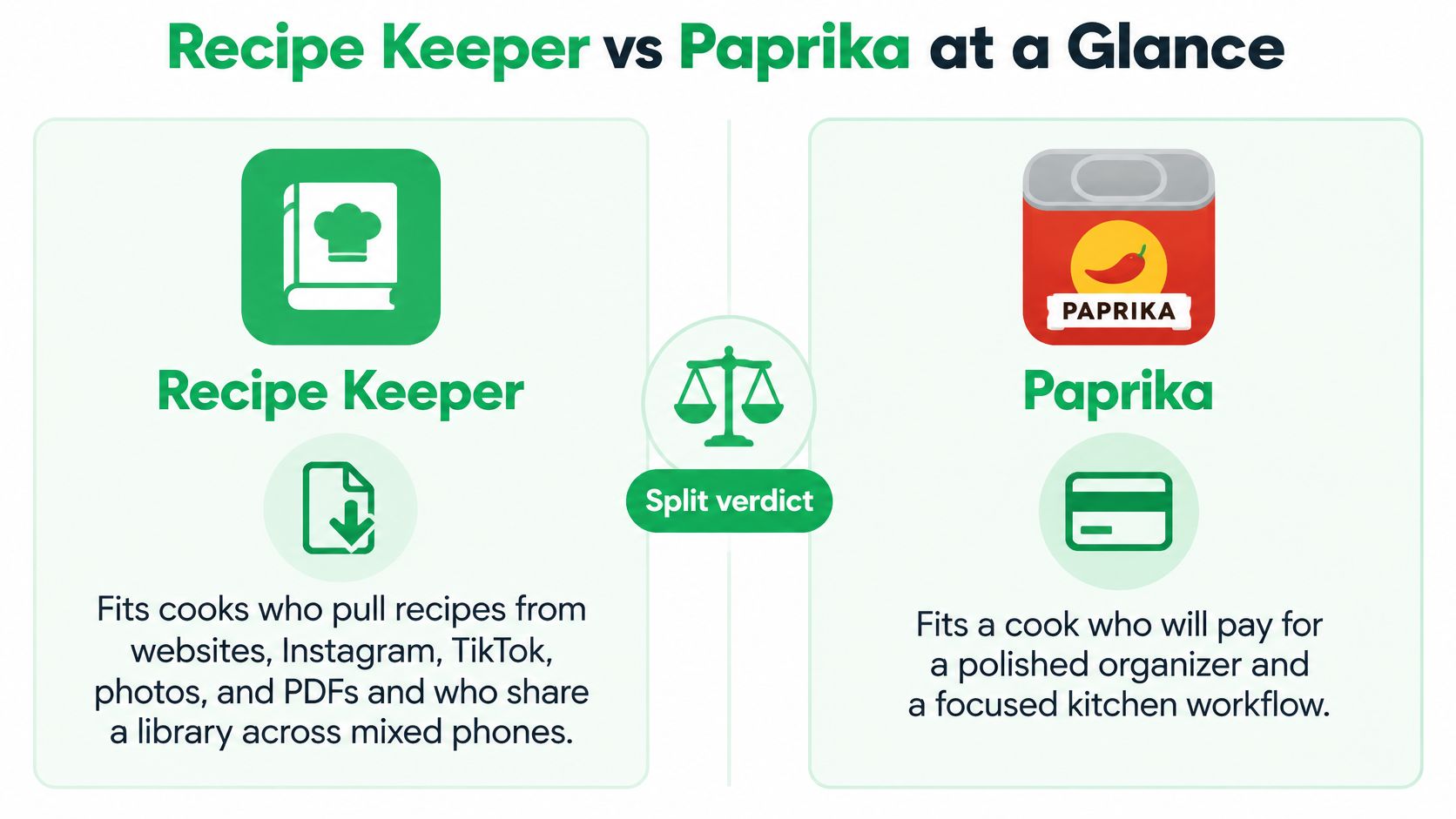
Recipe Keeper vs Paprika at a Glance
Recipe Keeper fits cooks collecting websites, Instagram, TikTok, photos, and PDFs across mixed devices; Paprika fits cooks willing to buy each platform separately for browser capture, scaling, timers, pantry tracking, and a focused cook view.
Recipe Keeper vs Paprika on the decisions that matter
| Criterion | Recipe Keeper | Paprika |
|---|---|---|
| Recipe import | Websites, Instagram, TikTok, plus OCR of photos and PDFs | Browser-based web clipper; users value keeping the source page |
| Organization | Tags and collections | Folders |
| Meal planning | Meal plans that families report sharing | Meal plans with export to calendar apps |
| Grocery list | Shared shopping lists reported by families | Grocery lists with export to reminder apps; pantry tracking |
| At the stove | Scanned intake and household sharing are the stronger side | Scaling, timers, and a focused cook view |
| Household fit | A candidate for mixed devices and a shared collection | A strong fit for one owner buying each platform separately |
Treat the household row as a shortlist recommendation, not a promise about licensing or simultaneous editing. Having an app on everyone's device doesn't establish what everyone can change.
Popularity doesn't establish kitchen reliability
The Android figures show meaningful reach: the Google Play listing puts Recipe Keeper above 1 million downloads, with approximately 20,500 reviews, while the Paprika Recipe Manager 3 listing exceeds 500,000 downloads. Those are broad download thresholds, not exact totals or a ranking of active households.
They also exclude iPhone, iPad, Windows, and Mac installations. Review counts don't tell you whether a partner successfully checked off groceries, whether scanned fractions survived import, or whether a customer paid for an upgrade.
Don't buy the apparent popularity winner. A large installed base can establish that an app isn't an obscure experiment, but it can't answer whether your own recipe sources and devices work together.
The rows that should decide your purchase
The purchase model matters because this isn't mainly a subscription contest. These are platform-specific ownership decisions, so a cheap phone app can still become a more expensive kitchen setup when you add a computer.
Separate capture breadth from cooking depth. A cook with a binder of handwritten recipes has a different problem from someone whose entire collection already consists of clean recipe webpages.
The deciding questions are practical:
- Can you cook from the import? A saved picture isn't equivalent to structured ingredients and complete instructions.
- Can another person maintain the kitchen? Opening a recipe is useful, but changing the plan and shopping list is the harder requirement.
Those questions deserve more weight than either download bands or a checkmark beside recipe import.
What Each Platform Actually Costs
One-time prices by device
| Device | Recipe Keeper | Paprika |
|---|---|---|
| iPhone | Free download; Pro about $19.99 | US$4.99 one-time |
| iPad | Pro about $19.99 | Check the store listing for the current price |
| Android | Free download; check the store listing for the Pro price | Check the store listing for the current price |
| Mac | About $29.99 upgrade | About $29.99 |
| Windows | Check the store listing for the current price | About $29.99 |
The AppBrain Recipe Keeper profile puts Recipe Keeper's Pro upgrade at $19.99 on iPhone and iPad and $29.99 on Mac, with Paprika at approximately $4.99 on iPhone and $29.99 on macOS and Windows. Jelly's 2026 recipe-management guide confirms Paprika's iOS edition as a one-time US$4.99.
Treat these as reference prices, not checkout guarantees. Currency, tax and promotions all move the final number, so confirm on the store screen before you buy.
Price the device set, not the phone
Paprika sells each platform separately. An iPhone license does not cover your Windows laptop, so a two-device household at the listed prices is looking at roughly $35 for the pair, not the $4.99 sticker that catches your eye.
Recipe Keeper lowers the cost of experimenting because the download is free. That head start only applies to the device you downloaded it on, though, and a blank cell in the table is a question to answer at the store, not a free upgrade.
Buying rule: Write down every device that must open or edit the collection before comparing prices.
Give each device on that list a job. The laptop might exist for fixing messy imports, the kitchen tablet for reading instructions while you cook, and the Android phone for whoever pushes the cart. Devices that only need to view a recipe cost less to equip than devices that must edit it.
That exercise cuts both ways. It can save you from buying a desktop edition that would sit unused, and it can expose a requirement, like a partner who edits the shared plan, that no price column will reveal.
Don't buy cooking tools to solve only a shopping problem
Pay for a recipe manager when recipes, planning and cooking need to stay connected in one library. A household that mainly fights over the grocery checklist is shopping for a different tool, and paying for the full library setup solves the wrong problem.
Our AnyList app comparison covers that shopping-first decision in detail. The right buy is rarely the cheapest app on the table; it is the least expensive setup that lets everyone in the kitchen do their actual job.
From a Messy Save to a Cookable Recipe
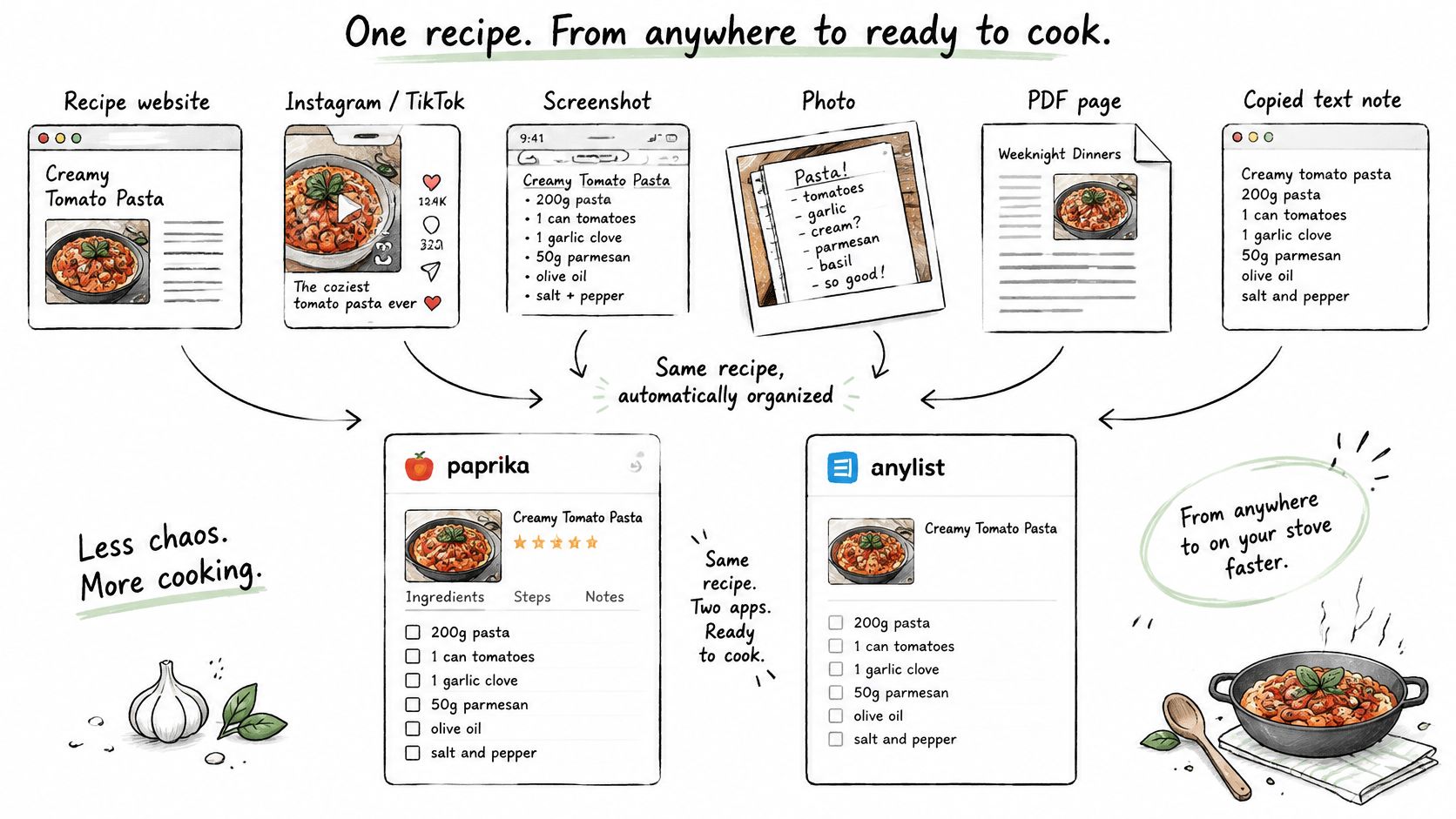
An import that leaves you rebuilding the ingredient list is a bookmark with extra steps. Judge each app by time to a cookable recipe, since feature lists never report how much cleanup a clipped page needs. The question sharpens when more than one person saves into the same library: a sloppy import becomes someone else's problem at the stove, and the corrections shouldn't always land on the same cook.
The Rankite recipe-organizer comparison lays out the familiar split between Paprika's web clipping and Recipe Keeper's broader intake. What it can't tell you is how either importer handles your sources, so run the trial yourself rather than trusting a generic accuracy verdict.
Test the sources you actually save
Build a small test collection and run the same material through both apps:
- A standard recipe website: Choose a page with a distinct ingredient list and method.
- A social caption: Use an Instagram or TikTok post where the written recipe is incomplete or spread across the caption.
- A screenshot: Include wrapped ingredient lines rather than a perfectly cropped recipe card.
- A photographed cookbook page: Keep the page curve and ordinary kitchen lighting.
- A PDF: Check whether the recipe spans pages or columns.
- Mixed measurements: Include metric weights alongside spoon or cup measurements.
Beside each import, record what went wrong and how long the fix took: missing ingredients, altered quantities, omitted instructions, usable photos, retained source information. Note where the repair happens too. Correcting a broken ingredient line on a phone keyboard is a different experience than correcting it on a laptop, and in a shared library the person who notices the error is rarely the person who caused it.
Check fractions and units before appearance. A sharp photo won't help if a spoon measurement became a cup measurement, and a missing resting or cooling instruction can leave an apparently complete recipe unusable at the stove.
Set a pass rule before testing
For an evening trial, make five saves from your most common sources. If your collection spans every category above, add the remaining category before making a final choice.
Use this practical threshold:
If you're retyping more than a couple of ingredient lines, treat that source as unsupported for your kitchen until another attempt proves otherwise.
Hold both apps to it. Confirm that the original URL survives the import as well, so you can return to the author's notes or comments instead of trusting the extracted version forever.
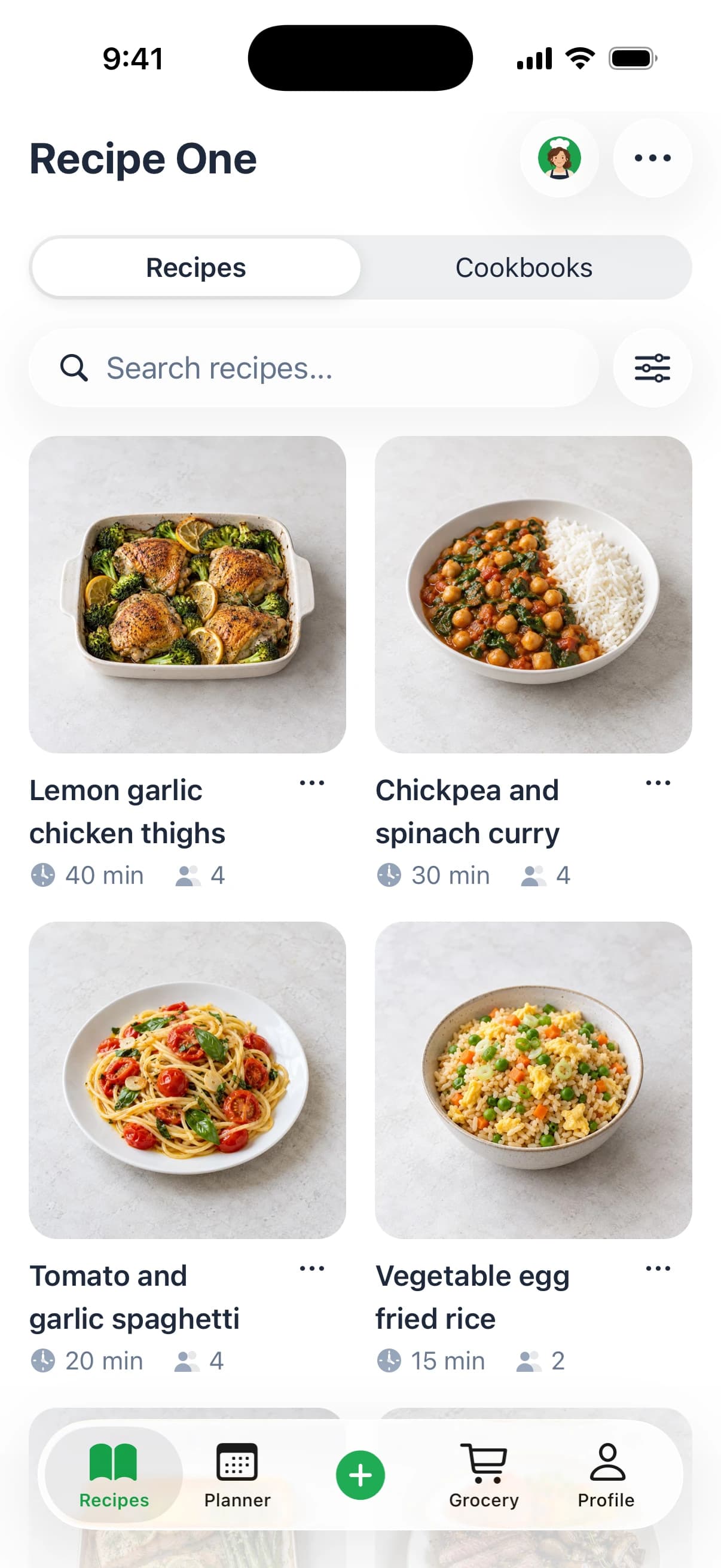
For cooks whose collection begins mostly with social links and photographs, Recipe One offers another path: share a link or snap a photo, and we extract ingredients and steps without ads or extra content. Our free helpers cover cups-to-grams, grams-to-tablespoons, rice-to-water, nutrition, and grocery-list tools; use conversions deliberately rather than assuming every ingredient shares the same volume-to-weight relationship.
Our online recipe organizer guide can help you distinguish a searchable cooking library from a pile of saved images. Whichever app you test, count the corrections before admiring the recipe card.
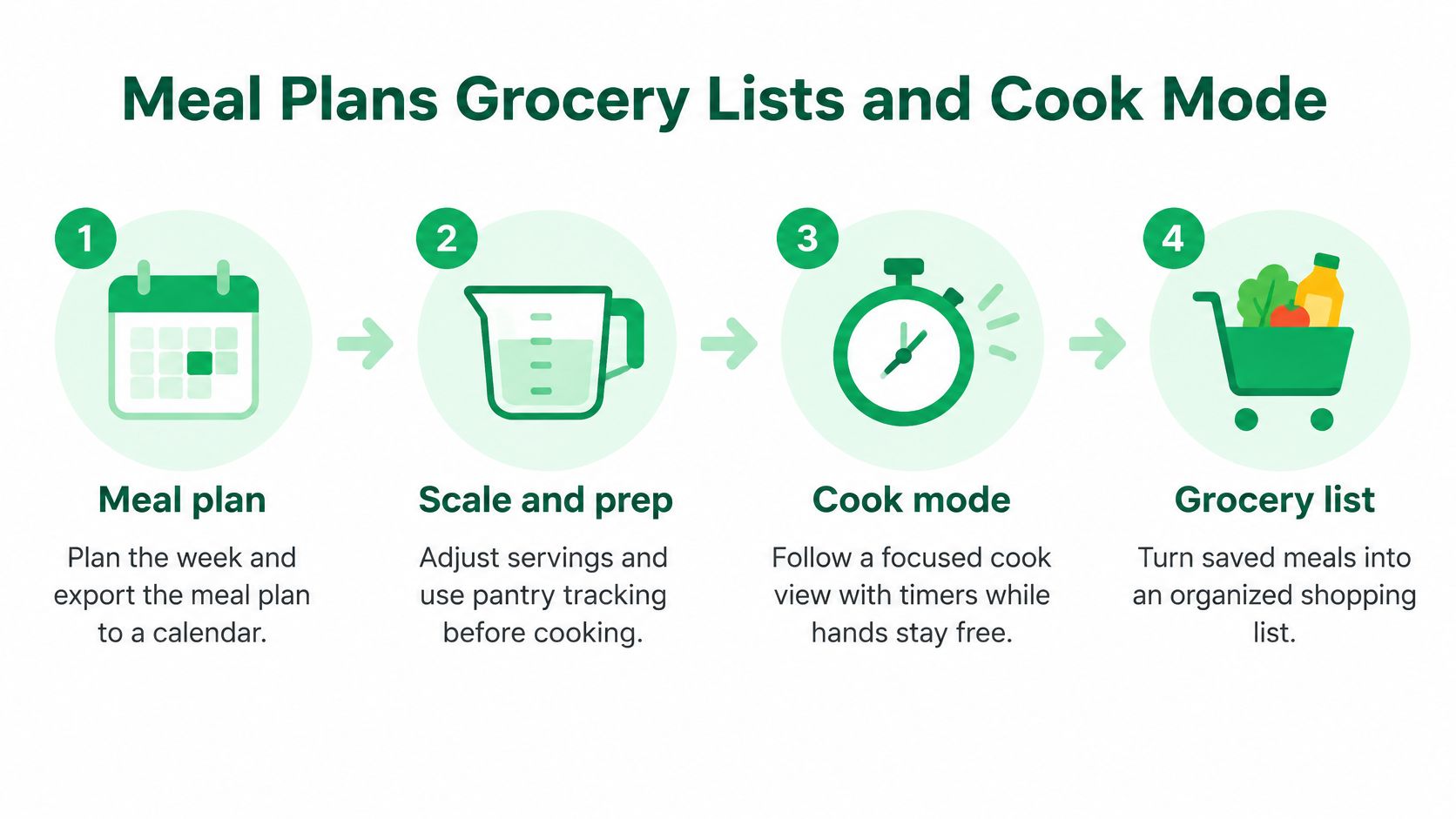
Meal Plans Grocery Lists and Cook Mode
Tuesday dinner makes the distinction clearer than a feature checklist. One cook is adjusting a recipe, watching a simmer, and following the method; another is still at the store, trying to work out what the household needs.
The Paprika App Store listing describes connected recipes, grocery lists, and meal plans, including calendar and reminders exports. The available comparisons favor Paprika for scaling, timers, and focused cooking, while placing Recipe Keeper more toward broad intake and household sharing.
These are directional workflow comparisons, not controlled tests of timer accuracy, offline responsiveness, or synchronization speed. Don't turn them into promises about performance on your phone.
For the cook already at the stove
Paprika is the stronger starting recommendation when the recipe is already clean and you want cooking controls close to the instructions. Its cooking-oriented tools make more sense for someone managing several dishes than another import option they rarely use.
Test with a meal you know well. Adjust the servings, inspect the changed ingredient amounts, start a timer, and move between the method and ingredient list.
Then notice the interruptions. Can you recover your place after checking something else? Does the screen layout remain readable at the distance you keep your phone from the chopping board?
For the person responsible for dinner and shopping
A different cook needs a tighter route from saved inspiration to the supermarket. At Recipe One, our workflow is to plan a week of dinners from the saved library, generate a grocery list containing the week's ingredients, and cook with one large step at a time while the screen stays on.
Servings can change, with ingredient amounts following automatically. That's useful when the same dinner needs to cover guests or leftovers, but you should still review the list against what's already in the cupboard.
Our guide to a grocery list generator from recipes focuses on that recipe-to-shop handoff. A list is only useful if the person walking the store can understand its quantities and remove ingredients already at home.
If you connect an AI assistant to kitchen information, review what it can access rather than treating convenience as permission. Tech Today's a plain-language guide to AI privacy offers useful context for thinking through those access decisions.
Which failure hurts your evening more: no convenient timer at the stove, or a shopping list that doesn't match the shop? Choose around that answer.
Sharing One Library Across a Household
A personal recipe collection and a shared kitchen system aren't the same purchase. An iPhone, an Android phone, and a Windows or Mac laptop introduce questions that a solo-phone review can easily miss.
In the Recipe Keeper household-sharing discussion, families describe using recipes, meal plans, and shopping together, but commenters also express uncertainty about registration and access across devices. That makes Recipe Keeper a reasonable household candidate, not proof of a universal family license.
Synchronizing your own data to another device is not the same as shared ownership, permissions, or conflict handling.
Check access, editing, and responsibility separately
Ask whether each person can open the same recipe, meal plan, and grocery list. Then ask whether each can change them using their intended setup, not only while borrowing the other person's phone.
Licensing is a separate check. Establish which platform purchases or registrations your setup requires before assuming that a shared collection means a shared purchase.
Finally, test what happens when both people act. A household needs more than a successful initial sync if one person changes a quantity while the other checks off the shopping item.
| Household question | What counts as a useful answer |
|---|---|
| Can everyone read the collection? | The intended recipes, plan, and list open on each device |
| Can everyone maintain it? | Each person can make the changes their role requires |
| Are purchases understood? | You know what must be bought for the actual device mix |
| Can mistakes be resolved? | You can identify which edit survived and restore missing information |
Organize for the person who didn't save it
Recipe Keeper's tags and collections and Paprika's folders encourage different habits. Neither structure fixes inconsistent naming.
Agree on names your partner will search for. A recipe called Mum's Chicken may be meaningful to its saver but invisible to someone searching for lemon traybake.
Use dietary labels carefully too. Distinguish a recipe that is already suitable from one that needs substitutions, and put the substitution instructions inside the recipe.
Our family meal-planning app guide can help you define responsibilities before choosing software. Knowing who changes dinner and who checks cupboard stock matters more than everyone having an icon on their phone.
Run this household trial with disposable test content:
- Add a recipe on phone A.
- Edit its ingredients on phone B.
- Schedule it on the shared meal plan.
- Check off a grocery item while the other person views the list in the store.
- Disconnect and reconnect, then inspect which changes survived.
Choose the setup both people can explain afterward.
Offline Access Backups and Switching Apps
Don't move your whole collection before testing a disconnected phone and a usable backup. A recipe that opens on home Wi-Fi hasn't yet proved it will help in a supermarket with poor reception.
Treat these as acceptance tests, not assumed features.
Rehearse losing the connection
Put your phone in airplane mode and open a small selection of saved recipes, the weekly plan, and the grocery list. Make sure you open the actual instructions rather than merely seeing recipe titles or cached thumbnails.
Check off some grocery items, reconnect, and inspect the result on another device. Use a disposable list so an unsuccessful test doesn't disrupt your shopping.
Record the outcome plainly:
- Available offline: Note exactly which screens and recipe contents opened.
- Editable offline: Separate reading from changes you could make.
- Recovered after reconnecting: Confirm whether your changes reached the other device.
Make the backup prove itself
Find the export or backup options in settings. Export the full library if supported, keep the file somewhere outside the app, and confirm what can open it.
An app-specific backup may be useful for restoration without being readable as an ordinary document. Don't confuse that with a portable archive you can inspect independently.
Check photos, notes, source URLs, tags, and folders separately. Our digital recipe book guide is a useful companion when deciding what your long-term collection needs to preserve.
Migrate a copy before replacing the original
Use this sequence for a trial migration:
- Protect the original. Export or back up the existing library before changing anything.
- Import a copy. Use the new app on a spare device or separate test setup, where supported.
- Audit a sample. Compare ingredient lines and instructions on ten recipes against their originals.
- Inspect the surrounding work. Check meal plans and grocery lists separately, noting anything that didn't transfer.
Ingredient and instruction counts are a starting point, not proof that every word is right. Review quantities and units too.
Keep the old library until the replacement survives a real shop and dinner. A reversible move is better than a tidy-looking migration you can't undo.
Which Cook Each App Fits
The solo Apple cook should start with Paprika. If most recipes already arrive as readable webpages and you care about controlling the cooking session, its cooking-focused approach matches the job. Accept a separate computer purchase if editing on a laptop is part of your routine.
The household digitizing a binder while collecting Instagram and TikTok recipes should start with Recipe Keeper. An Android phone and a partner's iPhone make intake and shared access more important than winning a stove-side feature contest.
Match the recommendation to the bottleneck
For the busy parent whose saved inspiration rarely becomes dinner, Recipe One is worth testing. We're free to start on iPhone, Android, and the web, with a workflow built around saving recipes, planning dinners from the library, and preparing the shopping list. There's also a Chrome extension for saving recipes while you browse, and you can use Recipe One inside ChatGPT or Claude: search "Recipe One" in ChatGPT's plugins or Claude's connectors (setup guide).
Don't treat that as a substitute for testing household behavior. Sharing a recipe or cookbook is useful, but you should still verify the exact edits and shopping actions your family expects to perform.
For the meal-prep cook, make nutrition a gate rather than an afterthought. Confirm that calories, protein, carbs, and fat are visible per serving, and check that the serving definition matches the portion you intend to eat; our app shows those per-serving nutrition fields.
The paper-only cook should judge the scanning trial, not the marketing language. Choose awkward handwriting, a stained card, and a cookbook page with notes in the margin, because those are the materials you're asking the software to rescue.
Apply a firm decision rule
- Choose Recipe Keeper when your main burden is turning photos, PDFs, and social saves into a collection that works across the household's devices.
- Choose Paprika when you're comfortable purchasing by platform and want cooking controls around an already structured library.
- Choose our save-plan-shop approach when the gap is unused inspiration and an undecided dinner rather than a missing timer.
None of those recommendations excuses a failed practical test. If your preferred app repeatedly loses quantities, hides the source, or leaves your partner unable to maintain the list, choose another setup.
Final check: Run messy imports, a shared edit, and a real shop before paying for another platform.
Use your own recipes for the trial, not attractive demonstration content. Put the person who buys the groceries in charge of judging the list, and let the person who corrects imports judge the capture process.
The better app is the one your household can keep using without appointing someone to repair it every evening.
Recipe One turns shared links and recipe photos into ingredients and steps, then helps you plan dinners and build a grocery list. Visit Recipe One to start free, save the recipe you've been meaning to cook, and test the full route from inspiration to your next shop.