You're standing in the grocery aisle with your phone in hand, trying to remember whether the household is out of milk, cereal, or both. The Out of Milk app is designed for that moment: keep a shopping list, check off items as they go into the basket, and share the list with other shoppers.
“Grocery List: Out of Milk” by inMarket Media, LLC is a practical list tool, not a recipe-planning system. This review looks at its publicly listed features, what its pricing information does and doesn't say, and when a recipe-focused workflow may be a better match.
Out of Milk App Quick Verdict
Best for: People who want straightforward grocery, big-box, or event lists, with custom categories, a way to track items in the cart, a separate pantry list, and a to-do list with alerts.
Not for: People who want to save recipes, plan meals, and have a grocery list built from the recipes they intend to cook. The public Out of Milk site and store listings describe shopping and household lists, but don't show those recipe-planning functions.
Out of Milk's core idea is easy to understand. Make a list for a store or occasion, add what you need, and use the list while shopping. If several people contribute, they can share the shopping list and see updates as collaborators make changes. The app also offers pantry and to-do lists, although those serve different purposes from the shared shopping-list workflow.
The product has a long history as a mobile list app. The Android package has been tracked as available since September 2010, and InMarket said in 2021 that the service had helped people manage shopping needs, pantry inventory, and to-do items since 2012 (Google Play listing and app information). Google Play displays more than 5 million downloads and approximately 243,000 reviews, alongside a 4.5-star rating. These public figures point to a mature product rather than a new experiment, though store ratings and download counts can change.
Choose Out of Milk if your main task is remembering and organizing what to buy. Look elsewhere if you want meal ideas, saved recipes, or automatic ingredient planning to drive your shopping list. The distinction matters: a good checklist helps you shop for items you already know you need, while a recipe workflow starts with what you plan to cook.
They also compare Out of Milk with Recipe One for readers whose shopping starts with recipes.
What the Out of Milk App Does
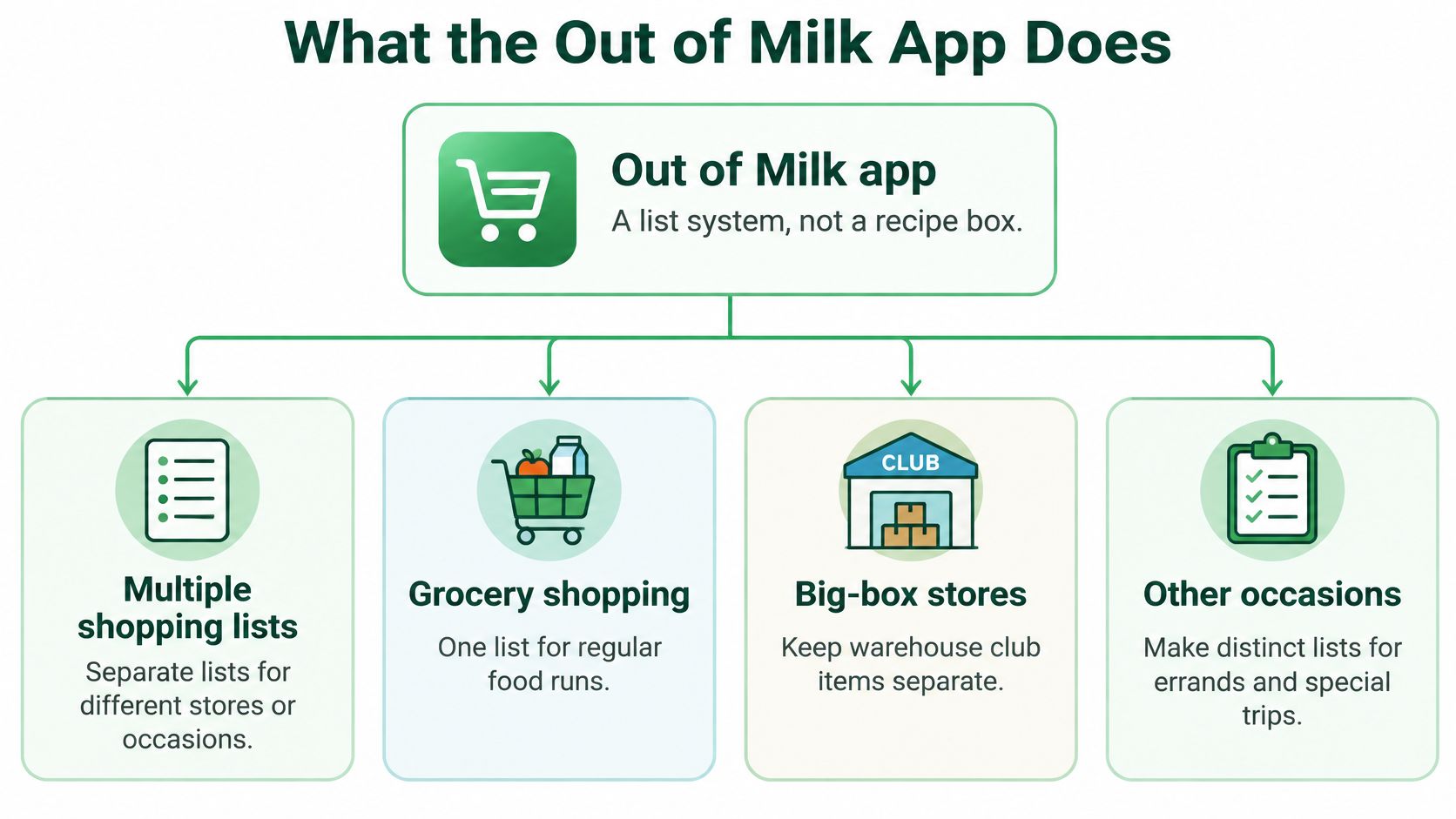
Out of Milk is organized around lists. You can keep separate lists for different stores or occasions, such as a regular grocery run, a big-box store trip, or a special event. That separation helps prevent a warehouse-club item or party supply from getting buried in a routine food list. The official site describes separate lists and real-time sharing (Out of Milk's official site).
Organize the list around the shop
The app lets you arrange custom categories to match how you think about a store's layout. You can add items from shopping history, then use a barcode scanner, type an item, or speak its name. For packaged goods, scanning may save some typing; if the barcode isn't recognized, the item needs to be entered manually. The support documentation says unknown barcodes aren't retained for future recognition, so scanning shouldn't be treated as guaranteed product lookup (Out of Milk features).
Items can include details such as price, quantity, notes, coupons, and photos. While shopping, you can mark items as already in the cart and keep track of a running total and grand total. That makes the list more than a reminder: it can act as a simple checklist for the trip.
Keep household tasks nearby
Out of Milk also has a pantry list and a to-do list with alerts. Shopping lists can be shared with family or friends, and the official site says changes can appear almost instantly as collaborators update a list. The app is listed for iOS and Android, and the website provides access at outofmilk.com.
Pre-made grocery list templates offer a starting point when you don't want to create a list from scratch. Taken together, these features describe a flexible list system, not a recipe box: the public site and store listings don't show recipe saving, meal planning, or a grocery list generated from recipes. For a different way to turn planned cooking into shopping, see this guide to building a recipe into a shopping list. If you're planning a plant-based shop, plan your plant-based grocery haul with a separate ingredient checklist. The next section walks through how these list features fit into an ordinary shopping routine.
Everyday Shopping List Workflows
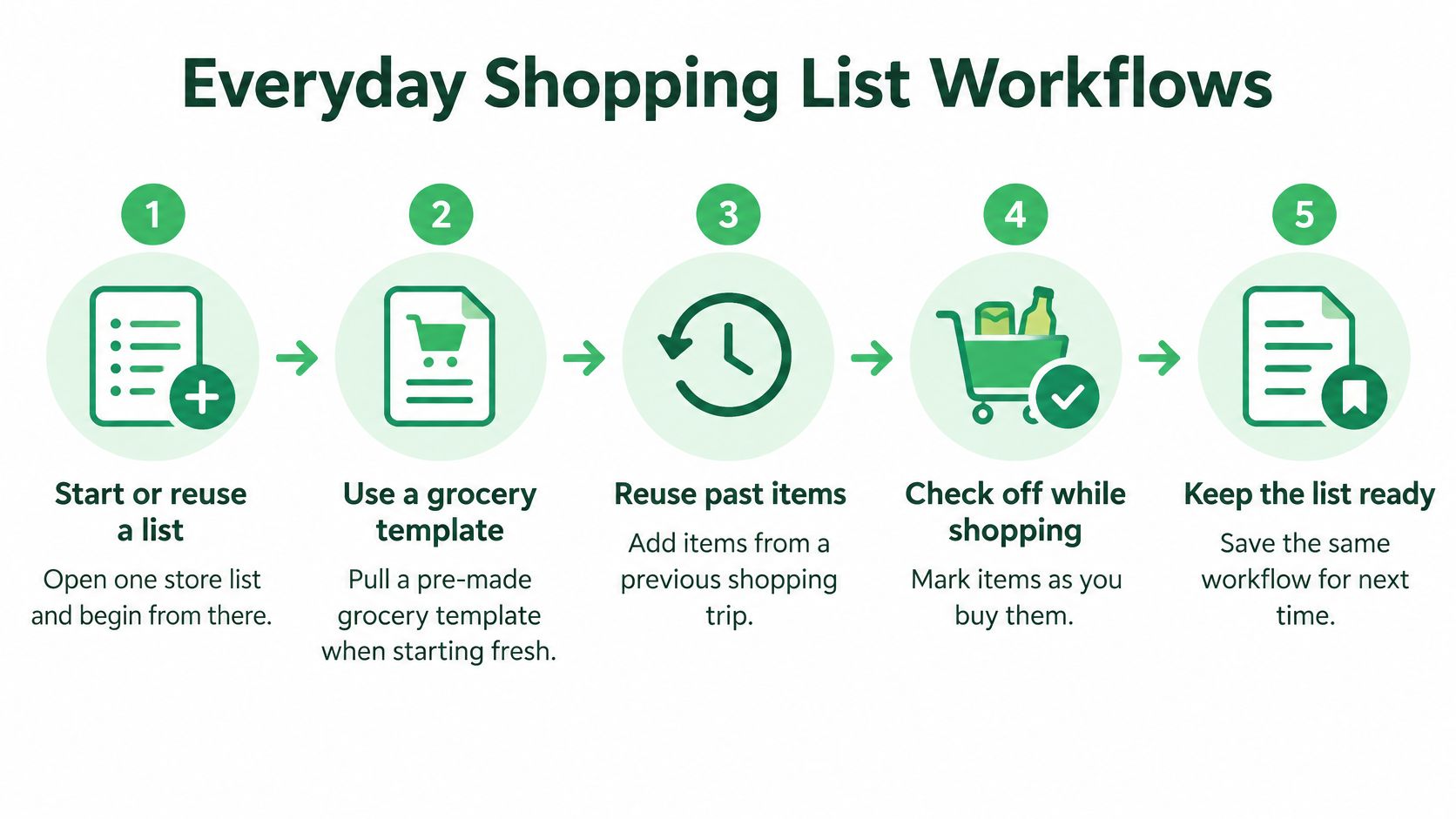
Start with the store or occasion. Open an existing list, make a new one, or use a pre-made grocery template. If you regularly buy the same staples, past items can help you rebuild a list without entering each familiar product again. Then arrange categories to match the way you move through the store, so the checklist is easier to scan as you shop.
Add items, then track the cart
There are three ways to capture an item: type its name, speak it, or scan its barcode with the camera. A recognized packaged product can be added through scanning. If the app can't identify the code, its support information says you must enter the product manually, and the unknown code isn't saved for later recognition.
Once items are on the list, add details that will help during the shop. A quantity can clarify how much to buy; a note can distinguish a particular variety; and a price can help you follow the running and grand totals. Coupons and photos can also be attached to items. Check off products as they go into the basket to keep the remaining list focused on what's still to find.
Practical rule: Treat barcode scanning as a shortcut for recognized products, not as a substitute for editable item names and details.
Keep the pantry list and alert-based to-do list distinct from the shopping list. Out of Milk's synchronization guidance says shopping-list data is backed up to a server, can be accessed on an unlimited number of devices, and can be shared. The same guidance says pantry and to-do data still require manual copying, so those records don't have the same shared-list behavior (Out of Milk synchronization guide).
For example, one household member can maintain a store list at home while another checks items off in the aisle. Both can work from the shared shopping list, but they shouldn't assume a pantry change made on one device will automatically update the other person's pantry record. Keep the shopping list as the shared purchase checklist, and treat pantry information as a separate record that may need updating by hand. For more ways to structure a shopping checklist, see this guide to a grocery list app. If you're also collecting ideas for baking with vegetables, vegetable bread baking tips from DBakerAid can help inspire what to put on a separate list.
Here's a video related to using the app:
Out of Milk Free vs Premium Pricing
The official Out of Milk site describes the app as free to download, including its shopping-list service. Apple's App Store listing shows two in-app purchases named Out of Milk Premium, priced at $9.99 and $12.99 as of October 2026 (Out of Milk on the App Store).
The listing doesn't state a billing period for either amount. The official materials referenced here also don't explain which features Premium provides, so it wouldn't be reliable to guess what either purchase includes. Prices may vary by market or change over time. Check the current App Store listing before buying.
Privacy deserves a separate look from price. Google Play says data is encrypted in transit and that users can request deletion. Its data-safety disclosure also identifies categories such as location, device identifiers, purchase history, name, and email as potentially shared with third parties. Encryption in transit describes protection while data moves between systems; it doesn't, by itself, answer every question about what data is collected, shared, or retained.
A grocery list can expose more than a household's next shopping trip. It may reveal dietary preferences, routines, or health-related purchases. Review app permissions and account access, and use only the access your household needs for list syncing. If you're comparing list management with meal-planning tools, this overview of a free meal planner app can help clarify the difference between organizing purchases and planning what to cook.
Out of Milk Pros and Cons
Out of Milk's strengths and limitations follow from its focus: it helps organize a shopping trip, but the public pages don't present it as a recipe or meal-planning app. This table brings those trade-offs together without treating the missing cooking features as a flaw for shoppers who only need a checklist.
| Pros | Cons |
|---|---|
| Simple shopping focus: The app is built around shopping lists rather than recipe collecting. | No recipe workflow shown: The public site and listings don't show recipe saving, a meal planner, or a grocery list built from recipes. |
| Store-style organization: Custom categories can be arranged to match a store, and lists can be kept separate by store or occasion. | Barcode coverage has limits: Recognition depends on the product database. An unrecognized code requires manual entry and isn't kept for later recognition. |
| Flexible item capture: Add items from shopping history, by typing, by speaking, or by scanning a barcode. | Some records need hand-copying: Pantry and to-do data aren't described as syncing like shopping-list data and may need manual copying. |
| Useful shopping details: Items can carry price, quantity, notes, coupons, and photos. Cart checkoff supports running and grand totals. | Premium terms are unclear: The App Store's two Premium price entries don't say what either unlocks or what billing period applies. |
| Household list tools: Pantry and to-do lists with alerts sit alongside templates, and shopping lists can be shared and synced across devices. | Pantry state can become stale: Household members can coordinate purchases on a shared shopping list, but a pantry copied by hand may not reflect later changes. |
| Multiple ways to access lists: The product is available on iOS and Android, with web access at outofmilk.com. | Different devices don't solve every sharing need: The documented shared workflow is strongest for shopping lists, not adjacent household records. |
The trade-off is straightforward. If the household already knows what to buy, Out of Milk offers several ways to organize and check off those items. If the household needs a list generated from planned meals, the public product information doesn't show that as an Out of Milk capability.
Out of Milk vs Recipe One
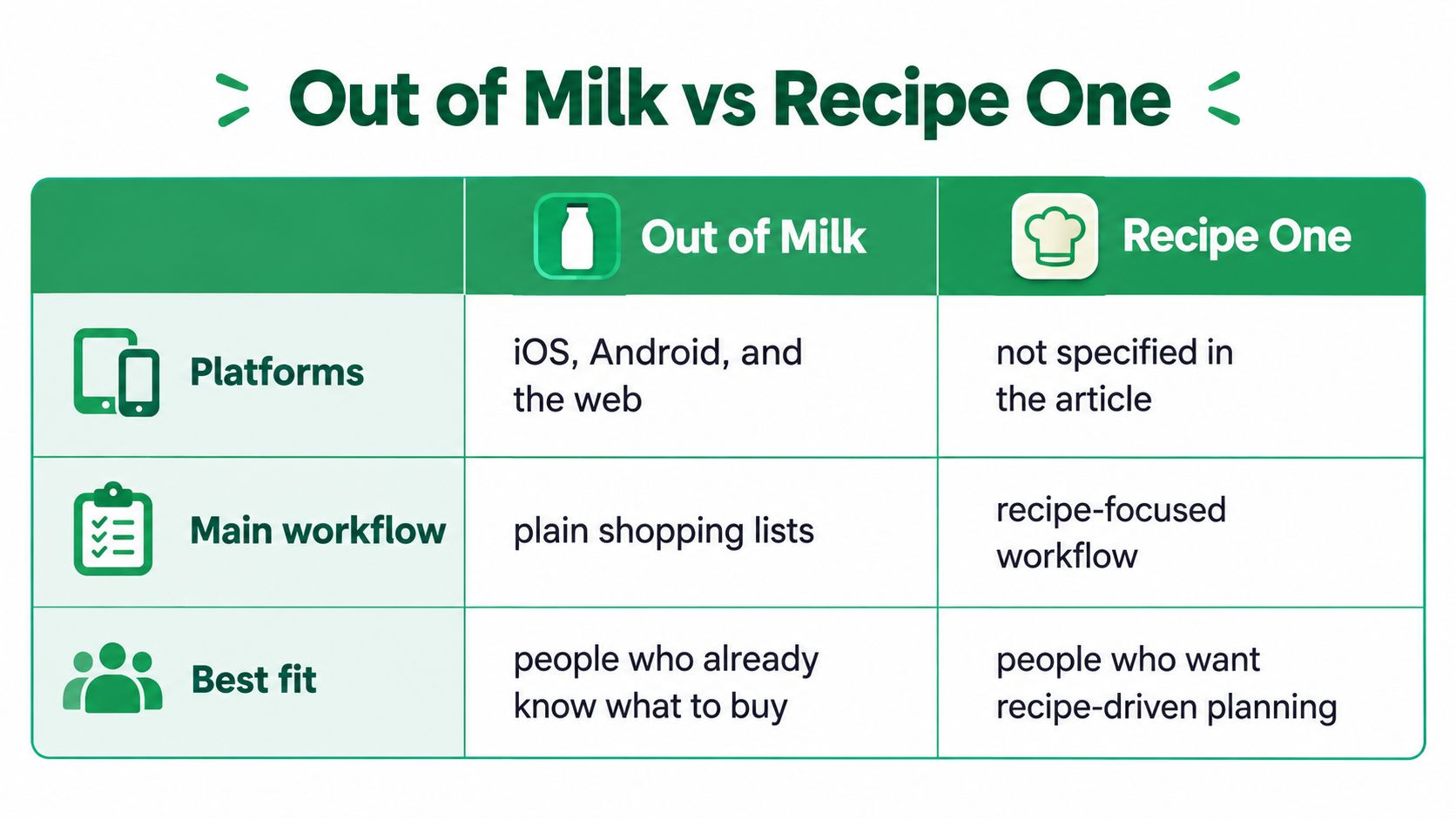
Out of Milk and Recipe One start from different places. Out of Milk starts with a shopping list. Recipe One starts with saved recipes and a meal plan, then builds a grocery list from the planned dishes. The comparison below sticks to what each product's public pages and store listings describe as of October 2026.
| Capability | Out of Milk | Recipe One |
|---|---|---|
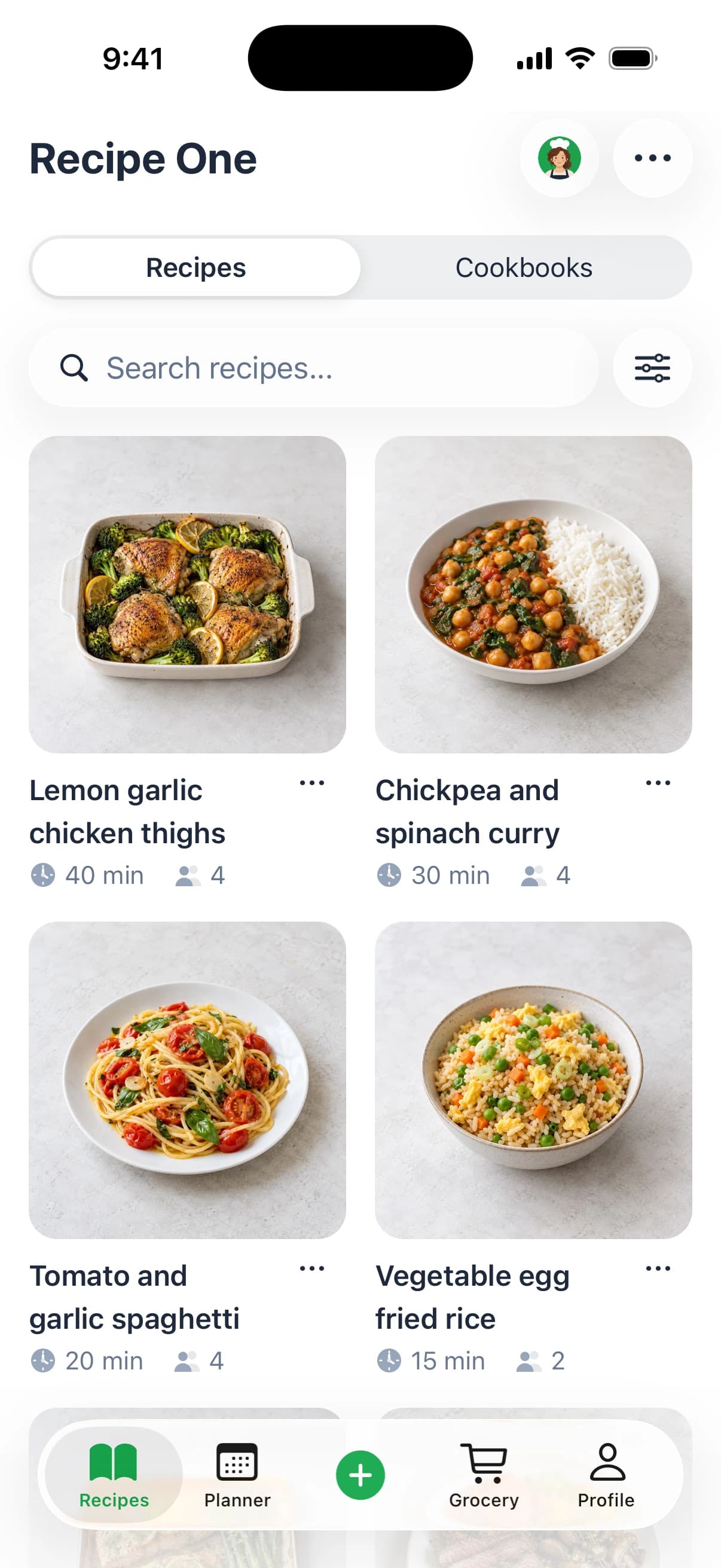
| Platforms | iOS, Android, and the web at outofmilk.com | iPhone and Android |
| Shopping lists | Shopping lists for stores and occasions | Grocery list built from planned recipes |
| Shared lists | Shopping lists can be shared, with near-real-time updates | Grocery list can be sent through the phone share sheet; cookbooks can be shared with members |
| Pantry list | Yes | — |
| Barcode scan | Yes | — |
| Save recipes from any source | Not shown in the public site and listings | Saves recipes from social video, including spoken and on-screen ingredients, recipe websites or blogs, cookbooks, handwritten cards, and screenshots |
| Recipe organization | Not shown | Tags and multiple cookbooks |
| Meal planner | Not shown | Plans the week |
| Grocery list from saved recipes | Not shown | Combines ingredients from planned recipes into one grocery list |
| AI chef | Not shown | Maya, an AI chef |
The difference in “shared lists” needs careful reading. Out of Milk offers sharing and near-real-time updates for shopping lists. Recipe One can send its grocery list through the phone's share sheet, and members can share cookbooks, but that isn't the same as a real-time shared household grocery list.
Recipe One's path is recipe-first: save a dish from a source, organize it, plan meals, then combine ingredients from those planned recipes into one grocery list. Its documented features include saving recipes from different sources and planning the week, rather than only collecting social-video recipes. Read more about using a recipe app by ingredients if the cooking decision often starts with what's already available to you.
Neither workflow replaces every feature of the other. Out of Milk's barcode scanner and pantry list suit list-focused shopping. Recipe One's saved recipes and meal planning suit cooks who want the list to follow the week's menu.
Who Should Use Which App
Choose Out of Milk if you usually decide what to buy before you open the app. It suits shoppers who want a plain list with store-style categories, item details, cart tracking, a separate pantry note, and a to-do list with alerts. Its shared shopping-list workflow can also help family members coordinate edits and purchases.
Choose Recipe One if you collect recipes and want those recipes to shape the shopping plan. A typical workflow is to save a recipe from a video, website, cookbook, handwritten card, or screenshot; add tags and put it in a cookbook; plan the week; then use one grocery list that combines ingredients from the planned meals. Maya, the AI chef, belongs in that cooking workflow. It isn't a replacement for Out of Milk's barcode scanner or pantry tracker.
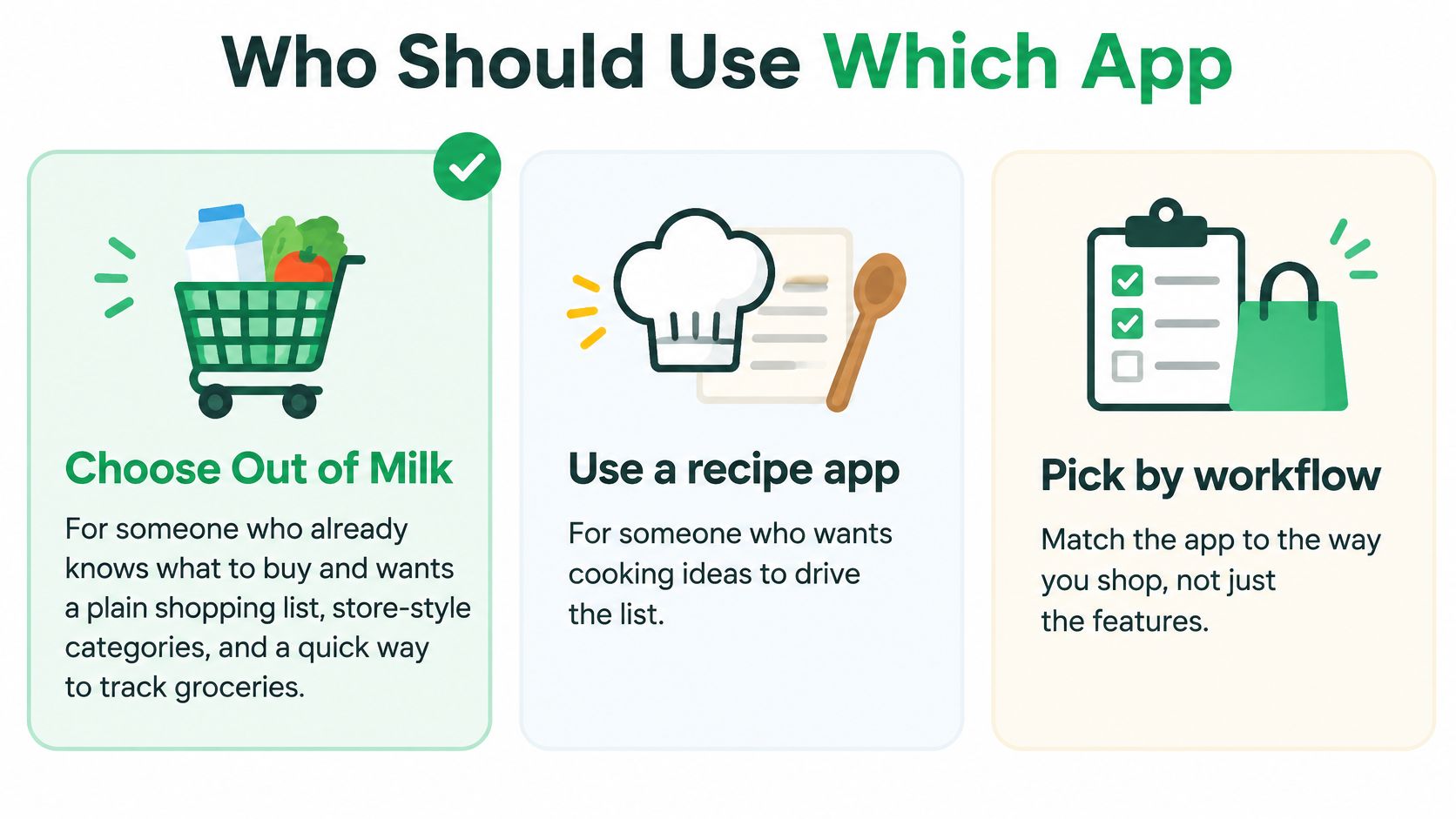
The choice comes down to where you want the process to begin: a list of items you already know you need, or recipes you plan to cook. If you're comparing options for a specific device, explore best grocery list apps for Android or the best grocery list app for iPhone. For help deciding how to structure your shopping items, see this grocery list organizer. And if reducing shopping waste or spending is part of the decision, consider this guide to the best app to save money on groceries.
A practical next step is to write down how your next shop begins: with a store checklist, or with meals you want to cook. That answer will point you toward the workflow that fits.
If you want recipes, weekly meal planning, and one grocery list that combines ingredients from the meals you choose, visit Recipe One to explore its cooking workflow.