Do you want an app that decides dinner for you, or one that helps you cook the recipes you already saved? People searching for an Ollie meal planning app may assume they're shopping for a meal planner. As of November 2026, that assumption points at the wrong product category. Ollie now sells a family assistant you text, and dinner is one of the jobs it handles. That changes the question you should ask before you pay for anything.
What Ollie Is Today and Why It Matters
As of November 2026, Ollie, made by Confabulation Corporation, presents itself as a personal and family AI assistant you text, with no app download and no login. Meal planning is one feature inside that assistant, not a dedicated meal-planning app.
The company's own explanation of what a family assistant is describes interaction through iMessage or SMS, help with schedules and school logistics, reminders, local searches, and meals and grocery planning. The site's pitch is short: "No app, no login, just a text." Alongside meals, it lists school emails, reminders and calendar, daily briefings, to-do lists, bookings and payments.
Say your week includes a permission slip due Wednesday, a dentist appointment to book, and five dinners to decide. Ollie's offer is one text thread for all of it. If you only want the dinners, the company points you to a separate Ollie for Meals offering instead.

Several products share the name
Search "Ollie" and you'll land on pet food, a sports app and a chat companion before you find dinner. Use this to check you're looking at the right one.
| Name | What it is | Relevant to meal planning? |
|---|---|---|
| Ollie (ollie.ai) | Personal and family AI assistant by text, with Meals & Groceries | Yes, as one feature |
| Ollie for Meals | Meal planning product with a free one-month trial, then paid plans | Yes, its main use |
| Ollie dog food | Pet food brand | No |
| Ollie Sports | Team management app | No |
| Ollie: AI Friend | AI chat app | No |
One more sorting job is worth doing before you choose any tool: decide what you cook. If your week runs on bread and bakes rather than five hot dinners, a meal assistant solves a problem you don't have, and a baking reference like these protein-friendly sourdough and gluten-free bakes from DBakerAid™ will do more for your kitchen.
Reader test: if you want a family assistant that also plans dinner, Ollie is the right subject. If you want a planner built around recipes you already own, keep reading.
How Ollie Plans a Week of Meals Step by Step
The core mechanic is a text conversation, not a calendar you fill in yourself. Here's the sequence as Ollie describes it on its home page as of November 2026.
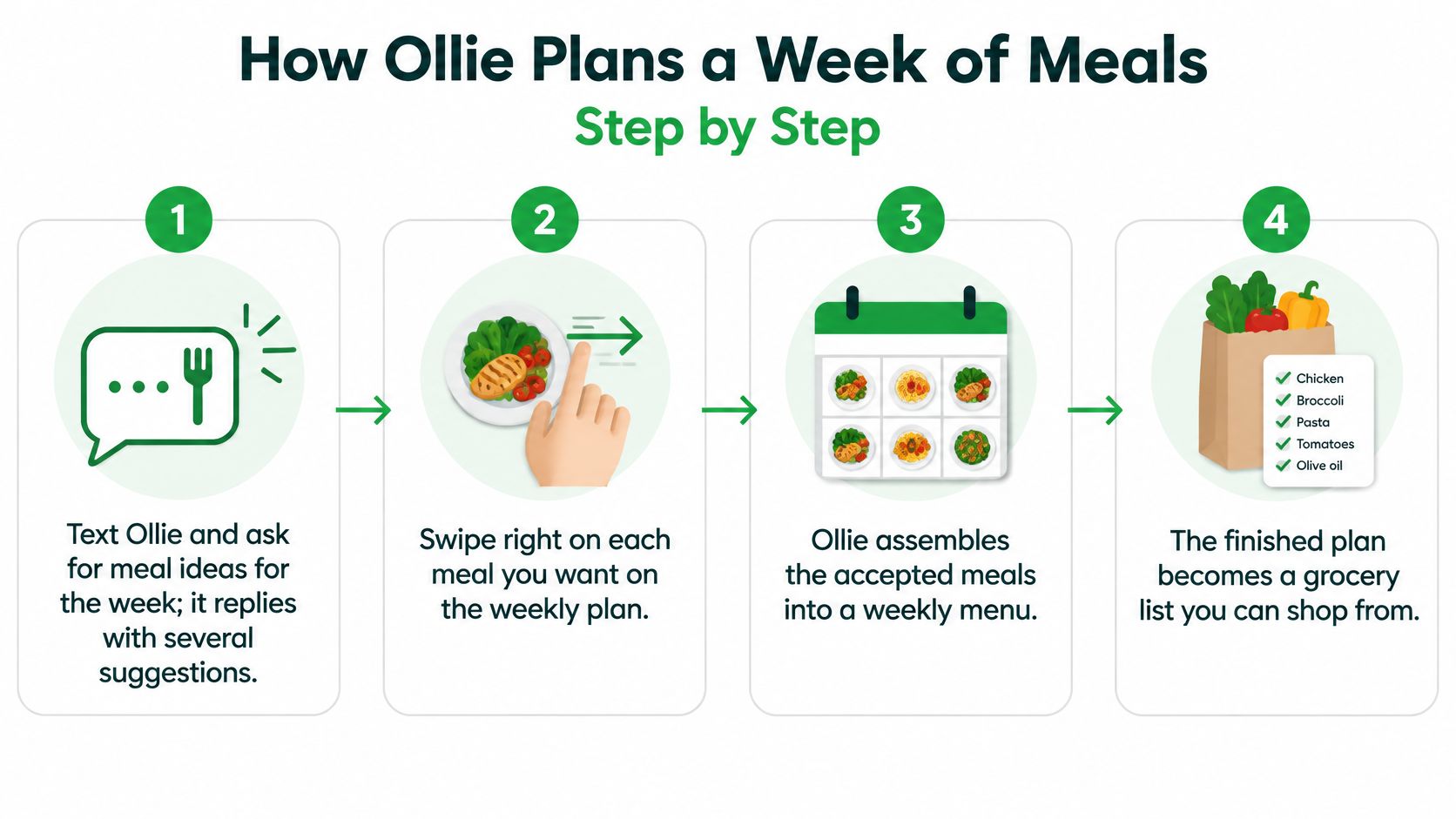
- Ask for ideas by text. Message Ollie and ask for meal ideas for the week. It replies with several suggestions, so you start from a shortlist instead of a blank page.
- Swipe to build the menu. Ollie creates a personalized Explore page for your household. Swipe right to add a meal to the weekly menu, swipe left to pass. Your swipes are the only menu decisions you make.
- Let it write the recipes. Ollie generates each recipe with AI and adapts it to your family profile, so preferences and dietary needs shape the result. You aren't picking from a library of published recipes.
- Read the combined list. Ollie builds the grocery list and combines like ingredients across recipes, so onions appear once rather than once per dish, and the list is organized by aisle. Check the quantities against what's already in your kitchen before you shop.
- Hand off the order if you want. Ollie can place the grocery order through Amazon, Instacart or Walmart from a text. This is the step that removes the shopping trip, not just the planning.
A systematic review of household food waste in the Journal of Cleaner Production found that stronger planning routines go with fewer unplanned purchases and fewer oversized packages, while evidence that planning alone always cuts total waste is mixed. The practical read: a combined list helps most when you also check package sizes and what you already own.
The trade-off inside step three
You control the menu, but not the recipe source. Ollie's site does not list importing your own recipes from TikTok, Instagram or recipe websites. If you've spent two years collecting dishes you trust, that's the gap to weigh, and it's worth comparing against a weekly meal planning template you fill from your own collection.
Run one week, then count two things: how many meals you kept and how many you passed on. A high pass rate means the assistant is generating options you don't want, and no amount of convenience fixes that.
Ollie Plans and Prices as of November 2026
Ollie meters usage in messages, so the plan you need depends on how chatty your week is. These are the figures on Ollie's pricing page as of November 2026.
| Plan | Price per month | Monthly messages | Daily messages |
|---|---|---|---|
| Free | $0 | 50 | 6 |
| Everyday | $25 | 150 | 10 |
| Always-On | $100 | 1,000 | 15 |
| Ollie for Meals trial | Free for one month, then monthly or annual | Shown in app | Shown in app |
| Top-up message | $0.30 each on Everyday, $0.25 each on Always-On | Pay as needed | Added to your allowance |
How the two allowances work together
Each plan gives you a monthly pool plus a smaller daily allowance, and the daily allowance refreshes every morning. That structure matters more than the headline number. A household that texts about school emails, reminders and dinner every day can hit the daily ceiling while the monthly pool still looks healthy.
So estimate your own volume before paying. Run a normal week on the free allowance and count the messages you send, including the back-and-forth when you swap a meal or ask for a different idea. Then compare that count with the daily cap of the plan you're considering, not just the monthly total.
The meal-only offer is priced separately
Ollie for Meals advertises a free one-month trial, then a monthly or annual plan, with prices displayed in the app rather than on the pricing page. If meal planning is the only job you want done, that's the offer to check, and it's a different bill from the assistant plans above. Prices change, so confirm current figures on ollie.ai before you subscribe.
Practical rule: if your household plans every day, compare the daily cap first. If you plan once a week, the monthly pool is the number that matters.
Whichever tool you pick, the list is where planning turns into money spent, and a grocery list generator built from recipes is worth understanding before you commit to a workflow.
Ollie vs Recipe One Side by Side
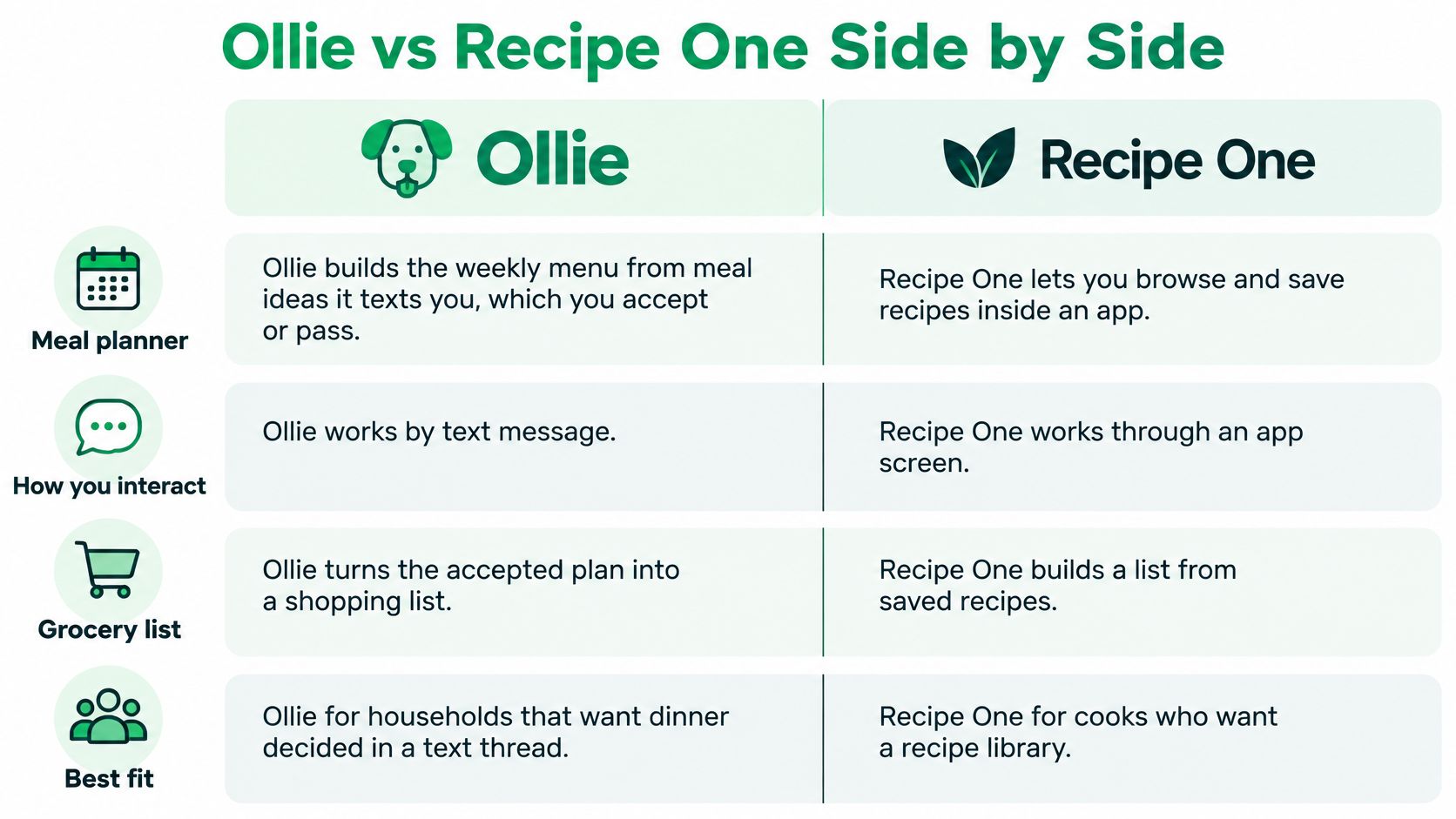
Match each row to a job you do in a normal week. A feature you never use shouldn't decide the choice.
| Feature | Ollie | Recipe One |
|---|---|---|
| Meal planner | Weekly menu built by swiping texted meal ideas | Plan a week of dinners from recipes you already saved |
| Combined grocery list | Like ingredients combined across recipes, organized by aisle | Builds a grocery list that combines ingredients across the week's recipes |
| Save your own recipes from any source | Ollie's site does not list importing your own recipes from TikTok, Instagram or recipe websites | Yes: social video, any website or blog, cookbook photos, handwritten cards, screenshots |
| AI cooking help | AI writes recipes adapted to your family profile | Maya, an AI chef for cooking questions |
| Grocery ordering | Amazon, Instacart or Walmart by text | Not listed |
| Family calendar and errands | Yes: school emails, reminders, calendar, bookings | No; it is a recipe and meal-planning app |
| Starting price | Free plan; paid plans from $25 per month | Free to start |
Reading the rows against your own week
- Meal planner: Ollie decides the shortlist and you approve it, while Recipe One starts from dishes you've already chosen to keep.
- Combined list: both merge duplicate ingredients, so the difference isn't the list itself but which recipes feed it.
- Your own recipes: this is the row most likely to settle the decision for a cook with a full collection, since Recipe One saves from social video, any website or blog, cookbook photos, handwritten cards and screenshots.
- AI help: Ollie's AI writes new recipes for your household, and Maya answers cooking questions, suggests what to make, plans the week, or turns fridge ingredients into a recipe.
- Ordering and errands: Ollie can send the order to a grocer and handle school emails and bookings, and Recipe One does neither.
The honest gap on our side is scope. Recipe One is a recipe and meal-planning app, so it doesn't manage calendars, school emails or errands. If that's the job you're hiring for, Ollie covers ground we don't.
Strengths and Limits of Ollie's Meal Planning
Judgments below come from what the public pages describe, not from a hands-on test.
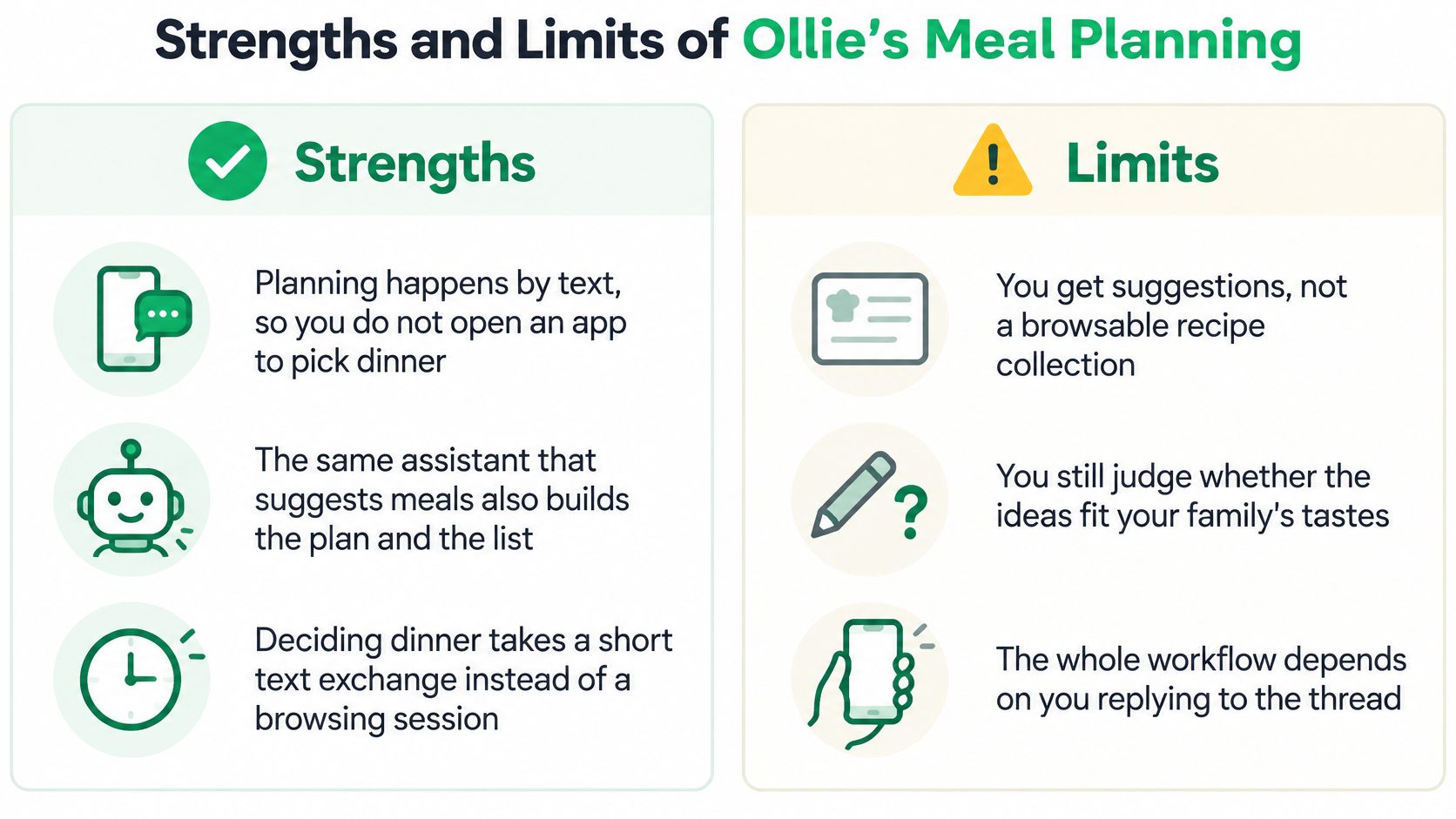
Strengths
- No app to open. Dinner gets decided in a thread you already use, which removes the step where most planning routines die.
- One assistant, several jobs. The same thread that suggests meals also handles household logistics, so you don't switch tools mid-evening.
- The shopping trip can disappear. Sending the order to a grocer from a text is a real saving for households that already use delivery.
- Recipes fit the household. Writing to a family profile is more useful than a generic recipe when you're cooking around allergies and picky eaters.
Limits
- Meal planning is a feature, not the product. The public pages show a general assistant, so don't expect the controls a dedicated planner gives you.
- You get suggestions, not a collection. Generated recipes don't build a library of dishes your family has already approved.
- Usage is metered. A busy week can push you into top-ups or a higher plan, and the free allowance suits a light trial rather than a full week of back-and-forth.
- The thread needs your replies. Nothing gets planned if you don't answer, so the workflow depends on you staying in the conversation.
That last point isn't cosmetic. A 2024 scoping review in JMIR of smartphone apps designed to influence food purchases found that 8 of 11 evaluated studies reported a significant behavioral impact, but many designs didn't encourage repeated use. A planner only changes what you buy if you come back to it at the moment you decide.
Test it against your own habits: run one week on the free plan, log the messages you used and the meals you kept, and judge the result against a week you'd normally have. If budget is the pressure point, a weekly meal planner with a grocery list on a budget is a useful comparison.
Who Should Pick Ollie and Who Should Pick Recipe One
The split isn't about which app is better. It's about who makes the decisions in your kitchen.
Pick Ollie if you're a busy family that wants dinner decided for the household and the groceries ordered, and you also want school emails, reminders and calendar handled in the same text thread. The reason is consolidation: one assistant covers meals plus the errands around them, which is the part a recipe app won't touch.
Pick Recipe One if you're a cook who plans the week from recipes you already save from social video, any website or blog, cookbooks, handwritten cards or screenshots, and you don't need a family calendar. The reason is ownership: your week is built from dishes you chose, and the AI helps you plan the week, get the grocery list out of it, and find your recipes easily.
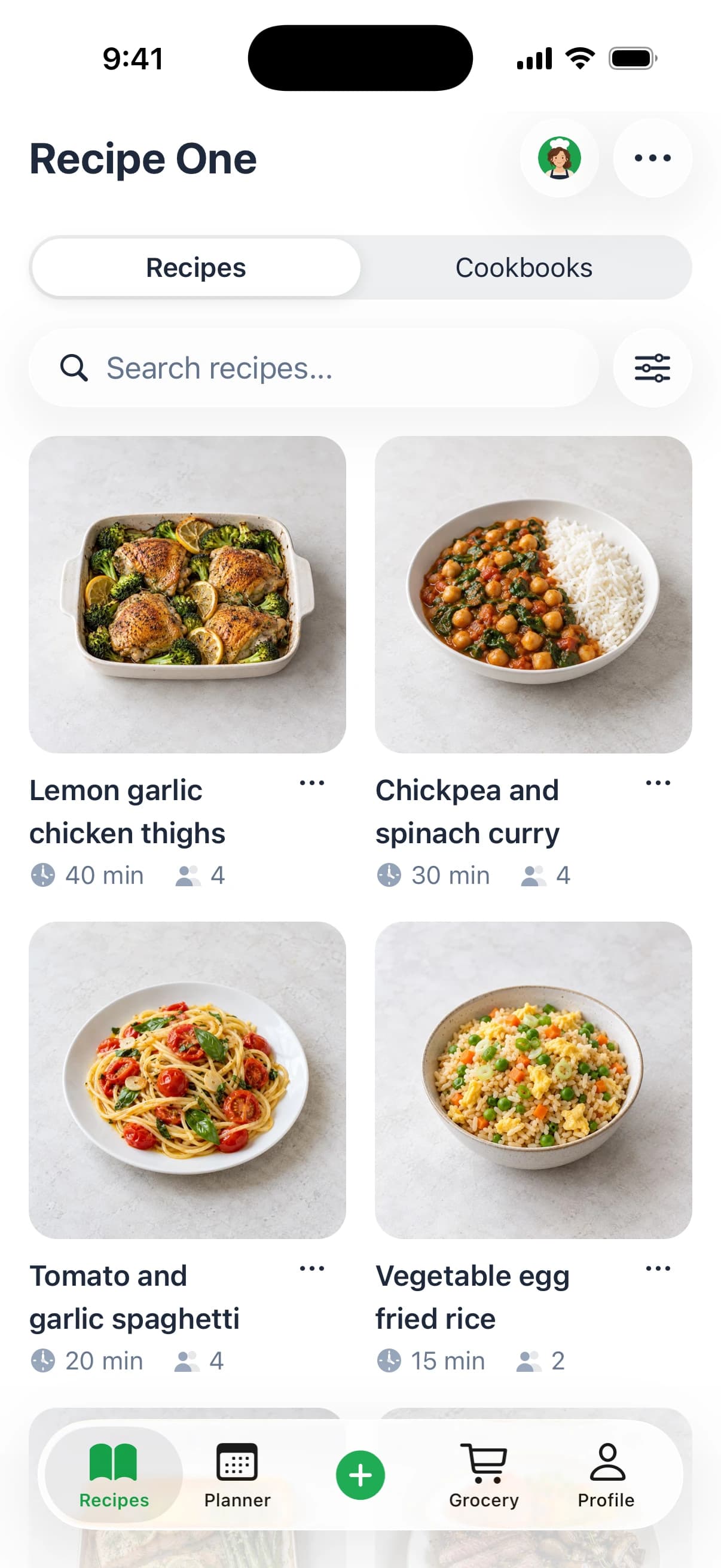
Where you use it matters too. Recipe One works on iPhone, Android, the web at app.recipeone.app, as a Chrome extension, and as a plugin for ChatGPT and Claude, so you can save and plan wherever you already browse.
- The mixed case is real. Some households will keep an assistant for logistics and a recipe app for their own collection.
- Keep one main planner. Both overlap on meal planning, and two half-used plans produce two half-used grocery lists.
If you're weighing options for a household with several schedules, this look at a meal planning app for families covers the trade-offs in more depth.
Do I want to hand off the decisions, or keep control of the recipes I already collect?
Answer that before you compare features. Everything else follows from it.
Other Meal Planners Worth Comparing
Ollie and Recipe One are two clear options, but the field is wider. The useful question is simple: does the app decide dinner for you, or does it help you cook from recipes you already chose?
Mob. Start with two questions. Can it save recipes from the sources you use? Does it include family calendar or errand help? Recipe One covers recipe saving from social video, websites, cookbook pages, screenshots and notes, plus a week of dinners from saved recipes. It does not cover family calendar or errand help. That distinction matters if your main problem is logistics rather than recipe overload.
ReciMe. Its free plan has import limits, and Premium is offered on a recurring basis. If you save several recipes in one browsing session, that limit can become noticeable. Recipe One is free to start, and a subscription lets you save 100 recipes a day. It also builds one grocery list with the week's ingredients, so the planning step and the shopping step stay connected.
Mealime. Mealime's status has changed, so treat it with care if you saved recipes there. Look for the current home of those recipes before treating it as a live option. For an active planner, compare how each tool handles saved recipes, weekly dinners and the grocery list.
If you want generated plans, this guide to the AI meal planner category sorts the options by how much control you keep. A roundup of meal planning apps with grocery lists can help if shopping is the main pain.
No single app here covers all three jobs: deciding meals, keeping your own recipes, and running household logistics. Pick by the job you need most, then accept the gap in the others.
Confirm Your Fit Before You Subscribe
The practical question is simple: do you want an assistant to decide dinner with you, or a planner that works from recipes you already own? Ollie now works like a family text assistant with meal planning inside it. Recipe One works like a kitchen filing system that turns saved recipes into a week of dinners.
Run one week before paying. Use Ollie's free allowance as you normally would, then count the messages you used, the meals you kept, and the grocery items you would have bought anyway. Compare that message count with the daily cap of the plan you are considering. The daily ceiling matters because it is what interrupts a busy week. If you only want meal planning, check the Ollie for Meals trial, confirm the free one-month trial and the in-app prices before subscribing, and check ollie.ai/pricing for current figures.
If you keep your own recipes, try Recipe One free to start. Save one recipe from a social post or website and see whether the ingredients and steps come out clean enough to cook from. Recipe One saves from TikTok, Instagram, YouTube, Pinterest, Facebook, any website, photos, screenshots, cookbook pages, and your own notes. It plans a week of dinners from recipes you already saved, then puts every ingredient for the week on one grocery list.
Recipe One works on iPhone, Android, the web at app.recipeone.app, a Chrome extension, and as a plugin for ChatGPT and Claude, so you can save and plan from those tools too. Get it from the App Store or Google Play when you want saving to work from your phone. Choose Ollie for hands-off family planning with errands. Choose Recipe One when the problem is using the recipes you already collected.