You know the card. It has a butter stain across one corner, ink that has faded from blue to gray, and a measurement you've never been completely sure about. Is that a 2 or a 7? A teaspoon or a tablespoon?
It lives in a shoebox, a binder with a cracked spine, or the back of a kitchen drawer. Every holiday you pull it out, squint at it under the kitchen light, and cook it by instinct. Meanwhile the ink gets a little fainter each year.
Learning how to digitize handwritten recipes is really two jobs. One is making a faithful digital copy of the paper. The other is turning that copy into text you can cook and shop from, and the two have different standards. The card is the archive. The transcription is a draft that a person still has to check.
Seven Steps to Digitize a Handwritten Recipe
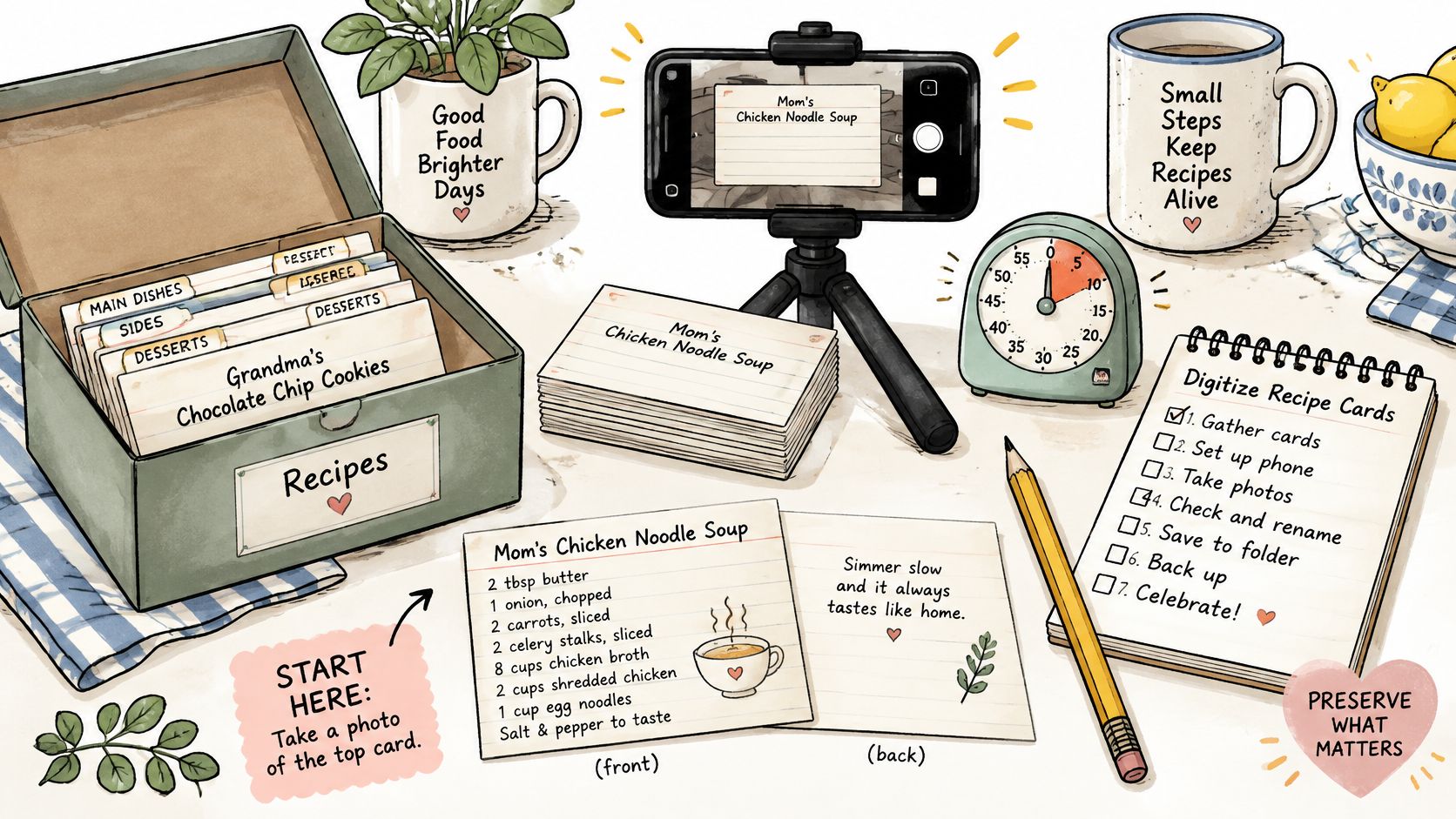
Here's the whole route in seven plain steps, so you can see where it's going before you start.
- Gather and sort the cards. Empty the drawer or box, sort the cards into rough groups such as weeknight dinners, baking and family favorites, and count them so you know the size of the job.
- Keep every paper original. Put the cards somewhere safe and never throw one away because a copy now exists.
- Photograph or scan each card, front and back. Lay it flat, light it evenly, and keep the whole card inside the frame.
- Turn each photo into an editable recipe. Use an app that reads photos of handwritten cards, or type the recipe yourself if the card is short or the handwriting fights back.
- Check every transcription against the card. Give quantities, abbreviations and old units the closest read.
- Add a note about who wrote it. A name, a rough decade, and the household it came from.
- Tag it, file it, back it up and share it. Tags and cookbooks make the library searchable, and a second copy of the files keeps it alive.
Steps 4 and 5 are where the hours go. Reading a card and then re-reading it against the photo takes longer than photographing it, which is why nobody should start with the entire box.
Work in batches of ten to twenty cards, finish each batch completely, and let the finished batch tell you how long the rest will take.
It also helps to decide early how you'll organize recipes once they're digital, because a growing pile of unsorted imports is its own kind of kitchen drawer.
Sort, Protect and Photograph Each Card
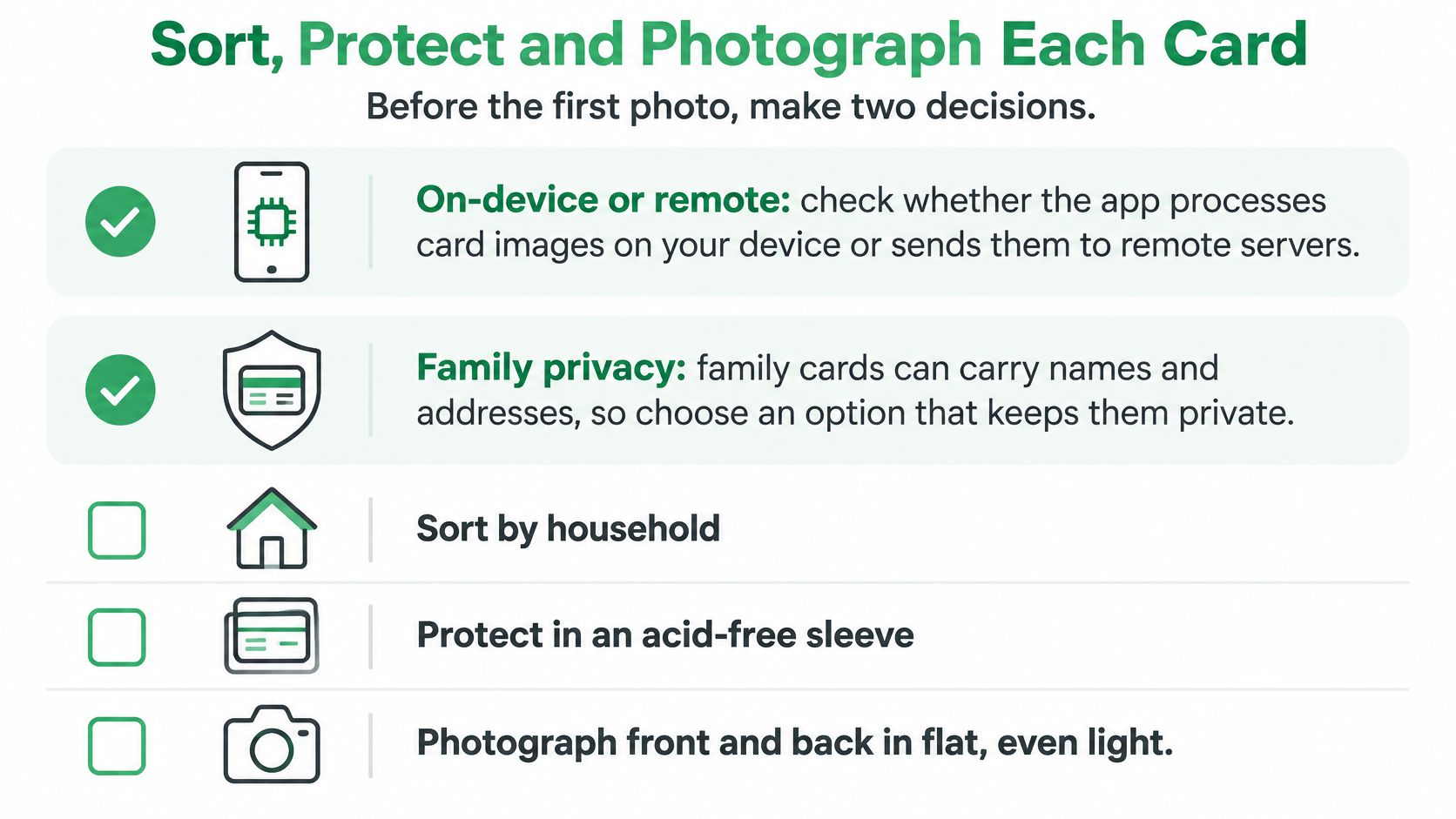
Two decisions belong before the first photo, because both are awkward to reverse once a hundred cards are in.
Two decisions before the first photo
First, find out whether the app you plan to use reads the card on your device or uploads the image to a remote server. A family card carries more than ingredients: a name in the corner, an address, a note about who was ill that winter. Know where those images go before you feed them in, and check what deletion controls you have.
Second, choose the portable copy you'll keep alongside the app, usually a PDF or a plain text file. A portable export survives a change of software, and it's the version you can hand to a cousin who uses nothing at all.
The two decisions and the handling rules fit on one page:
Handle the fragile cards gently
Sort the collection into rough groups and pull out anything torn, bent, stained or valuable. The U.S. National Archives guidance on digitizing family archives treats a digital copy as a way to reduce handling damage, while pointing out that digital files can also be lost, so the originals should be retained.
Fragile cards should never go through an automatic-feed scanner, where they can jam and tear. Use a flatbed scanner with a glass surface larger than the card, or photograph the card without forcing it flat. Capture the whole card so nothing at the edge is cropped, and make a separate image of the back when it holds ingredients, directions, a date or a family note.
Take the photo
Lay the card on a contrasting surface, hold the camera parallel to it, and shoot straight down. Daylight from a window is the most forgiving light. A flash bounces off glossy card stock, and an overhead kitchen fixture drops a shadow straight across the handwriting.
Before you move on, note what the image can't tell a future reader: the language, a likely date or household, and whether the writing is cursive, block capitals or mixed with printed text. Then check every file against this list.
- All text visible. Nothing cropped at any edge, including the smudge in the corner.
- Letters sharp. If you can't read it at full size, the app won't either.
- No glare, no shadow. Move the card, not the lamp.
- The card edge in frame. A small border helps confirm nothing was lost.
- Front and back as separate files, named by card number so they pair up later.
That naming habit matters more than it sounds. When a transcription looks wrong six months from now, a numbered file gets you back to the right piece of paper in seconds.
Choose Between an App and Manual Typing
For a box of fifty cards, the practical route is the last row of this table: photograph each card and let an app read it. Every other option is a smaller tool for a smaller job.
| Option | Best for | Searchable and editable | Real limit |
|---|---|---|---|
| Type it yourself | A few favorite cards or very hard handwriting | Yes | Slow, since every line is retyped |
| Notes app | Quick informal access on a phone | Yes | Little structure for scaling or tagging |
| Word-processing document | A readable printed family edition | Yes | Ingredients cannot be scaled or sorted |
| Spreadsheet | Standard ingredient columns and scaling | Yes | Awkward for long method text |
| Flatbed scanner, image only | A faithful visual keepsake | No | Image cannot be searched or scaled |
| Phone photo plus recipe app | A large collection of photographed cards | Yes, after checking | Handwriting is read imperfectly, so every card needs a check |
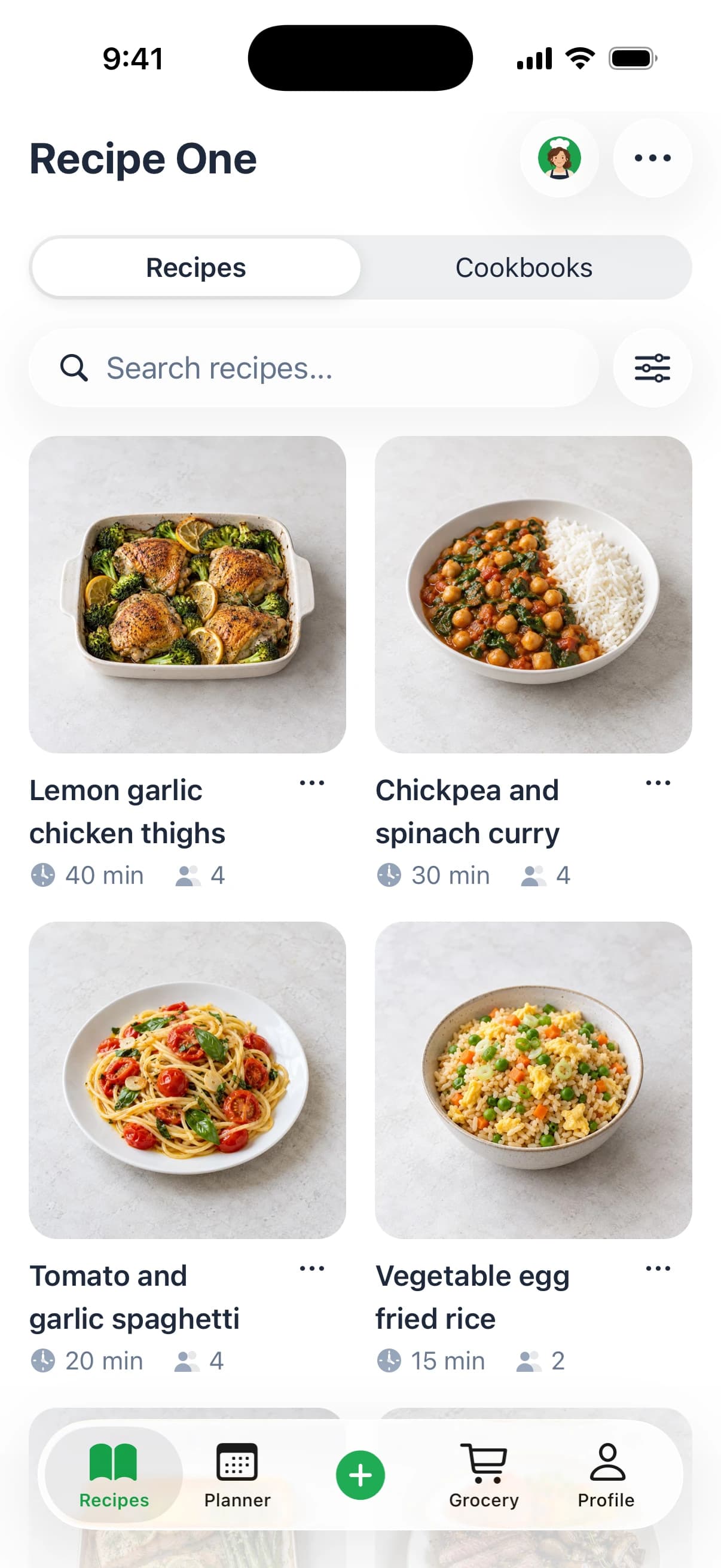
Recipe One's recipe scanner app turns a photo into a recipe by pulling out its ingredients and steps, and you can save a recipe from a website, blog, TikTok, Instagram or YouTube by sharing its link, without the ads and extra content around it.
Two decisions belong before that first photo, not after. The transcription an app produces is a draft, and the card stays the archive, so pick a tool that lets you get your recipes back out if you ever leave it. Decide who sees the collection too: a recipe can be shared with family once it is checked, or kept private until then.
Check before you cook: handwriting reading is a strong first draft, not a finished recipe. Every card needs a human pass before it reaches a grocery list.
The manual routes earn their place on specific jobs, not as the default. Typing suits a handful of favorites, or one card so faint that no reader will rescue it, because you interpret as you go: "cook until done" becomes the time and temperature you know works. A notes app grabs a sauce ratio in the moment, though it gives you no ingredient list to scale and nothing to tag. A word-processing document makes a lovely printed edition for a reunion, yet the amounts stay frozen in the text. A spreadsheet shines when you want standard columns and doubling, and collapses the moment a method runs to eight sentences. A scanner kept as image only preserves exactly how the card looks, stains included, and gives you nothing to search.
A rule of thumb that holds up: a handful of cards justifies typing, while a box of dozens justifies a photo plus an app, followed by a check of every single card.
Check Every Transcription Against the Card
Start with the numbers. A wrong word in a method line usually still produces dinner. A wrong quantity or unit produces something else entirely.
| Field or abbreviation | Common misread or confusion | Check or modern equivalent |
|---|---|---|
| Quantities | 1 misread as 7, or a decimal point missed | Compare with the photo and against a plausible range for the dish |
| Fractions | Fraction bar lost, so 1/2 reads as 12 | Zoom in and confirm the amount against the stated servings |
| tsp | Read as tbsp | 1 tsp = 5 ml, so confirm the abbreviation on the card itself |
| tbsp | Read as tsp | 1 tbsp = 3 tsp = 15 ml |
| c. or c | Cup misread or unclear | Read it as a cup, about 240 ml, and check the photo for a stray stroke |
| oz | Weight ounce confused with fluid ounce | 1 fl oz is about 30 ml, so check which one the card means |
| Pinch, dash | Small amounts that vary by cook | No standard value, so mark it as inferred rather than measured |
| Temperatures | 350 misread, or Fahrenheit and Celsius unclear | Confirm the unit against the oven the cook actually used |
| Line order | Adjacent lines merged, steps out of order | Reread the instructions in sequence against the photo |
| Margin notes | A note absorbed into an ingredient | Keep notes in a separate field |
A check you do card by card
The routine doesn't need to be elaborate. Work through it in the same order every time and it becomes quick.
- Zoom in on each quantity and read it against the photo, not against what you expect the recipe to say.
- Confirm servings and the oven unit. A card written for a household of six and cooked for two is a different recipe.
- Compare similar letters elsewhere on the same card. If the writer's 7 always has a crossbar, the ambiguous digit on line four resolves itself.
- Read the instructions in order. Merged lines show up as steps that assume an ingredient you haven't added yet.
- Flag any ingredient name you don't recognize for a second look, especially regional words and older brand names.
Why so much fuss over a digit? Because a single missed decimal, fraction or unit changes the result, and the error is invisible once it's typed. Confirm every structured value before that recipe goes anywhere near a meal plan or a shopping list. Writing the corrected amounts in a standard recipe format makes the next check faster, since every card then has the same fields in the same order.
When the card won't read cleanly
Retake the photo before you type anything. Less glare and a tighter frame solve more problems than squinting does. For cursive, stains or faded pencil, read the card line by line against the image, type only what you can see, and mark the rest rather than guessing at the usual form of the dish.
Mark it, don't fill it. An uncertain value you flag gets checked by someone who knows the dish. A value you invent gets cooked, served, and blamed on the recipe.
Keep "unclear" and "inferred" as separate notes. If you're fairly sure the smudged word is nutmeg because that's what the cake needs, write that as your inference and leave the original field open. The next cook deserves to know which part came off the card and which part came from you.
Organize, Back Up and Share Your Library
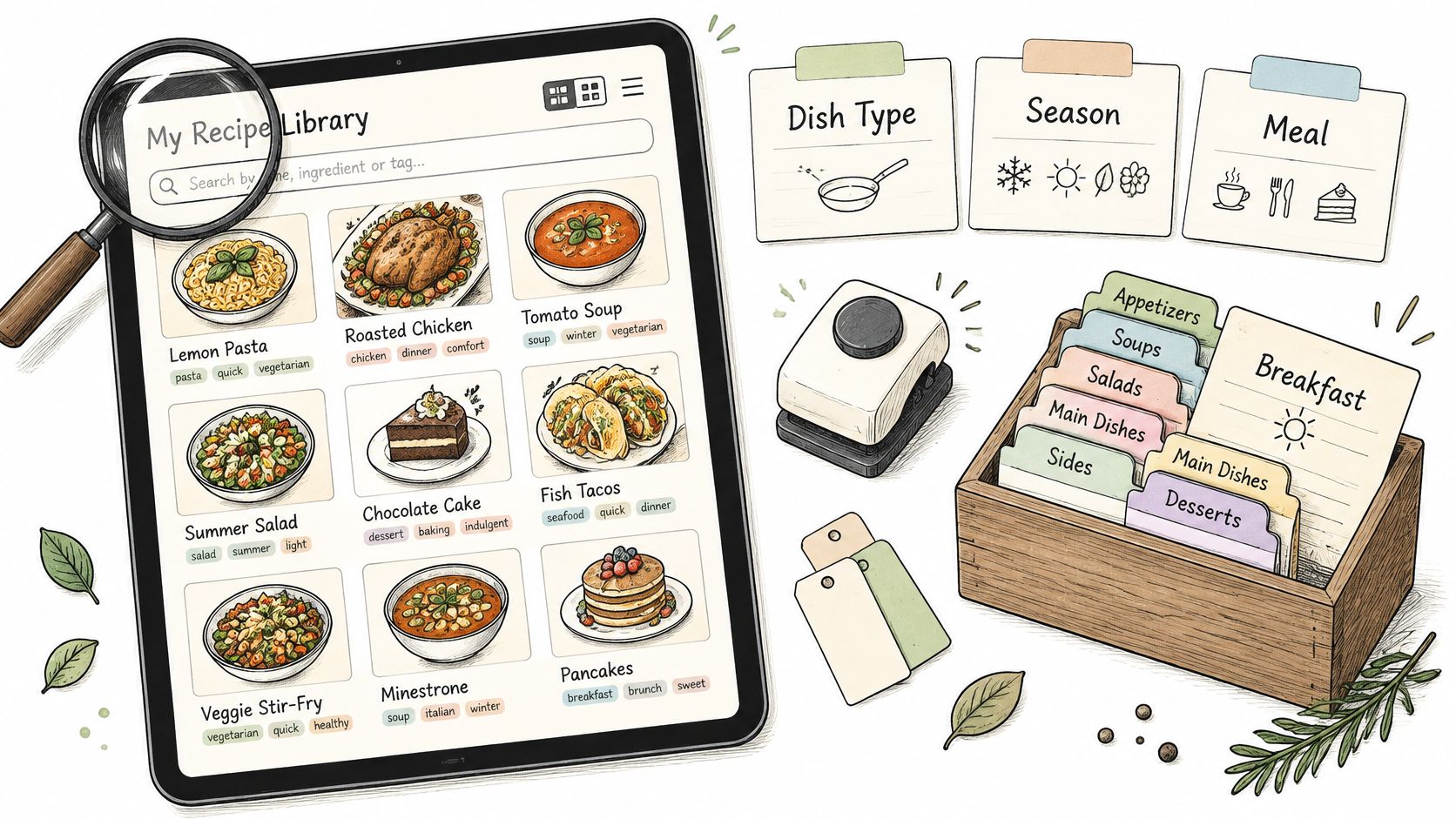
Tagging is what makes the library worth having. Search finds a recipe by name, an ingredient or a tag, so a well-tagged collection answers "what can I make with the zucchini" in a way a shoebox never could.
Tag first, file second
Tag each recipe by dish type, season, meal and the household it came from: "Grandma Rose," "Sunday dinner," "Thanksgiving," "baking." Then group them into cookbooks such as weeknights, baking or family classics. The digital recipe organizer guide covers how far to take this before tagging turns into a hobby of its own.
Back up the whole thing, not just the app
Keep the paper originals, keep a second copy of the photo files outside the app, and export as PDF or plain text wherever your tools allow. Guidance on privacy-preserving recipe digitization points out that recognition tools may send images to remote servers, and that portable exports are what stop a library from being locked into one service. Store the original photo beside the notes on each card so any transcription can be checked later.
Share copies, not originals
Share a recipe or a whole cookbook with relatives, but only once every recipe in it has been checked, because someone who cooks from it will trust it completely. If you want a printed edition for a holiday, a digital recipe book is a better base than a folder of loose exports. And for a wider sense of what to cook once the family archive is searchable, browse the full recipe collection from Cottagestead: The Home & Garden Companion.
Tag it, back it up, share it after it's right. That order matters.
Start With One Box of Cards This Week
Pick one box, or a set of about 10 to 20 cards, and run the seven steps on those alone. Time yourself across the first three.
Once the first batch is in, use it for more than storage. Recipe One's AI helps you plan the week, pull the grocery list out of that plan, and find a recipe by its name, an ingredient, or a tag, so a card that sat unread for a decade becomes Tuesday's dinner. Maya, the AI cook inside the app, can suggest what to make from what you already have on hand.
The three-step rhythm is save it, plan it, shop it. It runs inside the app, and Recipe One's AI assistant integration lets you reach your recipes, meal plan and grocery list from Claude, ChatGPT and other AI assistants when you would rather work there.
When those checked cards start to accumulate, a family cookbook gives them a place to live that relatives can open.
Sort the checked batch into cookbooks, such as weeknights, baking, or mom's classics, and tag each card by its main ingredient. That is all the system needs to do, because the search finds a recipe by name, ingredient, or tag. It is free to start, and free tools such as the Grocery List Generator and the Recipe Converter handle the small jobs along the way.
Set a modest target: twenty cards, one evening, everything checked and tagged before you close the laptop. The box goes back on the shelf as the archive, and what you built is the working copy you can edit, share, and cook from. Then put a date on the next batch while the first one is still fresh.
Download Recipe One from the App Store and scan your first card today. Recipe One is also on Android and the web at app.recipeone.app.
A Recipe One plugin is available now: search "Recipe One" in ChatGPT Plugins or Claude Customize > Connectors, with setup at the Recipe One docs. A Chrome extension is available now in the Chrome Web Store. The web app is app.recipeone.app.
The best family recipes deserve more than a drawer and a squint. Recipe One turns a photo of a handwritten card, a cookbook page or a link into an editable recipe, then helps you plan the week from it, build one grocery list and keep the whole collection searchable. Start with the box in your kitchen and give those cards a working copy. Visit Recipe One to scan your first one.