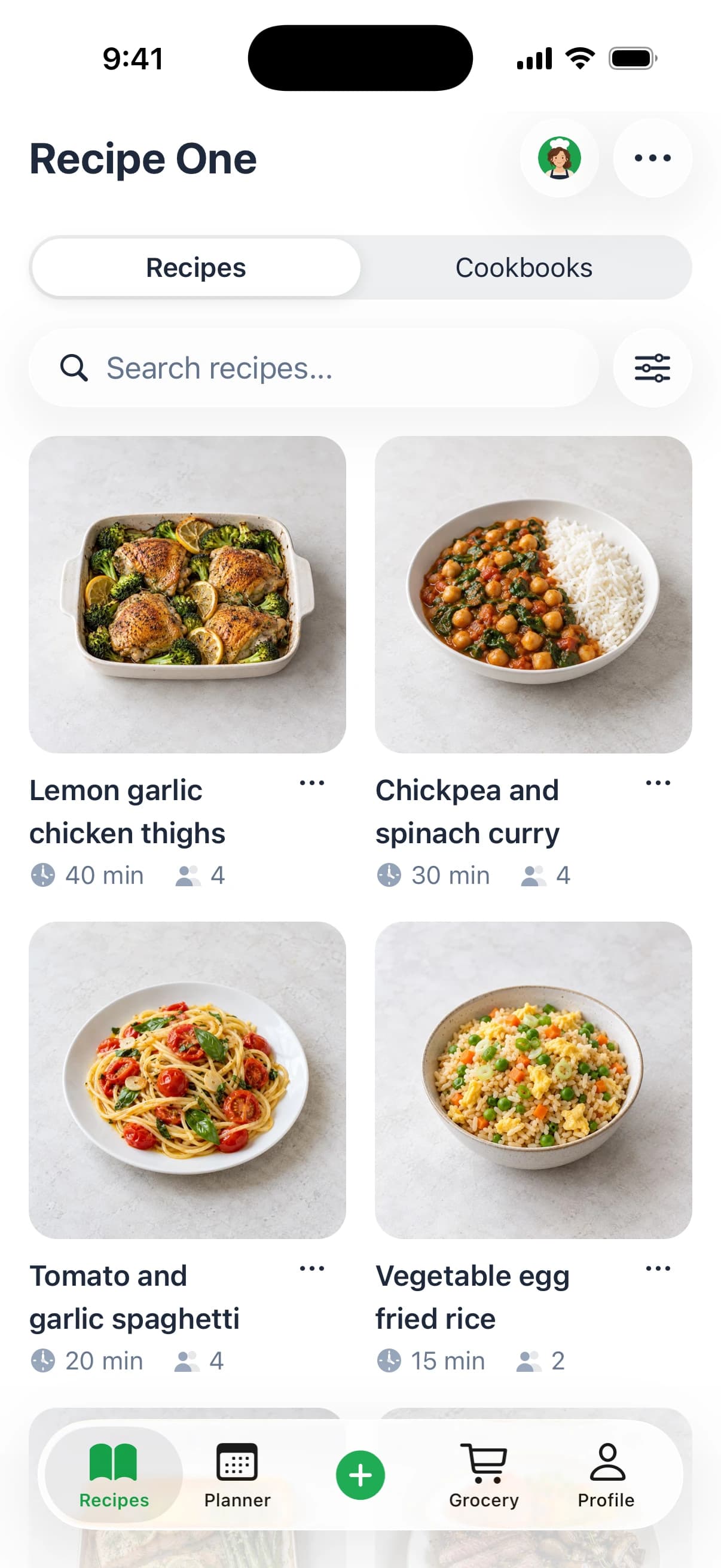
Two recipe apps can both import a link from Instagram and both be telling the truth. So why does one leave you hunting the original video at 6pm while the other hands you a week of dinners and a grocery list?
Because saving is the easy part. The pepper recipe app you choose decides what happens after the save: whether a page becomes a plan, a shared cookbook, or a grocery run. That question settles more than any feature count, and it's the one this guide answers.
Everything here comes from what Pepper and Recipe One publish officially. Where a page doesn't confirm a capability, it's marked unconfirmed rather than assumed missing.
Who Pepper Suits First
Start with the situation you recognize, not the feature list you've been sold.
| Situation | Start with | Why |
|---|---|---|
| Browsing recipes from people I follow | Pepper | Community collections, discovery and following other cooks are documented |
| Building one shared family cookbook | Pepper | Collaborative cookbooks and folders with friends and family are documented |
| Planning dinners and shopping from one list | Recipe One | Weekly meal planning and one grocery list built from the week's saved meals |
| Using saved recipes inside ChatGPT or Claude | Recipe One | Plugin available now for ChatGPT and Claude |
| Organizing a saved library | Recipe One | Tags and cookbooks are documented for sorting saved recipes |
The first two rows point the same direction for the same reason. Pepper's official app page documents community collections, recipe discovery, and following other cooks, so a cook who enjoys seeing what friends and creators are making gets that layer built in. The second row covers households: collaborative cookbooks and folders shared with family are documented, which matters when three people cook from the same kitchen and nobody wants a screenshot folder.
The last three rows describe a personal library that turns into a plan. Recipe One saves from social posts, videos, websites, cookbooks and photos, then plans a week of dinners from what you saved and builds one grocery list from it. If your recipes already live inside ChatGPT or Claude sessions, the plugin is available now, with setup at the Recipe One docs (MCP server https://mcp.recipeone.app/mcp; search "Recipe One" in ChatGPT Plugins or Claude Customize > Connectors).
Run the five-minute test. Write down the three things you do most often with recipes: browsing, saving, planning or shopping. If two of the three are browsing and sharing, Pepper is the natural start. If two are planning and shopping, start with the app that documents that path end to end.
This guide judges each app by its documented workflow, not by a checklist score. Anything the official pages don't confirm is labelled unconfirmed, which is a different thing from absent.
What Pepper Offers Feature by Feature
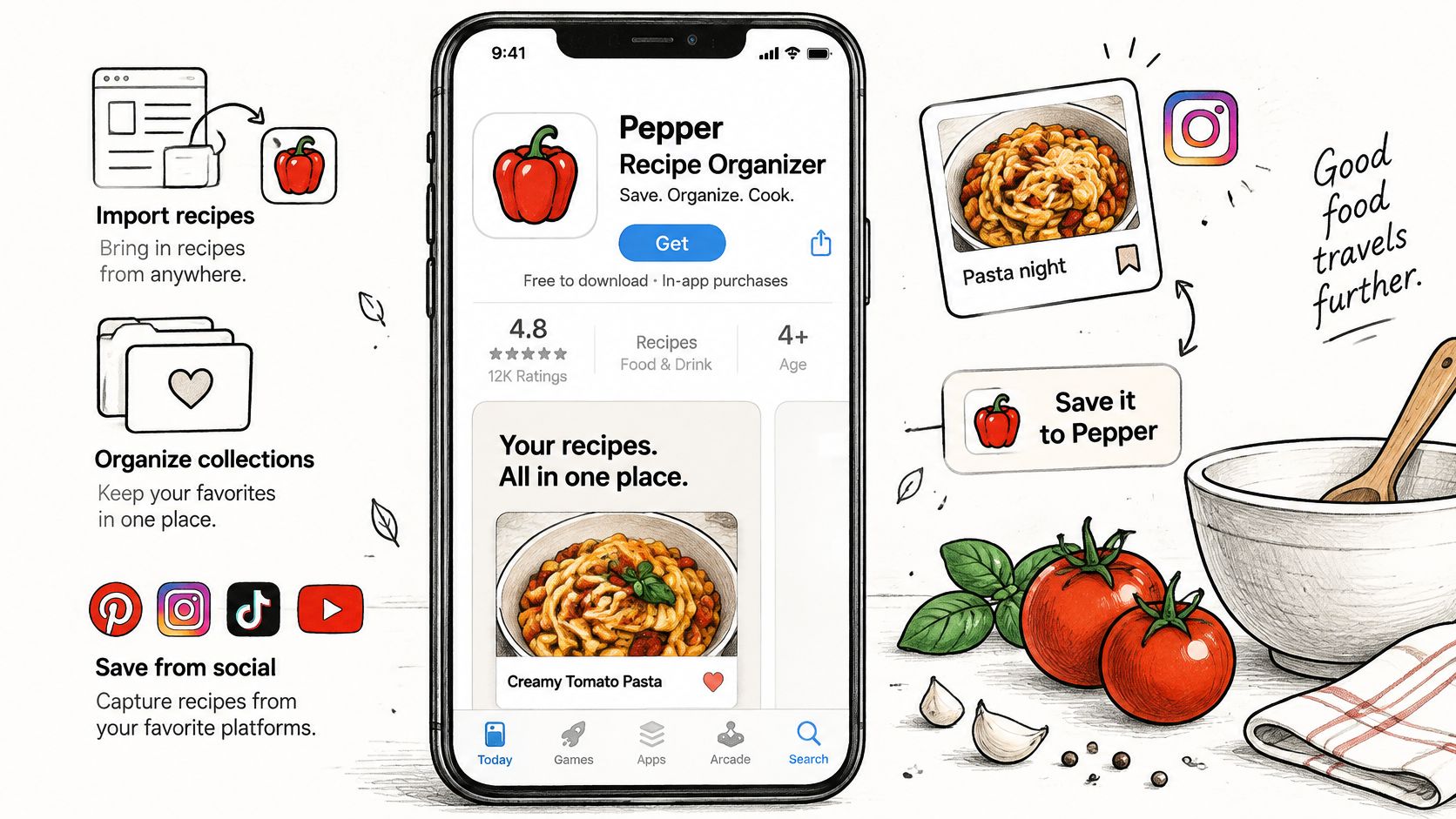
Pepper is a recipe app that began as a social way to share recipes, listed on the App Store as Pepper Recipe Organizer and free to download with in-app purchases.
The social side is the part its marketing leads with.
The documented capabilities
- Imports from where recipes live. Instagram, TikTok, Pinterest, recipe blogs, screenshots and handwritten cards all count as sources, so a poblano soup from a reel and a grandmother's index card land in the same library. Test the source types you use most before committing, since a blog import and a handwritten card aren't the same problem.
- Community collections, discovery and following. You can see what other cooks keep and follow them, which is a different model from a private library you build alone.
- Collaborative cookbooks and folders. These are shared with friends and family, so one cookbook can hold the household's weeknight rotation instead of living on one phone.
- Grocery ordering from a recipe or from a grocery list. The app connects recipe ingredients to ordering, which shortens the step between deciding and buying.
- Recipe generation. Pepper's release notes list recipe generation as a feature, useful when you want a starting point rather than an import.
- Instagram import improvements. Release notes track ongoing work on Instagram imports, which tells you this is a maintained path rather than a launch-day feature.
- A Discussion Board. Recent versions include a community discussion space alongside the recipe feed.
- A desktop extension for imports. It's available in Settings, so imports aren't confined to a phone screen.
If Instagram is your main source, the mechanics of saving recipes from Instagram are worth understanding before you choose a tool, because the saved copy is what every later step depends on.
Where the documentation stops
The official pages reviewed here don't document a full weekly meal planner for Pepper. Not being documented is not the same as being absent, so check the current app version before you rule it in or out.
One more clarification. This review covers Pepper Recipe Organizer by Pepper App Inc., the app at peppertheapp.com and on the App Store. Several unrelated apps share the name Pepper, and nothing here applies to them.
What the Listing Shows
Pepper is listed on the App Store as a free download with in-app purchases for iPhone. Pepper's FAQ also lists an Android app on Google Play. Dollar amounts are left out of this guide on purpose, because listed options change and a number copied from a store page ages badly. Judge cost by the workflow it buys: saving recipes, organizing them, and getting dinner to a list.
What the listing shows is a set of purchase categories rather than one universal price.
| Option | What the listing shows | What to check |
|---|---|---|
| Free download | Free with in-app purchases | Which features need payment inside the app |
| Monthly subscription | Listed US option | Current price at checkout |
| Annual subscription | Listed US options, some with trial variants | Trial length and renewal terms |
| Annual discount | Listed US option | Whether it replaces the standard annual plan |
| Spice packs | Virtual-currency purchases | Whether packs sit alongside any plan |
How to read a listed purchase option
Compare the free version against each paid item first. Note what you can do without paying, then check whether the paid item adds something you would use weekly. A subscription that provides imports you rarely run is a weak renewal.
Read the trial terms before the price. Some annual options appear with trial variants, so verify the trial length and what happens at renewal, then look at the headline figure.
Keep Spice packs separate. Spice is a virtual currency sold apart from subscriptions. It should never enter the same comparison as monthly or annual access, because the buy-once habit of currency packs follows a different logic than ongoing app features.
Free tiers across recipe apps vary enough that a named example helps: a check on whether Recime is free shows how limits can sit behind the download line. Treat that as category context, then confirm Pepper's current listed options at checkout before a trial renews.
Recipe One is free to start and available on iPhone and Android. Any paid-plan requirement should be checked on its site or in the app before you decide. Listed prices are examples, while checkout is the version that binds.
Pepper and Recipe One Compared Side by Side
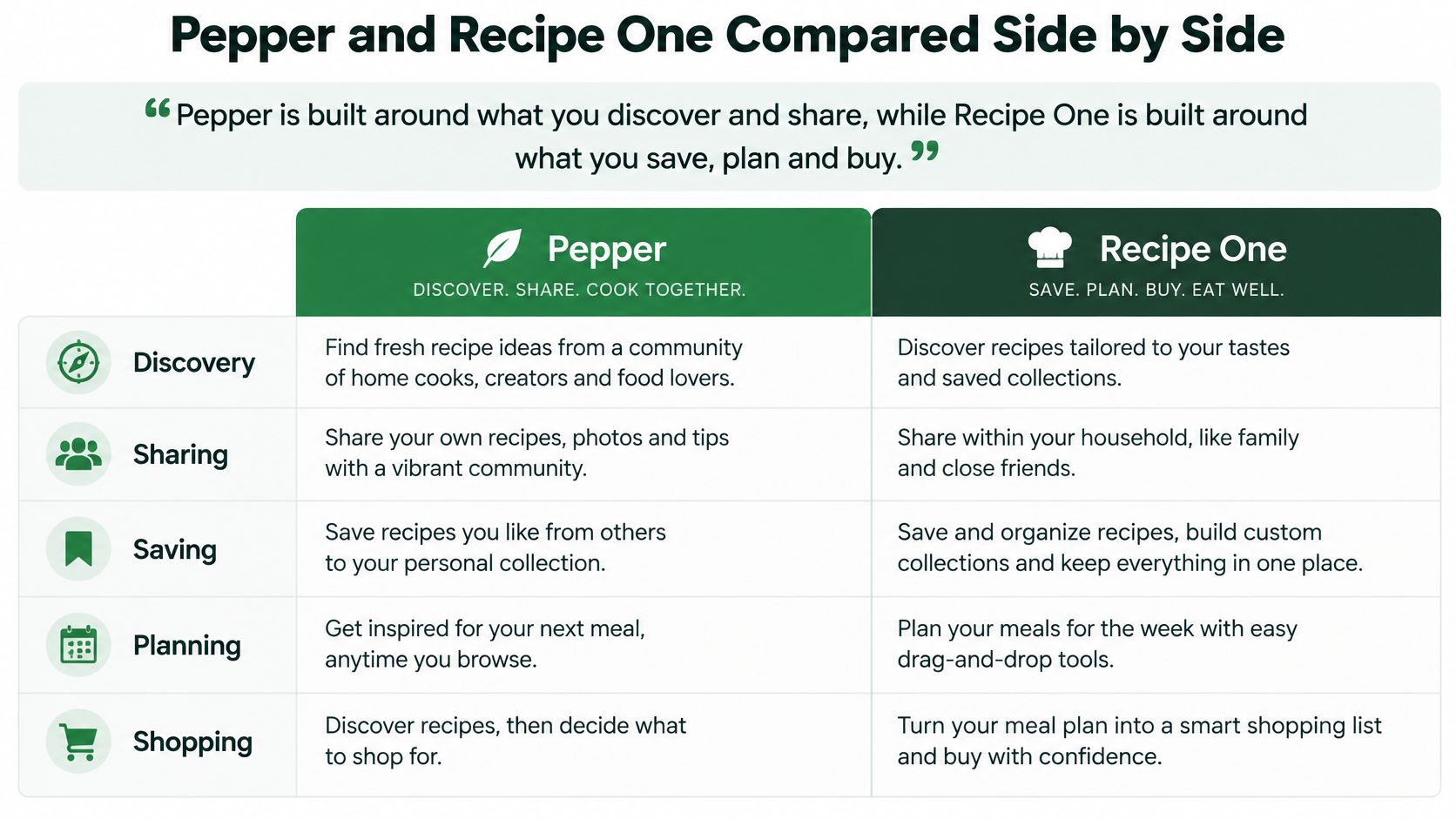
Pepper is built around what you discover and share, while Recipe One is built around what you save, plan and buy.
That single difference explains most of the table below. One app optimizes for finding the next recipe; the other optimizes for turning saved recipes into a week.
| Feature | Pepper | Recipe One |
|---|---|---|
| Core model | Social feed and community plus personal library | Personal recipe library with AI tools |
| Save from social posts | Instagram, TikTok, Pinterest, blogs, screenshots and handwritten cards | Social posts, videos, websites, cookbooks and photos |
| Community discovery | Collections, discovery and following other cooks | Focused on your own library |
| Shared cookbooks | Collaborative cookbooks with friends and family | Share a recipe or a cookbook with family |
| Folders | Folders for shared collections | None; use tags and cookbooks |
| Search | Print, search, and edit | Through tags and cookbooks |
| Weekly meal planner | Not confirmed in the sources reviewed | Plans a week of dinners from saved recipes |
| Grocery list | List plus ordering from recipes or the list | One list from the week's saved meals |
| Pantry inventory | Not confirmed in the sources reviewed | Not offered |
| AI assistant access | Recipe generation listed | Maya AI cook; plugin for ChatGPT and Claude |
| Pricing model | Free download with in-app purchases | Free to start |
The workflow difference is easier to see drawn out than described in rows.
The two gaps worth naming
Recipe One has no folders and no pantry inventory. Organizing happens through tags and cookbooks instead, so a pepper project looks like a habanero tag plus a weeknights cookbook rather than a nested folder tree. Search finds a recipe by its name, an ingredient, or a tag, which covers most of what a folder would have done.
The pantry gap is the one cooks notice. There's no stock tracking, so checking the cupboard before shopping stays a manual step. Anyone who expects an app to know they're out of rice will be disappointed, and it's better to know that before subscribing than after.
Pepper's folders, by contrast, are a documented advantage. In a shared household, folders and collaborative cookbooks give two cooks a common structure without a group chat full of links.
Which column matters for your week
Both apps save from social posts, so importing is not a differentiator. The question is what happens next: a feed that keeps serving inspiration, or a library that turns into a plan and a list. Nobody needs both on day one, and choosing the workflow you run most often beats picking the app with more filled cells.
If you're still weighing savers more broadly, this roundup of recipe saver apps covers the category, and a closer look at the Honeydew recipe app is useful if you're comparing organizers feature by feature.
Planning the Week and Choosing a Meal Planner
A week of dinners works when it starts from recipes the cook already trusts. Planning from a stranger's catalog means shopping for ingredients you may never use again; planning from your own library means the poblano soup saved last month finally gets cooked.
Recipe One follows that workflow. Pick dinners already saved for the week, change servings for two or ten while the amounts follow automatically, and the grocery list gathers every ingredient across those meals. Three dinners such as poblano soup, jalapeño pork and habanero salsa turn into one list, and shared chilies stop triggering a second trip.
Where the planner stops short
Recipe One still assumes the cook knows which saved recipes deserve a slot; it organizes the week, while taste and schedule decide it. Pepper's listing confirms a grocery list with ordering from a recipe or from the list, but it does not confirm a weekly planner. Unconfirmed is a reason to check the current version, not proof the feature is absent.
Plan from the library you already built. A planner is only as good as the recipes it's allowed to choose from.
What the dedicated planners offer
Dedicated planners can be useful when the main job is assigning dinners to days rather than collecting inspiration. The decision should hinge on entry point: if most ideas arrive from Instagram or TikTok, confirm the planner accepts those links and produces a list before moving a library. Any planner's status can change, so check its current site before counting it in or out.
If planners rather than organizers are the comparison, meal planner apps compared covers that decision. Readers who bake as well as cook can compare apps for home bakers to see how scale-by-weight and timers change the ranking.
Save, Tag and Plan Pepper Recipes in Recipe One
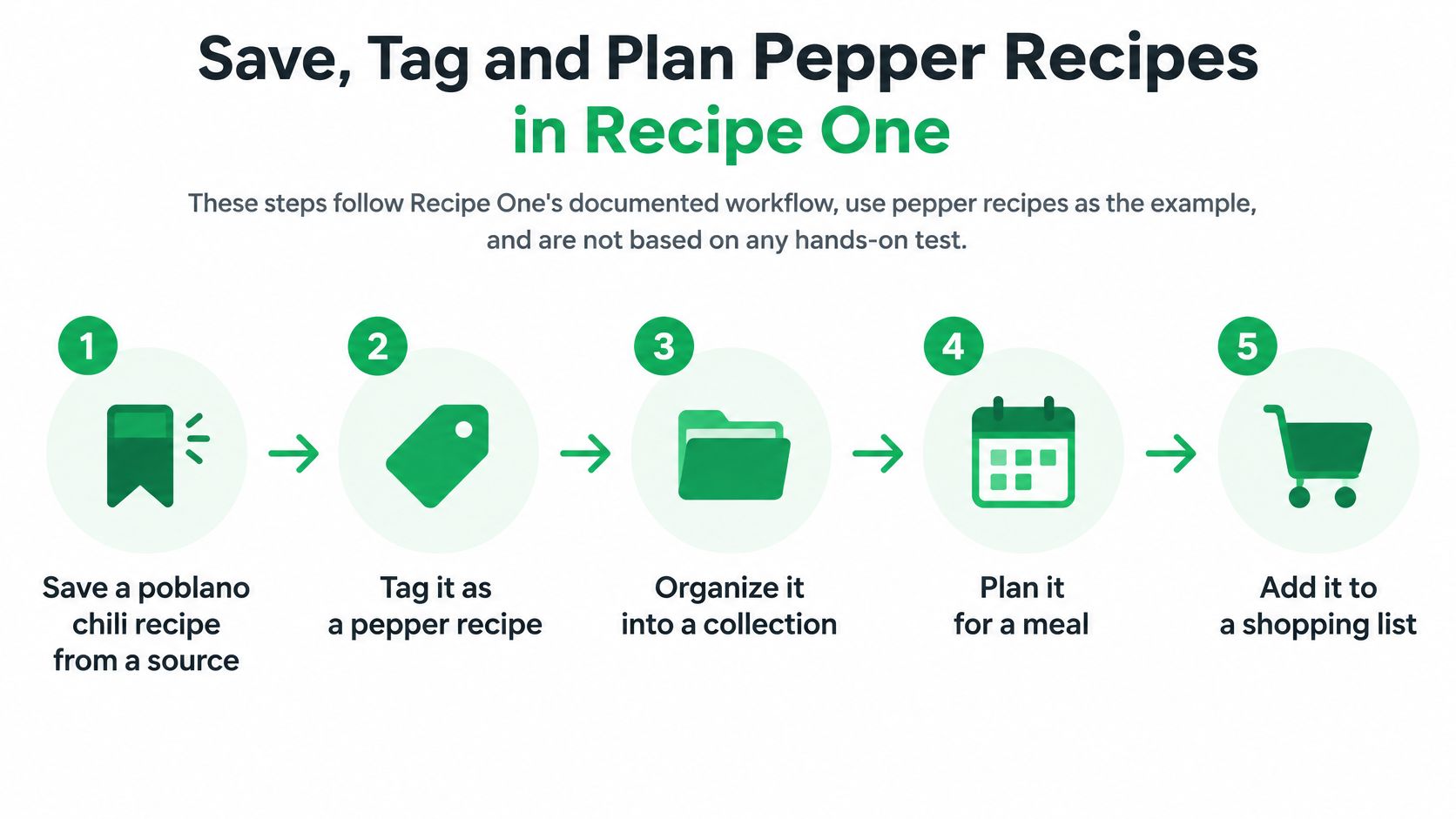
A pepper recipe earns its place only if it survives the handoff from save to shop. The useful test is the chain: one clean extraction, tags that match how you buy chilies, a plan built from saved dinners, and a list you can trust at the store. Treat anything outside that chain as unconfirmed until the current app shows it.
Seven steps from saved link to shopping list
- Save the poblano chili recipe from its source. Share the link or snap a photo, and Recipe One extracts the ingredients and steps without ads or extra content. Save before you browse further, because every later step depends on this copy.
- Check the extraction against the original post. Vague amounts are the usual weak point: a handful of chilies demonstrated on camera does not always survive as a number. A recipe that drops a step sends you back to the video, so this is the two minutes that protects the rest of the week.
- Tag by pepper type. Add
poblano,jalapeñoorhabanerobefore broader labels like Mexican or Thai. Cuisine tags group a whole continent; pepper tags group what you shop for, and they make the next steps faster. - File it in a cookbook. Weeknights, weekend projects, and inherited recipes are useful buckets, and the same recipe can sit in more than one.
- Search the library by tag. Type
habaneroand every habanero recipe appears, whether it came from a reel, a blog or a photographed card. Search by name, ingredient or tag covers the times you remember the dish but not the source. - Add the chosen dinners to the week. Pick three or four from the library instead of seven new ones. Cooking mode then shows one big step at a time and keeps the screen on, which matters when your hands are covered in chili oil.
- Generate one grocery list from the week's saved meals, then read it against your shelf before leaving. The list comes from the meals you chose; the shelf check is the two-minute habit that keeps a second jar of cumin out of the cart.
When the week stalls, ask Maya for a pepper idea, plan the week around saved dinners, or use Cook with Ingredients to turn what is already in the fridge into a meal. If tagging starts to sprawl, a deeper system for organizing recipes keeps cookbooks, tags and search working together.
Frequently Asked Questions
Is Pepper free to use
It's listed on the App Store as a free download with in-app purchases. The purchase categories are covered in the listing section above.
Which Pepper is this guide about
Pepper Recipe Organizer by Pepper App Inc., the app at peppertheapp.com. Unrelated apps sharing the name aren't covered here.
Is Recipe One cheaper than Pepper
This guide doesn't claim either app is cheaper. Recipe One is free to start, and Pepper is a free download with in-app purchases whose paid options should be checked at checkout.
What should I check before committing to a meal planner
Dedicated planners change over time. Features move behind paywalls, import options get added or dropped, and apps themselves get replaced or shut down. Before subscribing, confirm the planner still runs the workflow you need, from saving through planning to the grocery list, and check whether your saved recipes can move with you if it stops.
Can I decide from one feature
Only if that feature is the one you use daily. Match your three most common tasks to the quick-pick table near the top, then compare the workflows behind those rows.
Pros, Cons and Where to Start
Pepper earns its place for a specific kind of cook, and the trade-offs are just as specific.
What it does well
- Broad imports. Instagram, TikTok, Pinterest, blogs, screenshots and handwritten cards are all documented sources.
- Community layer. Collections, discovery and following other cooks come built in.
- Shared structure. Collaborative cookbooks and folders work for friends and family.
- Shopping connection. Grocery ordering runs from a recipe or from the list.
Where it stops short
- Planner unconfirmed. A full weekly meal planner isn't confirmed in Pepper's listing, so check inside the app before counting on it.
- Listed options vary. Purchase categories change, so read the current price at checkout rather than trusting a cached figure.
Recipe One's strengths sit on the other side of the workflow. Saving from social posts, videos, websites, photos and cookbooks is documented, and the meal planner turns a week of saved dinners into one grocery list. Your recipes, meal plan and grocery list are also reachable from Claude, ChatGPT, Cursor and other AI assistants.
Where to start
Pepper is available from its App Store listing. The link measures store visits, not a guaranteed install or savings, so judge it on whether the social feed matches how you cook.
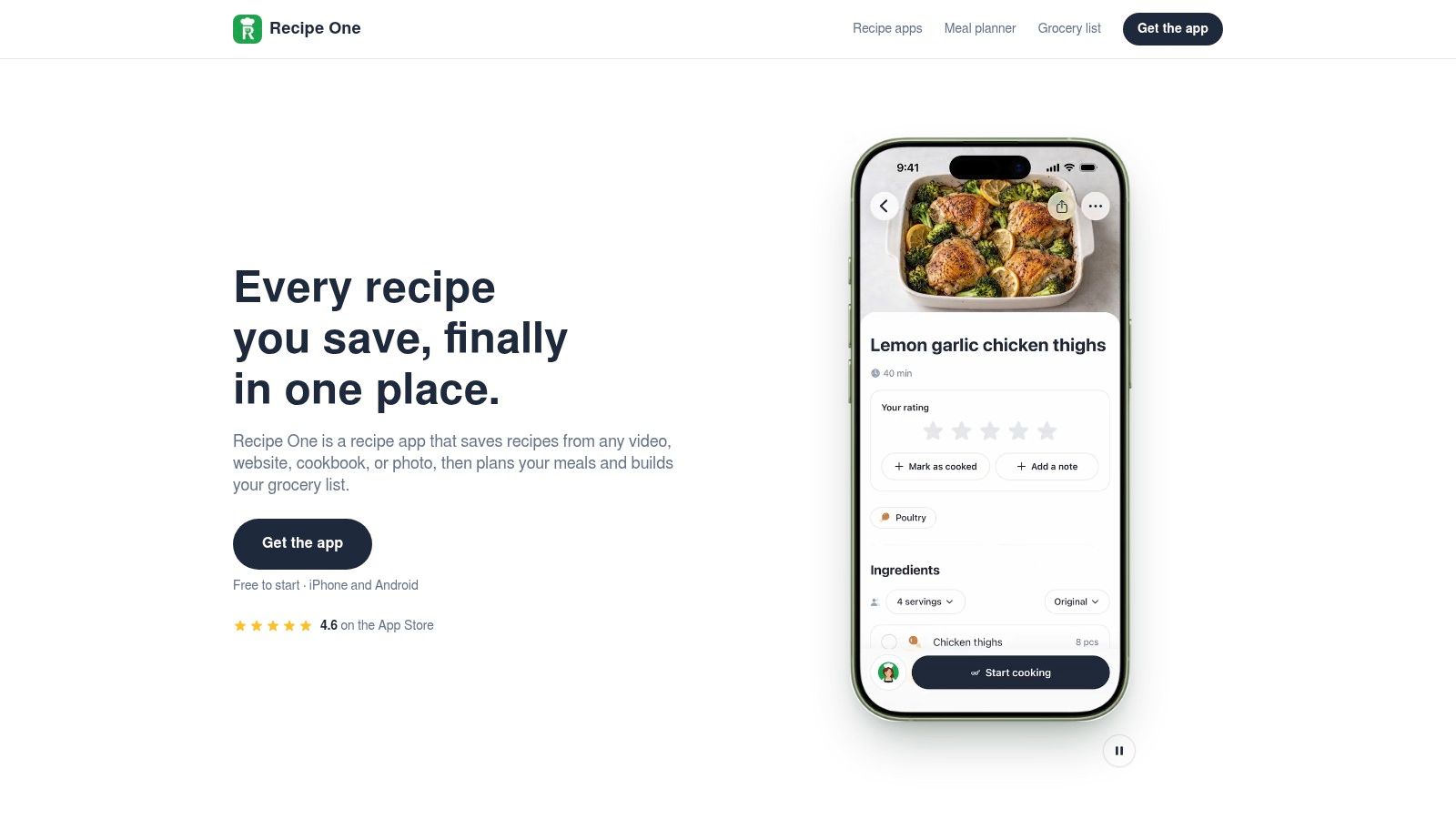
Recipe One is free to start on iPhone and Android. The Chrome extension is available now. Through its MCP server integration, your recipes, meal plan and grocery list are reachable from Claude, ChatGPT, Cursor and other AI assistants. Maya, the AI cook inside the app, can suggest what to make, plan the week, or turn fridge ingredients into a recipe when nothing sounds right.
Pick by the workflow you run most often: discovering and sharing, or saving, planning and shopping.
Recipe One turns the recipes you already save into a usable week. Share a link or snap a photo, let it pull out the ingredients and steps, then plan dinners from your own library and get one grocery list out of the week's saved meals. If that's the workflow you've been missing, visit Recipe One and start free.