You're trying to plan a week that includes work, family, training, errands, and maybe a few meals cooked from scratch. The best meal planner for weight loss depends on which part of that week causes the most trouble. A macro-focused athlete may want calorie targets and precise swaps, while a busy parent may care more about family-sized recipes and a grocery order that's ready quickly. A plant-based cook may need batch-prep guidance, while someone saving recipes from social media may need better organization before needing another nutrition tracker.
This roundup compares ten tools by their actual planning workflows. You'll see how each handles calorie and macro targeting, scheduling, grocery lists, customization, recipe selection, and adherence. Some are built to generate a full plan automatically. Others are better at fast dinners, low-carb structure, family shopping, or combining food logging with meal planning.
Meal planning can support healthier eating patterns, but no app guarantees weight loss. A large French cohort study published in 2017 found that 57% of participants planned meals at least occasionally, and meal planning was associated with better diet quality, greater food variety, and lower obesity risk in the published cohort study. The practical lesson is simple: choose the tool you'll revisit, then build a week you can cook. For budget-conscious planning, pair your system with this money-saving meal planning guide from Just Cook It.
1. Eat This Much
Eat This Much is the strongest choice when you want a complete plan generated from a specific calorie or macro target. You enter your goals, diet style, budget, schedule, and food preferences, and the service creates daily or weekly menus instead of asking you to assemble every meal yourself.
That makes it especially useful for people who know what they want to track but don't want to spend an hour choosing recipes. You can regenerate meals, block ingredients, filter foods, and adjust preferences until the plan resembles food you'll actually eat. Smart leftovers and recurring meals also help reduce decision fatigue, which matters when repeating a workable breakfast or lunch makes adherence easier.
Best for automatic calorie targeting
Eat This Much connects the plan to your selected calorie and macro targets, then turns those targets into meals and a shopping list. It's a better fit than a recipe-only app if you want the entire day considered rather than only dinner. The grocery workflow can connect with Instacart, Amazon, and Walmart delivery options, giving you a direct path from plan to purchase.
Practical rule: Tune your preferences before judging the recipes. A generator can only reflect the information you give it.
The free experience is useful for testing the workflow, but Premium is needed for features such as weekly planning, advanced grocery lists, and PDF plan export. Plans may also introduce unfamiliar recipes until you use ingredient blocklists and preference filters. If you already save recipes across social posts, videos, photos, or text, you may prefer to capture and organize them in Recipe One's cooking app for iPhone, then use Eat This Much when precise target-based generation matters.
2. eMeals
eMeals solves a different problem. It's designed for people who don't want to calculate every macro or build a menu from an empty calendar. You choose a plan style, receive curated weekly recipes, and get a shopping list that can move into a supported grocery service.
The service offers themed options such as Low Calorie, Quick & Healthy, Keto, and Diabetic, along with other diet-aligned menus and nutrition information. That range makes it practical for households where one person wants weight-loss-friendly meals but everyone still needs recognizable, cookable dinners. The recipes feel more like a family menu than a bodybuilding spreadsheet.
Best for family shopping
eMeals stands out when the barrier is coordination. A weekly menu gives you a defined set of dinners, while retailer integrations can hand the grocery list to Walmart, Kroger, Amazon, Instacart, and other U.S. services. That reduces the number of decisions between choosing meals and getting ingredients into the kitchen.
You won't get the same level of calorie and macro precision found in tracker-first platforms. Recipe sets are more fixed, so people who need exact protein or carbohydrate adjustments may have to make substitutions manually. The trade-off is convenience. For a parent who wants simple planning, fewer shopping decisions, and meals that work for more than one person, eMeals is the clear recommendation.
Use it with a structured grocery workflow if you want to keep household staples, substitutions, and recurring purchases organized. Recipe One's grocery list app guide is relevant for cooks who want to compare that workflow with a recipe-centered system.
3. MyFitnessPal Premium+ Meal Planner
MyFitnessPal is the best fit for someone who already logs food and wants meal planning inside the same ecosystem. Its Premium+ Meal Planner adds personalized weekly menus and grocery lists to the platform's established food-tracking workflow.
The main advantage is continuity. You can plan meals, record what you eat, scan packaged foods with barcode tools, and review how your choices fit your calorie and macro targets without moving between separate apps. Diet preference filters include balanced, low-carb, Mediterranean, vegan, and other approaches, while wearable and health-app integrations can add more context to your tracking.
Best for integrated logging
This is a tracker-led planner, not just a recipe calendar. That's useful if you want to check the nutrition of a proposed meal, record changes, and compare the planned day with the day you actually ate. The large food database and active community also make it easier to log meals that don't come directly from the planner.
The limitation is complexity. Beginners may find the number of tracking tools, settings, and upgrade prompts distracting. The Meal Planner sits within the higher Premium+ tier, so it makes the most sense for people who already value MyFitnessPal's logging experience or want planning and tracking under one account.
Use it when: Your biggest problem is not finding recipes. It's keeping planned meals, logged meals, and nutrition targets connected.
For recipes from your own kitchen, a separate recipe calorie calculator can help you understand homemade dishes before adding them to a food log.
4. Mealime
Mealime was a popular pick for busy cooks who need fast, healthy dinners without a complicated setup, until it was discontinued on October 21, 2026 (its recipes moved to Meals Hub in Albertsons apps). It asked about dietary preferences, built a weekly selection, and produced a consolidated grocery list. The recipes focused on simple preparation and weeknight cooking, with nutrition information available at the recipe level.
Mealime worked best when dinner is the point where your plan fails. You may have a reasonable breakfast and lunch routine, then arrive home tired and order something because the recipe you chose takes too long or requires ingredients you don't have. Mealime's short, approachable recipes reduced that friction.
Best for fast dinners
Diet filters included low-carb, keto, vegetarian, and other preferences. The grocery list grouped ingredients across selected recipes, and retailer hand-offs could make shopping easier. It had a free tier and a Pro tier with more planning features; during the shutdown, Pro features were opened to all users.
Mealime wasn't the strongest option for full-day calorie targeting. Its center of gravity was dinner, so you'd have needed to account for breakfast, lunch, snacks, and portions separately if your weight-loss approach depends on a precise daily budget. Per-recipe nutrition information helps, but it doesn't replace a tracker-led plan when exact macros are your priority.
That trade-off is reasonable for many people. A plan you can cook on a Tuesday night may support adherence better than a technically precise plan that demands too much preparation. For more batch-focused planning, compare the workflow with this meal prep planner guide from Recipe One.
Mealime was discontinued on October 21, 2026, so compare Mealime alternatives for a planner you can still use.
5. Lifesum
Lifesum combines structured diet programs with food logging, which makes it a good choice for users who want guidance without giving up the ability to track details. Its meal-planning options include approaches such as Protein Weight Loss, Mediterranean, Fasting, and Keto.
The app's strength is its guided feel. Instead of beginning with a blank recipe library, you select a goal-based plan or diet template and receive a clearer path for the week. In-app recipes support the menu, while calorie and macro tracking lets you record substitutions and meals that weren't part of the original schedule.
Best for coaching-style structure
Lifesum suits people who want an app to keep the plan visible throughout the day. Barcode scanning makes packaged foods easier to record, and iOS and Android integrations can connect the food routine with other health information. The interface and recipe library are designed to make the next action obvious, which can help when motivation is inconsistent.
Some meal plans and guided programs require Premium access. Pricing and bundles can also vary by platform, so check the current offer in the store or account flow you'll use before committing. The app is more structured than a simple recipe organizer, but it still depends on your willingness to log meals and follow the chosen approach.
Choose Lifesum if you want a visible program, nutrition tracking, and recipe support in one place. Choose Eat This Much instead if automatic calorie-based menu generation is the deciding feature. Choose eMeals if your main need is getting dinner on the table with less planning.
6. Carb Manager
Carb Manager is the clear recommendation for people whose weight-loss method is intentionally low-carb or ketogenic. Its smart meal planner builds menus around diet preferences and intolerances, while the broader app combines recipes, grocery lists, food logging, and macro guidance.
This focus makes the experience more coherent than a general planner with a low-carb filter added as an afterthought. The recipe library is designed around low-carb eating, and recipe import capabilities can help you bring preferred dishes into the system. Device and app integrations support ongoing tracking when you want to monitor meals beyond the initial plan.
Best for low-carb structure
Carb Manager can generate a plan and shopping list, then give you a way to log what changed. That matters because low-carb cooking often involves ingredient swaps, such as changing a grain-based side for vegetables or replacing a sugary sauce with a lower-carbohydrate alternative. A planner that keeps the nutrition context visible makes those decisions easier.
The main drawback is scope. It isn't the best choice if you want a broad range of dietary styles or don't want your meal planning organized around carbohydrate restriction. The full planner and expanded recipe access require Premium, so test whether the low-carb workflow suits you before paying.
Choose the system that matches your dietary decision. If carbohydrate limits determine most of your meals, Carb Manager is more useful than a general planner with occasional low-carb recipes.
For people combining low-carb eating with vegetarian meals, this low-carb vegetarian diet meal plan resource can help frame the recipe choices before building a shopping list.
7. WeightWatchers
WeightWatchers is best for people who want meal planning tied to a Points budget, behavioral support, and a large recipe library. It doesn't operate like a fully automatic generator that fills every day from your calorie and macro targets. Instead, it guides food choices through personalized Points, recipes, tracking tools, and optional workshops or coaching.
That distinction matters. WW works well when you want a simple decision framework rather than detailed macro mathematics. You can browse meal inspiration, choose recipes that fit your plan, and track food inside the same app. The Points system can make everyday choices feel more manageable for people who find calorie or macro logging too demanding.
Best for behavioral support
The community component is a major part of the experience. Some users want accountability, education, or coaching around habits rather than a menu that tells them what to cook. WW's long-running program has also been clinically studied, but the app should still be treated as a planning and support tool, not a guarantee of results.
Its limitation is customization depth. Users looking for exact protein targets, automated macro-preserving swaps, or a fully generated weekly schedule may prefer Eat This Much, MyFitnessPal Premium+, or Strongr Fastr. Membership tiers and promotions change, and some features are restricted by plan, so review the current access details before subscribing.
Pick WW when adherence improves through simple points, recipe inspiration, and support. Pick a tracker-first app when adherence depends on precise nutrition data.
8. Diet Doctor and Hava
Diet Doctor is a strong choice for people who want ready-made low-carb or keto plans with education attached. The membership combines meal plans, recipes, shopping lists, guides, and courses, giving users more explanation than they'll find in a basic grocery-list app.
The planning workflow is structured but still customizable. You can select a low-carb or keto direction, use prepared menus, review recipes, and create a shopping list around the meals. The educational material helps users understand the approach rather than treating the plan as a set of disconnected dishes.
Best for guided low-carb adherence
Diet Doctor suits cooks who want clarity about how meals fit a broader low-carb method. It's especially useful when uncertainty causes people to abandon a plan. A recipe library and video courses can answer practical questions that arise during shopping and cooking, while the planner reduces the work of deciding what to eat next.
The limitation is dietary fit. This isn't the right recommendation for someone seeking flexible omnivore, Mediterranean, vegetarian, or plant-based planning without a low-carb emphasis. The relationship between Diet Doctor and Hava can also confuse new users because the two-brand market affects how people encounter the tools and services.
Use Diet Doctor when education and structured low-carb menus matter as much as the grocery list. Use Carb Manager when you want a more tracker-centered low-carb experience with stronger day-to-day logging.
9. Strongr Fastr
Strongr Fastr is the best option for people who connect meal planning with training and body-composition goals. Its AI-assisted system creates weekly meal plans around calorie and macro targets, budget, cooking time, and variety preferences, then pairs nutrition planning with workouts.
The useful detail is meal swapping. If you don't want a planned recipe, you can replace it while preserving the broader macro structure. That's more practical than deleting a meal and forcing yourself to recalculate the rest of the day.
Best for athletes and muscle-focused fat loss
Strongr Fastr keeps food and training in the same workflow. Users who lift, follow a workout plan, or care about supporting muscle while reducing body fat may prefer this integrated setup to a recipe-only app. Adaptive calorie and macro recommendations can respond to progress, while trainer and coach tools extend the platform beyond individual use.
The interface may feel dense at first because it handles more than meal selection. Some advanced features require paid tiers, and the brand is smaller than MyFitnessPal or WW. Give yourself time to configure cooking constraints, foods you dislike, and the level of variety you want.
AI planning deserves a careful boundary. A 2026 Frontiers in Nutrition report on AI-created meal plans for teens found that AI plans severely undercalculated calories and macronutrients compared with dietitian plans, with some plans low enough to resemble skipping a meal. Review generated plans, especially for teenagers, people with higher nutrition needs, or anyone without enough nutrition knowledge to spot under-fueling.
10. Forks Meal Planner
Forks Meal Planner is built for people who want plant-based, whole-food menus with batch cooking support. It provides weekly breakfast, lunch, dinner, and snack planning, along with grocery lists and make-ahead guidance.
This is more than a collection of vegan recipes. The schedule helps you decide what to prepare in advance, which can make a plant-based week easier to maintain when chopping, cooking, and assembling meals compete with work. The approach emphasizes meals built from whole plant foods, with recipes designed to make healthy eating more repeatable.
Best for plant-based batch cooking
The planner's library includes more than 3,000 recipes, and the weekly menus give beginners a defined starting point. Grocery lists connect the recipes to the shopping trip, while batch-cooking schedules help you prepare components before the busiest days arrive.
Customization is less precise than in tracker-led apps. If you need exact macro targets, frequent ingredient substitutions, or a plan that includes meat and fish, another tool will suit you better. Forks Meal Planner is intentionally plant-based, so its strength is also its biggest boundary.
Choose it when you want plant-based structure, make-ahead guidance, and a complete weekly menu. If you're an omnivore who wants flexible meals, eMeals will be easier to adapt.
Top 10 Weight-Loss Meal Planners, Features Comparison
| App | Core features | UX / Quality | Target audience | Value & USP |
|---|---|---|---|---|
| Eat This Much | Auto-generated daily/weekly plans, calorie/macro targets, grocery lists, delivery links | Fast, goal-driven; needs tuning | Macro dieters, busy planners | Freemium → Premium for weekly/export. Best for automated macro planning |
| eMeals | Curated themed weekly menus, nutrition info, one-tap grocery ordering | Simple, reliable weekly UX | Families, time-pressed cooks | Subscription (plan-based). Strong retailer integrations |
| MyFitnessPal (Premium+) | Personalized meal plans on top of large food DB, barcode/scan tools, integrations | Robust logging, can be complex | Trackers who want planning + logging | Free + Premium+ for planner. Biggest food database |
| Mealime | Quick weeknight recipes, diet filters, consolidated grocery lists | Beginner-friendly, fast setup | Weeknight cooks, portion-aware users | Discontinued 10/21/2026 (was free + Pro; recipes moved to Meals Hub) |
| Lifesum | Goal-based meal plans, macro tracking, in-app recipes, guided programs | Attractive UI, coaching feel | Users wanting guided weight-loss plans | Freemium → Premium for full plans. Good program structure |
| Carb Manager | Low-carb/keto meal planner, large keto recipe DB, grocery lists | Focused, effective for keto | Keto/low-carb followers | Free + Premium for full library. Purpose-built for carb restriction |
| WeightWatchers (WW) | Points budgeting, recipe library, tracking, workshops/coaching | Supportive community, proven | Behavior-focused weight-loss users | Membership tiers. Clinically backed program & community |
| Diet Doctor (Hava) | Ready low-carb/keto plans, recipes, courses, shopping lists | Evidence-based, educational | Low-carb/keto learners & adherents | Membership for full access. Strong educational content |
| Strongr Fastr | AI meal plans + workout plans, adaptive macros, grocery lists | Precise macros, denser UI | Fitness-focused fat-loss + muscle retention | Paid tiers for advanced features. Combines training + nutrition |
| Forks Meal Planner | Whole-food plant-based weekly menus, batch-cooking guides, grocery lists | Plant-based focused, practical | WFPB eaters, batch-cooking households | Subscription for full access. Best for whole-food plant-based planning |
Build a Plan You Will Actually Use
The right choice depends on the planning problem you want to remove.
Choose Eat This Much or Strongr Fastr when automatic calorie and macro generation is the priority. Eat This Much is the simpler route from targets to a complete menu and grocery list. Strongr Fastr is better when meal planning needs to sit beside workouts, progress adjustments, and muscle-focused training.
Choose eMeals for family-friendly grocery convenience. It gives you curated weekly menus and retailer hand-offs without requiring everyone in the household to understand macro targets. If dinner is the weak point, plan the week from your saved recipes in Recipe One and get one grocery list from the week's meals; Mealime filled that role until it shut down on October 21, 2026. Choose MyFitnessPal Premium+ when food logging already anchors your routine and you want planning inside the same platform.
For a defined low-carb approach, choose Carb Manager or Diet Doctor. Carb Manager puts more emphasis on tracking and meal swaps, while Diet Doctor adds educational content and ready-made low-carb guidance. Choose Forks Meal Planner for plant-based batch cooking. Choose Lifesum for guided diet programs with tracking, and WW when Points, community, and behavioral support are more useful to you than detailed macro calculations.
Meal planning also appears to matter most when people use it consistently and early. In a 2026 CSIRO analysis of nearly 78,000 Total Wellbeing Diet members, the highest meal-plan users lost an average of 6.4 kg at 12 weeks, which was 24% more than members who used meal plans less often in the CSIRO analysis. Members who used meal plans most during the initial stages lost 6.9 kg after one year, 48% more than those who used them least, and 89% of members who lost more than 10 kg in 12 weeks said a meal plan was key to their success in the reported CSIRO findings. These findings show an association, not a guarantee, but they support choosing a planner you can revisit often.
Start with one target. Decide whether your priority is calorie accuracy, simpler dinners, family shopping, low-carb structure, plant-based preparation, or integrated logging. Schedule meals around your real week, review portions and nutrition information, generate the shopping list, and adjust the plan after the first week instead of abandoning it after one imperfect meal.
A practical Recipe One workflow
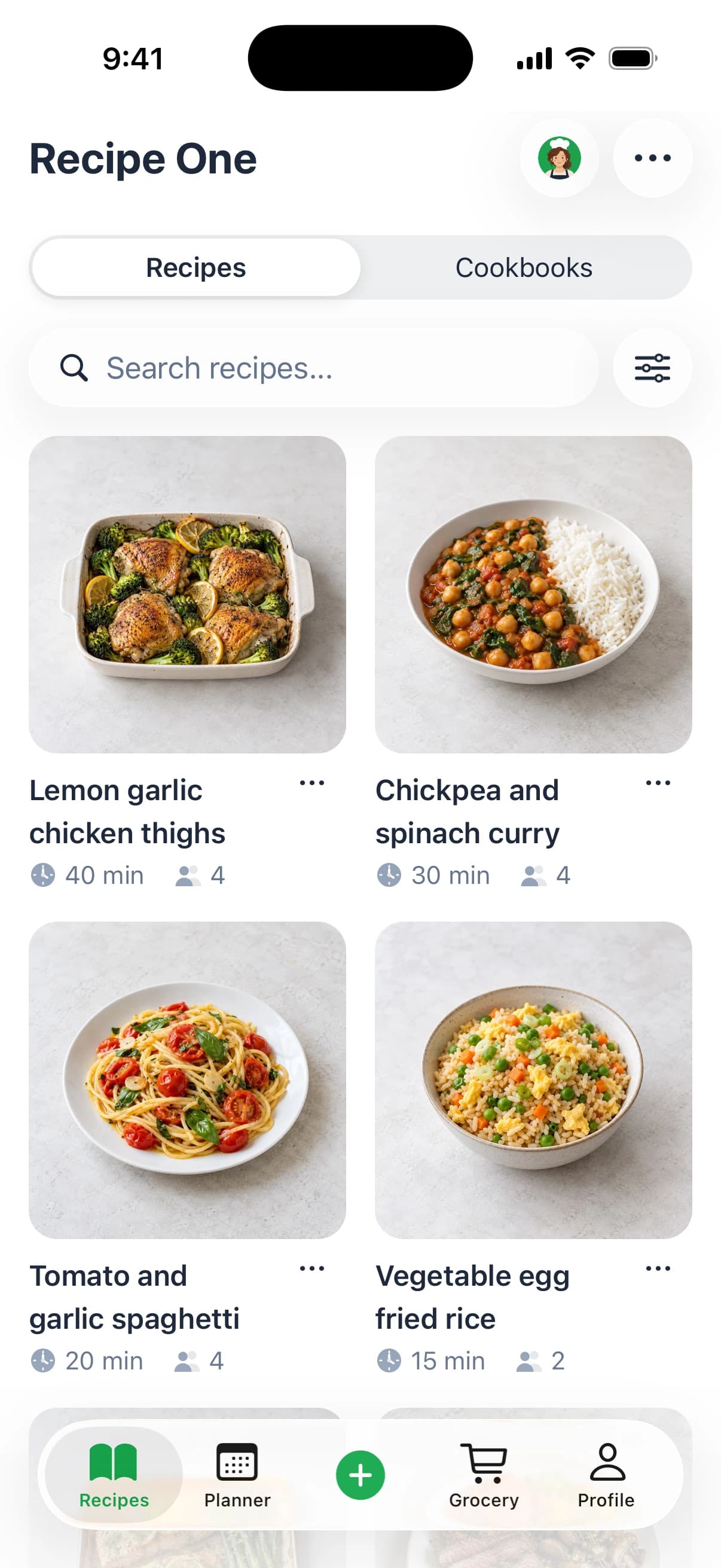
Recipe One works as a complementary recipe-capture and meal-prep system. If you save ideas from social posts, cooking videos, photos, or text, capture them in Recipe One and keep ingredients, measurements, steps, and nutrition information in an organized personal library. You can then drag meals onto a weekly or monthly calendar, generate groceries from the recipes you scheduled, and use nutrition breakdowns to review calories, macros, and key nutrients.
The workflow is useful when your recipes are scattered across platforms. Use conversions when a recipe gives unfamiliar measurements, check the oven temperature converter, and use Cook with Ingredients when you need a meal from food already at home. A rice-to-water ratio guide and other free tools can help during preparation, while the meal planner handles the transition from saved inspiration to an actual week of cooking.
Recipe One doesn't need to replace a dedicated tracker for people who require highly precise calorie or macro monitoring. It gives you a structured recipe library and planning layer, which can sit alongside a tracker when your main problem is finding, organizing, scheduling, and shopping for the food you intend to eat. If body-composition data informs your broader goals, you can also learn about Telomyx DEXA scanning in Liverpool, then discuss any nutrition changes with an appropriately qualified professional.
Recipe One turns recipes from social posts, videos, photos, and text into an organized kitchen system with meal scheduling, nutrition details, grocery lists, and practical cooking tools. Visit Recipe One to organize the meals you want to cook and build a weight-loss planning routine that fits your real week.