It's Sunday afternoon, you're staring at an empty notes app, and dinner for the next five nights is somehow your problem again. You type "healthy meal plan" into ChatGPT, get seven polished dinners back, and only later notice one needs a food processor you don't own, another repeats an ingredient someone at home won't eat, and the grocery list doesn't match the recipes.
A ChatGPT meal plan works best as a draft you audit, not a finished plan you copy into a cart. Give it tight constraints, check nutrition and quantities yourself, and keep the recipes you cook somewhere you can find them again next week.
Prompt Template for a Weekly Meal Plan
Vague requests produce generic menus. If you don't state who's eating, what you can't serve, or how long you can cook, ChatGPT fills those gaps with guesses. A useful prompt puts every constraint in one message, then asks for recipes before the grocery list.
Create a [number]-day [meal] plan for [people]. Budget: [amount]. Allergies or foods to avoid: [list]. Active prep time per meal: [minutes]. Equipment: [list]. Cuisines: [list]. Output: each recipe with ingredients and numbered steps first, then one combined grocery list with quantities.
Why Each Field Matters
People sets portions and multipliers. Saying "four" isn't enough if one person eats like two adults or a child eats a half portion, so add that note. Budget limits protein and specialty ingredient choices before the plan drifts expensive. Allergies and foods to avoid block ingredients outright, which is safer than asking for swaps later.
Prep time should mean active time, not total oven time, or you'll get a braise labeled quick because your hands are free. Equipment rules out methods you can't use, such as blending, grilling or slow cooking. Cuisines steer flavor without locking every night into the same seasoning profile.
| Constraint | What to State | Example |
|---|---|---|
| Number of people | Adults and children, with any portion notes | 4 people, one teen |
| Days and meals | Number of days and which meals to plan | 5 weeknight dinners |
| Budget | Total weekly spend or a per-serving cap | Under $120 for the week |
| Allergies | Each allergen and any cross-contact concern | One person with a peanut allergy, nut-free |
| Foods to avoid | Dislikes, religious or personal restrictions | No shellfish, no cilantro |
| Prep time | Active cooking time for each meal | Under 30 minutes |
| Equipment | Appliances the cook actually has | Stovetop and oven only |
| Output format | Exactly what the reply should contain | Recipes first, then one grocery list with quantities |
Ask for recipes first, grocery list second so you can approve or reject meals before quantities get calculated. A list built from recipes you've already seen is much easier to audit than a list generated alongside meals you're still changing.
I would copy the template, fill every bracket, and send it as one message. If you want a printable structure to fill alongside it, use this weekly meal planning template and keep your answers consistent between the two.
A Sample Prompt and the Output to Expect
This sample is illustrative. It shows a format to copy, not a guaranteed result or a measured outcome.
Plan five weeknight dinners for four people, under 30 minutes of active prep each, nut-free, under $120 for the week, no shellfish, stovetop and oven only. Give recipes first and a combined grocery list after.
What Usually Comes Back
Expect five dinner titles with stated prep times, a short ingredient list and numbered steps for each, and a rough day-by-day order. You'll often see ingredients reused across meals, such as spinach in Monday's pasta and Thursday's eggs, because the prompt asked for one combined plan. The grocery list at the end is a draft. Its totals still need checking against each recipe.
You can make that reuse deliberate. Ask for shared components, such as one cooked grain or one sauce used in two dinners, so the week needs less separate prep and fewer shopping lines. State which nights should share, or the model may repeat the same base until the week feels monotonous.
Revising Without Losing Track
When a night doesn't work, don't just say "change Wednesday." Use a revision prompt that forces a record of what moved:
Replace Wednesday with a vegetarian option, use leftovers for Thursday lunch, and show which ingredients changed.
That last clause matters. A list of changed ingredients lets you spot drift early, including items that should have been removed, quantities that should have dropped, and new items that need an allergy check. Without it, you're comparing two long replies by eye.
Run the sample with your own numbers, request one or two revisions, then ask for every changed ingredient before you shop. Don't move to the grocery list until the five dinners are meals you'd cook on those specific nights.
What ChatGPT Does Well and Where It Falls Short
ChatGPT is fast at brainstorming dinners, adapting servings, swapping an ingredient you don't have, and explaining a technique in plain language. It's a strong drafting tool when your problem is a blank page or a recipe that needs rewording for the equipment and time you have.
Memory Isn't a Recipe Library
The limits show up when you expect it to remember your household. According to OpenAI's temporary chat help page, saved memories are stored separately from chat history, deleting a chat doesn't automatically delete a corresponding saved memory, and temporary chats don't create or update memories.
That means a new conversation may start without your household size, allergies, dislikes or the recipes you approved last week. Even with Memory on, you're not getting a structured database of complete recipes, serving sizes, substitutions and prior grocery lists. Treat any recalled preference as a hint, then restate the facts that affect safety and quantities.
There's also no store or app sync behind a plain chat reply. Prices, package sizes and stock are estimates, not live retailer data, so a budget total can look precise while resting on invented local prices.
| Problem | Why It Happens | What to Do |
|---|---|---|
| Saved recipes disappear | Memory is stored apart from chat history | Keep a copy of chosen recipes and paste them back in |
| Plan drifts after changes | Earlier instructions can return after an edit | Restate the full plan and ask for changes to be listed |
| Wrong grocery quantities | Units and equivalent items get merged or missed | Check each line against its recipe |
| No store or app sync | No live link to inventory, prices or checkout | Treat the budget as an estimate and check package sizes |
| Context lost between chats | New chats start without household details | Paste household size, allergies and dislikes each time |
Keep the chosen recipes and the exact constraints that produced them. That pair is your real record, not the chat.
Paste that context at the start of each new week and name what's already selected. If you change one dinner, tell ChatGPT to update the schedule and recalculate only the affected ingredients, then verify it did.
Checking Nutrition and Safety Before You Cook
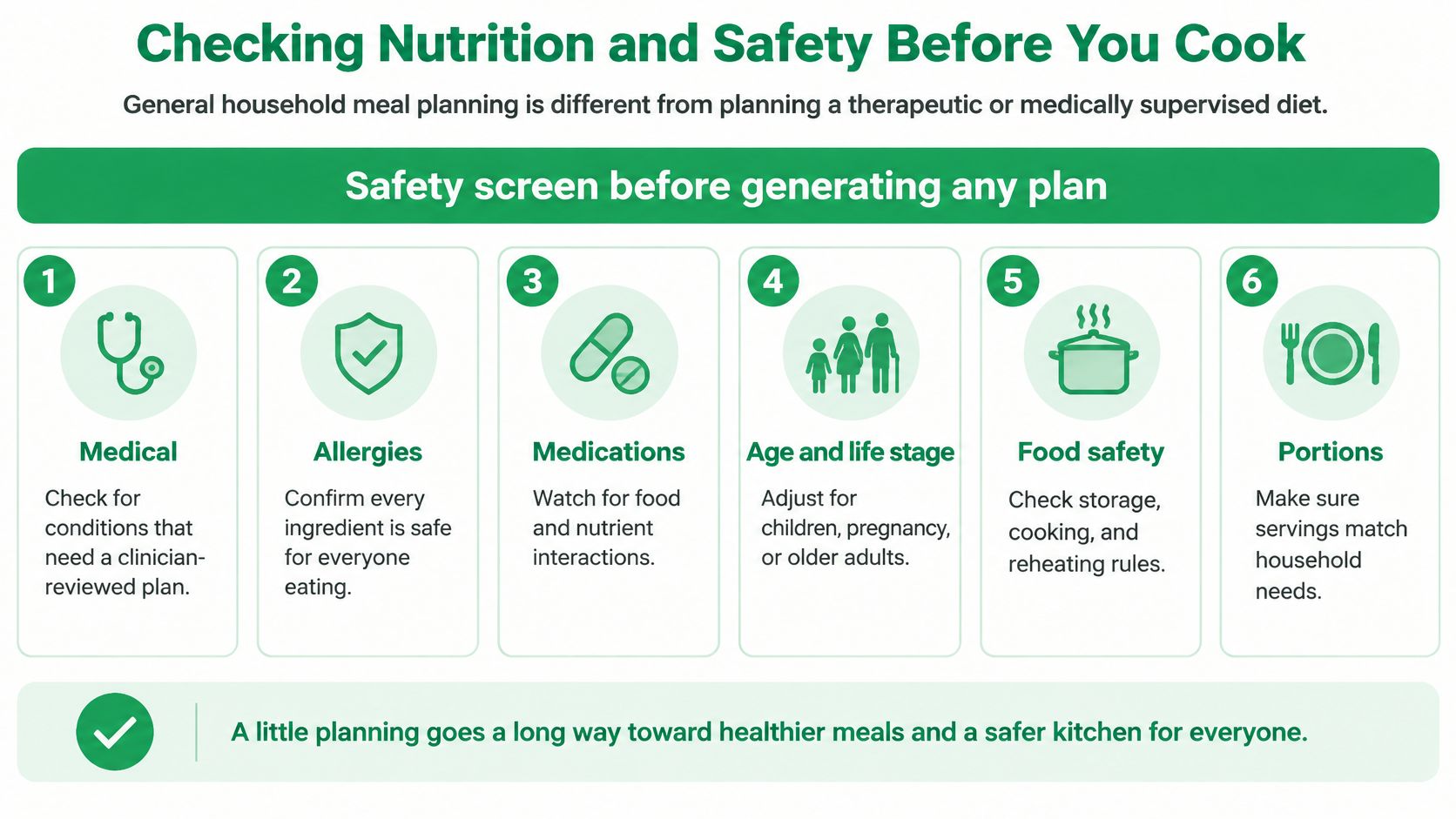
A longer prompt doesn't make a plan clinically safe. Adding calories, macros and a health goal can make the output look more personal while the underlying numbers stay unverified. General household planning and a therapeutic diet are different jobs, and the second needs professional oversight.
Run a Safety Screen First
Before you generate anything, write down:
- Medical conditions: Anything that changes what you should eat or avoid.
- Medications: Drugs with food or nutrient interactions you'd need to check.
- Allergies: Every allergen for every person eating, plus cross-contact concerns.
- Pregnancy status: Or planning for children or older adults with different needs.
- Disordered eating history: A reason to avoid calorie-targeted plans without support.
- Nutrient restrictions: Limits a clinician has already set for you.
If any item applies, don't ask ChatGPT to design around it and hope. Take the draft to a doctor or registered dietitian, or ask them for the targets first and use ChatGPT only to brainstorm meals inside those boundaries.
Check the Numbers Yourself
In the 2024 study indexed on PubMed, researchers generated 108 meal plans using ChatGPT and Bard across omnivorous, vegetarian and vegan diets, and ChatGPT recommended vitamin B12 supplements in 5 of 18 cases. Vegan plans need that B12 check every time, not occasionally. Name your pattern and each restriction in the first line of your prompt, ask for each swap explicitly, then verify the nutrients that pattern tends to miss.
Calories need the same skepticism. Recalculate totals from standardized ingredient weights with a recipe calorie calculator, and check protein, saturated fat, sodium and portion sizes separately rather than trusting a single daily total.
Turning a ChatGPT Grocery List Into a Checked Shopping List
A generated list can duplicate an ingredient, fail to combine equivalent entries, mix raw and cooked quantities, miss an item from a recipe variation, or suggest a package size that doesn't match the recipe. None of those errors looks dramatic on screen. All of them cost money or stall dinner.
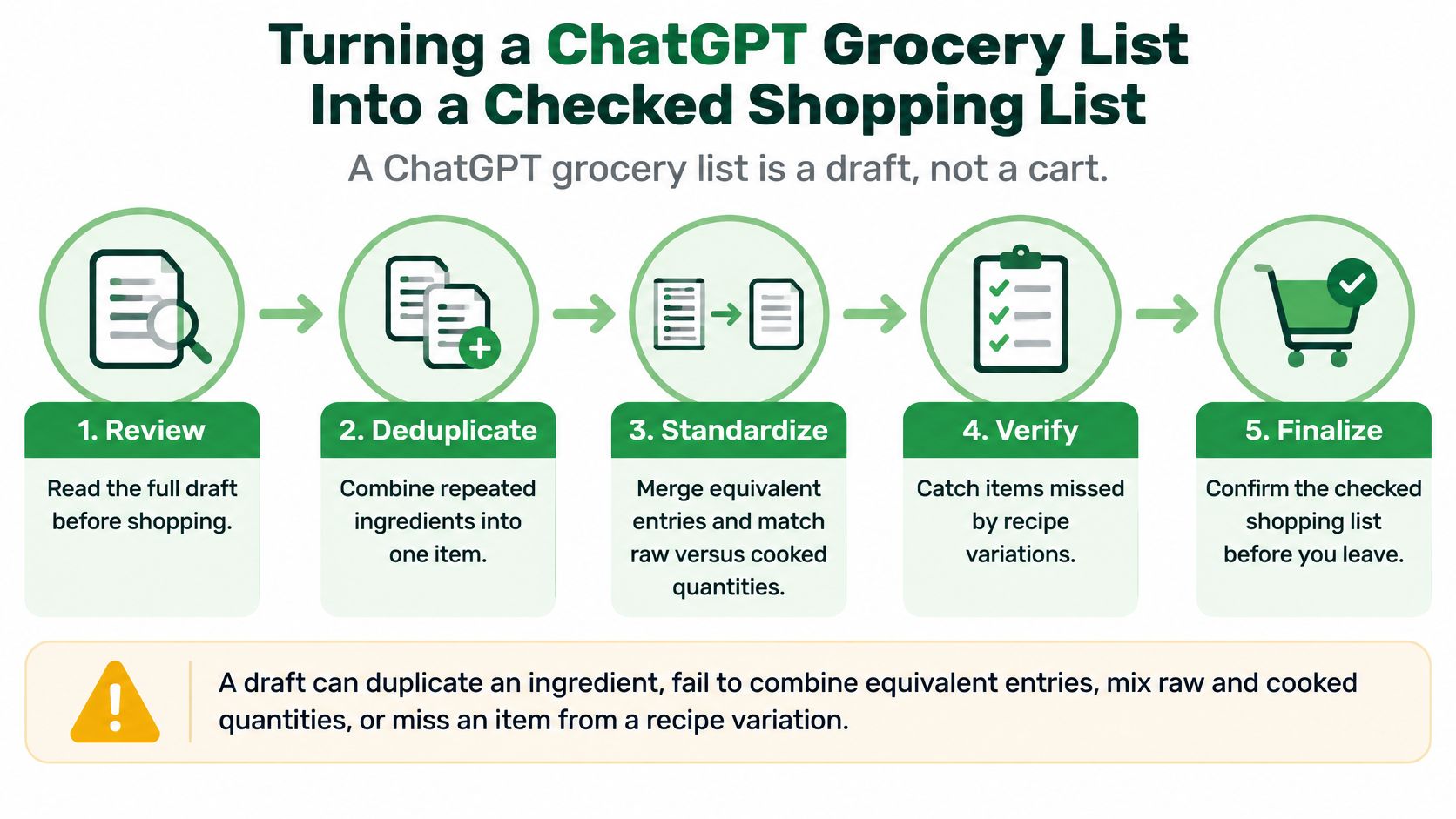
Audit It in Six Steps
- Extract from approved recipes only: Ask for every ingredient from the exact recipes you kept, not earlier drafts.
- Multiply servings: Apply your household number to each recipe before combining anything.
- Combine identical items: Merge repeats while keeping each recipe's unit visible.
- Show the calculation: Request the math behind each total so errors are visible.
- Compare line by line: Note whether each quantity is drained, cooked, peeled or raw.
- Mark staples and uncertainty: Flag pantry items and anything unclear instead of assuming you have it.
The most common error is the raw versus cooked mix-up. A cup of cooked rice and a cup of dry rice are very different amounts, and a combined list that merges them will leave you short or overstocked. The same problem hits drained beans, peeled produce and meat that loses weight as it cooks.
Schedule recipes that make leftovers early in the week and store them promptly so they're eaten within a few days. To build a list from chosen recipes, try the grocery list generator, then read about building a grocery list from recipes and check the output the same way. The list is ready when every line matches a recipe and every uncertain item is resolved.
ChatGPT Alone Versus a Meal Planning App
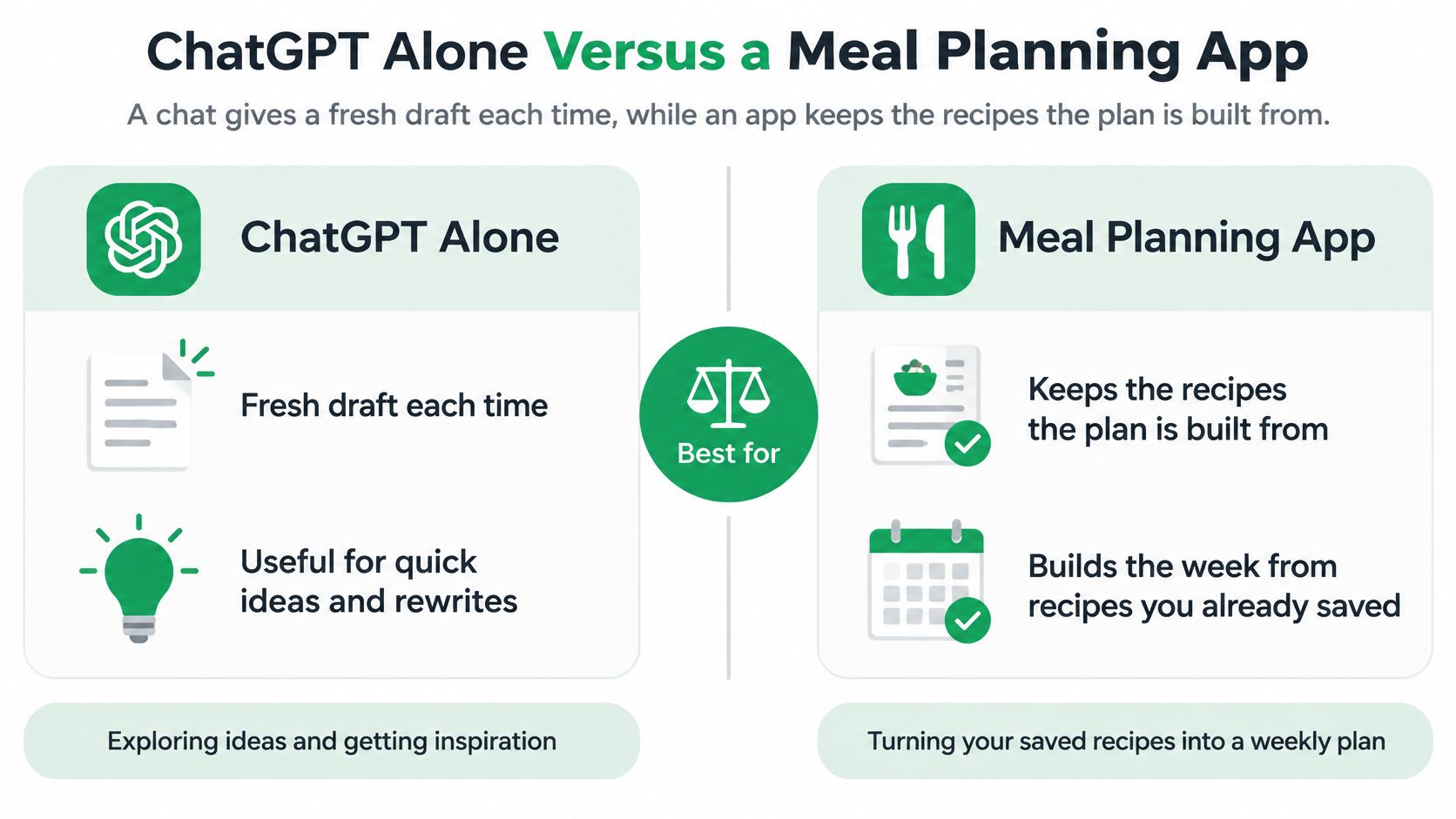
A chat drafts the week, while an app keeps the recipes the week depends on.
That difference decides most of the trade-off. ChatGPT gives you a fresh draft each time and handles unusual wording well. A meal planning app starts from recipes you've already saved, so next week doesn't begin with re-pasting your household details and hunting through old chats.
The comparison below sets out where each option helps and where it leaves work for you.
| Task | ChatGPT Alone | Meal Planning App (Recipe One) |
|---|---|---|
| Brainstorm a new week | Fast, shaped by the prompt you write | Plans from recipes you already saved |
| Keep recipes you cook | No reliable library; memory is not a database | Saves recipes from TikTok, Instagram and any recipe URL |
| Repeat the plan next week | Re-paste household context each time | Plan and recipes stay in the app |
| Grocery list | Draft that needs a line-by-line audit | Combines ingredients from the plan |
| Organize recipes | Chat history only | Tags and cookbooks, no folders |
| Devices | Chat window in a browser or app | iPhone, Android and web (app.recipeone.app) |
| Works inside ChatGPT or Claude | The chat itself | Yes, via plugin or connector |
| Cost to start | Check current plan terms | Free to start |
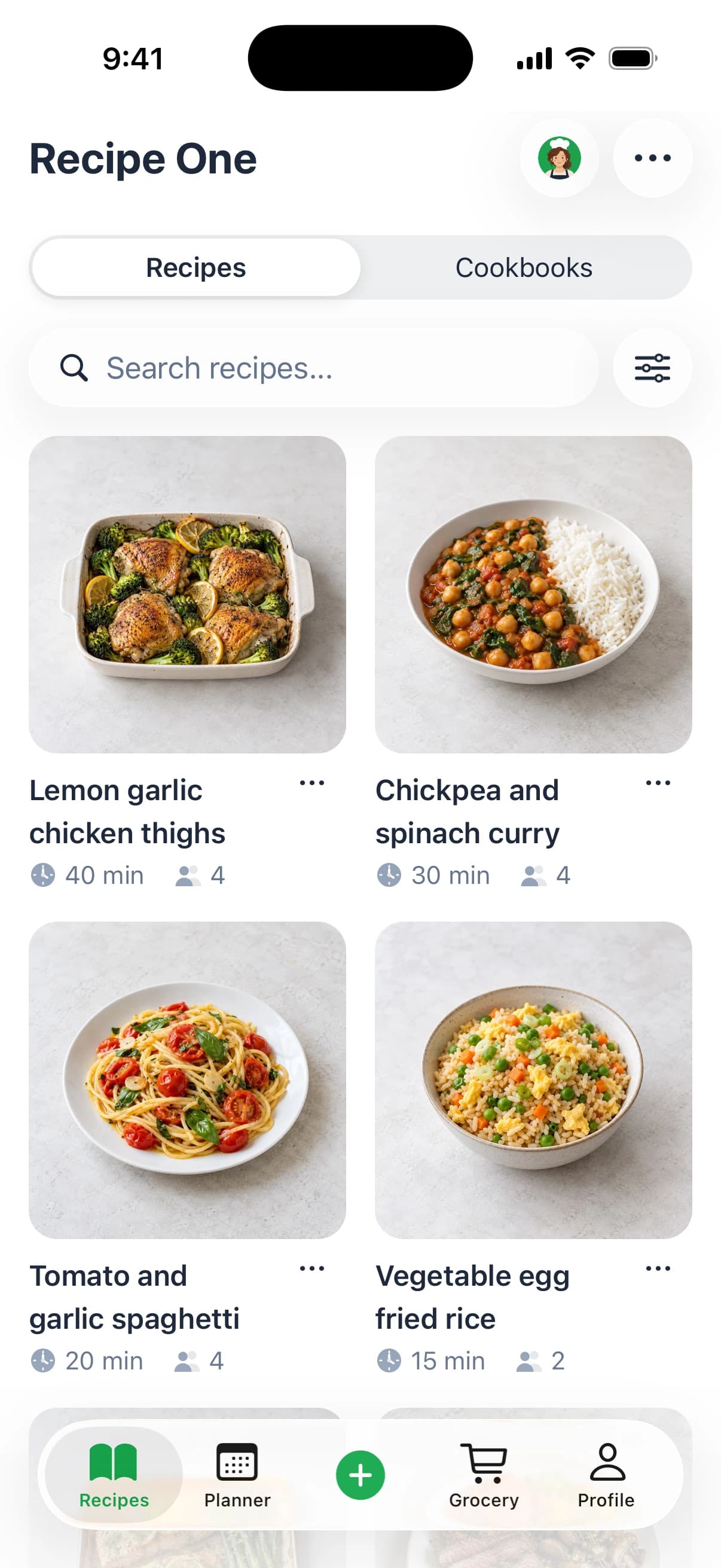
Recipe One saves recipes from TikTok, Instagram and any recipe website URL, includes an AI cooking assistant, meal planning, and a grocery list built from the plan that combines ingredients. To import, paste a TikTok or Instagram link, or any recipe website URL, then add tags or place the recipe in a cookbook so you can find it before the next plan. That organization step matters because an app only helps if what you save stays findable.
ChatGPT still wins for quick brainstorming, phrasing an odd constraint in your own words, and explaining why a sauce broke or how to substitute an ingredient mid-recipe. For a broader look at app-based planning, read about using an AI meal planner, and for side-by-side options see these meal planner apps compared. I would use both for different jobs rather than forcing one tool to do everything.
Use Recipe One inside ChatGPT or Claude
Recipe One has a plugin for ChatGPT and a connector for Claude, so the recipes you keep are there the next time you plan. In ChatGPT, open Plugins and search "Recipe One". In Claude, open Customize > Connectors and search "Recipe One". The steps are in the Recipe One plugin setup.
From the chat, you can save a recipe from a link, find what to cook from your own saved recipes, plan the week and send the ingredients to your grocery list. Everything syncs with the Recipe One app on iPhone and Android. In ChatGPT and Claude, recipe cards and meal plans show as interactive views where you can change servings, swap meals and save the plan.
You can also save any recipe from a website in one click with the Recipe One Chrome extension.
Choosing a Setup and Starting This Week
Your default depends on how often the same meals come back. One-off planning rewards speed. Repeat planning rewards storage, because the time you spend saving and tagging a recipe once replaces the time you'd spend recreating it every week.
Pick by Situation
Busy parent planning weeknight dinners: Draft the week in ChatGPT under your budget and time limit, audit it, then move the keepers into Recipe One so you can repeat them without reprompting. Your constraint list, allergies, dislikes and portion notes, should live in a note you paste verbatim each time.
Student or beginner cook: Use ChatGPT to learn techniques and substitutions as questions come up while cooking. Save the recipes that worked in the app, tagged by skill or ingredient, so your library grows from meals you've made rather than videos you meant to try.
Meal-prepper or diet-conscious planner: Use the app for repeat batches because consistent servings matter more than novelty. Run any restricted plan through the safety screen first, verify nutrition from ingredient weights, and involve a dietitian when a medical condition shapes the plan.
One-off dinner party: ChatGPT alone is enough. Draft the menu, ask for a timeline working backward from serving time, and audit the grocery list by hand. There's no repeat week to justify setting up a library.
The switch point comes when the same meals return more than twice. After that, keeping recipes organized pays back faster than re-drafting them.
Households aren't the only ones weighing chat tools against dedicated software. If you're also evaluating assistants for work, you can compare ChatGPT alternatives for teams to see how the same drafting versus storage trade-off plays out there. The kitchen version of that decision is simpler, because your recipes either stay findable or they don't.
Your First Week, Step by Step
- Fill the template: People, days, budget, allergies, prep time and equipment, with recipes requested first.
- Run the safety screen: Check conditions, medications and allergens, then verify nutrition totals yourself.
- Audit the grocery list: Compare every line with its recipe, including raw and cooked quantities.
- Save the keepers: Add them to Recipe One with tags or a cookbook while you still remember what worked.
- Plan and shop: Build the week in the meal planner and generate the grocery list from it.
That follows Recipe One's three-step workflow, save it, plan it, and shop it, using a meal planner built for a week of dinners from recipes you already saved. If you want the planning habit explained more slowly, this guide on how to plan weekly meals covers the routine beyond any single tool.
Start with five dinners, not seven. A shorter plan is easier to audit, leaves room for leftovers and one night out, and quickly shows whether your prompt constraints match how your household eats. Recheck every quantity before you shop, then cook the week and note which two meals you'd repeat. Those two are the start of a library worth keeping.
Save the recipes behind your next ChatGPT meal plan in Recipe One, where AI helps you plan the week from recipes imported from TikTok, Instagram or any recipe URL, then builds a grocery list that combines ingredients from that plan. It's free to start on iPhone, Android and the web, so import this week's keepers, tag them, and plan next week from meals you already know work.