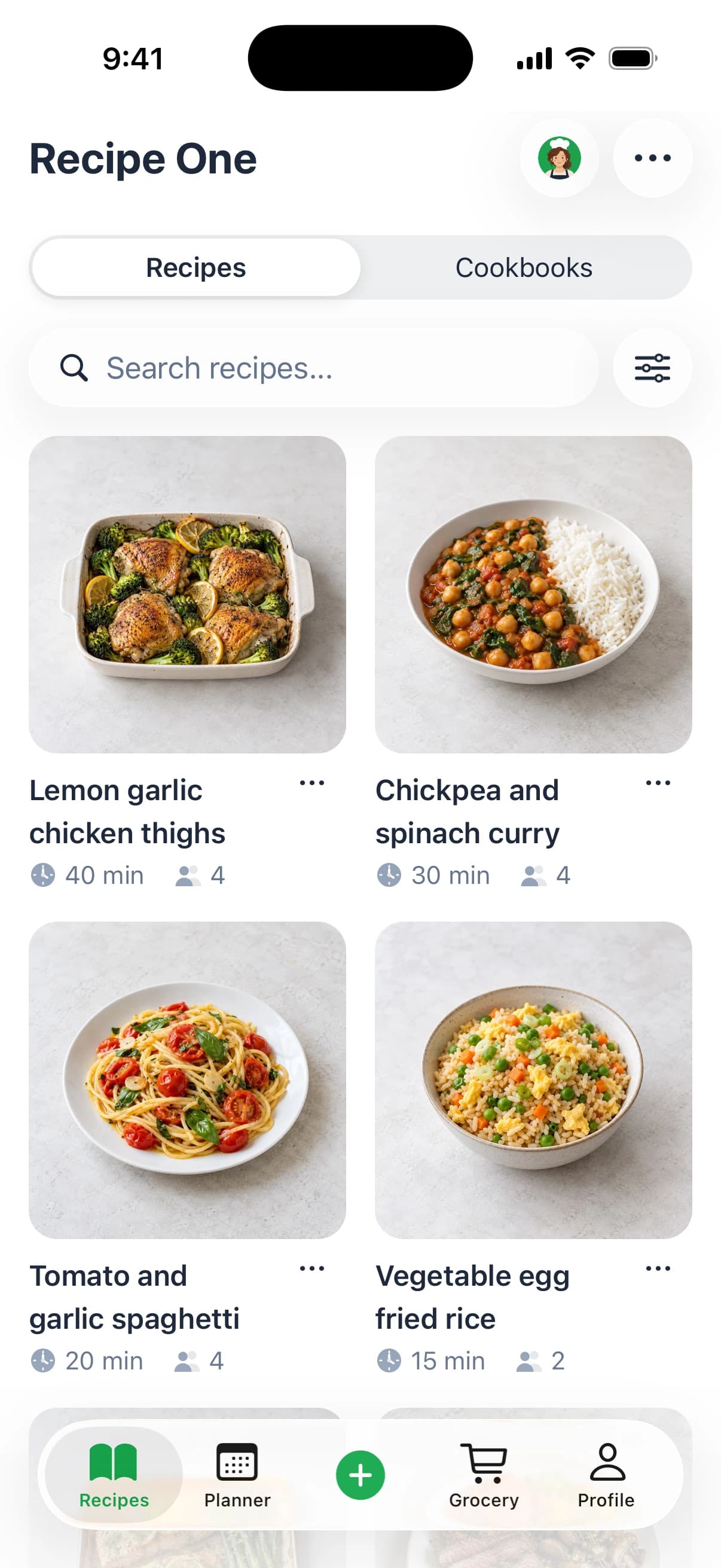
For most of us who love to cook, the best recipe keeper app is the one that makes life easier. It should grab recipes from anywhere, keep them organized, and be available on every device you own. Apps like Paprika, Recipe One, and AnyList are really good at this, creating a central hub for your entire cooking library and simplifying everything from meal prep to grocery runs.
Why You Need a Digital Recipe Keeper
If you've ever frantically searched for a specific chicken recipe minutes before starting dinner, you know the struggle. Your kitchen counter is probably covered in printouts, your browser is overflowing with bookmarked food blogs, and those precious family recipe cards are stashed in a box somewhere. This is exactly the chaos a digital recipe keeper is built to solve.
A good app can bring a sense of calm and order back to your cooking. All those scattered notes and links are replaced by a single, searchable library that has everything you need. This isn't just about being tidy; it's a fundamental shift in how we manage our kitchens.
The market for these apps is exploding for a reason. It's projected to hit $6.5 billion by 2033, with a 15% compound annual growth rate. That’s a clear sign that millions of cooks are tired of the clutter and are looking for a better way. You can dig into more of this data over at marketreportanalytics.com.
The Real Perks of Using a Recipe App
Think of a great recipe keeper as your own personal digital cookbook—one that does a lot more than just hold text. It’s designed to be your assistant in the kitchen.
Here are the main advantages:
- One Place for Everything: All your recipes—from websites, scanned cards, and even photos of magazine pages—live together in a clean, organized library.
- Meal Planning Made Easy: Forget the guesswork. Just drag and drop recipes onto a calendar to map out your meals for the week.
- Smarter Grocery Shopping: Your meal plan can automatically generate a shopping list, often sorted by aisle, so you never miss an ingredient again.
The real magic of a recipe keeper is how it turns a messy pile of ideas into a system that actually works. It’s less about storage and more about making cooking feel joyful and stress-free.
In the end, finding the right tool comes down to figuring out the best way to store recipes for you. Are you trying to save old family cards or capture the latest viral TikTok trend? In this guide, we'll walk through the must-have features, compare the top apps on the market, and help you find the perfect one to simplify your life in the kitchen.
What Makes a Great Recipe App?
Picking the right recipe keeper is personal—it has to match the way you cook. The best ones feel less like a stuffy digital file cabinet and more like a dependable sous chef. Before we get into the head-to-head comparisons, let's break down the core features that really matter.
Let’s face it, the days of overflowing bookmark folders and sauce-stained recipe printouts are numbered. As of 2023, 53% of U.S. adults were using recipe apps every month. You can see the full breakdown of food and drink app trends over on SensorTower.com, but the takeaway is clear: we want smarter ways to manage our kitchens.
Getting Recipes Into the App
The very first thing a recipe app has to nail is getting your recipes into it without a fuss. The whole point is to save time, not to create a new copy-and-paste chore. A top-tier app gives you several painless ways to build your library.
What to look for:
- A Solid Web Importer: This is non-negotiable. You should be able to paste a link from your favorite food blog, and the app should instantly grab the title, ingredients, steps, and main photo. It needs to work cleanly and accurately almost every time.
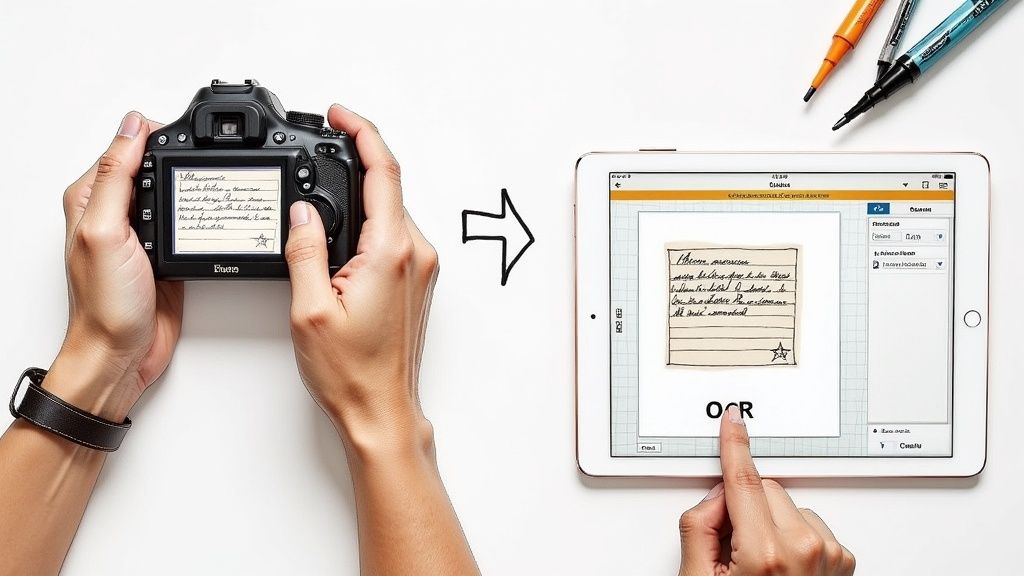
- Photo-to-Text Magic: What about that handwritten recipe for grandma's lasagna? A truly great app will let you snap a picture of a recipe card or a page from a cookbook and use text recognition to turn it into an editable recipe. This is a game-changer for preserving family treasures.
- Simple Manual Entry: When you're inventing your own masterpiece, you need a straightforward form. Adding ingredients, writing instructions, and making notes shouldn't feel like wrestling with a clunky spreadsheet.
Finding What You Need, When You Need It
A collection of 1,000 digital recipes is just as useless as a pile of 1,000 paper ones if you can't find anything. This is where smart organization and a powerful search engine become your best friends.
An app's search function is its most powerful tool. The ability to filter by ingredient, cooking time, or dietary tag means you can decide what to make in seconds, not minutes.
A good app lets you organize your way. Maybe that means folders for big categories like "Weeknight Dinners" or "Holiday Baking." Or maybe you prefer tags for specifics like #vegan, #30min, or #airfryer. The more ways you can slice and dice your collection, the easier it is to find that one specific chili recipe you're craving.
Tools That Actually Help You Cook
The best apps go beyond just storing recipes; they actively help you in the kitchen. These are the practical tools that smooth out the entire process, from planning your week to serving the final dish. Built-in measurement converters are a must-have, letting you switch between grams and ounces with a single tap.
Meal planning is another huge one. A great app lets you drag and drop recipes onto a calendar to map out your week. Even better, it should then automatically generate a shopping list from your plan that you can check off as you walk through the grocery store.
Your Data, Your Control
You’ve spent years building your recipe collection. It’s valuable, and it belongs to you. Always check if an app lets you export your data in a universal format like JSON or XML. This is your exit strategy—it ensures you're never locked in and can take your recipes with you if you ever decide to switch.
Just as important is how your recipes sync. You need to be able to access your collection whether you're on your phone at the store, your tablet on the kitchen counter, or your desktop computer. Flawless, automatic syncing is a hallmark of excellent recipe management software. And last, give the privacy policy a quick read. The best apps are crystal clear that your recipes are yours, and yours alone. If you only use Apple devices, see our Mela recipe app review.
A Detailed Comparison of Top Recipe Keeper Apps
Now that we know what to look for, it’s time to see how the top contenders actually perform. We’ll go beyond a simple checklist and look at how four of the most popular apps—Paprika 3, Recipe One, AnyList, and BigOven—handle real-world cooking challenges. The goal isn't just to see what they do, but how they feel to use day in and day out.
The right app for you is the one that fits how you cook. Do you clip recipes from all over the web? Are you a super-organizer? Or is meal planning your top priority? This simple flow can help you zero in on what matters most.
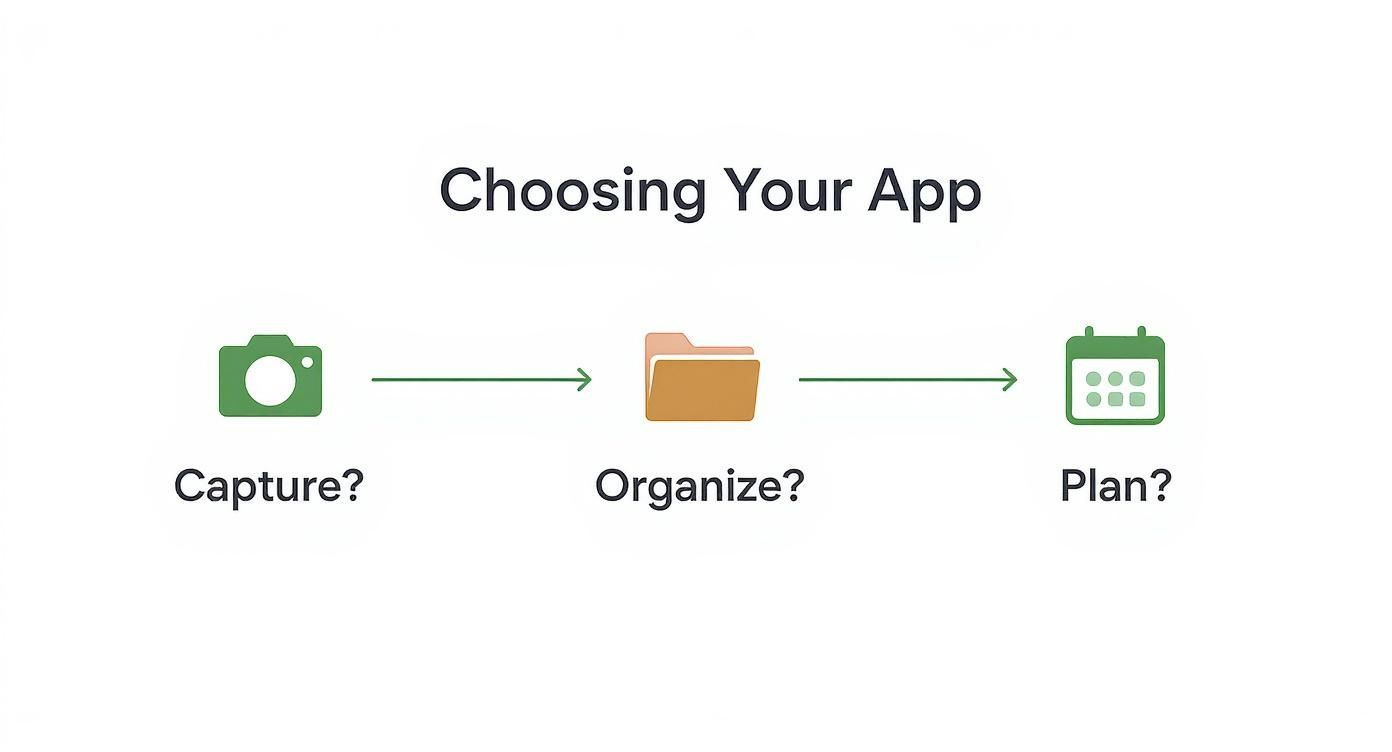
As you can see, it all starts with how you get recipes into the app. From there, it’s about how you organize them and, finally, how you turn them into meals.
Recipe Capture: The First and Most Important Step
How easily you can add a new recipe is make-or-break. A clunky import tool is a non-starter, so this is where the apps really start to show their true colors.
Let's say you stumble upon a killer chicken tikka masala recipe on a food blog. Here’s a peek at how each app gets it done:
-
Paprika 3: For years, Paprika has been the gold standard for web clipping. You just paste a URL into its built-in browser, and it does a fantastic job pulling in the ingredients and steps. The only hiccup? It can sometimes get tripped up by modern, ad-heavy blog layouts, occasionally grabbing a bit of extra text you have to delete.
-
Recipe One: This app was clearly built for today’s internet. It handles standard blog posts effortlessly, but its real magic is how it parses recipes from social media. Its AI-driven engine can pull a recipe from a quick video or even a photo of a handwritten card, a task where other apps simply fail.
-
AnyList: While AnyList is an absolute beast for grocery lists, its recipe import is more functional than flashy. It gets the job done, but you should expect to do a bit more manual cleanup compared to the more specialized apps.
-
BigOven: The importer on BigOven works well enough, but the platform’s main appeal is its own giant database of user-submitted recipes. For clipping from the web, it's perfectly adequate but lacks the sophisticated parsing for unconventional sources.
The Big Difference: Recipe One’s unique ability to accurately pull recipe details from images and videos is a game-changer. If you get your cooking inspiration from Instagram, TikTok, or a friend’s text message, this feature alone puts it in a class of its own.
Organization and Search: Finding Your Favorites
Once you've saved a bunch of recipes, you have to be able to find them. A collection of 500 amazing dishes is totally useless if you can't track down that one soup you want to make.
Here's how they stack up when it comes to keeping things tidy:
-
Paprika 3 gives you a classic folder system. You can create categories like "Weeknight Dinners" or "Baking" and go wild with detailed tags. Its advanced search lets you filter by ingredient, rating, or prep time. It’s incredibly powerful, but it's on you to build and maintain your own system.
-
Recipe One takes a more modern, automated route. It intelligently suggests tags based on a recipe’s ingredients and instructions, doing much of the initial legwork for you. The search function feels snappy and intuitive—more like Google than a clunky database.
-
AnyList ties organization directly to its list-making superpower. While you can sort recipes by category, its real strength is how seamlessly it connects them to your meal plan and shopping lists. It’s all about putting recipes into action.
-
BigOven uses a familiar folder and collection system. It also throws in a social layer, letting you browse what other people are making. This can be a fun way to find new ideas, but it can also make the interface feel a bit busy.
Meal Planning and Grocery Lists: From Idea to Action
A truly great recipe app closes the loop between finding a recipe, planning your week, and hitting the grocery store. This is where the user experience can make a huge difference.
Imagine you're planning three meals: spaghetti on Monday, tacos on Tuesday, and soup on Wednesday.
-
AnyList is the hands-down winner here. The entire app is built around lists. Adding recipes to your weekly plan and generating a shopping list is incredibly smooth and fast. The way it automatically sorts your grocery list by store aisle is a feature that busy families swear by.
-
Paprika 3 has a very capable meal planner. You can drag and drop recipes onto a calendar, and it compiles your shopping list for you. It's highly functional and gets the job done reliably, even if it isn't quite as slick as AnyList.
-
Recipe One keeps its meal planning features simple and effective. It's the perfect bridge between your recipe library and your weekly schedule, giving you the tools you need without bogging you down with a million options.
-
BigOven offers a solid meal planner that syncs to a grocery list. Its standout feature is the "Use Up Leftovers" tool, which cleverly suggests recipes based on ingredients you already have. It’s a great idea, but it’s tucked behind their premium subscription.
Feature Showdown: Top Recipe Keeper Apps
To make things even clearer, this table gives you a side-by-side look at the key features and pricing for each of our top contenders.
| Feature | Paprika 3 | Recipe One | AnyList | BigOven |
|---|---|---|---|---|
| Best For | Power users & culinary explorers | Social media recipe savers | Busy families & shared households | Community recipe discovery |
| Recipe Capture | Excellent web import | AI-powered import (URL, photo, video) | Good web import | Good web import & large database |
| Organization | Folders, tags, advanced search | Automated tagging, simple search | Category-based, list-focused | Folders, collections, social |
| Meal Planning | Strong, calendar-based | Simple and effective | Best-in-class, list-integrated | Good, with "leftovers" feature |
| Cross-Platform Sync | Excellent (via paid cloud) | Seamless and automatic | Excellent (with subscription) | Good (with subscription) |
| Pricing Model | One-time purchase per platform | Freemium with subscription | Freemium with subscription | Freemium with subscription |
This breakdown really shows that the best recipe keeper app comes down to what you value most. For a deeper analysis of these and other apps, be sure to read our complete guide to the best recipe manager apps.
Ultimately, Paprika is perfect for the meticulous cook who loves to organize, while AnyList is a lifesaver for the household manager trying to stay on top of everything. BigOven is great for social cooks who want to discover new things, and Recipe One is the clear winner for the modern cook who finds inspiration everywhere online.
Putting Recipe Apps to the Test: Real-Life Kitchen Scenarios
Features on a spec sheet are one thing, but a recipe app's true worth shows up in the chaos of a real kitchen. The best tool should feel less like software and more like a trusted sous chef, fitting right into your daily rhythm.
To see what I mean, let’s step into the shoes of three different kinds of cooks. By looking at their everyday challenges, we can see how specific app features solve real problems. It’s not about finding the app with the longest feature list, but the one with the right features for how you actually cook.
The Busy Parent Juggling Weeknight Meals
First, meet Sarah. She's a working parent with two young kids, and her main goal is getting a decent dinner on the table without losing her mind. For her, efficiency is everything. She needs a system that gets her from an idea to a grocery list to a finished meal with as few steps as possible.
An app like AnyList is practically built for this exact situation. On a Sunday morning, Sarah can spend 15 minutes dragging a few recipes onto her weekly calendar—Taco Tuesday, Spaghetti Night, you get the picture.
But here’s where the magic really happens for a busy parent:
- One-Tap Grocery List: With a single tap, AnyList pulls every ingredient from her meal plan into an organized shopping list. No more cross-referencing recipes and scribbling on a notepad.
- A List That Works Together: She shares the list with her partner, who can see updates in real-time and grab what's needed on the way home. The list is even sorted by grocery store aisle, which turns a dreaded shopping trip into a quick mission.
- Everything in One Place: When it's time to cook, the recipe is right there in the meal plan. No digging through bookmarks or scrolling through camera rolls to find that screenshot she took last week.
For someone like Sarah, a recipe app is more than a digital cookbook; it's a command center for the whole household. That seamless link between recipes, meal plans, and a shared grocery list is what saves her time and sanity.
The Culinary Explorer Collecting Digital Gems
Next up is Ben. He’s a passionate home cook who sees cooking as a creative outlet. He’s always scrolling through food blogs, saving cooking videos, and trying out new techniques. His biggest challenge? Taming the constant flood of inspiration he finds all over the internet.
For Ben, a powerful import tool isn't just nice to have—it's essential. He needs an app like Paprika or Recipe One that can reliably snag a recipe from just about anywhere. His whole workflow is built around discovery and curation.
Here’s what his process looks like:
- Effortless Capture: He’s on his phone and spots a video for a new ramen broth. With Recipe One, he just shares the video to the app, and its AI automatically pulls out the ingredients and instructions.
- Smart Organization: Later, he’s at his computer and clips a few more recipes using a browser extension. The app immediately suggests tags like #Japanese, #soup, and #noodles, making everything easy to find later.
- A Place to Experiment: For cooks who love trying new things, a good app becomes a digital notebook. It can easily store interesting finds like an Authentic Spiced Chai Tea Recipe, and he can add his own notes about tweaks he made.
A cook like Ben needs a robust library, not just a meal planner. The best app for him is one that puts flawless recipe capture and flexible, searchable organization front and center.
The Family Archivist Preserving a Legacy
Finally, let’s talk about Maria. She’s the keeper of her family's culinary history. Her mission is to digitize generations of handwritten recipe cards from her grandmother, turning them into a single, shareable collection for her entire family. Her workflow is all about preservation.
Maria needs an app that excels at turning physical recipes into digital ones. A strong OCR (Optical Character Recognition) feature, like the one in Recipe One, is a must-have.
Her project would look something like this:
- Digitize the Originals: Using her phone, she takes a photo of each stained, handwritten recipe card. The app’s OCR scans the image and converts the handwriting into editable digital text.
- Refine and Add Context: She proofreads the text, adds a photo of the finished dish, and includes personal notes like, "Grandma Rosa's recipe—we make this every Christmas."
- Share with Family: Once the collection is ready, she can easily share recipes or entire categories with her siblings and cousins. They get to enjoy the family history without risking damage to the precious original cards.
For the family archivist, the app is a time capsule. Its most important job is to bridge the gap between the analog and digital worlds, making sure those priceless memories are safe for the next generation.
Making the Switch: How to Move Your Recipes Without Losing Your Mind
So you've picked a new recipe keeper app. Awesome. Now comes the part that makes most people nervous: moving your entire collection. The thought of losing years of cherished recipes is enough to make anyone stick with a system they don't love. But it doesn't have to be a nightmare. With the right approach, you can make the switch smoothly.
The first step is always getting your recipes out of whatever system you're currently using. Whether that's another app, a folder of bookmarks, or a stack of index cards, a little planning goes a long way.
Getting Your Recipes Out of an Old App
Thankfully, most recipe apps don't hold your data hostage. They know you've invested time building your collection and usually provide an export function. Dive into your current app's settings and look for anything labeled "Export."
You'll probably see a few file format options. Here are the most common ones:
- .paprikarecipes: The native format for the popular Paprika app. Many other tools can read it, which is great.
- .fdx / .fdxz: These are old-school but widely supported formats from Meal-Master and Living Cookbook. Think of them as the TXT files of the recipe world.
- .json / .xml: These are developer-friendly formats. If you see one of these, it’s a solid bet for ensuring all your data transfers cleanly.
My best advice? Always pick the most universal format offered. This gives you the highest chance of a clean, one-click import into your new app, saving you from the soul-crushing task of fixing dozens of recipes by hand.
Once you have that file, moving it into an app like Recipe One is usually just a matter of finding the "Import" button and letting it do its thing.
Dealing with Physical and Social Media Recipes
What about all the recipes that aren't in an app? We all have them—the handwritten card from grandma, a photo of a page from a cookbook, or a video saved on Instagram. This is where a modern app really earns its keep.
For physical recipes, a good Optical Character Recognition (OCR) tool is a game-changer. You just snap a picture of a recipe card, and the app scans the text, turning it into a digital, editable recipe. For the clearest results, lay the card on a flat, well-lit surface with no shadows and keep your camera steady.
And for all those recipes you've saved across social media? Instead of a painful copy-and-paste job, a good app can grab them directly from a link. If you've got a bunch saved on Facebook, for instance, check out our guide on how to save recipes from Facebook for some specific pointers.
A Quick Walkthrough: Importing into Recipe One
To show you how painless this can be, here’s how you’d move your recipes—whether from an export file or a random link—into Recipe One.
- Find the Import Tool: Pop open the main menu in the Recipe One app and tap on "Import Recipes."
- Upload Your Export File: Choose the file you saved from your old app (like your
.paprikarecipesor.fdxfile). The app will get to work, pulling all the recipes into your library. - Add One-Offs: For everything else, just hit the main "+" button. From there, you can paste a URL from a food blog, share a social media video directly to the app, or upload a photo of a physical recipe.
- Review and Tidy Up: After the import, take a quick look. Recipe One is pretty smart and will suggest tags, but you can always add your own to get your new library organized exactly how you want it.
Our Top Pick: Recipe One
After putting all the top contenders through their paces, one app consistently came out on top: Recipe One. It hits that sweet spot between powerful features and genuine ease of use, making it the best all-around recipe keeper for most of us.
Some apps do one thing exceptionally well. Paprika is fantastic if you love manually tweaking every detail, and AnyList is a powerhouse for grocery shopping. But Recipe One tackles the biggest headache for modern cooks—how to get recipes from everywhere into one place.
Its AI-importer is the star of the show. It doesn't just pull recipes from websites. It can watch a TikTok video, scan a photo of your grandma's handwritten recipe card, or even decipher a chaotic screenshot and turn it into a usable recipe. That one feature is a massive time-saver.
Why It Takes the Top Spot
Recipe One doesn't just tick the boxes; it raises the bar, especially when it comes to capturing recipes and making them easy to find later. You can tell it was built for how we find food inspiration today—all over the internet, in a dozen different formats.
- Effortless Recipe Capture: It just works on sources that trip up other apps. That messy feed of inspiration quickly becomes a clean, organized collection.
- Automatic Organization: The app is smart enough to suggest tags right away, doing most of the tedious organizing for you.
- Flawless Syncing: Your recipes are just there, on every device, all the time. No fuss, no manual syncing required.
In the end, Recipe One wins because it gets out of your way. It closes the gap between finding a great recipe and actually getting it on the table, without making you do a bunch of digital busywork.
Keep every recipe in one place
Save from any website, scan handwritten cards, and organize your kitchen.


The whole experience is clean and intuitive. It’s powerful enough for the serious home chef but simple enough that it won't overwhelm someone just starting out. If you want a recipe manager that will grow with you and keep up with your cooking adventures, we think you should check out Recipe One. You can learn more on their website: https://www.recipeone.app.
Got Questions? We've Got Answers
Picking the right digital home for your recipes is a big decision. Even after digging through all the features, you probably still have a few questions rolling around. Let's clear up some of the most common ones we hear.
Can I Share My Recipes With Family?
Absolutely. Sharing is a huge part of what makes these apps great. Most of the top contenders, including Recipe One, let you easily send recipes to friends and family.
You can usually shoot a single recipe over via text or email, or share a whole collection with someone who uses the same app. This is a game-changer for planning holiday dinners or making sure family favorites don't get lost. The best apps create a simple, clean link that anyone can view, app or no app.
Is My Recipe Data Private and Secure?
That's a smart question to ask. A good recipe app should treat your collection like a private diary. Always look for a clear privacy policy that states they won't sell or share your personal data.
Your recipes are yours. I always recommend apps that offer strong security and, just as importantly, an easy way to export your entire library. This gives you peace of mind knowing your data is safe and you can always take it with you.
What if I Stop Paying for a Subscription?
This is a common worry, but you almost never lose your recipes. For services like Recipe One or AnyList, if you cancel a subscription, your account typically just scales back to the free version.
You'll likely lose access to the premium bells and whistles—like saving unlimited recipes or advanced meal planning tools—but everything you've already saved should still be there to view. It’s always a good idea to double-check the fine print on this before you commit, as it’s a crucial detail for long-term use.
Ready to finally get your recipes in order and make cooking simpler? Recipe One uses AI to grab recipes from anywhere—websites, videos, and even your grandma's handwritten cards—so you can stop managing and start cooking.