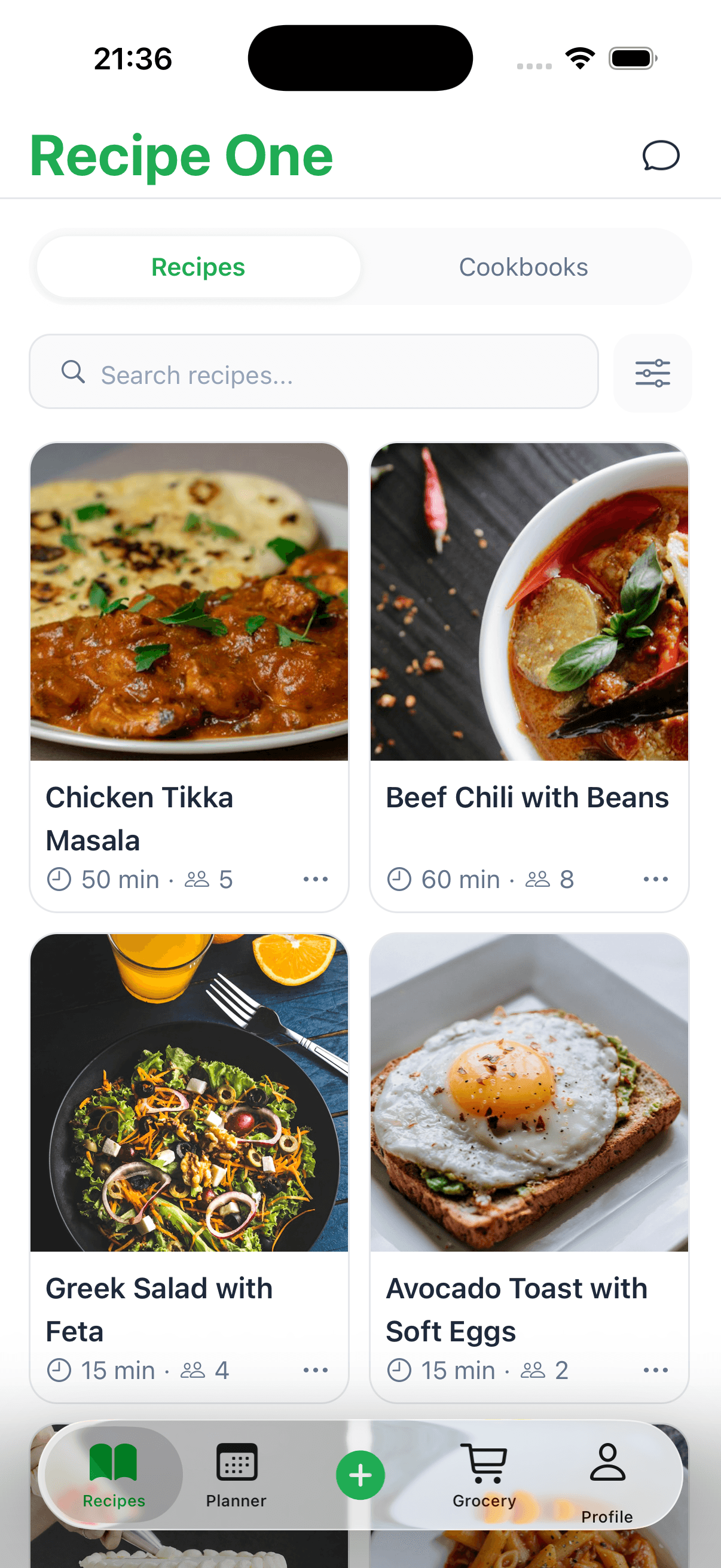
If your recipes are a chaotic mess of Pinterest boards, browser bookmarks, and random screenshots on your phone, you're in good company. To truly organize online recipes, you need one central place to stash everything—a system that grabs inspiration from anywhere, cleans it up into a standard format, and lets you find exactly what you need in seconds. It’s about turning that digital clutter into your own personal kitchen assistant.
Why Your Current Recipe System Isn't Working
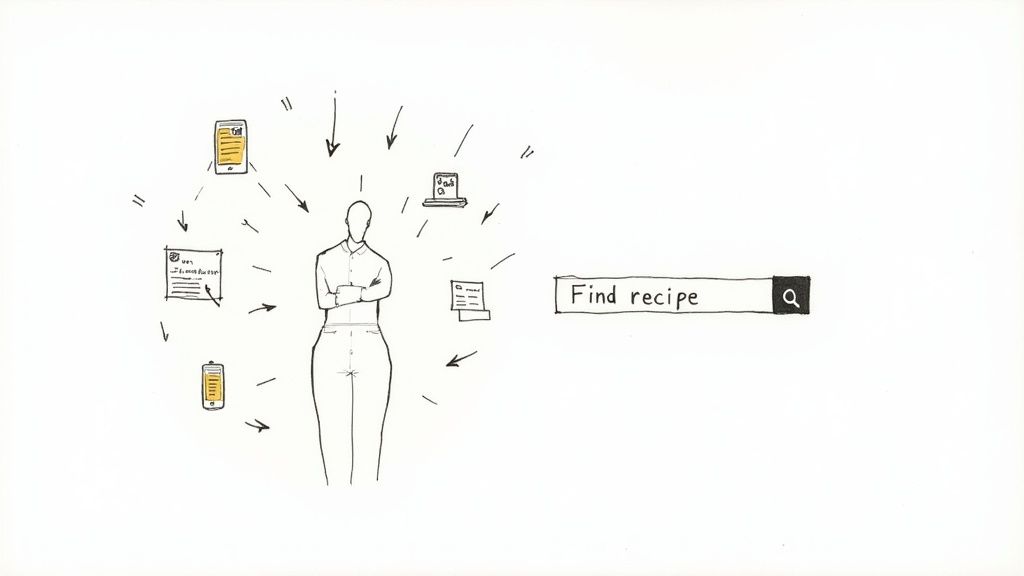
Let me guess: you spot a great-looking recipe on a food blog and bookmark it. A few days later, your friend texts you a screenshot of their family's secret cookie recipe. Then, you pin a dinner idea to a massive Pinterest board you haven’t actually opened in months.
When it’s time to cook, finding that one recipe you were so excited about is impossible. This patchwork system is frustrating and creates more work than it saves, leading to that all-too-familiar feeling of "what's for dinner?" dread.
The Trouble with Scattered Recipes
Juggling a bunch of different apps and websites for your recipes just doesn't work. Each one is its own little island, and you can't search across all of them at once. This digital disorganization causes some real headaches:
- Weird Formatting: A recipe from a blog looks completely different from a text screenshot or a saved Instagram post. It makes them a pain to follow.
- No Real Search: Good luck searching your browser bookmarks for "chicken recipes under 30 minutes." It's just not built for that.
- They Can Disappear: Websites shut down, and social media posts get deleted. We saw this with the recent shake-up at Allrecipes, which was a good reminder of how quickly a reliable source can change. You need your own backed-up library. You can read more about what happened to the Allrecipes app.
- No Central Hub: Without one single place for everything, meal planning turns into a scavenger hunt that has you hopping between five different apps and a dozen open browser tabs.
The real problem isn't a lack of ideas—it's having no simple, reliable way to capture, organize, and find those ideas when you actually need them.
This issue has only gotten worse as the internet has become flooded with food content. The market for recipe websites was worth a massive $6.5 billion in 2023 and is expected to almost double by 2032. That means more amazing recipes than ever, but it also means a lot more noise to cut through.
This guide will walk you through a simple, modern way to finally organize online recipes and turn that scattered collection into a kitchen tool you'll actually use.
Choosing Your Digital Cookbook
The first, and most important, step in wrangling your recipe chaos is picking one place to be your digital cookbook. Think of it as your central command for everything you want to cook. Instead of getting bogged down by a million features, we're going to focus on the three things that actually make a difference: grabbing recipes from anywhere, making sense of the ingredients, and keeping everything in sync across your devices.
A great app should feel like a natural part of your kitchen workflow. You know when you find a great recipe online, but you have to scroll past a ten-page story about the author's childhood? The right tool will intelligently grab just the ingredients and instructions, leaving all the fluff behind. That's the magic trick—turning messy web pages into clean, usable recipes automatically.
What Really Matters in a Recipe App
Not all recipe apps are built the same. Some are fantastic for sharing with family, while others are geared toward solo cooks who love to customize every little detail. The best way to choose is to think about how you actually cook and what would genuinely make your life in the kitchen easier.
Here’s what I always tell people to look for:
- A Solid Web Clipper: How well does the app's browser extension or "share" feature actually work? A good test is to try it on a clean, simple recipe site and then on a cluttered, ad-heavy food blog. You'll see the difference immediately.
- Easy Editing and Notes: Once the recipe is in your app, can you actually use it? You'll want to add your own notes (like "use less salt next time!"), substitute ingredients, or even add a photo of how your version turned out.
- Family Syncing: This is non-negotiable if you cook with a partner or have kids. Look for an app that syncs instantly across everyone's phones and tablets. It’s a game-changer for building a grocery list together.
- Meal Planning Tools: The best apps don't just store recipes; they help you use them. Being able to drag and drop recipes onto a weekly calendar is how your collection goes from a vague idea to a real dinner plan.
The goal is simple: find a tool that works for you, not against you. A clunky interface or slow syncing is all it takes to make you give up and go back to a mess of bookmarks and screenshots.
It's no surprise that the recipe app market is booming. It was valued at around $2.5 billion in 2025 and is only getting bigger, which just shows how many of us are looking for a better way to manage our kitchens.
Comparing the Top Contenders
So, which tool is right for you? A dedicated app like Paprika has been my go-to for years. It’s a one-time purchase, which I love, and it’s incredibly powerful, with a fantastic web clipper and offline access. It’s a favorite for a reason.
If you’re running a household, AnyList is brilliant. It excels at combining recipe management with shared grocery lists that update in real-time. It’s perfect for making sure you don't both come home with a carton of milk. Then there are super-flexible tools like Notion. You have to build your recipe database yourself (or use a template), but you get total control over how it looks and works.
If you want a more detailed comparison, our guide on the best recipe manager apps breaks down even more options.
Choosing Your Recipe Management Tool
To make the choice a little clearer, here’s a quick look at how these three popular options stack up for different types of home cooks.
| Feature | Paprika | AnyList | Notion (with template) |
|---|---|---|---|
| Best For | Serious solo cooks who want powerful tools and offline access. | Families and couples needing shared lists and meal plans. | DIY enthusiasts who want total control over their layout. |
| Pricing Model | One-time purchase per platform (iOS, Mac, etc.). | Free with a premium subscription for advanced features. | Free with optional paid plans for more storage. |
| Ease of Use | Moderate learning curve, but very powerful once learned. | Very intuitive and easy to use from the start. | Requires initial setup and learning of database functions. |
Ultimately, the best tool is the one you'll actually stick with. Take one or two for a test drive for a week and see which one feels the most natural for your cooking style.
Capturing Recipes from Anywhere Instantly
Let’s be honest, a digital recipe collection is useless if it’s a pain to add new recipes. The whole point is to make your life easier. When you stumble upon a must-try recipe on a food blog, the last thing you want to do is start a tedious copy-and-paste marathon.
This is where a good web clipper or browser extension becomes your best friend. With a single click, it scans the webpage, pulls out the important stuff—ingredients, directions, prep time—and saves it as a neat, clean recipe card in your app. It cuts through all the blog fluff and gets right to the good part. The same goes for mobile; a simple tap on your phone's "Share" button should send that TikTok or Instagram recipe straight to your collection.
From Digital to Physical
But what about the recipes that don't live on the internet? I’m talking about the treasured, sauce-splattered index card from your grandma or that perfect cookie recipe you ripped out of a magazine years ago. A truly great system brings these into the fold, too.
It’s surprisingly simple. Just snap a picture of the card or page with your phone and upload it. You can then quickly type in the ingredients and instructions, making that cherished family recipe just as searchable and secure as the one you found online five minutes ago.
The whole idea is to have one simple, reliable workflow: find a recipe, save it, and have it synced everywhere, ready to go.
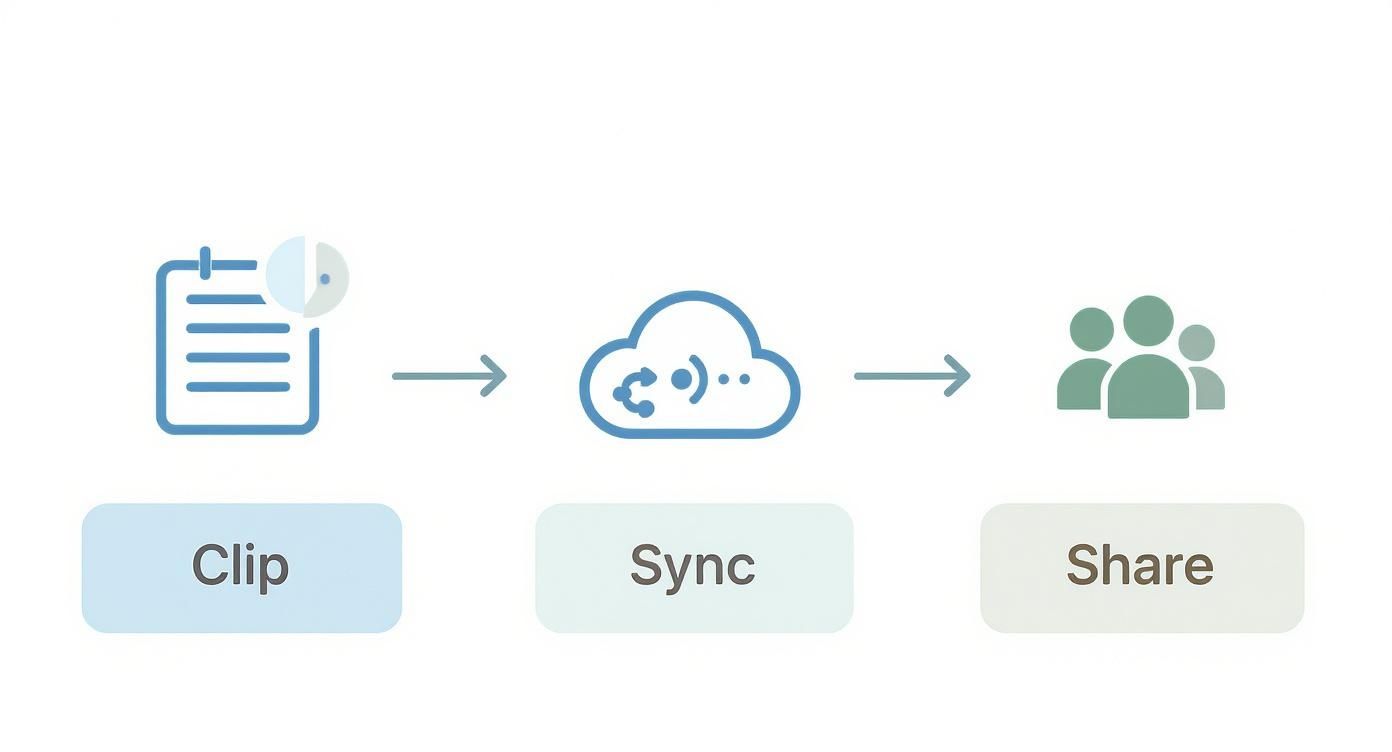
Think of it this way: clip it, sync it, and it's ready to share or drop into next week's meal plan.
Make It a Habit
Saving the recipe is only half the battle. The real secret to a beautifully organized collection is what you do in the 30 seconds right after you save it. This tiny habit prevents a massive, overwhelming cleanup project down the road.
Your goal is consistency. A clean, well-organized library is built one recipe at a time, not in a massive, overwhelming weekend project.
Before you move on, take a moment for a few quick tweaks:
- Standardize Terms: Did the blog use "T" or "tbls"? Change it to "tablespoon." Consistency is key for searching later.
- Add Personal Notes: Jot down your thoughts while they're fresh. "Used almond flour instead of regular, worked great!" or "Kids loved this—double the sauce next time."
- Assign Tags: Immediately add a few tags like
#weeknight-dinner,#vegetarian, or#dessert. This is how you’ll find the perfect recipe when you need it.
This quick tidying process is what transforms your collection from a digital junk drawer into a powerful, personal cookbook you'll actually use.
If you're looking for the right tool to help with this, our guide on choosing a recipe saver app is a great place to start. For the more tech-savvy, a web scraper can automate gathering recipes from your favorite sites. If you go that route, Scrappey's Getting Started guide has some great pointers for getting set up.
Designing a Smarter Tagging System
So, you’ve picked your digital cookbook and started saving recipes. This is where the real fun begins—turning that random collection into a smart, searchable library you’ll actually use.
First things first: let's ditch the old, rigid folder system. You know the one: "Chicken," "Beef," "Desserts." It seems logical at first, but it breaks down fast. Where do you put that amazing chicken stir-fry recipe that's also vegetarian-adaptable and can be on the table in 20 minutes? It doesn't fit neatly into just one box.
The answer is a modern, flexible tagging system. Think of tags as descriptive labels you can stick on any recipe. A recipe can have as many tags as it needs, which means you can find exactly what you’re looking for, no matter how you search. This one shift is the secret to keeping your recipes organized for good.
The Hybrid Approach: Categories and Tags
Over the years, I've found the most effective system is a hybrid one. It combines a few broad categories with a bunch of specific, descriptive tags. This gives you the best of both worlds—a little bit of structure and a whole lot of search power.
Start by setting up a handful of high-level categories. These are the big buckets you naturally think in when you're staring into the fridge wondering what to make.
- By Meal Type:
Breakfast,Lunch,Dinner,Snack,Dessert - By Main Protein:
Chicken,Beef,Pork,Seafood,Vegetarian
This gives you a solid foundation. But the real magic comes from layering on those specific, descriptive tags. They add the all-important context that helps you decide what to cook right now.
A great tagging system reflects how you actually think about food. It should answer questions like, "What's a quick, healthy dinner I can make with chicken?" before you even type them.
Building Your Personal Tag Vocabulary
Your tags should be personal and genuinely useful to you. They’re meant to capture what makes a recipe special or practical for your life. To get you started, here are some ideas for tag groups:
- Time Commitment:
#quick-30min,#under-1-hour,#weekend-project - Dietary Needs:
#gluten-free,#dairy-free,#low-carb,#vegan - Cooking Method:
#air-fryer,#instant-pot,#slow-cooker,#no-bake - Occasion:
#holiday,#potluck,#kid-friendly,#meal-prep - Key Ingredients:
#pantry-staples,#freezer-friendly
Let’s see it in action. A recipe for a quick chicken parmesan might get the tags Dinner, Chicken, #quick-30min, and #kid-friendly. Now, when it's a hectic Tuesday night, you can just search for recipes tagged with Chicken and #quick-30min to instantly see all your best options. That’s way more powerful than just clicking into a generic "Chicken" folder and scrolling forever.
Interestingly, the logic for organizing digital information is pretty universal. Whether you're sorting recipes or academic articles, many of the same effective digital organization principles apply.
This kind of systematic approach is a big reason why digital cooking tools are booming. The market for online recipe box services, which help you store and categorize recipes, is projected to hit nearly $17.97 billion by 2034. It's all driven by our need for convenient, personalized meal planning. You can read more about the growth of online recipe services if you're curious.
As you start building your system, the most important thing is to be consistent. Pick a format—like always using lowercase and hashtags—and stick with it. It makes searching so much easier later on. If you want more inspiration for setting up your structure, our guide on how to categorize recipes has a ton of great ideas.
Turning Your Recipe Library Into an Effortless Meal Plan
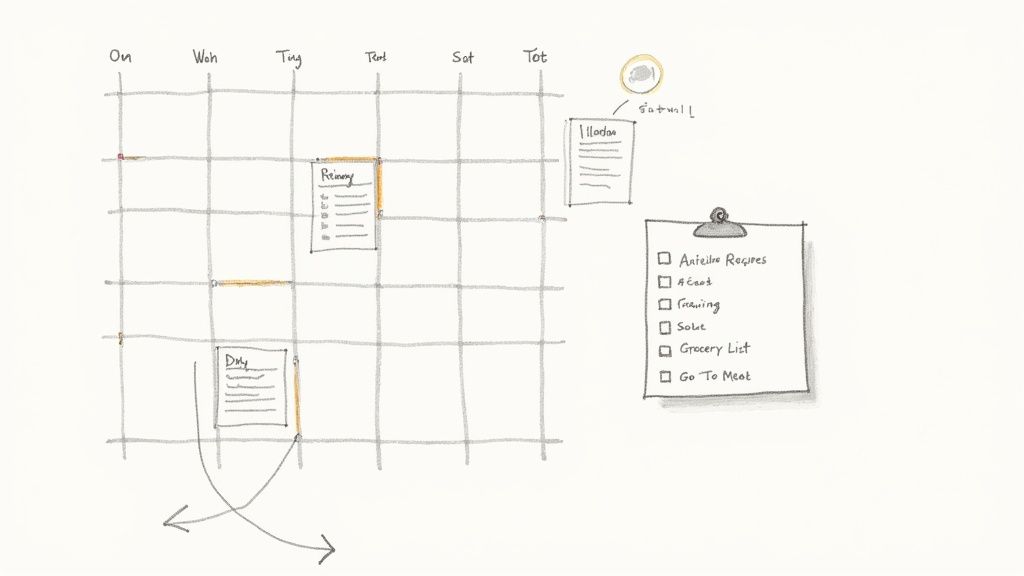
Having a neat and tidy recipe collection is one thing, but the real magic happens when it starts making your daily life easier. This is the moment your digital cookbook stops being just a list and becomes a true kitchen sidekick, connecting your saved recipes directly to your weekly meal plan and grocery list.
The end game here is to finally put an end to that dreaded 5 PM question: "What's for dinner?"
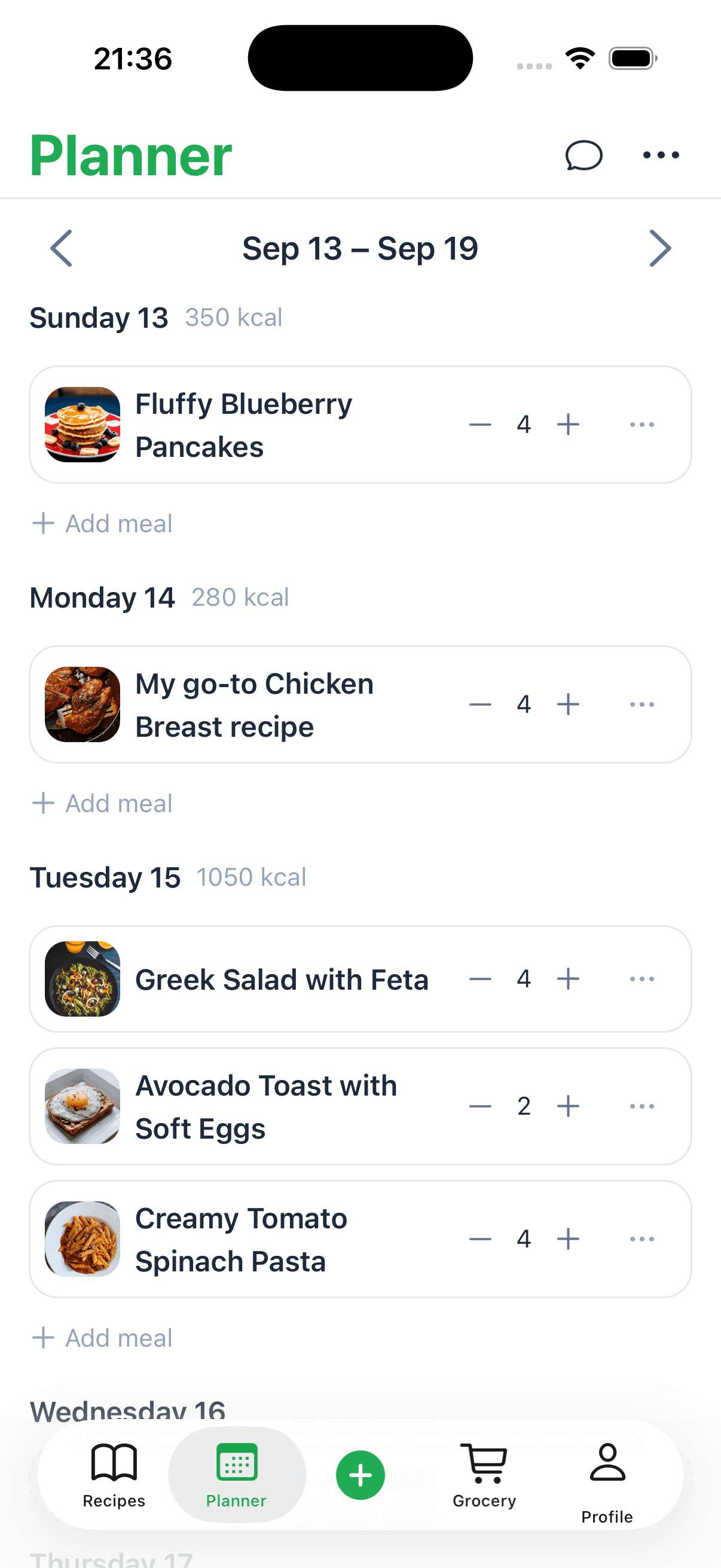
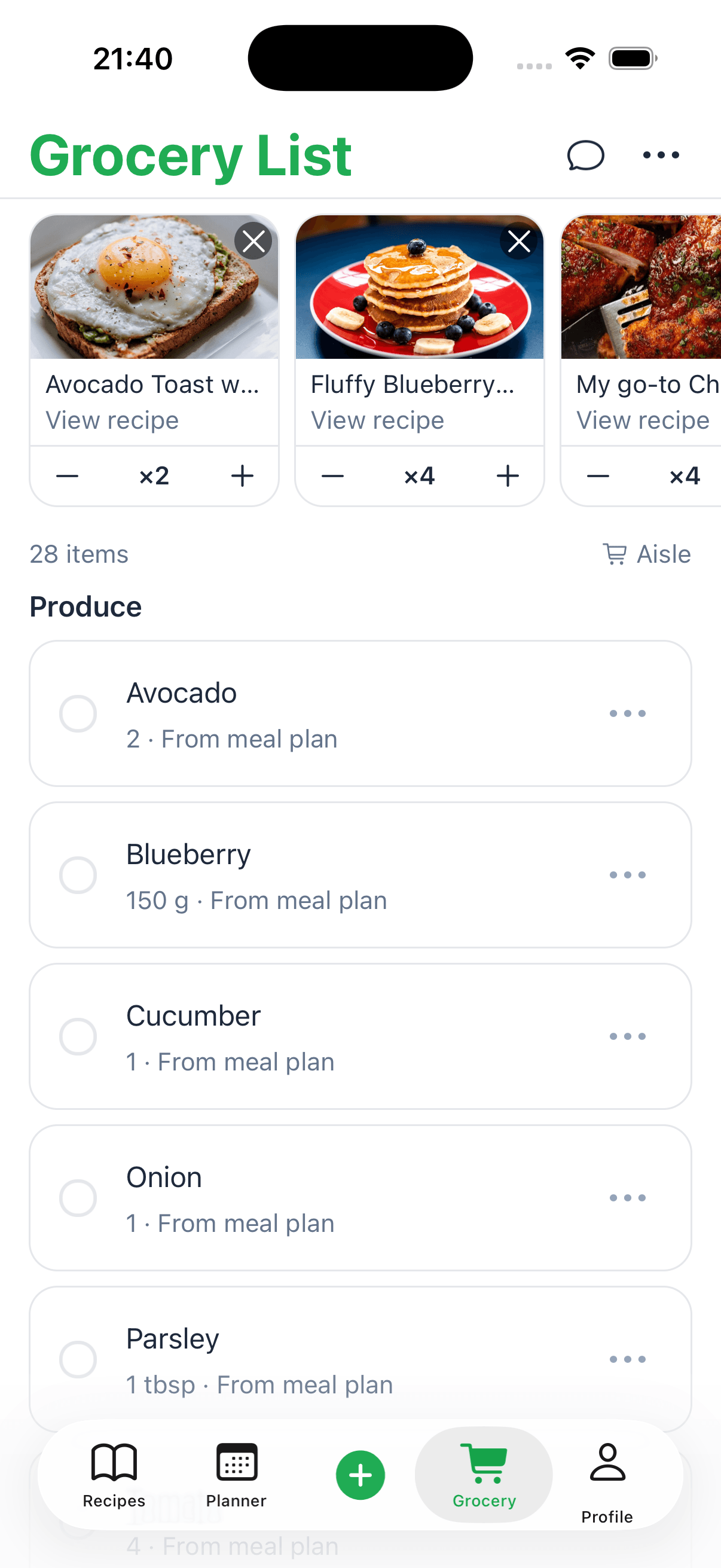
Think about it. You open your recipe app, find that ‘Quick Chicken Tacos’ recipe you saved last week, and just drag it onto Tuesday night. In that one move, the app can automatically populate your shopping list with every single ingredient you need. That kind of seamless connection is what makes the initial setup so incredibly worth it.
From Collection to Action Plan
At its core, this is about turning your carefully tagged recipes into an actual schedule for the week. Most modern recipe apps have a built-in calendar or planner for exactly this reason. I like to sit down on a Sunday afternoon, filter by tags like #quick-30min or #kid-friendly, and just drag a few weeknight winners into my plan.
It’s not just about scheduling, though. It’s about creating a single, reliable game plan for your kitchen. Having that roadmap laid out for the week ahead cuts down on decision fatigue in a huge way, especially after a long day at work. If you want a more detailed look at this process, we've got a full guide on how to plan weekly meals that walks you through it.
An organized recipe system should do more than just store information. It should actively help you cook by anticipating your needs, from planning your week to generating your shopping list.
Smart Features That Genuinely Save Time
Beyond just dropping recipes on a calendar, a truly great system gives you tools that make the entire process of cooking feel smoother. These little features might seem small, but they add up to massive time savings and a lot less stress.
Here are a few things to look for:
- Shopping List Generation: The best apps will take all the ingredients from your planned meals and merge them into one organized grocery list. A really smart one will even combine items—turning 2 cups of milk from one recipe and 1 cup from another into a simple "buy 3 cups of milk."
- Instant Recipe Scaling: Expecting company? You should be able to double or even triple a recipe with a single tap, letting the app do all the math to adjust ingredient quantities for you.
- Measurement Conversions: This is a big one. Being able to switch between metric and imperial units (grams to cups, Celsius to Fahrenheit) right inside the recipe is a lifesaver, especially when you're working with recipes from international food blogs.
Here’s a pro tip that has saved me countless times: create a special tag or collection called #Go-To-Meals. Fill it with 10-15 of your family's favorite, tried-and-true recipes that you can whip up without much thought. On those chaotic nights when you’re short on time and inspiration, you can pull directly from this list and know you have a winner. It’s a simple habit that turns your recipe library from a passive collection into your most reliable kitchen tool.
Answering Your Biggest Recipe-Organizing Questions
Switching to a new system for saving recipes always comes with a few questions. Sticking with it is all about getting past those initial hurdles. Let's walk through some of the most common challenges people run into when building their digital cookbook.
The goal isn't to be perfect overnight. It's about building a good habit that genuinely makes your life in the kitchen easier. Think of this as your troubleshooting guide to creating a recipe library that actually works for you.
What’s the Best App for Organizing Recipes?
Honestly, there’s no single “best” app, because the right one for you really depends on how you cook and what you need.
For the serious home cook who wants all the bells and whistles, Paprika 3 is usually the top contender. People love it because it’s a one-time purchase and comes packed with powerful tools for meal planning and offline access.
If you're trying to coordinate with a partner or family, AnyList is fantastic. It blends shared grocery lists and recipe management together seamlessly, which is perfect for busy households. For those who want total control, a flexible tool like Notion lets you build a completely custom system from the ground up, tailored exactly to your own workflow.
The best app is the one that feels natural to you. I always tell people to try the free version or trial of one or two top contenders. You'll know pretty quickly which one you actually enjoy using.
How Do I Save Recipes from Videos?
This is a huge one now with all the amazing recipes on TikTok and Instagram. The most foolproof method is a quick two-step process that ensures you never lose that great idea you scrolled past.
First, just save or bookmark the video right there in the social media app. That’s your immediate backup. Next, open your recipe app and create a new entry manually. In the "Source" or "Notes" section, paste the direct link to the video. Then, quickly jot down the key ingredients and instructions. You don’t need every single word—just the essentials to make the recipe searchable and protect it in case the original video gets deleted.
Is It Really Worth Organizing All My Old Recipes?
The thought of tackling years of saved recipes can feel totally paralyzing. My advice? Don't even try to do it all at once.
Start fresh. From today forward, capture every new recipe you find using your new system. Then, just set aside 15-20 minutes a week to chip away at the backlog. A great way to begin is by focusing on your absolute favorites. Go through your oldest Pinterest boards or browser bookmarks and import just five recipes you're genuinely excited to make.
Over a few months, this approach helps you build a curated collection of meals you actually use, not just a cluttered archive of "someday" ideas.
How Can I Share My Digital Recipe Collection?
Sharing recipes is one of the best parts of cooking, and modern apps make it incredibly simple. Many are built with collaboration in mind.
- Sharing with other app users: Services like AnyList and Paprika let you share your entire library with family members who also use the app. This is a game-changer for coordinating meal plans.
- Sending a single recipe: For just one recipe, most apps have a "Share" button that sends a nicely formatted version via email or text.
- Exporting for anyone: If your family doesn't use the same app, you can usually export a recipe as a PDF or plain text file. This makes it easy for anyone to open and is also a fantastic way to digitally preserve and share those treasured family recipe cards.
Ready to stop the chaos and start building a beautiful, organized recipe library today? Recipe One is an AI-powered tool that automatically captures recipes from social media, videos, and websites with a single click, turning them into perfectly formatted cards in your personal collection. Ditch the manual copy-pasting and let us do the work for you. Try Recipe One for free and start organizing your recipes effortlessly!