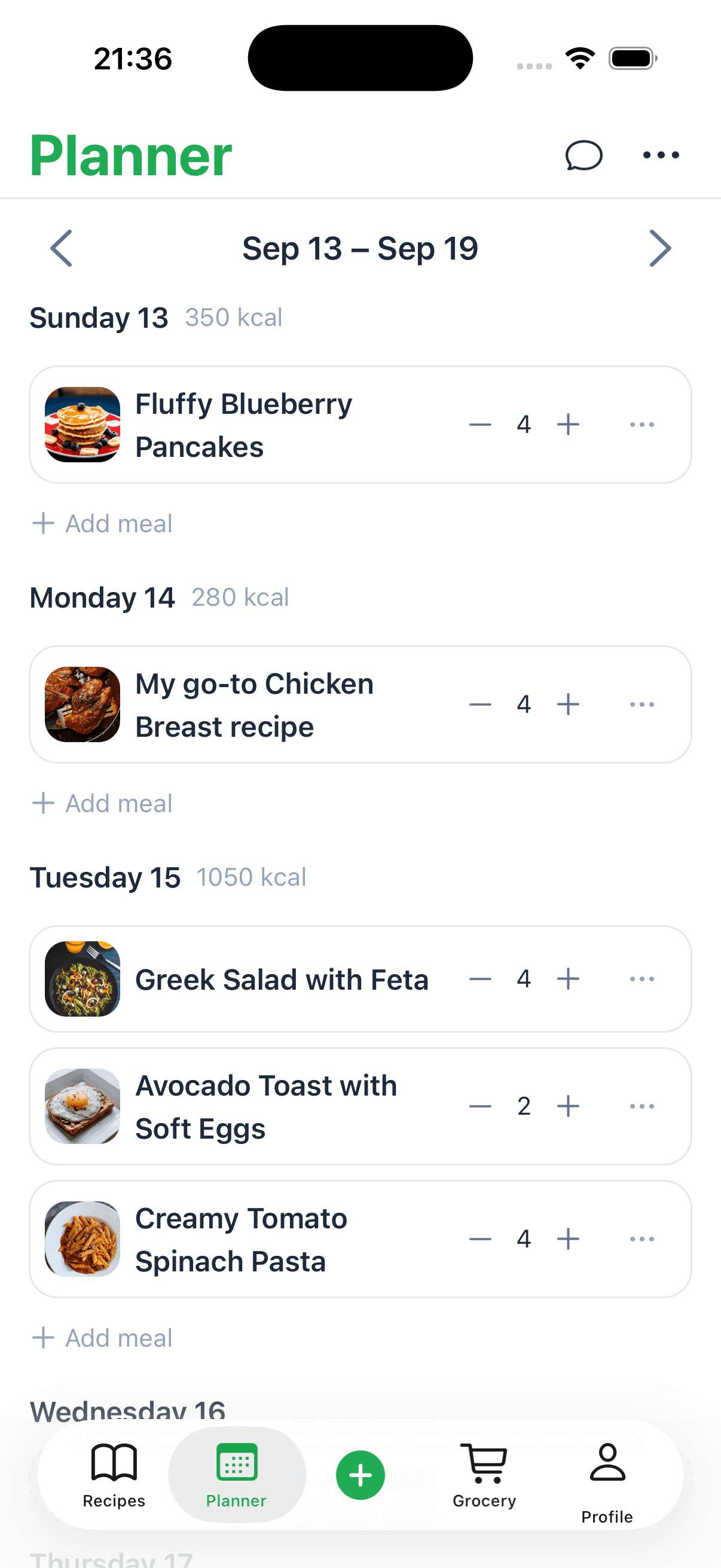
A meal prep planner template is really just a simple, structured layout—digital or printable—that helps you map out your meals, snacks, and grocery lists for the coming week. Think of it as your secret weapon against the dreaded "what's for dinner?" chaos. This single tool is designed to take the guesswork out of your daily cooking, saving you a ton of time and money in the process.
It’s what turns frantic weeknight dinners into a calm, predictable part of your day.
How a Meal Prep Planner Template Actually Changes Your Week
Picture your weeknights without that frantic 5 PM scramble. That's the kind of freedom a good meal prep planner gives you. Instead of wrestling with decision fatigue and making yet another last-minute trip to the store, you get to be in the driver's seat of your time, budget, and health. It’s all about shifting from reactive cooking to a simple, stress-free routine.
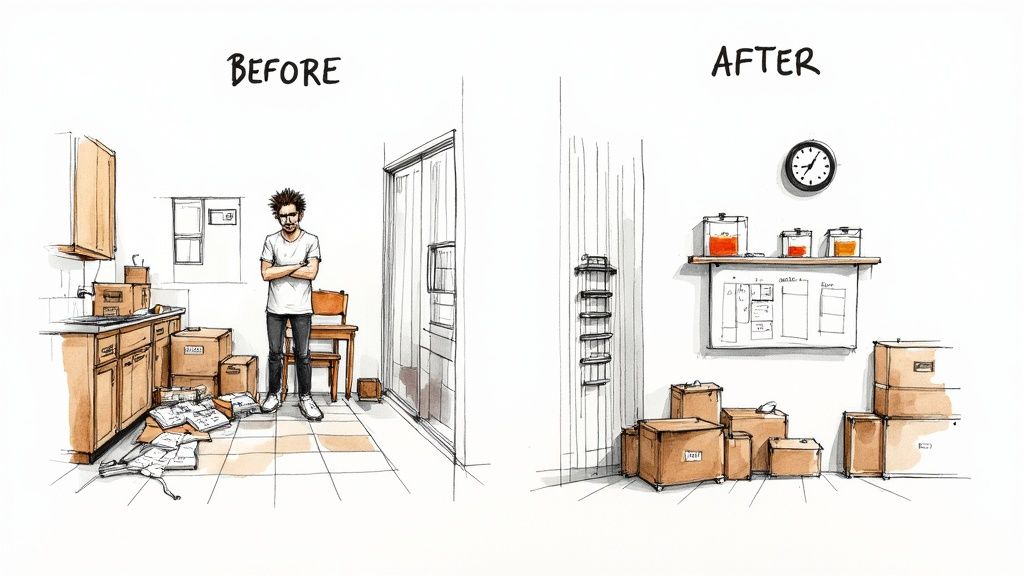
Honestly, it’s about so much more than just jotting down recipes. It’s about reclaiming your mental energy and making healthy choices the easiest option available. When you map out your meals ahead of time, you start building a much more intentional relationship with your food.
The Immediate Benefits of Planning Ahead
Once you start using a planner, you'll probably notice a ripple effect of positive changes almost immediately. Here’s what most people experience right away:
- Less Food Waste: Planning means you buy only what you need. No more finding sad, wilted produce in the back of your fridge.
- Serious Time Savings: A couple of hours prepping on a Sunday can save you 10-15 minutes every single night. That adds up fast!
- Better Budget Control: When you walk into the grocery store with a clear list, those impulse buys magically disappear.
- Healthier Eating Habits: With healthy, delicious meals already prepped and waiting, you're way less likely to cave and order takeout. If you want more pointers on this, check out our guide on how to plan weekly meals.
This move toward structured planning is a big reason why the global meal planning app market, valued at $1.2 million, is expected to hit $3.6 million by 2032. It's clear people are looking for tools that bring order to their kitchens.
To give you a clearer picture, here’s a quick breakdown of how a planner can make a tangible difference in your life.
Key Benefits of Using a Meal Prep Planner
Benefit
How It Helps You
Real-World Impact
Stress Reduction
Eliminates daily decision-making about meals.
You feel calmer and more in control of your evenings.
Financial Savings
Cuts down on impulse buys and expensive takeout.
More money in your pocket at the end of the month for other things.
Healthier Diet
You control the ingredients and portion sizes.
It's easier to meet your dietary goals, whether that's eating more veggies or tracking macros.
Consistency
Establishes a predictable, easy-to-follow routine.
You stick to your healthy eating habits without relying on willpower alone.
As you can see, the benefits go far beyond just having a neat list. It’s about creating a system that supports your lifestyle.
A meal prep planner isn't a restriction; it's a framework for freedom. It clears your mind of the constant 'what's for dinner?' question, allowing you to focus on enjoying your food and your evening.
Ultimately, a good meal prep planner template is like your kitchen’s command center. It gives you a visual roadmap for the week, transforming what feels like an overwhelming chore into a manageable—and maybe even enjoyable—habit.
Choosing the Right Planner for Your Lifestyle
Let's be honest, the "perfect" meal prep planner doesn't exist. The best planner is simply the one you'll actually stick with week after week. It’s all about finding a system that fits your life, not forcing your life to fit some complicated new system.
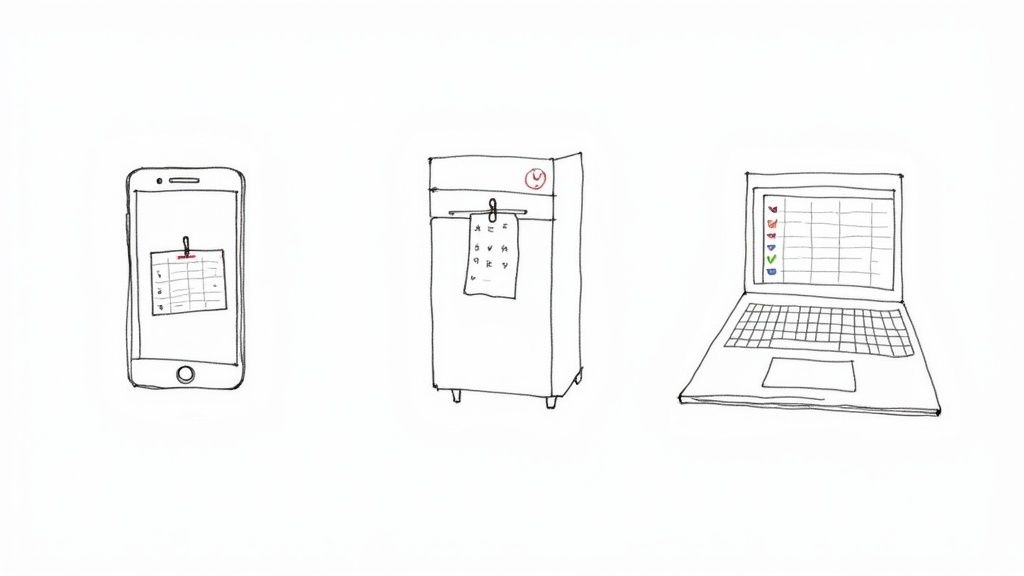
So, where do you start? Think about your daily habits. Are you glued to your phone? A digital app or a cloud-based spreadsheet might be your best bet. Or are you more of a visual, hands-on person? In that case, a printable PDF you can stick on the fridge might be the game-changer. There's no wrong answer here—just what works for you.
Digital Planners for Modern Convenience
If your life moves fast and you need your plan at your fingertips, digital is the way to go. These templates, whether in an app or a spreadsheet, are all about flexibility and access from anywhere.
- For the tech-savvy professional: Imagine finding a cool recipe during your lunch break. With a digital planner synced to your phone and laptop, you can add it to your plan instantly, and it'll be waiting for you when you get home.
- For the data-driven cook: If you love tracking details, nothing beats a spreadsheet. You can customize Excel or Google Sheets to track macros, monitor your grocery budget, and even create formulas that automate your shopping list.
- For the serious recipe collector: Many of the best recipe manager apps now come with built-in meal planning. This lets you drag and drop your saved recipes right into a weekly calendar, which is a massive time-saver.
A separate guide covers meal prep apps built around batch cooking.
This move toward digital planning isn't happening in a vacuum. It reflects a much bigger trend. Just look at the meal kit delivery industry, which was valued at a staggering $26.29 billion in 2023 and is projected to hit $64.27 billion by 2030. This boom shows just how much people crave well-structured, easy-to-access planning tools. Those meal kit market trends are part of the same demand for structured planning.
Printable Planners for Visual Organization
On the flip side, there's a real power in simplicity. A printable template gives you a tangible, central hub for your household's entire food schedule. It’s old-school in the best way.
A simple PDF hung on the fridge becomes a visible reminder for the whole family. It's perfect for coordinating with a partner or even getting the kids involved in picking out a few meals. Plus, there’s something incredibly satisfying about physically checking an item off your grocery list or a meal you've prepped.
Sometimes, the best tool is the simplest one. A piece of paper on the fridge doesn't need a login, won't run out of battery, and is always visible to everyone in the house.
How to Decide Which Is Best for You
Still on the fence? Run through these questions to figure out your ideal match.
- Where do you spend most of your time? If you're always on the go, digital is your friend. If your home is your command center, a printable planner will probably serve you better.
- How deep do you want to go with details? For tracking macros or other complex nutritional data, a digital spreadsheet with formulas is unbeatable. But if you just need to schedule your dinners for the week, a printable is perfect.
- Who else needs to see the plan? A physical planner in a high-traffic spot like the kitchen is a great way to keep the whole family on the same page.
- What feels less like a chore? This is the most important one. If the idea of updating a spreadsheet makes you want to take a nap, don't force it. Grab a pen and paper instead.
At the end of the day, the goal here is to make your life easier and reduce stress, not to add another complicated task to your to-do list. Go with the format that feels the most natural and sustainable for you.
How to Build Your First Weekly Meal Plan
Alright, this is where the planning pays off. You’ve picked out a planner—now it’s time to actually fill it out and map out your first stress-free week. My best advice? Don't overthink it. A messy, realistic plan you actually use is a million times better than a perfect one that just sits on the counter.
Before you even think about what to cook, grab two things: your calendar for the week ahead and a notepad (the notes app on your phone works just fine). Take a hard look at your schedule. Working late Tuesday? Kids have soccer practice Thursday evening? Pinpoint those hectic days right away.
Those are your "low-effort meal" nights. Knowing this upfront stops you from accidentally scheduling a 45-minute recipe on a night when you barely have 15 minutes to spare.
Next, do a quick "shelf-scan." What do you already have in the pantry, fridge, and freezer? That half-bag of quinoa, those frozen chicken breasts, that lone can of black beans—those are your starting players. Planning meals around what you already own is the quickest win for cutting down on food waste and your grocery bill.
Mapping Out Your Meals Day by Day
Now you can start plugging in the food. I always start with dinners since they’re usually the most involved meal of the day. Be strategic here. Assign your super-quick meals—think tacos, pasta, or breakfast-for-dinner—to those busy nights you just identified. Save the recipes that require a bit more love for the evenings when you have more time and energy.
Here's a game-changing tip I swear by: plan for leftovers. Seriously. If you’re making a big pot of chili on Sunday, pencil in "chili leftovers" for Tuesday's lunch. This is the heart of cooking smarter, not harder. You get two meals with the effort of one.
Here’s what that might look like in practice:
- Monday Dinner: Chicken and Veggie Stir-fry (Quick and easy)
- Tuesday Lunch: Leftover Stir-fry
- Tuesday Dinner: Black Bean Burgers (Busy night, simple meal)
- Wednesday Dinner: Spaghetti with a pre-made sauce
- Thursday Lunch: Leftover Spaghetti
See? This simple flow means you aren't starting from zero for every single meal.
Don't Forget Breakfasts and Snacks
Dinners tend to steal the spotlight, but unplanned breakfasts and snacks are where good intentions (and budgets) often go to die. You don’t need a rigid plan here, but having a small, rotating list of go-to options makes mornings so much smoother.
For instance, you could stock up for these three choices for the week:
- Overnight oats (prep a few jars on Sunday)
- Scrambled eggs with toast
- Greek yogurt with berries
For snacks, think grab-and-go. A handful of almonds, an apple with peanut butter, or a protein bar can be a lifesaver when that 3 p.m. hunger hits. Scribbling these ideas onto your meal prep planner template ensures they make it onto your grocery list.
Your meal plan is a roadmap, not a contract. Life happens. If you end up ordering pizza on Friday instead of making that planned lasagna, it's okay. The point of this is to reduce your stress, not create a new source of it.
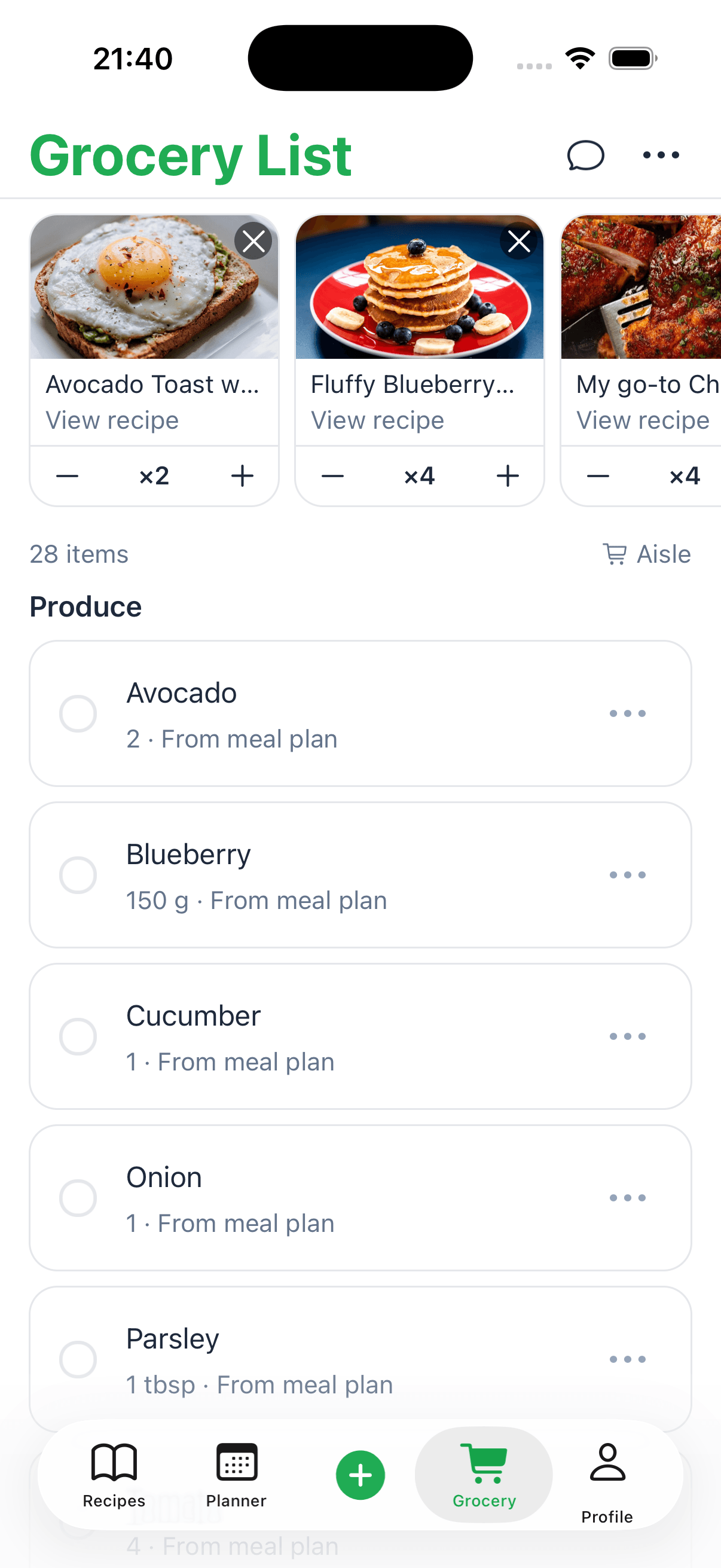
Once your meals are sketched out, you can create a super-organized shopping list, which is a massive time-saver in itself. If you want to dive deeper, our guide on how to automatically turn your recipes into a shopping list can make this part almost effortless.
And to help you get started right now, grab this free downloadable meal planner. It's a simple, practical template that's perfect for getting your first week organized and feeling totally achievable.
Taking Your Planner to the Next Level
Once you've got the hang of the basics, you can start turning that simple planner into a powerhouse tool that actually helps you hit your specific health and lifestyle goals. This is where a digital meal prep planner template really comes into its own, especially one you've set up in a spreadsheet like Google Sheets. It's time to move beyond just jotting down meals and start building a system that truly works for you.
For instance, one of the biggest upgrades you can make is creating a shopping list that populates itself automatically. Think about it: you type in your meals for the week, and a perfectly organized grocery list just appears. It sounds complicated, but it's not, and it will save you a ton of time and mental energy every single week.
Building an Automated Shopping List
To make this happen, you'll first need a simple "database" of your go-to recipes. Just create a new tab in your spreadsheet for recipes, listing out every ingredient in its own row. Back in your weekly planner tab, you can then use a function like VLOOKUP or INDEX/MATCH to pull all the ingredients for each meal you select into one master list.
With a little more tweaking, you can even add formulas that combine duplicate items. So, if three different recipes call for onions, your list will just say "onions: 3" instead of listing them out three times. This one feature alone transforms your planner from a static page into a smart assistant.
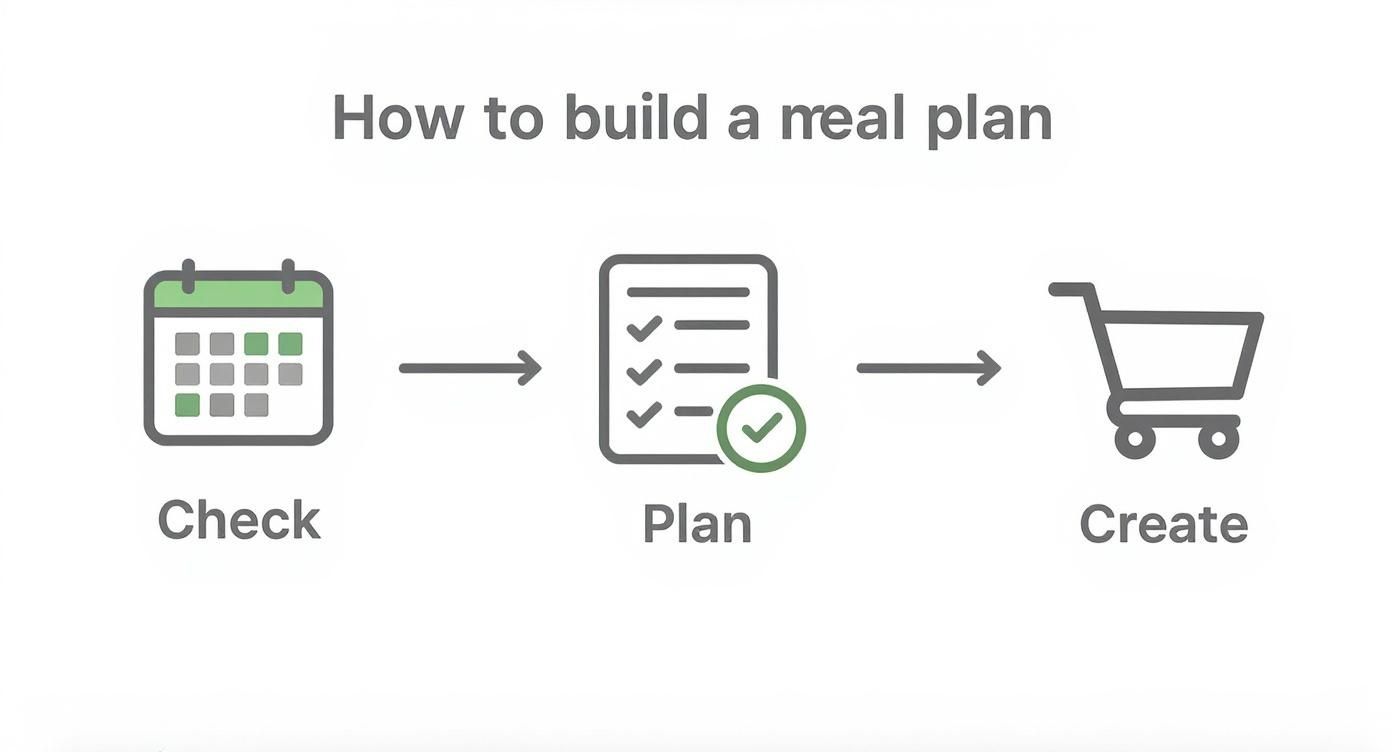
This workflow—checking your calendar, planning meals, and then making a list—is the core of good meal prep. Automating that final step makes the whole process so much smoother and helps you actually stick to the plan.
Your planner should adapt to your life, not the other way around. Customizations like an automated list or macro tracking are about making healthy choices feel effortless.
This kind of personalization is a big deal. In fact, the market for AI-driven meal planning apps, which is all about these advanced features, was valued at USD 972.1 million and is expected to soar to USD 11,566.5 million by 2034. It’s clear people want planners that are smart and adapt to their needs. You can read more about the rise of AI in meal planning on market.us.
Integrating Macro and Calorie Tracking
If you have fitness goals like building muscle or managing your weight, plugging nutritional data right into your planner is an absolute game-changer. You get a clear, at-a-glance overview of your entire week's intake, which means you can stop the tedious daily logging in separate apps.
Start by adding a few extra columns next to each meal in your planner:
- Calories
- Protein (g)
- Carbs (g)
- Fat (g)
As you add meals to your schedule, just fill in the nutrition info. You can find this data pretty easily online for most recipes. For a quick and accurate breakdown of your own homemade dishes, a tool like our recipe calorie calculator is perfect for getting the numbers you need.
Then, at the bottom of each day's column, use a SUM function to total everything up. This gives you an instant snapshot of whether your plan for the day lines up with your targets. You could even use conditional formatting to color-code the cells, highlighting days where you’re over or under your goals. This turns your planner into a personalized dashboard for your health.
Bringing Your Recipes and Batch Cooking Together
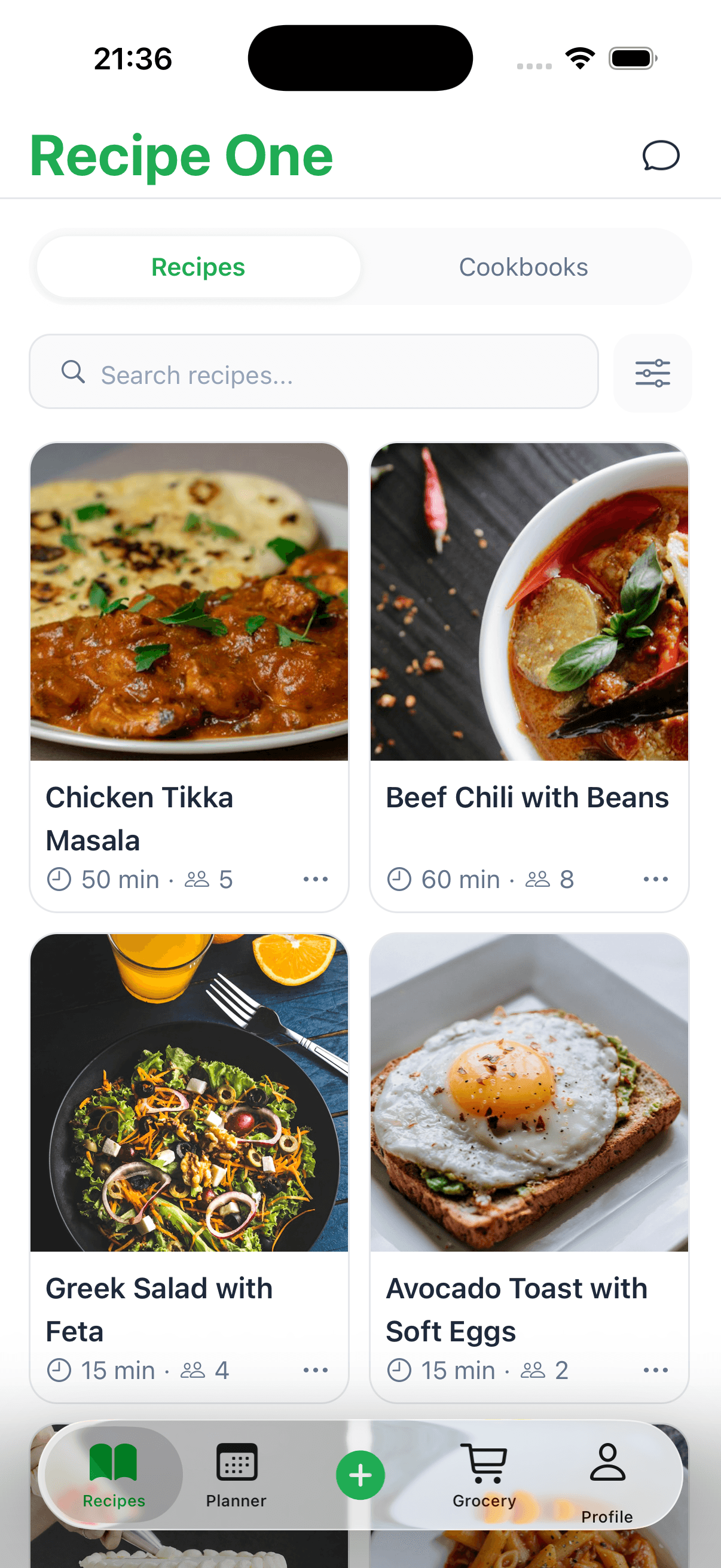
Let's be real—a meal plan is just a list of words until you have delicious, easy-to-follow recipes to back it up. A great meal prep planner template closes that gap, connecting your weekly schedule directly to your favorite recipes so you aren't digging through bookmarks or cookbooks when you're ready to cook.
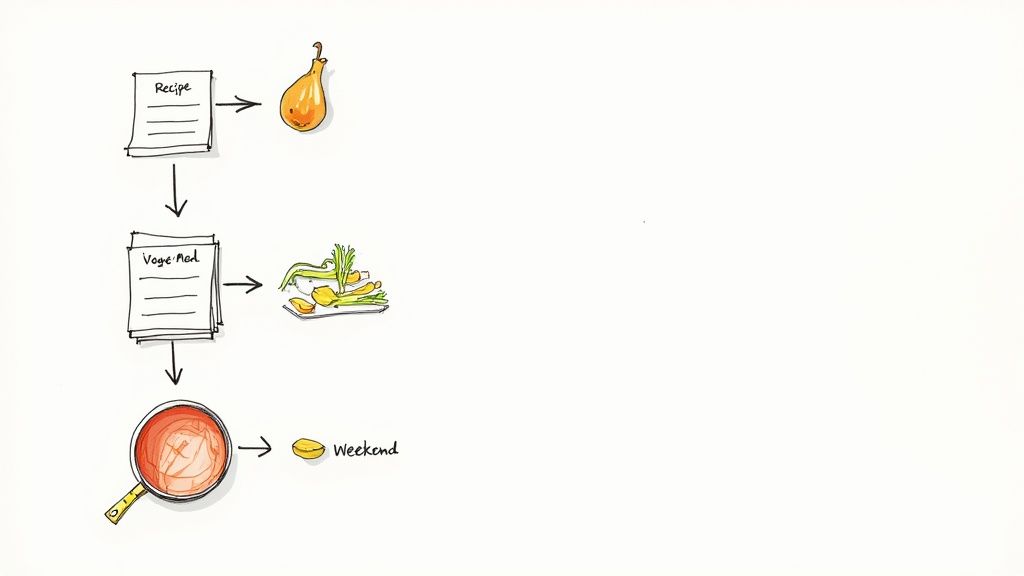
This is a simple change, but it makes a huge difference. By linking a recipe to each meal in your digital planner, every entry becomes a clickable portal straight to the instructions. This is where a tool like Recipe One really shines, letting you build a personal recipe library that you can link to directly from your planner.
Once you have this system dialed in, you can unlock the next level of meal prep efficiency: batch cooking.
Getting Smart with Batch Cooking
Batch cooking is all about preparing ingredients or entire meals in larger quantities ahead of time. It's the secret to spending less time in the kitchen during the week, and your planner is the perfect place to map it all out. A quick glance at your week can show you exactly where to cook smarter, not harder.
Look for recipes with overlapping ingredients. It’s easier than you think.
- Grains: Making quinoa bowls for Monday lunch and a quinoa salad for Wednesday dinner? Cook one big batch on Sunday, and you're set for both.
- Proteins: A few pounds of grilled chicken can become the star of salads, wraps, and grain bowls all week long.
- Veggies: Onions, bell peppers, and carrots are in everything. Spend 20 minutes chopping them all at once, then store them in containers, ready to go.
As you start to think this way, you'll see that versatile pasta dishes are a meal prepper’s best friend. They're incredibly easy to make in large portions and can be tweaked with different sauces or toppings for variety.
Scheduling Your Prep Session
The real magic happens when you block off time to get the work done. For most of us, a couple of hours on a Sunday afternoon is the sweet spot. Treat this time like any other important appointment and put it right into your planner.
Here’s what a typical prep session might involve:
- Roast your veggies: Get broccoli, sweet potatoes, and bell peppers tossed with oil and seasoning into the oven first.
- Cook your grains: While the veggies roast, get a big pot of rice or quinoa going on the stovetop.
- Prep your proteins: This could be baking chicken breasts, browning ground turkey, or simmering a big batch of lentils.
- Assemble and store: Portion out your components into individual containers for easy grab-and-go meals.
Think of your planner as your sous chef. It lays out the game plan, telling you exactly what to do and when. This lets you get into a rhythm, move efficiently, and get hours of your life back during the week.
This approach turns a simple planner into the command center for your entire kitchen workflow. Of course, it all starts with having the right recipes. If you need some inspiration, our collection of easy meal prep recipes for beginners has some fantastic ideas to kick off your batch-cooking journey.
Got Questions? Let's Troubleshoot Your Meal Plan
Even with a perfect template, real life happens. A new routine always has a few bumps in the road, but don't let a minor snag throw you off your game. Most meal planning challenges are surprisingly easy to solve.
I get asked all the time, "What do I do about picky eaters?" The secret isn't about being a short-order cook; it's about collaboration. Instead of laying down the law, try offering two or three pre-approved options for a couple of meals each week. This gives everyone a say while you still keep things structured.
But what happens when your perfectly planned schedule goes sideways? Life is unpredictable, and your meal plan needs to be able to roll with the punches.
Staying Flexible When Life Gets Chaotic
My golden rule is to always have a backup meal built into the plan. This needs to be something ridiculously easy that you can make from pantry or freezer staples, no fresh ingredients required.
Here are a few of my go-to "emergency" meals:
- A good frozen pizza: A lifesaver on those nights when everything goes wrong.
- Pasta and a jar of sauce: You can have this on the table in under 15 minutes. It's a classic for a reason.
- "Brinner" (breakfast for dinner): Who doesn't love scrambled eggs and toast? It's fast, filling, and requires zero thought.
Having one of these on standby means a last-minute meeting or a kid's practice running late doesn't automatically mean ordering expensive takeout. You just swap in your backup meal and move the original recipe to another day. It’s a simple buffer that makes your plan almost unbreakable.
Remember, a meal plan is a guide, not a contract. It's meant to make your life less stressful. The goal is consistency, not a 100% perfect track record. If you get off track one night, just jump back in the next day. No big deal.
And finally, how do you handle food boredom? Eating the same handful of meals can get old fast. I find the best way to fight this is to actively plan for variety in flavors and textures. If Monday is a creamy pasta dish, maybe make Tuesday a crunchy taco salad. I also love scheduling one "new recipe" night each week to keep our taste buds from falling into a rut.
Ready to get your recipes in order and make meal planning feel truly automatic? With Recipe One, you can save any recipe from any website with a single click, building your own personal, searchable cookbook. Start building your collection for free at Recipe One today!